


















Key takeaways:
-
- SaaS software is highly in demand for its ease of use, seamlessness, and ultimate performance without the need for installation.
- The growth of SaaS applications is at its peak in 2026, and it is expected to reach USD 1,482.44 billion by 2034.
- It allows users access to cloud services, reduces infrastructure costs, adds the latest technologies, and automates maintenance.
- The average cost to create a SaaS application in 2026-2027 can be estimated at $30,000-1,50,000.
Software-as-a-Service (SaaS) applications are common in every software category, from project management tools to AI platforms. Today, almost every business relies on SaaS softwares to run its operations efficiently. It is regarded as a scalable and profitable business model in the digital economy of 2026.
SaaS applications provide cloud-based access to software without complex installations or high infrastructure costs. This is why the demand for SaaS solutions continues to grow among modern businesses in 2026.
As the demand grows, startups and even large enterprises are searching for how to create a SaaS application. To build a SaaS platform, businesses require a clear roadmap to develop a SaaS application with detailed market research on different aspects.
To clearly understand the SaaS product launch strategy from beginning to end, this guide covers all the essential aspects.
What Is a SaaS Software?
A Software-as-a-Service (SaaS) is a cloud-native application product accessed through a web browser. To use such applications, there is no need to install them on the device. This software is hosted and managed by a provider on off-site servers.
SaaS allows users to log in to the application from anywhere, simply with an internet connection. It diminishes the requirement for app installation, regular updates, and costly infrastructure. Any standard to be followed for SaaS application helps businesses manage data and streamline operations.
Why SaaS Platforms Are Growing Rapidly in Today’s World?
It is evident that SaaS platforms are becoming popular across industries in 2026. It is due to the shift by global enterprises towards cloud-based, scalable, and cost-efficient software solutions. Have a look at the potential reasons for the extensive growth of Saas applications in 2026.
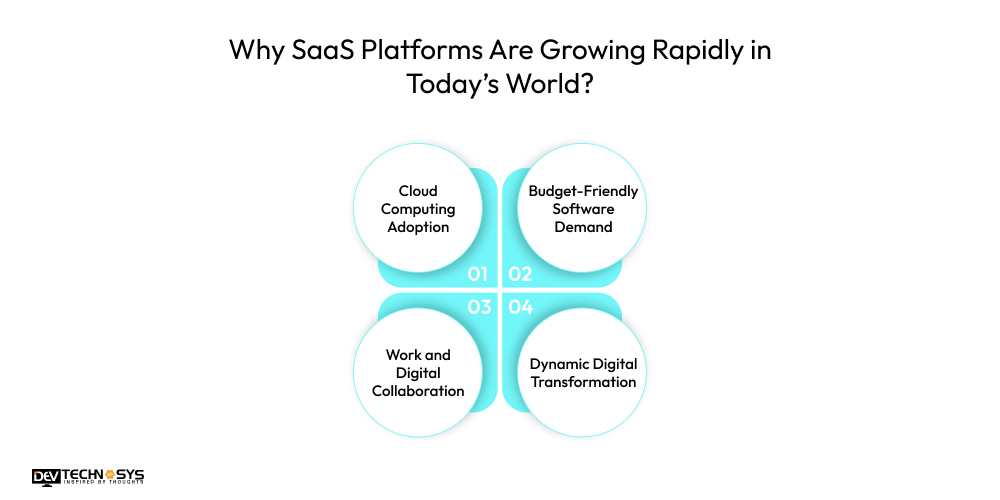
1. Cloud Computing Adoption
Businesses are shifting towards cloud-computing infrastructure more in this competitive market. This shift gives rise to more flexibility, scalability, and remote accessibility. It also prominently increases the adoption of SaaS platforms worldwide.
2. Budget-Friendly Software Demand
SaaS solutions are marked as cost-efficient as they eliminate the expenses of hardware, servers, and maintenance. In addition, these solutions also reduce upfront investment and operational costs, becoming a perfect choice for modern businesses.
3. Work and Digital Collaboration
SaaS software is becoming popular among enterprises for their remote and hybrid work models. This makes organizations depend on SaaS tools to communicate, collaborate, and manage projects within distributed teams.
4. Dynamic Digital Transformation
Businesses of different industries are embracing digital technologies to boost efficiency and enhance user experience. SaaS platforms are accelerating this digital shift by providing seamless and quick deployment and effortless integration.
Key Market Statistics for the SaaS Industry
Businesses are increasingly putting their hands on Software-as-a-Service (SaaS) for more scalability, flexibility, and cost-efficiency. We will understand this expansion through the market predictions analyzed by Fortune Business Insights.
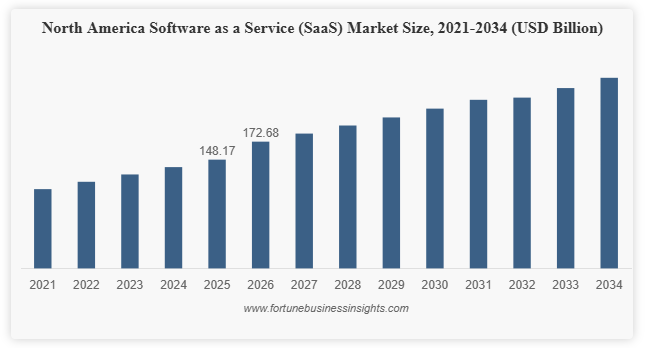
- The global SaaS market reached USD 315.68 billion in 2025.
- The SaaS market is expected to grow to USD 375.57 billion in 2026.
- By 2034, the SaaS industry could reach USD 1,482.44 billion.
- The global SaaS market is projected to grow at a strong CAGR of 18.7%.
- North America held a 46.9% market share in 2025, making it the leading region in SaaS adoption.
What are the Core Advantages of Enterprise SaaS Application Development?
The main benefit of SaaS applications is that they allow users to access software online, which removes the need for local installation. It provides businesses with the benefits of flexibility, cost-effectiveness, and the ability to scale as needed.
A Software-as-a-Service platform can simplify software deployment, management, and maintenance. We will understand the convenience of SaaS product development.
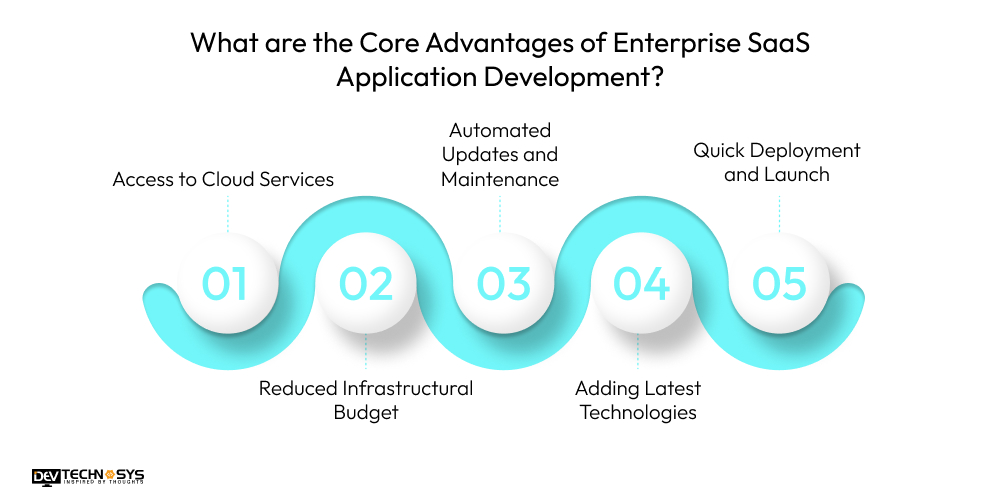
1. Access to Cloud Services
It allows users to use SaaS tools from any device with an internet connection, work remotely, and collaborate globally. These solutions, built on multi-tenant SaaS architecture, allow businesses to work efficiently without depending on maintaining physical offices.
2. Reduced Infrastructural Budget
As SaaS hosts the software, there is no need to buy heavy servers. It decreases the IT infrastructure management prices. It is beneficial for startups and small businesses, as they only pay for the services they use.
3. Automated Updates and Maintenance
Updates, security patches, and maintenance are handled by Saas providers, reducing development time and efforts. It guarantees and offers upgraded features and security improvements without the need for manual updates.
4. Adding Latest Technologies
SaaS software enhances business productivity by including AI, automation, analytics, and other advanced technologies. With this, enterprises can streamline workflow, make informed decisions, and improve operational efficiency.
5. Quick Deployment and Launch
SaaS solutions can be quickly and effortlessly deployed as compared to fully built applications. It lets organizations launch their product in the market fast. Businesses can easily respond to changes without heavy development and installation.
Pick what you need below — you can select more than one — then tap Get detail to continue.Want a chatbot demo or pricing? Fill the form and talk to our experts today.
Chatbot demo dashboard
Cost to develop an app
Industry report
Case study
What Are the Different Types of SaaS Applications?
If you are looking for SaaS Startup Ideas for the industries, it is better to understand their types. The Software-as-a-Service platform comes in multiple types according to their uses and functions. We are presenting important types of SaaS so that businesses can select the best suited for their needs.
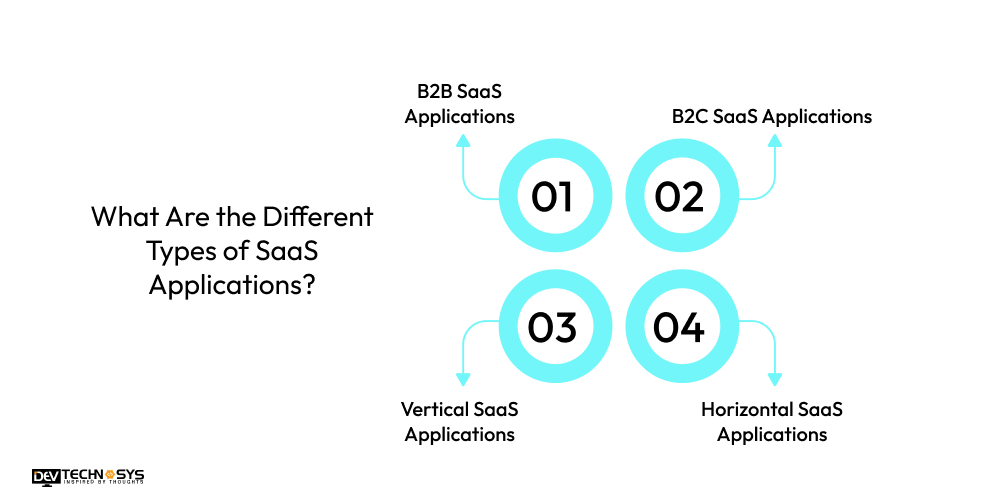
1. B2B SaaS Applications
B2B SaaS solutions are created to help businesses and organizations in managing operations, workflow, resources, and internal processes. The main purpose of the B2B SaaS platform scalability strategies is to improve enterprise productivity and abd overall performance.
Examples of B2B SaaS Platforms:
- CRM SaaS
- ERP SaaS
- HRM SaaS
- Project Management SaaS
2. B2C SaaS Applications
B2C SaaS apps are developed for individual customers, offering services directly to end users. It offers services that can be easily accessed online. B2C SaaS brings accessibility, convenience, and seamless solutions for everyday personal requirements and activities.
Examples of B2C SaaS Platforms:
- Video Streaming SaaS
- Music Streaming SaaS
- Personal Finance SaaS
- Online Learning SaaS
3. Vertical SaaS Applications
Vertical SaaS software generally focuses on particular industries and niche markets. These are especially built to meet the unique requirements, regulations, and workflows of specific sectors. It helps organizations tackle specialized challenges with customized softwares.
Example of Vertical SaaS Platforms:
- Healthcare Management SaaS
- Real Estate Management SaaS
- Construction Management SaaS
- Restaurant Management SaaS
4. Horizontal SaaS Applications
Horizontal SaaS solutions are especially used across multiple industries but have common business functions. This development supports general operational needs to improve productivity. It depends on Containerization (Docker) for seamless cloud-based app operations.
Examples of Horizontal SaaS Platforms:
- Accounting SaaS
- Marketing Automation SaaS
- Customer Support SaaS
- Communication and Collaboration SaaS
Step-by-Step SaaS Product Development Lifecycle
Organize your SaaS development process, from idea validation to after-launch support, with the given strategic steps. When the app is built properly with AI in SaaS development and hosting solutions, it will scale high and stay competitive. Understand the entire procedure of cloud-based application development.
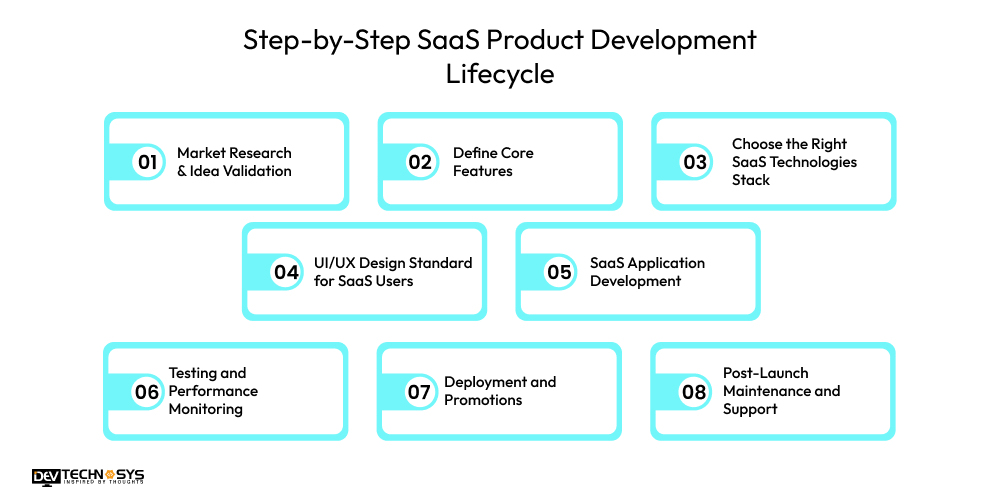
1. Market Research & Idea Validation
To create a SaaS application, it is mandatory to study the market thoroughly and validate your idea. While analyzing the market, one should identify customer problems and study competitors’ strategies.
It also demands staying up to date with the latest trends in the SaaS industry. With idea validation, businesses must get clarity on whether the option they are selecting is in demand.
2. Define Core Features
Define the essential features that should be kept on priority when you develop a SaaS application. The features selected here should create a SaaS application that resolves real problems.
It is also beneficial for the app’s functionality, user role, and monetization plan. When you have a clear structure of the feature set you need in the app, it helps in quick and seamless development.
3. Choose the Right SaaS Technologies Stack
Selecting the right technologies, even for microservices, is essential for security, scalability, and performance. The choice of technologies is also necessary to secure the user data when multiple people work on the same infrastructure.
This approach lets enterprises easily manage workflows, workloads, and support growing user bases. It also enables quick development with API integration for SaaS and evolves with changing business requirements.
4. UI/UX Design Standard for SaaS Users
For customer adoption and satisfaction, Ui/UX design plays a vital role. When you hire dedicated developers, they generally utilize SaaS frontend development frameworks. Maintaining SaaS architecture design for applications means creating responsive dashboards and intuitive navigation.
When the SaaS platform is designed thoughtfully, it ensures easy feature access to users. The app completes tasks efficiently by offering a seamless user experience.
5. SaaS Application Development
Now the final development process begins, where engineers use reliable SaaS backend technologies. It also includes frontend, security protocols, coding, database management, APIs, and Continuous Integration & Continuous Deployment (CI/CD).
This step allows the application to connect with third-party tools, payment gateways, and external services. At this stage, the app will be completely ready to be launched to offer a great user experience.
6. Testing and Performance Monitoring
One thing that is extremely important before app release is testing, performance monitoring, and quality assurance. It includes bug fixing, security patches, and function testing across devices to ensure the SaaS platform remains secure for users.
Security testing may also include OAuth 2.0 authentication & JWT to protect user access and sensitive data. After the testing, the business will get a green check to deploy the app.
7. Deployment and Promotions
As the testing is done, the app is all set to be launched in a cloud environment. Technologies like Containerization (Docker) help package the SaaS application for deployment.
Along with the app, it contains its dependencies, libraries, and configuration files in a single container. This container is then managed by Kubernetes orchestration to guarantee the SaaS system works efficiently as the user traffic grows.
8. Post-Launch Maintenance and Support
After putting the app in a cloud environment, continuous monitoring and improvements are required. Many SaaS platforms automatically handle the increased workloads as they depend on serverless computing and auto-scaling cloud infrastructure.
After-launch support also demands updates, security patches, and feature enhancements regularly. All these are necessary to maintain performance and user satisfaction.

Complete SaaS Application Development Lifecycle: From Idea to Product Launch
It usually takes 4 to 7+ months to develop a SaaS application in 2026-2027. The final development timeline depends on the project’s complexity, feature requirements, integrations, and testing needs. We have explained the timeline, outlining the major development stages of the SaaS application development lifecycle.
| Development Phase | Estimated Duration | Completion | Key Outcome |
| 1. Market Research & Idea Validation | 2–3 Weeks | 10% | Validate the product concept, audience, and market demand. |
| 2. Define Core Features | 1–2 Weeks | 20% | Finalize the MVP scope, feature list, and business requirements. |
| 3. Choose the Right SaaS Technology Stack | 1 Week | 30% | Select the optimal frontend, backend, database, and cloud infrastructure. |
| 4. UI/UX Design for SaaS Users | 3–5 Weeks | 45% | Design user-centric wireframes, prototypes, and responsive interfaces. |
| 5. SaaS Application Development | 8–12 Weeks | 80% | Develop core features, APIs, integrations, and business logic. |
| 6. Testing & Performance Monitoring | 2–4 Weeks | 90% | Validate functionality, security, performance, and user experience. |
| 7. Deployment & Product Launch | 1–2 Weeks | 100% | Deploy the application to production and prepare for public release. |
| 8. Post-Launch Maintenance & Support | Ongoing | Continuous | Monitor performance, release updates, and scale the application as user demand grows. |
Essential Features of a Successful SaaS Application
To stay competitive in the highly digitalized market, a SaaS application must incorporate some essential features. These features ensure seamless usability, security, scalability, and long-term reliability of the software. We have explained the most essential features of a successful SaaS software.
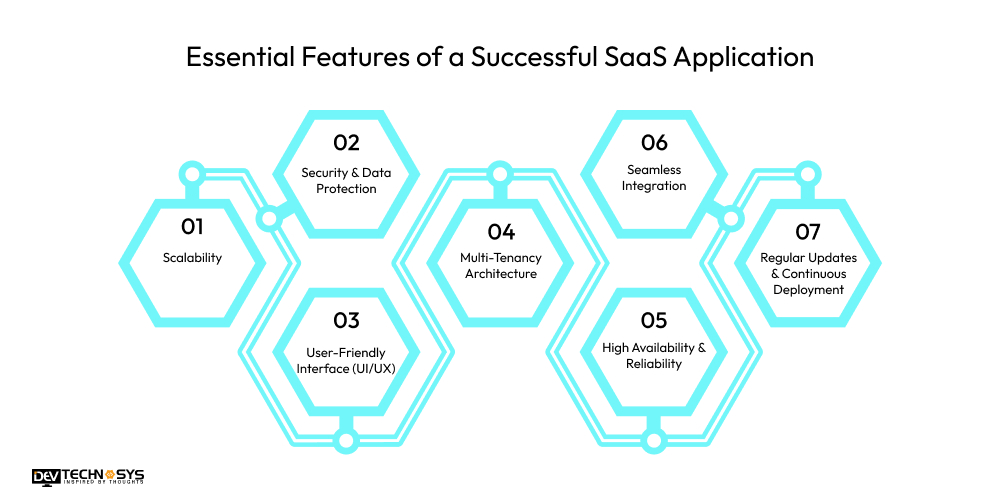
1. Scalability
As the popularity of the SaaS platform is increasing among users, make sure it handles a larger user base. A scalable SaaS app manages the workload without affecting the performance. It also maintains reliability and offers quality service with growing user demand.
2. Security & Data Protection
To protect user data, a SaaS software must integrate security features like encryption, authentication, and compliance standards. When the app is secure, it builds user trust and confidence in it by protecting sensitive information.
3. User-Friendly Interface (UI/UX)
When the UI/UX is intuitive, clean, and user-friendly, it becomes easier for users to navigate the app. Good UI/UX improves productivity while increasing customer satisfaction, experience, retention, and overall adoption.
4. Multi-Tenancy Architecture
Multi-tenancy architecture enables several users to share the same SaaS infrastructure at the same time. It doesn’t mean that security gets breached; it keeps every user’s data separate and secure. This approach improves overall system efficiency and user trust.
5. High Availability & Reliability
SaaS applications should be available with minimal downtime. Redundancy, failover, and cloud capabilities keep the SaaS application highly available and reliable for customers. It allows users to access services anytime without interruptions.
6. Seamless Integration
The most successful SaaS applications seamlessly integrate with other third parties, APIs, and services. Integration adds functionality, streamlines automation and processes, and connects the SaaS application to a business’s ecosystem of tools.
7. Regular Updates & Continuous Deployment
SaaS products should provide frequent feature, bug, and performance updates with minimal impact to users. Continuous deployment allows SaaS applications to respond and innovate quickly to market and customer demands.
Which Technology Stack Is Required to Build a SaaS Application?
The selection of the right technology stack acts as a foundation to make a SaaS application. The well-chosen tech stack leads to the platform’s scalability, security, and smooth user experience. Here is a table explaining essential technologies integrated to build SaaS software for frontend, backend, and other development.
Component |
Recommended Technologies |
Purpose / Benefit |
| Frontend | React, Angular, Vue.js | Dynamic, responsive UI for web apps |
| Backend | Node.js, Django, Ruby on Rails, Laravel | Handles server logic, APIs, and business rules |
| Database | PostgreSQL, MySQL, MongoDB | Stores structured/unstructured data reliably |
| Cloud Hosting / Infrastructure | AWS, Azure, Google Cloud | Scalability, global availability, and performance |
| Authentication & Security | OAuth 2.0, JWT, Auth0 | Secure login, authorization, and user management |
| Payment Integration | Stripe, PayPal, Braintree | Handles subscription billing and payments |
| DevOps / CI-CD | Docker, Kubernetes, Jenkins, GitHub Actions | Automates deployment, scaling, and maintenance |
| Analytics & Monitoring | Google Analytics, Mixpanel, New Relic | Tracks usage, performance, and errors |
What Is AI-Native SaaS? Meaning, Benefits & Development Approach
SaaS with Native AI means AI is integrated into the core software process. It is a more advanced approach rather than being implemented through a chatbot module. In contrast to a chat support widget tacked onto the existing software, the AI influences how the main activity is conducted.
According to Gartner, by 2026, over 80% of enterprises will have used generative AI APIs/models. They can also deploy GenAI-enabled applications in production.
The 4 Architectural Requirements of AI-Native SaaS:
Most teams think that AI integration is something that needs to happen later. According to them, it is like a chatbot that appears in one corner or a “summarize” button. However, Native AI SaaS products are a far different concept from this. For SaaS products, AI is an inherent element of what the product does, and it must be incorporated from the very beginning.
-
Embedded Intelligence
Embedding intelligence refers to AI embedded in the data flow (e.g., summarization, recommendations, anomaly detection). In terms of data, such an intelligence works in the same way your app works. It also accesses the same data, unlike bolt-on AI that operates in a separate silo.
-
Agentic Workflows
Agentic workflows are the capabilities that perform multi-step tasks on behalf of the user, rather than answer prompts. It doesn’t answer a prompt like “What is my highest priority ticket. Instead, the agentic capability assesses the ticket, writes the email reply, and sends it. Now the user reviews, rather than performs, each individual step.
-
Data Pipeline Readiness
A data pipeline is the architecture that enables model context and retrieval from day one. Otherwise, this will be an expensive addition to make retroactively. Retrieval (getting the appropriate context into the prompt) depends on your data architecture and indexing. It is hard to redesign post-launch and requires changes to your core database and APIs.
-
API-First Backend
API-first backend is developed with the idea of calling the model API services (from OpenAI, Anthropic, etc.). It is an integral component of the system, rather than an afterthought. This means your backend is well-architected, with clean, version-controlled endpoints for the data your AI features will use.
Cost consideration: Estimate an additional 15-30% over the development cost for incorporating AI into your product. It includes data pipeline, API costs, and monitoring costs.
The AI-Native Readiness Test
Before creating a SaaS platform from scratch, it is important to ask yourself these two questions:
- Is it essential for the core workflow of the product to have this AI feature or not?
If yes, then you need AI-nativity. Else, your product is AI-bolted.
- Would your product sell without the AI feature?
If no, design AI into the architecture now, not phase two.
Choosing an AI Approach for Your SaaS: Overview
There are three main ways to add AI to a SaaS product:
- Third-party APIs (fastest, lowest control)
- Fine-tuned models (moderate cost, more control)
- Fully custom ML pipelines (highest cost, full control)
Most SaaS products should start with third-party APIs and move up only when a real limitation appears.
| Approach | Best For | Cost Impact |
| Third-party AI APIs | Most SaaS products — fastest to ship | Lower upfront, usage-based ongoing cost |
| Fine-tuned models | Proprietary data, clear differentiation need | Higher upfront, more control |
| Fully custom ML pipeline | AI-first products where the model is the product | Highest cost, longest timeline |
For most entrepreneurs creating their first software application, beginning with external AI APIs while creating an architecture is a great option. This will enable the use of different models in the future, which is the more capital-effective way to go.
How Much Does It Cost to Create a SaaS Application?
The average SaaS application development cost can be estimated commonly between $8,000 and $30,000. The final development cost primarily depends on the SaaS application complexity. Several other factors are present that influence the final budget to create a SaS application.
These include the app’s features, platform choice, development team and their location, security & compliance, tech stack, backend, and other factors. Have a look at the cost breakdown table to get a clear concept of it:
| SaaS Application Complexity | Estimated Development Cost | Typical Use Case | Best Suited For |
| Basic / MVP SaaS | $30,000–$70,000 | Customer portals, appointment booking, project management MVPs | Startups & Early-Stage Businesses |
| Medium-Complexity SaaS | $70,000–$1,10,000 | CRM, HRMS, LMS, inventory management, subscription platforms | Growing Businesses & SMBs |
| Enterprise SaaS | $1,10,000–$150,000+ | ERP, fintech platforms, healthcare systems, AI-powered SaaS, multi-tenant applications | Large Enterprises & High-Growth Companies |
In this section, we will explain how these factors affect the SaaS application development expenses. We will elaborate on the price range with separate cost breakdown tables.
1. Development Team
The development team we pick, either freelancers, in-house developers, or development firms, largely influences the SaaS app development prices. Freelancers are more affordable but have limited resources, and an in-house team controls well, but gets hired on a monthly salary basis. Whereas a development company offers specialized expertise for SaaS product development.
| Team Structure | Estimated Cost | What’s Included | Best Choice For |
| Freelance Developers | $12,000–$15,000 | Frontend or backend development, limited support, basic project execution | MVPs and proof-of-concept products |
| Small SaaS Development Agency | $15,000–$19,000 | UI/UX design, development, testing, deployment assistance | Small businesses and startups |
| Dedicated Development Team | $19,000–$22,000 | Project manager, developers, QA engineers, DevOps support | Feature-rich SaaS applications |
| Enterprise Development Partner | $22,000–$25,000 | End-to-end development, architecture planning, post-launch support | Large-scale SaaS platforms |
2. Third-Party Integrations and API
Many SaaS softwares require the addition of external, third-party services, like payment gateways, analytics tools, or communication systems. These integrations are common and help businesses securely exchange data and operate smoothly together. It increases development complexity, which leads to elevated cost to make a SaaS application.
| Integration Category | Estimated Cost | Common Integrations | Business Benefit |
| Basic APIs | $4,000–$6,000 | Email, SMS, Maps, Social Login | Improves user convenience |
| Payment & Business APIs | $6,000–$8,000 | Stripe, PayPal, CRM, Accounting Software | Automates business workflows |
| Cloud & Productivity APIs | $8,000–$10,000 | Google Workspace, Slack, Microsoft 365 | Enhances collaboration and productivity |
| Custom & Enterprise APIs | $10,000–$12,000 | ERP, AI services, Custom APIs, Data Warehouses | Enables enterprise-grade automation |
3. Security and Compliance
The essential SaaS application security best practices keep user data stored in the cloud. To make the platform secure, it is important to implement strong authentication, encryption, and compliance with regulations. This will ensure the app remains secure, while it raises the development efforts, time, and costs.
| Security Level | Estimated Cost | Security Measures Included | Recommended For |
| Basic Security | $5,000–$8,000 | SSL, user authentication, encrypted passwords | MVPs and startup SaaS products |
| Business-Level Security | $8,000–$12,000 | MFA, role-based access, data encryption, monitoring | Customer-facing SaaS applications |
| Compliance-Ready Security | $12,000–$16,000 | GDPR, HIPAA, audit logs, backup strategy | Healthcare, fintech, legal SaaS |
| Enterprise Security | $16,000–$20,000 | Threat detection, penetration testing, advanced compliance | Large-scale enterprise platforms |
4. Technology Stack and Infrastructure
A scalable and secure technology stack for backend frameworks, frontend technologies, databases, and cloud infrastructure is necessary. For this, businesses also require highly qualified developers and reliable hosting environments. This ensures the app performs well and scales as users grow, while significantly elevating the SaaS Application development cost.
| Infrastructure Type | Estimated Cost | Technology Focus | Suitable For |
| Standard Architecture | $5,000–$7,000 | Basic backend, database, cloud hosting | Small SaaS products |
| Cloud-Native Setup | $7,000–$10,000 | AWS/Azure/GCP, scalable databases, CDN | Growing SaaS businesses |
| Microservices Architecture | $10,000–$13,000 | Containerization, APIs, load balancing | High-traffic SaaS platforms |
| Enterprise Infrastructure | $13,000–$15,000 | Kubernetes, CI/CD, multi-region deployment | Enterprise-grade SaaS applications |
5. Developer’s Location
When businesses hire dedicated SaaS developers, their geographical location matters the most as it influences overall expenses. Developers from regions like North America and Western Europe generally have higher per-hour development rates. While teams in Asia or Eastern Europe may offer more cost-effective development services.
| Development Region | Estimated Cost | Average Hourly Rate | Why Businesses Choose It |
| Asia (India, Vietnam) | $10,000–$14,000 | $20–$45/hour | Cost-effective development with skilled engineers |
| Eastern Europe | $14,000–$18,000 | $40–$70/hour | Strong technical expertise and competitive pricing |
| Western Europe | $18,000–$21,000 | $70–$120/hour | High-quality engineering and regulatory expertise |
| North America | $21,000–$23,000 | $100–$180/hour | Premium consulting, enterprise experience, and local collaboration |
Expert Advice: The biggest mistake businesses make is assuming that the initial quote is the total expense for building. Design, QA, DevOps, and maintenance after launch generally make up an additional 30-60%. A project initially priced at $80,000 can reach $1,00,000-$1,20,000 when these come into play. – Pramod Jangid (CTO at Dev Technosys)
Build vs Buy vs Partner: Which SaaS Development Approach Is Right for You?
The selection of the development strategy is as important as the selection of the SaaS product itself. Some organizations prefer to develop their own development team, while others may opt to purchase software. Some firms also collaborate with the best SaaS development company. Here, you have to choose the one according to your budget, time frame, and other needs. Look at the comparison table given below.
| Decision Factor | Build In-House | Buy a Ready-Made Solution | Partner with Dev Technosys |
| Initial Investment | High | Low | Medium & Cost-Optimized |
| Time to Market | Slow (6–12+ Months) | Immediate | Fast (4–7+ Months) |
| Customization | Complete Control | Limited | Fully Customized |
| Scalability | Depends on Internal Team | Vendor-Dependent | Built for Future Growth |
| Technology Expertise | Requires In-House Specialists | Minimal | Access to Experienced SaaS Experts |
| Maintenance & Support | Managed Internally | Vendor Controlled | Dedicated Ongoing Support |
| Security & Compliance | Internal Responsibility | Platform Limitations | Enterprise-Grade Security Standards |
| Third-Party Integrations | Fully Flexible | Limited by Vendor | Seamless API & Custom Integrations |
| Long-Term ROI | High but Expensive to Maintain | Recurring Subscription Costs | High ROI with Full Ownership |
| Best Fit | Enterprises with Large Tech Teams | Businesses with Standard Requirements | Companies Building Scalable Custom SaaS Products |
Common Challenges Faced During SaaS Platform Development
Despite the multiple benefits and positive aspects of SaaS applications, there are also some development challenges. Discussing these drawbacks will help businesses plan development more effectively while finding proper solutions for them.
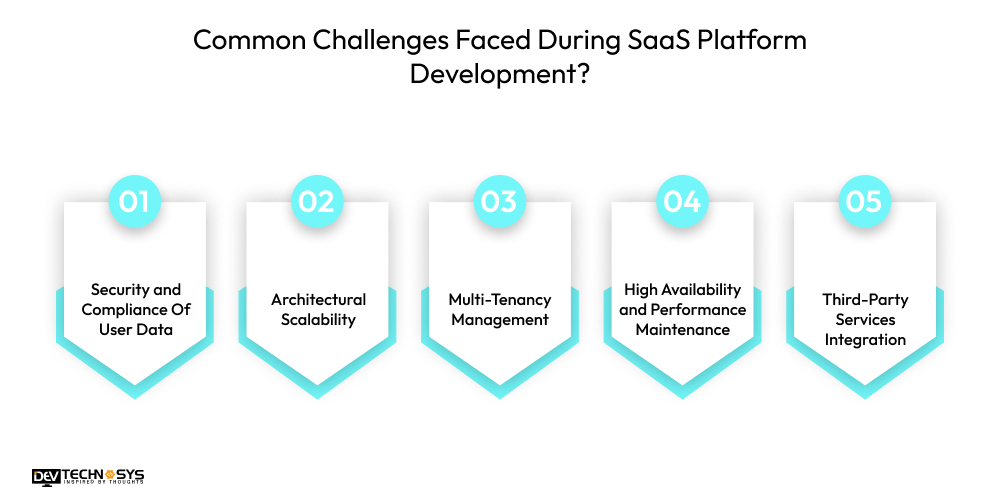
1. Security and Compliance Of User Data
One of the biggest challenges of SaaS app development is securing confidential user data from hacking or misuse. For this, developers usually implement security measures, including strong encryption and authentication. Make sure the app complies with GDPR or other data protection regulations.
2. Architectural Scalability
SaaS software is accepted by a large number of users, so rapid user growth can sometimes affect performance. Building a scalable infrastructure that handles a large user base and increased traffic is really difficult.
3. Multi-Tenancy Management
We know that SaaS platforms share the same infrastructure for multiple customers. Therefore, proper isolation of data and performance balance is a big challenge. Also, maintaining security between several users or tenants while delivering efficiency is challenging.
4. High Availability and Performance Maintenance
A SaaS platform usually works 24/7, and users expect zero to no downtime. To achieve this requirement, strong and reliable cloud infrastructure, load balancing, and monitoring systems are needed. Implementing disaster recovery strategies can be quite difficult.
5. Third-Party Services Integration
Many external tools, APIs, and services are integrated into modern SaaS software. Managing compatibility, security, and performance with all such integrations can be problematic. It can increase development complexity and may require additional time and resources.
What are the Best Monetization Models for SaaS Applications?
Subscription, credit pricing, hybrid model, etc., are among the top money-making strategies used in SaaS platforms. We will learn how these models become profitable for SaaS app owners and beneficial for customers.
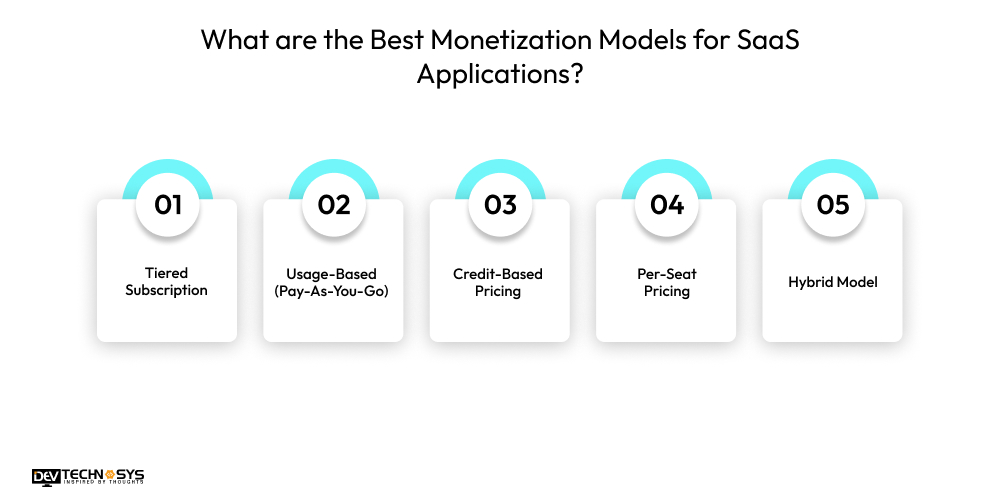
1. Tiered Subscription
The SaaS subscription pricing models are based on the selection between the basic, pro, and premium plans. Each higher subscription plan comes with more advanced features at a cost. This cost becomes profit for enterprises and gives value for users.
2. Usage-Based (Pay-As-You-Go)
In this mode, users only have to pay for the services they are using. The concept of this model is clear: if they use more, they pay more; if they use less, they pay less. It can generate a steady income for SaaS businesses.
3. Credit-Based Pricing
In a credit-based pricing model, users can buy a set of credits initially for some specific actions. It allows users to spend these credits for services, features, or transactions within the app until the credits are exhausted.
4. Per-Seat Pricing
Per-seat pricing is a common model used by SaaS softwares. Here, businesses charge customers as per the number of users (seats) accessing the software. It helps app owners earn as the team members are added to the platform.
5. Hybrid Model
The hybrid model combines two or more pricing methods. It might include monthly or yearly subscriptions along with extra charges based on usage. This money-making measure gives usage flexibility to users and a steady income to organizations.
You can reach out anytime; we are available 24/7. Our team provides a quick response.

Top Examples of Successful SaaS Applications
Some of the top SaaS softwares include Salesforce, Slack, Zoom, Shopify, Dropbox, HubSpot, and Canva. These are widely used by small and large enterprises to make some tasks easier and effortless. They are used for CRM, collaboration, video meetings, e-commerce, cloud storage, marketing automation, and design, respectively. Have a look at the table explaining everything about these Saas applications.
SaaS Application |
Category |
Key Purpose |
Why It Is Popular |
| Salesforce | CRM Software | Manages customer data, sales pipeline, and marketing automation | Scalable CRM platform widely used by global enterprises |
| Slack | Team Collaboration | Enables real-time messaging, team communication, and file sharing | Improves workplace collaboration and productivity |
| Zoom | Video Conferencing | Supports virtual meetings, webinars, and remote team communication | Reliable platform for online meetings and remote work |
| Shopify | E-commerce Platform | Helps businesses create, manage, and scale online stores | Beginner-friendly platform for launching eCommerce businesses |
| Dropbox | Cloud Storage | Stores, syncs, and shares files securely across devices | Simple cloud storage solution with easy file access |
| HubSpot | Marketing Automation | Provides CRM, marketing automation, and lead management tools | Popular all-in-one platform for inbound marketing |
| Canva | Design SaaS Platform | Allows users to design graphics, presentations, and marketing materials | Easy drag-and-drop design tool for non-designers |
SaaS Build Readiness Checklist: Are You Actually Ready to Build? (after top examples)
Bad coding is not the reason most SaaS founders fail. They collapse because they start the development before answering some essential questions. These questions are related to:
- Who’s paying
- What they’re paying for
- What happens after launch
A great development team doesn’t just build what you ask for. It helps you figure out what your product actually needs to succeed.
Before committing to build a SaaS application in 2026-2027, here are some essential questions businesses should have clear answers to.
1. Have you validated that real users will pay for this?
Idea validation means getting potential customers to say they would pay a specific price before you write a line of code.
2. Do you know whether you need vertical or horizontal SaaS?
Vertical SaaS serves one industry deeply. Horizontal SaaS serves many industries broadly. Getting this wrong at the start adds months of rework.
3. Have you mapped your multi-tenancy model?
Every SaaS application needs a decision on how multiple customers share the same infrastructure. This architectural choice affects every other technical decision you make.
4. Is your compliance scope defined?
If your SaaS handles health data, financial data, or EU user data, HIPAA, PCI DSS, or GDPR requirements will add 20–40% to your development cost and timeline.
5. Do you have a subscription billing strategy before development starts?
Retrofitting billing into a SaaS after building is one of the most common and expensive mistakes. Stripe or Chargebee integration should be in your scope from day one.
6. Have you defined your MVP feature set — and what you are deliberately leaving out?
Most failed SaaS products were over-built before anyone validated them. Your MVP should do one thing excellently, not ten things adequately.
7. Do you have a post-launch iteration plan?
The biggest SaaS products today look nothing like their v1. Slack started as a gaming tool. Shopify started as a snowboard shop. Plan to iterate, not to perfect.
Conclusion
Creating a SaaS application in 2026 is a smart and highly demanding decision. People are searching for ease in using a platform without installing, that’s when SaaS softwares comes into the spotlight. It automates maintenance, offers users cloud services, and even decreases the development expenses.
If you also want to create a SaaS application, reach out to a SaaS application development company. By selecting the ideal partner, businesses can build a SaaS application seamlessly and securely. An experienced firm adds the right strategy and technology to make a SaaS platform.
Be ready to provide long-term value to users while gaining business growth with SaaS software.
CloudSuiteX
Built an AI-Powered SaaS Management Platform with Intelligent Automation in 28 Weeks
How we partnered with a UK-based SaaS technology company to build CloudSuiteX, an AI-powered SaaS management platform that centralizes cloud operations, automates user provisioning, optimizes software spending, and simplifies enterprise SaaS governance.
Daniel, United Kingdom
AI-Powered SaaS Management Platform
28 Weeks
$120,000
Challenge
The client needed a centralized SaaS management platform capable of integrating with 100+ cloud applications, automating onboarding and license management, providing real-time cost analytics, and maintaining enterprise-grade security and compliance across a multi-tenant environment.
Solution
Developed a scalable AI-powered SaaS platform featuring a unified administration dashboard, automated user lifecycle management, intelligent cost optimization analytics, multi-tenant architecture, role-based access control, and seamless integrations with leading enterprise applications.
Results
- Unified management for 100+ SaaS applications
- Reduced manual IT administration through AI-driven automation
- Improved software cost visibility with real-time analytics
- Delivered an enterprise-ready platform with SOC 2-aligned security and GDPR compliance
Frequently Asked Questions
Find answers to the most common questions related to this article.
The cost to create a SaaS application can range from $30,000 to $1,50,,000. The overall development cost is determined by the app’s complexity and several other factors. These factors include the developer’s location, platform choice, backend infrastructure, tech stack, third-party APIs, and others. A simple app with an MVP strategy is more cost-efficient than the advanced SaaS applications.
A SaaS platform with basic integrations, subtle design, simple backend, and manageable security measures takes 3-6+ months for development. On the other hand, a highly advanced SaaS software comes with modern and high-level integrations like AI, ML, and more. It will be developed in 6+ months.
The technologies play a vital role in SaaS app creation. The technologies used to create a SaaS application are:
Frontend: React, Angular, Vue.js
Backend: Node.js, Django, Ruby on Rails, Laravel
Database: PostgreSQL, MySQL, MongoDB
Cloud Hosting / Infrastructure: AWS, Azure, Google Cloud
Authentication & Security: OAuth 2.0, JWT, Auth0
By implementing some monetization measures, a SaaS software can generate a great recurring revenue. These measures include:
Tiered Subscription
Usage-Based (Pay-As-You-Go)
Credit-Based Pricing
Per-Seat Pricing
Hybrid Model
These money-making models offer customers a new experience and continuous profits to the app owners.
Yes, even a startup can create a SaaS application successfully. They have to focus on a specific niche rather than comprehensive platforms. This helps them launch their platform quickly, while making it scale at a lower upfront price. Being a startup, they must leverage MVP strategies, low-code tools, and AI. It can be beneficial for non-technical founders to enter the market rapidly.