


















Key Takeaways:
-
- A CRM mobile app should focus on lead management, sales pipelines, contacts, tasks, notifications, and reporting in its MVP.
- Features such as AI lead scoring, workflow automation, predictive analytics, and third-party integrations can be added as the product scales.
- A scalable API-driven backend, cloud infrastructure, secure authentication, and role-based access are essential for a reliable CRM.
- Building a CRM mobile app like Pipedrive costs between $30,000 and $150,000+, depending on feature complexity, platforms, integrations, UI/UX, and development team location.
Imagine being able to handle leads, close sales, connect with customers, track your sales funnel, all in one place and from your mobile device? This is what the innovative CRM mobile apps do for companies today. Pipedrive is a prime example that combines mobile pipeline control, contact tracking, scheduling, and automation to help sales professionals always stay productive.
According to DigitalGYD, About 91% of the companies with 10 or more employees now use a CRM and 56% of companies with less than 10 employees use a CRM.
However, making a successful CRM app similar to Pipedrive requires not only creating a similar user interface. To build a CRM mobile app, you require a powerful backend, seamless user experience, efficient data processing, and third-party integration.
This blog will discuss how to build a CRM app like PipeDrive covering the development steps, pros and cons, the required technology stack, and potential cost and monetization, and more.
What is PipeDrive?
Designed to assist companies oversee sales pipelines and automate processes, PipeDrive is a cloud-based Customer Relationship Management (CRM) tool. It is a perfect tool for sales teams to increase output and effectively close deals since it lets users track deals, examine performance, and simplify correspondence.
- Visualizes and tracks deals at various stages.
- Automates repetitive tasks like follow-ups and reminders.
- Provides insights into sales performance and analytics.
- Syncs with Gmail, Outlook, and other email platforms.
- Allows real-time updates and notifications on mobile devices.
It is important to build custom CRM software for your business to get powerful analytics, artificial intelligence-driven automation, and a visible sales pipeline. PipeDrive improves sales teams’ decision-making and productivity via tools including email integration, mobile access, and configurable dashboards.
Current Stats of CRM App Market
- According to Future Market Insights, mobile-based CRM apps are expected to hold a 58.7% share of the access-type segment in 2026, highlighting the growing preference for mobile-first relationship management.
- The UK personal CRM market is expected to grow at 12.0% CAGR through 2036, supported by professional services, consulting, financial advisory, and strong app marketplace adoption.
- Professionals represent 49.3% of end-use demand, making sales professionals, consultants, recruiters, and other relationship-driven users key target audiences.
- Personal CRM monetization is shifting toward freemium and hybrid models, combining free access with premium AI features, analytics, integrations, and subscription plans.
How Does CRM Apps Work?
Through process automation and interaction tracking CRM applications simplify customer relationship management. These programs increase consumer involvement through a disciplined approach:
1. Onboarding Process
Users register and log in using safe credentials such as email, social network, or two-factor authentication. The onboarding process offers customers a guided tour designed to help them grasp app features.
2. Lead Management
The CRM program records leads, contacts, and maintains consumer data. Business owners can approach a mobile app development company to establish follow-ups, classify prospects, and keep a central database.
3. Sales Pipeline Tracking
The tool helps companies to see and control sales pipelines. Users can define priorities, follow deals at several phases, and get updates on sales development.
4. Task Automation
Data entry, appointment scheduling, and follow-up emails are among the repetitious chores CRM applications automate. You can hire mobile app developers to increase efficiency and help to lower hand-held labor load.
5. Use App Extensions
Most CRM applications interact with other vendors including cloud storage, marketing automation technologies, and email systems. This guarantees flawless data synchronisation and workflow optimization.
6. Get Performance Reports
Via comprehensive reports and dashboards, CRM applications offer insights. To monitor sales trends, evaluate team performance, and base choices on facts it is beneficial to contact an android app development company in your nearby region.
7. Set Up Communication
The app offers live chat, ticketing systems, and chatbots among support tools. It enables companies to keep good lines of contact and properly handle client issues.
Planning a Banking Crm Software Project?
Get a tailored development cost estimate in a few simple steps.
- 3 quick steps
- 100% free
- Reply in 1 business day
2 Minutes Read
Incredible Features of CRM Apps Like PipeDrive
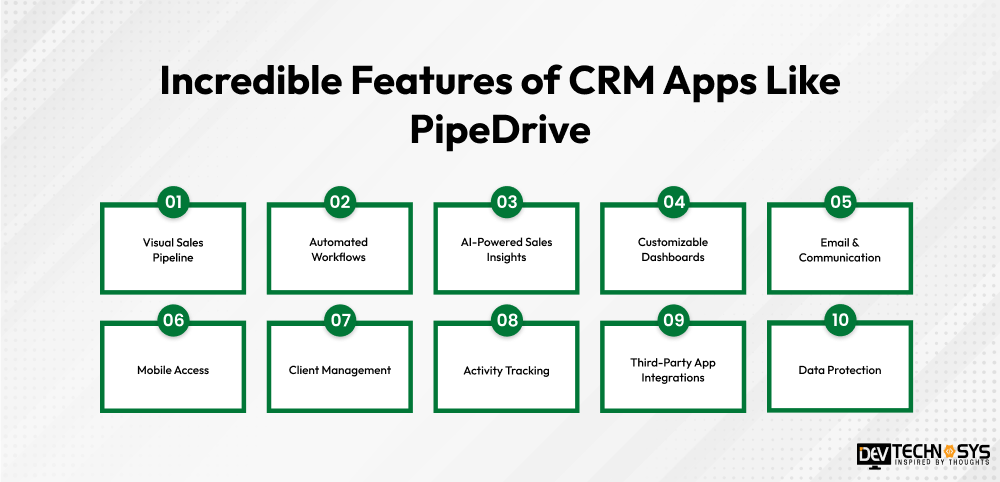
Powerful features like contact & activity management, sales automation, email sync (Gmail/Outlook API), telephony/VoIP integration (Twilio), push notifications & reminders, are required to build custom CRM software to improve general productivity, customer management, and sales efficiency. Here are some of the key features of a CRM app like Pipedrive maximize customer contacts and sales:
1. Visual Sales Pipeline
A PipeDrive app clone allows sales teams to monitor deals at every level, a drag-and-drop pipeline offers a clear perspective of sales development. This tool guarantees that no possible lead is missed and helps to organize.
2. Automated Workflows
Lead assignments, email scheduling, and follow-up are the features offered by a CRM app like PipeDrive. It is among the crucial feature required to create custom CRM software that improves overall effectiveness in handling client contacts and reduces manual labor.
3. AI-Powered Sales Insights
Designed-in artificial intelligence examines customer data to generate sales estimates and practical insights. You should know the differences of CRM Vs ERP to facilitate data-driven decision-making and sales strategy optimization.
4. Customizable Dashboards
Dashboards on a CRM software app allow users to track sales figures and important performance indicators (KPIs) customizable. Better decision-making depends on the real-time data visualization this function offers.
5. Email & Communication
Easy client communication is made possible by flawless integration with VoIP, SMS, and email systems. A sales gamification software or app guarantees appropriate management of follow-ups and maintains records of exchanges.
6. Mobile Access
With its mobile-friendly design, a CRM app like PipeDrive lets sales personnel handle deals anywhere. Cloud sync guarantees real-time data updating for every device.
7. Client Management
Save comprehensive records on leads, clients, and past contacts. A PipeDrive clone app helps companies to develop relationships and raise conversion rates.
8. Activity Tracking
Reminders, meeting tracking, and follow-up planning inside the CRM can be configured by modern healthcare CRM software solutions. Various PipeDrive app alternatives guarantee quick client involvement and increase productivity.
9. Third-Party App Integrations
Zoho is a similar app like PipeDrive that supports workflow efficiency by use of tools including Slack, Zapier, and Google Workspace, therefore supporting integration. It helps companies to link their CRM with other necessary tools.
10. Data Protection
Data backup functions, role-based access, and encryption abound in CRM applications. These guarantee consumer data is safe, compliant with laws, and free from cybercrime.
Industry Insight
According to a CRMsearch report,The top 5 CRM market share leaders are Salesforce, Microsoft Dynamics, Oracle, SAP CRM and Adobe. Salesforce dominates the global CRM market with a 23.9% market share and more share than it’s next four competitors combined.
How to Build a CRM Mobile App Like PipeDrive?
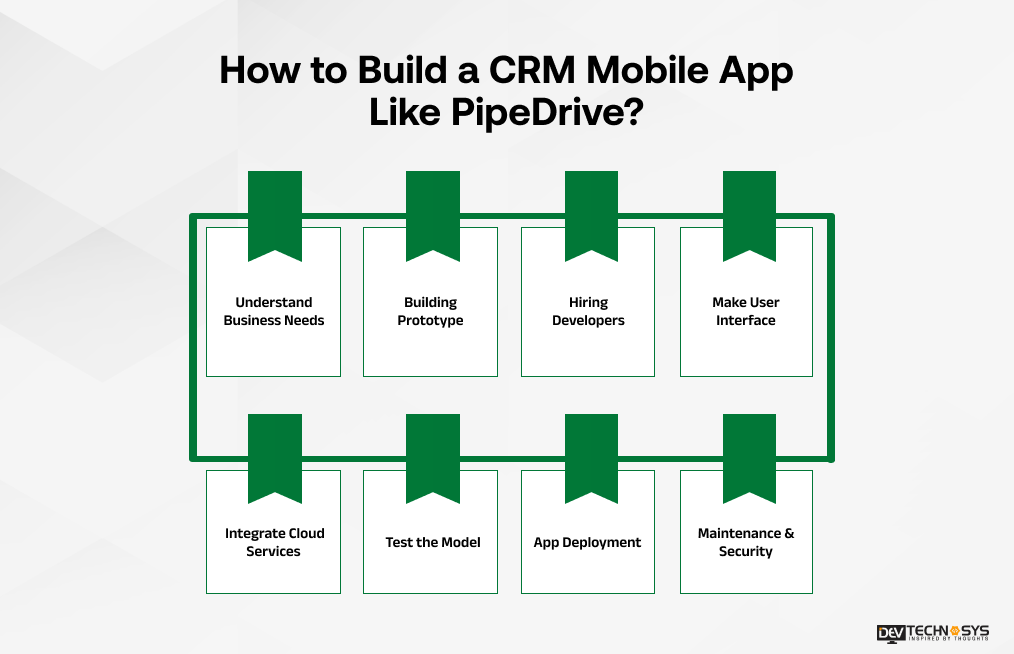
You can build a CRM app like PipeDrive by following a precise development method. This section covers the key features, development process, technology stack, cost, and challenges involved in the CRM development process.
1. Understand Business Needs
Before starting development, it’s essential to analyze business goals, market trends, and customer expectations. Understanding the core functionalities, such as contact management, sales pipeline tracking, and reporting, helps in designing a CRM that aligns with business needs.
This is the first stage of the mobile app development process that includes a well-researched strategy to ensure smooth workflow integration and efficient automation.
2. Building Prototype
A prototype serves as a visual representation of the app’s interface and key features. It allows developers and stakeholders to test the user journey, identify usability issues, and refine the design. Wireframes and mockups help save time and costs by addressing potential flaws before the final development begins.
You need to gather the necessary development materials to facilitate developers to build a CRM app like Pipedrive with high responsiveness and efficiency.
3. Hiring Developers
Selecting the right CRM development company is crucial for building a robust and scalable CRM app. Businesses can opt for in-house developers, freelancers, or outsourcing agencies based on budget and project requirements.
Experienced developers ensure high-quality coding, faster development, and seamless integration of advanced features and development tools.
4. Make User Interface
A CRM app should have a user-friendly and intuitive interface to ensure easy navigation. The UI/UX design should focus on simplicity, accessibility, and responsiveness across devices. Customizing dashboards and creating easy-to-use navigation bars enhance the overall user experience.
Planning a Real Estate Crm Project?
Get a tailored development cost estimate in a few simple steps.
- 3 quick steps
- 100% free
- Reply in 1 business day
2 Minutes Read
Businesses can use AI-powered interface design tools to keep development costs low and use the savings for app launching.
5. Integrate Cloud Services
Experts who build a sales pipeline app for small business intricate cloud services in top CRM apps to offer seamless access to data from multiple devices and locations. Services like AWS, Google Cloud, or Microsoft Azure ensure secure data storage, scalability, and real-time collaboration.
Businesses can hire dedicated developers to use cloud-based solutions that reduce maintenance costs and improve operational efficiency.
6. Test the Model
Comprehensive testing is essential to identify and fix bugs, performance issues, or security vulnerabilities. Both manual and automated testing methods should be employed to check the app’s responsiveness, load capacity, and data security. Beta testing with real users helps gather feedback for further improvements.
There are various testing models available from which you can select one based on the platform requirements and budget specifications.
7. App Deployment
Once the app is thoroughly tested and refined, it’s time for deployment. Developers must ensure that the CRM app meets the guidelines of app stores like Google Play and Apple App Store before publishing. A smooth deployment process minimizes downtime and allows businesses to launch without disruptions.
You can consult the exact launch process by contacting an on demand app development company and discussing the additional deployment cost.
Dev Fact: App-store approval is not the only deployment concern. For a CRM app, developers also plan backend scaling, database migrations, API versioning, and rollback strategies before launch to prevent data loss, downtime, and performance issues when user traffic suddenly increases. Mohit Nag, CTO
8. Maintenance & Security
Post-launch support is necessary for keeping the CRM app updated, secure, and efficient. Regular software updates, bug fixes, and security patches ensure long-term functionality. Implementing encryption protocols and data backup solutions helps protect sensitive customer information.
Businesses must ensure maintenance, security, and updates before starting the CRM app development process. So, they can manage extra investment and complete the process on time.
What are the Top 5 Alternatives of PipeDrive?
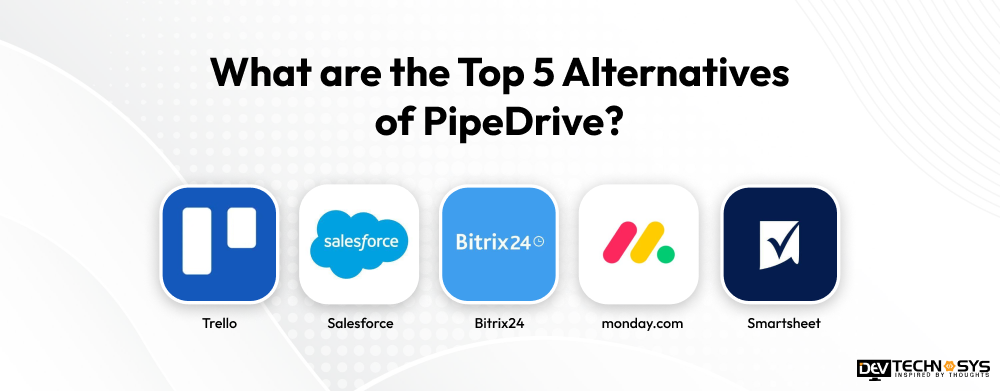
Popular CRM tool PipeDrive is not the only one with competitive sales and customer relationship management capabilities, there are various other systems also. These are the best PipeDrive alternatives that will improve sales tracking and workflow effectiveness:
App |
Platform |
Downloads |
Rating |
| Trello | Android / iOS | 10M+ | 4.2 |
| Salesforce | Android / iOS | 5M+ | 4.6 |
| Bitrix24 | Android / iOS | 5M+ | 3.7 |
| monday.com | Android / iOS | 1M+ | 4.9 |
| Smartsheet | Android / iOS | 1M+ | 4.7 |
1. Trello
Trello is an application for managing projects that uses visual components such as cards, lists, and boards. With the help of its mobile applications, Trello lets the teams organize their tasks, set the project timeline, assign roles, and monitor progress. It has more than 10 million owners and 4.2 stars rating from people who either use it or were users at some point. To build an platform like Trello, contact a top real estate CRM software development company.
2. Salesforce
Salesforce is an application for managing customer relations and overall business tasks. Salesforce provides functionalities of mobile CRM for Android as well as Apple devices. With 5 million downloads and 4.6 stars rating, it has reached good popularity among the users.
3. Bitrix24
Bitrix24 is a multi-functional resource that includes such categories as project management, communication methods, customer relationship management, etc. Users can operate the app through their mobile devices. The app has about 5 million downloads and a fairly average rating of 3.7.
4. monday.com
monday.com is an application that offers users flexible working styles and rules. Moreover, this app offers many functions required for project management. It has fairly wide popularity among users, as there are 1 million downloads and a great rating of 4.9 stars.
5. Smartsheet
Smartsheet is an efficient work management platform that merges spreadsheets, task and project management, automation, and collaboration capabilities. The application is available on Android and iOS and can be used for task monitoring and update. With more than 1 million downloads and 4.7 rating, Smartsheet received excellent mobile engagement. For a sales CRM app development like Smartsheet, contact a top CRM app development company.

What tech stack is used to build a CRM app like PipeDrive?
To make a CRM app successful, developers need to select the right technology stack after careful consideration while making the app. Here’s the tech stack required to build a CRM app like PipeDrive.
Layer |
Recommended Technologies |
| Mobile | Flutter / React Native |
| Backend | Node.js / Python |
| Database | PostgreSQL / MongoDB |
| Cloud | AWS / Google Cloud |
| APIs | REST / GraphQL |
| AI | OpenAI / ML frameworks |
| Notifications | Firebase Cloud Messaging |
What is the Cost to Build a CRM Mobile App Like PipeDrive?
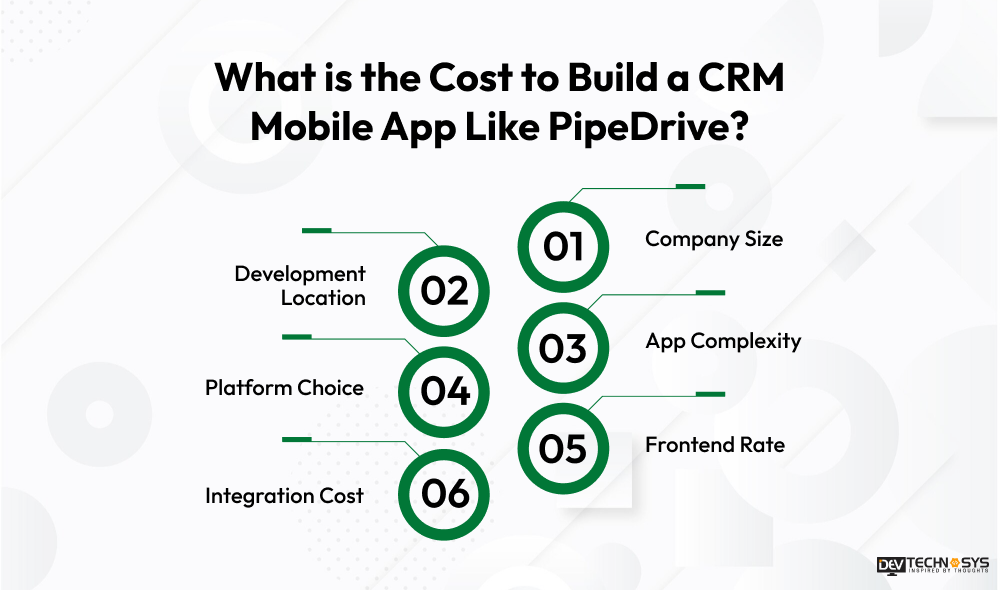
The cost to build a CRM app like PipeDrive typically lies between $30,000 to $150,000. It is influenced by multiple elements like technology and company scale. It helps businesses to effectively allocate their budget and minimize their CRM app development cost. Six major factors below affect the cost to build a CRM like HubSpot or PieDrive:
CRM App Complexity |
Estimated Cost |
Development Timeline |
| Basic CRM MVP | $30,000–$50,000 | 3–4 months |
| Mid-Level CRM App | $50,000–$90,000 | 4–6 months |
| Advanced CRM App | $90,000–$120,000 | 6–8 months |
| Enterprise CRM App | $120,000–$150,000+ | 8–12+ months |
Free App Idea Reality Check: Let's Stress-Test Your Concept
Share your app idea with us. Within 3 business days, we'll uncover UX gaps, feature opportunities, and potential development challenges, so you can build with confidence. No strings attached.
Now that you know how much does it cost to develop a CRM mobile app, let’s move on and discuss the factors affecting the cost.
1. Company Size
The size of the development company affects the CRM development cost at a large scale. While smaller companies or freelancers may provide reasonably priced solutions, large businesses charge more because of their knowledge, experience, and access to premium products. The suitable development partner will depend on the needed scalability, support, and quality.
2. Development Location
Variations in the cost to build an app like PipeDrive depend heavily on the geographic position of the development team. While teams from Eastern Europe or South Asia provide more affordable solutions without sacrificing quality, developers in North America and Western Europe charge higher hourly rates.
3. App Complexity
Advanced capabilities like Artificial Intelligence-powered analytics, offline sync, role-based access, sales forecasting, workflow automation, and third-party interfaces raise the cost to create a mobile app. A basic CRM with necessary contacts management and lead tracking costs less. The app’s complexity determines the required investment more precisely.
4. Platform Choice
The cost to develop an app like PipeDrive is less on Native platforms than creating a cross-platform or hybrid software. While hybrid frameworks like Flutter and React Native lower expenses and provide greater accessibility, a native app guarantees superior performance but requires a higher PipeDrive app development cost.
5. Frontend Rate
The PipeDrive app development cost will rely on UI/UX complexity, responsiveness, and design customization. While an intuitive, engaging, and aesthetically pleasing design with animations and real-time updates raises the general mobile app development cost, a simple user interface costs less.
6. Integration Cost
Email automation, cloud storage, payment gateways, and API connections are just a few of the outside services CRM programs must interface with. The cost to develop an app like Pipedrive increases with the more integrations needed since extra development time and resources are needed to guarantee flawless security and operation.
Cost Factor |
How It Affects Cost |
Approx. Cost Impact |
Estimated Cost |
Company Size |
Expertise, resources, and support | 10–20% | $3,000–$30,000 |
| Development Location | Developer hourly rates | 15–25% | $4,500–$37,500 |
| App Complexity | AI, automation, analytics, workflows | 25–40% | $7,500–$60,000 |
| Platform Choice | Native vs. cross-platform development | 10–20% | $3,000–$30,000 |
| UI/UX Design | Custom designs, animations, responsiveness | 10–15% | $3,000–$22,500 |
| Third-Party Integrations | APIs, payment, email, cloud services | 15–25% | $4,500–$37,500 |
Security and Compliance Requirements for CRM Apps
With CRM applications the sensitive data of customers, sales, and businesses must be protected. That is why security has to be incorporated already during the development process by the skilled CRM development companies in USA.
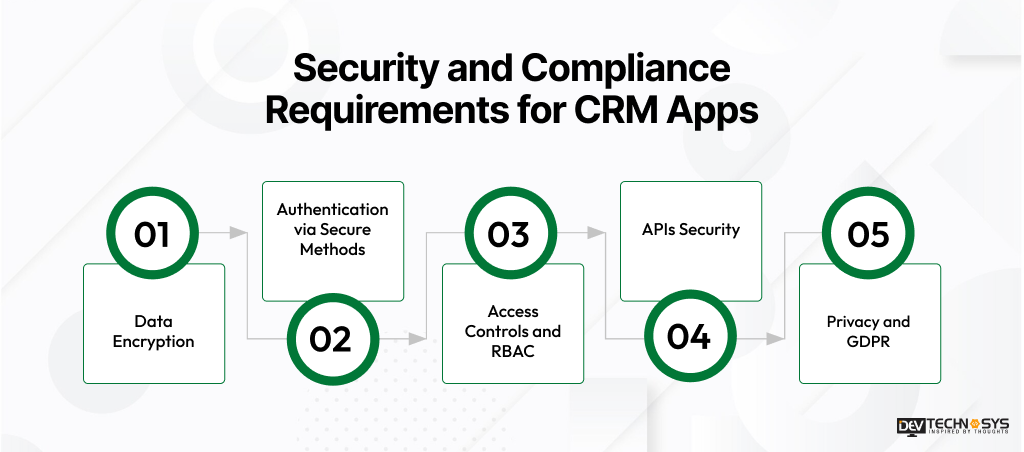
- Data Encryption: Encrypt sensitive data when in transit and in storage by the means of certifying technologies like TLS and AES-256.
- Authentication via Secure Methods: MFA, OAuth 2.0, JWT, and secure session management can be used to assure that nobody has unauthorized access to the account.
- Access Controls and RBAC: Assign permissions to the employees according to their roles in order to allow access to only necessary data.
- APIs Security: Make APIs secure by means of authentication, authorization, input validation, limiting number of requests and through secure API gateways.
- Privacy and GDPR: Make sure to use required controls relating to user privacy and data processing.
Major Benefits of CRM Mobile App Development
Development of CRM mobile apps improves communication and streamlines client administration. It helps businesses to get important sales data to improve consumer involvement:
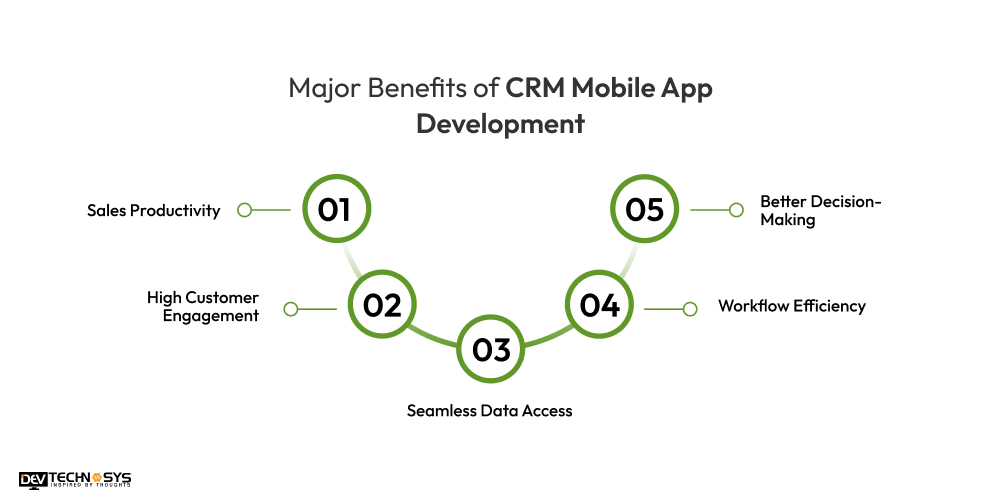
1. Sales Productivity
Sales staff may track deals, handle leads, and access consumer data anywhere thanks to a CRM mobile app. Task automation and real-time updates let salespeople concentrate on completing deals instead of paperwork.
2. High Customer Engagement
By use of a consistent platform for client interactions, CRM apps guarantee timely responses and tailored support. Businesses may choose the best CRM to track past correspondence, conduct automated follow-ups, and forge closer ties to customers.
3. Seamless Data Access
CRM mobile apps give fast access to important corporate data from anywhere using cloud-based synchronizing. This guarantees teams remain current, hence decreasing data silos and enhancing departmental cooperation.
4. Workflow Efficiency
CRM programs cut manual labor by automating data entry, reminders, and appointment scheduling as well as other repetitive chores. Businesses can create a custom CRM software to increase operational effectiveness and concentrate on strategic projects.
5. Better Decision-Making
Real-time monitoring and analytics provided by CRM mobile apps let companies monitor consumer trends and sales performance. These realizations help businesses to maximize their growth-oriented strategies by guiding wise decisions.

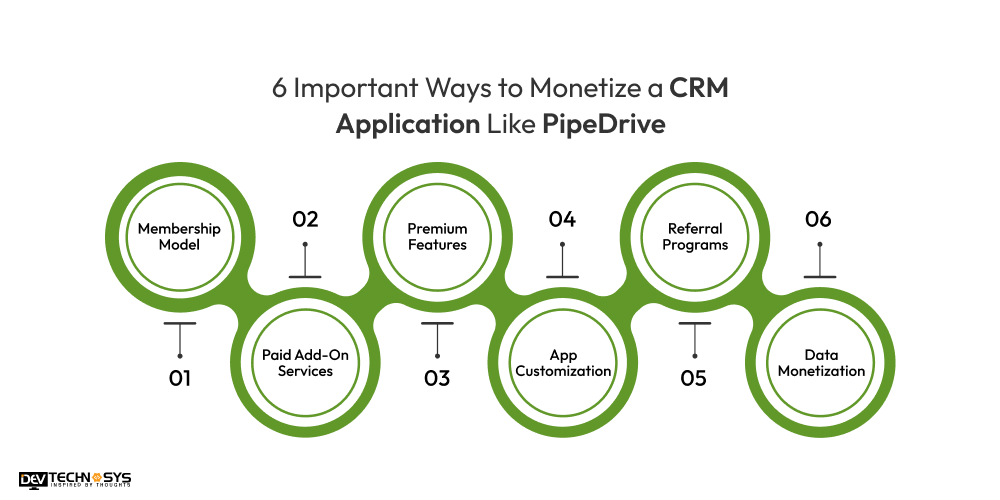
6 Important Ways to Monetize a CRM Application Like PipeDrive
To make money from a CRM tool like PipeDrive requires smart planning. Businesses can include various models like subscription plans and advanced features to generate profit:
1. Membership Model
Features and user access determine the price schemes of a tiered subscription model. Companies charge for premium plans with extensive automation, analytics, and integrations; they can offer a free basic plan with restricted capabilities.
2. Paid Add-On Services
While pricey add-ons bring income, a free version with necessary tools draws users. You can develop CRM software with paid upgrades to include other services like sophisticated reporting, AI-driven insights, or priority client assistance.
3. Premium Features
Third-party technologies include email marketing systems, payment gateways, or project management programs that can be teamed with CRM solutions. Businesses might increase profitability by levying integration fees or collecting commission-based income from partner activities.
4. App Customization
Many times, companies search for tailored CRM solutions that fit their particular needs. Using android app development services or customizing packages allow businesses to create extra income and fit the CRM app for various sectors.
5. Referral Programs
By bringing in fresh clients, monetizing through referral programs helps users to get incentives. Through offering commission-based incentives for effective referrals, CRM firms can boost income and stimulate natural expansion.
6. Data Monetization
One very successful premium service is aggregating and providing anonymised industry data or predictive analytics. It is profitable to approach an iPhone app development company who can make data-driven decisions, enhance consumer involvement, and change sales techniques.
Pipedrive Limitations for Large Teams: What Businesses Should Know
Here are the Pipedrive limitations large teams can face during CRm app development. Let’s take a look:
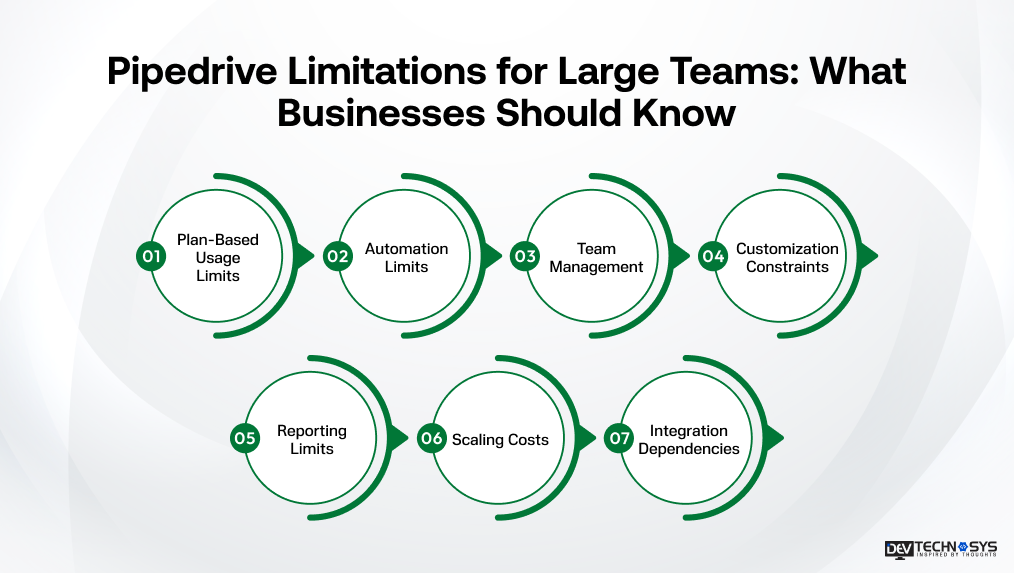
- Plan-Based Usage Limits: Leads, deals, custom fields, reports, and other features have limits based on the selected plan.
- Automation Limits: Active automations and workflow steps are capped, which can become restrictive for complex sales processes.
- Team Management: Teams, visibility groups, and permission sets have plan-specific limits.
- Customization Constraints: Businesses with complex workflows may need more custom fields, permissions, and configurations than standard plans provide.
- Reporting Limits: The number of Insights reports varies by plan, which may affect advanced reporting needs for larger organizations.
- Scaling Costs: Growing usage may require higher plans or paid top-ups for features such as reports, automations, teams, and API tokens.
- Integration Dependencies: API and third-party integration limits can affect highly connected CRM workflows as operations scale.
Custom CRM vs Pipedrive: Which Is Better for Growing Teams?
The right choice depends on how much customization, control, and scalability your growing team requires. Pipedrive offers ready-to-use CRM capabilities, while a custom CRM provides greater flexibility and ownership.
| Factor | Pipedrive | Custom CRM |
| Customization | Good customization within available features and plan limits. | Fully tailored to business workflows and requirements. |
| Scalability | Scales through plans, seats, add-ons, and usage limits. | Architecture can be designed specifically for long-term business growth. |
| Integrations | 500+ integrations are available. | Integrations can be built around specific business systems and APIs. |
| Ownership | Data and platform remain dependent on the Pipedrive ecosystem. | Greater control over the application, features, data, and development roadmap. |
| Implementation | Faster deployment with ready-made CRM functionality. | Requires planning, design, development, testing, and deployment. |
| Long-Term Cost | Recurring per-seat subscription plus optional add-ons and top-ups. | Higher upfront investment but more control over long-term customization and costs. |
| Best For | Teams wanting quick CRM deployment with standard sales workflows. | Growing businesses with unique workflows, complex integrations, or specialized requirements. |
Common Mistakes to Avoid When Building a CRM App
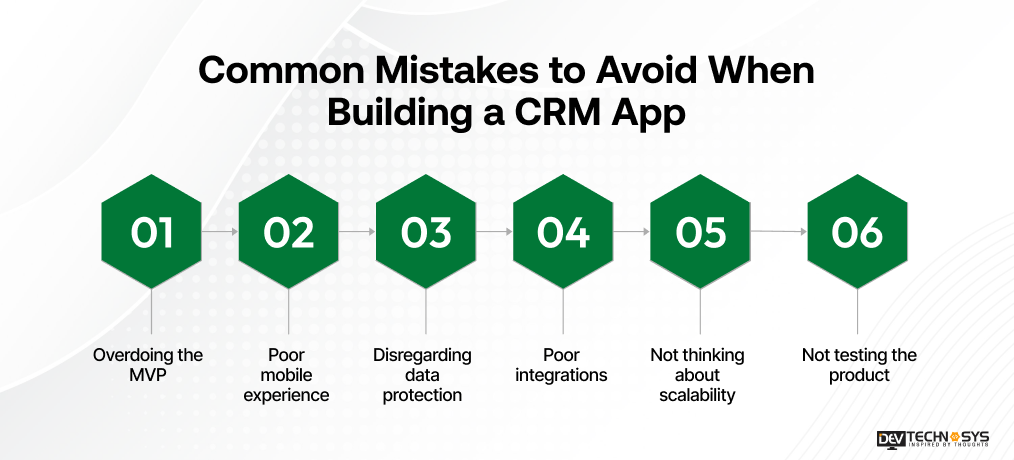
When creating a CRM application, it is essential to think through the planning process. In this way, the team can avoid problems related to usability, efficiency, security, and other issues. Common things that companies should avoid include:
When creating a CRM application, it is essential to think through the planning process. In this way, the team can avoid problems related to usability, efficiency, security, and other issues. Common things that companies should avoid include:
- Overdoing the MVP: It is detrimental for the team to implement too many features at once. It is advisable to concentrate on building MVP and minimizing costs.
- Poor mobile experience: Sales teams get annoyed if the interface is too complicated. Apps should have better navigation, clear dashboards, and simple access to necessary operations.
- Disregarding data protection: Since CRM apps store confidential information about the customers, weak authentication systems and access controls might lead to data security issues.
- Poor integrations: A system with limited integrations with mail, calendar, payment, and other applications might not work efficiently.
- Not thinking about scalability: Creating an app for the present users only might make the system inefficient in the future.
- Not testing the product: Lack of testing results in bugs, failures, and the problem with user experience after the launch
Build vs Buy Vs Development Partner: Which Option is Best For PipeDrive Clone App Development?
Choosing between building in-house, buying an existing CRM, or hiring a development partner can significantly impact your Pipedrive clone app’s cost, flexibility, and scalability. Each approach offers different advantages depending on your business goals and technical resources.
Build In-House |
Buy an Existing CRM |
Hire a Development Partner |
| Entire Pipedrive clone app development takes place with your internal development team. | Purchase or subscribe to an existing CRM platform and customize it within the vendor’s available options. | Hire an experienced CRM development company to design and develop a customized Pipedrive-like solution. |
| Offers maximum control over features, architecture, UI/UX, integrations, and future updates. | Provides faster deployment with ready-made features such as pipelines, contact management, analytics, and automation. | Provides flexibility to develop custom pipelines, AI features, automation, dashboards, mobile apps, and third-party integrations. |
| Requires skilled developers, designers, project managers, DevOps engineers, and QA specialists. | Requires less technical expertise and reduces the need for an internal development team. | Gives access to experienced developers, designers, testers, architects, and project managers without building a large internal team. |
| Higher costs for recruitment, salaries, infrastructure, tools, training, and ongoing maintenance. | Usually involves subscription, licensing, customization, and recurring platform costs. | Development costs depend on features, complexity, integrations, platforms, and development location. |
| Development may take longer because the team must plan, build, test, deploy, and maintain everything internally. | Can be launched quickly because the core CRM infrastructure is already available. | Can provide a faster development cycle through an established team, proven workflows, and reusable technical expertise. |
| Best suited for enterprises with strong technical teams and long-term product ownership goals. | Best for businesses that need a CRM quickly and can work within existing platform limitations. | Best for businesses that need a scalable, customized CRM with control over functionality and product direction. |
| Main advantage: Complete ownership and customization. | Main advantage: Quick deployment and predictable access to existing CRM functionality. | Main advantage: Customization, technical expertise, scalability, and end-to-end development support. |
| Main drawback: Higher operational responsibility and longer development time. | Main drawback: Limited customization, vendor dependency, and recurring subscription costs. | Main drawback: Requires careful evaluation of the development company’s expertise, portfolio, pricing, and communication process. |
Why Choose Dev Technosys as your Trusted CRM Mobile App development Partner?
Choosing the right development partner ensures your CRM app is secure, scalable, and built for long-term growth. Dev Technosys has been recognised as a leading CRM development company by The Economist. With 16+ years of experience and 2300 successful projects, Dev Technosys combines CRM expertise with modern mobile technologies to deliver customized solutions.
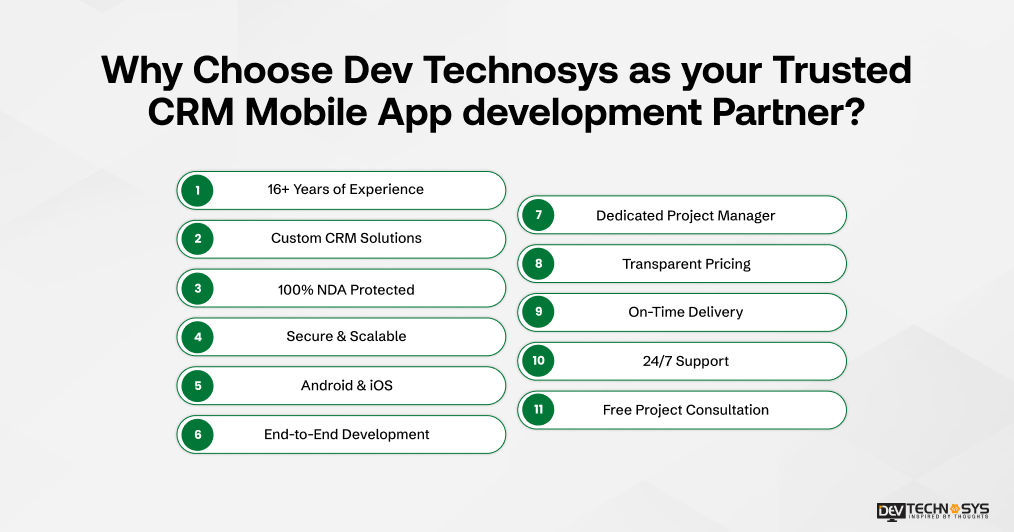
- 16+ Years of Experience: Proven expertise in custom CRM mobile app development
- Custom CRM Solutions: Tailored features for leads, pipelines, automation, analytics, and collaboration.
- 100% NDA Protected: Keep your business ideas, data, and project information confidential.
- Secure & Scalable: Robust security practices and scalable architecture for growing businesses.
- Android & iOS: Build CRM apps for both major mobile platforms.
- End-to-End Development: From UI/UX design and development to testing, deployment, and maintenance.
- Dedicated Project Manager: Get a single point of contact for smooth project coordination.
- Transparent Pricing: Clear and upfront pricing with no hidden costs.
- On-Time Delivery: Structured development processes to meet agreed project timelines.
- 24/7 Support: Continuous assistance for technical issues and post-launch requirements.
- Free Project Consultation: Discuss your CRM idea, requirements, and development roadmap with top experts.
Note: Our past CRM engineering projects achieved 30% higher sales efficiency, 25% faster workflow processing, and 40% improved customer engagement, demonstrating our ability to build secure, scalable, and high-performing CRM solutions.
Think we’re Bluffing? Hear From Our Clients
“Dev Technosys developed a custom mobile app with AI-driven personalization and strong data encryption. After launch we saw a significant rise in user adoption, engagement, and retention.”— Lena Chernogolova, Lead Partner, Flo Health Inc (London) · (5.0 · Verified on Clutch)
Conclusion
Here, we can assure you that it will be easy to build a CRM mobile app like PipeDrive by following the development process that we have discussed in this blog. Let’s examine some major things to consider before developing CRM apps:
- You need to find suitable use cases to create a CRM mobile app like PipeDrive.
- Management of money is very important for affordable development.
- Spread the benefits of customer relationship management among the users.
- Know monetization strategies before investing money to make a CRM mobile app like PipeDrive.
These points will help business investors to get in the right direction and generate a huge profit from the development of business CRM platforms like Zoho and PipeDrive.
Frequently Asked Questions
Find answers to the most common questions related to this article.
Building a CRM app like Pipedrive typically costs around $30,000–$150,000+. The final development cost depends upon features, complexity, platforms, integrations, UI/UX design, security requirements, and development team location.
Depending on the intricacy, features, and team size, developing a CRM mobile software like PipeDrive usually takes four to nine months. While a completely-functional enterprise-level CRM may require more time, a basic MVP version could take three to four months.
Create MVP with essential features.
Use technologies like Flutter to reduce costs.
Target cost-effective regions like Eastern Europe
Depending on updates, server fees, security patches, and feature additions, a CRM program like PipeDrive’s maintenance cost runs from $3,000 to $4,000 annually. Additionally adding to continuous expenses are regular monitoring and bug repairs.
- Frontend Technologies – React Native for iOS and Kotlin for Android to implement UI/UX.
- Backend Technologies – Node.js, Django, Ruby on Rails, or PHP for data processing.
- Database & Cloud Services – MySQL, PostgreSQL, and AWS for storage.
Use role-based access control, end-to-end encryption, and multi-factor authentication to guarantee data security in CRM applications. Protection of private client data also comes from regular security audits, GDPR and HIPAA compliance, and safe cloud storage.
A custom CRM mobile app should include lead management, contact management, sales pipelines, task tracking, notifications, analytics, search and filters, team collaboration, third-party integrations, and admin controls.
Pipedrive offers ready-to-use CRM capabilities, while a custom CRM provides greater flexibility, control, and scalability. The better option depends on your budget, business workflows, customization needs, and long-term objectives.
Yes, you can migrate supported Pipedrive data, including contacts, deals, organizations, activities, and notes, to a custom CRM using APIs, data exports, or specialized migration solutions.