






















Key takeaways:
-
- Measure Outcomes: Track task completion and business results, not just conversation quality.
- Track Core KPIs: Monitor accuracy, latency, errors, reliability, automation, cost, and user satisfaction.
- Use Production Data: Compare live performance with established baselines to identify performance gaps.
- Monitor Continuously: Use dashboards, alerts, and regular reviews to detect post-launch issues.
- Connect Performance to ROI: Link agent effectiveness with productivity, cost savings, conversions, and business impact.
Launching an AI agent is only the beginning. Its performance can vary from what it was seen in pre-launch testing once it starts to process real users, business workflows, tools, and changing data. This, in turn, helps to easily measure an AI agent to determine its effectiveness and reliability.
Measuring the performance of an AI agent involves more than just measuring the quality of its responses. Completeness, accuracy, response time, errors, reliability, operating costs, user satisfaction, and measurable outcomes of a business must all be considered. An agent can produce a good reply, but still not follow through on the desired process or still need people to do something that isn’t needed.
The correct AI agent performance metrics enable teams to determine areas where an agent is successful, where it is falling short, and where it needs to improve. This guide outlines the main metrics, KPIs, monitoring strategies, and business metrics you can employ following the launch of an AI agent.
What Does It Mean to Measure an AI Agent After Launch?
Measuring an AI agent after launch means tracking how effectively it performs real-world tasks, handles user requests, uses connected tools, and delivers the outcomes it was designed to achieve. Production data often reveals performance issues that controlled testing may not capture.
A practical AI agent performance measurement framework should cover:
- Task Effectiveness: Does the agent complete the intended workflow without unnecessary intervention? For AI copilot development, this can include measuring how effectively the copilot assists users with specific tasks.
- Response Quality: Are its responses, decisions, and recommendations accurate and relevant?
- Operational Performance: Does it maintain acceptable response time, reliability, uptime, and cost?
- User Experience: Are users satisfied, or do they abandon interactions or request human assistance?
- Business Impact: Does the agent contribute to measurable improvements such as lower costs, faster operations, higher conversions, or increased productivity?
The areas complement each other to deliver a more comprehensive evaluation of the effectiveness of an AI agent. Businesses can use the outcome, quality, operational, user, and business data to get a holistic view of the agent’s performance in production, rather than relying on a single KPI. The next step is to define the specific metrics that can be used to make these areas measurable.
Industry Insight
According to AWS, production agent monitoring can continuously evaluate goal success, tool selection, helpfulness, correctness, latency, hallucinations, and interaction costs.
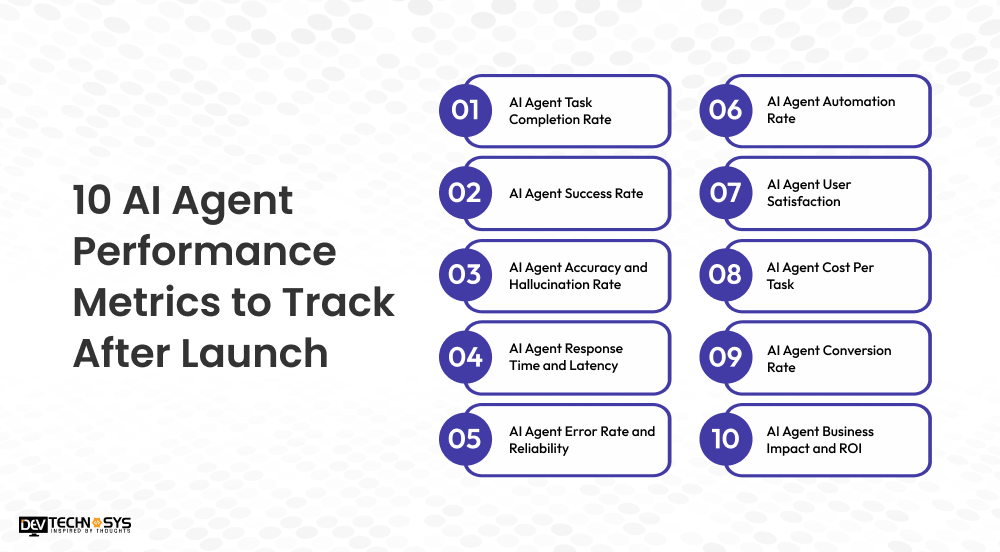
10 AI Agent Performance Metrics to Track After Launch
Once an AI agent is live, businesses need measurable indicators to determine whether it is completing tasks correctly, operating efficiently, and delivering meaningful results. These AI agent performance metrics provide a practical view of production performance.
1. AI Agent Task Completion Rate
The AI agent task completion rate shows how often the agent successfully finishes the task assigned to it. A high completion rate indicates that the agent can move beyond generating responses and execute the intended workflow.
Formula: Task Completion Rate = Successfully Completed Tasks ÷ Total Tasks × 100
2. AI Agent Success Rate
Task completion alone may not show whether the outcome was actually correct. The AI agent success rate measures how many interactions achieve the defined business or workflow objective.
Track successful outcomes against total eligible tasks and compare the results across different workflows, user groups, and task types.
3. AI Agent Accuracy and Hallucination Rate
Accuracy measures whether an agent provides correct information or makes appropriate decisions. The AI agent hallucination rate helps identify how frequently it produces unsupported, incorrect, or fabricated information.
For knowledge-based agents, teams can evaluate responses against trusted sources, approved datasets, or human-reviewed samples.
4. AI Agent Response Time and Latency
Users expect AI agents to respond quickly, but response speed should not be evaluated in isolation. Track both:
Response latency: Time taken to provide an initial response.
Task latency: Time required to complete the entire workflow.
An agent that responds quickly but takes several minutes to complete an action may still create a poor user experience.
5. AI Agent Error Rate and Reliability
The AI agent error rate measures failed actions, incorrect tool calls, workflow interruptions, API failures, and other unsuccessful events.
Monitor these alongside AI agent reliability and uptime to identify whether failures are occasional or part of a recurring production pattern.
6. AI Agent Automation Rate
The AI agent automation rate shows how many eligible tasks the agent completes without human intervention.
Formula: Automation Rate = Tasks Completed Without Human Intervention ÷ Eligible Tasks × 100
A falling automation rate can indicate that the agent is struggling with certain workflows or escalating too frequently.
7. AI Agent User Satisfaction
Technical performance does not always reflect the user’s experience. Track AI agent user satisfaction through CSAT scores, feedback, interaction abandonment, repeat usage, and human escalation rates.
Compare satisfaction with task outcomes to identify situations where users receive technically correct responses but still struggle to complete their goals.
8. AI Agent Cost Per Task
Monitor infrastructure, model, tool, and operational expenses to calculate the AI agent cost per task.
A more useful production measure is often cost per successful task:
Cost Per Successful Task = Total Operating Cost ÷ Successful Tasks
This connects spending directly to outcomes instead of evaluating token or infrastructure costs separately.
9. AI Agent Conversion Rate
For sales, marketing, and e-commerce agents, the AI agent conversion rate connects agent interactions with measurable customer actions.
Depending on the workflow, this could include qualified leads, completed purchases, booked appointments, upgrades, or other defined conversion events.
10. AI Agent Business Impact and ROI
The final layer is whether the agent creates measurable business value. AI agent ROI can include reduced operational costs, increased productivity, faster service, higher revenue, or improved conversion rates.
The right AI agent KPIs depend on the agent’s purpose. A support agent may prioritize resolution and handling time, while a sales agent may focus on qualified leads and revenue.
How to Build an AI Agent Performance Measurement Framework
A well-defined measurement framework can guide businesses in aligning AI agent KPIs with tangible real-world objectives rather than tracking individual technical metrics. Follow these five steps to design a workable production performance measurement system.
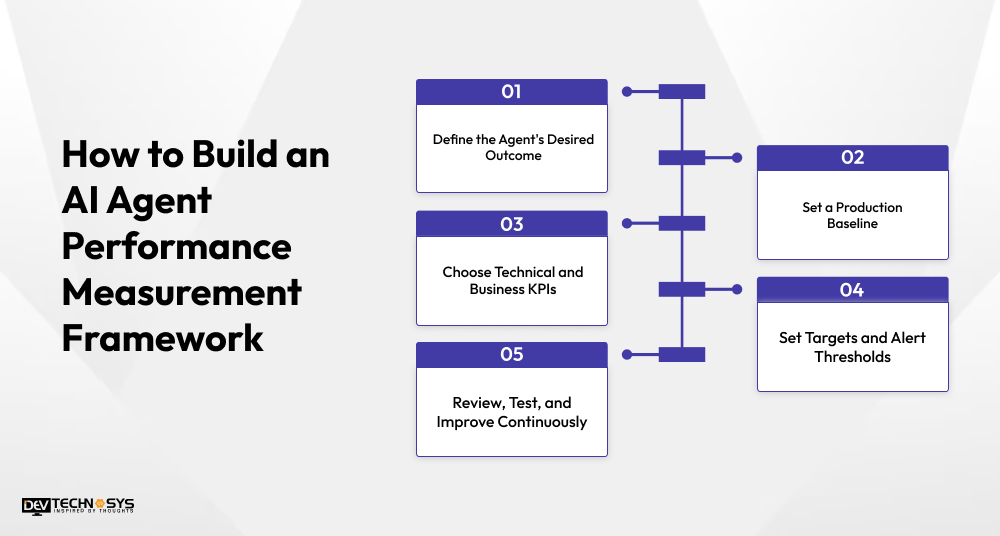
1. Define the Agent’s Desired Outcome
Always begin with the desired outcome of the agent. Goals for an agent that supports multi-step workflows should correspond to the outcomes outlined at the time of agentic AI development, such as performing workflows across multiple interconnected systems with minimal human involvement.
2. Set a Production Baseline
Measure current performance before making major improvements. Record task completion, accuracy, response time, error rate, human escalation, cost per task, and user satisfaction to establish a reliable baseline.
3. Choose Technical and Business KPIs
Select metrics that reflect both system quality and business value. Combine AI agent success metrics such as accuracy and reliability with outcome measures such as conversion rate, resolution rate, productivity, or cost savings.
4. Set Targets and Alert Thresholds
Define acceptable performance ranges for every important KPI. For example, establish maximum response latency, minimum task completion rates, or an acceptable error rate. Alerts can notify teams when performance falls below the defined threshold.
5. Review, Test, and Improve Continuously
Production measurement should not end after deployment. Review performance trends regularly, investigate recurring failures, test updated prompts or models, and compare results against the original baseline.
A strong framework turns AI agent performance measurement into a continuous improvement cycle. Teams can identify performance gaps, prioritize fixes, and verify whether each change improves the agent’s real-world outcomes.
Industry Insight
According to Google Cloud, continuous online evaluation helps identify quality drift caused by changing user behavior or external data.
How to Monitor AI Agent Performance in Production
Post-launch monitoring provides insight into an agent’s behavior in real workloads, evolving user requests, integrated tools, and production data. Monitoring practices are, therefore, a crucial part of strong AI agent development, as they should be continued after deployment.
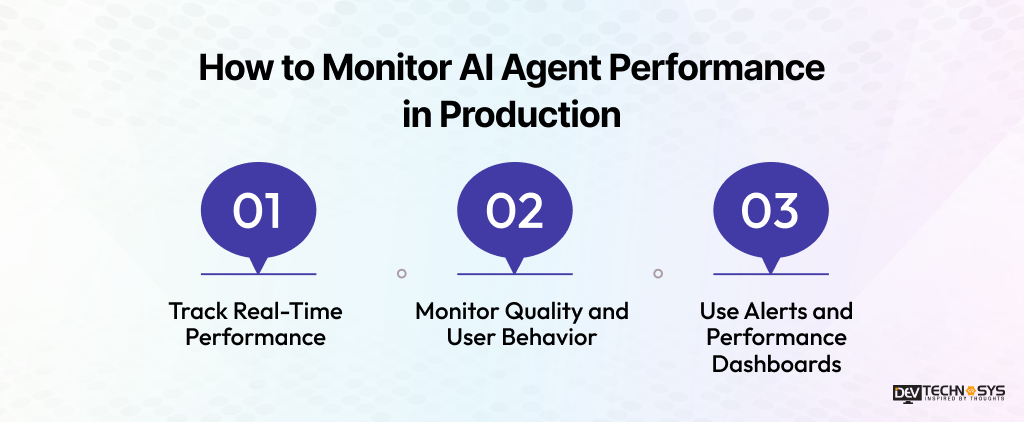
1. Track Real-Time Performance
Monitor core operational signals to identify issues as they occur:
- Response Time: Track how quickly the agent responds and completes tasks.
- Task Completion: Identify successful, incomplete, and abandoned workflows.
- Error Rate: Monitor failed actions, incorrect tool calls, and system errors.
- Latency: Measure delays across models, APIs, databases, and external tools.
2. Monitor Quality and User Behavior
Technical performance does not reflect the usefulness of outcomes to the user. Monitor the quality of an AI agent, including accuracy, hallucination rate, human escalation rate, feedback from users, and user interaction abandonment. These signals can be compared over time to identify problems in workflow or deteriorating performance.
3. Use Alerts and Performance Dashboards
AI agent observability data can be unified into a single view with a centralized dashboard. Establish baseline numbers for key performance indicators and send alerts when accuracy, latency, reliability, or task completion is not within acceptable levels.
Continuous monitoring transforms production information into actionable data. Teams can identify problems sooner, learn the cause of the problem, and fix it before it impacts more users.
How to Measure an AI Agent Business Impact and ROI
Technical performance metrics show whether an agent is working correctly, but businesses also need to measure an AI agent against financial and operational outcomes. AI agent effectiveness becomes clearer when performance data is connected to cost savings, productivity, revenue, and customer outcomes.
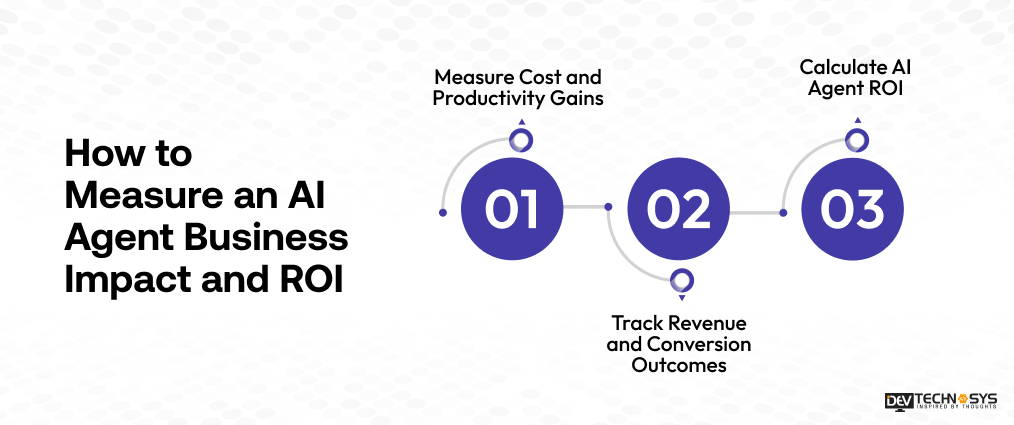
1. Measure Cost and Productivity Gains
Start by comparing the agent’s operating cost with the work it handles. Track:
- Cost Per Task: Calculate model, infrastructure, API, and maintenance expenses against completed tasks.
- Time Saved: Measure how much manual effort the agent removes from each workflow.
- Productivity: Compare employee output before and after automation.
- Operational Savings: Identify reductions in support, processing, or administrative costs.
2. Track Revenue and Conversion Outcomes
For customer-facing or sales agents, AI agent conversion rate can reveal whether automation contributes to revenue. Agents built through generative AI development can support qualified lead generation, completed purchases, appointments, upgrades, renewals, or other outcomes connected to customer interactions.
These results should be compared with baseline performance rather than viewed in isolation.
3. Calculate AI Agent ROI
Once costs and business benefits are available, calculate:
AI Agent ROI = (Business Value Generated – AI Agent Cost) ÷ AI Agent Cost × 100
Include model usage, infrastructure, third-party tools, maintenance, monitoring, and human oversight when calculating total costs. This gives businesses a clearer way to evaluate an AI agent based on measurable business impact rather than technical performance alone.
Best Practices for AI Agent Post-Launch Monitoring
Effective AI agent post-launch monitoring requires a consistent process for tracking performance, identifying issues, and improving the system as production conditions change. These practices help maintain reliable AI agent performance measurement over time.
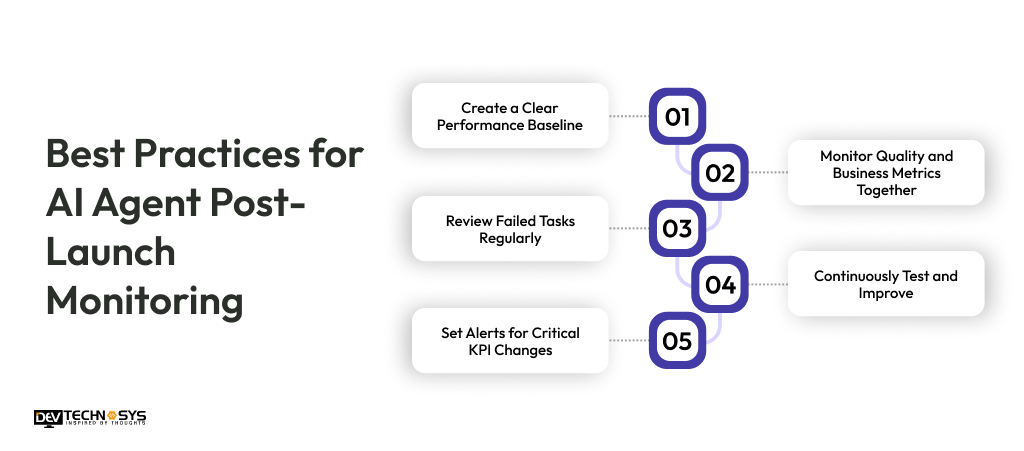
1. Create a Clear Performance Baseline
Keep the original production benchmarks for task completion, accuracy, latency, reliability, cost, and user satisfaction. Use them to identify meaningful performance changes.
2. Monitor Quality and Business Metrics Together
Combine AI agent quality metrics with business outcomes. Technical reliability alone cannot show whether the agent is delivering useful results.
3. Review Failed Tasks Regularly
Analyze recurring errors, failed tool calls, hallucinations, abandoned workflows, and human escalations. These patterns can reveal areas requiring targeted improvements.
4. Set Alerts for Critical KPI Changes
Configure alerts for significant changes in latency, error rates, task completion, uptime, or operating costs. Early detection can prevent small issues from becoming larger production problems.
5. Continuously Test and Improve
Re-evaluate prompts, models, workflows, tools, and guardrails as user behavior and business requirements evolve. Ongoing AI development services can also support monitoring, optimization, testing, and performance improvements throughout the agent’s lifecycle.

Conclusion
Launching an AI agent is only the starting point. To measure an AI agent effectively, businesses need to evaluate task completion, accuracy, reliability, response time, user satisfaction, operating costs, and measurable business outcomes together.
The performance of AI agents should be measured throughout the agent’s life cycle. Production data can be used to identify workflow issues, patterns of error, evolving behaviors, and opportunities for enhanced automation.
These insights can be used to make tangible improvements through a regular monitoring and optimization process. Custom AI development can help organizations adapt their AI agents to suit their changing needs or specific objectives, such as those involving particular integrations or performance metrics.
Frequently Asked Questions
Find answers to the most common questions related to this article.
Measure performance using task completion, accuracy, response time, error rate, reliability, automation, user satisfaction, and business outcomes. Comparing these AI agent performance metrics against production baselines helps identify performance gaps and improvement opportunities.
Important metrics include task completion rate, success rate, accuracy, hallucination rate, latency, error rate, automation rate, cost per task, and user satisfaction. The right AI agent KPIs depend on the agent's workflow and intended business outcome.
Calculate AI agent ROI by comparing the business value generated with the total cost of operating the agent. Consider productivity gains, cost savings, revenue impact, model usage, infrastructure, tools, maintenance, and human oversight.
Critical AI agent monitoring should happen continuously after deployment, while deeper reviews can be performed periodically. Monitoring frequency should depend on workflow criticality, user volume, system changes, and the potential impact of performance failures.
There is no universal target for an AI agent task completion rate. The appropriate benchmark depends on task complexity, workflow requirements, acceptable human intervention, and business goals. Teams should establish a production baseline and improve it over time.














