





















Key Takeaways:
-
- An AI app audit is highly recommended to identify risks in your code, models, data, security, and costs.
- An AI app rescue is especially required to repair or save an app that is already failing.
- Businesses opt for an audit when the platform is working, but require proof it is safe, accurate, and scalable
- Rescue is opted for by enterprises when the damage has already started, and accuracy keeps dropping.
- Many projects use both audit and rescue to first find risk, and then the rescue team fixes them properly.
- To decide between AI app audit vs AI app rescue which one is ideal for you, use a simple rule: If your app works, start with an audit, and if it is broken, start with a rescue.
You launched your AI app with big promises, but now it is not working properly. It gives wrong answers, runs slowly, and costs more than what is planned. In this phase, you are completely in a dilemma about whether to just check the app or repair it.
But the major question is related to the difference between AI app audit vs AI app rescue. Both services sound the same, but they solve different problems. An AI app audit finds problems, and AI app rescue fixes them. However, picking the wrong approach will cost you unnecessary time and money.
This guide explains both AI audit and AI rescue services in detail. The advice comes from patterns seen across real AI projects. Below, you will find clear definitions, warning signs, a decision checklist, and typical costs.
What Is an AI App Audit?
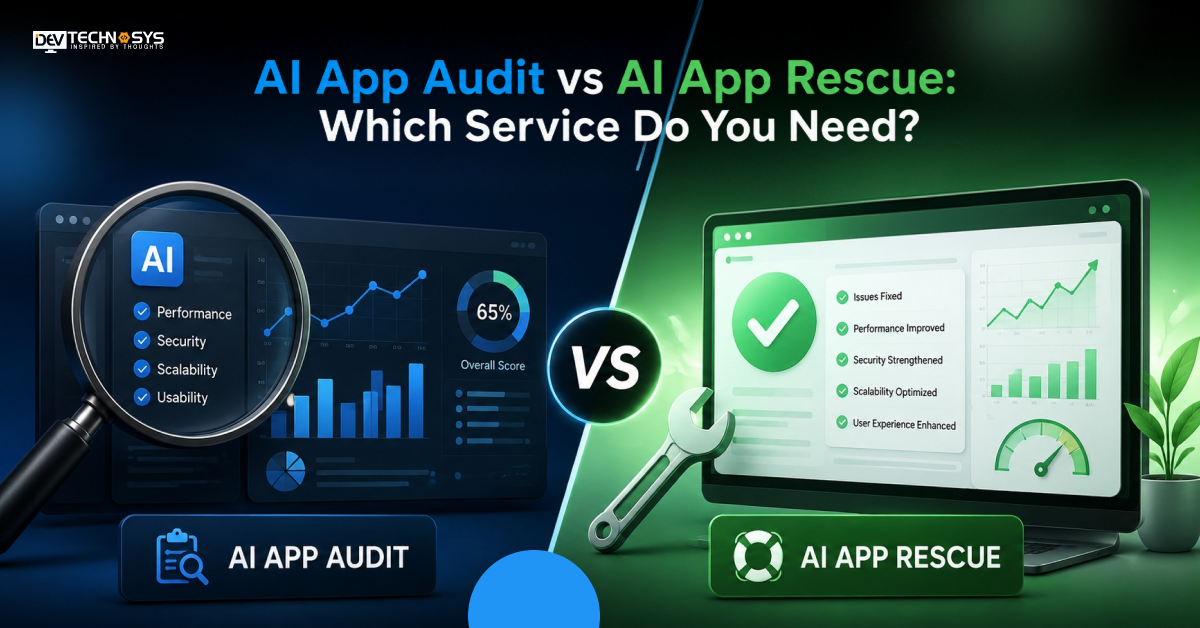
An AI app audit is an independent review of your AI application. In this, experts check the code, models, data, security, and costs. Its goal is simple: to let businesses know what works, what is risky, and what to fix first.
This AI application technical audit is a diagnosis, not a repair. Apps built fast with AI coding tools need extra care. AI-built app audit services check for hidden logic errors and copied code. Your live app stays unchanged. You receive a written report with a clear roadmap.
The AI application audit process reviews five areas:
- Code quality: An AI application code review checks structure, bugs, and technical debt.
- Model behavior: Testers measure accuracy, bias, and response quality.
- Security: The security audit of an AI application examines data leakage, prompt injection, and insecure access controls.
- Performance: An AI application performance audit evaluates speed, uptime, and cost of API calls.
- Compliance: Data processing is evaluated against GDPR, HIPAA, or SOC 2 requirements.
The findings are prioritized by severity so that you address the most risky areas first. Many audits also include a cost review. Wasted API calls and oversized cloud plans are common findings. Reviewers often use an AI-generated code audit checklist to keep the AI app code audit consistent.
What Is AI App Rescue?
AI application rescue is hands-on recovery for an app that is failing, stuck, or abandoned. Engineers stabilize it first. Then they fix root causes and prepare it for relaunch. Think of it as emergency care. It is not a rebuild. Most apps can be saved.
A proven AI application rescue process has four steps:
- Triage: Stop the damage first, such as crashes or wrong outputs.
- Diagnosis: Engineers trace the root cause through structured AI app debugging.
- Remediation: Developers complete AI application remediation, including bug fixes and retraining.
- Optimization: The team handles AI application optimization and AI app modernization for growth.
Many businesses choose AI app rescue services when internal teams lack time or AI expertise. AI app recovery services also help abandoned projects. A previous vendor may leave half-finished code and no documentation. The new team must decode those choices first. Rescue is not only about code; it also covers data pipelines, model monitoring, and release processes.
AI App Audit vs AI App Rescue Difference: From Finding Issues to Fixing Them
The condition or situation of your product will decide whether the app will be audited or rescued. An AI app audit is required to assess risks before they become expensive problems. AN AI app rescue is involved when urgent technical intervention, stabilization, or recovery is needed. Have a look at the difference between AI app rescue vs. AI app audit on various bases.
AI App Audit vs AI App Rescue: Key Differences
Difference Basis |
AI App Audit |
AI App Rescue |
| When You Need It | Before problems become costly | When problems are already affecting the app |
| Typical App State | Functional but needs assessment | Unstable, broken, or underperforming |
| Core Question | “What could go wrong?” | “How do we get this working properly?” |
| Primary Activity | Investigate and assess | Diagnose, repair, and stabilize |
| Technical Depth | Review existing implementation | Modify and rebuild affected components |
| Risk Focus | Security, code, architecture, AI risks | Critical failures, vulnerabilities, performance issues |
| AI Behavior | Evaluate outputs, prompts, models, and workflows | Correct unreliable or failing AI behavior |
| Engineering Effort | Findings and prioritized recommendations | Hands-on engineering and remediation |
| Typical Deliverable | Audit report + action roadmap | Repaired application + recovery plan |
| Business Outcome | Better decisions before further investment | Restore stability and move the product forward |
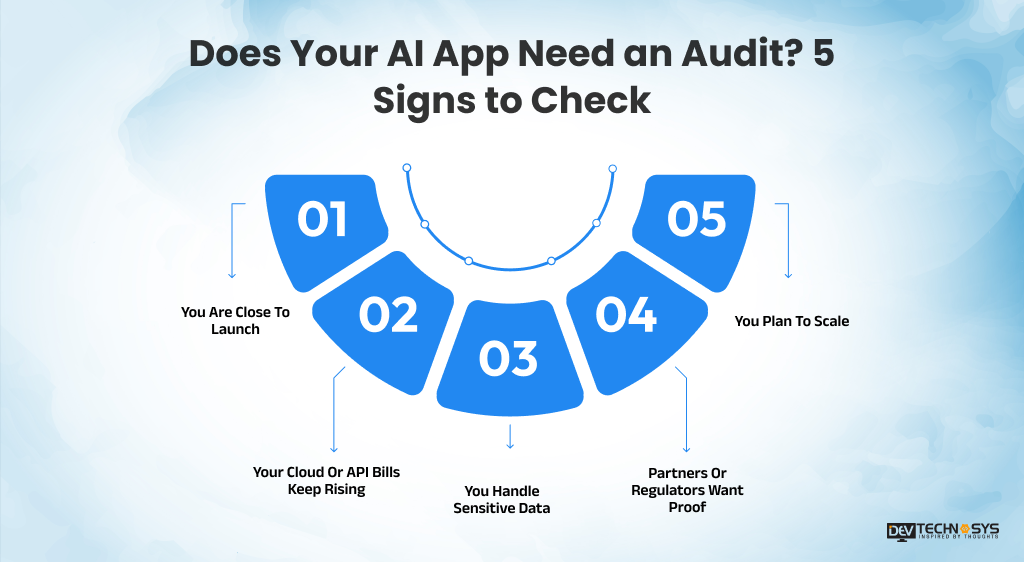
Does Your AI App Need an Audit? 5 Signs to Check
Knowing when to audit an AI application saves money and reputation. An audit fits best when the app still runs, but you lack confidence in it. Watch for these five signs before small issues become public failures.
-
You Are Close To Launch
A pre-launch AI app risk assessment catches issues before it reaches users. Fixing them later could become more costly.
-
Your Cloud Or API Bills Keep Rising
Your usage may be growing, but unnecessary costs could be the real problem. An audit shows where your AI app is wasting money.
-
You Handle Sensitive Data
An AI application security assessment confirms your defenses hold. This plays a vital role in industries like healthcare and finance.
-
Partners Or Regulators Want Proof
Investors and enterprise buyers often ask for a formal review. An audit gives you a report to share.
-
You Plan To Scale
An AI app assessment shows whether your base can handle ten times the users. Weak foundations show up fast under load.
An audit does not need a broken app. It only needs the right questions. If two or more signs apply, book an AI application assessment soon. Early checks cost less than emergency fixes.
Planning to Build an AI Development Project?
Get a quick cost estimate based on your AI features, integrations, and development scope.
- 3 Quick Steps
- 100% FREE
- Hear Back Within 1 Business Day
2 Minutes Read
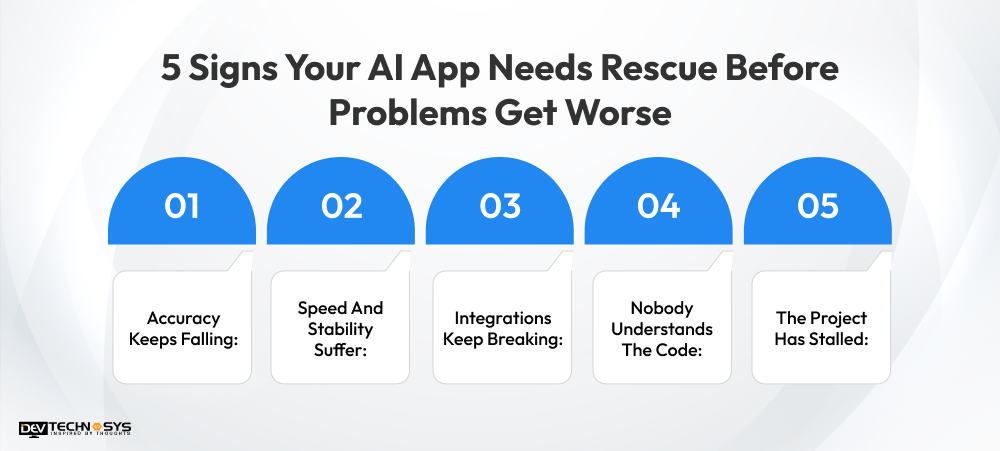
5 Signs Your AI App Needs Rescue Before Problems Get Worse
Rescue is the right call when damage has already started. If you know when to rescue an AI application helps you act before users leave. Look for these five warning signs; each one signals real business risk.
-
Accuracy Keeps Falling:
Model drift creates wrong or biased outputs. Users lose trust fast. Retraining and better data pipelines usually fix this.
-
Speed And Stability Suffer:
Slow replies, timeouts, and crashes are common AI app performance issues. They often point to deeper design flaws. Users notice these problems before your team does.
-
Integrations Keep Breaking:
Payment tools, APIs, or data pipelines fail after every update. Each failure adds hidden costs for your support team.
-
Nobody Understands The Code:
Teams that lean on AI automation in software development sometimes ship code no one can explain. Fixing that takes structured rescue work.
-
The Project Has Stalled:
A vendor left, deadlines slipped, or the budget ran out. Fresh engineers can rebuild momentum quickly.
If you see three or more of these signs, act quickly. Delay could make the recovery extremely difficult and costlier. Also check your analytics; rising churn, bad reviews, and support tickets confirm the problem.
AI App Audit or Rescue? A Simple Checklist to Choose the Right One
Here is the quick checklist that helps you pick the right service. Answering each question honestly will point to an audit, a rescue, or both. If you are still unsure, one short expert call can settle it.
- Is the app live and mostly stable? — Choose an audit.
- Are users leaving because of errors? — Choose rescue.
- Do you need a compliance or investor report? — Choose an audit.
- Has your vendor left or the project stalled? — Choose rescue.
- Do you not know what is wrong? — Start with an audit.
Rule of Thumb
If the app works, audit first, whereas if it is broken, rescue first. Many projects need both audit and rescue services. The audit finds and ranks the issues, and the rescue team then fixes the highest risks first. This order avoids guesswork and controls cost.
Choosing between AI app audit vs AI app rescue does not have to be a solo call. An AI consulting services company can scope your app in a short discovery call. Bring your architecture notes, error logs, and cost reports. They can also share a rough timeline and budget range.
Want a chatbot demo or pricing? Fill the form and talk to our experts today.
Pick what you need below — you can select more than one — then tap Get detail to continue.
-
Chatbot demo dashboard
-
Cost to develop an app
-
Industry report
-
Case study
Real-World Use Cases: Which Service Fits Which Team
These short examples are simplified and anonymized. Each reflects a common pattern in AI projects across fintech, healthcare, and retail. Use them to compare with your own situation.
A Fintech Chatbot Before Launch
The team was unsure about security. An audit found exposed API keys and weak prompt controls. They fixed both before going live and avoided a costly public incident.
-
Result: Audit only.
A Healthcare Symptom Checker
Accuracy dropped after a data source changed. Rescue work retrained the model and added monitoring.
-
Result: Rescue.
A Retail Recommendation App
The agency left, and nobody had documentation. An audit mapped the risks. Rescue then repaired the priority issues. Fixing them in the right order kept the budget under control.
-
Result: First audit, then rescue.
Teams planning to build an AI app from scratch can avoid these issues with an early design review.
AI App Audit and AI App Rescue Cost and Timeline: What to Expect in 2026-2027
Costs vary by app size, code quality, and risk level. The ranges below give a general picture. Your final quote depends on a short technical review. Ask for a fixed scope before work begins.
- AI app audit usually takes 1 to 3 weeks. It costs far less than a rescue project.
- AI app rescue generally requires 4 to 12 weeks, depending on how much is broken.
Five factors that affect both audit and rescue cost and timeline include:
- App size
- Tech stack
- Model complexity
- Data quality
- Compliance needs
Timelines shrink when your team shares documentation and access early.
Audits also lower long-term cost and prevent expensive failures after launch. Rescue costs rise the longer you wait, and early action is almost always cheaper. Get a written estimate that lists deliverables and milestones. For the bigger budget picture, read our guide on the cost to build an artificial intelligence project.
Final Words
Every AI product requires a check, either before launch or after something breaks. This blog is all about understanding the difference between diagnosis and repair. It will help you spend budget wisely and take action at the right time. When in doubt, start with a short expert consultation. That single conversation can save weeks of guesswork.
Frequently Asked Questions
Find answers to the most common questions related to this article.
Generally, auditing is done in parallel; that’s why it never touches your live application. Whereas rescue work is different from an audit. It edits live code, but a good team stages changes and rolls them out gradually.
You should frame it as part of proactive risk management, not damage control. If the audit and rescue process is documented, it shows investors that you catch issues and fix them strategically. It builds more confidence than a product with no oversight at all.
It is not always necessary. The rescue teams usually stabilize the app first, then work through fixes in parallel with your roadmap. Full feature freezes only make sense when the core app is unstable enough to break new work as you build it.
Ignoring findings can cause unresolved issues to compound. Security gaps widen, technical debt grows, and user churn accelerates. Delayed rescue work almost always costs more later than acting early, both in dollars and in lost trust.
Yes, third-party auditors can work under an NDA and report only to you. This keeps the process confidential until you decide what to share, which is common practice ahead of fundraising or acquisition talks.














