






















Key Insights:
-
- Code generated by AI requires an audit checklist of its own. Traditional code reviews usually miss AI-related issues such as incorrect dependencies, inconsistent logic, and unreliable code.
- One thing that matters most before launch is security and license checks. AI tools can introduce vulnerable patterns or reuse code with unclear IP rights.
- As AI-written tests generally ignore real edge cases, testing coverage should be verified manually.
- If the documentation is poor, it makes future updates difficult. So, make sure the AI-created code is understandable and maintainable.
- Expert audits can find issues internal teams may miss. A proper audit helps reduce risks before launch.
Picture this: A fintech startup launched its AI-generated features two weeks early. The code passed every test, but after three days, a logic error caused the refund process to run twice. The problem was not that the AI-generated code failed basic testing. But the team missed edge cases that could happen in real-world use.
This situation is becoming extremely common in modern development. It is important to know that passing tests doesn’t always mean the code is production-ready. This is when an AI-generated code audit is no longer an option.
There is a huge difference between catching a failure in code review and explaining it to frustrated, angry users later. Before the real users get affected, AI-generated code audit services help find problems related to:
- Hidden logic
- Security
- Performance
- Reliability issues
Here, we created a checklist covering the key things your team should check before launching an AI-built application.
Why AI-Generated Code Needs a Different Audit Approach?
AI code generation tools can write fast, but businesses need to hire dedicated developers because tools don’t think like developers. AI can offer similar code according to the pattern, not as per the business context. This creates blind spots that a standard review process was never built to catch.
Code written by humans fails in ways developers usually predict. Whereas AI-written code fails inside but looks fine on the surface. A function can work normally but still fail in an unusual situation. Traditional testing may not catch these problems. That’s why AI-generated code review is needed to check how the code was created and how it handles unexpected cases.
What Should You Check in an AI-Generated Code Audit Before Launch?
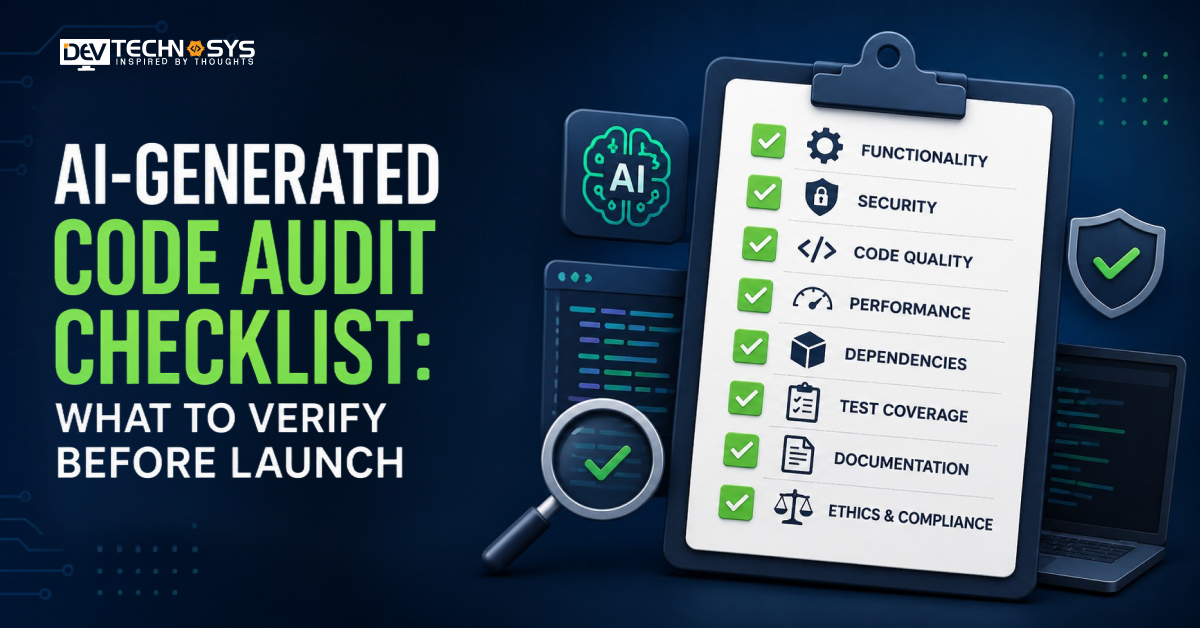
An AI-generated code audit checklist should cover code quality, logic, security, dependencies, performance, testing, documentation, and AI-specific risks. It basically checks whether AI-generated code:
- Behaves correctly in unexpected situations
- Uses reliable dependencies
- Can be safely maintained after launch
The checklist given below covers the key areas teams should review before putting an AI-built application into production.
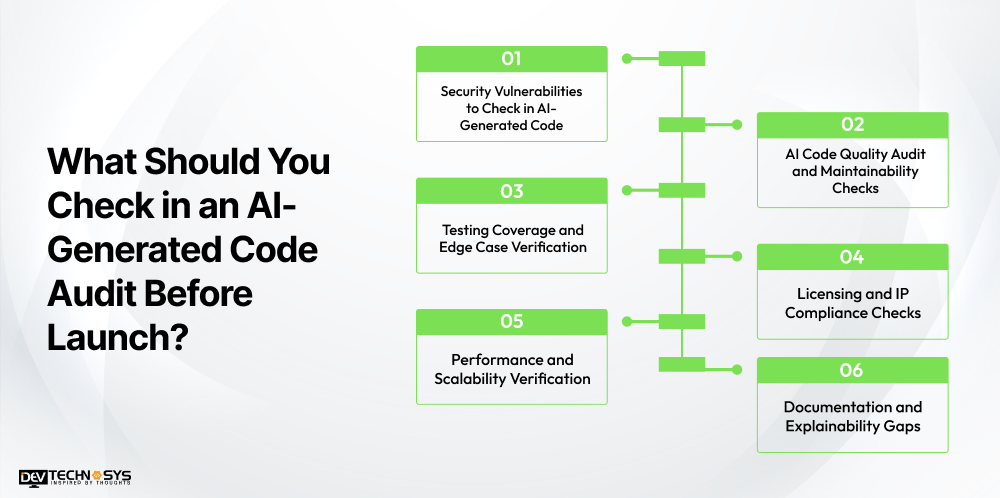
1. Security Vulnerabilities to Check in AI-Generated Code
Security issues have been the top cause of teams delaying launch following an AI code security audit. This happens because AI applications learn patterns from the data used to train them, including outdated and/or unsafe examples.
| Risk Area | What to Check | Why It Matters |
| Dependencies | Version and vulnerability status of every suggested library | AI tools may recommend outdated or unmaintained packages |
| Hardcoded secrets | API keys, tokens, credentials in generated code | Training data sometimes includes placeholder credentials |
| Injection risks | Input sanitization in queries and API calls | AI-written queries don’t always validate user input correctly |
| Authentication | Token expiration, session handling, role checks | Login logic can skip edge cases without triggering test failures |
A specific stage of the process should be dedicated to performing an AI application security audit by testing. It takes place with all input fields with malicious data prior to launch. This is also the stage at which potential problems arise during AI automation in software development. This is due to the automated pipeline pushing code to the staging environment directly.
Code
// Risky: AI-generated query built with string concatenation
function getUser(username) {
const query = `SELECT * FROM users WHERE username = ‘${username}’`;
return db.execute(query);
}
// Fixed: parameterized query
function getUser(username) {
const query = `SELECT * FROM users WHERE username = ?`;
return db.execute(query, [username]);
}
2. AI Code Quality Audit and Maintainability Checks
However, passing all of those tests is still not an indication of readiness for maintenance by a team. The AI software code audit is just as important as the functional testing prior to launching the product.
- Consistency of Logic: AI produces the code in fragments. Therefore, the same code can be written differently in two different files.
- Redundant Code: AI tends to generate additional helper functions and variables that are never used.
- Readability: Just like the code itself, the comments and the naming conventions should be of the same level of quality as that created by your team.
Performing this cleaning early makes the codebase ready for handover. Businesses that don’t have the additional manpower tend to hire an AI copilot development company.
Code
// Risky: same logic written two different ways in the same file
function calculateTotal(items) {
return items.reduce((sum, i) => sum + i.price, 0);
}
function getCartTotal(cartItems) {
let total = 0;
for (let i = 0; i < cartItems.length; i++) {
total += cartItems[i].price;
}
return total;
}
// Fixed: one function, reused everywhere
function calculateTotal(items) {
return items.reduce((sum, item) => sum + item.price, 0);
}
3. Testing Coverage and Edge Case Verification
Tests made by artificial intelligence normally have good coverage of happy paths. Such tests do not usually include scenarios that only a human would come up with.
Test such scenarios manually with empty input fields, unusual values, multiple requests at once, and unusual user behavior. These are the scenarios that caused the fintech example from the introduction to fail. AI tools cannot anticipate the kinds of mistakes real users make when using the product.
Regression testing also plays an important role. Whenever you make changes to AI-generated code, run regression testing. A proper AI-generated code review at this point will reveal problems that automated test suites can’t detect. Some organizations do it themselves, and some hire an AI development company to do it.
Code
// Risky: AI-written test only covers the happy path
test(‘divides two numbers’, () => {
expect(divide(10, 2)).toBe(5);
});
// Fixed: edge cases included
test(‘divides two numbers’, () => {
expect(divide(10, 2)).toBe(5);
});
test(‘throws on division by zero’, () => {
expect(() => divide(10, 0)).toThrow();
});
test(‘handles negative numbers’, () => {
expect(divide(-10, 2)).toBe(-5);
});
4. Licensing and IP Compliance Checks
This step gets skipped more than any other, and it carries real legal risk. AI models are trained on massive code repositories, some of which carry licensing restrictions.
- Run generated code through a license scanning tool before launch.
- Flag any GPL-licensed snippets, which can create obligations for how your own code gets distributed.
- Confirm originality for any code tied to a sensitive or regulated feature.
Treat this step as part of your broader AI code compliance audit, especially if your product operates under industry-specific regulation.
Code
// Risky: license header missing on a pasted third-party utility function
function deepClone(obj) {
return JSON.parse(JSON.stringify(obj));
}
// Fixed: source and license noted before use
// Utility adapted from an MIT-licensed open source snippet
// Verify license compatibility before shipping to production
function deepClone(obj) {
return JSON.parse(JSON.stringify(obj));
}
5. Performance and Scalability Verification
Code created by artificial intelligence typically functions well during testing but fails under real-world conditions. Performance testing should be done beforehand, and not after users have complained about it.
Perform load tests of any backend logic created by AI, especially the database queries and API endpoints. AI tools may write inefficient loops and redundant calls that become apparent only when put into practice. A query that functions normally with 100 test records may work very slowly with 100,000 actual records.
Test database indexing and caching logic individually, as these processes tend to suffer from under-optimization in AI tools. Performance problems and security problems share the same root that is lack of stress testing of the generated code. It is one of the reasons why companies strive to secure business with AI in a proper manner.
Code
// Risky: query runs inside a loop, one DB call per user
async function getOrdersForUsers(userIds) {
const results = [];
for (const id of userIds) {
results.push(await db.query(‘SELECT * FROM orders WHERE user_id = ?’, [id]));
}
return results;
}
// Fixed: single batched query
async function getOrdersForUsers(userIds) {
return db.query(‘SELECT * FROM orders WHERE user_id IN (?)’, [userIds]);
}
6. Documentation and Explainability Gaps
AI-generated code often ships with little to no documentation. This creates a problem the moment someone other than the original developer needs to update it.
Require inline comments explaining non-obvious logic before sign-off. If a function’s purpose is not clear from its name and structure, it needs a short explanation. This matters most for compliance-heavy industries, where teams may need to explain exactly how a piece of logic works during an audit or review.
Code
// Risky: no explanation for non-obvious logic
function adjust(x) {
return x * 0.925;
}
// Fixed: comment explains the “why,” not just the “what”
// Applies a 7.5% platform fee deduction before payout
function calculatePayoutAmount(grossAmount) {
const PLATFORM_FEE_RATE = 0.075;
return grossAmount * (1 – PLATFORM_FEE_RATE);
}
Pre-Launch AI Code Audit Checklist: A Quick Reference
Use this as your AI code audit before production checklist:
- Scan all dependencies for known vulnerabilities
- Remove hardcoded secrets and credentials
- Test all inputs for injection risks
- Verify authentication and session logic manually
- Check for logic duplication across modules
- Remove dead or unused code
- Confirm code readability and naming consistency
- Manually test edge cases beyond automated coverage
- Run full regression tests after any AI-assisted change
- Scan for licensing conflicts in generated code
- Load test backend logic under realistic traffic
- Review database queries for efficiency
- Require documentation for non-obvious logic
When to Bring In a Professional AI Code Audit Team?
Internal review is done to catch obvious issues; however, they usually miss the low-key ones. It happens when a team is moving fast to hit a launch date. A professional audit is worth considering when:
- Your product handles sensitive data or operates in a regulated industry
- Your team has limited experience reviewing AI-generated output specifically
- The codebase has grown large enough that manual review alone is impractical (an enterprise AI code audit becomes more efficient at this scale)
- Feature work and audit work are competing for the same internal bandwidth
At this stage, many teams choose to hire AI developers for the audit itself. It is better than pulling their existing team off feature work to cover both.
Conclusion
Code generated with AI can move fast, but speed without proper verification and audit can lead to severe risks. The checklist we have given above covers security, quality, testing, licensing, and documentation gaps.
Skipping these checks can lead to costly problems after launch. Adding an AI-generated code audit to your launch process can be a smart and highly recommended strategy. It helps catch hidden issues early, protect your users, and avoid expensive fixes later.
Frequently Asked Questions
Find answers to the most common questions related to this article.
If critical workflows work perfectly even beyond normal test cases, this means the app is ready. Now, founders must review security risks, third-party dependencies, error handling, performance, data flows, and important edge cases. This is because passing only automated tests cannot guarantee the app is ready for production. Passing automated tests alone does not guarantee production readiness.
An AI-generated code audit can seamlessly identify outdated, unsupported, or risky dependencies before they become a major problem. If this happens, developers can replace them, update versions, or choose safer alternatives. This reduces future maintenance issues and helps prevent security, compatibility, or performance problems as your application grows.
If something like this happens, first, separate launch-blocking issues from problems that can wait without harming launch. Before the app release, ensure you manage security vulnerabilities, data risks, broken business logic, and critical reliability issues. Create a prioritized fix list, retest affected workflows, and update the launch timeline based on the remaining risk.
An audit should not be treated as a one-time activity. Consider reviewing the application after major feature changes, significant AI-generated code additions, architecture changes, security incidents, or important dependency updates. Higher-risk applications may also benefit from scheduled audits as part of ongoing software maintenance.
Yes, an audit can give founders a clearer picture of technical risks before making that decision. It can identify critical defects, fragile components, security concerns, and areas requiring significant rework. This helps teams prioritize fixes and decide whether a limited launch or further development is more appropriate.














