








Picture this: A startup team is all set to launch a mobile application when a discussion flared up between developers.
- One recommends SDK integration for payment.
- Another one suggests a library for data handling,
- While the third one proposes a framework for app architecture.
Everyone agreed on this to speed up the development, but no one could clearly explain how they differed.
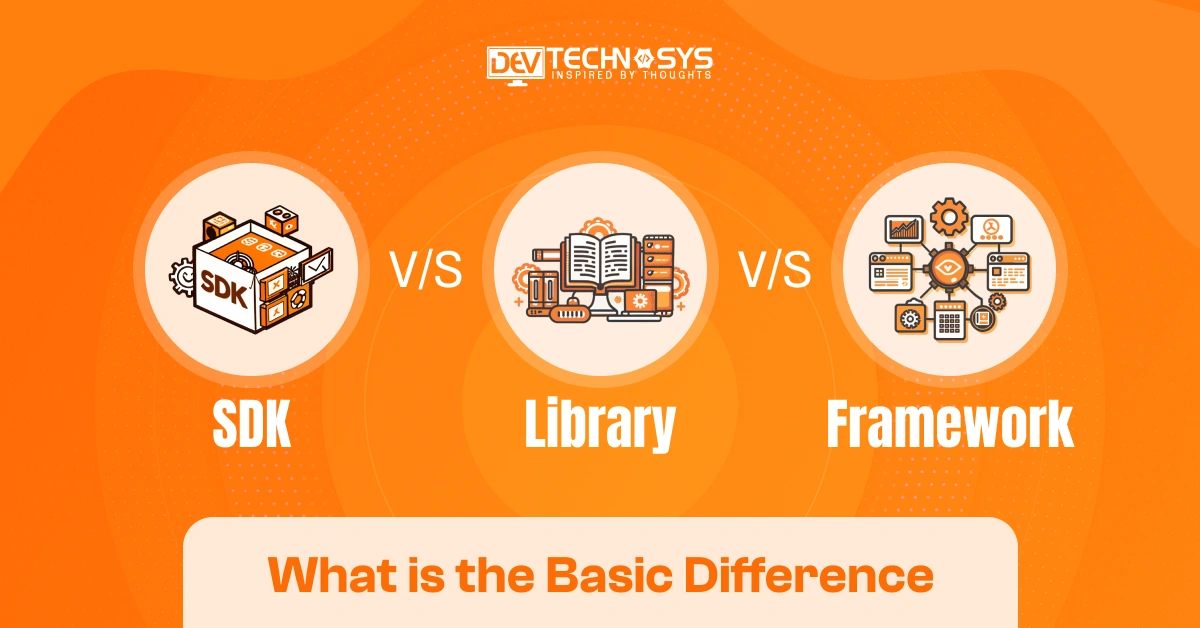
This is not just about developers, but everyone gets confused by SDKs, libraries, and frameworks. However, they are all simple codings but are used for different purposes. To choose an ideal tech stack and quicken project delivery, understanding SDK vs Library vs Framework is necessary.
Even after that, developers might get confused between SDKs, libraries, and frameworks. But why does understanding the difference matter?
In this guide, you will find answers to this question while helping you make informed development decisions.
What is an SDK?
The SDK stands for Software Development Kit, which is a set of tools, APIs, utilities, and libraries. This helps developers create apps for any particular platform or service. SDK offers all the essential needs to accelerate development and integrate features. It even guarantees compatibility with target environments.
Key Components
- APIs and development tools
- Documentation and guides
- Debugging and testing utilities
- Sample code and libraries
Popular Examples
- Google Android SDK
- Apple iOS SDK
- Meta Facebook SDK
Example Code
// Android SDK Example
Toast.makeText(this, “Welcome to Android SDK”, Toast.LENGTH_SHORT).show();
What is a Library?
A collection of pre-written code is known as a library. These codes can be called by developers when specific functionality is needed. Rather than writing code from the beginning, developers import the libraries to perform tasks. Libraries are used in data processing, animations, networking, or mathematical calculations.
Key Components
- Pre-Written Functions and Methods
- Reusable Code Modules
- APIs and Interfaces
- Utility Classes and Helpers
- Documentation and Usage Guides
Popular Examples
- React
- jQuery
- NumPy
Example Code
import numpy as np
numbers = np.array([5, 10, 15])
print(np.mean(numbers))
What is Framework?
A structured foundation that delivers predefined architecture, rules, and components is known as a framework. It is primarily used in developing web and mobile applications. Frameworks can control the flow of applications. Also, it commands the way different sections of software interact with each other.
Key Components
- Predefined Application Architecture
- Reusable Components and Modules
- Built-In APIs and Services
- Configuration and Routing Systems
- Development, Testing, and Deployment Tools
Popular Examples
- Angular
- Django
- Laravel
Example Code
# Django Framework Example
from django.http import HttpResponse
def home(request):
return HttpResponse(“Hello from Django Framework”)
SDK vs Library vs Framework: Quick Comparison Table
The selection between SDK, library, and framework is highly influenced by the project’s development:
- Speed
- Flexibility
- Scalability
- Complexity
The table we have discussed below offers a quick comparison between SDK vs Library vs Framework. This can help developers, CTOs, and business decision-makers understand the core differences at a glance.
Feature |
SDK |
Library |
Framework |
| Primary Purpose | Provides a complete toolkit for building or integrating applications | Provides reusable code for specific functionalities | Provides a structured foundation for application development |
| Level of Control | Shared control between the developer and the SDK tools | The developer controls the application flow | Framework controls the application flow |
| Scope | Broad and comprehensive | Narrow and task-specific | Broad and architecture-focused |
| Contains | APIs, libraries, documentation, testing tools, and sample code | Functions, classes, modules, and utilities | Libraries, components, APIs, and architectural patterns |
| Code Reusability | High | High | High |
| Development Speed | Fast due to ready-to-use resources | Faster than coding from scratch | Fastest for large-scale projects |
| Flexibility | Moderate to High | Very High | Moderate |
| Learning Curve | Moderate | Low to Moderate | Moderate to High |
| Application Structure | Optional guidance | No predefined structure | Enforces predefined structure |
| Integration Complexity | Moderate | Low | Moderate to High |
| Best For | Platform-specific development and third-party integrations | Adding specific features or functions | Building complete applications efficiently |
| Popular Examples | Android SDK, iOS SDK, AWS SDK | React, NumPy, jQuery | Django, Angular, Laravel |
| Who Calls the Code? | The developer uses SDK resources and APIs | The developer calls library functions | Framework calls developer-written code |
| Architecture Enforcement | Minimal | None | Strong |
| Typical Use Cases | Payment gateways, cloud services, and mobile development | Data processing, UI rendering, utilities | Web apps, enterprise software, large-scale systems |
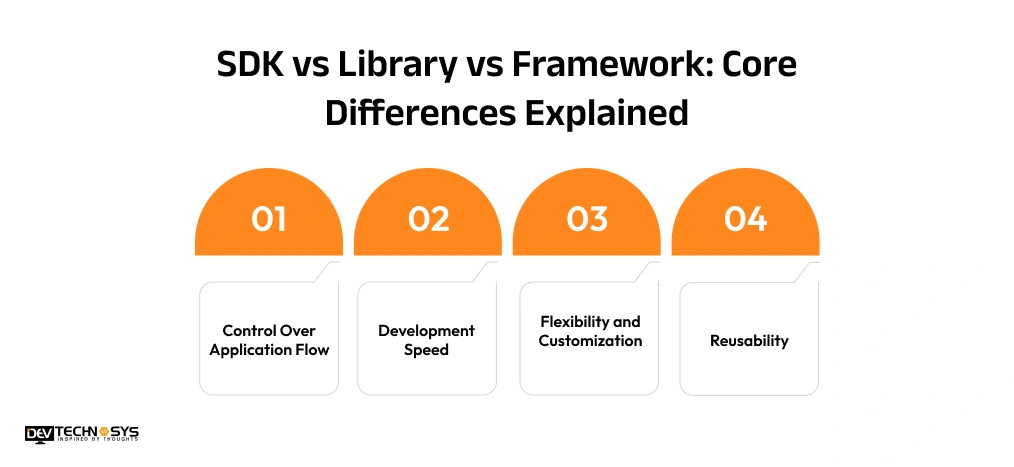
SDK vs Library vs Framework: Core Differences Explained
To select the right development approach, it is mandatory to learn the difference between SDKs, libraries, and frameworks. Their core purpose is to speed up the development, but they have different controls, flexibilities, architectures, and implementations. Here, we have explained the comparison of factors that affect the development workflow.
-
Control Over Application Flow
Application is the biggest distinction in SDK vs Framework and SDK vs Library discussions. Using the library, developers can easily call the required functions. Inversion of Control (IoC) is used by frameworks to dictate execution flow. While SKDs offer tools and APIs to handle application behavior.
-
Development Speed
Libraries are preferred to reduce coding effort because it offers reusable functionalities. Frameworks give speed to the project via prebuilt components, templates, and automation. Whereas SDKs combine APIs, documentation, testing resources, and integration tools in a single ecosystem to accelerate development.
-
Flexibility and Customization
Libraries generally offer the ultimate flexibility because developers decide where and how to use them. Frameworks follow predefined rules and framework architecture principles, but this limits customization. SDKs provide a balanced approach by offering structured resources while supporting custom implementation requirements.
-
Reusability
A code library is especially designed for code reusability. Hire software developers to reuse tested functions all over the project. Frameworks help in encouraging reusable modules and components. In contrast, SDKs usually combine reusable APIs, utilities, and integration resources to simplify application development.
-
Learning Curve
Libraries are generally easier to learn because they focus on specific tasks. Architecture patterns, dependency injection, and project conventions need to be understood by Frameworks. SDKs typically have a moderate learning curve, as developers must understand APIs, tools, configuration processes, and platform requirements.
SDK vs Library vs Framework: Which One Do You Need?
As we know, the choice between SDK, library, or framework depends on the:
- Project Goals
- Development requirement
- Level of control
The main purpose of these three is to boost software development. But choosing the one is based on what you’re building and what structure the app needs.
-
Choose an SDK If…
Selecting an SDK is beneficial when creating a specific platform or integrating external services. They are perfect for payment gateways, cloud services, analytics platforms, maps, authentication systems, and mobile app development. It is because they involve APIs, documentation, testing tools, and ready-to-use resources.
-
Choose a Library If…
The library is best chosen to add some specific functions without disturbing the architecture of the app. Developers generally utilize reusable code libraries for multiple functions like data processing, networking, animations, or mathematical operations. With the Library, developers can have control over workflow and structure.
-
Choose a Framework If…
Pick the framework while making a full-fledged application that demands consistent architecture, scalability, and maintainability. They provide development automation, pre-built structures, and dependency management. Programming frameworks are a great choice for enterprise software, web applications, and large-scale systems.
Real-World Examples of SDKs, Libraries, and Frameworks
The difference between SDKs, libraries, and frameworks becomes more visible when we examine their real-world projects. Be it mobile applications or AI systems, the trio usually works together. They combine to develop efficient and scalable digital products.
-
Mobile App Development
A mobile app SDK, including Android SDK, delivers resources, emulators, and APIs for development. To handle functions like image loading or networking, libraries are highly preferred. Frameworks like Flutter can be useful in building cross-platform applications with shared code.
-
Web Development
While developing an application for the web, developers mainly blend a web development library (React) with JavaScript frameworks (Angular). SDKs from cloud providers support authentication, storage, and analytics integration. This creates a complete environment for modern frontend and backend development.
-
AI and Machine Learning
For data processing and model training, AI applications frequently use Python libraries like NumPy and TensorFlow. On the other hand, frameworks organize machine learning workflows. Whereas SDKs provide access to AI services, automation tools, and cloud-based infrastructure for scalable deployment.
How to Choose Between an SDK, Library, and Framework?
Oftentimes, businesses get confused about whether to choose SDKs, libraries, or frameworks. However, they have to make a decision on the basis of business goals, project complexity, and technical requirements. Still, it’s important to know where each option delivers the most value and how to choose between them.
-
Based on Project Requirements
If businesses require several integrations, third-party services, or device-specific functionalities, use SDKs. While libraries are picked for adding particular and targeted features to the platform. Whereas frameworks are suitable for developing an application completely with a consistent architecture.
-
Based on Team Expertise
Developers who are highly proficient mainly prefer libraries for greater control and customization. Development teams looking for a structured workflow usually opt for frameworks. Software engineers who need ready-made tools, documentation, and resources can go for SDKs.
-
Based on Scalability Goals
Frameworks have organized structures and maintainability, so they are selected for large-scale enterprise applications. For lightweight and basic projects, libraries are best suited. While SDKs support scalable integrations through APIs, middleware integration, and platform-specific resources for future expansion.
Common Mistakes Developers Make When Choosing Development Tools
Sometimes, wrong choices can lead to technical debt and increase project costs. Many development teams make a selection on the basis of the popularity of SDKs, libraries, and frameworks. They have to evaluate business requirements, scalability needs, and long-term maintenance considerations while making a decision. Here we are explaining the common mistakes while choosing these app development Tools.
-
Neglecting Project Scope
Utilizing extensive frameworks for minor projects results in unnecessary complexity, increased resource consumption, and slow development. In contrast, only depending on libraries for large-scale apps might give rise to architectural inconsistencies and make future scaling difficult.
-
Overlooking Learning and Maintenance Costs
If businesses pick the tools that include advanced earning curves, it can delay development and reduce developers’ productivity. Technologies that are poorly documented or difficult to maintain might increase prolonged debugging cycles and raise long-term development costs.
-
Focusing Only on Short-Term Speed
Prioritizing rapid development rather than long-term requirements can trigger scalability constraints, integration difficulties, and technical debt. With the growing applications, costly refactoring, performance bottlenecks, and difficulties implementing new features are also raised.
-
Future Trends in SDKs, Libraries, and Frameworks
With the evolving software engineering, SDKs, frameworks, and libraries are becoming smarter, automated, and deeply integrated. Basically, emerging technologies are revolutionizing how developers build, deploy, and maintain applications. We will now learn about the future trends that improve productivity, scalability, and development workflow.
-
AI-Powered Development Tools
Modern libraries, SDKs, and frameworks are progressively incorporating AI-driven features. AI can upgrade the code generation, testing, debugging, and optimization. These smart developer tools comparison advancements help reduce task repetition and improve code quality. AI-powered tools help the team quicken software delivery with greater efficiency.
-
Cloud-Native Development Ecosystems
SDK offerings are expanding with built-in monitoring, deployment pipelines, and build automation. Such comprehensive development ecosystem solutions can simplify infrastructure management and support seamless SDK integration. Cloud-native mobile app development enables businesses to scale applications more efficiently.
-
Low-Code and Hybrid Frameworks
The next-gen development framework platforms combine traditional coding with modern development environments. Businesses can leverage CLI tooling and automated workflows to accelerate development. It also maintains the platform’s flexibility and enterprise-grade performance
-
Cross-Platform Development Growth
The adoption of cross-platform SDK solutions continues to grow as businesses seek consistent experiences. Advanced mobile app SDK technologies and native development tools are helping developers reduce development efforts. It also supports multiple platforms from a unified software stack.
Conclusion
The difference between SDK vs Library vs Framework doesn’t explain which is a better tool. But it explains which one is suitable as per the project goals. Understanding the difference between these tools helps businesses reduce development expenses and improve scalability.
Whether enterprises are planning to build mobile apps or cloud-based platforms, choosing the right technology foundation is crucial. Partnering with a professional software development company helps to leverage suitable tools.
Selecting the efficient tool according to your project delivers long-term success and scalability.