




“Make your business a fast service delivery platform with automation in ServiceNow.”
ServiceNow is making business processes easy and smart through various components like ITSM, ITOM, HRSD, and GRC. The use of automation in ServiceNow helps entrepreneurs to streamline their business tasks like billing, selling, employee management, and production. It is important to understand the role of automation in ServiceNow to get business benefits in return.
Automation is not only of a single type, but many that we will see in this blog. Additionally, our focus is to make you understand the integration of automation with ServiceNow. So, you can easily make desired changes in professional activities.
Let’s move forward to get more insights related to various automation processes and its implementation with ServiceNow components.
Know ServiceNow in Depth
Before going forward you must know what is ServiceNow. ServiceNow is a cloud-based platform that improves productivity in IT, HR, security, and customer support by streamlining digital workflows for business operations.
It helps businesses decrease manual labor, speed up service delivery, and enhance customer experience by centralizing data and employing AI to automate repetitive processes. ServiceNow facilitates scalable digital transformation across sectors with its strong integration capabilities and adaptable apps.
- Always define clear workflows to standardize task execution.
- Use role-based access to protect data integrity.
- Automate repetitive tasks with business rules and flows.
- Maintain consistent naming conventions for configuration items.
- Test changes in sub-production environments before deployment.
What is Automation in ITSM?
Businesses can use ServiceNow for IT Service Management (ITSM) to carry out standard IT support duties without the need for human involvement. By simplifying procedures like incident resolution, change management, and service requests, it increases productivity, lowers errors, and guarantees quicker reaction times. IT teams can concentrate on strategic goals by using automation solutions that interact with ITSM systems to initiate actions based on established rules.
- Identify repetitive and rule-based IT tasks.
- Define automation rules and desired outcomes.
- Integrate automation tools with the ITSM platform.
- Trigger workflows based on incidents or requests.
- Monitor outcomes and refine automation for improvements.
Benefits of Implementing Automation in ServiceNow
There are a lot of benefits of ServiceNow automation like streamlining processes and lessens manual labor. It guarantees continuous service management helping businesses to become productive:
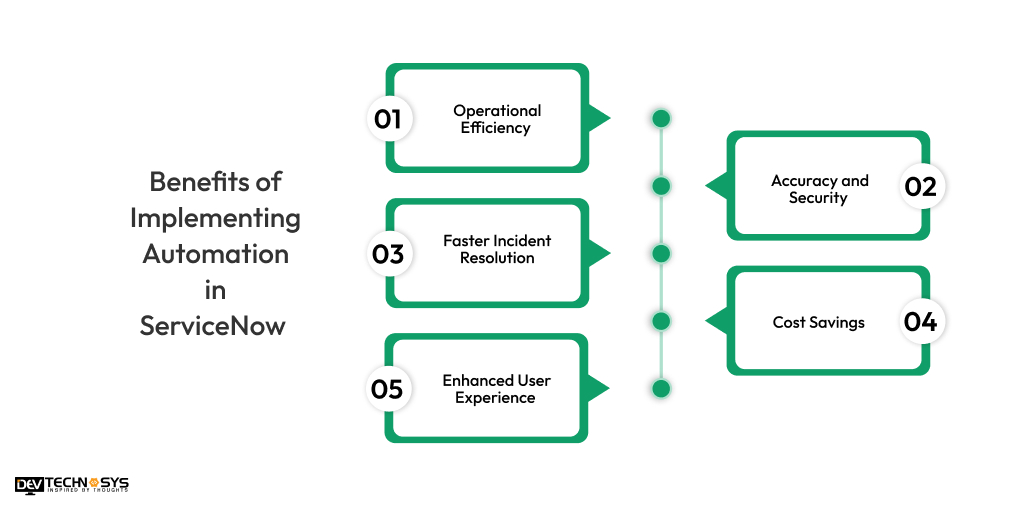
1. Operational Efficiency
Teams can concentrate on high-value IT process automation that standardizes procedures and gets rid of repetitive tasks. There are fewer handoffs and delays in workflows. Faster service delivery and enhanced overall IT performance are the outcomes of this.
2. Accuracy and Security
Human error in data entry and task execution is decreased by automated procedures. Sensitive information is handled with established guidelines. It is one of the benefits of ServiceNow Managed Services providing system security and transparency through improved audit trails.
3. Faster Incident Resolution
ServiceNow automation can assign jobs, route incidents, and start diagnostics all at once. By lowering the amount of manual intervention in the resolution process, it cuts down on wait times. This results in improved service availability and a speedier recovery from problems.
4. Cost Savings
Automation reduces operating costs by decreasing the need for manual labor. The use of Servicenow Support Services reduces downtime-related losses and maximizes resource utilization. Reductions in mistakes and increased efficiency also result in long-term cost advantages.
5. Enhanced User Experience
Automation responds to user queries more quickly and reliably. AI-powered assistance and self-service portals increase customer pleasure and decrease annoyance. Users are more confident in IT support systems when services are delivered consistently.
Different Types of Automation in ServiceNow
ServiceNow provides a range of automation solutions to improve and expedite business and IT processes. These forms of automation serve a variety of purposes like problem solving and decision-making:
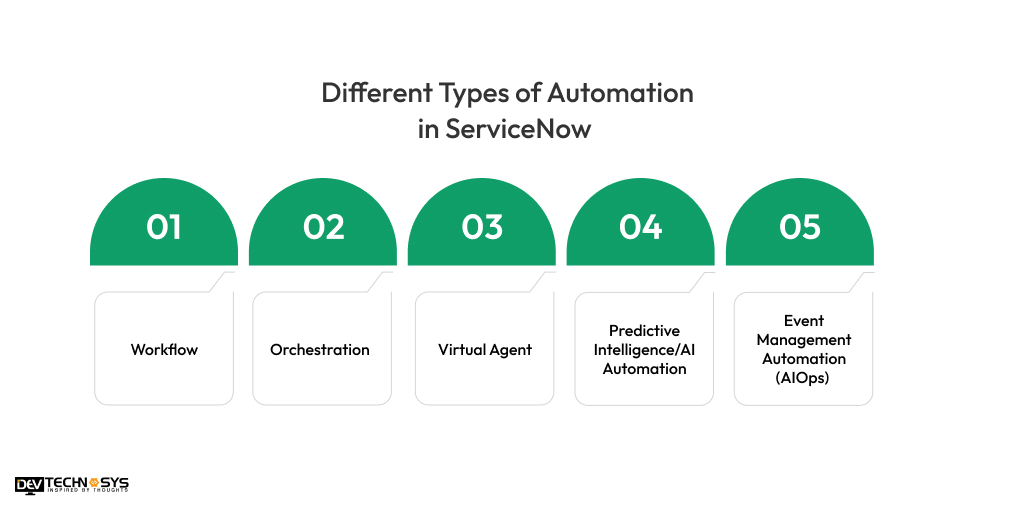
1. Workflow
ServiceNow workflow automation handles departmental sequential tasks. Based on Strategic Portfolio Management, it automates data routing, notifications, and approvals. This guarantees constant task execution and increases process efficiency.
2. Orchestration
ServiceNow orchestration automates operations on external systems and infrastructure. It makes it possible to integrate with programs like servers, cloud platforms, and Active Directory. This expedites system-level activities and decreases manual administrative labor.
3. Virtual Agent
Through chat interfaces, the Virtual Agent or ServiceNow RPA (Robotic Process Automation) offers consumers conversational AI support. It responds to routine inquiries, makes requests, and fixes simple problems. This increases customer response times and lessens the pressure on the help desk.
4. Predictive Intelligence/AI Automation
The role of AI and Machine Learning in ServiceNow is to classify, assign, and rank tasks. It enhances accuracy and decision-making by learning from past data. Efficiency is improved, particularly in the handling of incidents and requests.
5. Event Management Automation (AIOps)
Automation powered by AIOps keeps an eye on IT systems for abnormalities and occurrences. It correlates alarms, finds the underlying reasons, and initiates automatic fixes. This proactive strategy increases system resilience and decreases downtime.
Application of Automation in Various Industries
By increasing accuracy, expediting service delivery, and simplifying processes, automation is revolutionizing industries. Let’s understand the below ServiceNow automation use cases:
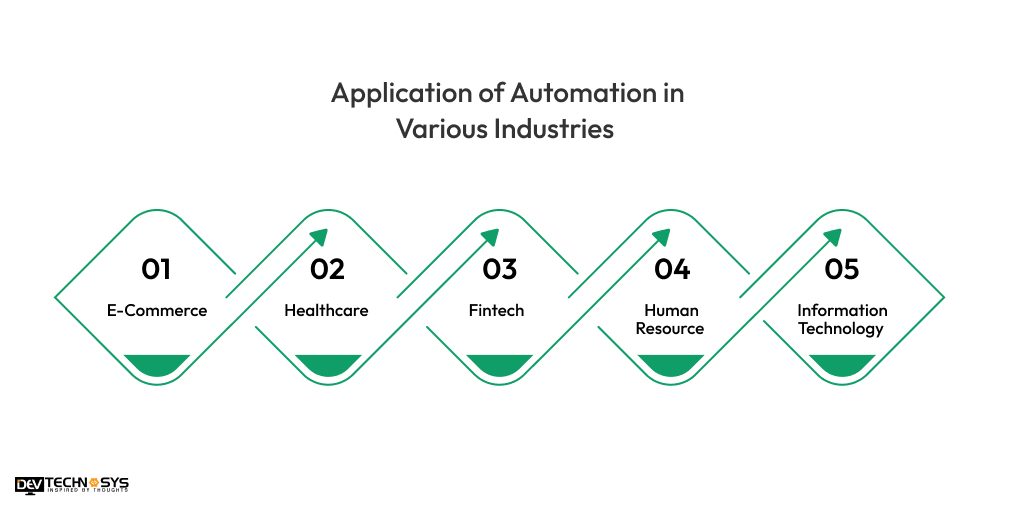
1. E-Commerce
Automation facilitates the management of customer service, order processing, and inventory. It makes effective supply chain management and tailored marketing possible.
Impact: Speeds up order fulfillment and lowers cart abandonment.
2. Healthcare
Scheduling patients, managing medical data, and processing claims are all made easier by automation of Servicenow Consulting Services. It improves administrative and diagnostic workflow accuracy.
Impact: Lowers administrative costs and enhances the provision of patient care.
3. Fintech
Real-time transaction monitoring, compliance reporting, and fraud detection are all aided by ServiceNow automated workflows. It guarantees individualized financial assistance and quicker loan processing.
Impact: Improves operational compliance and customer trust.
4. Human Resource
Payroll, performance monitoring, onboarding, and hiring are all made easier by Servicenow Migration Services. It guarantees data correctness and expedites tedious operations.
Impact: Enhances employee satisfaction and expedites hiring procedures.
5. Information Technology
Software deployment, infrastructure monitoring, and problem resolution are all handled by IT automation. It increases system reliability and decreases manual intervention.
Impact: Reduces downtime and boosts the effectiveness of services.
Enabling Automation in Different ServiceNow Components
Automation is made possible by ServiceNow in all of its components to improve service reliability and streamline workflows. Targeted automation techniques improve accuracy, speed, and consistency:
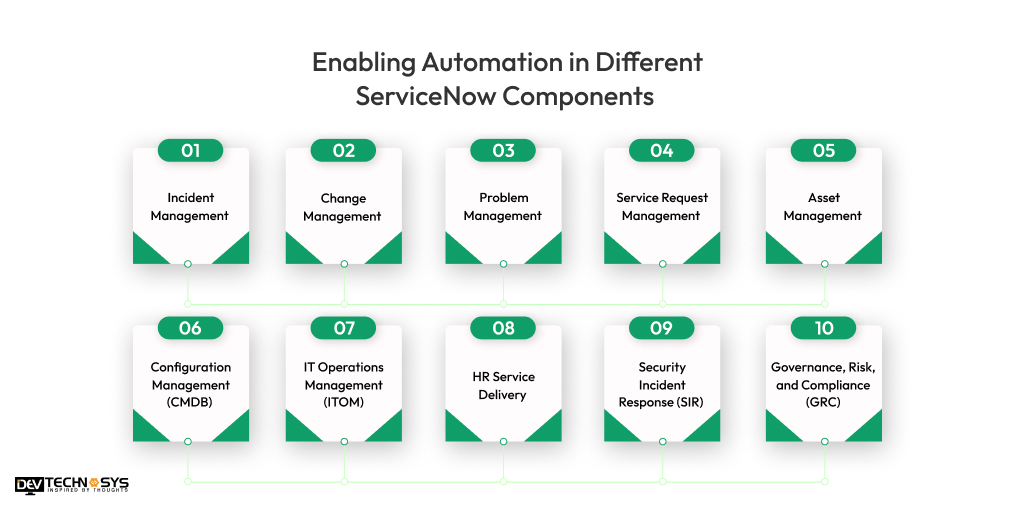
1. Incident Management
Automation classifies, prioritizes, and routes incidents to the right teams. The use of IT Service Management can also auto-resolve common issues using knowledge base articles.
- Reduces response and resolution times.
- Minimizes manual triage errors.
2. Change Management
Automated workflows manage approvals, impact analysis, and scheduling. Risk assessment and ITSM automation with ServiceNow help predict and prevent change failures.
- Ensures faster, safer change deployments.
- Reduces unplanned outages.
3. Problem Management
Automation links related incidents and identifies root causes through analytics. It initiates corrective actions or change requests automatically.
- Prevents recurring issues.
- Improves long-term service stability.
4. Service Request Management
Automation handles request approvals, provisioning, and fulfillment. Self-service portals guide users through automated workflows.
- Enhances user satisfaction.
- Reduces service desk workload.
5. IT Operations Management (ITOM)
Automates discovery, monitoring, and response to infrastructure issues. ServiceNow transforms IT operations and uses AIOps for event correlation and predictive insights.
- Increases infrastructure visibility.
- Speeds up issue detection and remediation.
6. Configuration Management (CMDB)
Automatically updates and maintains configuration items (CIs) via discovery tools. Ensures accuracy with dependency mapping and audits.
- Improves decision-making with reliable data.
- Supports effective change and impact analysis.
7. Asset Management
Tracks and updates asset lifecycle from procurement to disposal. Automation integrates with procurement and CMDB for real-time updates.
- Reduces asset loss and mismanagement.
- Enhances compliance and cost control.
8. HR Service Delivery
HR Service Delivery automates onboarding, case handling, and knowledge delivery for employees. Chatbots provide instant answers to HR-related queries.
- Improves employee experience.
- Increases HR team productivity.
9. Security Incident Response (SIR)
Automates threat detection, investigation, and response workflows. Integrates with security tools to trigger alerts and actions.
- Speeds up threat mitigation.
- Enhances compliance and data protection.
10. Governance, Risk, and Compliance (GRC)
Automates risk assessments, policy enforcement, and audit trails. Real-time Servicenow Managed Services with dashboards track compliance and control effectiveness.
- Reduces regulatory risk.
- Streamlines audit and reporting processes.
How to Implement Automation in ServiceNow?
A systematic methodology is necessary for implementing automation in ServiceNow to guarantee alignment with business objectives. A methodical approach boosts operational effectiveness:
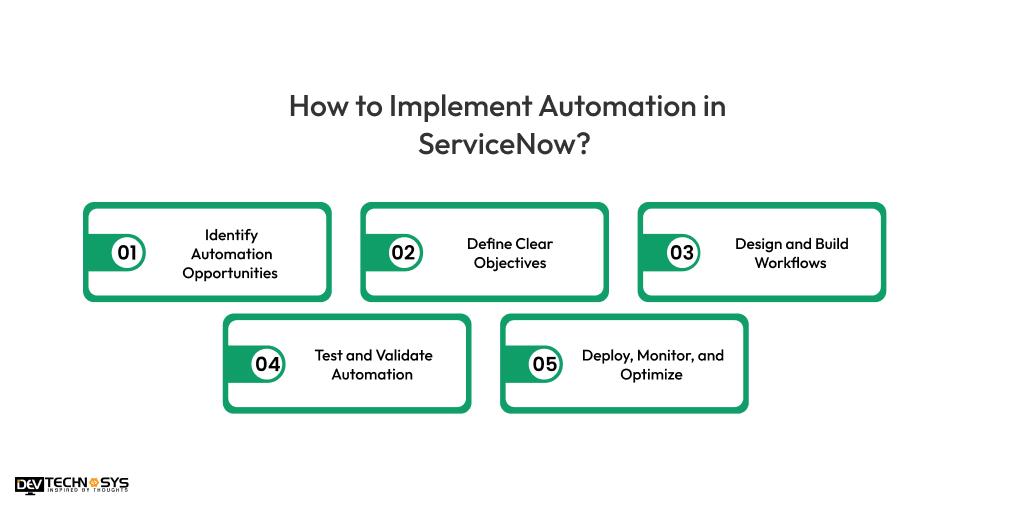
1. Identify Automation Opportunities
Analyze department-wide repetitious, time-consuming, or error-prone tasks first. Get feedback from a reputed Servicenow development company to identify any bottlenecks in the current procedures. Sort use cases according to their ROI, impact, and viability.
2. Define Clear Objectives
Establish clear objectives for the automation, such as increasing accuracy or decreasing resolution time. Make sure goals are in line with stakeholder expectations and corporate strategy. Establish KPIs to gauge the success of automation.
3. Design and Build Workflows
Create logic-based workflows with ServiceNow’s Flow Designer or Workflow Editor. If necessary, include conditions, approvals, and linkages with third-party tools to automate IT operations with ServiceNow. Make sure processes are scalable and easy to utilize.
4. Test and Validate Automation
To find mistakes or unexpected behavior, test in a sub-production setting. Verify workflow logic, data accuracy, and performance in various contexts. Use Servicenow Implementation Services to engage end users to verify efficacy and usability.
5. Deploy, Monitor, and Optimize
Implement automation gradually to control risk and get input. Dashboards can be used to log incidents, keep an eye on performance, and spot problems. Optimize continuously using user feedback and performance analytics.
Automation Tools and Features in ServiceNow
A variety of ServiceNow automation tools and functionalities are available to improve workflows. These tools enable businesses to provide scalable, intelligent, and effective services:

1. Flow Designer
It is a logic tool for creating automated workflows without knowing any coding. A ServiceNow service portal with flow designer makes automating processes easy across several ServiceNow apps.
2. IntegrationHub
Allows for smooth integration with external systems by using spokes, which are reusable connectors. It improves end-to-end process efficiency by extending automation beyond ServiceNow.
3. Task Advisor
Offers astute recommendations and information to help agents complete tasks. Using past data, it helps prioritize tasks and shorten resolution times.
4. External System Console
Enables ServiceNow to monitor and manage linked external systems. You can create a dashboard in ServiceNow to facilitate improved collaboration and visibility during automated activities.
5. Forecasting & Prediction
Forecasts trends and outcomes in incidents, requests, or workloads using artificial intelligence. It enhances proactive decision-making, resource allocation, and planning.
6. Service Catalog Automation
Minimizes the time spent on manual approvals by automating IT tasks with ServiceNow from the catalog. It facilitates the quick and reliable delivery of commercial and IT services.
7. Automated Test Framework (ATF)
Offers resources for developing and executing automated tests for ServiceNow apps. Businesses can build a custom service catalog in ServiceNow to make sure that upgrades are isolated.
8. Operation Management & Configuration
Automates configuration management, event correlation, and infrastructure monitoring. It enhances IT operations by providing precise CMDB data and real-time notifications.
Key Challenges in Implementing ServiceNow Automation
There are many advantages to automation ServiceNow along with some challenges as well. Strong change management, technical clarity, and strategic planning are necessary to overcome these challenges:
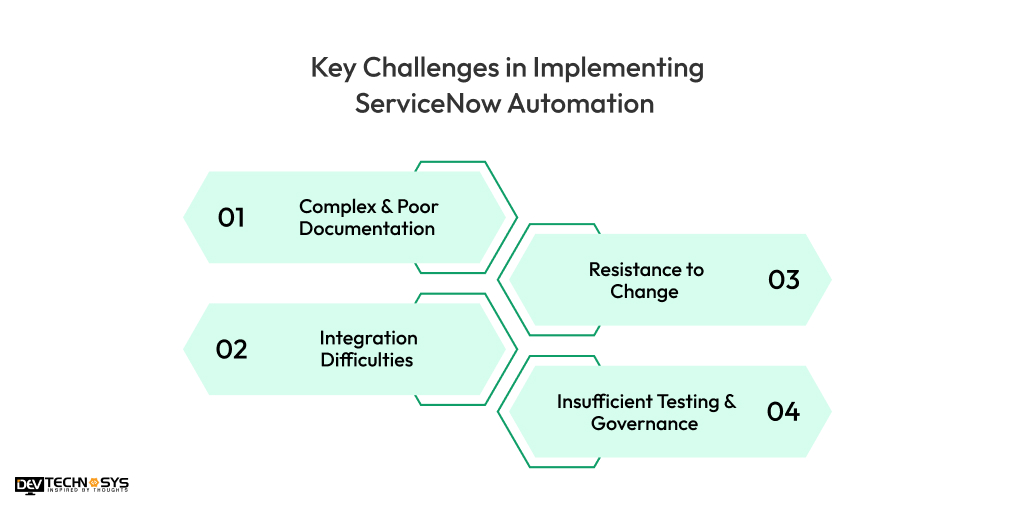
1. Complex & Poor Documentation
Maintaining automation and comprehending processes are made challenging by inadequate or out-of-date documentation. During development and troubleshooting, it raises the possibility of mistakes, delays, and misunderstandings.
Solution: Track workflows and setups using ServiceNow’s built-in documentation features and establish clear, updated documentation standards.
2. Integration Difficulties
Complex data mapping and APIs are frequently required to integrate ServiceNow with third-party or older systems. Workflow disruption and decreased automation efficacy might result from poor integration.
Solution: You should hire Servicenow developers early in the planning stage and make use of IntegrationHub and pre-built spokes.
3. Resistance to Change
Workers may oppose automation out of concern for a loss of employment, complexity, or inadequate training. This may hinder the uptake of automated workflows and decrease their efficacy.
Solution: To streamline IT processes with ServiceNow include users in the design phase, offer training, and make sure they understand the advantages of automation.
4. Insufficient Testing & Governance
Unexpected behavior after deployment or failing workflows are the results of unstructured testing. Ineffective governance raises the possibility of problems with performance and compliance.
Solution: Implement roles, approvals, and policy adherence to enforce governance. A business needs a ServiceNow expert to validate using the Automated Test Framework (ATF).
In a Nutshell!!
Various ServiceNow IT automation solutions are being implemented by businesses of every domain including healthcare, retail, fintech, delivery, and others. So, if you are also aiming to implement automation in ServiceNow then follow the below points:
- Know different ServiceNow development trends for the automation process.
- Target specific audiences to deliver required services in a particular region.
- Make settled arrangements to prevent business losses.
- And, keep focusing on rivals and the processes used by them.
By following the above points, you can easily implement automation in ServiceNow with investing extra money. Additionally, it will help you to gather users in millions for your platform.
FAQs
1. How Does ServiceNow Automation Work?
ServiceNow automation streamlines processes and completes activities without human interaction by utilizing tools like Flow Designer, Orchestration, and AI. These tools carry out tasks automatically by adhering to predetermined triggers and criteria.
2. Which IT Processes can be Automated in ServiceNow?
Incident management, service requests, asset tracking, change approvals, and user onboarding can all be automated with ServiceNow. Workflows related to compliance and security operations can also be automated.
3. Is Coding Required to Implement Automation in ServiceNow?
No, low-code/no-code solutions like IntegrationHub and Flow Designer can be used to implement the majority of automation. Workflow setting can be done drag-and-drop with these tools. However, scripting expertise could be needed for more intricate jobs or unique integrations.
4. What are the Benefits of Automating Processes in ServiceNow?
Automation speeds up task performance, lowers errors, and improves operational efficiency. Teams can now concentrate on strategic work instead of monotonous duties. It also guarantees uniformity and improved compliance with service-level agreements (SLAs).
5. How Secure is Automation Within ServiceNow?
Strict governance frameworks and role-based access rules dictate how ServiceNow automation functions. It guarantees data confidentiality and integrity by adhering to enterprise-grade security standards. For transparency, automated processes adhere to audit logging and approval hierarchies.
6. Can ServiceNow Automation Integrate with Other Enterprise Tools?
Yes, ServiceNow uses IntegrationHub and APIs to integrate with a variety of tools, including Microsoft Teams, AWS, Slack, Active Directory, and more. Platform-to-platform workflow execution and data sharing are made possible by these connectors.