




Key takeaways:
-
- Overall Cost Range: Website migration costs in 2026 typically range between $2,000 to $10,000+, depending on website size, complexity, platform, and data volume.
- Cost Breakdown by Complexity:
- Basic Website Migration: $2,000 – $4,000 (small websites, minimal data, same platform transfer)
- Mid-Level Migration: $4,000 – $7,000 (CMS changes, moderate data, SEO preservation)
- Advanced Migration: $7,000 – $10,000+ (enterprise sites, platform re-architecture, complex integrations)
- Key Cost Factors: Website size, CMS/platform changes, data volume, SEO migration, design adjustments, third-party integrations, and security requirements significantly impact the total cost.
- Migration Timeline: On average, website migration takes 2 to 8 weeks, depending on project scope, testing requirements, and complexity.
- Regional Cost Rates: Hiring developers from regions like India can reduce costs by 40–60% compared to agencies in the US, UK, or Europe.
- Additional Costs: Ongoing expenses may include maintenance (10–20% annually), hosting upgrades, SEO monitoring, bug fixes, security enhancements, and post-migration support.
In 2026, website migration is no longer just a technical evolution of websites. It is an intelligent move to enhance the app’s SEO ranking, traffic, and performance. Be it hosting provider switching, CMS updates, or app redesigning, learning about website migration cost is necessary.
Knowing everything about website migration pricing helps enterprises avoid unexpected expenses and downtime. Generally, businesses want a smart and seamless transition without losing valuable data and search visibility.
The usual cost of website migration can be estimated between $2,000 and $10,000. But learning about the cost alone will not help. You have to interpret hidden costs, price by type and business level, and measure to reduce them.
Enterprises that want to plan website migration efficiently and cost-effectively, this is a perfect guide for them.
What is Website Migration?
The process to transfer website content, data, design, or structure to a new environment is website migration. It includes the replatforming of old structures to a new environment, like a new host, CMS, or domain.
Website migration services are a strategic move to upgrade the existing app’s SEO, performance, and security. The types it involves are like platform changes, URL changes, or site restructuring. Moving to HTTPS, rebranding by changing domain names, or changing hosting providers are some common examples of website migration.
Why Businesses Migrate Websites in 2026?
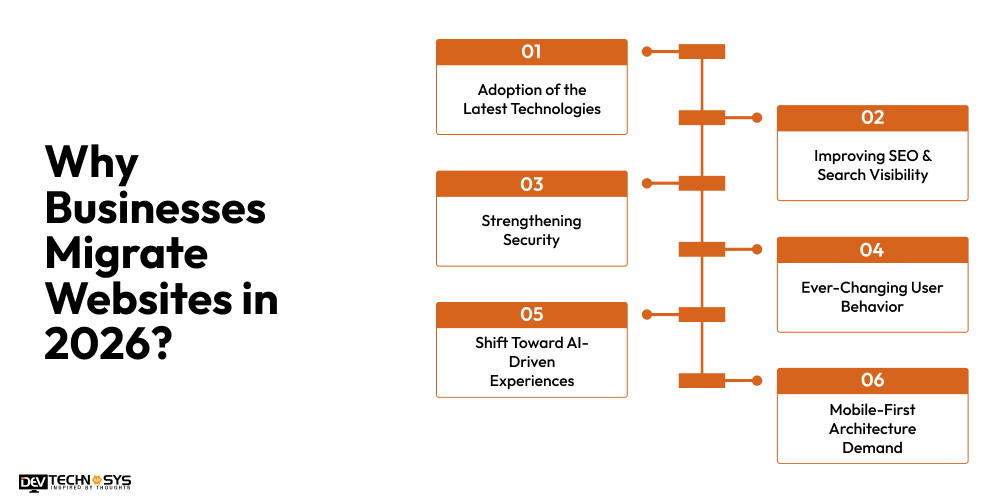
Businesses in 2026 are migrating websites due to technical advancements, evolving user behavior, and enhanced security. Apart from this, users’ shift towards AI and mobile-first architecture is also a reason for website migration. In this section, we will discuss some of these essential factors.
1. Adoption of the Latest Technologies
Enterprises are switching to modern technologies such as headless CMS and cloud-based systems. It upgrades the app’s scalability, flexibility, and long-term performance. It makes the website stay competitive and forward-looking.
2. Improving SEO & Search Visibility
To fix technical SEO issues and search visibility, businesses go for application migration. It helps in refining site structure and evolving search algorithms. Migration helps in maintaining ranking and gaining organic traffic.
3. Strengthening Security
As cyber threats are increasing, website migration helps in securing the platform. It presents secure encryption, regular updates, and compliance features. These integrations can protect user data and sensitive information.
4. Ever-Changing User Behavior
The expectations and demands of users can change as per the latest trends. Users are searching for faster, intuitive, and interactive experiences. To stay competitive and relevant, businesses choose website migration.
5. Shift Toward AI-Driven Experiences
People are inclined towards personalization, chatbots, and smart recommendations. These demands require smart, advanced, and AI-powered infrastructure. This encourages businesses to migrate towards intelligent automation to enhance user engagement and retention.
6. Mobile-First Architecture Demand
With most users accessing websites through their mobiles, businesses migrate to mobile-first designs. This is important to ensure responsiveness, faster loading, and seamless experiences on different screen sizes.
How Much Does Website Migration Cost?
The average data migration cost for websites ranges from $2,000 to $10,000. However, there is no fixed migration cost due to the level of complexity. We will explain it like this:
- A simple website with limited pages has basic migration. It involves minimal data and no major platform changes. A basic site migration cost can be between $2,000 and $4,000.
- A mid-level app migration includes CMS migration, moderate data transfer, SEO preservation, and minor design adjustments. This enhances app performance and user experience. A moderate website transfer cost can be $4,000 to $7,000.
- An advanced app migration covers bigger websites, customized features, third-party integration, redesigning, and detailed testing. It ranges from $7,000 to $10,000+ and ensures effortless performance and security.
We will understand it with more clarity through a website replatforming cost breakdown table:
Migration Type |
Estimated Cost Range |
Best For |
Timeline |
| Basic Migration | $2,000 – $4,000 | Small websites (5–20 pages) | 1–2 weeks |
| Mid-Level Migration | $4,000 – $7,000 | Medium websites (20–100 pages) | 2–4 weeks |
| Advanced Migration | $7,000 – $10,000+ | Large or complex websites | 4–8 weeks |
6 Types of Website Migration with Cost Structure
Platform, Domain, Content, HTTPS, Redesign, and Hosting migration are the essential types of website migration. These are highly dependent on the specific needs, goals, and circumstances of a business. We will explain each type with the cost structure.
1. Hosting Migration
Website Hosting Migration refers to the migration of a website hosted by one service provider to another without altering the site’s design, functionality, and content management system. The cost of migration depends upon the size of the website, server requirements, and post-migration optimization.
Hosting Migration Examples
- Shared Hosting → VPS Hosting
- Shared Hosting → Dedicated Server
- Shared Hosting → Cloud Hosting
- VPS → Dedicated Server
- VPS → AWS Cloud
- VPS → Google Cloud
- Dedicated Server → AWS
- Dedicated Server → Azure
- Dedicated Server → Google Cloud Platform
- AWS → Azure
- Azure → AWS
- Google Cloud → AWS
- HostGator → AWS
- Bluehost → DigitalOcean
- SiteGround → Cloud Infrastructure
- GoDaddy Hosting → AWS
- cPanel Server → Plesk Server
- Apache Server → Nginx Server
- On-Premise Server → Cloud Infrastructure
- Traditional Hosting → Kubernetes Environment
| Cost Category | Typical Expenses | Estimated Cost |
| Pre-Migration | Hosting setup, SSL transfer, DNS configuration, SEO audit | $600–$1,650 |
| Migration Execution | Data transfer, staging environment, testing, monitoring | $1,200–$2,500 |
| Post-Migration | Redirect checks, speed optimization, and monitoring | $550–$1,100 |
| Hidden Costs | Email setup, backup storage, and downtime impact | $150–$850 |
| Total Cost | Complete hosting migration project | $2,000–$4,000 |
2. CMS Migration
Content migration entails the transfer of the website’s content, multimedia content, SEO details, and functionalities from an existing CMS to another CMS. Extra costs arise when custom features, plugins, integration, or large amounts of content need reconstruction.
CMS Migration Examples
- Joomla → WordPress
- Drupal → WordPress
- Wix → WordPress
- Squarespace → WordPress
- Blogger → WordPress
- TYPO3 → WordPress
- Sitecore → WordPress
- Kentico → WordPress
- Umbraco → WordPress
- WordPress → Drupal
- WordPress → Joomla
- Joomla → Drupal
- Drupal → Joomla
- Legacy CMS → WordPress
- Proprietary CMS → WordPress
- Traditional CMS → Headless CMS
- WordPress → Headless CMS
- Drupal → Headless CMS
- Sitecore → Headless CMS
- Custom CMS → WordPress
| Cost Category | Typical Expenses | Estimated Cost |
| Pre-Migration | Content audit, plugin review, SEO analysis, URL mapping | $1,000–$2,500 |
| Migration Execution | CMS setup, content transfer, functionality rebuild, redirects | $1,500–$4,000 |
| Post-Migration | QA testing, staff training, SEO monitoring | $1,000–$2,100 |
| Hidden Costs | Plugin repurchases, content fixes, SEO recovery | $750–$2,800 |
| Total Cost | Complete CMS migration project | $3,000–$7,000 |
3. Domain Migration
Domain migration refers to the change of a website’s main domain name without altering its existing content or technology platform. This process involves redirections, SEO analysis, and link updating to avoid losing website visitors.
Domain Migration Examples
- olddomain.com → newdomain.com
- HTTP Domain → HTTPS Domain
- Brand Rebranding Domain Migration
- Country-Specific Domain → Global Domain
- .in Domain → .com Domain
- .co.uk Domain → .com Domain
- Subdomain → Root Domain
- Root Domain → Subdomain
- Multiple Domains → Single Domain
- Single Domain → Multi-Domain Structure
- Domain Consolidation Migration
- Domain Name Change After Business Acquisition
- Domain Change During Website Redesign
- ccTLD → gTLD Migration
- Legacy Domain → SEO-Optimized Domain
| Cost Category | Typical Expenses | Estimated Cost |
| Pre-Migration | Domain purchase, backlink audit, URL mapping | $700–$1,550 |
| Migration Execution | Redirect implementation, internal link updates, email migration | $700–$1,900 |
| Post-Migration | Search Console setup, backlink outreach, and monitoring | $500–$1,300 |
| Hidden Costs | Traffic recovery, domain renewals, and tool reconfiguration | $600–$1,950 |
| Total Cost | Complete domain migration project | $2,000–$4,500 |
4. eCommerce Migration
An eCommerce migration entails migrating an online business to another platform, including product information, customers’ accounts, order history, payment gateways, and inventory. This kind of migration is the most difficult because it is important that revenues be generated without any disruption.
eCommerce Migration Examples
- Shopify → WooCommerce
- WooCommerce → Shopify
- Magento → Shopify
- Magento → WooCommerce
- WooCommerce → Magento
- OpenCart → Shopify
- OpenCart → WooCommerce
- PrestaShop → Shopify
- PrestaShop → WooCommerce
- BigCommerce → Shopify
- BigCommerce → WooCommerce
- Shopify → Magento
- Magento 1 → Magento 2
- Custom eCommerce Platform → Shopify
- Custom eCommerce Platform → WooCommerce
- Legacy Store → Shopify Plus
- WooCommerce → Headless Commerce
- Magento → Headless Commerce
- Multi-Store Platform → Shopify
- On-Premise Commerce Platform → Cloud Commerce Platform
| Cost Category | Typical Expenses | Estimated Cost |
| Pre-Migration | Product audit, compliance review, SEO audit | $1,300–$3,300 |
| Migration Execution | Product transfer, customer migration, payment integration, redirects | $2,500–$5,500 |
| Post-Migration | Revenue tracking, UX testing, training | $1,000–$2,700 |
| Hidden Costs | App repurchases, lost sales, SEO recovery | $1,400–$5,500 |
| Total Cost | Complete eCommerce migration project | $5,000–$10,000 |
5. HTTPS Migration
The process of migrating from HTTP to HTTPS requires that you install an SSL certificate in order to secure all the connections between users and the website. By doing so, there will be an improvement in security and ranking among other factors.
HTTPS Migration Examples
- HTTP Website → HTTPS Website
- WordPress HTTP → HTTPS
- WooCommerce HTTP → HTTPS
- Shopify HTTP → HTTPS
- Magento HTTP → HTTPS
- Joomla HTTP → HTTPS
- Drupal HTTP → HTTPS
- Single-Domain SSL Migration
- Wildcard SSL Migration
- Multi-Domain SSL Migration
- EV SSL Certificate Migration
- Shared SSL → Dedicated SSL
- Legacy SSL Configuration → Modern SSL/TLS Configuration
- Mixed Content Website → Fully Secure HTTPS Website
- Enterprise Website HTTPS Migration
| Cost Category | Typical Expenses | Estimated Cost |
| Pre-Migration | SSL certificate purchase, security audit, URL assessment | $200–$800 |
| Migration Execution | SSL installation, HTTP-to-HTTPS redirects, mixed-content fixes | $500–$1,500 |
| Post-Migration | Search Console updates, performance testing, SEO validation | $300–$800 |
| Hidden Costs | Third-party script updates, CDN configuration, ranking fluctuations | $200–$900 |
| Total Cost | Complete HTTPS migration project | $1,500–$4,000 |
6. Redesign Migration
Redesign migration refers to changes that involve the website’s visual design, layout, navigation, or user interface without any changes in its contents. It is necessary to plan properly so that there are no negative SEO effects, broken links, or usability problems later.
Website Redesign Migration Examples
- Legacy Website → Modern Responsive Website
- Old WordPress Theme → New WordPress Theme
- Legacy Corporate Website → Modern Corporate Website
- Static HTML Website → Dynamic Website
- Traditional Website → Mobile-First Website
- Traditional Website → Progressive Web App (PWA)
- Monolithic Website → Headless Website
- Legacy Website → React Frontend
- Legacy Website → Next.js Frontend
- Legacy Website → Vue.js Frontend
- Outdated eCommerce Store → Modern eCommerce Store
- Corporate Website Rebranding Migration
- Website Redesign With CMS Migration
- Website Redesign With Domain Migration
- Enterprise Website UX/UI Modernization
- Website Redesign With SEO Preservation
- Legacy Portal → Modern Web Application
- Static Business Website → Interactive Digital Platform
| Cost Category | Typical Expenses | Estimated Cost |
| Pre-Migration | UX research, content audit, wireframing, SEO benchmarking | $500–$2,000 |
| Migration Execution | UI/UX redesign, front-end development, template customization, testing | $2,000–$6,000 |
| Post-Migration | Quality assurance, user testing, SEO monitoring, performance optimization | $500–$1,500 |
| Hidden Costs | Content revisions, design change requests, SEO recovery, training | $500–$2,500 |
| Total Cost | Complete redesign migration project | $3,500–$10,000 |
7 Essential Factors Affecting Website Migration Cost
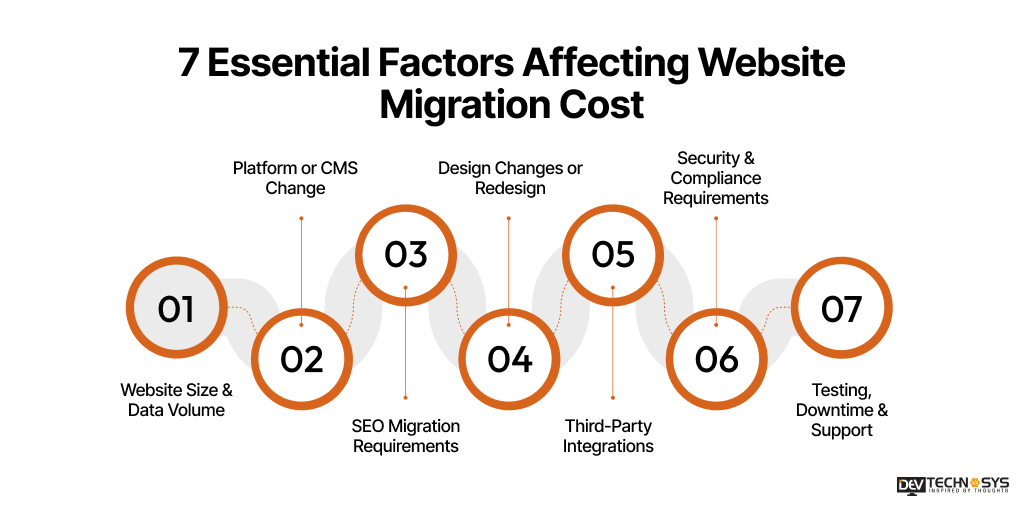
Website migration costs can vary significantly according to several technical and business factors. From the app size to platform complexity, each element directly influences the overall migration budget. By understanding these key factors, businesses can easily estimate the cost to migrate a website accurately. So, planning a smooth, risk-free migration can be affected by below mentioned factors.
1. Website Size & Data Volume
The website migration cost is directly influenced by the number of pages, database size, and media files. If the website is large, it needs more time for data validation, transfer, and testing. This can increase the overall efforts, resources, and website hosting migration cost.
Factor Level |
Scope |
Affected Cost |
| Small Website | Up to 50 pages, low data volume | $500 – $1,500 |
| Medium Website | 50–200 pages, moderate data | $1,500 – $3,500 |
| Large Website | 200+ pages, high data volume | $3,500 – $5,000 |
2. Platform or CMS Change
From a customized system to a CMS, migrating between platforms includes some essential adjustments. These are mapping of complex data, redesign, and compatibility issues. It increases development time, website redesign, and migration costs compared to migrations within the same platform.
Factor Level |
Scope |
Affected Cost |
| Same Platform | No major structural changes | $800 – $1,700 |
| CMS Change | Migration between platforms | $1,700 – $2,400 |
| Custom Migration | Complex or custom-built systems | $2,400 – $3,000 |
3. SEO Migration Requirements
Increasing and maintaining SEO ranking demands genuine URL redirects, metadata transfer, and technical optimization. A simple or single mistake in it can cause traffic loss. For this, careful and additional planning, tools, and expertise are needed. But it raises the overall SEO migration cost.
Factor Level |
Scope |
Affected Cost |
| Basic SEO | Redirects, sitemap setup | $1,000 – $1,500 |
| Intermediate SEO | Metadata transfer, URL mapping | $1,500 – $3,000 |
| Advanced SEO | Ranking preservation, audits | $3,000 – $4,000 |
4. Design Changes or Redesign
Redesigning a platform involves UI/UX improvements, layout restructuring, and frontend development services. Keeping the same design can be a cost-effective option, but it remains attractive only for a short time. Whereas a complete redesign, which elevates the website development cost.
Factor Level |
Scope |
Affected Cost |
| Minor Updates | Small UI fixes, responsiveness | $1,200 – $2,000 |
| Partial Redesign | Key page redesign | $2,000 – $2,800 |
| Full Redesign | Complete UI/UX overhaul | $2,800 – $3,500 |
5. Third-Party Integrations
Websites often rely on integrations like payment gateways, APIs, CRM tools, or analytics. Making sure these integrations work properly after migration is really important. But it requires additional configuration, testing, and sometimes redevelopment, which increases both complexity and database migration cost for websites.
Factor Level |
Scope |
Affected Cost |
| Basic Integration | Analytics, payment gateways | $500 – $1,000 |
| Moderate Integration | CRM, marketing tools | $1,000 – $1,800 |
| Complex Integration | APIs, ERP, custom tools | $1,800 – $2,500 |
6. Security & Compliance Requirements
Websites that handle sensitive data demand upgraded security measures, SSL setup, and compliance with standards. Implementing these during migration adds extra layers of work, testing, and monitoring. Simultaneously, it raises the website migration services cost and custom website development time.
Factor Level |
Scope |
Affected Cost |
| Basic Security | SSL, backups, firewall | $800 – $1,500 |
| Standard Compliance | GDPR, data protection | $1,500 – $2,500 |
| Advanced Security | Security audits, enterprise-level | $2,500 – $3,000 |

7. Testing, Downtime & Support
Website migration developers conduct post-migration services, such as testing, bug fixing, adding security patches, and downtime management are essential. It is usually done to ensure smooth performance and long-term scalability. Minimising downtime and providing ongoing support requires additional resources, which impacts the final website migration expenses.
Factor Level |
Scope |
Affected Cost |
| Basic Testing | Functional testing, bug fixes | $1,000 – $1,500 |
| Advanced Testing | Performance & QA cycles | $1,500 – $2,000 |
| Full Support | Zero downtime & post-launch support | $2,000 – $2,500 |
Hidden Website Migration Costs You Shouldn’t Ignore
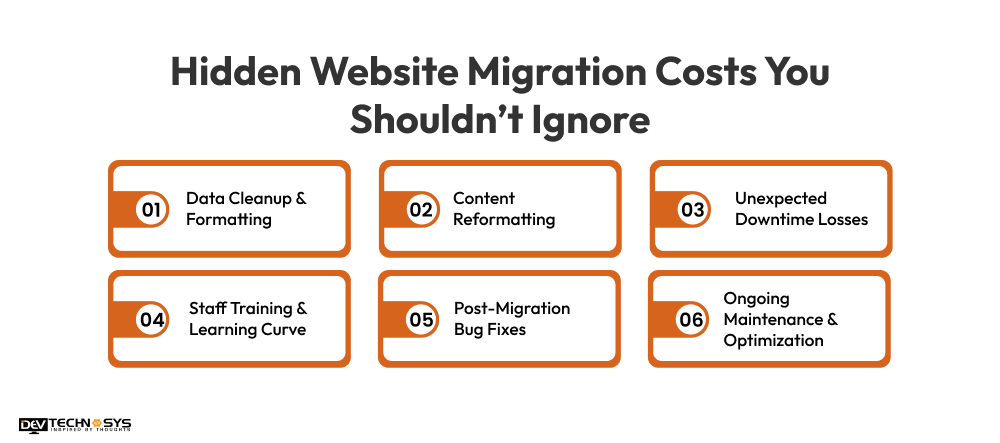
Website migration not only has these visible expenses, but there are also multiple hidden costs. It includes data cleaning, content reforming, downtime losses, bug fixing, staff training, and so on. If these costs are overlooked, they can lead to many drawbacks. Understanding these hidden costs can add up quickly if not planned in advance.
1. Data Cleanup & Formatting
Before migration, outdated, duplicate, or inconsistent data usually demands proper cleaning. After this process, the data is transferred smoothly, and the platform performs well seamlessly. However, it requires manual effort, tools, and validation, which can increase web development cost and time.
2. Content Reformatting
Content is not always transferred perfectly between platforms. Sometimes, fonts, layouts, images, and formatting may break or require adjustments manually. Fixing these inconsistencies can take extra time, especially if working on large websites. This is how it becomes a hidden but important cost to consider.
3. Unexpected Downtime Losses
Even when everything is planned properly, some downtime during migration is common. For businesses, this can lead to lost sales, reduced traffic, and lower customer trust. These indirect financial losses are generally ignored but can significantly impact the overall domain migration cost.
4. Staff Training & Learning Curve
After migration, the teams are old, but the systems are new. So the teams must learn how to use the new system or CMS. Training sessions, onboarding, and reduced productivity during the transition period. This can increase the hidden professional website migration cost.
5. Post-Migration Bug Fixes
It is true that no migration is completely error-free. It includes broken links, missing data, or functionality issues that mainly appear after launch. Fixing these bugs requires additional development time and testing. This can add to unplanned website content migration pricing.
6. Ongoing Maintenance & Optimization
Once the migration is complete, continuous monitoring, updates, and performance optimization are necessary. These ongoing efforts ensure stability and efficiency but come with recurring costs. This is something that many businesses fail to include in their initial migration budget.
Website Migration Cost Explained: DIY vs Professional Services
To handle website migration, there are two ways: either it is managed internally or outsourced to a professional migration service provider. Generally, the DIY option looks cost-effective, but its hidden expenses, like downtime, SEO losses, etc., impact overall cost.
However, professional services reduce the risk through structured planning, expert execution, thorough testing, and after-migration support. This can guarantee a smoother transition with minimal business disruptions. Although it might be expensive but can give long-term efficiency. Here, we will discuss the cost structure of DIY vs. professional migration services.
| Cost Factor | DIY Website Migration | Professional Website Migration |
| Migration Tools & Platforms | $50 – $500 | $100 – $500 |
| Internal Developer or IT Resources | $500 – $5,000+ | Included |
| Website Backup & Recovery | $50 – $300 | $100 – $500 |
| Data Transfer & Validation | Internal effort | $500 – $2,000 |
| SEO Migration & Redirect Mapping | $0 – $1,500 | $500 – $2,000 |
| Testing & Quality Assurance | Internal effort | $300 – $1,000 |
| Security Checks & Configuration | $200 – $2,000 | $200 – $1,000 |
| Downtime Mitigation & Launch Support | High risk of additional costs | $200 – $1,000 |
| Post-Migration Monitoring & Support | $500 – $3,000+ | $100 – $2,000 |
| Estimated Total Cost | $600 – $12,000+ | $2,000 – $10,000 |
Industry Insight: Dev Technosys has done over 35 projects of website migration. So, we have examined that professional migration services often deliver better long-term value than DIY. Professional migration reduces downtime, preserves SEO rankings, and reduces technical risks.
Website Migration Cost Breakdown by Business Size
Except for complexity and technical requirements, the cost of switching website platforms largely depended on the business size. Be it a small, mid-level, or enterprise platform, each business size requires different resources. This impacts the overall budget and timeline of website migration solutions.
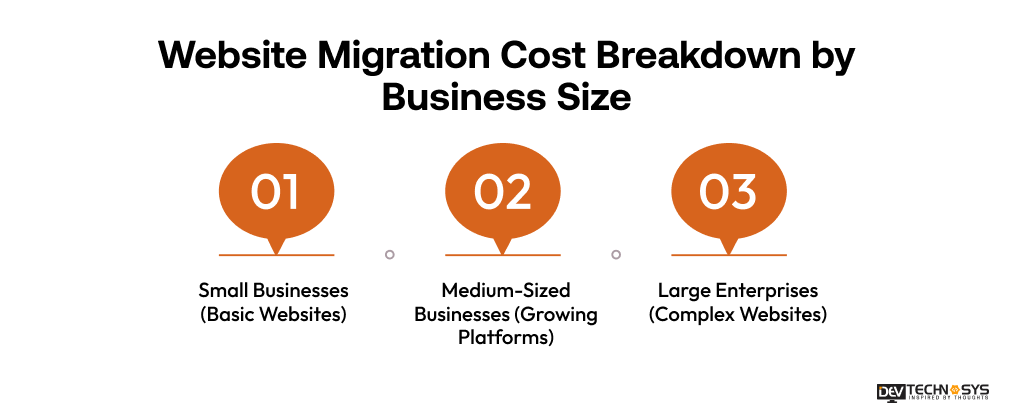
1. Small Businesses (Basic Websites)
Generally, small websites have limited pages, basic functions, and minimal integrations. That’s why migration is straightforward due to fewer data and basic SEO needs. It becomes more cost-effective and faster to execute.
Estimated Website Migration Cost for Small Business: $2,000 – $4,000
2. Medium-Sized Businesses (Growing Platforms)
A medium-sized enterprise’s demands and extended structure migration. It is mainly due to higher page count, moderate data volume, and third-party integrations like CRM or analytics. The cost also increases because of SEO preservation and performance optimization.
Estimated Cost To Move Website To New Host In Medium-Sized Businesses: $4,000 – $7,000
3. Large Enterprises (Complex Websites)
Enterprise-level websites normally incorporate difficult architectures, massive databases, several integrations, and strong security. For these types of businesses, migration requires detailed planning, testing, and minimal downtime. This results in increased migration expenses.
Estimated Website Migration Cost in USA and Other Regions: $7,000 – $10,000
How to Reduce Website Migration Cost?
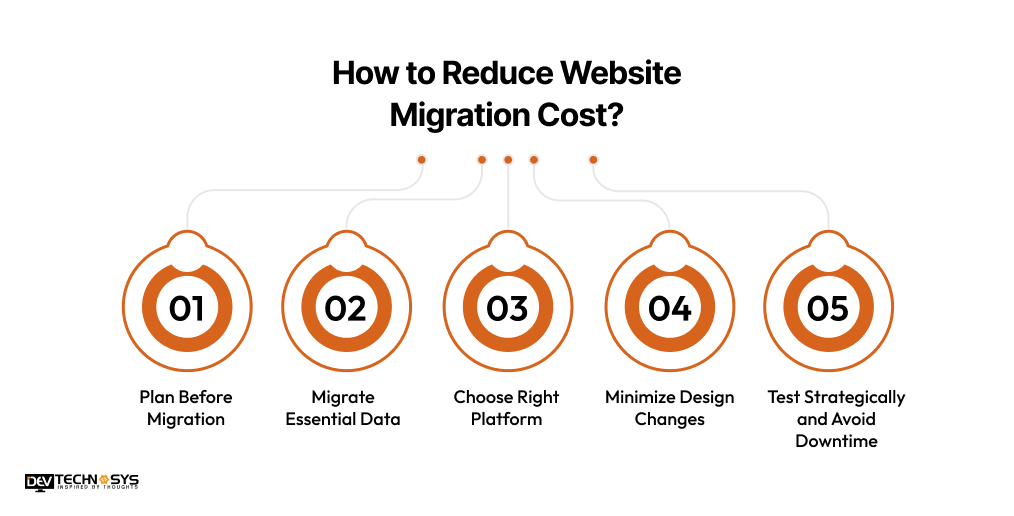
Without proper planning and execution, website migration becomes difficult even for a web portal development company. Businesses can decrease the cost of moving a website to cloud hosting by focusing on strategy and essential tasks. They can also reduce the cost by minimizing unnecessary complexities. Have a look at the measures to lower the website migration cost UK without compromising the performance.
1. Plan and Audit Before Migration
A detailed audit of the existing website is necessary at the beginning. This is necessary to identify what needs to be migrated, improved, or removed. If everything since the beginning is planned well, it avoids redundant work, website migration errors, and cost.
2. Migrate Only Essential Data
It is recommended to avoid relocating irrelevant, unused, duplicate, and outdated data and content. Migrating only important and relevant data can help reduce storage, development time, and the hosting transfer cost. It also helps in improving website performance and usability.
3. Choose the Right Platform
Picking the right platform for migration that aligns with business needs is important. This can prevent unnecessary customization and future expenses. A compatible CMS minimizes the development complexity while shortening the migration time. It reduces the website platform migration cost.
4. Minimize Design Changes
Try not to go for a full redesign during migration unless it’s really necessary. Keeping the existing design structure intact reduces development time and design costs. Minor UI improvements can be implemented later without impacting the core migration budget significantly.
5. Test Strategically and Avoid Downtime
Efficient testing ensures that issues are identified early without the requirement of excessive revisions. Plan migration during low-traffic periods to reduce downtime impact. This approach minimizes business disruption and avoids additional costs related to emergency fixes or lost revenue.
Step-by-Step Website Migration Timeline for Businesses
Website migration typically takes 2 to 8 weeks, depending on complexity, size, and technical requirements. Each stage plays a crucial role in ensuring a smooth transition, lowering downtime, and preserving SEO performance. A structured timeline helps businesses plan efficiently and avoid delays. We will understand this through a timeline breakdown table.
Stage |
Key Activities |
Timeline Range |
| Planning & Audit | Website analysis, content audit, migration strategy | Week 1 |
| Design & Development | UI updates, platform setup, staging environment | Week 2–4 |
| Data Migration | Content, database, and media transfer | Week 3–5 |
| SEO & Redirect Setup | URL mapping, redirects, metadata optimization | Week 4–6 |
| Testing & QA | Performance testing, bug fixing, validation | Week 5–7 |
| Final Deployment & Monitoring | Go-live, DNS update, post-launch monitoring | Week 6–8 |
You can reach out anytime; we are available 24/7. Our team provides a quick response.

When Should You Hire Professional Website Migration Services?
Whether your website is small or big, seeking professional website migration services is highly recommended. Expert services include technical complexity, business-critical data, or significant SEO value.
Businesses Should Consider Professional Website Migration Services If:
- The website relies on SEO for lead generation and receives organic traffic.
- The eCommerce website needs to be migrated with products, customer accounts, and payment integrations.
- The migration requires a domain, hosting, CMS, or platform re-architecture.
- The website contains third-party integrations, large databases, and custom functionalities.
- The platform needs post-migration testing, monitoring, and technical support.
DIY vs Professional Website Migration: Which Delivers Better ROI? (before why choose Dev Technosys)
Professional website migration services require a higher investment but offer stronger returns on investment. It minimizes the risk of downtown by preserving:
- Search engine rankings
- Critical business data
- Post-migration troubleshooting costs
The businesses that rely on organic traffic, online sales, or uninterrupted customer experiences must opt for professional migration services. It can ultimately cost less than recovering from a failed or poorly executed migration.
Bottom Line
If you’re migrating a small website with limited complexity, a DIY approach may be sufficient. However, for revenue-generating websites, eCommerce stores, SaaS applications, and enterprise platforms, professional website migration services are perfect. They provide the expertise, risk mitigation, and long-term ROI needed to ensure a successful migration.
Why Choose Dev Technosys for Website Migration?
Dev Technosys is a well-known web and mobile app development firm that offers website maintenance services. We have been serving multiple industries with API, cloud, mobile, web, AI, MVP, and other digital solutions. It’s already been over 15 years in this industry, and we are ready to serve more with the best online products.
Final Words
The costs related to website migration services are more than just figures in the quote. These costs represent the company’s history. Whether your website is being upgraded or completely changed, these funds go toward guaranteeing data security. It also ensures SEO will stay untouched, and the users will be transferred seamlessly.
Businesses should consider website migration as an investment rather than spending money. This process can provide an excellent basis for further improvement and development. Nevertheless, if approached professionally, it can become an investment in the future success of your website. For better website migration, businesses should reach out to a qualified mobile app development firm.
Frequently Asked Questions
Find answers to the most common questions related to this article.
The average cost of website migration and redesign can range between $2,000 and $10,000. The final cost depends on several factors. Migrating simple apps is less complex as compared to highly advanced applications. A simple migration is done with minor design updates, while an advanced platform usually demands new UI/UX, integrations, and SEO setup.
There are several website migration cost factors that affect the cost estimation. Some of these are:
● Website Size & Data Volume
● Platform or CMS Change
● SEO Migration Requirements
● Design Changes or Redesign
● Third-Party Integrations
● Security & Compliance Requirements
● Testing, Downtime & Support
Proper planning is primarily recommended to manage these factors and keep the migration within the firm’s budget.
Usually, it takes 2-8 weeks to migrate a website to new hosting. Small websites have minimal data that can be easily transferred in less time. Whereas larger websites require more time for migrating data, along with testing and SEO adjustments. Proper planning, staging environments, and thorough testing ensure a smooth migration without unexpected delays.
Yes, website migration significantly affects the SEO of the platform if not handled with care. It raises issues like broken links, missing redirects, or lost metadata. These reasons are enough that can drop the ranking. However, with proper planning, URL mapping, and SEO audits, businesses can improve their search visibility after migration.
By following several measures, businesses can easily reduce the migration cost of a website. Some of these measures include:
● Plan and Audit Before Migration
● Migrate Only Essential Data
● Choose the Right Platform
● Minimize Design Changes
● Test Strategically and Avoid Downtime
These strategies reduce development time, prevent costly errors, and ensure a smoother, budget-friendly migration process.