






















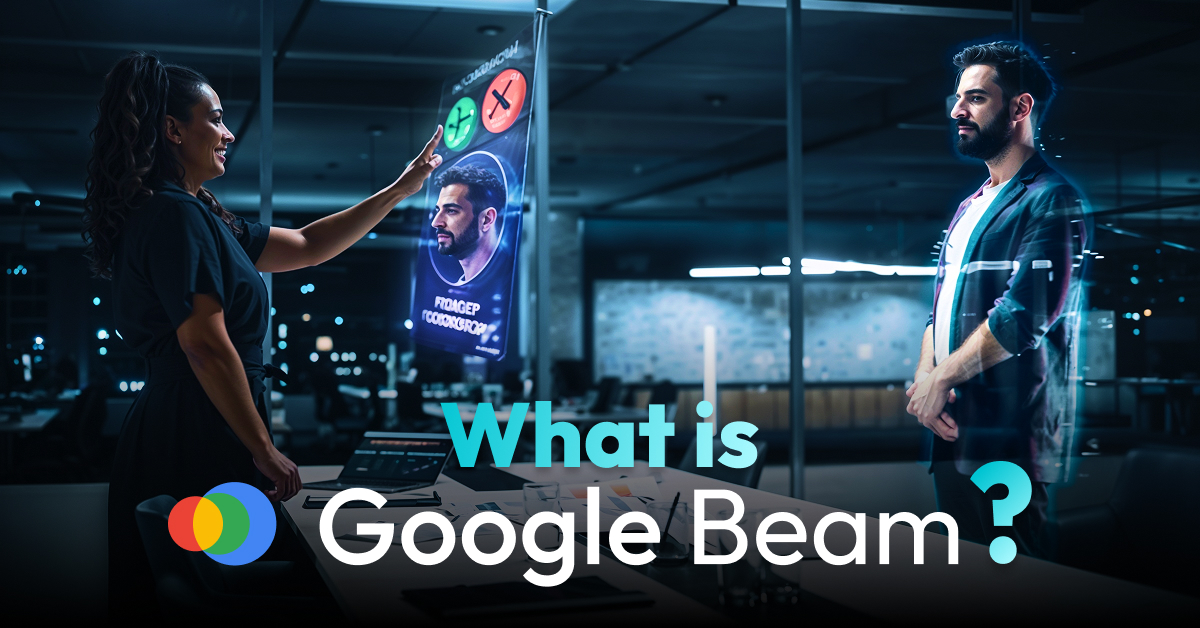
“True 3D video calls”
In this most happening world, where AI is ruling the world, every technology and platform wants to collaborate with them to transform their operations.
Recently, Google has launched something new. That is “Google Beam”.
However, Google lovers are aware that it was formerly known as Project Starline. Nowadays, it is one of the most trending topics because of its functionality.
Just kill the suspense, Google Beam is an AI video communication platform; it is not a normal communication platform. It feels like someone who is on a video call appears just like in front of a window.
This platform can enhance remote collaborations and provide a detailed description without special glasses.
Just hang on to know more useful or interesting things about the Google Beam and how it works in real-time.
What is Google Beam?: Brief Introduction
Imagine talking to someone on a video call, but instead of seeing a flat picture, it feels like they are actually in the room with you, in 3D! That’s what Google Beam AI tries to do. It uses special cameras and smart computer brains (AI) to make 3D video calls with Google Beam feel super real, almost like you can reach out and touch the person.

It even helps you make eye contact and see their expressions clearly, all without needing any special glasses! This advanced capability highlights the immense potential of AI development services in creating truly immersive communication experiences.
- Real 3D Picture
- Natural Eye Contact
- Picks Up Small Details
How Does Google Beam Create The Immersive Experience?
By combining these elements, Google Beam AI can take a regular 2D Google video conference and transform it into an incredibly immersive 3D experience, making you feel truly present with the other person. Google Beam brings more natural video conversations using a clever combination of advanced technologies:
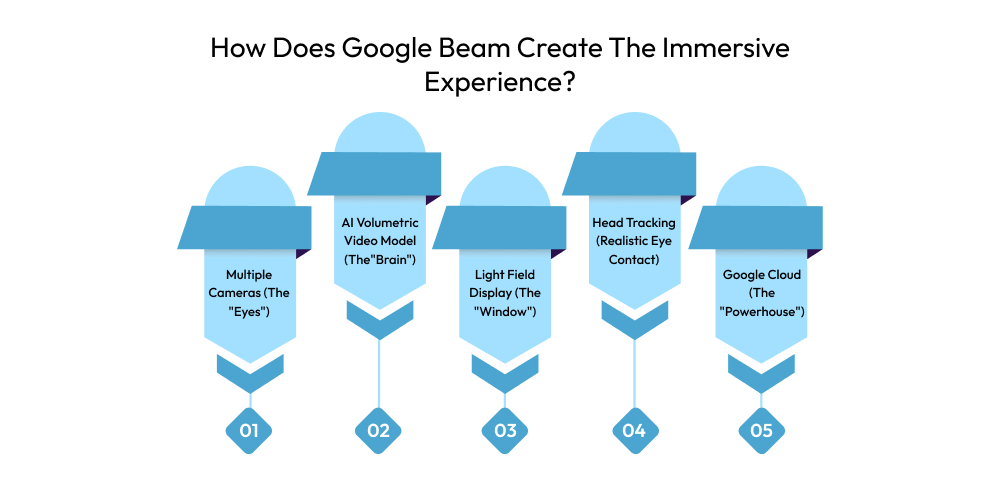
1. Multiple Cameras (The “Eyes”)
Consider having many cameras staring at you from different angles. Google Beam employs six cameras to photograph a person from multiple angles. This provides the system with a complete and comprehensive 3D image of you.
2. AI Volumetric Video Model (The”Brain”)
This is where the magic occurs. The raw video feeds from the many cameras are put into Google’s very intelligent AI (Artificial Intelligence). This AI then gathers all of those varied perspectives and stitches them together in real time to form a “volumetric” 3D representation of the individual.
Imagine creating a digital clay sculpture of yourself that can move. This model is more than simply a flat image; it has depth and volume, much like a real person.
3. Light Field Display (The “Window”)
On the other side, the person you’re speaking with sees you on a special screen known as a “light field display.” Unlike a standard screen, which displays a flat image, this display is meant to throw light in such a manner that your eyes perceive a 3D image with true depth, without the need for special glasses or headsets. It effectively provides a slightly distinct image to each of your eyes, giving the appearance of a solid object.
4. Head Tracking (Realistic Eye Contact)
The technology also has extremely fine head tracking. It understands exactly where your head is and how you are gazing. This allows the 3D picture on the screen to change in real time, ensuring that you always appear to be making realistic eye contact with the other person, regardless of how you shift or move your head.
5. Google Cloud (The “Powerhouse”)
All this complicated processing and real-time rendering need a significant amount of CPU power. Google Beam is built on Google Cloud, which offers the power to manage the vast quantities of data and calculations required to generate and send these lifelike 3D experiences smoothly and reliably.
Why Google Beam is a Game-Changer: Key Features & Tangible Benefits
Google Beam is primed to be a game changer in communication, taking us from flat video conversations to encounters that seem extraordinarily genuine. Here’s why it’s so important, along with its main features and concrete benefits:
Key Features that Make it a Game-Changer:
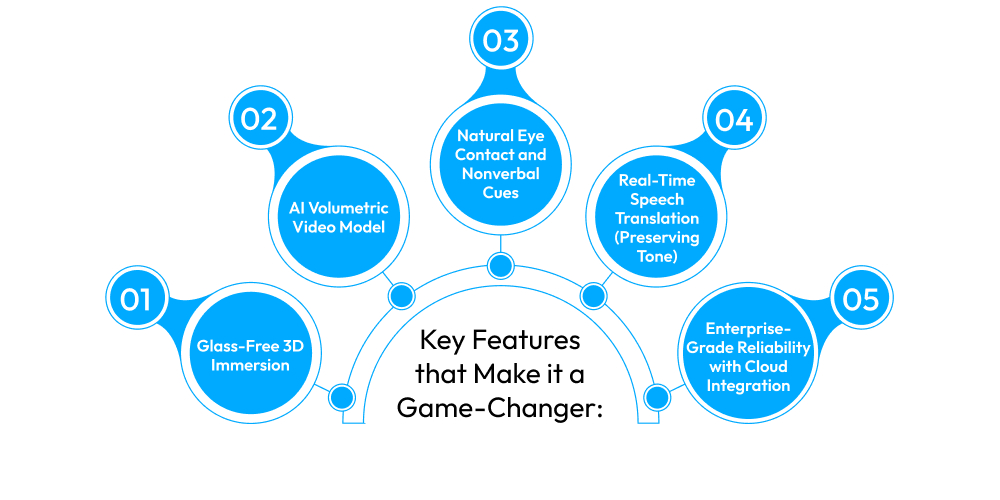
1. Glass-Free 3D Immersion
Unlike VR and AR, Google Beam does not require any specialized headgear or glasses. It employs a light field display and powerful AI to generate a genuine 3D image of the person you’re speaking with, giving them depth and presence as if they were sitting right in front of you. This is the basis of its “magic window” experience.
2. AI Volumetric Video Model
This is the brains of the operation. Google’s advanced AI collects information from numerous cameras (often six) and creates a real-time, moving 3D representation of the individual. This approach detects subtle details such as facial emotions and movements, which are frequently missed in regular 2D footage.
3. Natural Eye Contact and Nonverbal Cues
The 3D imaging device detects head motions with millimeter precision, allowing the 3D picture to change so you always feel as if you’re making direct eye contact. This, paired with the capacity to detect subtle body language and emotions, results in a far more genuine and compassionate discussion.
This is an extraordinary testament to the power of modern machine learning development services in creating intuitive and realistic human-computer interactions.
4. Real-Time Speech Translation (Preserving Tone)
The ability to provide real-time speech translation Google Beam, while keeping the speaker’s original voice tone and emotions is a genuinely groundbreaking capability. This removes linguistic boundaries, facilitating worldwide cooperation and personal relationships.
5. Enterprise-Grade Reliability with Cloud Integration
Beam, built on Google Cloud, provides the powerful infrastructure required for seamless, dependable AI-powered 3D video chats. It is meant to interact seamlessly with existing enterprise workflows and platforms such as Google Meet and Zoom, making it easier for organizations to implement.
Tangible Benefits for Users and Businesses:
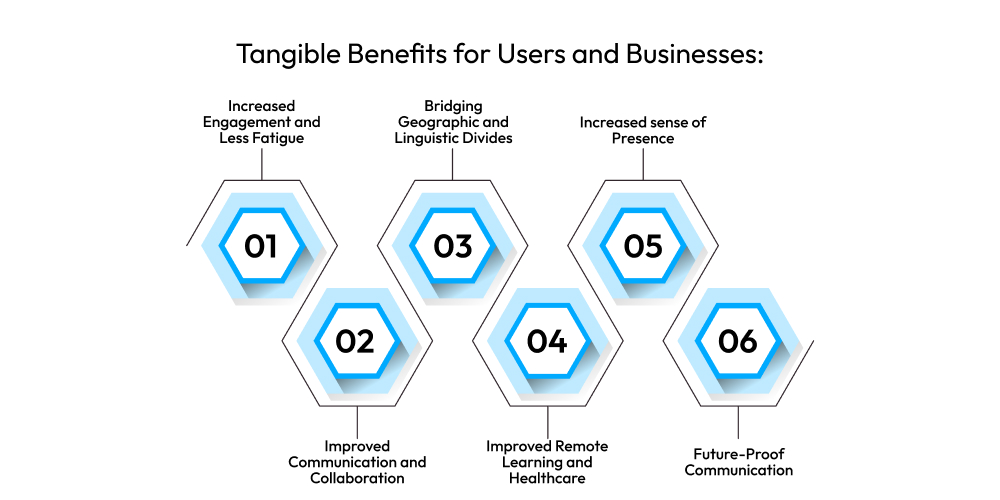
1. Increased Engagement and Less Fatigue
Traditional video calls often result in “Zoom fatigue.” Beam’s immersive nature keeps users interested since it mimics the natural flow of in-person talks. This can lead to reduced weariness during remote meetings.
2. Improved Communication and Collaboration
By allowing for genuine eye contact, nuanced hints, and gestures, Beam promotes greater understanding and trust. This is essential for brainstorming, complicated problem solving, and developing strong relationships in remote or hybrid work settings.
3. Bridging Geographic and Linguistic Divides
For globally scattered teams or organizations with foreign clientele, the real-time translation capability is game changer. It enables true cross-cultural communication without the need for interpreters, which speeds up decision-making and promotes inclusion.
4. Improved Remote Learning and Healthcare
In education, Beam can build more dynamic virtual classrooms, making remote learning more appealing. In healthcare, it can enable more personalized telemedicine consultations, allowing clinicians and patients to communicate with greater detail.
5. Increased sense of Presence
The ultimate reward is a sense of actual presence. It’s more than simply to making video calls more natural with Google Beam; it’s almost as if the person is right there with you. This has the potential to dramatically increase the quality of human connections in the digital world.
6. Future-Proof Communication
As the world increasingly embraces remote and hybrid models, Beam offers a glimpse into the future of communication, setting a new standard for how we interact virtually.
The Journey: From Experimental “Project Starline” to Commercial “Google Beam”
Google Beam has a fascinating journey from an ambitious research project to a commercially available communication platform. Here’s a look at its evolution:
Phase 1: Project Starline – The Experimental “Magic Window” (Announced 2021)
i. Birth of the Idea:
Google first unveiled “Project Starline” at its I/O developer conference in May 2021. The core idea was revolutionary: to create a video communication experience so real it felt like the other person was physically in the room, without needing VR headsets.
ii. The “Booth” Era:
Early prototypes of Project or Google Starline were quite bulky. They involved a specialized “booth” setup with multiple cameras (including infrared emitters) and a custom light field display. This elaborate hardware was necessary to capture the volumetric 3D data of the user and project the lifelike image.
iii. Early Demos and Feedback:
Google conducted thousands of hours of internal testing, connecting colleagues across different offices. They also started limited trials with select enterprise partners in fields like healthcare and media to gather early feedback on the technology and its potential applications of Google Beam in education.
The immediate reaction from those who experienced it was a profound sense of presence and connection, often describing it as a “magic window.”
Phase 2: Miniaturization and AI Advancements (2022-2024)
i. Shrinking the Footprint:
A significant challenge for commercial viability was the size and complexity of the initial booths. Over the next few years, Google focused heavily on miniaturizing the hardware.
ii. AI Takes the Lead:
This was achieved through major advancements in AI. Instead of relying solely on specialized hardware to capture every detail, Google developed sophisticated AI volumetric video models.
These models could now take input from fewer, more standard cameras and still generate high-quality, lifelike 3D images in real-time. The system transitioned from a “restaurant booth” size to something more akin to a large flat-screen TV on a stand.
iii. Continued Trials:
The more compact prototypes were then deployed in an early access program with a wider range of companies, including Salesforce, T-Mobile, and WeWork, to further refine the user experience and explore practical applications in various business settings.
Phase 3: Google Beam – Commercialization and Integration (Announced May 2025)
i. The Rebrand:
At Google I/O 2025 announcements that “Project Starline” was officially evolving into a commercial product called “Google Beam.” This marked a significant step from a research project to a platform ready for wider adoption.
ii. Strategic Partnerships:
To bring Beam to market, Google is partnering with industry leaders. HP will be the first vendor to develop and launch Google Beam devices, with the first models expected to be unveiled at InfoComm in June 2025 and available to select customers later in 2025.
Google is also working with other key partners like Zoom, Deloitte, Salesforce, and NEC to integrate Beam into existing workflows and make it accessible to businesses.
iii. New Capabilities:
As part of this commercial push, Google Beam is also integrating new, powerful features. Notably, real-time AI-powered video and speech translation is coming to Google Meet, allowing users to communicate across language barriers while preserving voice tone and expressions. This further solidifies Beam’s potential for global collaboration.
iv. Cloud-Powered Scalability:
The entire Google Beam platform is built on Google Cloud, ensuring enterprise-grade reliability, scalability, and compatibility with existing enterprise communication tools.
Want a chatbot demo or pricing? Fill the form and talk to our experts today.
Pick what you need below — you can select more than one — then tap Get detail to continue.
-
Chatbot demo dashboard
-
Cost to develop an app
-
Industry report
-
Case study
Where Will We See Google Beam? Potential Applications & Use Cases
Google Beam, as a commercial product, will primarily be seen in enterprise and business settings first. Its initial rollout is focused on organizations that stand to gain the most from truly immersive and natural remote communication.
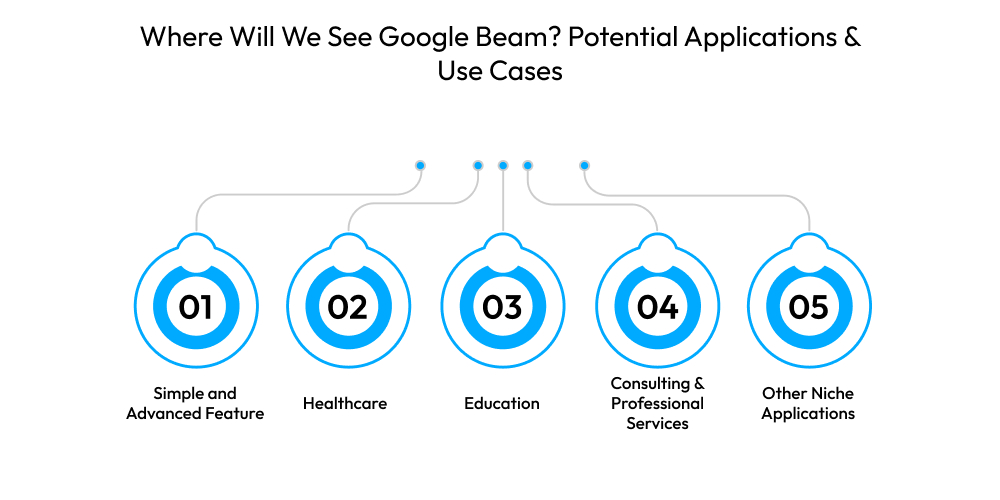
1. Corporate Communications & Remote Work
i. Executive Meetings:
Making remote board meetings, leadership discussions, and crucial decision-making processes feel more present and impactful, regardless of geographical distance.
ii. Team Collaboration:
Facilitating more natural brainstorming sessions, project reviews, and daily stand-ups for distributed teams, enhancing creativity and problem-solving.
iii. Client Interactions:
Offering a premium and highly personal experience for virtual client consultations, sales pitches, and relationship building, particularly for high-value accounts.
iv. Onboarding and Training:
Providing more engaging and effective remote onboarding for new employees and immersive training sessions that feel more like in-person workshops.
2. Healthcare
i. Telemedicine:
Enabling more empathetic and thorough virtual doctor-patient consultations, where healthcare providers can better read subtle cues, expressions, and build stronger rapport.
ii. Remote Specialties:
Facilitating remote diagnostics, specialist consultations, and even virtual surgeries (for consultation and guidance purposes) where detailed visual interaction is critical.
iii. Medical Education:
Creating immersive learning experiences for medical students, allowing them to interact with instructors and even simulated patients in a more lifelike way.
3. Education
i. Virtual Classrooms:
Transforming online learning into a more engaging experience, where students and instructors can interact with a stronger sense of presence and natural communication.
ii. Remote Mentoring & Tutoring:
Providing more personal and effective one-on-one or small-group mentorship sessions.
iii. Cross-Border Collaboration:
Allowing students and researchers from different institutions or countries to collaborate on projects with a shared sense of presence, especially useful for visually intensive fields like engineering or design.
4. Consulting & Professional Services
i. Virtual Consultations:
Providing clients with a more intimate and impactful consulting experience, helping to build trust and understanding during remote engagements.
ii. Expert Collaboration:
Connecting dispersed subject matter experts for critical discussions and problem-solving.
5. Other Niche Applications
i. Design and Product Development:
Allowing designers and engineers to collaborate on 3D models and prototypes with a heightened sense of shared space.
ii. Remote Customer Service (High-Value):
For complex customer issues or high-touch service, offering a more personalized and reassuring virtual meetings.
iii. Recruitment:
Conducting highly engaging remote interviews that help recruiters better assess candidates’ personalities and communication styles.
Challenges and Future Outlook for Google Beam
Google Beam, despite its groundbreaking potential, faces several challenges on its journey to widespread adoption, and future of Google Beam in remote work will heavily depend on how these are addressed.
Challenges for Google Beam:
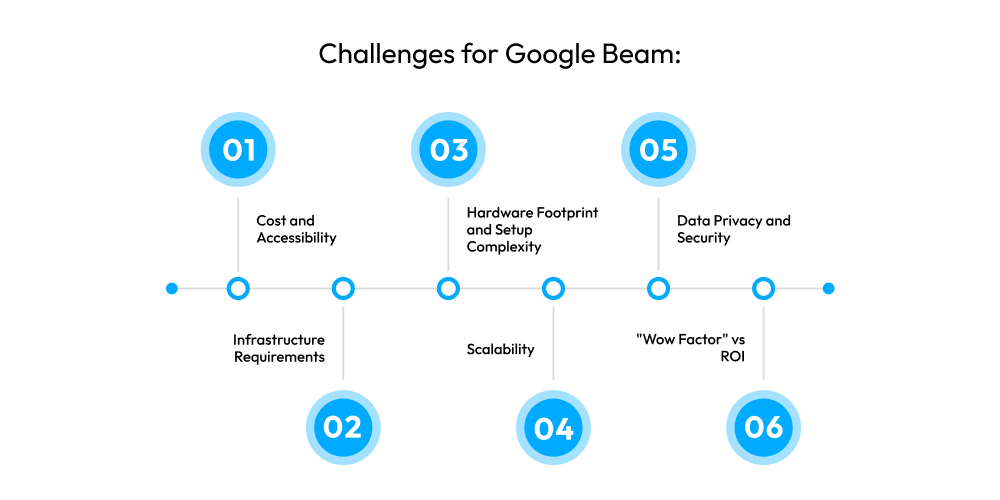
1. Cost and Accessibility
The most major barrier is likely the expensive cost of specialized gear (many cameras, unique light field displays, powerful processing units). This will first limit its adoption to major corporations, Fortune 500 firms, and specialized verticals (such as high-end consultancy, healthcare, and finance) that can justify the hefty cost.
It is unlikely to become a consumer product in the foreseeable future, raising concerns about overall accessibility and equality.
2. Infrastructure Requirements
Beam’s real-time volumetric video and AI processing require a strong and fast network infrastructure. Poor internet access in specific areas or among less-equipped companies may impede its performance and acceptance.
3. Hardware Footprint and Setup Complexity
While Google has made progress in downsizing since Project Starline’s inaugural “booth,” the gadgets still require a dedicated setup, making them more suited to permanent conference rooms than flexible or home office settings. Installation and calibration might potentially be complicated.
4. Scalability
While Beam was developed for business usage, expanding it to a large number of users or across an entire organization creates issues with device deployment, maintenance, and network administration.

5. Data Privacy and Security
Capturing real-time 3D data from humans presents serious privacy problems. Companies and consumers will want solid guarantees about data security, storage, and adherence to growing privacy requirements. Google will have to be open about its data management policies.
6. “Wow Factor” vs ROI
For Beam to flourish beyond novelty, companies must see a clear and real return on investment (ROI). It must show that greater presence and communication immediately translate into increased productivity, lower travel expenses, faster decision-making, or stronger client connections, justifying the investment.
Future Outlook for Google Beam:
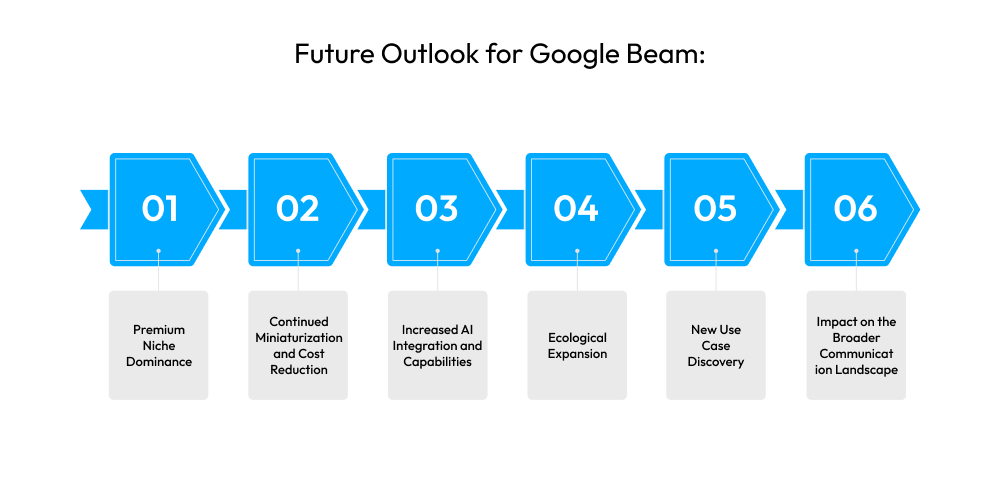
1. Premium Niche Dominance
Beam is positioned to set a new standard for premium, immersive virtual collaboration in the industry. Its early emphasis on high-value use cases requiring nuanced interaction (e.g., CEO meetings, high-stakes client presentations, specialist consults) assures a robust initial market.
2. Continued Miniaturization and Cost Reduction
As with any complex technology, continued research and development will certainly result in more compact, efficient, and perhaps less expensive hardware over time. According to the Chatbot development company, this might progressively broaden its market to include more enterprises and, eventually, prosumers.
3. Increased AI Integration and Capabilities
AI is at the heart of Beam. Expect further improvements to its volumetric video models, real-time translation (supporting additional languages and even emotion recognition), and interaction with other AI technologies.
4. Ecological Expansion
Partnerships with hardware manufacturers like HP, as well as interoperability with major platforms like as Google Meet and Zoom, are critical to its success. Expect increased collaborations and tighter integration into current collaborative ecosystems, making Beam more accessible and easy to use.
5. New Use Case Discovery
As more firms use Beam, new and novel use cases will arise, broadening its influence beyond regular meetings to include specialized training, remote maintenance, and even virtual events.
6. Impact on the Broader Communication Landscape
Even if Beam does not become a popular consumer product, its developments will most certainly have an impact on the whole communication business. It may prompt competitors (such as Microsoft, Apple, and Meta with their mixed reality projects) to speed their own immersive telepresence technology.
Google Beam vs Apache Spark vs Zoom
Google Beam offers immersive 3D communication. Apache Spark powers vast data analytics. Zoom provides ubiquitous 2D AI video conferencing. Each transforms digital experiences in distinct, powerful ways.
Feature / Aspect |
Google Beam |
Apache Spark |
Zoom |
| Primary Purpose | Immersive 3D video communication | Large-scale data processing & analytics | Standard 2D video conferencing & collaboration |
| Core Technology | AI volumetric video, Light Field Display, Head Tracking | Distributed computing, In-memory processing, RDDs, DAGs | Traditional video/audio codecs, cloud infrastructure |
| Output / Benefit | Lifelike 3D presence, natural eye contact, enhanced video calls and human connection | Processed data, analytics insights, ML models, efficient ETL | Real-time video/audio chat, screen sharing, recording |
| Key Differentiator | Makes remote interactions feel physically present without glasses. | Blazing fast processing of massive datasets across clusters. | Widely accessible and user-friendly 2D video meetings for everyday use. |
| User Experience | Feels like talking through a “magic window,” highly immersive. | Developers and data scientists interact with code and data. | Standard video call interface, familiar to most users. |
| Hardware Needs | Specialized hardware (multiple cameras, custom display) | Cluster of servers (physical or cloud-based) | Standard computer/smartphone with webcam and internet |
| Typical User | Enterprise executives, specialized professionals (healthcare, design) | Data engineers, data scientists, software developers | General public, businesses, educators, students |
| Cost | High (initially for enterprise) | Variable (depends on infrastructure and scale) | Free (basic) to Paid (tiered subscriptions) |
| Example Use Cases | High-stakes remote negotiations, expert consultations, and truly global meetings | Big data analysis, fraud detection, recommendation engines, and real-time analytics | Every day team meetings, online classes, webinars, virtual social gatherings |
| Relation to Each Other | Can be integrated with Zoom for the underlying meeting infrastructure. | No direct relation; processes data from various sources. | Google Beam is a premium alternative or enhancement for it. |
Conclusion
Google Beam, evolving from Project Starline, is Google’s groundbreaking AI-first 3D video communication platform. It leverages advanced AI volumetric video models and light field displays to create a remarkably lifelike sense of presence, enabling natural eye contact and subtle non-verbal cues without headsets.
This AI development company is poised to revolutionize remote collaboration, telemedicine, and education by making virtual presence as rich and empathetic as face-to-face conversations, setting a new standard for digital connection.
Frequently Asked Questions
Q1. How is Google Beam Different From a Regular Video Call (Like Zoom)?
Google Beam creates a glasses-free 3D experience, making remote people appear present with depth and natural eye contact. Regular video calls like Zoom are flat 2D images, lacking that immersive, in-room sensation.
Q2. What Technology Enables the 3D Effect in Google Beam?
It combines an array of multiple cameras to capture volumetric video, sophisticated AI volumetric video models to process this data into a 3D likeness, and a light field display to project the 3D image.
Q3. Is Google Beam Powered by Google Cloud?
Yes, absolutely! Google Beam is built on the power and scale of Google Cloud. This integration ensures enterprise-grade reliability, scalability, and seamless compatibility with existing workflows, allowing for the complex real-time 3D rendering and AI processing required.
Q4. Can Google Beam Be Integrated with Existing Communication Platforms?
Yes, absolutely! Google Beam is designed for integration with existing communication platforms like Google Meet and Zoom, allowing businesses to adopt it without overhauling current infrastructures.
Q5. What are Some Key Applications for Google Beam in Businesses?
Google Beam’s key business applications include enhancing executive meetings, facilitating immersive client engagements, enabling more personal telemedicine, and fostering dynamic collaboration in hybrid work environments. It also supports real-time multilingual communication.
Q6. Who is the First Vendor Partnering with Google to Launch Beam Devices?
The first vendor partnering with Google to launch Google Beam devices is HP. They are expected to unveil the first HP Beam devices at InfoComm in June 2025, with availability to select customers later in 2025.














