














The demand for pickup and delivery services has exploded, with the global online grocery delivery market expected to hit $140 billion by 2026. Apps like Safeway’s are now household names, offering customers the convenience of having groceries delivered right to their doorsteps—saving both time and effort.
More and more people are choosing online grocery shopping because it’s easy and eliminates the need to visit stores in person. In fact, by 2023, almost 60% of U.S. consumers were using grocery delivery apps regularly.
With this growing trend in on-demand delivery, businesses see a great opportunity to build a pickup and delivery app like Safeway. The surge in demand makes investing in a pickup and delivery app a smart move. In this blog, we’ll explore the process of Safeway app development, the key features, costs, and much more.
So, let’s begin!
What is a Safeway App?
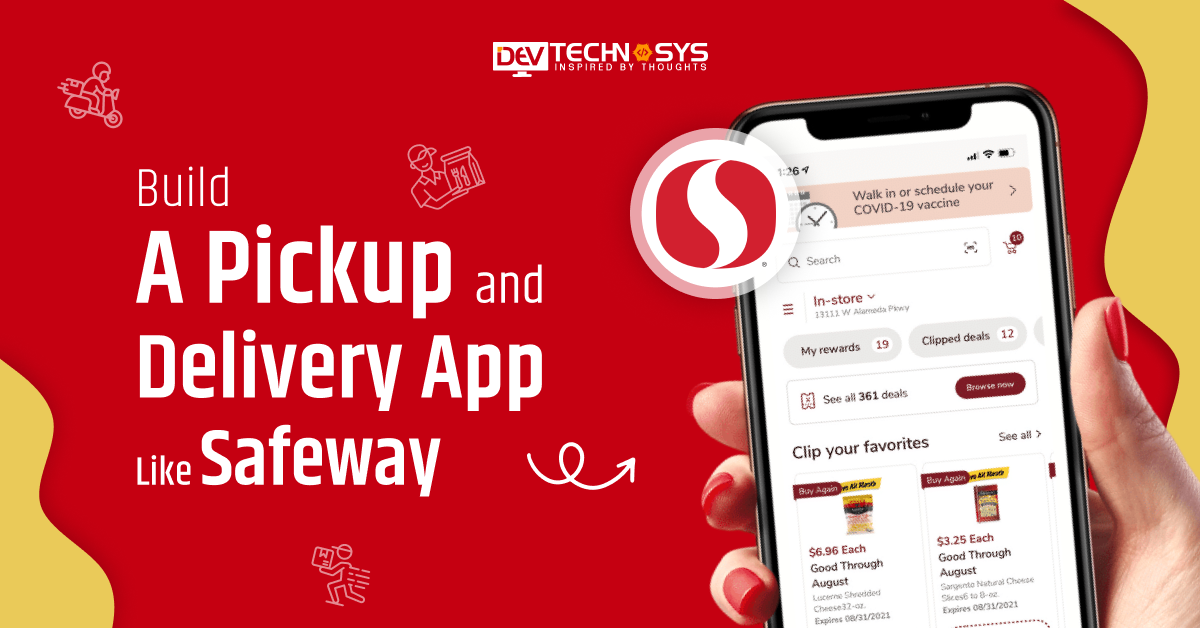
The Safeway App is a mobile application designed to make grocery shopping easier and more convenient. With this app, users can browse weekly ads, find digital coupons, and save money on their favorite products.
It is the best app for pickup and delivery that allows shoppers to create shopping lists, check store locations, and track reward points through the Safeway loyalty program. Customers can even order groceries online for pickup or delivery.
The on demand app development solution helps users shop smarter by offering personalized deals and quick access to their Safeway account.
Future Predictions & Projections of Pickup and Delivery App
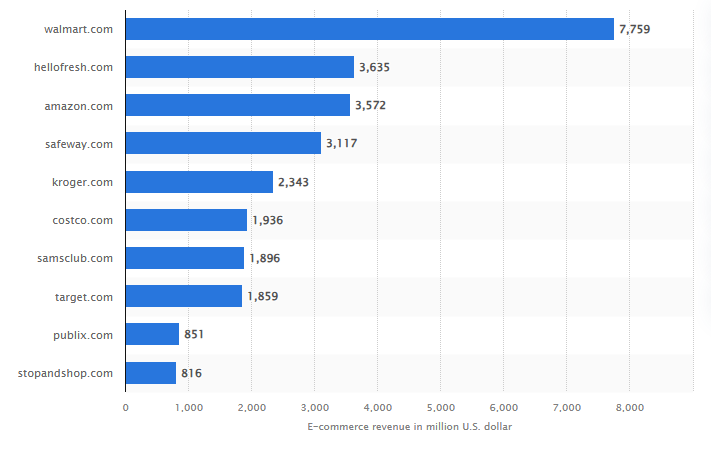
Source: Statista
- The size of the world market for same-day delivery was $9.90 billion in 2024, and it’s expected to grow at a rate of 20.6% per year from 2025 to 2030.
- The market for online food delivery is expected to bring in US$1.40tn in 2025.
- With a compound annual growth rate (CAGR) of 7.83% from 2025 to 2029, the market is estimated to reach US$1.89tn by 2029.
- Pickup & Delivery is expected to bring in 12.5% more money in 2026 than it did in 2025.
- It is expected that the Pickup & Delivery market will be worth US$940.96bn in 2025.
How Does a Safeway App Work?
The Safeway app makes your grocery shopping easier, faster, and more affordable. You can use it to order groceries online, find the best deals, and collect rewards, all in one place. As per the food delivery app development company,here’s how you can use the app for pickup and delivery in simple steps:
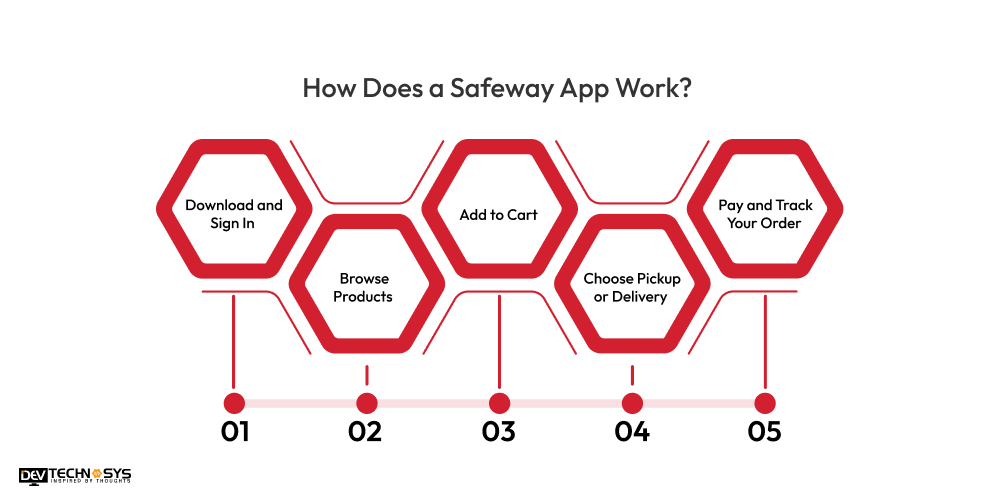
1. Download and Sign In
First, download the Safeway app from the App Store or Google Play. Open the app and sign in or create an account using your email address.
2. Browse Products
Use the app to browse groceries, fresh produce, snacks, and household items. You can search for products or explore different categories.
3. Add to Cart
Tap on the items you want to buy and add them to your cart with pickup and drop-off app. You can also view product details, prices, and available deals.
4. Choose Pickup or Delivery
When you’re done shopping, select whether you want to pick up your order at a nearby Safeway store or have it delivered to your home.
5. Pay and Track Your Order
Proceed to checkout, choose your payment method, and place your order. You can then track the status of your delivery or pickup in real-time through the app.
Steps to Build a Pickup and Delivery App like Safeway
To create a pickup and delivery app like Safeway, it requires careful planning and execution. From defining the concept to launching the delivery and pickup app, here are the essential steps involved in the process:
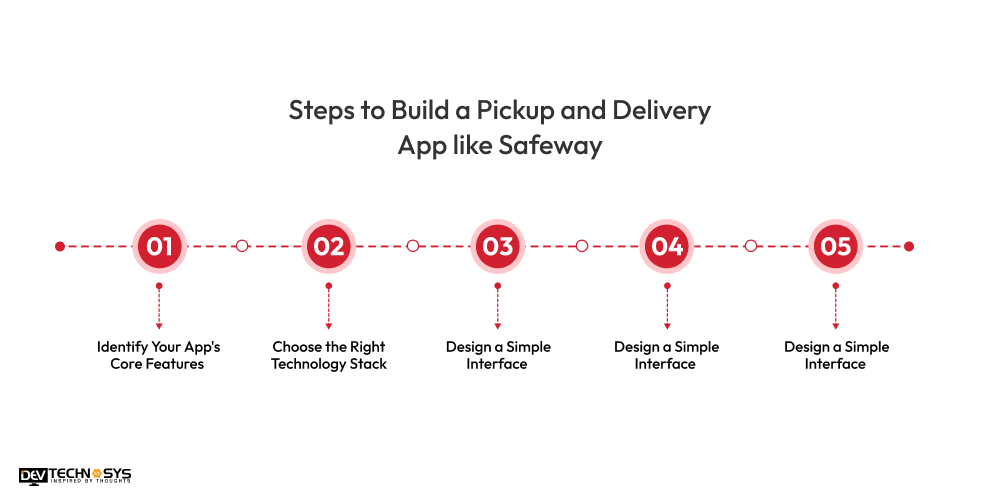
1. Identify Your App’s Core Features
Before starting to develop a pickup and delivery app like Safeway, it’s crucial to determine the core features that will make your app for pickup and delivery stand out. Start by analyzing what Safeway offers, like real-time tracking, scheduling deliveries, and payment options.
Key features may include user profiles, pickup and delivery scheduling, live tracking, payment gateway integration, order management, and customer support. Understand the target audience’s needs to ensure the app’s functionality aligns with their expectations. These features will define the app’s performance and user experience, so prioritize them carefully.
|
● What essential features should you prioritize when building pickup and delivery apps like Safeway? ● How do core features impact user experience in a delivery app? ● Why is identifying your app’s core functionalities crucial during the initial development phase? |
2. Choose the Right Technology Stack
The technology stack plays a significant role in the Safeway app development process. A reliable backend ensures smooth operations, while a clean, intuitive front end enhances user experience. For a pickup and delivery application like Safeway, you’ll need to choose a backend technology.
To create pickup and delivery apps, select between native development or cross-platform technologies. Additionally, use cloud services to host your app, ensuring scalability and performance. Choosing the right stack is essential for providing a smooth and seamless experience for both customers and service providers.
|
● What factors should businesses consider while choosing the ideal technology stack for building a pickup and delivery similar app to Safeway? ● How does the right technology stack impact the scalability and performance of a Safeway mobile app? ● Why is selecting reliable backend and frontend frameworks crucial for a successful app similar to Safeway? |
3. Design a Simple Interface
Designing an easy-to-use interface is key to a successful app for pickup and delivery. The goal is to make the app intuitive and simple, even for those who are not tech-savvy. Focus on smooth navigation with a clean layout and a minimalistic approach.
A laundry app development company can include features like a search bar, easy-to-use menu options, and simple buttons for actions like booking a pickup or delivery. Be sure to provide an option for users to track their orders and deliveries in real time. Good UI design not only enhances user satisfaction but also helps in building trust, ensuring repeat customers.
|
● What key design elements ensure a user-friendly interface for a pickup and delivery similar app to Safeway? ● How can intuitive navigation improve user experience in delivery app design? ● Why is simplicity crucial when designing the UI/UX for a Safeway-like app? |
4. Develop and Test the App
Once the planning and design phases are complete, the next step is to build a pickup and delivery app like Safeway, retail pickup and delivery solution. During this phase, work closely with your developers to ensure the app’s functionality is aligned with your vision.
The app should include essential features like location-based services, push notifications, and easy payment integrations. Once the app is developed by an Android app development company, conduct rigorous testing to identify bugs and issues that could affect user experience.
This includes functional testing, UI/UX testing, and performance testing. Use real-world scenarios to test how the app performs under different conditions, such as peak delivery hours. Ensuring everything works smoothly is essential before launch.
|
● What development tools and technologies are essential to build a robust pickup and delivery similar app to Safeway? ● How can you ensure smooth functionality through proper app testing? ● What testing methods help identify bugs and optimize app performance before launch? |
5. Launch and Maintain the App
After testing and resolving issues, it’s time to launch your pickup and delivery app. Start by launching a beta version to gather feedback from early users, allowing you to make final tweaks. Once the app is ready for the public, create a marketing plan to promote it.
Consider offering discounts or special deals to attract users. Maintain the app regularly by fixing bugs, updating features, and ensuring security. Listening to customer feedback and updating the app accordingly will keep it relevant and help retain users in the long run.
|
● What are the essential steps to successfully launch a pickup and delivery app like Safeway? ● How can businesses ensure seamless app deployment and onboarding? ● What strategies help maintain app performance and user satisfaction post-launch? |
Key Features to Develop a Pickup and Delivery App like Safeway
Creating a pickup and delivery similar app to Safeway means offering users an easy, convenient, and reliable shopping experience right from their phones. Below are the key features of Safeway that you can integrate into your own app:
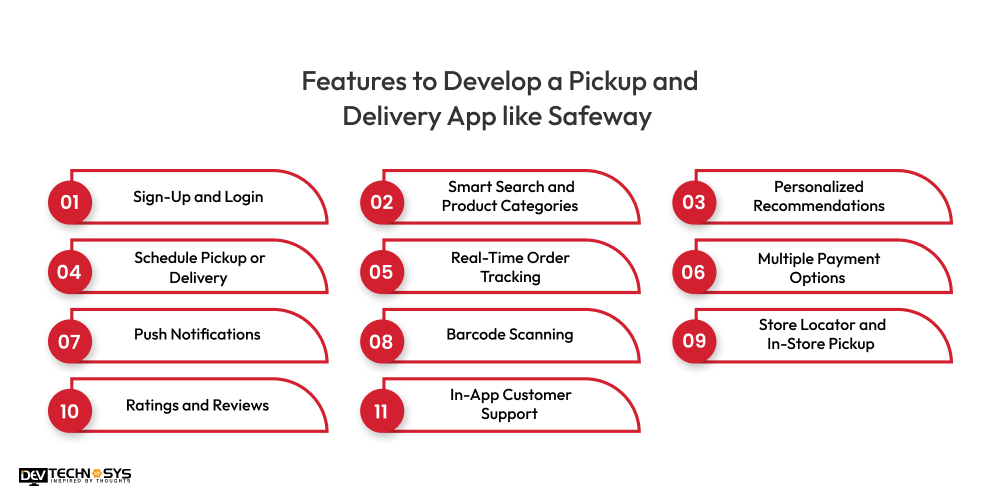
1. Sign-Up and Login
Make it easy for users to register or log in using their email, phone number, or social accounts. Offer a smooth onboarding experience for first-time users.
2. Smart Search and Product Categories
Allow users to quickly search for products using keywords or voice commands. Organize items into clear categories like dairy, vegetables, snacks, and drinks, making it easy to browse.
3. Personalized Recommendations
Show personalized product suggestions based on the user’s previous orders or shopping habits, just like Safeway does. It adds a personal touch and speeds up the ordering process.
4. Schedule Pickup or Delivery
Let customers choose a delivery time or pick-up slot that works best for them. A medicine delivery app development company can provide real-time availability and allow easy rescheduling.
5. Real-Time Order Tracking
When you build a pickup and delivery app like Safeway, you can offer live tracking for deliveries, so users can see where their order is and when it will arrive. This boosts trust and transparency.
6. Multiple Payment Options
Support different payment methods such as credit/debit cards, digital wallets, or cash on delivery for ease and flexibility.
7. Push Notifications
Similar to an app like Fetchr, users can send reminders, order updates, or exclusive deals through push notifications to keep users informed and engaged.
8. Barcode Scanning
Allow users to scan product barcodes at home to easily add items to their cart or reorder frequently purchased products.
9. Store Locator and In-Store Pickup
With flower delivery app development, you can help users to find the nearest store for pickup and check product availability in specific locations.
10. Ratings and Reviews
Enable customers to leave reviews and rate products. This builds trust and helps others make buying decisions.
11. In-App Customer Support
Add a live chat or help section where users can quickly get support for issues related to orders, payments, or deliveries.

Top 5 Pickup and Delivery Apps like Safeway
If you plan to create an application like Safeway, you need to perform SWOT analysis of your competitor apps. It will help you know where they are lacking and help you stand out. However, we have listed down the best Safeway alternatives.
| Best Apps like Safeway | Available Platforms | Downloads | Ratings |
| Dunzo | Android | iOS | 10M+ | 4.3 |
| Lalamove | Android | iOS | 10M+ | 4.6 |
| Gojek | Android | iOS | 100M+ | 4.2 |
| Mrsool | Android | iOS | 10M+ | 3.9 |
| DHL | Android | iOS | 5M+ | 3.9 |
How Much Does it Cost to Develop an App like Safeway?
The cost to build a pickup and delivery app like Safeway ranges between $10000 – $25000. However, this Safeway app development cost can vary depending on the project requirements. So, it is best to consult with an on demand pickup and delivery app development company for an actual cost quotation.
Also, you should first set a proper budget and then make a strategy for project development. Now let’s have a look at the factors affecting the cost to develop a pickup and delivery app like Safeway.
1. Features and Functionality
The more complex features you want, like shopping cart systems, store locators, or advanced payment options, the higher the Safeway app development cost will be. Basic apps are cheaper, while those with advanced functionalities can increase the price.
| Specific Features | Estimated Cost Impact |
| Product Browsing & Search with Filters | $1,000 – $2,000 |
| Product Details (Images, Descriptions, Nutritional Info) | $1,500 – $2,000 |
| Order History | $1,000 – $3,000 |
| User Registration & Login | $1,000 – $2,500 |
| Shopping Lists | $1,500 – $3,000 |
| Delivery Service Integration | $2,000 – $3,000 |
| Order Tracking & Notifications | $1,000 – $2,000 |
| Secure Payment Gateway Integration | $600 – $2,000 |
2. App Platform
Whether you’re developing for iOS, Android, or both can impact the mobile app development cost. Building for both platforms requires more resources and time, which raises the pickup and delivery app development cost.
| Platform Type | Cost Estimation |
| Android App | $12000 – $25000 |
| iOS App | $10000 – $22000 |
| Cross-Platform App | $8000 – $20000 |
3. Design and User Experience
A simple, clean design will cost less, but if you want a customized, premium user experience with high-end graphics and animations, expect a higher price.
| UI/UX Design Complexity Level | Estimated Cost (USD) |
| Basic | $1,000 – $1,800 |
| Intermediate | $1,800 – $3,000 |
| Complex | $3,000 – $4,000 |
4. Maintenance and Updates
After launch, regular maintenance and store-to-door grocery app updates are essential. These can range from bug fixes to adding new features, and they contribute to ongoing pickup and delivery app development cost.
| Technical Maintenance | Cost |
| Server Maintenance | $1,000 – $5,000 |
| API Updates | $500 – $2,000 |
| Security Updates | $500 – $2,000 |
| Performance Optimization | $1,000 – $3,000 |

How to Monetize Your Safeway Clone App?
If you build a pickup and delivery app like Safeway clone, it opens up many opportunities for monetization. You can earn revenue through various strategies tailored to your app’s features and services. Here are some effective ways to monetize your Safeway clone app and generate consistent income.
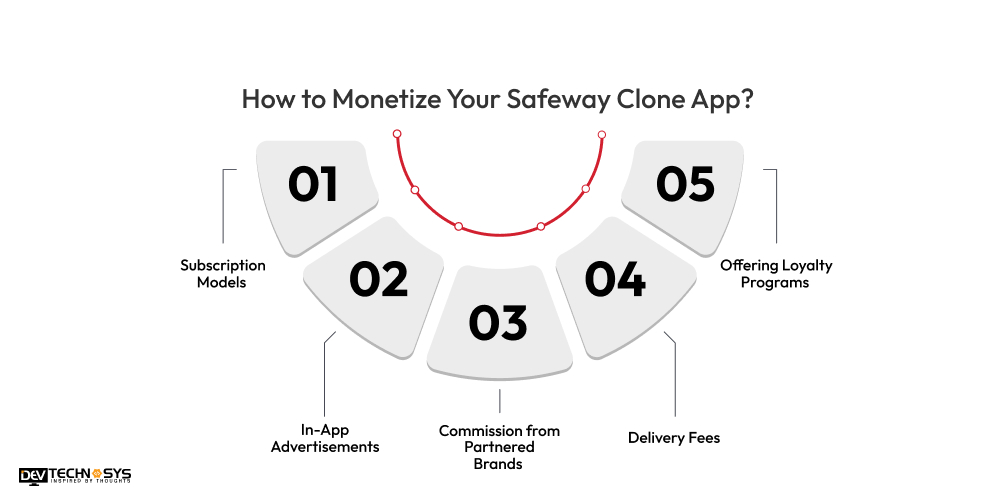
1. Subscription Models
One of the most effective ways to monetize your Safeway clone app is by implementing a subscription-based model. An iPhone app development company can offer users the option to subscribe to premium services that provide additional benefits, such as faster deliveries, exclusive discounts, or early access to promotions.
This creates a steady revenue stream while offering value to your customers. Different subscription tiers can appeal to various customer segments, whether they’re occasional shoppers or regular users who value convenience and special offers.
2. In-App Advertisements
Displaying targeted advertisements within the online grocery ordering & delivery app is a great way to generate revenue. You can partner with brands, particularly those related to grocery shopping or lifestyle products, to show relevant ads to your users.
These ads can be displayed as banners, interstitial ads, or video ads. By integrating an ad network, you can earn money each time users view or interact with these ads. However, it’s essential to balance the frequency of ads so they don’t negatively impact the user experience.
3. Commission from Partnered Brands
Your Safeway clone app can also earn revenue through commissions by partnering with grocery stores, brands, or suppliers. When users purchase specific items from partner brands within your app, you receive a commission on the sales made through the app.
This is especially profitable if you can create exclusive offers or promotions in collaboration with these brands, encouraging more users to shop through a similar app to Safeway. This also builds a mutually beneficial relationship between you and your partners.
4. Delivery Fees
Another simple way to monetize your Safeway clone app is by charging a delivery fee. For every order placed, you can apply a fixed or variable delivery charge depending on the distance, order size, or urgency of the delivery.
This model for courier delivery app development ensures that the logistics of the app are covered while providing users with convenient home delivery options. You can offer free delivery for premium members or orders over a certain amount to encourage users to buy more.
5. Offering Loyalty Programs
Incorporating a loyalty and referral program is an excellent strategy for long-term user retention and monetization. Reward your users with points or discounts for every purchase they make, and offer them the chance to refer friends and family in exchange for rewards.
These programs encourage frequent use of the pickup and delivery service app, as users are more likely to return to collect points and redeem rewards. Additionally, referral bonuses help you expand your user base, driving more traffic to the app and boosting revenue.
Conclusion
Now that you have an idea to build a pickup and delivery app like Safeway, turn your idea into reality. By focusing on user experience, secure payment systems, and efficient logistics, you can create a successful convenience-based app.
If you’re ready to take the next step in bringing your idea to life, consider hiring a mobile app development company to ensure a seamless and professional development process for your project. Don’t wait – take the next step now!
FAQs
Q1. What Are the Key Features of a Pickup and Delivery App like Safeway?
To build an app like Safeway, include key features such as user registration, product search, real-time tracking, in-app payments, delivery scheduling and so on.
Q2. How Much Does it Cost to Develop a Pickup and Delivery App like Safeway?
The Safeway app development cost can range $10000 – $25000. However, the cost for pickup and delivery app development depends on factors like app complexity, platform, design, feature set, and the on-demand pickup and delivery app development company’s location and expertise.
Q3. How to Build a Pickup and Delivery App?
To make a pickup and delivery app like Safeway, you should follow the below steps:
- Conduct market research
- Know your competitor apps
- Create a user interface
- Develop an MVP version
- Test and launch the app
Q4. How Long Does it Take to Develop a Delivery App like Safeway?
The Safeway app development timeline typically spans 2 to 6 months, depending on the app’s complexity, custom features, testing, and revisions during the design and development phases.
Q5. Do I Need Separate Apps for Customers and Delivery Agents?
Yes. For optimal performance and user experience, it’s ideal to build two separate apps — one for customers to place orders and another for delivery agents to manage and fulfill those orders, plus an admin panel to oversee operations.