






















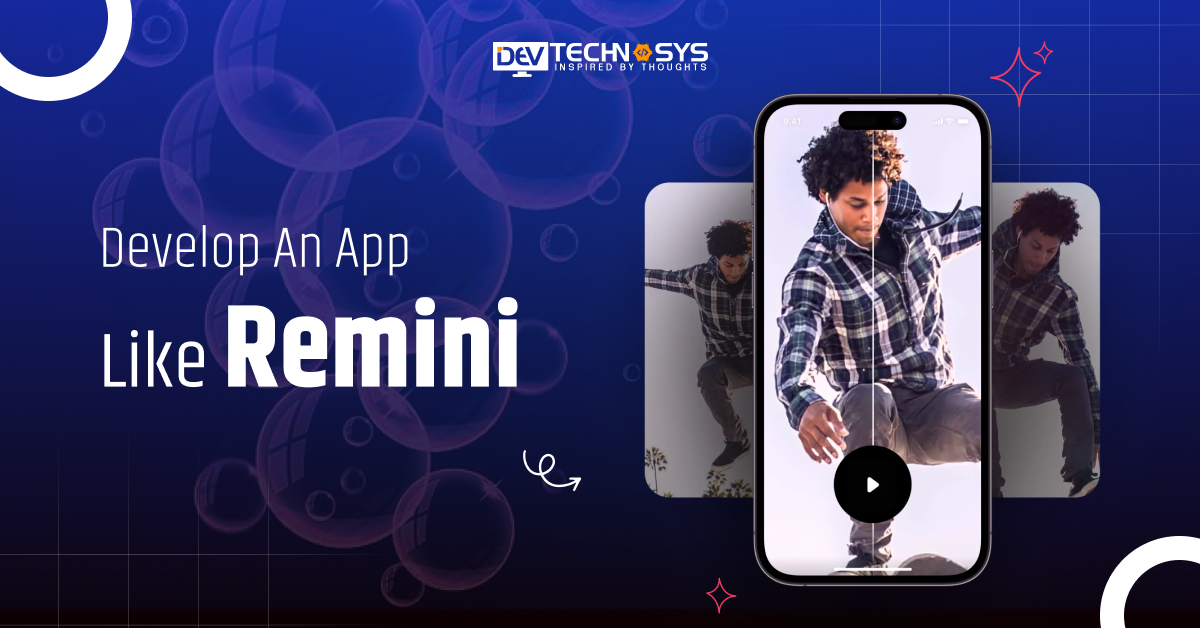
The demand for photo enhancement apps is soaring as people increasingly want to improve their pictures with minimal effort. One of the top apps in this space is Remini, an AI-powered photo enhancer that brings old, blurry, and low-resolution images back to life.
It has gained massive popularity, with over 100 million downloads on Google Play alone, showing how much people value high-quality, AI-driven photo improvements.
This surge in demand has opened up a significant opportunity for businesses to develop an app like Remini. With advancements in AI and ML, it’s now possible to create powerful photo enhancement tools.
Thus, this blog will guide you through the process to create an AI photo enhancer application like Remini, essential features, and other essential aspects to skyrocket your business.
So, let’s begin!
What is a Remini App?
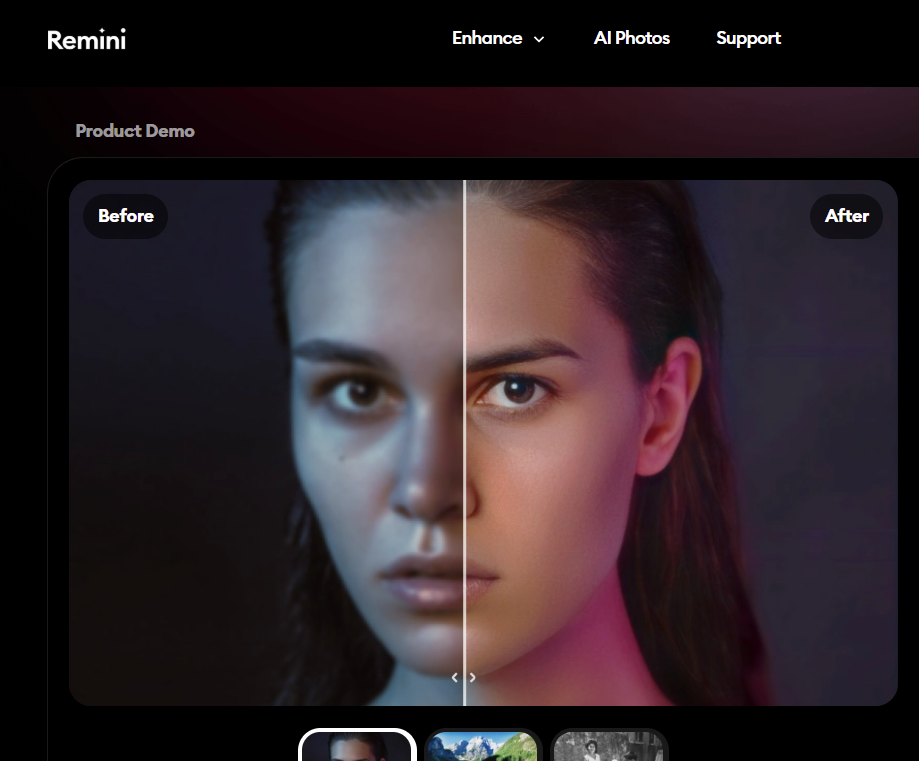
Remini is a photo and video enhancement app that enhances and restores old or low-quality photos and videos. It uses AI to improve the clarity, sharpness, and details of images, making them look much better.
Source: remini
Remini can bring it back to life, whether it’s a blurry picture, an old family photo, or a low-resolution video. Photo editing apps like Remini work by analyzing the photo or video, fixing imperfections, adding more detail, and making it look clearer.
It’s easy to use and popular for reviving memories, giving photos and videos a fresh, polished look. An AI development services provider can help you validate app ideas in case you want to build a similar application.
Future Predictions & Projections of AI Photo Enhancer App
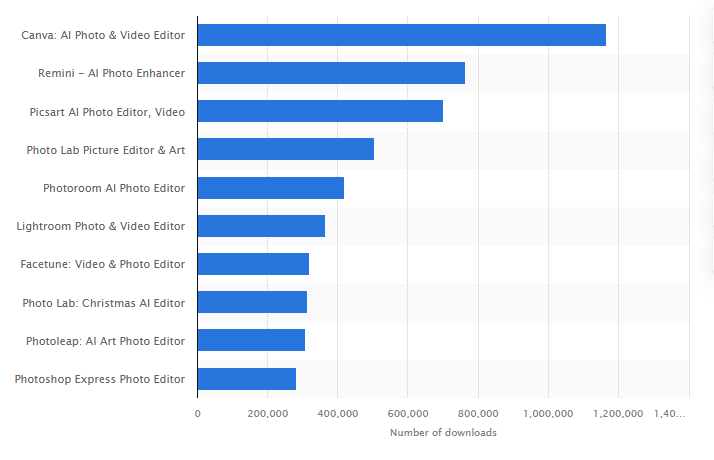
- With 763,000 downloads, the second place went to the Remini app by the Italian band Bending Spoons.
- At a rate of 15.9% per year, the market for AI picture enhancers will grow to $2.45 billion by 2025.
- People in the United States spent more than $3.9 million on the photo maker app Remini – AI Photo Enhancer.
Source: Statista
- In 2024, it was thought that the market for AI picture editors would be worth $80.3 million.
- A recent survey by Pincel found that 58% of people already use AI to edit photos on a daily basis, mostly because it saves them time.
How Does a Remini App Work?
Using the Remini app is super simple and fun. It helps you turn old, blurry, or low-quality photos into clear, high-definition images. If you are planning to create a mobile app similar to Remini, you should know its working mechanism.
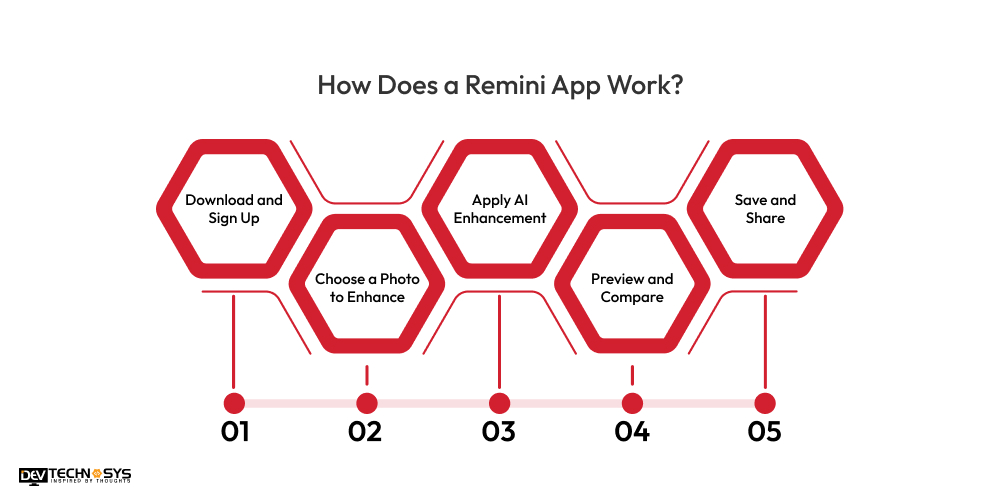
1. Download and Sign Up
First, users download the Remini app from the App Store or Google Play. Now, they open the AI image enhancer app and sign up using their email or social media accounts.
2. Choose a Photo to Enhance
Tap the “Enhance” option and select an old, blurry, or damaged photo from their phone’s gallery that they want to improve.
3. Apply AI Enhancement
Once users select the photo, Remini’s AI technology will automatically enhance it by sharpening the details, fixing blurriness, and improving overall quality.
4. Preview and Compare
After a few seconds, users can preview the enhanced image. The Remini editing app also compares the original and improved versions side-by-side.
5. Save and Share
If the user is happy with the result, simply tap the download button to save the image or share it directly on social media.
How to Build an AI Photo Enhancer App like Remini?
Building an AI-powered photo enhancer app similar to Remini can be a rewarding venture. It requires a thoughtful approach to AI technology, user experience, and the app’s core functionalities. Here are the simple steps to guide you through the Remini clone app development process.
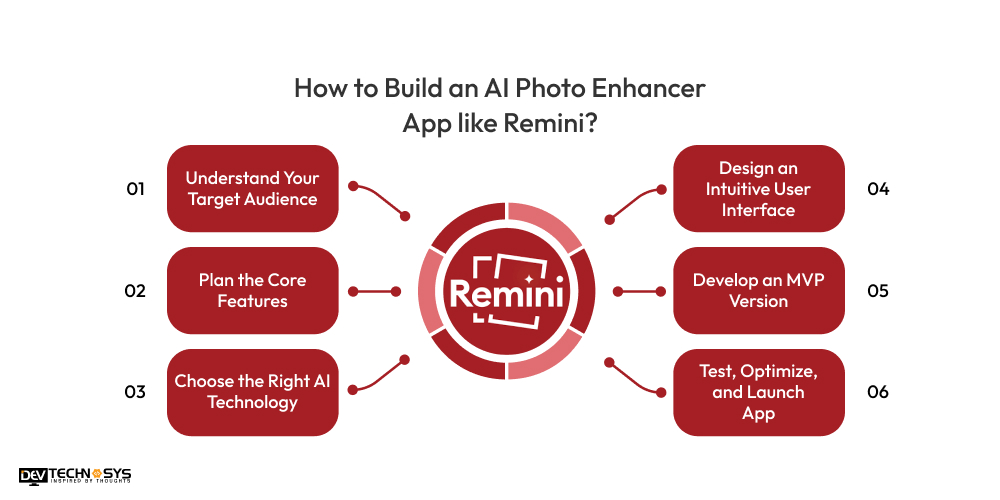
1. Understand Your Target Audience
Before you start to develop an app like Remini, an AI photo editing app, it’s crucial to understand who your target audience is. Spend time researching a competitor app like Picsart or another application like Remini, gathering feedback from potential users, and defining the USPs of your app.
A clear understanding of your photo refinement app’s purpose will help you stay focused and effectively guide the development process. For a more personalized experience, consider offering real-time enhancement, batch editing, and advanced features like facial restoration.
|
2. Plan the Core Features
Now, define the core features of your photo editing app development. The primary function should be the ability to enhance low-resolution images into high-resolution ones. Features like automatic photo enhancement, noise reduction, skin smoothing, and color correction should also be included.
Additionally, providing users with options to save and share enhanced photos will improve user experience. It’s crucial to plan the video enhancer application like Remini interface to be intuitive and easy to use, catering to both tech-savvy and non-tech users.
|
3. Choose the Right AI Technology
Next, you need to choose the appropriate AI technology for your Remini editing app. This is one of the most critical steps because AI is at the heart of your photo enhancement tool. You’ll need to explore deep learning models, which have proven effective in image enhancement.
Additionally, using pre-built machine learning libraries can accelerate development. If you don’t have in-house AI expertise, consider partnering with a Generative AI development company to ensure that your app can effectively enhance images with accuracy.
|
4. Design an Intuitive User Interface
User experience is crucial in any app, but particularly for an AI photo editing app. Similar to an app like Snapseed, you should also design a simple, clean, and intuitive user interface. Users should easily upload their photos, see the enhancement process, and preview the results before saving or sharing them.
Before you develop an app like Remini, focus on a minimalistic design that doesn’t overwhelm users with too many features. Navigation should be seamless, and buttons should be clear, allowing for a straightforward enhancement process.
|
5. Develop an MVP Version
Before you dive into full-scale development, it’s essential to create an MVP. The MVP is a basic version of the photo refinement app with only the core features necessary to function. It’s important to build this first to test your concept and get user feedback.
For an AI photo enhancer app similar to Remini, your MVP should allow users to upload photos, enhance them with a single click, and view the improved results.
Testing the MVP with a smaller audience will help you iron out bugs and gather valuable insights on user experience. Once the ML development company has a working MVP, you can begin to refine the beauty cam application like Remini and add advanced features based on real-world usage.
|

6. Test, Optimize, and Launch App
After the MVP phase, it’s time for extensive testing and optimization. You will need to perform both manual and automated tests to ensure the app functions smoothly and is free of errors.
Test the photo enhancement quality under various conditions to ensure consistency. Optimization is also crucial to improve AI image improvement app speed, reduce lag, and minimize the time it takes for the AI algorithms to process the images.
After finalizing these aspects, it’s time to launch an AI visual enhancer app on platforms. Marketing your app and gathering user feedback after launch will help you continuously improve the app.
|
Key Features of an AI Photo Enhancer App like Remini
You can add these features to make an app like Remini to enhance photos quickly and effectively without complex editing skills. Here are the key features that make these apps so effective and popular:
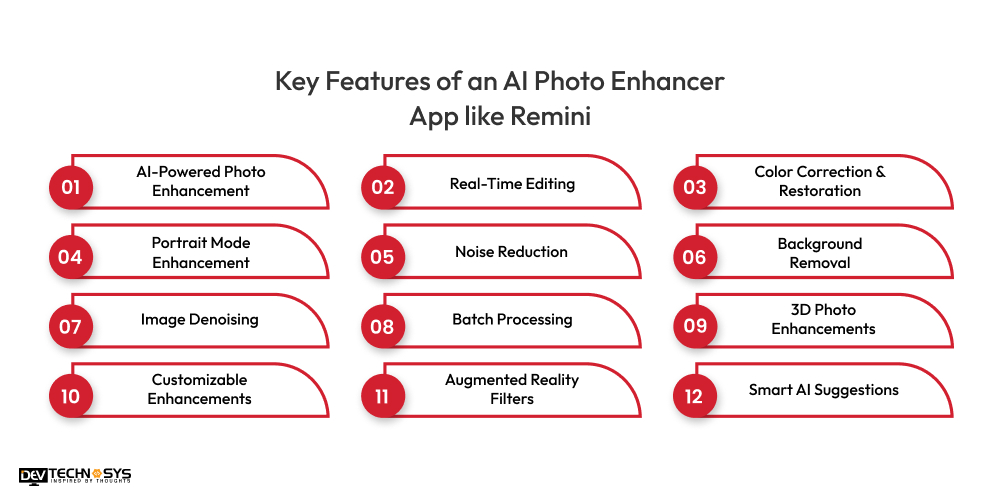
1. AI-Powered Photo Enhancement
Use AI to improve photo quality by enhancing details, resolution, and sharpness. The AI-powered photo editor feature can automatically enhance old, blurry, or low-resolution images into clear, high-definition photos.
2. Real-Time Editing
Allow users to see instant results as they adjust their photos. This real-time feedback is crucial for an engaging user experience.
3. Color Correction & Restoration
A custom mobile app development company can add this feature. Users can restore faded colors and improve contrast, brightness, and saturation to make photos look fresh and vibrant.
4. Portrait Mode Enhancement
Focus on improving portraits by smoothing skin, enhancing facial features, and correcting lighting imperfections, similar to the AI in Remini.
5. Noise Reduction
Use AI to remove unwanted noise from photos, particularly in low-light or high-ISO images, making them cleaner and more professional.
6. Background Removal
Automatically detect and remove backgrounds from photos, which can be useful for creating profile pictures or promotional content.
7. Image Denoising
Similar to an app like Pixlr, AI-driven denoising helps refine images that may have grainy textures, especially those taken in low-light conditions.
8. Batch Processing
When you create an app like Remini, allow users to enhance multiple photos at once, saving time when working with large volumes of images.
9. 3D Photo Enhancements
Similar to an app like Photoshop, users can create depth and dimension in photos, turning flat images into 3D-like visuals to add a dynamic feel.
10. Customizable Enhancements
You must allow users to fine-tune their photo enhancements manually like adjusting sharpness, brightness, and saturation, giving them more control.
11. Augmented Reality Filters
When you develop an app like Remini, you should integrate AR filters that let users apply virtual elements to their photos for fun, interactive edits.
12. Smart AI Suggestions
You should allow your app to analyze photos and suggest improvements or enhancements based on the image content.
Top 5 AI Photo Enhancer Apps like Remini
There are plenty of AI photo enhancer applications like Remini in the market with a huge user base. So, if you want to stand out, you need to analyze competitor apps. We have listed down some of the best apps like Remini AI.
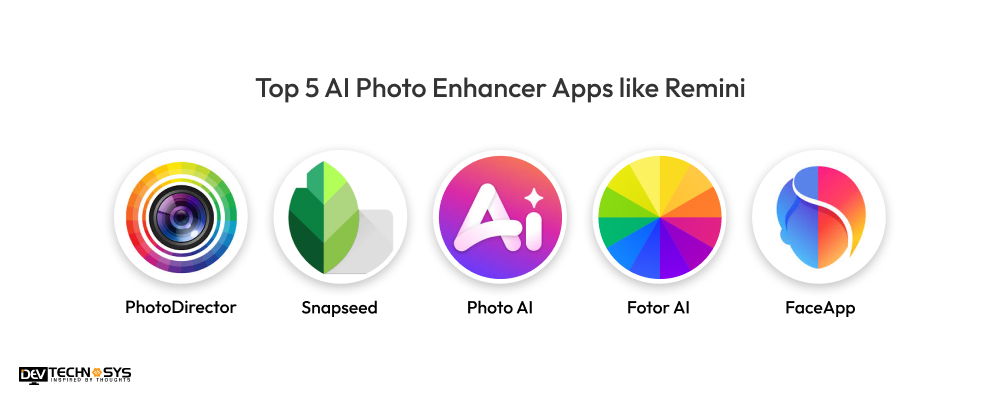
Top Alternatives to Remini |
Available Platforms |
Downloads |
Ratings |
| PhotoDirector | Android | iOS | 50M+ | 4.3 |
| Snapseed | Android | iOS | 100M+ | 4.1 |
| Photo AI | Android | iOS | 10M+ | 3.2 |
| Fotor AI | Android | iOS | 10M+ | 3.6 |
| FaceApp | Android | iOS | 500M+ | 4.5 |
How Much Does it Cost to Develop an App like Remini?
The cost to build an app like Remini can range between $10000 – $25000. However, the actual Remini app development cost relies on different factors like app complexity, features, tech stack etc.
Let’s say, you want to develop a simple app with basic photo enhancer features, then it will cost you less. However, if you want some customization in your app, then the cost to develop an app like Remini can increase.
So, it is essential to first plan your budget by consulting with an AI development company before starting the project. Now let’s check out some crucial factors that affect the Remini app development cost.
1. App Features and Functionalities
The more advanced features you want in your AI photo enhancer app development solution, the higher the cost. Basic functionalities like uploading photos and applying filters will cost less compared to adding AI-based photo enhancement, real-time editing, batch processing, or old photo restoration.
If you also want features like face recognition or video enhancement, it’ll require more time and skilled video editing app development services providers, leading to a higher budget.
Feature |
Estimated Cost |
| Basic Image Enhancement | $300 – $600 |
| Basic Unblurring | $400 – $800 |
| Simple Noise Reduction | $300 – $600 |
| Basic UI/UX Design | $500 – $1000 |
| Image Upload & Download | $200 – $400 |
| Basic Image Cropping/Rotation | $100 – $300 |
2. Platform Choice
Are you building the Remini generated with AI for Android, iOS, or both? Developing an AI photo enhancer app like Facetune or Remini for a single platform is usually cheaper.
However, targeting both platforms requires extra AI photo enhancer app development time and testing, increasing the overall cost. Your audience type and app goals can help you decide the best platform to begin with.
Platform Type |
Cost Estimation |
| Android App | $12000 – $25000 |
| iOS App | $10000 – $22000 |
| Cross-Platform App | $8000 – $20000 |
3. UI/UX Design Complexity
AI Apps like Remini attract users with their simple, modern, and user-friendly interface. So, if you invest in high-quality UI/UX design, it makes the app more engaging but can add to the Remini AI app development cost. If you want animations, custom graphics, or a highly intuitive interface, be ready for a higher budget allocation.
UI/UX Design Complexity Level |
Estimated Cost (USD) |
| Basic | $1,000 – $1,800 |
| Intermediate | $1,800 – $3,000 |
| Complex | $3,000 – $4,000 |
4. Location of Development Team
The hourly rate of developers varies across regions. Hiring an AI photography app development team from North America or Western Europe will be more expensive compared to hiring from Asia or Eastern Europe. Also, a highly experienced team may charge more but will likely deliver a better product faster and with fewer issues.
Region |
Average Hourly Rate($) |
| United States | 80 – 150 |
| Western Europe | 80 – 100 |
| Australia | 70 – 130 |
| India | 15 – 30 |
| Southeast Asia | 40 – 60 |
How to Monetize Your Remini Clone App?
If you’ve built an app similar to Remini photo enhancer, it’s time to think about how to make money from it. By combining these monetization strategies, you can build a steady income stream while giving users real value. Here are the effective and user-friendly ways to monetize your Remini clone app:
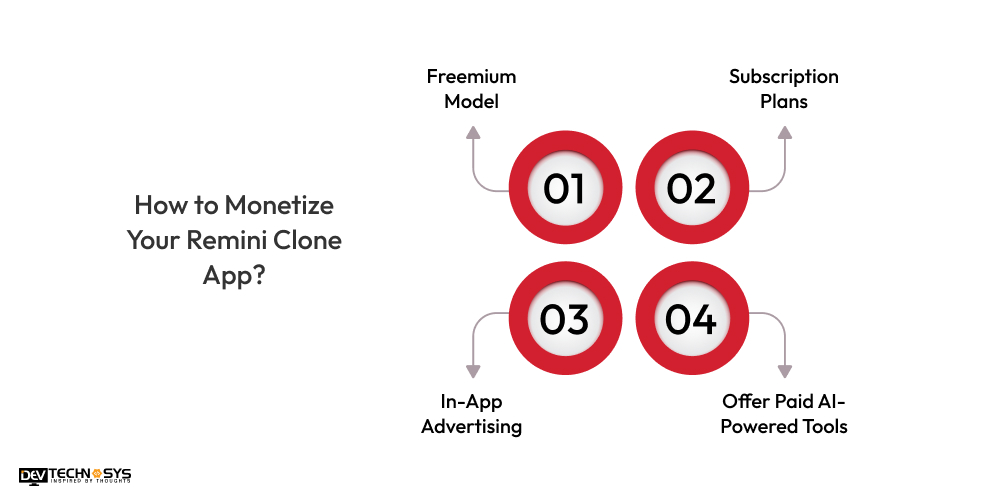
1. Freemium Model
The freemium model is one of the most popular ways to earn money from a Remini AI app clone. You can offer basic features like simple photo enhancement for free and charge users for advanced options. These premium features could include HD restoration, batch processing, or old photo colorization. Users get a taste of what your smart photo enhancer
apps can do and are more likely to pay for more powerful AI-based image enhancement tools once impressed.
2. Subscription Plans
If your Remini-ai photo restoration app offers ongoing value, such as unlimited photo restoration, priority access to new features, or cloud storage, consider adding monthly or yearly subscription packages.
For example, your photo editing app development solutions can offer a basic plan for casual users and a premium plan for professional users like photographers. Subscriptions provide a steady income and help maintain long-term engagement.
3. In-App Advertising
Displaying ads is a great way to generate revenue from users who don’t want to pay. Similar to Lightroom, you can integrate non-intrusive ads like banners or rewarded video ads that allow users to unlock a feature temporarily in exchange for watching. Just make sure the ad experience doesn’t annoy users, otherwise, it might drive them away instead of converting them to paying customers.
4. Offer Paid AI-Powered Tools
Since Remini clone apps use AI to enhance and repair images, you can create specific tools that solve unique problems, like removing watermarks, background replacement, or turning photos into digital art.
These tools can be locked behind a small one-time payment or offered as part of a feature bundle. This allows users to customize their app experience based on their needs.

Final Thoughts
Now that you understand the process to develop an app like Remini, it’s the perfect time to bring your idea to life. With the right features, technology, and a solid development plan, your AI photo enhancer app can become a reality.
However, if you’re unsure about where to start, it’s always a great idea to hire a video editing app development company. They can guide you through the entire process, ensuring your app is built efficiently and meets all your goals. Don’t wait—start your journey today!
FAQs
Q1. How Long Does It Take To Build An App Like Remini?
The estimated time to create an AI photo enhancer application like Remini can be between 2 – 6 months. However, the exact development time depends on your business requirements.
Q2. How Much Does It Cost To Develop An App Like Remini?
The Remini app development cost relies on different factors like app complexity, tech stack, design, features, and so on. Generally, AI photo enhancer app development can range between $10000 – $25000 or more.
Q3. How to Develop An AI Photo Enhancer App?
- Know your target audience
- Define features list
- Make a user interface
- Develop an MVP
- Test and launch the app
Q4. What Are the Benefits of AI Photo Enhancer App Development?
- Enhanced user engagement
- Upscaling and Resizing
- Boost brand visibility
- Adjusting lightning
- Remove unwanted background
Q5. How to Monetize Your AI Photo Enhancer App?
To earn money from AI picture enhancer applications, follow the below methods:
- Freemium model
- Subscription model
- In-app advertisement
- Offer paid AI-powered Tools
- Collaboration model














