

















Thinking about building a mobile app but unsure where to start?
Flutter makes it simple and powerful.
Developed by Google, Flutter is an open-source framework that lets you create beautiful, high-performance apps for iOS, Android, web, and even desktop, all from a single codebase.
No more juggling multiple platforms or rewriting code.
Whether you’re a startup founder with a big idea or a developer exploring new tools, Flutter offers fast development, stunning UI, and smooth performance right out of the box.
Key takeaways:
-
- Use Flutter’s flutter create command to scaffold your mobile app project with pre-configured directories and files.
- To manage dependencies and packages, edit the pubspec.yaml file and run flutter pub get.
- During Flutter app development, use flutter run and Hot Reload to test changes instantly on emulators or real devices.
- Create widgets using Dart to build UI components; start with main.dart as the app’s entry point.
With its “write once, run anywhere” approach, you can launch quickly and save time and resources.
In this blog, we’ll walk you through the step-by-step process of how to build an app with Flutter, from setting up your environment to deploying your finished product.
Let’s make your app idea a reality with Flutter; it’s easier than ever.
What is Flutter?
Flutter is a set of open-source tools for making UI software. It was made by Google. Using the Dart computer language, it lets writers make fully compiled apps for mobile, web, and PC from a single codebase.
Flutter has a fast development cycle, a lot of tools that can be changed, and a fast drawing engine. This makes it perfect for quickly making cross-platform apps that look good and work the same on all devices.
Why Choose Flutter?
Flutter offers a powerful toolkit for building beautiful, high-performance apps from a single codebase. With fast development, rich UI components, and support for multiple platforms, it’s an ideal choice for developers seeking efficiency and flexibility.
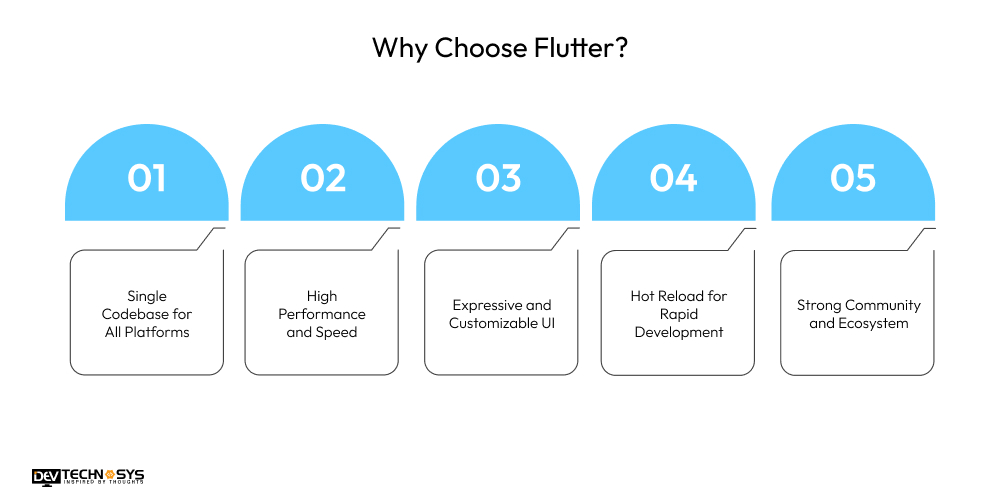
1. Single Codebase for All Platforms
Flutter lets you develop a single codebase across Android, iOS, web, and desktop apps. This significantly saves development time and maintenance costs while providing uniform functionality and design across platforms, eliminating the need for distinct development teams for each operating system.
2. High Performance and Speed
Flutter compiles straight to native ARM code, which leads to beautiful animations and quick app performance. Its unique rendering engine skips platform UI layers, allowing for consistent behavior and eliminating jank or frame dips, which is critical for contemporary, responsive user experiences on mobile.
3. Expressive and Customizable UI
Flutter’s comprehensive widget library allows you to Flutter UI design rich, adaptable user interfaces that look beautiful on any screen. Whether you utilize Material design Flutter, Cupertino (iOS style), or your own design system, Flutter allows you to complete control over each pixel to create stunning, branded user experiences.
4. Hot Reload for Rapid Development
Hot reload allows developers to observe the consequences of code changes without restarting the program. This speeds Flutter mobile app development, debugging, and UI tuning, allowing for faster experimentation and iteration, increasing productivity and shortening the feedback loop throughout the build process.
5. Strong Community and Ecosystem
Flutter has a thriving and expanding community, with thousands of packages on pub.dev that improve app features. Google-backed, it’s utilized by big corporations and comes with extensive documentation, tutorials, and tools to help developers learn, debug, and scale.
Want a chatbot demo or pricing? Fill the form and talk to our experts today.
Pick what you need below — you can select more than one — then tap Get detail to continue.
-
Chatbot demo dashboard
-
Cost to develop an app
-
Industry report
-
Case study
Project Planning and Scope
Before diving into code, define what you’re building. Good planning will save you from countless hours of refactoring. So, let’s start the Flutter app development tutorial:
Ask yourself:
- What problem is this app solving?
- Who is the target user?
- What are the must-have features?
- What platforms will it run on?
Example Project: Simple Task Manager
We’ll walk through creating a task manager app where users can:
- Add new tasks
- Mark tasks as completed
- Delete tasks
- Store data locally
Setting Up Your Development Environment
To build an app with Flutter, you’ll need the following:
Prerequisites
- Flutter SDK
- Dart SDK (bundled with Flutter)
- IDE (VS Code or Android Studio)
- Emulator or real device
Installation Steps
- Download Flutter from flutter.dev.
- Extract and add Flutter to your PATH.
Run:
bash
CopyEdit
flutter doctor
- This command checks your system for dependencies and suggests fixes.
- Install plugins:
Flutter and Dart extensions for VS Code or Android Studio.
Creating Your First Flutter Project
In the terminal:
bash
CopyEdit
flutter create task_manager
cd task_manager
flutter run
This creates a starter app and runs it on your connected device or emulator.
Understanding the Flutter Architecture
Flutter’s architecture is widget-centric. Everything, from a text label to an entire screen, is a widget.
There are two types of custom widgets in Flutter:
- StatelessWidget: immutable and static.
- StatefulWidget: dynamic and changes over time.
Flutter apps follow a tree-like structure where parent widgets contain child widgets. Understanding this hierarchy is key to writing effective Flutter UI.
Building the UI
Let’s start building the UI for our task manager.
Main Entry Point – main.dart
dart
CopyEdit
void main() => runApp(MyApp());
class MyApp extends StatelessWidget {
@override
Widget build(BuildContext context) {
return MaterialApp(
title: ‘Task Manager’,
home: TaskHomePage(),
theme: ThemeData(
primarySwatch: Colors.indigo,
),
);
}
}
Home Screen – TaskHomePage
dart
CopyEdit
class TaskHomePage extends StatefulWidget {
@override
_TaskHomePageState createState() => _TaskHomePageState();
}
class _TaskHomePageState extends State<TaskHomePage> {
final List<String> _tasks = [];
final _controller = TextEditingController();
void _addTask() {
final task = _controller.text;
if (task.isNotEmpty) {
setState(() {
_tasks.add(task);
});
_controller.clear();
}
}
void _deleteTask(int index) {
setState(() {
_tasks.removeAt(index);
});
}
@override
Widget build(BuildContext context) {
return Scaffold(
appBar: AppBar(title: Text(‘Task Manager’)),
body: Column(
children: [
Padding(
padding: const EdgeInsets.all(16.0),
child: TextField(
controller: _controller,
decoration: InputDecoration(
labelText: ‘New Task’,
suffixIcon: IconButton(
icon: Icon(Icons.add),
onPressed: _addTask,
),
),
),
),
Expanded(
child: ListView.builder(
itemCount: _tasks.length,
itemBuilder: (context, index) {
return ListTile(
title: Text(_tasks[index]),
trailing: IconButton(
icon: Icon(Icons.delete),
onPressed: () => _deleteTask(index),
),
);
},
),
),
],
),
);
}
}
Managing State
For small apps, managing state with setState() is acceptable. However, for more complex apps, you’ll want to use a state management solution such as:
- Provider
- Riverpod
- Bloc
- GetX
Example with Provider
dart
CopyEdit
class TaskProvider with ChangeNotifier {
final List<String> _tasks = [];
List<String> get tasks => _tasks;
void add(String task) {
_tasks.add(task);
notifyListeners();
}
void remove(int index) {
_tasks.removeAt(index);
notifyListeners();
}
}
Wrap your app in ChangeNotifierProvider and use Consumer<TaskProvider> to update widgets.
Adding Functionality
Once the UI is functional, think about adding features like:
- Checkboxes to mark tasks as done
- Timestamps for task creation
- Categories or labels
- Search and filter
Add a model class:
dart
CopyEdit
class Task {
final String title;
bool isDone;
final DateTime created;
Task(this.title, {this.isDone = false, DateTime? created})
: this.created = created ?? DateTime.now();
}
Use a list of Task objects instead of simple strings.

Persisting Data
To store data locally:
SharedPreferences
- Stores key-value pairs.
- Easy for basic data.
Hive
- Lightweight and fast NoSQL storage.
- Works well with Flutter.
Sqflite
- SQLite database.
- Better for complex relational data.
Example using Hive:
dart
CopyEdit
var box = await Hive.openBox(‘tasksBox’);
await box.put(‘tasks’, taskList);
var tasks = box.get(‘tasks’);
Testing Your App
Flutter supports three types of testing:
Unit Tests
Test your business logic.
dart
CopyEdit
test(‘Add task’, () {
final model = TaskProvider();
model.add(‘Test’);
expect(model.tasks.length, 1);
});
Widget Tests
Test UI widgets in isolation.
Integration Tests
Test full app flow on a device.
Use flutter test to run tests from the command line.
Building and Deploying
In the last stage to build an app with Flutter, it’s time to publish the app on the selected platforms:
Android
bash
CopyEdit
flutter build apk
iOS
Use Xcode or:
bash
CopyEdit
flutter build ios
Web
bash
CopyEdit
flutter build web
Publishing
- Google Play: Upload .apk or .aab through Google Play Console.
- App Store: Submit through Xcode and Apple Developer Account.
- Web: Host built site on Firebase, Netlify, or Vercel.
Best Practices for Flutter Mobile App Development
Mastering Flutter requires more than just writing code; it demands clean architecture, optimal performance, and maintainable UI structures. These best practices for Flutter development will guide you in building cross-platform apps with Flutter.

1. Keep Widgets Small and Reusable
Break down large user interfaces into smaller, reusable widgets. This increases code readability, simplifies debugging, and improves app speed. Small widgets are also more testable and easier to maintain, allowing for speedier development and more modularity across the project.
2. Implement Effective State Management
Depending on the complexity of your project, choose the appropriate state management technique (such as Provider, Riverpod, or Bloc). Managing state efficiently reduces UI rebuilds, avoids performance bottlenecks, and assures predictable data flow, making your app more scalable and manageable as it expands.
3. Optimize Building Methods
Avoid inserting complex logic within widget construction methods. Hire Android app developers to use const constructors wherever feasible, and remove widgets to avoid wasteful rebuilds. Efficient build approaches improve Flutter responsive UI, memory use, and provide smoother animations on devices of varying performance levels.
4. Use Async/Await for Non-Blocking UI
Do not block the main thread with time-consuming activities. Use async and await for tasks like as API requests and file I/O. This minimizes UI freezes, assures smooth user interaction, and improves the perceived performance of your Flutter app.
5. Use Flutter DevTools Frequently
Use Flutter DevTools for debugging, analyzing widget trees, identifying performance concerns, and visualizing rebuilds. Hire Flutter developers who understand rendering behavior, memory allocation, and Flutter layout design efficiency, allowing for faster issue fixes and improvements throughout the development lifecycle.
Real-World Use Cases of Flutter
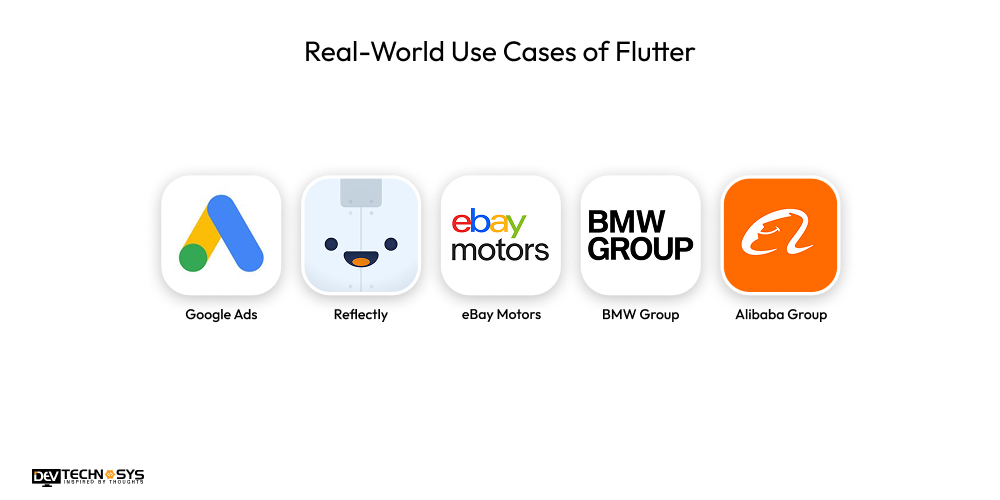
Flutter powers apps for global giants like Google, BMW, and Alibaba, proving its versatility in diverse industries. These real-world examples highlight Flutter’s capability to build high-performance, cross-platform apps with stunning UIs and seamless user experiences.
1. Google Ads
Flutter is used in the development of Google’s official Ads app, which enables marketers to oversee campaigns while on the go. Hire dedicated developers to integrate editing tools, campaign data, and real-time notifications.
Flutter’s dependability in producing high-performance apps with responsive user interfaces and consistent functionality across both Android and iOS devices is demonstrated by the smooth cross-platform experience.
2. Reflectly
Flutter is used by Reflectly, an AI-powered journaling software, to create a stunning, dynamic, and captivating user experience. Flutter was selected by the creators because to its native efficiency, expressive user interface, and short development cycle.
Its success demonstrates how Flutter can power emotionally compelling, aesthetically rich lifestyle applications with just one codebase and a little amount of resources.
3. eBay Motors
eBay Motors quickly developed a powerful program for perusing, purchasing, and selling automobiles by utilizing Flutter. Hire mobile app developers to create a seamless experience with cutting-edge features like secure payments, bidding, and real-time chat. It illustrates how Flutter can quickly and scalably manage intricate eCommerce features across platforms.
4. BMW Group
BMW’s My BMW app, which offers car information, remote access capabilities, and service booking, is developed and maintained using Flutter. BMW guarantees feature parity and design uniformity across international markets by utilizing Flutter’s shared codebase. It is a powerful example of Flutter’s enterprise-level capabilities and scalability.
5. Alibaba Group
Flutter was used in the creation of Alibaba’s Xianyu app, a marketplace for used items, in order to ensure excellent performance and speed. With millions of users, the application demonstrates Flutter’s effectiveness in providing a responsive user interface, quick rendering, and seamless interactions, making it appropriate even for expansive, heavily used commercial platforms.
Conclusion
In conclusion, build an app with Flutter is an efficient process that lets you make apps quickly that work on multiple platforms using a single script. Flutter makes it easy and quick to make apps, from setting up your setup to testing and releasing them.
Working with a Flutter development company can help you make your app idea come to life with professional help and advice. This will save you time and make sure you get professional results.
Frequently Asked Questions
1. Why Should I Choose Flutter For App Development?
Flutter offers fast development, expressive UI, native performance, and a single codebase for multiple platforms.
2. What Tools Are Required To Start Flutter Development?
You need Flutter SDK, an IDE like Android Studio or Visual Studio Code, and a device emulator or real device for testing.
3. How Long Does It Take To Build an App With Flutter?
Flutter app development time varies by complexity, but Flutter’s single codebase and hot reload generally speed up step-by-step Flutter app creation significantly.
4. Can I Integrate Flutter With Existing Native Apps?
Yes, Flutter supports add-to-app, enabling seamless integration with existing Android or iOS native applications for gradual migration.
5. Can Flutter Apps Access Native Device Features?
Absolutely, Flutter uses plugins and platform channels to access native device features like camera, GPS, sensors, and more efficiently.