





















Key takeaways:
-
- The task management app market is booming, with an expected reach of $26.36 billion by 2030.
- The cost to develop an app like Notion ranges from $8,000 to $25,000, depending on the chosen tech stack, desired features, and any required third-party integrations.
- Start-ups and entrepreneurs can earn extra from monetization strategies like freemium Model, in-app purchases, and affiliate partnerships & integrations.
Are you tired of juggling between endless documents and to-do lists? Then, manage everything with a simple, smart, and stress-free app, just like Notion.
Do you feel buried under endless tasks, unorganized notes, piles of work, and too many apps? You are not alone, and there is a smart way to manage all these things. Want to know the secret? It’s an AI-powered app like Notion. Imagine a single app that helps you plan projects and extract key points from mixed-up notes.
This is the power of a modern task management tool, which helps you to enjoy the freedom of organizing everything simply and flexibly. The demand for these apps is growing at a faster rate, and this market is expected to reach $26.36 billion by 2030.
So, do you want to develop an app like Notion as per your audience’s demand? Then you at the right place, as here in this blog we will guide you to make the AI note-taking app by keeping it powerful, user-friendly, and future-ready.
What is Notion?
Notion is a powerful and all-in-one app that helps users stay organized. With this app, you can take notes, plan projects, create a to-do list, and manage work with others efficiently. Notion offers features such as a task manager, calendar, and notebook, where you can add files, images, and links.
This task management application also offers natural language processing services, where AI assists in understanding human language and provides suggestions related to deadlines and task priorities.
AI Note Taking Market Size
- The global market for AI apps was valued at approximately $2.94 billion in 2024 and is projected to reach $26.36 billion by 2030.
- The AI note-taking market is projected to reach approximately $2.54 billion by 2033, indicating strong growth potential.
- In 2023, North America led the market, generating over $171 million, which accounted for more than 38% of the total market share.
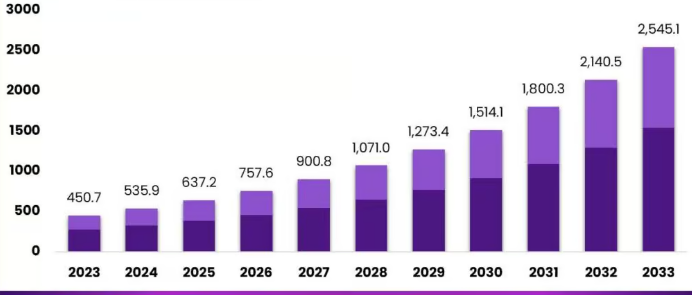
Source: https://market.us/report/ai-note-taking-market/
- Among all AI features, natural language processing (NLP) had the most significant impact in 2024, generating around $1.59 billion in revenue.
- The task management software market is expected to grow from $3.7 billion in 2025 to $11.94 billion by 2034.
Why AI Notes and Task Management Apps Are the Next Big Startup Opportunity?
The AI notes and task management app market is booming at a rapid rate, offering businesses an opportunity to grow and expand their operations globally. Find out the main reasons why businesses are investing in this market.
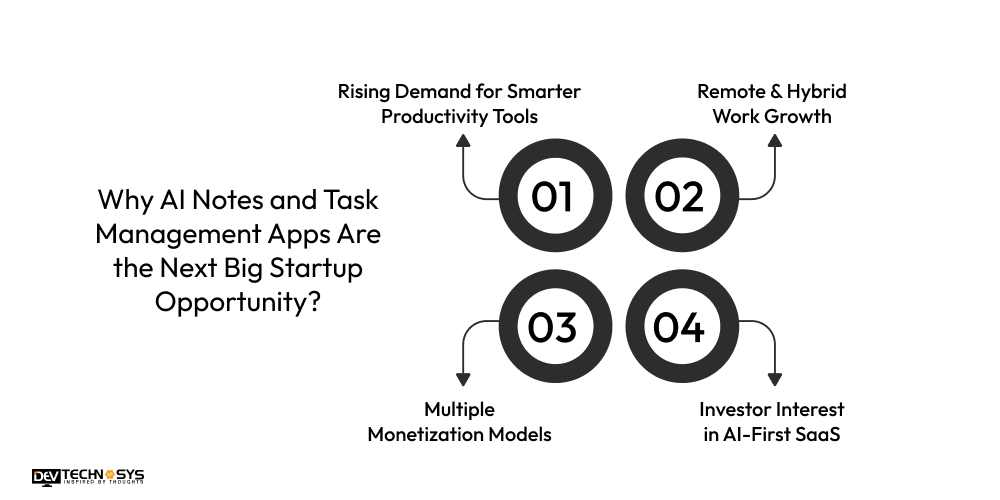
1. Rising Demand for Smarter Productivity Tools
In today’s time, people are burdened with meetings and tasks. AI-powered notes and tasks help users stay organised and updated. These apps offer automated reminders, innovative suggestions, and task management opportunities.
This increases the demand for AI-powered note-taking apps, creating a significant opportunity for businesses and startups to drive growth and success.
2. Remote & Hybrid Work Growth
Following the COVID-19 pandemic, there has been an increase in remote and hybrid work arrangements, which in turn has heightened the need for real-time collaboration and effective planning.
With AI-powered note-taking and task management, businesses can stay aligned and reduce manual effort. The growing demand for these apps provides strong opportunities for new start-ups and entrepreneurs to experience high business growth.
3. Multiple Monetization Models
The AI note-taking and task management app market is experiencing rapid growth, offering multiple monetization models that can generate additional revenue for businesses. From subscriptions to enterprise plans, firms and start-ups have the opportunity to generate revenue from different paths.
4. Investor Interest in AI-First SaaS
Investors are actively investing in AI development services and AI-driven SaaS startups, as they combine high user engagement, innovation, and recurring revenue streams.
With AI-powered note-taking and task management apps, users can now tackle real-world issues in both their personal and professional lives. In the global market, the growing demand for these apps is one of the reasons why this market is becoming a top choice for venture capital investment.
5 Popular Apps Like Notion
Let’s take a look at the five most popular task management apps, such as Notion.
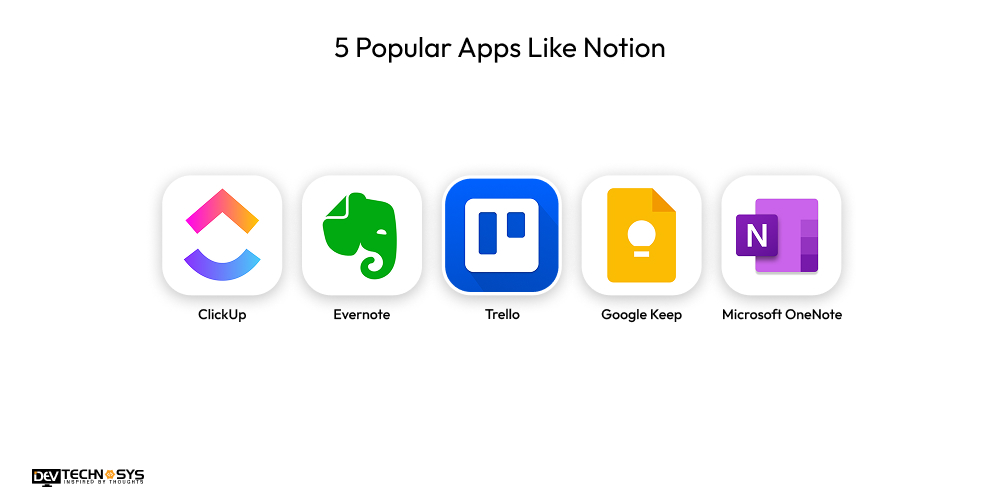
1. ClickUp
ClickUp is a powerful and globally recognized task management tool that combines goals, time tracking, tasks, and more to manage workflows effectively.
Downloads: 5M+
Platforms: Web, iOS, Android, Windows, macOS, Chrome Extension
2. Evernote
Evernote helps users to organize notes, manage tasks, capture ideas, and scan documents. This app offers professional and personal smart note-taking assistance to users.
Downloads: 100M+
Platforms: Android, iOS, Web, Windows, macOS
3. Trello
Trello utilizes cards, boards, and lists for visual task management, making it efficient for team collaboration and personal to-do tracking.
Downloads: 50M+
Platforms: Web, iOS, Android, Windows, macOS
4. Google Keep
Google Keep is a simple and highly efficient note-taking app that can be easily synced with all Google-connected devices. It offers a note-taking facility with reminders, labels, and voice notes.
Downloads: 1B+
Platforms: Android, iOS, Web, Chrome Extension
5. Microsoft OneNote
OneNote provides digital notebooks to users with drawing, handwriting support, and collaboration features with Microsoft 365 tools.
Downloads: 500M+
Platforms: Android, iOS, Windows, macOS, Web
Success Story of Notion
- The Notion journey is a true modern story, where this app began as a quiet startup and has since become a global productivity giant.
- This task management app was founded in 2013 by Ivan Zhao and Simon Last to create all-in-one tools that help users manage documents, notes, tasks, and wikis in one place.
- In 2019, Notion reached 1 million users, and by the end of 2024, it had become a billion-dollar company, providing efficient AI-powered tools and enterprise features.
Want a chatbot demo or pricing? Fill the form and talk to our experts today.
Pick what you need below — you can select more than one — then tap Get detail to continue.
-
Chatbot demo dashboard
-
Cost to develop an app
-
Industry report
-
Case study
How Notion Uses AI — And How You Can Too
Notion has quickly become one of the most productive tools, and a significant reason for its success is the way it utilizes AU to make work faster, more manageable, and easier. With the Notion app, users can write more effective notes, summarize lengthy texts, and generate content.
Notion utilizes several powerful AI tools to make note-taking faster and smarter. You can use Notion AI to streamline your work, whether you are a creator, student, or professional. This app helps you to make your day-to-day work smarter, faster, and manageable. Let’s explore the key AI features that Notion offers to its users.
- AI Writing Assistant: Notion uses AI, which helps users to write drafts, generate text,s and make improvements in the quality of documents and notes.
- Summarization: This AI tool enables users to automatically create concise summaries of lengthy notes or articles, saving time and effort.
Brainstorming & Idea Generation: With AI Notion, help users generate new ideas and outlines. This also helps in offering instant content suggestions. - Text Expansion & Rephrasing: Notion utilizes AI to rewrite sentences for tone, clarity, and style, enhancing the rephrasing efficiency of users.
- Task Extraction: Identifies tasks or action items from users’ notes, helping to organize the workflow.
- Translation: Converts text into different languages to support global teams.
Step-by-Step Process to Develop an App Like Notion
Notion app development is a process that requires awareness of systematic steps to create the app successfully. Discover the key steps to consider before creating your final plan.
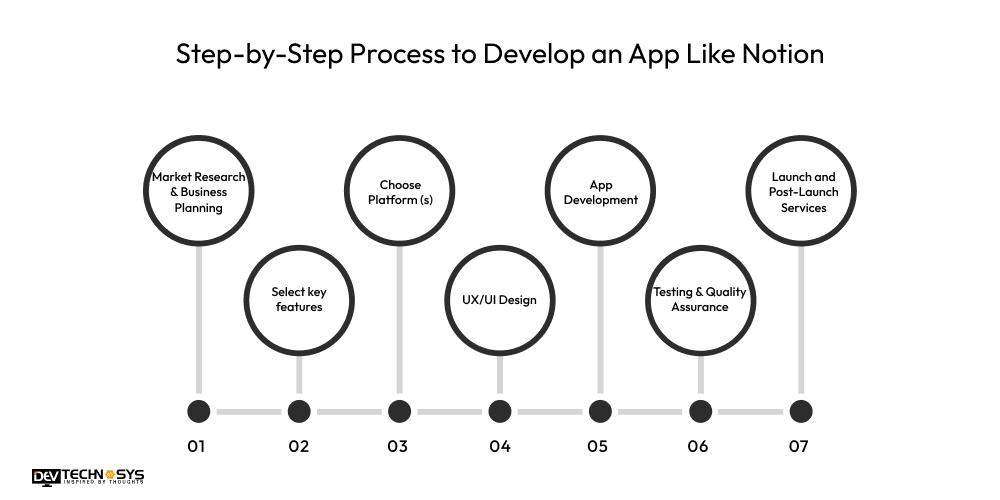
1. Market Research & Business Planning
Begin market research by examining the business strategies of similar apps, such as Notion. This helps you analyze the users’ demands and market trends. This step enables entrepreneurs to identify their target users and develop a comprehensive business plan.
Planning plays a vital role in avoiding mistakes and providing clear direction. To seamlessly build AI notes application, start-ups need to decide goals, timeline, and budget at this stage, which is helpful to make the app stand out from other competitors in the market.
2. Select key features
Analyse the main features that your AI note-taking apps need to have. For an app like Notion, consider features such as document sharing, task management, and collaboration. Entrepreneurs need to focus on incorporating features that align with the budget and the actual needs of users.
Create a mobile app with core features that capture users’ attention. For this, you can also take helpful feedback from early users before adding advanced features to your app.
3. Choose Platform (s)
Choosing a platform is an integral part of your app development process, where you need to decide whether you want to run your app on iOS, Android, web, or all three platforms. Here, entrepreneurs must consider their target audience and where they are most likely to be active.
With the help of selecting the right platform, start-ups can easily reach users. A mobile app development agency can help seek professional advice when choosing a platform that suits your budget.
4. UX/UI Design
Productivity management apps must be designed in a way that makes them easy and intuitive to use. The user experience (UX) must be seamless, allowing users to use the app without confusion.
The user interface, inclusive of layouts, colors, and fonts, makes an app like Notion look modern and well-designed. Entrepreneurs must understand that good design is crucial for the task management app development process as it enables users to enjoy the app without unnecessary complexity.
5. App Development
The AI notes app development stage requires developers to build the app using code. With the help of frontend, backend, and database, skilled developers build the app successfully.
An iOS app development company helps you utilize tools like Flutter or React Native to build a note-taking app compatible with both mobile platforms and the web.
Entrepreneurs must ensure that the app development stage proceeds according to the business plan. It helps in staying committed to the app blueprint that was created during the market research stage.
6. Testing & Quality Assurance
For Notion-like app development start-ups, it is essential to test the app carefully before launching to identify potential problems and bugs. Additionally, you need to test that all features in the AI task manager app function smoothly on all devices.
With the help of gathering feedback from real users, you can address issues at an early stage. Quality assurance is crucial as it ensures the app meets the goals and expectations of users. A well-tested app helps entrepreneurs build trust and reduces the likelihood of negative reviews after the app’s launch.
7. Launch and Post-Launch Services
After testing, release your AI note-taking app on selected platforms to the public. You must ensure that they have a solid launch plan to launch the application on multiple stores successfully.
Entrepreneurs to build an app like Todoist must keep a close eye on user feedback to analyze app performance. Updating the app post-launch based on user feedback helps you constantly improve the efficiency and scalability of the app.
Notion vs. ClickUp: Which Productivity Tool Is Better in 2025?
Refer to the comparison table below to examine the key differences between Notion and its primary competitor, ClickUp.
Feature |
Notion |
ClickUp |
| Best For | All-in-one workspace for notes, docs, tasks, and wikis — ideal for individuals and teams | Advanced task and project management with team collaboration tools |
| User Interface | Sleek, distraction-free, and highly customizable UI for flexible workflows | Rich interface with lots of features, may feel cluttered to some users |
| Task Management | Integrated task lists, kanban boards, calendars, and reminders — great for light to medium workflows | Robust task management with complex features like Gantt charts and dependencies |
| AI Capabilities | Notion AI enhances writing, summarizing, and ideation with a smooth, built-in experience | ClickUp AI focuses more on productivity automation and task suggestions |
| Note-Taking & Documentation | Industry-leading in note-taking, page linking, and building personal or team knowledge bases | Basic note features that support tasks, but are less flexible for documentation |
| Customization | Deep customization with databases, templates, and page layouts tailored to any workflow | Highly customizable tasks and dashboards, but they can overwhelm new users |
| Collaboration | Real-time editing, comments, mentions, and teamspaces for seamless teamwork | Powerful team tools with chats, whiteboards, and project timelines |
| Integrations | Supports Slack, GitHub, Google Drive, Zapier, and many more — expanding rapidly | Wide variety of integrations with business tools and communication platforms |
| Pricing (2025) | Free forever plan with generous features; paid starts ~$8/user/month | Free plan available; paid starts ~$7/user/month |
| Mobile Experience | Smooth and elegant mobile app with full note and task access | Strong mobile functionality focused on team tasks |
| Learning Curve | Easy to start, scales with your needs — intuitive for new users | Steeper learning curve due to complexity and feature depth |
What Makes Notion So Popular?
Notion is popular because it replaces multiple applications, such as project management tools, note-taking apps, and to-do lists, in a single app. With this, users can stay organised without feeling overburdened.
With more than 100 million users in 2024, this app brings everything users need, including databases, notes, calendars, tasks, and wikis, all in one place. This helps you create a flexible and powerful workspace where you can manage your work effectively.
Must-Have Features for AI Notes & Task Management Apps
Discover the must-have features that are essential for your task management app to ensure seamless functionality and performance.
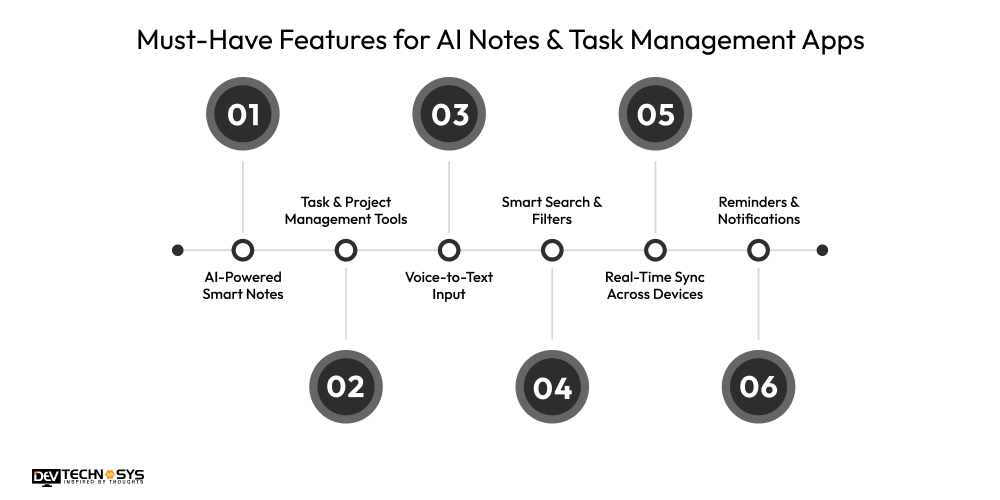
Essential Feature |
Description |
| AI-Powered Smart Notes | Uses AI to summarize, organize, and tag notes intelligently. Helps users focus on key points and keeps content clear, searchable, and well-structured. |
| Task & Project Management Tools | Enables users to create, assign, prioritize, and track tasks and projects efficiently. Keeps work organized and manageable. |
| Voice-to-Text Input | Converts speech into text for quick note-taking or task creation. Boosts speed and hands-free productivity. |
| Smart Search & Filters | Allows users to quickly find notes or tasks using keywords, tags, and filters. AI improves accuracy and context-based suggestions. |
| Real-Time Sync Across Devices | Automatically syncs all content across phones, tablets, and desktops, ensuring seamless access and updates from any device. |
| Reminders & Notifications | Sends timely alerts for tasks, deadlines, and notes, helping users stay on schedule and avoid missing important events. |

Advanced Features for AI Notes & Task Management Apps
Find out what some advanced features are that help you make your AI task management app unique and different from other competitors in the market.
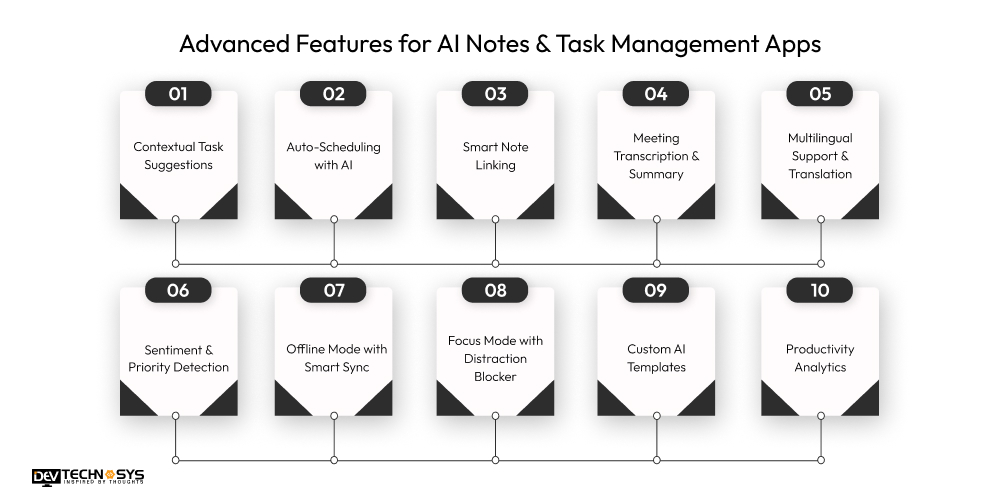
-
Contextual Task Suggestions
AI can read notes and provide automatic suggestions, which helps save time and allows users to stay organized without manual intervention.
-
Auto-Scheduling with AI
AI seamlessly finds free time slots in users’ schedules and calendar tasks, helping to balance the day by avoiding overlaps. With this feature, the user can manage their time more effectively.
-
Smart Note Linking
This feature in the app enables AI to connect related notes, helping users quickly find information. Here, you can find all essential information in a single place.
-
Meeting Transcription & Summary
With AI, users can record voice and meeting notes and convert them into important information in text, summarizing key points. It helps you to have clear action steps and save time.
-
Multilingual Support & Translation
Creating an AI note-taking app that supports multiple languages also enables users to translate their notes into any language they prefer. This helps you to reach a global audience and ensure high scalability and reach.
-
Sentiment & Priority Detection
AI in a task management app scans notes and tasks, which easily detect mood and urgency. With this, users can prioritize tasks that require immediate attention based on their time sensitivity.
-
Offline Mode with Smart Sync
Here, in this feature, AI enables users to work on tasks and notes offline. Once you are back in online mode, the task management app syncs everything automatically.
-
Focus Mode with Distraction Blocker
This mode helps you stay focused by blocking distractions, such as notifications or social media apps. It also tracks users’ work sessions, which helps improve overall productivity.
-
Custom AI Templates
AI in note-taking apps enables users to create their own intelligent templates. This allows users to track their progress and maintain consistent work efficiency.
-
Productivity Analytics
With this feature in task management apps, AI helps in tracking the time users spend on each task. This shows reports on their focus areas, completed work, and habits. It improves overall productivity and time.
The Cost to Develop an App Like Notion
The cost to build an app like Notion is $8,000 to $25,000. Depending on the features, tech stack, UX tools, and third-party integration, this cost fluctuates. The features and complexity are the most important aspects, as high-end features are often more costly than basic ones.
To build an app like Notion, entrepreneurs and start-ups need to analyse different factors that affect the cost of app development. You must understand that app development continues to evolve based on user expectations and goals, where planning wisely helps you build a task management app within your budget.
App Type |
Estimated Cost |
Development Time |
| Basic MVP App | $8,000 – $12,000 | 2 – 3 Months |
| Standard App | $13,000 – $20,000 | 3 – 5 Months |
| Feature-Rich App | $20,000 – $25,000 | 5 – 6 Months |
| Custom Enterprise-Grade App | $26,000 – $30,000 | 6 – 8 Months |
Key Factors That Affect the Cost to Develop An App Like Notion
The cost of make an app like Notion is affected on the basis of several factors. So, let’s identify the factors that affect the cost of an AI task management app.
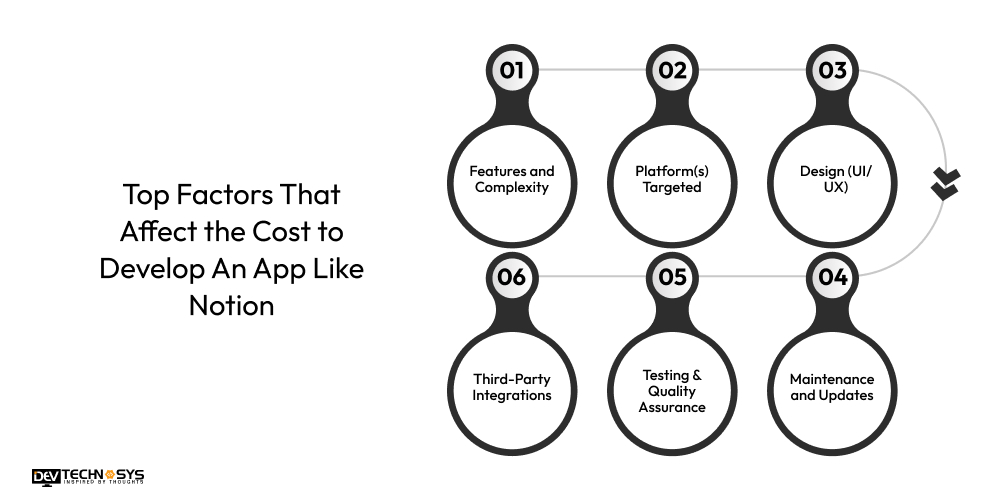
1. Features and Complexity
The cost to develop an app like Notion will increase when you include more features, such as offline mode, AI tools, or task management, as it requires more time and code. Complex features need additional backend support and testing. A productivity app development company helps start-ups create an app within their budget.
Feature Complexity |
Cost |
Time |
| Basic Listings & Search | $2,200 – $4,200 | 1 – 2 Months |
| Intermediate (Chat, Filters, Profile) | $5,300 – $8,300 | 2 – 3 Months |
| Advanced (AI, AR, Blockchain) | $5,500 – $7,600 | 3 – 4 Months |
2. Platform(s) Targeted
Developing a task management app for multiple platforms, such as Android, iOS, and the web, automatically increases the building, testing, and optimization process for each system.
It increases the cost and time of Notion clone app development. You can choose frameworks like React Native and Flutter to reduce costs, as they allow for the same code to be used for developing on multiple platforms.
Platform Complexity |
Cost |
Time |
| iOS, Android only, and Web | $2,400 – $4,700 | 1 – 3 Months |
| All (Native) | $5,300 – $9,300 | 2 – 3 Months |
| Cross-Platform | $5,400 – $9,300 | 3 – 4 Months |
3. Design (UI/UX)
Design is an essential aspect of an app, which helps ensure user retention and satisfaction. An engaging, clean, and simple design takes time to test, wireframe, and plan. However, if entrepreneurs want to have advanced animations, user research, and interactive tools, then it increases the Notion app development cost.
UI/UX Complexity |
Cost |
Time |
| Basic UI | $1,500 – $2,400 | 2 – 3 Weeks |
| Custom & Responsive UI/UX | $2,500 – $4,800 | 1 – 2 Months |
| High-End Interactive Design | $5,300 – $7,300 | 2 Months |
4. Third-Party Integrations
Integrating third-party tools, such as AI APIs, Google Drive, Dropbox, and Slack, increases development complexity. Every third-party service has its security requirements, API rules, and limits. By taking expert advice from a chatbot development company you can ensure seamless functionality and efficiency of the app, which might increase the cost.
Third-party integration Complexity |
Cost |
Time |
| Basic Backend (CRUD APIs) | $2,300 – $3,300 | 2 – 3 Weeks |
| Scalable Backend + DB | $4,800 – $7,300 | 1 – 3 Months |
| Third-party Integrations | $3,600 – $6,300 | 1 – 2 Months |
5. Testing & Quality Assurance
To create an app like Notion, it is essential to test every feature across various platforms and devices to prevent crashes and bugs. Entrepreneurs can boost productivity and build a more innovative task management app with expert AI consulting services. Different types of testing, such as debugging, manual testing, and automated testing, increase the cost to build an app like Notion.
Testing Complexity |
Cost |
Time |
| Manual Testing Only | $9,300 – $1,900 | 2 Weeks |
| Manual + Automated Testing | $1,600 – $3,800 | 3 – 4 Weeks |
| Advanced Testing + Security Audits | $3,900 – $5,800 | 1 Month |
6. Maintenance and Updates
To develop a Notion app clone, maintenance is one of the most crucial aspects, as it enables you to fix bugs, enhance features, and release updates based on user feedback.
As technology continues to evolve, regular updates are essential to secure the task management app from vulnerabilities. However, maintenance also includes adding new tools, features, and API, which increase the cost to develop artificial intelligence project.
Maintenance Complexity |
Cost |
Time |
| Basic (Bug Fixes, Minor Updates) | $1,800 – $2,700 | Ongoing Monthly |
| Standard (Feature Updates, Monitoring) | $3,300 – $5,700 | Ongoing Monthly |
| Premium (24/7 Support) | $6,800 – $8,300 | Ongoing Monthly |
Best Tech Stack To Make Apps Like Notion
The selection of the tech stack is the most crucial stage in create an app like Notion. By choosing the right tech stack, start-ups can create an AI app that leverages a combination of programming languages, technologies, frameworks, and tools.
Category |
Recommended Tools/Technologies |
Purpose |
| Frontend (Web) | React.js, Next.js | Building responsive and dynamic user interfaces |
| Frontend (Mobile) | Flutter or React Native | Cross-platform mobile app development for iOS and Android |
| Backend | Node.js, Django (Python), or Ruby on Rails | Handles business logic, APIs, and server-side operations |
| Database | PostgreSQL, MongoDB | Stores user data, notes, tasks, and permissions |
| Authentication | Firebase Auth, Auth0 | Secure user login, OAuth, and session management |
| Cloud Hosting | AWS, Google Cloud, or Azure | Scalable infrastructure, storage, and computing power |
| Real-Time Features | Socket.IO, Firebase Realtime DB | Live collaboration, real-time syncing of notes |
| AI Integration | OpenAI API, LangChain, Hugging Face Transformers | AI writing, summarization, smart suggestions |
| Text Editor | Slate.js, TipTap, Quill | Rich-text editing similar to Notion’s blocks |
| File Storage | AWS S3, Google Cloud Storage | For storing media files, documents, and images |
| Notifications | OneSignal, Firebase Cloud Messaging | Push notifications and in-app alerts |
| Analytics | Mixpanel, Google Analytics, Amplitude | Track user behavior and app performance |
| Project Management | Jira, Trello (for development team) | To manage app development tasks internally |
How To Make Money From Apps Like Notion?
To create an app like Notion, entrepreneurs or start-ups need to make an investment that increases depending on several factors. However, task management apps offer a fantastic opportunity to earn extra money and expand your app’s reach.
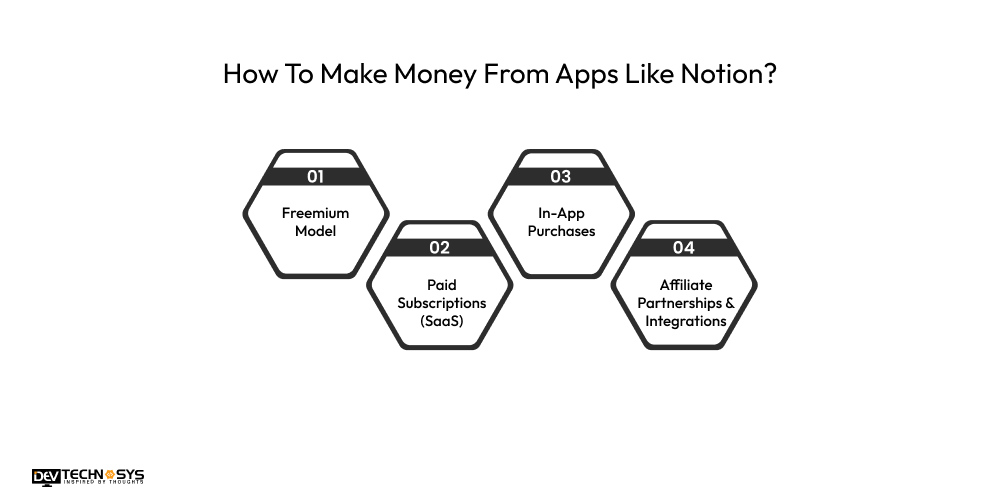
1. Freemium Model
Apps similar to Notion generate additional revenue by offering a free version with basic tools and charging users a fee to unlock advanced features. You can also earn extra income from task planning apps by utilizing a freemium model of monetization, which is also helpful in attracting more users.
2. Paid Subscriptions (SaaS)
To earn extra income from note-taking apps, you can charge users on a yearly and monthly basis to access premium tools such as team collaboration and AI features. This is a stable source of income that offers entrepreneurs an opportunity to earn.
3. In-App Purchases
Notion alternatives offer additional features, including themes, templates, and advanced tools, within the app. This monetization strategy is highly effective in attracting a larger user base. With in-app purchases, start-ups can boost revenue.
4. Affiliate Partnerships & Integrations
You can earn money from AI notes apps by partnering with third-party tools such as storage apps and time trackers. An AI development company allows you to connect users with third-party apps through your application, which offers you the opportunity to earn extra income.
Conclusion
By the end of this blog, we have concluded that, in today’s work environment, where time is limited, AI task management and note-taking apps like Notion offer a powerful opportunity to manage tasks effectively.
This innovative blend of AI-powered designs provides users with the ability to manage complex tasks with ease. Entrepreneurs and start-ups looking forward to build an app like Notion with the right mobile app development firm can take continuous professional support. This helps them create the app exactly to the demands of your target audience.
FAQ’s
Q1. What Advanced Features Are Essential in an AI Notes App Like Notion?
A. Advanced features in the task management app include:
- Contextual Task Suggestions
- Auto-Scheduling with AI
- Multilingual Support & Translation
- Offline Mode with Smart Sync
- Custom AI Templates
Q2. Can a Notion-Like App Be Customized for My Business Workflow?
A. Yes, with the Notion app, you can customize business workflow with custom templates and modular blocks.
Q3. What Tech Stack Is Used to Build a Notion-Like App?
A. Tech Stack in a Notion-like app includes
- React.js
- Next.js
- Flutter
- React Native
- Firebase Auth
- Auth0
Q4. How Long Does It Take to Develop an App Like Notion?
A. The time to develop an app like Notion is 2-3 months. This time duration will increase based on testing, bug fixes, and updates as per user feedback and technology advancements.
Q5. Can You Integrate Tools Like Google Calendar or Slack in a Notion-Like App?
A. Yes, with API, you can easily connect with third-party tools like Slack, Google Calendar, and Dropbox for efficient communication and seamless workflow.
Q6. What Are the Must-Have Features For a Tasks Management App Like Notion?
A. Must have features to develop a task management app like Notion are
- AI-Powered Smart Notes
- Task & Project Management Tools
- Voice-to-Text Input
- Real-Time Sync Across Devices













