























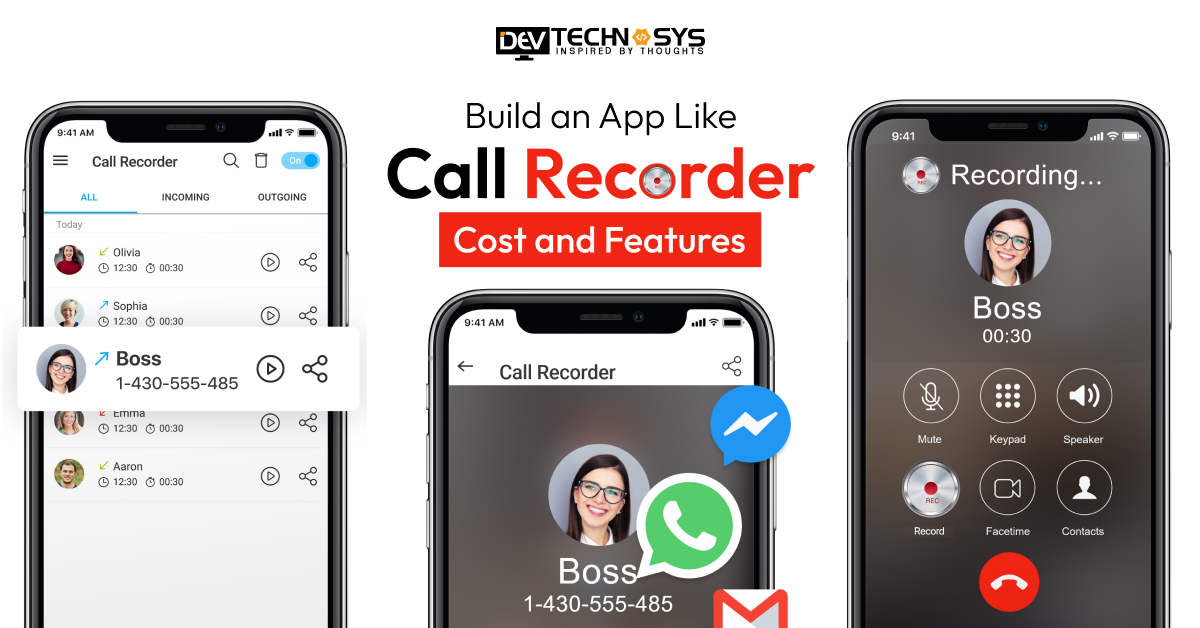
Call recorder apps have gained popularity in recent years. These apps allow users to record, store, and manage incoming and outgoing calls securely, making them valuable for professionals, journalists, and businesses. Building an app like a call recorder requires a clear understanding of its core functionality, legal constraints, and technical architecture.
However, due to privacy regulations and device limitations, developing a reliable call recording app involves advanced integrations, permissions management, and secure cloud storage.
In this guide to build an app like call recorder, we will explore the essential features, development steps, and estimated cost to build a call recorder app, helping businesses and startups plan efficiently and deliver a compliant, high-quality solution. So, without further ado, let’s dive in.
Call Recording Software Market Analysis
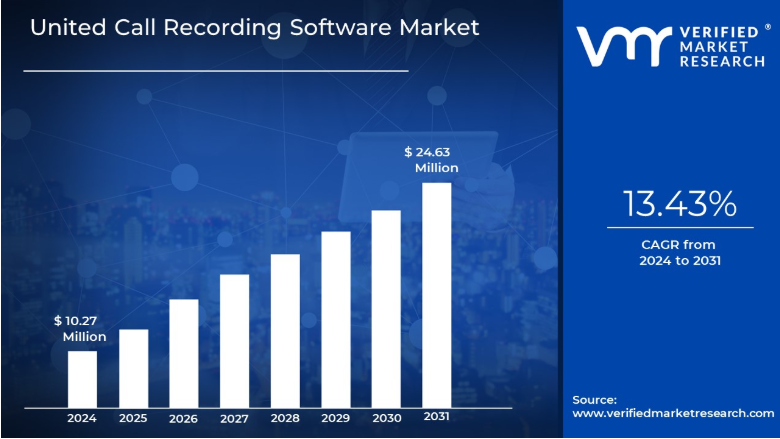
- Call Recording Software Market was valued at USD 10.27 Million in 2023 and is expected to reach USD 24.63 Million by the end of 2031 with a CAGR of 13.43% during the Forecast Period 2024-2031.
- One of the significant drivers for the call recording software market is the increasing need for businesses to comply with various regulations.
- The Global Call Recording Software Market is segmented by deployment Type, End User, Application, and Geography.
- The Call Recording Software Market is fundamentally segmented by end users, reflecting the diverse needs and usage patterns across different organizational structures.
What is the Call Recorder App?
A Call Recorder app is a mobile app that allows users to record phone calls on their devices. It is used to store audio files safely and offers playback, transcription, cloud backup, and organized file management features. A call recorder app is typically used for interviews, customer service logs, business conversations, or personal record-keeping. However, a call recording app like Truecaller must comply with regional privacy laws, requiring clear permissions and user consent before recording calls.
Why Should Businesses Invest in Call Recorder App Development?
Wondering why businesses should invest in the call recorder app development? Well, there are many reasons to develop apps to record phone calls that we are going to discuss in this section. Take a look at these amazing business benefits:
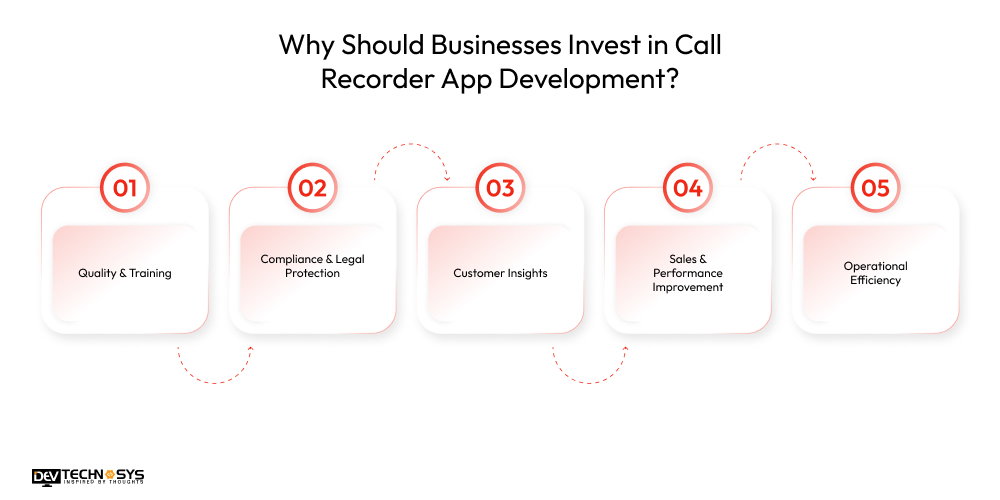
1. Quality & Training
Call recordings help managers evaluate communication quality, identify agent strengths and weaknesses, and provide targeted coaching. The best AI voice app that records conversations helps analyze real conversations to improve consistency, while top-performing calls become enhanced overall service standards.
2. Compliance & Legal Protection
Businesses should build an app like Call Recorder that ensures compliance with strict industry regulations. The best phone app for recording phone calls can provide verifiable documentation during disputes, reduce fraud risks, and help businesses maintain transparency.
3. Customer Insights
The best phone call recording app plays recorded conversations, reveals customer pain points, expectations, and behavior patterns. On demand call recording app development helps businesses provide these valuable insights to refine marketing strategies, improve product features, and deliver more personalized experiences.
4. Sales & Performance Improvement
Sales teams review call recordings of the call recorder app Android to evaluate pitch effectiveness, optimize communication techniques, and identify areas for improvement. Managers use recordings captured from a best call recording app to coach reps, personalize follow-ups, and track key performance metrics.
5. Operational Efficiency
Recordings capture important call details that may be missed in real time, helping teams streamline workflows and avoid communication errors by identifying process bottlenecks and repetitive issues. This is why it is beneficial for businesses to build an app like call recorder.
What Are the Top 10 Call Recorder App Alternatives?
Before diving into the steps to build a call recorder app, let’s first view the top 10 call recorder alternatives. All these best call recording apps mentioned here help businesses streamline their workflows and improve communication quality.
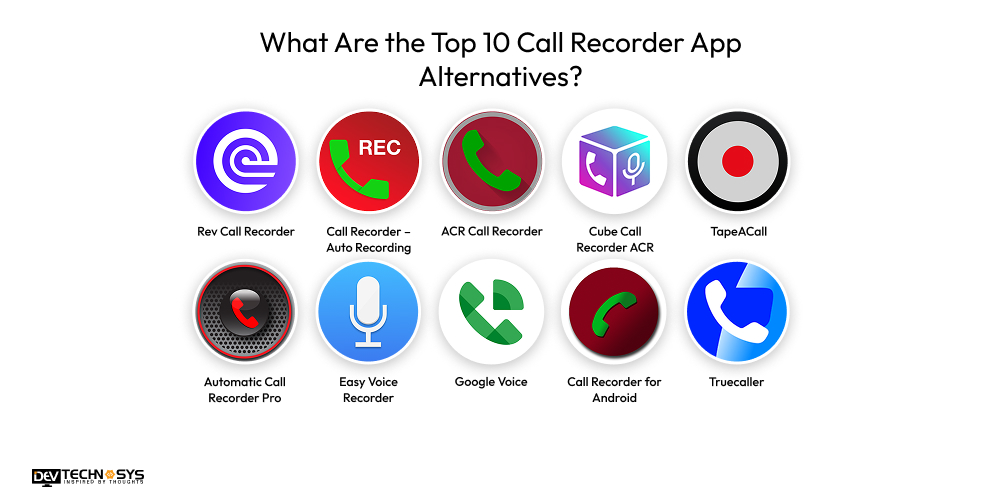
| App Name | Launch Year | Ratings | Downloads | Platform |
| Rev Call Recorder | 2017 | 4.5★ | 5M+ | iOS |
| Call Recorder – Auto Recording | 2016 | 4.3★ | 50M+ | Android |
| ACR Call Recorder | 2014 | 4.2★ | 10M+ | Android |
| Cube Call Recorder ACR | 2016 | 4.4★ | 50M+ | Android |
| TapeACall | 2013 | 4.6★ | 10M+ | Android, iOS |
| Automatic Call Recorder Pro | 2015 | 4.3★ | 10M+ | Android |
| Easy Voice Recorder | 2012 | 4.5★ | 50M+ | Android, iOS |
| Google Voice | 2009 | 4.4★ | 100M+ | Android, iOS |
| Call Recorder for Android | 2015 | 4.3★ | 10M+ | Android |
| Truecaller | 2009 | 4.5★ | 1B+ | Android, iOS |
How to Build an App Like Call Recorder?
Here are the smart steps to build an app like Call Recorder. For businesses and individuals entering this industry for the first time, it is crucial to adhere to these steps to develop an app like Call Recorder. Now, let’s see what these steps are:
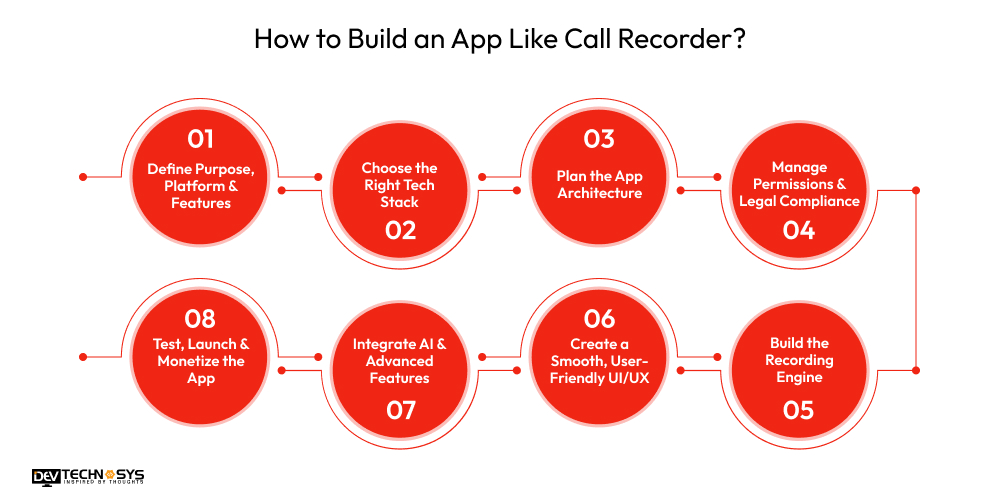
Step 1: Define Purpose, Platform & Features
The steps to make an app like Call Recorder begin with defining the goals. Clearly state the objective, target users, and the key services it will provide. After that, select the development platform based on user requirements and technical feasibility. Choose essential features and functionalities to incorporate in your Android or iphone call recording app.
Step 2: Choose the Right Tech Stack
Consult experts from a top iPhone and Android app development company USA who will help you select the right tech stack for your call recorder apps that supports scalability and smooth performance. For native Android call recording app development, use Kotlin for Android and Swift for iOS. Choose Flutter or React Native to create an app like call recorder for faster cross-platform deployment.
Step 3: Plan the App Architecture
In the next step to develop an app like Call Recorder, hire dedicated developers and designers to create a modular app architecture separating UI, business logic, data handling, and network operations. This ensures flexibility, easy maintenance, and efficient upgrades as you add new features.

Step 4: Manage Permissions & Legal Compliance
To develop an app like call recorder, ensure strict permission handling and legal regulation compliance. Incorporate clear prompts for both callers. Include detailed privacy policies, disclaimers, and user rights. Ensure local regulation compliance to avoid legal risks or store restrictions.
Step 5: Build the Recording Engine
Hire development experts to create a robust recording engine for your cell phone call recorder app that captures high-quality audio during calls. Android enables MediaRecorder or AudioRecord for direct call recording. On the Other hand, iOS needs VoIP-based or three-way conference call solutions due to restrictions. Your mobile app development company in USA will implement logic to detect call states, securely save audio, and ensure reliability across device types and OS versions.
Step 6: Create a Smooth, User-Friendly UI/UX
The design team will create a clean and intuitive interface with simplicity and quick access to key actions like recording, playback, and sharing. The best call recorder app includes screens for call lists, audio players, cloud settings, and consent alerts. Add large and easy-to-tap buttons, organized layouts, and minimal steps. A user-friendly UI enhances usability, retention, and positive reviews for call recording apps.
Step 7: Integrate AI & Advanced Features
This step in the call recorder mobile app development process entails incorporating AI-driven features like transcription, smart summaries, and sentiment analysis. These features will enhance your app’s value and convert raw audio into actionable insights for professionals. Advanced features increase competitiveness and user satisfaction.
Step 8: Test, Launch & Monetize the App
After the process to make an app like call recorder is completed, your testing team will test the app across devices, Android skins, and iOS versions. Unit, functionality, integration, and beta testing will be done to confirm stability. Prepare compliant store listings, privacy explanations, and legal guidance. After launch, use monetization methods like freemium plans, subscriptions, or one-time purchases to generate revenue. Also, offer regular updates and maintenance for long-term growth and success.
What Features to Add in an App Like Call Recorder?
Android call recording app development requires crucial features like automatic call recording and spam blocking. Here are some features that the best phone call recording app must include.
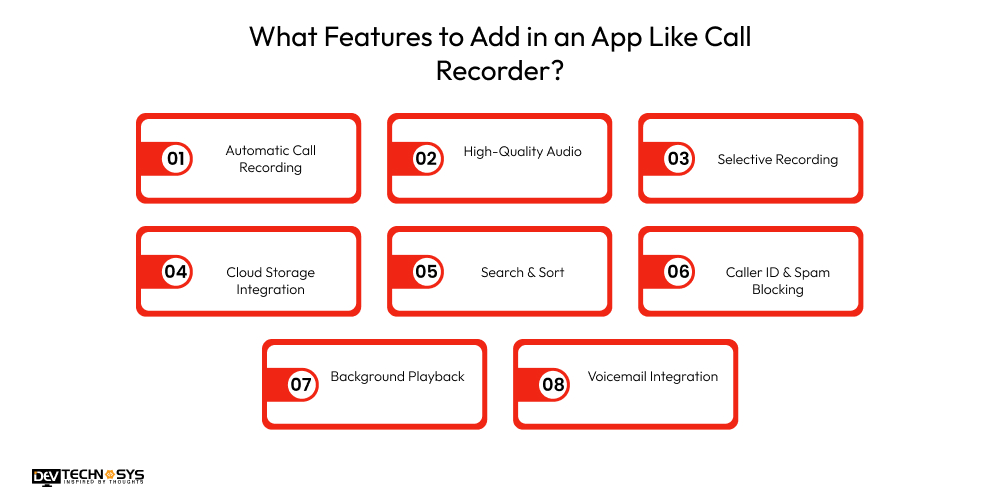
1. Automatic Call Recording
Best call recording app automatically records all incoming and outgoing calls without requiring manual action. It is an essential feature for Call Recorder chatbot app development that ensures users never miss meaningful conversations.
2. High-Quality Audio
It provides clear, distortion-free audio recordings with adjustable formats like MP3, WAV, and AMR. Cell phone call recorder app iphone users can choose their preferred quality and file size balance, ensuring excellent playback for meetings, interviews, or customer service calls.
3. Selective Recording
Build a voice changer app with a selective recording feature to allow users to choose specific contacts to always record or exclude from recording. This feature increases control, enhances privacy, and helps users customize their recording preferences.
4. Cloud Storage Integration
Enable seamless backup and syncing of recordings to Google Drive, Dropbox, or similar cloud platforms. This ensures secure data storage, easy access across devices, and protection from loss due to device issues or storage limitations.
5. Search & Sort
Create an app with a search feature that lets users quickly find recordings using filters for date, contact name, phone number, or tags. It will help users navigate through large call libraries efficiently and improve productivity for professional or frequent users.
6. Caller ID & Spam Blocking
Identify unknown callers and detect potential spam or fraud numbers. Users can block unwanted calls, manage suspicious contacts, and enjoy safer communication while maintaining control over which calls get recorded.
7. Background Playback
Let users listen to recordings while multitasking or using other apps. Background playback enhances flexibility, enabling review of conversations during work, travel, or other tasks without interrupting device usage.
8. Voicemail Integration
Automatically record and store voicemails alongside regular calls for easy access and management. A top messaging app development company in USA will add this feature to help users maintain a complete communication archive, especially useful for business and support teams, as well as for critical personal messages.
What is The Cost to Build an App Like Call Recorder?
The call recorder app development cost will be around $8,000 to $25,000+, depending on features, platform, design, tech-stack, rates charged by developers, and location of developers. A basic call recorder mobile app development cost may range from $8,000 to $12,000. Whereas, the phone call recording app development cost with mid-level complexities will be around $15,000 to $18,000.
However, the cost to develop an app like CallApp that requires advanced features and functionalities and works well on both Android and iOS platforms will cost more than $25,000. Here’s the table showcasing the cost to develop an app like call recorder.
| App Type | Estimated Cost (USD) | Timeline |
| Basic Call Recorder | $8,000 – $11,000 | 6–8 weeks |
| Standard Call Recorder | $11,000 – $17,000 | 8–11 weeks |
| Advanced Call Recorder | $17,000 – $22,000 | 10–13 weeks |
| Enterprise Call Recorder | $20,000 – $25,000 | 12–14 weeks |
What Factors Can Affect the Call Recorder App Development Cost?
Now that we have learnt about the call recorder app development cost, let’s discuss the factors that can impact the development cost. Here ae some of the major cost affecting factors to consider before development.
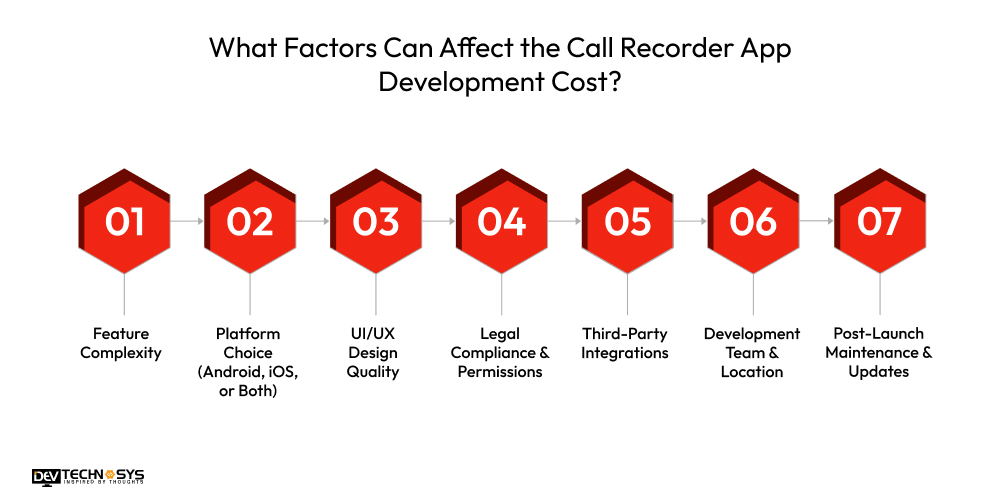
1. Feature Complexity
The cost to build an app like call recorder can vary based on the number and complexity of features. According to a top iPhone app development company, the cost to create an app like CallApp with advanced features will be higher than for one with only basic features and functionality.
| Feature Type | Estimated Cost (USD) | Development Timeline |
| Basic call recording & playback | $5,000 – $8,000 | 2–3 weeks |
| Advanced features (cloud sync, transcription) | $10,000 – $18,000 | 4–6 weeks |
| AI-powered features (voice-to-text, analytics) | $18,000 – $25,000 | 6–10 weeks |
2. Platform Choice (Android, iOS, or Both)
The platform choice you will make will also impact the call recording app development cost. The cost to build an app like call recorder for a single platform is more affordable than developing a cross-platform call recorder app. Adding VoIP or third-party solutions increases complexity and cost.
| Platform | Estimated Cost (USD) | Development Timeline |
| Android only | $8,000 – $12,000 | 3–4 weeks |
| iOS only | $12,000 – $17,000 | 3–4 weeks |
| Both (Cross-Platform) | $15,000 – $22,000 | 5–7 weeks |
3. UI/UX Design Quality
The cost to create an app like callapp with a simple interface costs less, while custom animations, advanced usability testing, and accessibility-focused designs increase the phone call recording app development cost. Hire mobile app developers and designers from top companies to create an appealing and user-friendly interface for your app.
| Design Type | Estimated Cost (USD) | Development Timeline |
| Basic design (simple interface) | $1,500 – $3,000 | 1–2 weeks |
| Custom design (animations, themes) | $4,000 – $7,000 | 2–3 weeks |
| Premium design (AI/UX personalization) | $8,000 – $12,000 | 3–4 weeks |
4. Legal Compliance & Permissions
Legal compliance and permissions also influence call recording app cost. Implementing consent prompts, data control, and compliance with regional call-recording laws requires extra development and legal consultation costs. Here’s the table showcasing the cost to develop an app like call recorder on the basis of legal compliance.
| Compliance/Permission Type | Estimated Cost (USD) | Development Timeline |
| Standard call permissions | $500 – $1,500 | 1 week |
| GDPR, CCPA compliance, encryption | $2,000 – $5,000 | 1–2 weeks |
| Advanced security auditing | $5,000 – $8,000 | 2–3 weeks |
5. Third-Party Integrations
The cost to create an app like Call Recorder will differ depending on third-party integrations. APIs for VoIP, caller ID, spam detection, or AI services add to licensing and development costs. Here’s the table showcasing the cost to develop an app like call recorder according to third-party integrations.
| Integration Type | Estimated Cost (USD) | Development Timeline |
| Cloud storage (Google Drive, iCloud) | $1,500 – $3,500 | 1–2 weeks |
| Transcription API (speech-to-text) | $2,500 – $5,000 | 2–3 weeks |
| Analytics & reporting APIs | $3,000 – $6,000 | 2–3 weeks |
6. Development Team & Location
On-demand app development costs vary depending on whether you hire freelancers, an in-house team, or an app development company, and the region where developers are based. The cost to create an app like call recorder in countries like India, Saudi Arabia, and Vietnam will be much less than in America or Australia.
| Team Type / Location | Estimated Cost (USD) | Development Timeline |
| Freelancers (Asia) | $5,000 – $10,000 | 4–6 weeks |
| Mid-size agency (India/Eastern Europe) | $12,000 – $25,000 | 5–8 weeks |
| Enterprise agency (USA/Europe) | $25,000 – $50,000 | 6–10 weeks |
7. Post-Launch Maintenance & Updates
Ongoing updates can increase the cost to create an app like call recorder in the long term. The maintenance services may include error fixing, OS compatibility fixes, feature upgrades, and server maintenance. Take a look at the table highlighting the cost to create an app like Call recorder.
| Maintenance Type | Estimated Cost (USD/year) | Timeline per Update |
| Bug fixes & minor updates | $1,500 – $3,000 | 1–2 weeks |
| Feature updates & improvements | $3,500 – $6,000 | 2–4 weeks |
| Major version upgrades | $6,000 – $12,000 | 4–6 weeks |

How Do Call Recorder Apps Make Money?
Monetization is necessary for businesses. Call recorder apps can generate revenue through several proven strategies that we will discuss in this section. Use these strategies to generate money from call recorder apps.
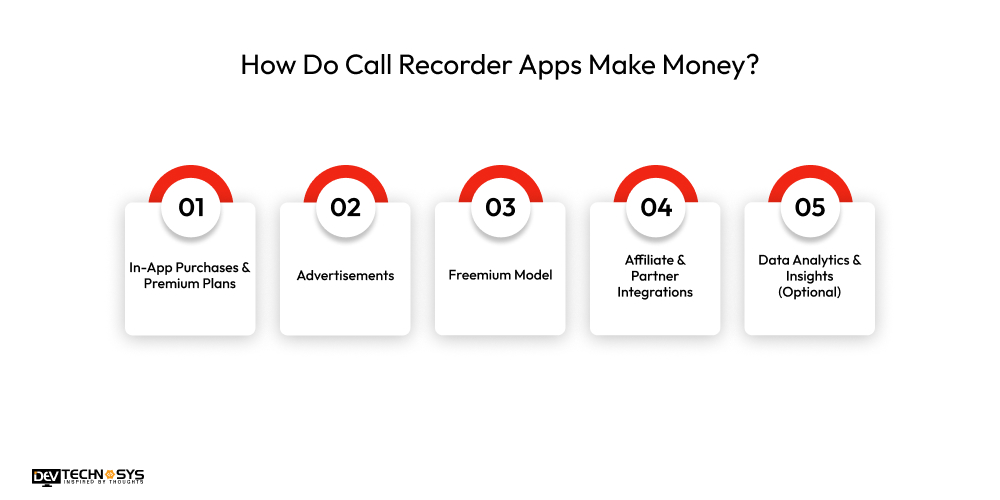
1. In-App Purchases & Premium Plans:
Offer advanced features such as cloud storage, transcription, unlimited recordings, or AI analysis behind a subscription or one-time purchase. Premium plans can also include priority support, personalized insights, and exclusive app themes.
2. Advertisements:
This monetization strategy includes displaying banner ads, interstitial ads, or video ads for free users. Ad networks like Google AdMob or Unity Ads help monetize user engagement while allowing app owners to reach a larger audience efficiently.
3. Freemium Model:
It provides basic recording features for free and encourages users to upgrade to access premium features like encrypted storage, multiple device sync, enhanced audio quality, advanced search, and AI-powered transcription capabilities.
4. Affiliate & Partner Integrations:
To generate revenue, you need to partner with cloud storage providers, transcription services, or VoIP apps and earn commissions for referrals. Strategic partnerships can also include promotional campaigns and co-branded offers.
5. Data Analytics & Insights (Optional):
Aggregated, anonymized call data can be analyzed for trends, helping businesses or researchers while generating revenue, improving app features, and providing actionable insights for marketing strategies.
How Dev Technosys Will Help You Build Call Recorder Apps?
We hope this blog helped you learn more about call recorder app development. Call recorder apps have establish a strong foothold in daily lives of people. Call reporter applications have become valuable tools for both individual users and businesses alike. However, building a call recorder app requires careful planning, the right feature set, and a reliable development partner. If you are a business in search for a top call recording app development company to build your dream call recording app, then Dev Technosys can be your best choice. Stay tuned fo more updates.
Frequently Asked Questions
Find answers to the most common questions related to this article.
Essential features include automatic call recording, playback, secure storage, cloud backup, call tagging, search functionality, user permissions, encryption, and optional AI-based transcription for better usability and organization.
The development cost usually ranges from $10,000 to $25,000+, depending on platform selection, feature complexity, UI/UX quality, legal compliance, third-party integrations, and the development team’s location and expertise.
A basic call recorder app can be built in 2 to 3 months, while advanced apps with AI transcription, cloud sync, analytics, and enterprise-grade security may take 4–6 months or longer.
Yes, but legality varies by country and region. Call recorder apps must comply with local consent laws, platform policies, and data protection regulations like GDPR or CCPA. It ensures the recorder app remains safe and reliable for users.
Android allows more call recording access, while iOS has stricter restrictions. Cross-platform apps are possible, but iOS versions may require alternative recording methods or VoIP-based solutions.













