


















Key takeaways:
-
- An enterprise resource planning system is a single central database that unites finance, sales, inventory, and HR into one cohesive operation
- When businesses analyze that teams are spending much time copying and pasting data (manual data entry), then it is time to build an ERP system.
- According to Statista, the ERP market is expected to grow at an annual growth rate of 4.74%, leading to a market volume by 2031.
- A type of ERP solution must be selected according to operational complexity, scalability requirements, and customization required.
Businesses operate multiple software programs for accounting, sales, human resource management, and more. Each system is not interconnected, which creates challenges for the staff members to coordinate a lead. Such an operational friction slows business growth and creates multiple human errors.
An enterprise resource planning software solves this challenge by acting as a single brain for a business. This is a unified platform that updates the inventory automatically, creates alerts for the warehouse, and shares logs with the accounts department.
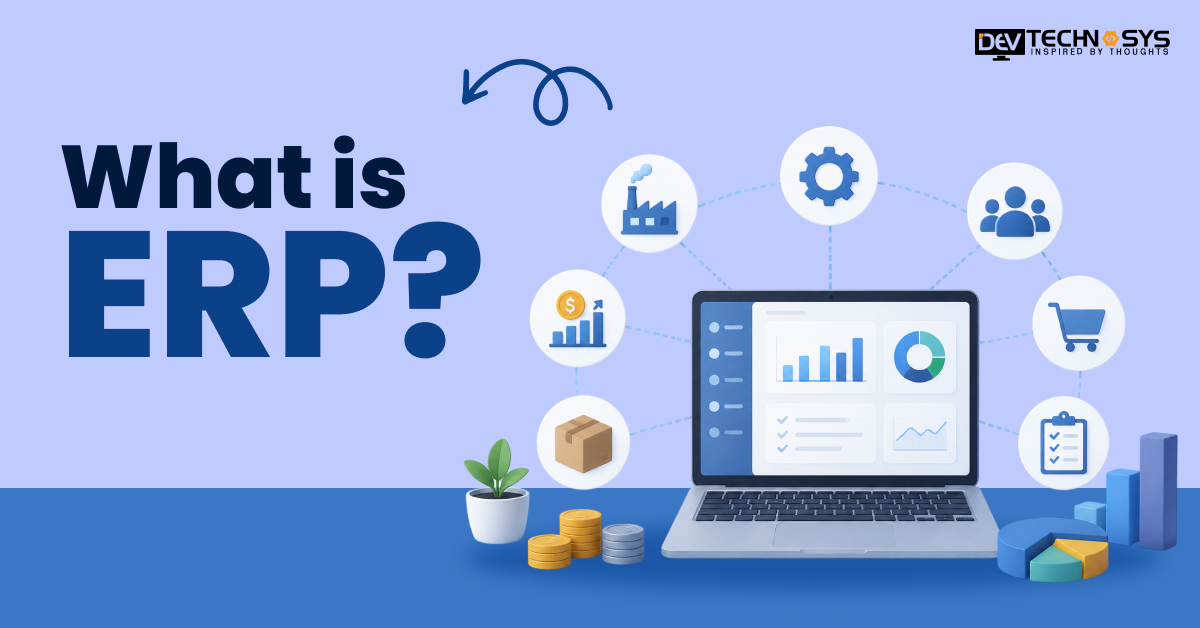
This guide is designed for business leaders who are willing to know what is ERP, how it works, its types, benefits, use cases, and trends.
What is ERP and How Does it Work?
An enterprise resource planning system manages multiple internal business operations. Its function is to streamline the information flow between different departments. This is basically a centralized system.
1. Key Characteristics
- Businesses can manage the workflow using a single software.
- Repetitive tasks are automated.
- ERP systems can be developed according to the company size, business model, and specific requirements.
- Reports are created through visuals to make informed decisions.
- Data encryption, role-based access control, and more strategies are implemented to ensure security.
2. Have a look at ERP’s Workflow:
An ERP system works by collecting data and streamlining business processes. It connects multiple departments in a unified platform to access data. Understanding how it works is important for organizations to get the best ERP solutions for growing businesses.
- ERP gathers data from multiple business functions and shares it on a central database.
- Order receipt generation, customer data, billing processes, and more repetitive tasks are automated to reduce manual effort.
- Business leaders can check for operations and workforce productivity in real time to improve efficiency.
- Data is directly synchronized. For example, when a customer places an order, related departments get an update through ERP.
- An ERP system enables managers to optimize resources, improve planning, and make strategic decisions.
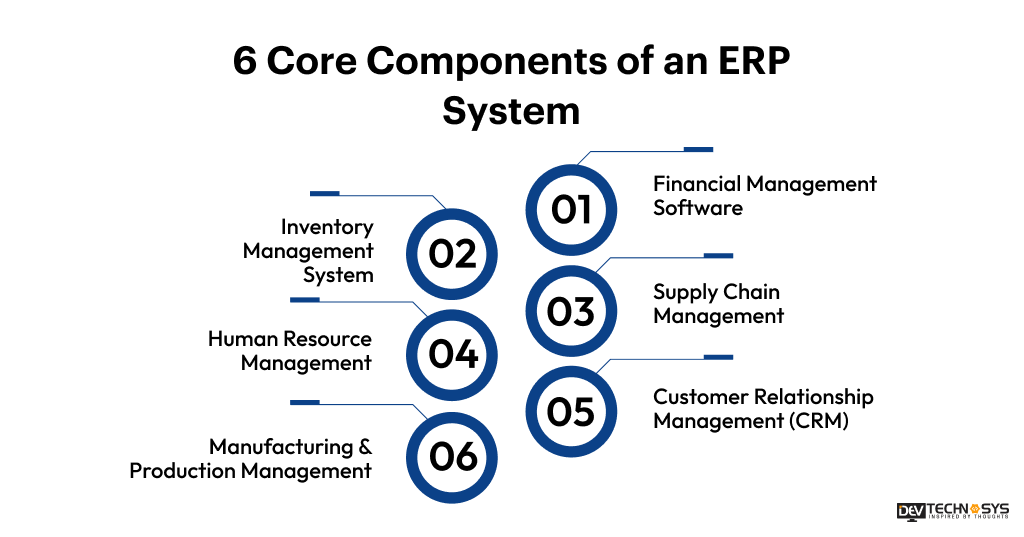
6 Core Components of an ERP System Every Business Should Know
The primary goal of an ERP system is to improve business efficiency. The system comprises multiple integrated modules that work together to improve collaboration and streamline operational processes.
1. Financial Management Software
Management of financial transactions, cash flow, or billing is conveniently done with an ERP system.
Key features include:
- Accounting: Systems manages the general ledger, sends/receives accounts, and other transactions within a secure environment.
- Budgeting: Businesses can track budget allocation, expenses, and plan for financial security.
- Tax Management: The system automates tax regulations and compliance requirements.
- Financial Reporting: ERP generates balance sheets and financial statements, including profit/loss, for the business.
2. Inventory Management System
ERP software for enterprises optimizes warehouse operations, such as inventory and stock management.
- Stock Tracking: Shares information of inventory in real-time.
- Warehouse Management: Processes such as storage, picking, packing, and inventory organization are done easily.
- Procurement: Supplier orders and customer purchases are managed effectively.
- Inventory Optimization: prevents overstocking or out-of-stock levels.
3. Supply Chain Management
The flow of goods/materials or information from suppliers to customers is managed efficiently.
- Supplier Management: The system tracks supplier performance and procurement activities.
- Logistics Management: Shipping, distribution, and transportation processes are easily tracked and managed.
- Demand Forecasting: Businesses can estimate future demand by analyzing historical and real-time data.
- Supply Chain Visibility: Supply chain operations are monitored continuously.

4. Human Resource Management
The basic employee lifecycle management, including payroll, recruitment, and record tracking, is handled by an ERP.
- Payroll Management: Payscale, incentives, deductions, and benefits calculation is done effectively.
- Recruitment: Hiring and onboarding processes are done conveniently.
- Employee Records: Employees’ data, such as performance, attendance, and profiles, are managed.
- Workforce Management: The system tracks productivity metrics and leave records.
5. Customer Relationship Management (CRM)
Medium to large businesses have to maintain good customer relations to improve efficiency. Client requests, sales data, and support operations are managed through CRM.
- Customer Data: Conversations, purchase history, and customer profiles are centralized
- Sales Pipeline Management: Leads, opportunities, and sales performance are tracked.
- Customer Support: Streamlining customer engagement with a business through queries or service requests.
- Sales Forecasting: Businesses can effectively plan revenue and sales strategies using analytics.

6. Manufacturing & Production Management
The system helps to maintain product quality by tracking its production processes.
- Production Planning: Manufacturing activities are tracked, and resources are allocated effectively.
- Quality Control: This helps to ensure that the product meets quality and compliance requirements.
- Resource Management: Optimizes the utilization of machines, labor, and materials.
- Product Monitoring: Provides real-time visibility into production performance and output.
Understanding the 3 Types of ERP Systems for Business Growth
ERP solutions are available to address business-specific problems and meet the needs of organizations of all sizes. Choosing the right ERP system depends on factors such as cost, operational complexity, security, and scalability requirements.
1. On-Premise ERP Systems
These systems are installed on the company’s own server, giving businesses the authority to improve security and data management.
Advantages |
Limitations |
| Advanced customization capabilities | Dedicated IT resources are required for Ongoing maintenance and upgrades |
| Suitable for organizations such as finance, retail, and healthcare | Longer implementation timelines |
2. Cloud ERP Solutions
These are hosted on remote servers while accessed through the internet. Businesses that want to pursue digital transformation and agility can choose such systems.
Advantages |
Limitations |
| Flexible access from anywhere through internet-enabled devices. | Requires a reliable internet connection for uninterrupted operations. |
| Easily scalable to accommodate new users, locations, and business processes. | Limited customization options compared to some on-premise ERP systems. |
3. Hybrid ERP Systems
Hybrid ERP systems combine on-premise and cloud ERP environments, providing flexibility and scalability.
Advantages |
Limitations |
| Combines the control of on-premise ERP with the flexibility of cloud ERP. | More complex to implement |
| Enables gradual cloud adoption without disrupting existing business operations. | Integration between cloud and on-premise environments can be challenging |
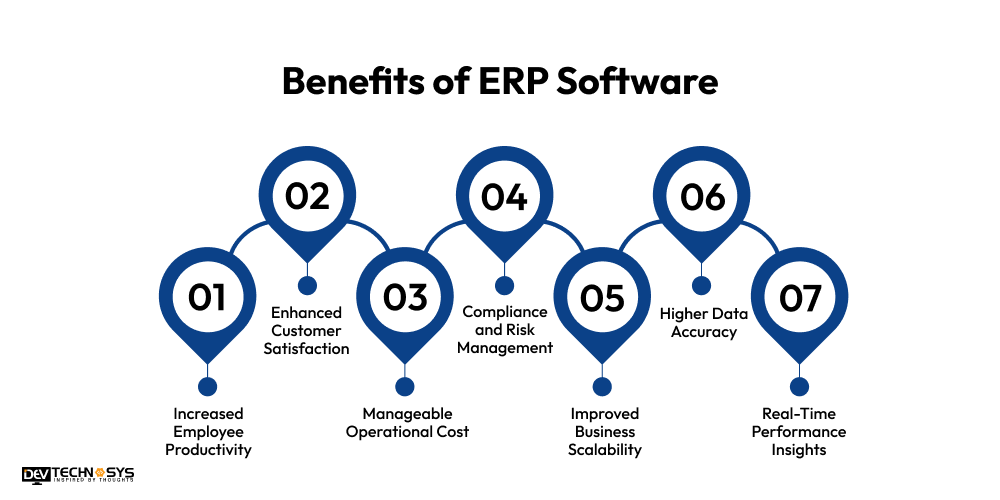
Top 7 Benefits of ERP Software for Business Operations
Modern businesses are avoiding relying on standalone applications. The focus has now switched to improving customer experience. This can only be achieved when an ERP solution is implemented in line with the business model. This helps with HRM and costs, and improves business productivity.
1. Increased Employee Productivity
Employees have to update data on accounts, order processing, or inventory management regularly. They can spend more time planning strategic activities after using an ERP management system.
2. Enhanced Customer Satisfaction
The main goal of every venture is to understand and provide an improved customer experience. ERP systems provide a centralized view of customer information, order history, inventory availability, and support requests to ensure a good user experience.
3. Manageable Operational Cost
Most businesses experience a decrease in administrative expenses and optimized resource allocation. Because ERP systems automate processes, they require less human intervention.
4. Compliance and Risk Management
Industries such as healthcare and finance have to maintain regulatory compliance, which is possible with ERP software. Businesses can now share sensitive data, but with assured security.
5. Improved Business Scalability
Businesses require systems that can be improved with certain changes in the operations. Once organizations understand what is ERP they can easily implement it because these scale efficiently while maintaining performance.
6. Higher Data Accuracy
Traditional systems create data duplicacy that is avoided by an ERP implementation. The data is stored and processed securely while maintaining accuracy.
7. Real-Time Performance Insights
Modern ERP solutions provide accuracy in business insights to stay ahead of competitors. Key performance indicators can be analyzed while understanding challenges and opportunities for overall business growth.
Industry Insight:
According to Fortune Business Insights, the global ERP software market is projected to reach USD 106.22 billion in 2026. This growth is driven by the increasing demand for cloud-based solutions across industries. Organizations are now investing in ERP software development, prioritizing efficiency.
How to Choose ERP Solutions for Different Business Sizes?
ERP requirements vary according to the growth stage of a business. Whether it is a small business or an enterprise, workflow and budget should be considered first. After understanding the basics, businesses can contact an ERP software development company to build an effective solution.
1. ERP Software for Small Business
Small businesses operate on a tighter budget and often seek cost-effective solutions. They choose an ERP to automate daily operations. Working with spreadsheets shares a limitation. Thus, small businesses can manage accounting, inventory, and CRM modules.
-
Affordable Modules
Small businesses can choose an inventory management, CRM, or accounting software with limited features. They can evolve the system to meet future demands.
-
Faster Implementation
ERP for startups is deployed more quickly due to its limited features and functionality. This enables businesses to achieve operational efficiency in a short period and achieve a better return on investment.
-
Simplified Workflows
ERP software improves communication and data transfer at small organizations. The staff members can easily operate it without prior technical training.
2. ERP Software for Enterprises
ERP software for business leaders solves complex business challenges such as managing large volumes of data, ensuring security, and scalability. These solutions possess deep integration capabilities and advanced functionalities to manage business operations across multiple locations.
-
Multi-department Integration
A centralized ecosystem of multiple departments improves collaboration. Teams can discuss and solve major challenges by easily identifying them using ERP software.
-
Advanced Analytics
Unlike ERP for small businesses, these solutions provide AI-driven insights, detailed customer data, predictive analytics, and real-time reporting to support strategic decision-making.
-
Global Operations Support
Organizations operating globally require support for language understanding, currency conversion, regional compliance, and tax regulations. ERP software for enterprises ensures long-term stability and growth.
Industry Insight:
According to CargoSon, the global business ERP software market size was estimated at $73 billion in 2025. This is expected to grow as 90% of large organizations use these systems to manage complex business operations for discrete geographic locations.
When Does a Business Need an ERP System?
When the manual data entry becomes a barrier to overall business growth, it’s the right time to switch to an ERP. Manual processes prevent teams from making timely decisions.
1. Manual Data Entry
If the employees are spending significant time entering the same information into multiple systems, then it is a strong indicator that an ERP is required.
2. Reporting Delays
Delayed reporting directly affects strategic planning. If managers are not receiving reports on a timely basis and are consumed with errors, then select an ERP.
3. Data Silos
These create communication gaps when information is not transferred between different business departments accurately. ERP integrates all information in a centralized platform, allowing for smooth interaction.
4. Lack of Process Visibility
With time, it becomes challenging to track the performance of business operations across different departments or locations. ERP systems bridge this gap by providing essential data through a dashboard.
5. Outgrowing Existing Systems
Basic software systems have a limit. These affect operational efficiency when more employees are hired or the business receives more leads. An ERP software helps businesses expand their capabilities without creating operational chaos.
What Are the Best ERP Solutions for Growing Businesses?
While understanding Business process automation through ERP, organizations should know about the popular software that is being accessed worldwide. Most of these solutions are suitable for medium to large businesses.
ERP Software |
Best For |
Key Features |
Suitable Business Size |
| SAP Business One | End-to-end business management | Finance, inventory, sales, CRM, reporting | Small & Mid-sized Businesses |
| Oracle NetSuite | Cloud-based enterprise management | Financials, inventory, procurement, analytics | SMBs & Enterprises |
| Microsoft Dynamics 365 | Organizations using the Microsoft ecosystem | CRM, finance, supply chain, AI insights | Mid-sized & Large Enterprises |
| Infor CloudSuite | Industry-specific operations | Manufacturing, distribution, analytics | Mid-sized & Large Businesses |
| Sage X3 | Financial and operational management | Accounting, inventory, production management | Growing Businesses |
| Acumatica | Flexible business management | Financial management, CRM, project accounting | SMBs & Mid-sized Companies |
| Epicor ERP | Manufacturing and distribution | Supply chain, production planning, analytics | Mid-sized & Enterprise Businesses |
| Odoo | Customizable ERP implementation | Modular apps, CRM, accounting, HR | Startups, SMBs & Enterprises |
| SAP S/4HANA | Large-scale enterprise operations | Real-time analytics, finance, and procurement | Large Enterprises |
| Workday | Human capital and financial management | HR, payroll, workforce planning, analytics | Mid-sized & Large Enterprises |
| Salesforce CRM | Customer relationship management integration | Sales automation, customer service, marketing | Businesses of All Sizes |
| IFS Cloud | Asset-intensive industries | Asset management, service management, ERP | Large Enterprises |
Real-World Use Cases for Business Leaders
A unified business architecture allows businesses to access data in a centralized form. They do not have to wonder about data accuracy or take frequent reports from team members. Business leaders can simply check the insights from the user dashboard to acknowledge a project.
1. Inventory Management
An Inventory management system regularly updates stock levels in real time. Operations, accounts, and the sales team are aware of the order fulfillment and customer purchases. Even the product quality is analyzed to improve warehouse efficiency.
2. Financial Management
The system manages the general ledger and all business transactions. Employees have to make an entry once in the Financial Management software to gain real-time visibility into taxes, financial reporting, and other account-related procedures.
3. Customer Relationship Management (CRM)
This system allows the sales and marketing teams to get an update on a lead. Most businesses are confused about CRM vs ERP systems. But the fine line is that CRM is specifically used to automate follow-ups and track customer retention and monitor customer behavior, while ERP centralizes the business information.
What ERP Trends are Shaping the Future of Business Management?
Modern organizations prefer ERP as a fuel for strategic intelligence. Digital transformation has accelerated businesses to implement artificial intelligence, Agentic AI, machine learning, and advanced analytics to make crucial business decisions.
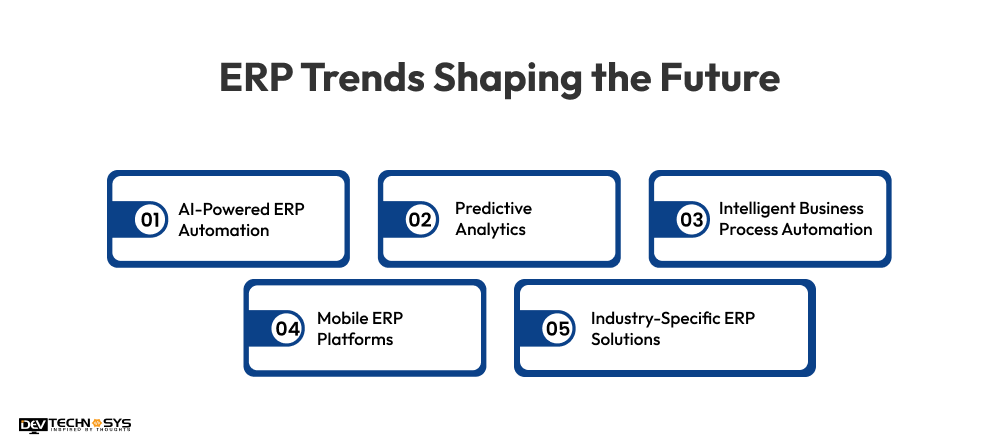
1. AI-Powered ERP Automation
Modern businesses prefer to resolve customer queries instantly, which requires a detailed customer purchase history. This upgradation is possible by integrating AI-powered capabilities in the ERP system. Artificial intelligence automates tasks to ensure streamlined business processes.
2. Predictive Analytics
When businesses are capable of understanding the how and what factors of a client’s problem, they can easily provide an effective solution. Thus, implementing predictive analytics helps businesses to analyze historical customer data for improving operational efficiency.
3. Intelligent Business Process Automation
Medium to large organizations need an AI assistant to quickly share responses with customers. This integration into ERP systems allows businesses to increase productivity with less human intervention. Most businesses have improved ROI by saving budget from resource allocation.
4. Mobile ERP Platforms
These platforms offer freedom to teh users to access the data at any time, anywhere, to easily coordinate with their teams and clients. Mobile ERP applications share access on smartphones and tablets to analyze work performance in real-time and check for regular reports.
5. Industry-Specific ERP Solutions
Industries such as healthcare, finance, retail, and manufacturing process a large amount of data. Organizations can build customized ERP solutions to meet specific operational requirements while maintaining regulatory standards.
Conclusion
ERP software is being used primarily by various industries. The software is beneficial for those organizations that process a large amount of data. Businesses should choose the right ERP solutions based on their business size, workflow, and productivity requirements. As emerging technologies continue to be adopted by businesses, most organizations are choosing to build industry-specific solutions.