













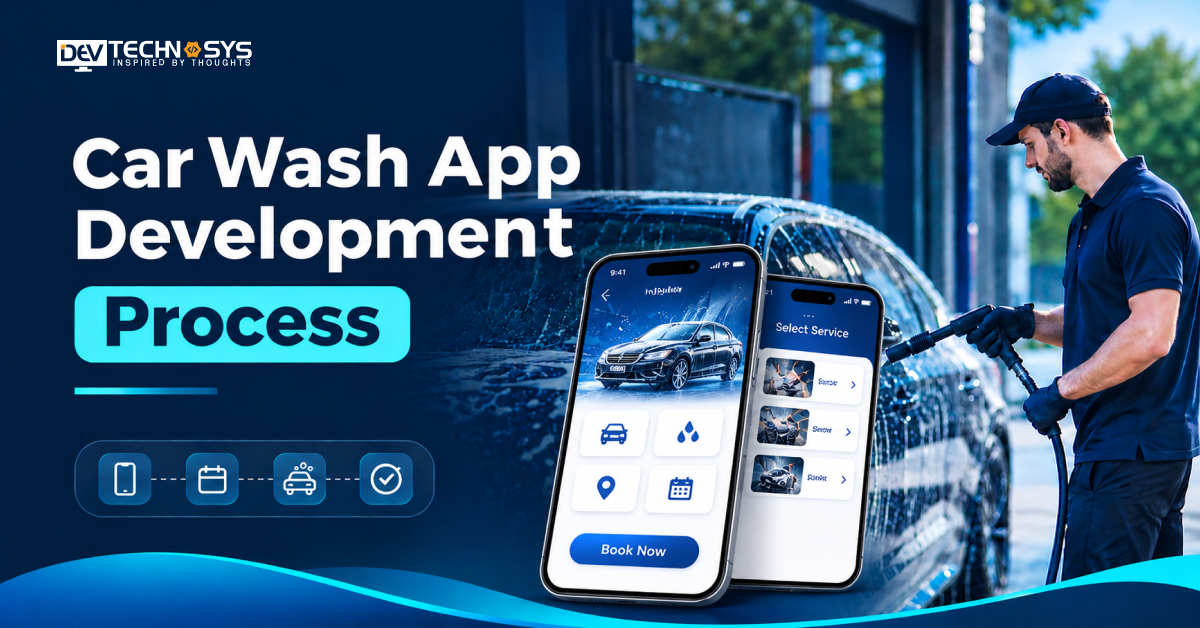
The surge in the popularity of car wash services has spurred owners to embrace mobile solutions.
A top-notch car wash application streamlines the entire process of making an appointment, ordering services, keeping tabs on the employee, and making payments safely. For entrepreneurs, this car wash app development process makes staff coordination, booking, communication, and operations simpler.
Still, transitioning from phone and manual appointment scheduling to an automated system requires thorough planning, user-friendly design, effective integrations, and rigorous testing. Thus, knowing the stages of development will help owners avoid losing money.
This blog describes the car wash app development process and covers all stages, from car wash app planning to release.
How to Develop a Car Wash App?
Creating a car wash app involves a series of nine important steps: market research, requirements definition, UI/UX design, technology selection, car wash service app development, API integration, car wash app testing, deployment, and optimisation. Businesses need to identify customer needs and develop booking and payment options in their apps, build third-party service integrations, test app functionality, launch the app, and keep up with updates.
What Is a Car Wash App and How Does It Work?
A mobile application allows car owners to book cleaning services from their smartphones. Customers choose a wash package, provide the location and time, confirm the booking, and pay online. Service providers accept job requests and go to the specified location to perform the chosen service.
Administrators manage the processes of keeping records of bookings, availability of technicians, service pricing, payments, and customer support from their central control panel. The service is considered completed when the provider indicates that the job is done and the client receives confirmation of the service provided.
Car Wash App Workflow
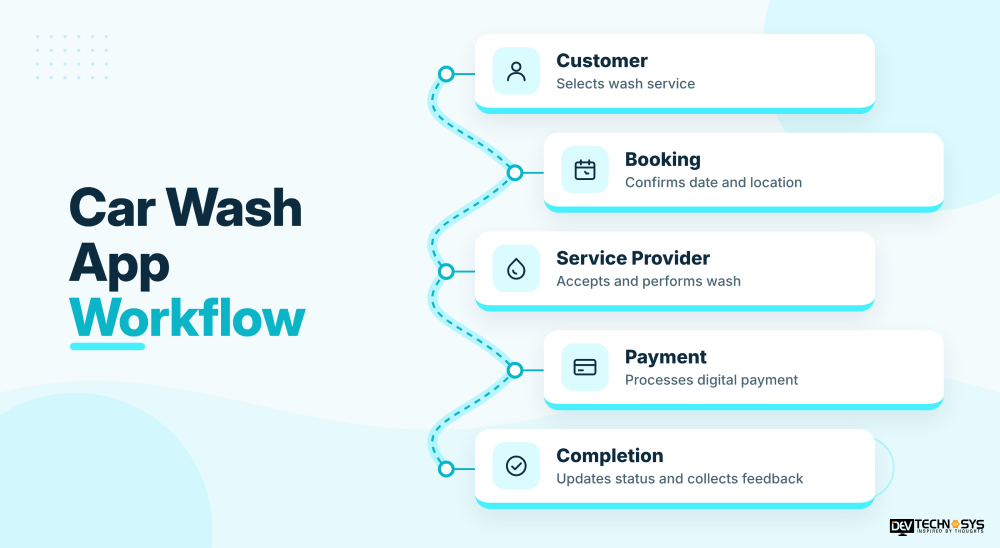
Customer
Selects wash service
Booking
Confirms date and location
Service Provider
Accepts and performs wash
Payment
Processes digital payment
Completion
Updates status and collects feedback
What Should You Plan Before Developing a Car Wash App?
Before the car wash app development process starts, companies have to determine how the service will function, who will be using the app, and what features are worthwhile. The resulting decisions help in determining the order of priorities when developing the product, as well as in minimising unforeseen expenses.
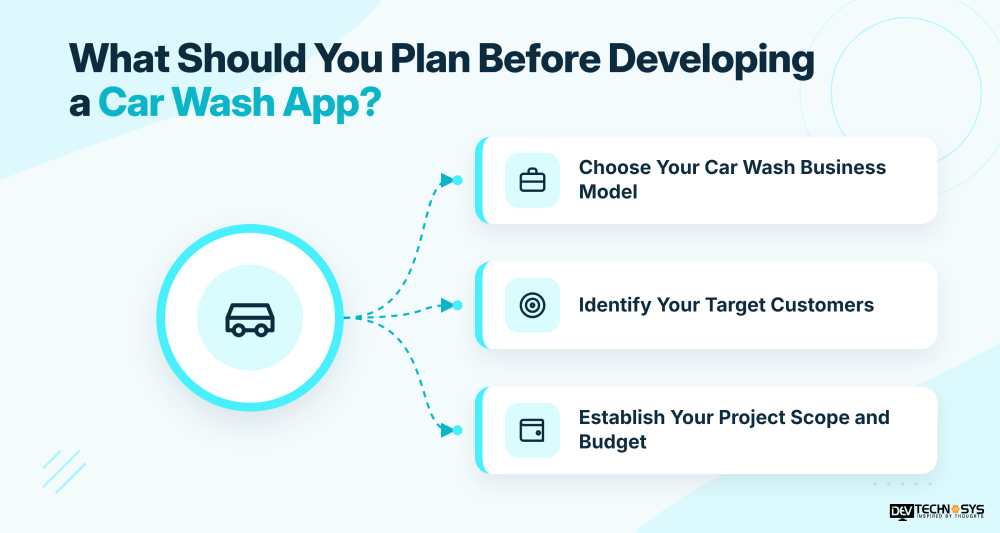
1. Choose Your Car Wash Business Model
Decide if you are going to work with mobile or on-demand services, book appointments at fixed locations, opt for recurring subscriptions, or create a platform connecting independent service providers.
2. Identify Your Target Customers
You need to analyse the locations of potential clients, washing frequency, types of vehicles, and preferred time for bookings to understand the availability of services, scheduling processes, and the degree of personalisation needed.
3. Establish Your Project Scope and Budget
Decide whether you are going to launch an MVP or a complete platform; define which platform (Android, iOS, web) you would like to work with, the geographical areas you want to cover, what integrations are planned, and the budget limits.
Car Wash App Development Process: 10 Essential Steps
The car wash app development process consists of planning, designing, developing, testing, and launching a dependable digital platform. Every car wash app development step is aimed at solving different practical needs, making technical decisions, and managing business processes. Adhering to these 10 important stages enables businesses to automate the booking process, enhance the customer journey, manage their staff members wisely, and create scalable applications.
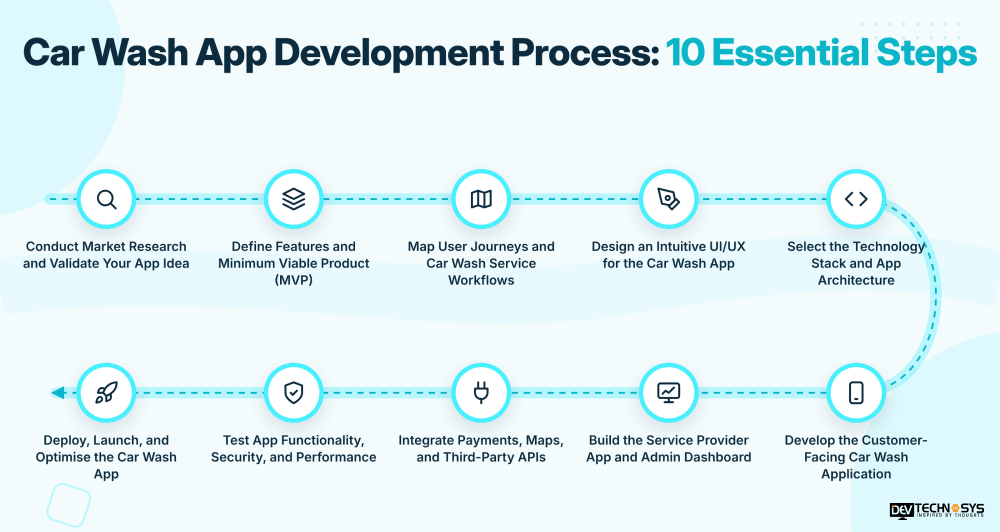
1. Conduct Market Research and Validate Your App Idea
To identify booking habits and common complaints, conduct an overview of existing car washing applications, customer reviews of customers, and local search activities. Hire car wash app development companies in USA to compare the rivals’ prices, services offered, subscription services, cancellation terms, and technician coverage.
Speak to prospective clients as well as washing companies to evaluate interest in cleaning at home against stationary cleaning services. Compile information about the areas that have preventing issues, busy times for bookings, expectations concerning washing convenience, quality of cleaning, and the needed response time.
2. Define Features and Minimum Viable Product (MVP)
Adapt the research findings to outline the requirements of three roles: customer, washer, and administrator. Make sure that the tasks of account creation, service selection, availability of time slots, confirmation of booking, secure payment processing, job assignment, and maintaining updated order status are in the list of your priorities.
Prepare user stories with specific acceptance criteria, including information about what the app can do in the event of cancellations, unsuccessful payments, and cases when technicians are unavailable for work. Describe platform requirements, third parties and privacy issues.
3. Map User Journeys and Car Wash Service Workflows
Capture the entire customer journey from registration and vehicle choice to booking appointment confirmation and service fulfilment. Hire a car service app development company to determine how technicians will receive requests, take on the jobs, and modify availability.
Define the workflows for rescheduling appointments, cancellations, refunds, and missed appointments. Have automated notifications on service status and verification systems, such as photos showing service completion or customer verification, set up. Prepare backups for situations when technicians can no longer work or when appointments conflict.
4. Design an Intuitive UI/UX for the Car Wash App
Generate wireframes for the main interfaces, such as service selection, vehicle details, appointment reservation, and payment. Make unique designs for customers and technicians, taking their roles into account. Ensure that navigation is simple by minimising steps to complete the booking process and being clear about the prices and the provided services. Stick to accessibility standards while selecting typography, touch targets, and colour contrast.
Utilise Figma or relevant tools to create interactive designs and reusable UI components in the prototype. Test your designs with target users to reveal trouble spots in navigation, interaction, and finalisation of the booking. Update the car wash app design before coding to limit expensive modifications in the interfaces.
5. Select the Technology Stack and App Architecture
Select a technology stack in line with application complexity, traffic expectations, and integrations needed. Consider using either a native app for platform-specific features or cross-platform frameworks (like Flutter and React Native) if code sharing is preferred.
Employ developers from an on-demand app development company to choose between Node.js and Python for backend functionalities for booking, payment, and notification processes. Develop a relational database schema for customer profile management, vehicle tracking, technician profiles, appointment scheduling, and reimbursement processing. Use secure login, role-based access management, API gateways, and cloud strategies.
6. Develop the Customer-Facing Car Wash Application
Develop an application for customers that includes safe registration, verification, management of profiles, and storage of data pertaining to vehicles. Include features such as selection of service package, location detection, checking available slots, and booking. Show clear pricing and estimated time for service, as well as confirmation of the booking and the current status of the order.
Provide the capability of rescheduling, cancellation requests, service history, rates, and customer care. Connect frontend components and backend APIs so that booking details are kept in the correct order. Ensure proper responsiveness of the site and good performance during work on various devices.
7. Build the Service Provider App and Admin Dashboard
Create a specialised application for providers for the purpose of controlling technician workforce availability, receiving job assignments, supervising technician schedules and monitoring the progress of the jobs. Ensure that the application includes navigation help systems, communication with clients, and confirmation of services performed.
Hire dedicated developers to create a dashboard for administrators to oversee client accounts, providers, bookings, service categories, pricing, and the commission system. Provide role-based access control to deny any sensitive operations in accordance with user access rights. Introduce a reporting system that will monitor revenue, completed bookings, cancellations, use of the workforce and efficiency of services rendered.
8. Integrate Payments, Maps, and Third-Party APIs
Connect payment gateways for credit card transactions, electronic wallet payments, and the schemes accepted. Use Google Maps or other mapping APIs for the purpose of address selection, service coverage verification and the navigation of technicians. Set up SMS, push notifications and emails in order to address reminders, confirmations and status notifications.
Connect analytics platforms and customer support applications. Ensure the security of payment information by using payment gateway tokenisation instead of maintaining sensitive card data. Use authenticated webhooks, idempotent transaction management and limited retries in case of API errors. Balance the payment records and validate coordinates related to locations.
9. Test App Functionality, Security, and Performance
Undertake functional testing across registration, selection of services, reservations, payments, cancellations, as well as assignments of providers. Check the APIs and how applications work on available platforms and devices, and also on different screen sizes. Test refund processing, failed transactions, duplicated appointments, and absent technicians.
Hire mobile app developers to evaluate how authentication, authorisation, API security, and encryption work, along with the processing of personal data. Perform load testing to identify how simultaneous bookings happen, how databases function, and how fast the system responds. Conduct acceptance testing with end-users, technicians, and administrators to see how real processes operate. Track defects, solve critical problems, and proceed with regression testing before deploying to production.
10. Deploy, Launch, and Optimise the Car Wash App
Create production builds, write app descriptions, take screenshots, prepare privacy legal documentation and make submissions to Apple’s App Store and Google Play. Set up cloud infrastructure, car wash app deployment automation pipelines, and monitoring solutions. Start with a controlled launch with selected customers and service providers to test operational readiness.
Track booking completion, payment issues, reaction times of technicians, customer retention rates, and feedback about services. Gather opinions and analyse performance failures using analytics and logs. Provide upgraded solutions aimed at usability, reliability, and efficiency improvements. Ensure proper security updates, scalability, and development of new features.
Essential Features to Include in a Car Wash Application
A car wash app should have specialised functions for consumers, providers, and administration to facilitate service provision as well as booking. Consumers should have facilities for registration, management of cars, appointment booking, digital payment, and notifications. For service providers, they need features such as accepting jobs, managing availability, scheduling services, and updating services.
Customer App |
Service Provider App |
Admin Panel |
| User registration | Provider profile | User management |
| Car wash booking | Booking acceptance | Booking oversight |
| Vehicle management | Job scheduling | Pricing management |
| Online payments | Earnings dashboard | Payment monitoring |
| Booking notifications | Service status updates | Reporting dashboard |
| Ratings and reviews | Availability settings | Customer support |
Common Mistakes to Avoid During the Car Wash Mobile App Development Process
Car wash mobile app development has its own technical and operational difficulties which, if handled incorrectly, can result in poor performance, client dissatisfaction, and increased project expenses. Avoiding the mistakes commonly made by others allows the business to improve the accuracy of bookings, protect data, and simplify the way services are provided.
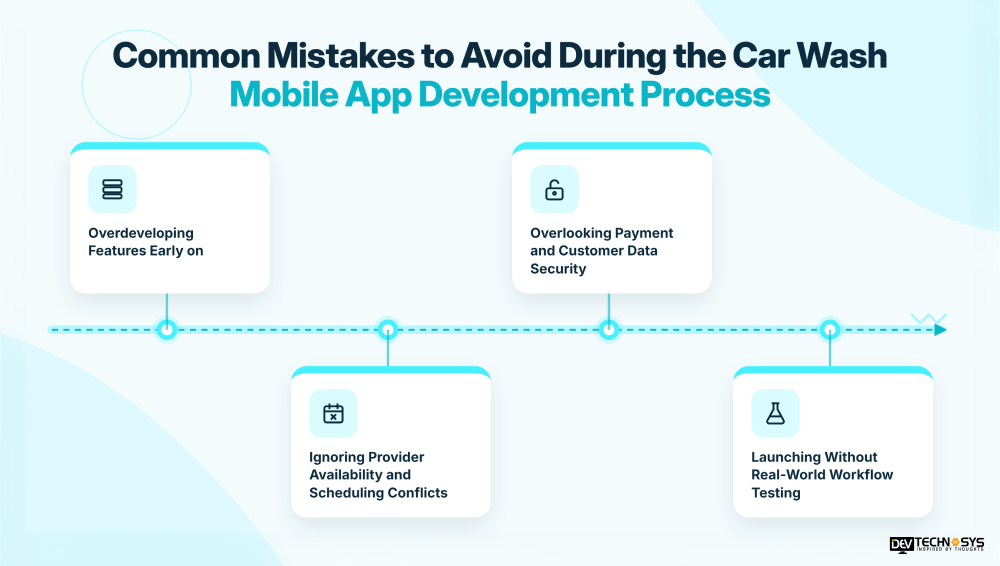
1. Overdeveloping Features Early on
The process of including unnecessary features in the early phase of car wash booking app development only aggravates budget issues, makes the process much harder to manage and prolongs the time that will be required to work. Companies should focus on such basic features as booking, payment, and tracking the service. Using an MVP will allow businesses to verify whether their potential customers need the product, listen to the users’ opinions, and make improvements before going for complex features.
2. Ignoring Provider Availability and Scheduling Conflicts
Bad management in scheduling can lead to missed appointments and double bookings for customers. Companies should make sure that when build an automatic car wash app, they include options such as real-time monitoring of the technician’s availability along with validation of the service area and automated booking notifications.
3. Overlooking Payment and Customer Data Security
Poor security practices may result in exposing sensitive customer information, thus exposing the company to various risks when processing payments. Developers at an Android app development company should implement a reliable payment gateway, use encryption, and enforce role-based access. Regular security testing and secure API communication will help secure transactions and maintain customer validity.
4. Launching Without Real-World Workflow Testing
Going live without testing real-life service scenarios may lead to problems such as wrong location, cancellation by the service provider, and failed bookings. The business needs to simulate the customer journey, payment failures, shortage of technicians, and delays.
How to Measure the Success of Your Car Wash App After Launch
To assess the effectiveness of a car wash app like IMO, it is crucial to monitor customer interactions, booking rate, revenue inflow, and service execution efficiency. KPIs are useful for discovering booking-related difficulties, knowing customer behaviour, and evaluating worker efficiency. Monitoring conversion rates, completed appointments, customer acquisition, and cancellations on a regular basis opens up possibilities for improvement.
Key Performance Indicators for Car Wash Apps
Metric |
Business Purpose |
| Booking Conversion Rate | Evaluates booking funnel effectiveness |
| Booking Completion Rate | Measures successful service fulfilment |
| Customer Retention Rate | Tracks repeat customer engagement |
| Average Booking Value | Monitors revenue generated per order |
| Provider Utilization | Evaluates workforce efficiency and scheduling |
| Cancellation Rate | Identifies booking issues and operational friction |
Conclusion
In order for the car wash app development process to bring about success, it is important to validate your business model while adhering to customer needs. User-centric design, appropriate technology choices, strong payment processing options and solid testing processes provide the groundwork for creating an effective solution and enjoying sustainable growth.
At the same time, accurate booking, technician management and service delivery should take precedence over the implementation of additional tools and automation. Contact car wash app development company to learn more about our services and discuss your requirements for a custom application!
Planning a Mobile App?
Get a tailored development cost estimate in 3 simple steps — app basics, features, timeline, and your contact details.
- 3 quick steps
- 100% free
- Reply in 1 business day
2 Minutes Read
Frequently Asked Questions
Find answers to the most common questions related to this article.
The process of developing a car wash mobile application takes between 1 and 5 months, depending on the project complexity. An MVP type of application takes less time than one for the customer, provider, and administrator. The work complexity, availability of unique features, the necessity to pass security checks, and rigorous testing take time.
The development cost of the car wash app is around $10,000 to $30,000, determined by the platforms that are being used, the app complexity, and booking and dispatching capabilities. Payments, maps, admin dashboards, and security checks are the factors impacting the budget. Do not forget to include hosting and maintenance costs while estimating the budget.
The must-have features of a car wash booking application include safe registration, supporting vehicle profiles, selecting services, available slots, appointment confirmations, and payment options. Added features such as notifications, cancellations and the availability of booking history make the application more user-friendly.
Developers may go for Flutter and React Native for cross-platform applications, while native development strategies are useful in specific cases. Node.js or Python may serve as backend support, with PostgreSQL or cloud technologies in place. Choose your mapping system, payment processor, sign-in methods, and notification system according to your needs.