























Key Takeaways:
-
- CRM integration with ERP systems connects sales, finance, inventory, and order management, reducing duplicate records and improving operational efficiency.
- Native connectors suit standard integrations, custom APIs support specialized workflows, and middleware/iPaaS helps manage complex, multi-system environments.
- Clear data ownership, accurate field mapping, and appropriate synchronization rules help maintain consistent customer, order, inventory, and financial records.
- Secure authentication, integration testing, duplicate-prevention mechanisms, and continuous monitoring are essential for reliable CRM–ERP data exchange.
When CRM and ERP systems operate separately, businesses often struggle with duplicate customer records, delayed order processing, and inconsistent information across departments. Sales, finance, and operations teams may rely on manual data entry, increasing errors and slowing business workflows.
CRM integration with ERP systems connects customer-facing and operational platforms to enable data exchange between sales, inventory, accounting, and order management. It helps businesses synchronize customer information, automate order-to-invoice workflows, and maintain accurate records across systems without repeatedly entering the same data.
This crm erp integration guide explains the benefits, integration methods, technical architecture, implementation steps, and best practices for connecting CRM and ERP systems securely and reliably.
How Does CRM and ERP Integration Work?
CRM integration with ERP systems works through APIs, native connectors, or middleware that enable data exchange between customer-facing and operational systems. The integration layer validates records, maps fields, and routes information according to defined business rules.
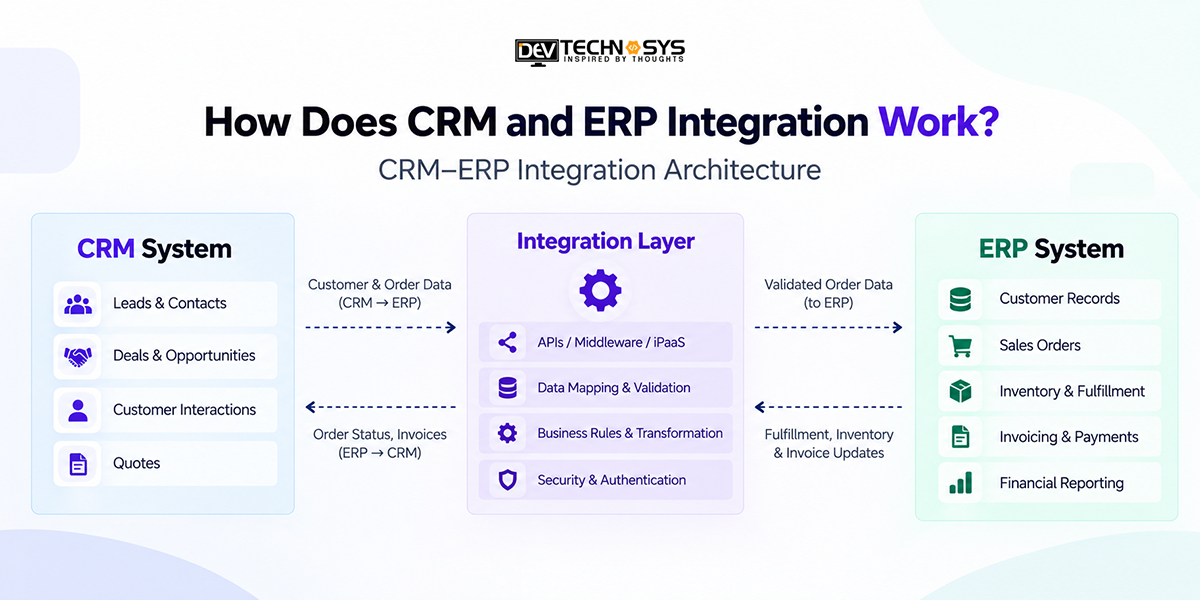
CRM–ERP Integration Architecture
The integration layer manages data exchange through the following functions:
- API connectivity: REST APIs and webhooks enable communication and event-triggered updates between CRM and ERP platforms.
- Data mapping: Matches customer IDs, order details, and other fields across systems to maintain consistency.
- Business rules: Define which records are transferred, their destination, and the conditions that trigger synchronization.
- Data synchronization: Supports real-time, scheduled, or asynchronous updates based on operational requirements.
According to Microsoft Learn, asynchronous integration allows applications to exchange data without blocking business processes, while batch integration supports transferring larger volumes of records at scheduled intervals.
Example:
When a sales representative confirms an order in CRM, the integration sends validated order details to ERP for processing. ERP then returns fulfillment and invoice updates to CRM.
This architecture supports enterprise application integration by connecting business processes while reducing duplicate data entry and improving information consistency.
Key Benefits of CRM and ERP Integration
CRM integration with ERP systems connects customer-facing activities with financial and operational processes, creating a single source of truth and reducing manual work. According to IBM, integrating these systems helps eliminate data silos, automate workflows, and improve visibility across sales, finance, and operations.
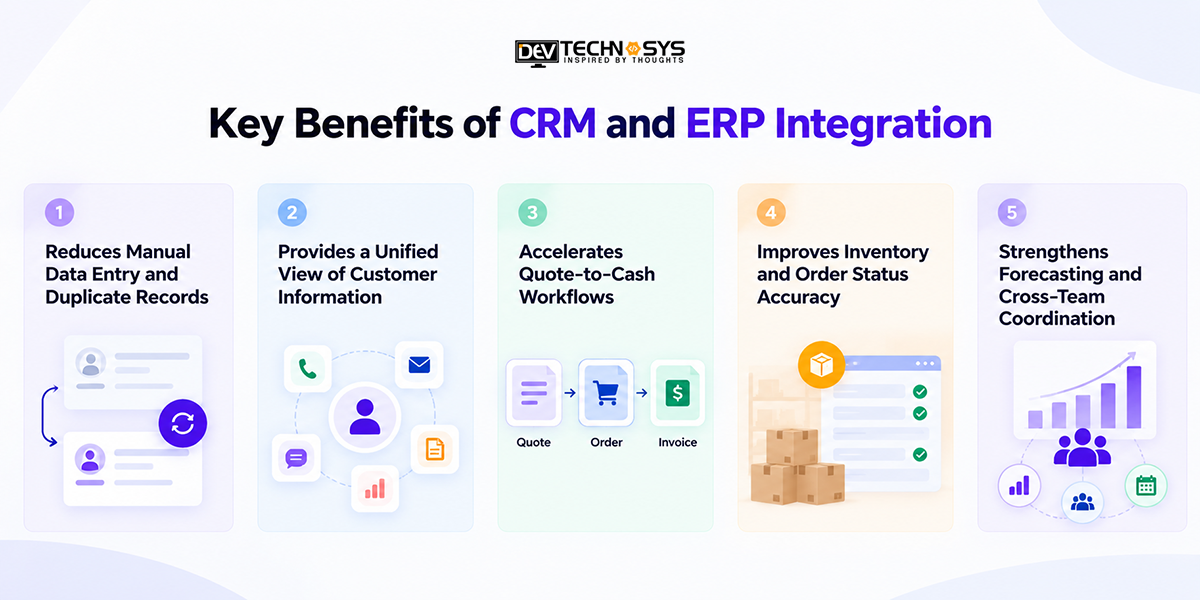
1. Reduces Manual Data Entry and Duplicate Records
Automated data exchange eliminates repeated customer and order entries across systems. This business process automation reduces administrative workload, minimizes inconsistencies, and helps teams maintain accurate records.
2. Provides a Unified View of Customer Information
A customer 360 view combines sales interactions with relevant financial and operational information. Sales, finance, and support teams can access consistent customer details without switching between disconnected applications.
3. Accelerates Quote-to-Cash Workflows
CRM and ERP integration streamlines quote-to-cash by transferring approved orders into ERP for fulfillment and invoicing. Automated status updates reduce handoffs and help prevent processing delays.
4. Improves Inventory and Order Status Accuracy
Sales teams can access ERP inventory availability, fulfillment progress, and shipment updates through CRM. This improves delivery estimates and reduces the risk of promising unavailable products.
5. Strengthens Forecasting and Cross-Team Coordination
Connected sales pipelines, orders, and financial records provide better forecasting inputs. Teams can coordinate purchasing, fulfillment, and revenue planning using consistent operational information.
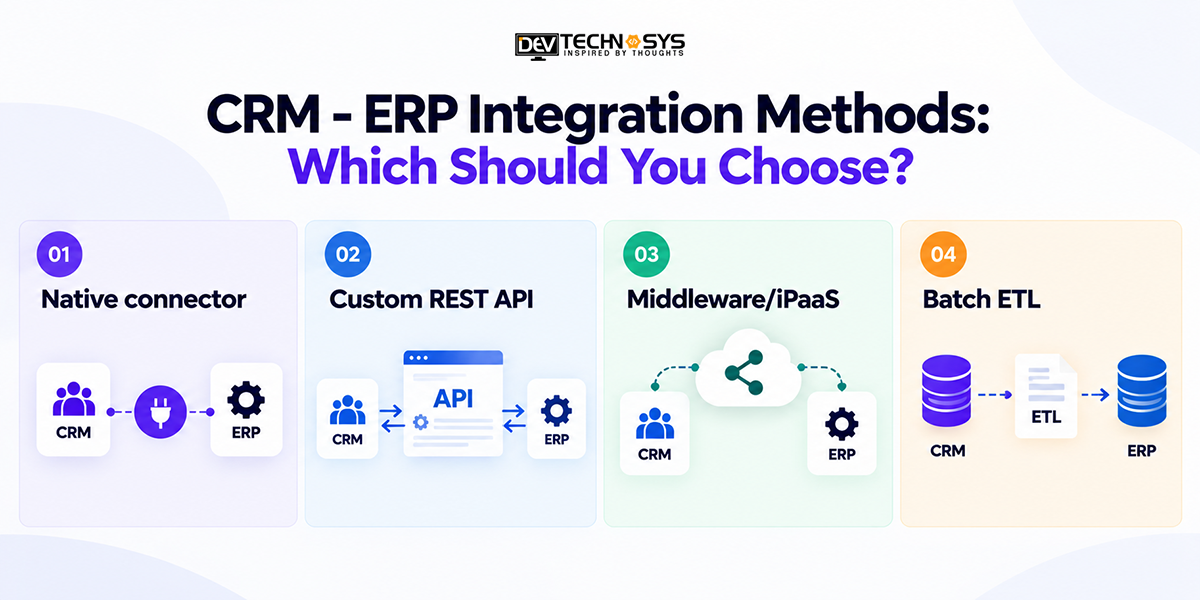
CRM – ERP Integration Methods: Which Should You Choose?
Choosing the right CRM-ERP integration method depends on system compatibility, workflow complexity, and synchronization requirements. Salesforce’s MuleSoft highlights how API-led integration connects applications and data across business systems, supporting flexible integration architectures.
Method |
Best suited for |
Main tradeoff |
| Native connector | Standard supported integrations | Limited customization |
| Custom REST API | Specialized business workflows | Higher development ownership |
| Middleware/iPaaS | Multiple applications and workflows | Platform and operating costs |
| Batch ETL | Periodic bulk data movement | Not suited to immediate transaction updates |
Understanding the Four Integration Methods
- Native connectors: Prebuilt integrations connect supported CRM and ERP platforms with minimal development. They suit standard customer, contact, and order synchronization requirements.
- Custom REST APIs: Developers create tailored connections for specialized workflows, validation rules, and data transformations. Businesses with complex requirements can explore CRM API integration for greater control.
- Middleware/iPaaS: Integration platforms connect multiple applications, manage data transformations, and monitor workflows centrally. This CRM ERP middleware architecture suits organizations managing several interconnected systems.
- Batch ETL: Extract, transform, and load processes transfer records at scheduled intervals. They work well for historical data, reporting, and bulk updates where immediate synchronization is unnecessary.
Technical distinction: Point-to-point integration describes a direct connection between systems. Middleware and iPaaS provide integration capabilities that can coordinate multiple connections.
Expert Recommendation
For straightforward integrations, start with supported native connectors. Choose custom APIs when workflows require specialized logic. For complex, multi-system environments, consider middleware or iPaaS alongside professional ERP integration services to support orchestration, monitoring, and long-term maintainability.
What Data Should Be Synchronized Between CRM and ERP?
CRM and ERP systems should synchronize data based on business requirements and clearly defined ownership rules. Not every record requires bidirectional sync. Identifying the authoritative system for each data type helps prevent conflicting updates and duplicate records.
Data |
Typical system of record |
Synchronization direction |
| Leads and opportunities | CRM | CRM → ERP when converted |
| Customer financial details | ERP | ERP → CRM |
| Sales orders | ERP | CRM → ERP request; ERP → CRM status |
| Inventory availability | ERP | ERP → CRM |
| Invoices and payment status | ERP | ERP → CRM |
Key Data Synchronization Considerations
- Customer master data management: Define which system owns customer identities, billing details, and transaction records.
- Field mapping: Match corresponding CRM and ERP fields, including data formats and required values.
- Unique identifiers: Maintain consistent customer, product, and order IDs to prevent duplicate entries.
- Conflict resolution: Establish rules for handling competing updates during bidirectional sync.
During ERP order status synchronization, CRM should display authoritative fulfillment information from ERP rather than overwrite it. These ownership rules may vary by business. For example, a CRM can initiate a sales order, while the ERP remains responsible for order processing, fulfillment status, and invoicing.
How to Integrate CRM with ERP Systems: Step-by-Step Process
To integrate CRM with ERP systems successfully, businesses need clear requirements, accurate data mapping, secure connectivity, and reliable testing. The following six steps provide a practical implementation workflow.
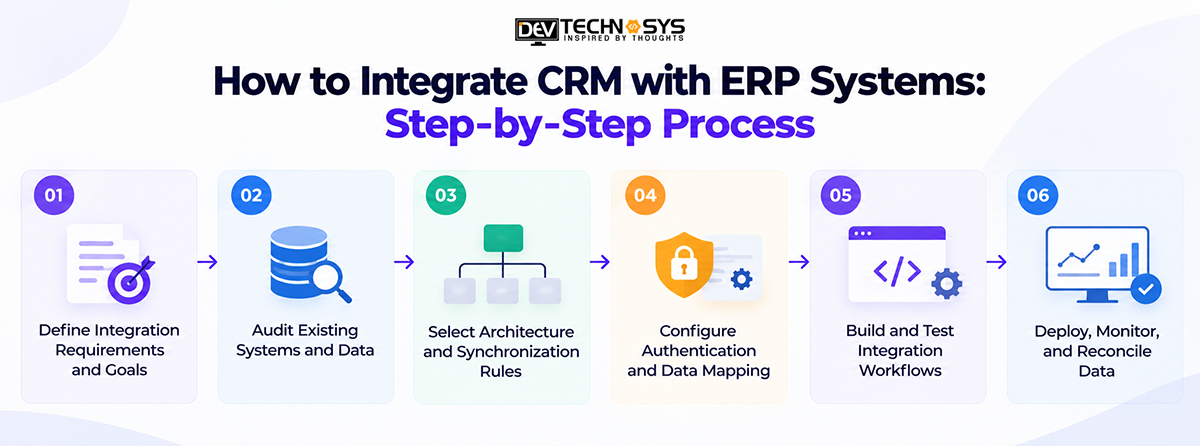
Step 1: Define Integration Requirements and Goals
Identify which business processes need integration, such as customer onboarding, order processing, or invoicing. Establish measurable outcomes, data ownership responsibilities, and stakeholder requirements before development.
Step 2: Audit Existing Systems and Data
Review CRM and ERP capabilities, available APIs, data formats, and existing integrations. Identify duplicate records, missing customer identifiers, and legacy-system limitations that could affect synchronization.
Step 3: Select Architecture and Synchronization Rules
Choose an integration architecture based on workflow complexity and system capabilities. Define which platform owns each record and whether updates require real-time, asynchronous, or scheduled synchronization.
Step 4: Configure Authentication and Data Mapping
Establish secure API authentication and appropriate access permissions. Map customer, product, and order fields between systems, applying validation and transformation rules to prevent inconsistent records.
Step 5: Build and Test Integration Workflows
Implement data exchange and conduct CRM ERP integration testing for successful transactions, API timeouts, invalid records, and duplicate requests. Follow AWS retry and backoff guidance to handle temporary failures while using duplicate-prevention controls for safe retries.
Step 6: Deploy, Monitor, and Reconcile Data
Deploy the integration gradually, monitor synchronization failures, and reconcile mismatched records. Professional CRM implementation services can support deployment planning, testing, and ongoing reliability.
Practical Example: Wholesale Order Processing
Consider a wholesale distributor connecting its CRM with an ERP system to automate order processing.
- Order submission: A sales representative approves a CRM deal, triggering an order request containing the customer ID, product details, quantities, and agreed prices.
- ERP confirmation: The ERP validates the request, creates a sales order, and returns a unique order identifier to CRM.
- Status synchronization: As the order progresses, ERP sends fulfillment and invoice updates to CRM, allowing sales teams to track transactions.
- Failure recovery: If the API request times out, the integration checks whether ERP already created the order. It then retries safely using an idempotency key or another supported duplicate-prevention mechanism.
- Data reconciliation: The integration verifies that CRM and ERP reference the same order identifier and flags unresolved mismatches for investigation.
Common CRM–ERP Integration Challenges and Solutions
CRM ERP integration challenges often arise from inconsistent customer records, incompatible data formats, API limitations, and legacy infrastructure. Without proper integration error handling, these issues can disrupt order processing, create duplicate transactions, and reduce data reliability.
Integration challenge |
Common cause |
Recommended solution |
| Duplicate or conflicting customer records | Different customer identifiers and competing updates | Define master-data ownership, match identifiers, and apply deduplication rules |
| Inconsistent field formats and product identifiers | Different schemas, product codes, and mandatory fields | Implement field mapping, data transformation, and validation rules |
| API failures and synchronization delays | Network timeouts, unavailable endpoints, or processing errors | Use safe retries, error queues, and reconciliation procedures |
| Rate limits and high transaction volumes | Excessive API requests or large transaction batches | Apply asynchronous data integration, batching, and rate-limit-aware scheduling |
| Legacy-system compatibility | Older ERP platforms with limited APIs or unsupported protocols | Use compatible adapters, middleware, or controlled file-based integration |
Handling Errors Effectively
Not every integration failure should trigger an automatic retry. Temporary network failures may require retry mechanisms, while invalid customer IDs or missing mandatory fields need data correction.
Integration teams should also monitor failed transactions, maintain error logs, and reconcile records regularly to prevent unnoticed synchronization gaps.
Best Practices for CRM Integration with ERP Systems
Successful CRM–ERP integration requires continuous monitoring, consistent data governance, and clearly defined synchronization rules. Businesses using CRM integration services should prioritize reliable data exchange, system compatibility, and long-term maintainability as their workflows and operational requirements evolve.
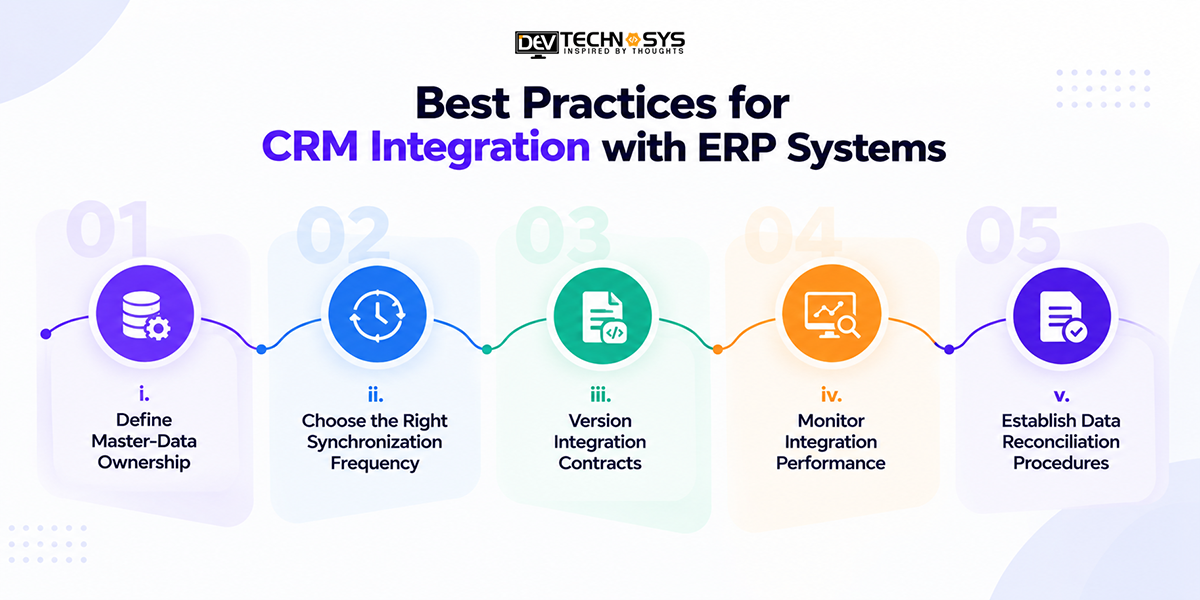
i. Define Master-Data Ownership
Assign authoritative systems for customer, order, inventory, and financial records. Document ownership rules to prevent conflicting updates and maintain data consistency.
ii. Choose the Right Synchronization Frequency
Use real-time ERP CRM data sync for time-sensitive transactions, such as order status updates. Schedule batch synchronization for reporting and other non-urgent data transfers.
iii. Version Integration Contracts
Maintain versioned API schemas, field mappings, and data contracts. Test compatibility whenever CRM or ERP platforms introduce changes that could affect existing workflows.
iv. Monitor Integration Performance
Track synchronization failures, processing delays, and unresolved errors. Follow AWS CloudWatch monitoring guidance to establish relevant metrics, logs, and alerts.
v. Establish Data Reconciliation Procedures
Compare records periodically, investigate mismatches, and correct failed updates before they affect downstream business operations.
CRM–ERP Integration Readiness Checklist
- Synchronization success rate: Percentage of records processed successfully.
- Average sync latency: Time required for updates to reach the destination system.
- Reconciliation exceptions: Number of mismatched or unresolved records requiring investigation.
Security and Data Governance Considerations
CRM–ERP integration involves transferring sensitive customer, financial, and operational data between platforms. The OWASP API Security Top 10 identifies broken authentication and authorization as major API risks, making secure integration architecture essential.
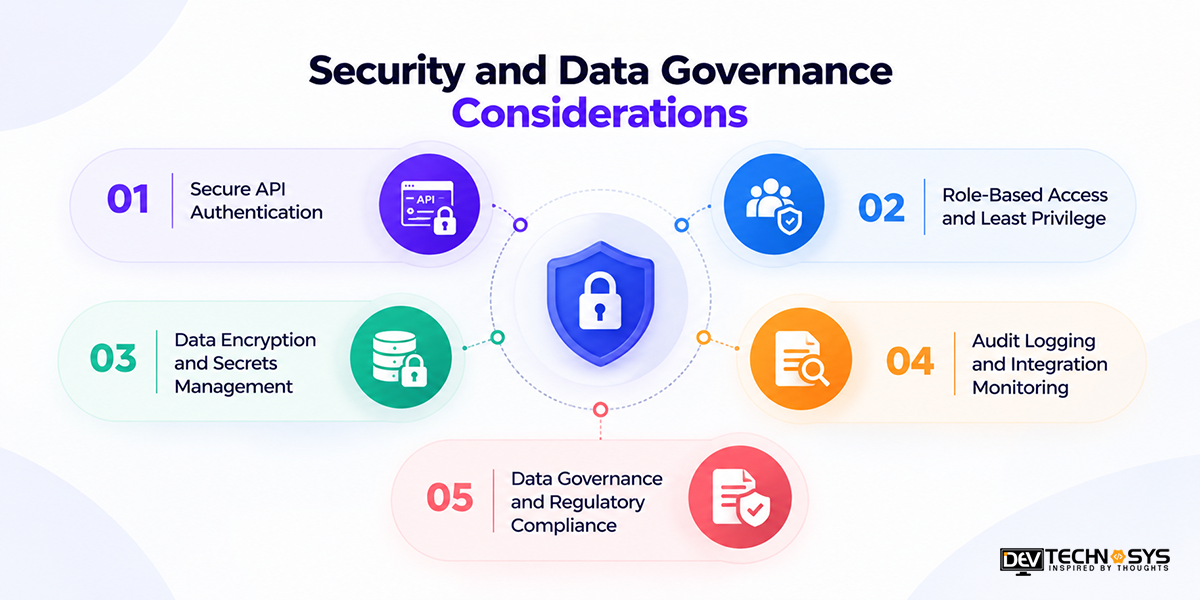
1. Secure API Authentication
Use OAuth 2.0 or appropriate service authentication to secure CRM–ERP connections. Configure token expiration, credential rotation, and authentication controls to prevent unauthorized system access.
2. Role-Based Access and Least Privilege
Apply role-based access controls and least-privilege permissions to integration accounts. For example, a CRM retrieving inventory availability should have read-only access rather than permission to modify stock quantities.
3. Data Encryption and Secrets Management
Use TLS to protect data in transit and encryption at rest for stored sensitive information. Store API keys and access tokens in dedicated secrets-management systems rather than application code.
4. Audit Logging and Integration Monitoring
Maintain audit logs for API requests, synchronization failures, and permission changes. Monitor suspicious activities while ensuring sensitive customer information and authentication tokens are not exposed in logs.
5. Data Governance and Regulatory Compliance
Define data ownership, retention policies, and authorized sharing between systems. Evaluate GDPR, SOX, or HIPAA requirements according to applicable business activities, jurisdictions, and data types.
Following established secure coding practices helps businesses address integration vulnerabilities throughout development and maintenance.
Conclusion
Whether integrating existing platforms or working with a partner to build customized capabilities, businesses should prioritize scalability, data governance, and long-term maintainability. A well-planned integration creates a dependable foundation for operational efficiency and informed decision-making.
For embedding existing platforms or collaborating with a CRM development company to create custom functionality, scalability, data governance, and maintainability are crucial factors. An effective integration provides a reliable base for efficient operations and information to inform decision-making.
Frequently Asked Questions
Find answers to the most common questions related to this article.
The best integration method depends on business requirements and system compatibility. Native connectors suit standard integrations, custom APIs support specialized workflows, and middleware or iPaaS platforms help manage connections between multiple business applications.
For time-critical information like inventory availability and order status, real-time synchronization should be the priority. Batch synchronization is perfect for periodic reporting, historical records, or bulk transfers. A mix of the two is followed by many businesses, depending on their needs.
Master-data ownership is related to business processes and system architecture. CRM usually deals with leads and sales chances, whereas ERP is responsible for inventory, monetary transactions, and order fulfillment. Ownership rules help prevent duplicate records and conflicting updates
CRM integration with ERP systems can take several weeks to several months depending on the complexity of the systems, the availability of APIs, data quality, and customization needs. While standard connector-based integrations might be less involved, custom workflows and legacy systems, as well as more intensive testing, can lead to longer implementation times.
The cost of CRM-ERP integration will depend on several factors such as the method of integration, number of applications to be integrated, complexity of the workflow and volume of data. Other costs include the development of the API, API middleware subscriptions, security measures, testing, monitoring, and maintenance.














