


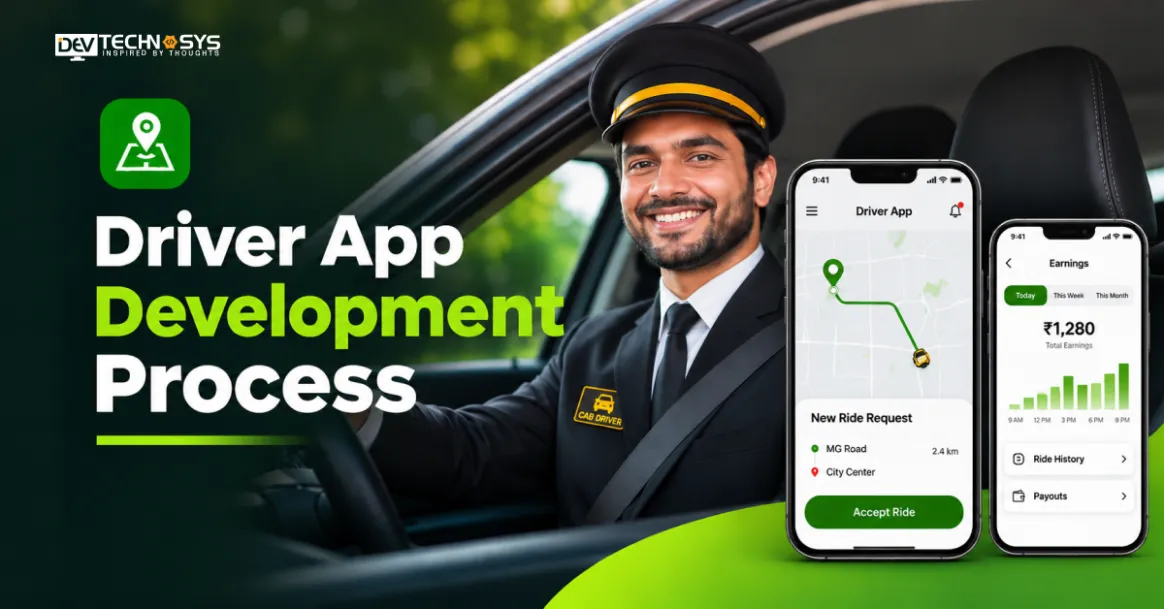
Key Takeaways:
- Taxi driver app development starts with defining business requirements, user roles, and essential workflows.
- Core features include GPS tracking, ETA tracking, job assignment, route navigation, and proof of delivery.
- UI/UX design should prioritise simple navigation, accessibility, and minimal driver distractions.
- Delivery driver app development costs typically range from $4,792 to $49,999, depending on complexity and features.
Developing a driver app is complex and involves much more than building a mobile interface. The business needs reliable GPS tracking technology, smart job assignments, maintaining communication in real-time, and the security of the data being processed, together with seamless integration with fleet management systems.
It doesn’t matter whether you are building a driver app for delivery services, logistics, or fleet management; it is always useful to follow a step-by-step driver app development process to control costs, minimise technical risks, and avoid expensive redesigns.
The driver app development guide provides clear steps for driver app development, from defining project requirements and selecting the technology stack to launch.
What Is Driver App Development?
Driver app development is the process of building mobile applications that help drivers effectively organise their deliveries, jobs, routes, and daily activities. For successful taxi booking app development, integrating GPS technology is important, as it helps connect drivers and dispatchers, streamline logistics, improve fleet visibility, and ensure on-time delivery.
What Are the Essential Features of a Driver App?
A driver application is expected to provide functionalities that facilitate daily operations, create communication processes, and assist fleet management in operating smoothly. Here are the helpful on-demand delivery app features for companies when dealing with the management of drivers, orders, and routes.
Feature | Purpose | Business Benefit |
| Driver Registration & Profiles | Manage driver details and accounts. | Simplifies driver onboarding. |
| GPS Tracking & Navigation | Track driver locations in real time. | Improves fleet visibility. |
| Job & Delivery Management | View, accept, and update assigned jobs. | Streamlines daily operations. |
| Route Optimization | Find efficient routes. | Reduces fuel costs and delays. |
| Proof of Delivery | Capture signatures, photos, and delivery confirmation. | Reduces delivery disputes. |
| Communication & Notifications | Connect drivers and dispatchers. | Improves coordination. |
| Earnings & Performance Tracking | Monitor payments and completed jobs. | Improves performance transparency. |
| Offline Access | Access essential tasks without internet. | Maintains operational continuity. |
Driver App Development Process: A Step-by-Step Guide
To develop a driver application, it is necessary to create a secure backend, tracking capability, dispatching logic, and an interaction system with fleet management programs. The driver mobile app development steps are as follows:

Step 1: Research and Define App Requirements
The fleet driver app development process begins by defining the business model and target user group. For instance, a shipping company may need features like delivery tracking and confirmation, while a ride-sharing business may need real-time ride information, driver availability, and payment management.
- Market and Competitor Analysis: The mobile app development process begins by analysing mobile applications like Uber Driver and Lyft to gather information about their onboarding process, job allocation, and revenue generation.
- Determine the User Roles: Understand which functionalities are available to drivers, dispatchers, fleet managers, and administrators. Each user role should have different access rights.
- Finalise Core Features: Think of driver registration, checking the provided documents, status of being online/offline, accepting jobs, GPS tracking, navigating, confirming deliveries, and receiving payments.
- Map Business Workflows: Understand business processes for creating jobs, assigning them, accepting jobs, completing them, cancelling them, and reassigning them.
The result should be a requirements document that should contain specifications about the functionality, user flows, the need for integration, and the scope of the initial product.
Step 2: Choose the Technology Stack and Architecture
The second step of the driver app development process involves choosing the technologies according to the expected number of users, real-time processing, compatibility of the chosen technologies with the platform, and scalability.
Technology Layer | Recommended Technologies | Purpose |
| Mobile frontend | Flutter, React Native, Kotlin, Swift | Build Android and iOS applications. |
| Backend | Node.js, Python, Java | Handle business logic, APIs, and job assignments. |
| Database | PostgreSQL, MongoDB | Store driver profiles, jobs, and delivery records. |
| Real-time communication | WebSockets, Firebase Cloud Messaging | Deliver live updates and notifications. |
| Geospatial processing | Redis, PostGIS | Manage location data and proximity queries. |
| Mapping services | Google Maps Platform, Mapbox | Provide navigation, directions, and route data. |
| Cloud infrastructure | AWS, Microsoft Azure, Google Cloud | Host backend services and support scaling. |
Architecture Planning
A typical ride sharing app development involves using a mobile client connected to backend services through REST APIs or GraphQL. Driver app backend development involves configuring WebSockets for live job updates and dispatcher communication, geospatial services to process driver coordinates, and databases to store operational records.
For example, Redis can maintain frequently updated driver locations, while PostgreSQL with PostGIS stores structured operational data and supports spatial queries.
Step 3: Design the Driver App UI/UX
The third step in driver app design and development is creating an intuitive user interface and experience. A driver app like Uber must have interfaces that support quick interactions, clear information, and minimal distractions, particularly when drivers are working on the road.
- Wireframing: Design screens that have been built for the login process, providing details of the driver’s operations, instances of work requests, various navigation systems, and information about payment.
- Interactive Prototyping: On-demand app development requires creating prototypes that can be used for testing navigation and implementation processes before finalising the product.
- Map-Centric Interface: Provide relevant details regarding the location, destination, route taken, and many more in an easy-to-use format.
- Accessibility: Adhere to the principles of readability, utilise high-contrast objects with proper symbols and ensure reasonable contrast.
Also, design different screen states for incoming jobs, accepted assignments, active navigation, completed deliveries, and cancelled requests. This helps developers implement consistent workflows.
Design Consideration Advice:
According to Lakhan Saini, the UI/UX design expert at Dev Technosys, driver apps should keep primary actions accessible with minimal taps and display navigation information clearly to minimise distractions while driving.
Step 4: Develop Core Driver App Features
After approval of the architectural and design work, your driver app development company will assign experts to begin front-end and back-end programming. Having isolated pieces of programming makes it easier to test, manage and expand the program. Key programming modules include:
- Authentication and Verification of Drivers: Carry out secure login, OTP/multistage authentication, uploading of documents and workflows of server verification.
- Assignment of Jobs and Dispatching: Create application programming interfaces and assign jobs taking into consideration availability, locality, type of vehicle, and expected arrival time.
- Determining Coordinates and Background Tracking: Use local Android and iOS services to obtain coordinates when tracking is necessary. Set up recurring background tasks and location updates.
- Route Management: Route planner app development entails integrating mapping APIs to find routes, get traffic information, estimate arrival times, and modify routes.
- Proof of Delivery: Enable photo uploads, digital signatures, timestamps, and delivery status updates.
- Earnings and Notifications: Build payout summaries, transaction records, and push notifications for job assignments and operational alerts.
Example: How Driver Job Assignment Works
Dispatcher creates a delivery request → Backend identifies available drivers → Matching engine evaluates location and availability → Driver receives a push notification → Driver accepts the job → GPS tracking begins → Delivery status is updated → Proof of delivery is submitted.
Technical Consideration: GPS tracking requires careful handling of battery usage and network interruptions. Store location updates locally when connectivity is unavailable and synchronise them with the backend once the connection returns. Background tracking must also follow platform permissions and execution restrictions.
Step 5: Test Security, Performance, and Functionality
Testing is a crucial step in the driver app development process. Testing ensures the application works reliably across different devices, network conditions, and real-world driving scenarios. It should cover both mobile functionality and backend performance.
- Functional Testing: The driver app testing process involves verifying registration, document uploads, job acceptance, delivery updates, payment records, and notifications.
- GPS and Field Testing: GPS tracking software development ensures accurate location tracking, route recalculation, background tracking, and recovery after GPS or network interruptions.
- Performance and Load Testing: Simulate multiple concurrent drivers, frequent location updates, and peak-hour job requests to identify API latency, database bottlenecks, and server failures.
- Integration Testing: Check communication between the driver app, driver dispatch software and dashboard, mapping services, payment gateways, and backend APIs.
- Security Testing: Validate authentication, API authorisation, encrypted data storage, session management, and protection against unauthorised access.
Industry Insight
For mobile security verification, developers can use the OWASP Mobile Application Security Verification Standard (MASVS) to assess storage, authentication, network communication, cryptography, and privacy controls.
Step 6: Deploy, Launch, and Maintain the App
After you build a taxi booking app, time to test its functionalities. After testing and resolving critical issues, prepare the application for production deployment.
- Production Deployment: Configure cloud hosting, production databases, API endpoints, driver behaviour monitoring, and backup systems.
- App Store Submission: Publish Android and iOS applications through Google Play and the Apple App Store, including required metadata, privacy disclosures, and permission descriptions.
- Driver Onboarding: Introduce the app to initial drivers, provide training, and collect feedback on navigation, job assignments, and usability.
Step 7: Monitor and Maintain the App
After launch, continuously monitor performance and improve the application based on operational feedback.
- Performance Monitoring: Monitor crash rate, API response time, GPS accuracy, battery consumption, and failed sync requests.
- Continuous Updates: Release bug fixes, security updates, compatibility updates, and enhancements.
- Continuous Updates: Optimise back-end services and database performance as the number of driver requests and customers increases.
Regular maintenance allows businesses to comply with changing platform requirements, increasing operational requirements, and changing user needs.
Development Takeaway: A successful application for drivers depends on reliable GPS tracking, efficient dispatch logic, secure architecture, and constant testing of these components. Validate these components before scaling the application to larger driver networks.
How Much Does Driver App Development Cost?
Driver app development cost typically range from $4,792 to $49,999 and vary based on factors such as app features, platform options, backend structure, integration options, and development complexity. A simple driver app with features like login, driver profiles, and job allocation costs less than an advanced logistics application with real-time GPS tracking, automated dispatching, route planning, and fleet management.
App Type | Estimated Cost | Development Timeline |
| Basic Driver App | $4,792–$10,000 | 1–2 months |
| Mid-Level Driver App | $10,000–$25,000 | 2–3 months |
| Advanced Driver App | $25,000–$49,999 | 3+ months |
These estimates represent indicative development budgets, not fixed market prices. The final quote depends on the number of user roles, supported platforms, integrations, and custom functionality.
Key Factors That Affect Driver App Development Cost
The following factors have the greatest impact on the budget of the entire driver app development process:
Cost Factor | Budget Impact |
| Platform Selection | Native Android/iOS or cross-platform development. |
| GPS and Mapping | Live tracking, geofencing, navigation, and route optimisation. |
| Dispatch Features | Automated job assignment and driver matching. |
| Backend Architecture | APIs, databases, and real-time processing. |
| Third-Party Integrations | Payment, CRM, ERP, and fleet system connections. |
| Security Requirements | Authentication, encryption, and data protection. |
Security and Compliance Considerations for Driver App Development
Businesses should implement appropriate security controls and follow applicable data protection regulations.

- Data Encryption: Encrypt driver information and business data in transit and at rest to prevent unauthorised access. Refer to GDPR Article 32, which addresses security measures such as encryption and pseudonymization.
- Authentication and Access Control: Implement multi-factor authentication, role-based access control (RBAC), and secure session management.
- Location Data Privacy: Collect GPS information only for defined business purposes, clearly communicate tracking practices, and restrict access to location history.
- API and Backend Security: Secure communication between driver apps, fleet management platforms, and third-party services through authenticated APIs and appropriate authorisation controls.
- Mobile App Security Testing: Follow the OWASP Mobile Application Security Verification Standard (MASVS) to assess authentication, data storage, encryption, network communication, and privacy controls.
- Secure Development Practices: Use the NIST Secure Software Development Framework (SSDF) to integrate security practices throughout the development lifecycle
What Mistakes to Avoid During Driver App Development?
Businesses should consider common development mistakes early to prevent operational issues, poor driver adoption, and unnecessary maintenance costs.
Common Mistake | Why It Happens/Impact | How to Prevent It |
| Ignoring Driver Experience | Complex interfaces reduce usability and driver adoption. | Use simple navigation and quick-access features. |
| Poor GPS Accuracy | Incorrect tracking leads to route errors and delays. | Integrate reliable mapping APIs and test GPS accuracy. |
| No Offline Functionality | Network interruptions disrupt job updates and delivery records. | Add offline storage and automatic data synchronisation. |
| Weak Security | Exposes driver and business information to unauthorised access. | Implement encryption, secure authentication, and access controls. |
| Poor Scalability | Performance suffers as drivers and delivery volumes increase. | Use scalable backend architecture and load testing. |
| Integration Issues | Incompatible APIs disrupt fleet and payment workflows. | Validate API compatibility and test integrations. |
| Insufficient Testing | Unidentified bugs affect app performance and reliability. | Conduct functional, security, and device compatibility testing. |
Conclusion
Creating a successful driver application requires taking numerous factors into consideration. Building such an application requires comprehensive planning, reliable technology, intuitive design, and continuous optimisation. A structured driver app development process helps companies build solutions with efficient GPS tracking, optimal dispatch opportunities, and secure data management. So whether a company is planning to create a delivery driver application or a full-fledged fleet management platform, it must choose development architecture and driver application development methods carefully.
Planning a On Demand App Project?
Get a tailored development cost estimate in a few simple steps.
- 3 quick steps
- 100% free
- Reply in 1 business day
2 Minutes Read
Frequently Asked Questions
Find answers to the most common questions related to this article.
A driver application development lifecycle is around 1 to 3+ months. A basic one may take 1–2 months, while a complex platform with real-time tracking and automated dispatch may require 3+ months or longer.
Driver app development generally costs between $4,792 and $49,999. However, the total cost can change depending on platform choice, feature complexity, integrations, and backend requirements. GPS tracking, route optimisation, and dispatch automation can increase the budget.
Common choices include Flutter or React Native for cross-platform apps, Kotlin for Android, Swift for iOS, and Node.js or Python for backend development. PostgreSQL and Redis support data and location management.
Key features to include in a driver app are driver registration, job assignment, GPS navigation, real-time tracking, proof of delivery, notifications, and delivery history.
Custom driver app development suits businesses with specialised workflows, dispatch rules, or integration needs. Ready-made solutions are generally suitable for standard operations and faster driver app deployment.
To develop a driver app, define business requirements, select the technology stack, design the user interface, and build essential features such as GPS tracking, job assignment, route navigation, and proof of delivery. Next, integrate backend services, test security and performance, deploy the app, and monitor it after launch.


