


Key Takeaways:
-
- HubSpot ERP integration connects QuickBooks, SAP, and NetSuite to synchronize orders, invoices, inventory, and customer data.
- APIs, native connectors, and middleware enable automated data exchange, with the right method depending on business complexity.
- Accurate field mapping, data ownership, and inventory reconciliation help prevent duplicate records, billing errors, and stock discrepancies.
- Secure authentication, regular monitoring, and error handling ensure reliable CRM-ERP synchronization and long-term data accuracy.
HubSpot CRM is used to manage customer relationships and deals by sales teams in a business, while finance and operations teams work on ERP systems to access orders, invoices, and inventory. Three different teams using different systems can cause delays, duplicate data entry, billing issues, and incorrect stock information.
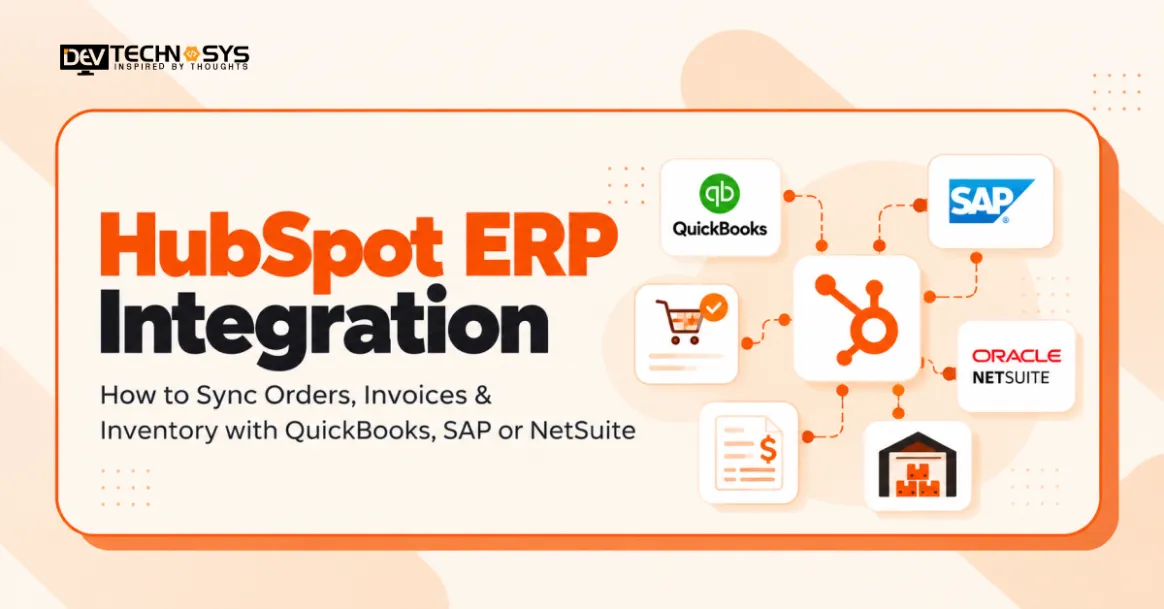
HubSpot ERP integration is intended to synchronize CRM and ERP systems to ensure that data is accurate throughout the business. You can use HubSpot to connect with QuickBooks, SAP, or NetSuite to streamline order processing, automate invoicing, monitor stock levels, and ensure improved financial visibility. Better CRM integration also cuts down on manual work and facilitates better inter-departmental coordination.
However, understanding how to sync HubSpot with ERP systems involves APIs, data mapping, and synchronization. This guide provides information about how these platforms can be connected, how orders and invoices can be handled, how inventory can be synced, and how common integration issues can be addressed.
How Does HubSpot ERP Integration Work?
HubSpot ERP integration connects HubSpot CRM with enterprise systems to exchange customer, sales, and financial information. ERP integration services help businesses set up seamless data flows, minimize manual updates, and ensure data consistency throughout the organization.

1. Connecting HubSpot CRM with ERP Systems
HubSpot integrates with QuickBooks, SAP, or NetSuite via API, prebuilt connectors, or middleware. These connections map specific field data between platforms and synchronize data between platforms based on the defined field mapping and synchronization rules.
2. One-Way vs Bidirectional Synchronization
One-way syncs move data from one system to another; for instance, ERP inventory changes integrate into HubSpot. With two-way ERP CRM sync, both platforms can share approved changes, but data remains in a single owner’s hands, and there is no conflict between changes in the two platforms.
4. Real-Time vs Scheduled Data Updates
Real-time synchronization processes changes soon after they are made by utilizing webhooks and API requests. Scheduled synchronization will get updates at regular intervals; it is recommended for bulk records, inventory reconciliation, and other workflows that don’t need immediate updates.
Industry Insight
According to Salesforce’s 2025 MuleSoft research, organizations use 897 applications on average, yet only 29% are integrated, highlighting connectivity gaps.
What Data Should You Sync Between HubSpot and ERP Systems?
To enable HubSpot ERP data synchronization, you need to understand which data should be synced from one system to the other and who’s responsible for the data in each system. With CRM development solutions, businesses can set up consistent data flows between sales, finances, and stocks.
-
Sales Orders and Order Status
Approved deals are linked to ERP Sales Orders via HubSpot order management integration. It sends customer information, product amounts, pricing, and order reference, and brings back updates on fulfillment, shipping, and cancellations to HubSpot.
-
Invoices and Payment Information
HubSpot invoices can be synced with ERP billing records, ensuring businesses have accurate financial visibility. Usually, information about invoice numbers, due dates, outstanding balances, and payment statuses is synced from the ERP or accounting system to HubSpot.
-
Inventory and Product Availability
Businesses map product SKUs, inventory quantities, and warehouse records to sync inventory with HubSpot. Multi-location stock visibility, backordering, and ERP inventory data reconciliation can be helped by custom inventory management software development.
HubSpot ERP Data Synchronization Overview
Data Type | Typical Sync Direction | System of Record |
| Sales orders | HubSpot → ERP | ERP |
| Invoices | ERP → HubSpot | ERP |
| Inventory | ERP → HubSpot | ERP |
| Payment status | ERP → HubSpot | ERP |
Note: Synchronization direction and record ownership depend on the integration architecture and business requirements.
How to Integrate HubSpot with QuickBooks, SAP, and NetSuite
For HubSpot to integrate with ERP software, you need to use platform-specific APIs, connectors, and data mapping. An ERP software development company can help businesses set up trustworthy synchronization workflows depending on the requirements in their accounting, order management, and inventory systems.

1. HubSpot QuickBooks Integration
The HubSpot QuickBooks integration syncs customer data from HubSpot CRM to QuickBooks Online accounting data. Connectors in the HubSpot App Marketplace or the HubSpot QuickBooks Online REST API are available for businesses to synchronize customers, invoices, and payment information.
For more complex billing requirements or for processing sales orders, inventory updates, and more, custom API workflows might be needed that a standard connector can’t support.
2. HubSpot SAP Integration
Most commonly, HubSpot SAP integration is done over the SAP S/4HANA OData APIs, SAP Integration Suite, and/or custom HubSpot middleware. These integrations can import validated sales orders into SAP, and export billing documents, order statuses, and inventory levels back to HubSpot.
Sales order processing and billing integration is supported via a dedicated API that is available for SAP. Supported operations are dependent on the SAP edition and configuration.
3. HubSpot NetSuite Integration
HubSpot NetSuite integration is available for Oracle NetSuite and HubSpot CRM integration via SuiteTalk REST Web Services, third-party connectors, or middleware.
Depending on its capabilities, a HubSpot NetSuite connector can support customer synchronization, sales order processing, the creation of updated invoices, and inventory visibility. Custom integrations offer more control over field mapping, direction of sync, and transaction validation.
4. HubSpot ERP Integration Comparison
Platform | Integration method | Primary workflows |
| QuickBooks Online | REST API / connectors | Customers, invoices, payments |
| SAP S/4HANA | OData APIs / middleware | Orders, billing, inventory |
| Oracle NetSuite | SuiteTalk REST API / connectors | Orders, invoices, inventory |
Actual synchronization capabilities depend on the connector, API permissions, ERP configuration, and integration scope.
HubSpot ERP Integration Architecture and Data Flow
HubSpot ERP integration uses APIs and middleware to exchange data between CRM and ERP systems. A well-designed enterprise application integration architecture manages data transformation, validation, and synchronization while maintaining consistency across sales, finance, and inventory operations.

HubSpot ERP Integration Architecture
How Data Flows Between HubSpot and ERP Systems
- API connectivity: The HubSpot CRM API connects with ERP-specific APIs to exchange customer, order, invoice, and inventory records.
- Data transformation: Middleware performs field mapping validation, matches record identifiers, and converts data into compatible formats. HubSpot custom objects can represent additional business records where supported.
- Synchronization triggers: Webhooks initiate updates when supported events occur, while scheduled API requests retrieve changes at defined intervals.
- Error handling and monitoring: Retry queues process recoverable failures, while audit logs and reconciliation checks help identify missing, duplicate, or inconsistent records.
Industry Insight
According to HubSpot’s official documentation, supported integrations enable one-way or two-way synchronization, helping businesses maintain consistent records and reduce manual entry.
How to Sync HubSpot Orders, Invoices, and Inventory Step by Step
Successful HubSpot ERP integration requires a structured approach to connecting systems, mapping records, and automating data exchange. Follow these six steps to synchronize orders, invoices, and inventory with QuickBooks, SAP, or NetSuite.

1. Define Integration Requirements
Identify which records need synchronization, including customers, sales orders, invoices, and inventory. Define the system of record, synchronization direction, update frequency, and business rules before configuring integration workflows.
2. Configure API Authentication
Connect HubSpot with the selected ERP using authorized API credentials and OAuth authentication where supported. Custom API development helps establish secure connections, configure access permissions, and manage API rate limits.
3. Map HubSpot and ERP Data Fields
Match HubSpot properties with ERP fields, including customer IDs, product SKUs, order numbers, tax codes, and invoice references. Apply field mapping validation to prevent incorrect records, duplicate transactions, and data inconsistencies.
4. Build Order and Invoice Sync Workflows
Configure HubSpot order management integration to transfer approved sales transactions into the ERP. Establish workflows to sync HubSpot invoices and payment statuses using ERP-generated records and unique transaction identifiers.
5. Synchronize Inventory Availability
Map product identifiers and warehouse records to sync inventory with HubSpot. Configure inventory updates based on stock movements, available quantities, and backorders while maintaining ERP inventory data as the authoritative source.
6. Test, Deploy, and Monitor
Perform sandbox testing to validate synchronization accuracy, duplicate prevention, and error recovery. Monitor failed transactions, configure retry mechanisms, and establish an ERP integration rollback strategy before production deployment.
Which HubSpot ERP Integration Method Should You Choose?
Choosing the right HubSpot ERP integration methods depends on business complexity, data synchronization requirements, and customization needs. Businesses can use ERP consulting services to evaluate available connectors, API capabilities, and middleware solutions before implementation.

Comparing HubSpot ERP Integration Methods
Integration Method | Best Suited For | Key Considerations |
| Native Connectors | Standard HubSpot integrations with QuickBooks, SAP, or NetSuite | Available through HubSpot App Marketplace or third parties; may have limited customization and data coverage. |
| Custom API Integration | Businesses requiring custom HubSpot integration for orders, invoices, and inventory | Uses HubSpot CRM API and ERP APIs; requires development, testing, and ongoing maintenance. |
| iPaaS Middleware | Enterprise businesses managing multiple ERP and CRM platforms | Platforms like Boomi, MuleSoft, and Workato support workflow orchestration, data transformation, and monitoring. |
Expert Advice
Native connectors suit straightforward workflows, while custom APIs provide greater control over synchronization logic. iPaaS middleware is generally better suited to complex, multi-system environments requiring centralized integration management.
Common HubSpot ERP Integration Challenges and Solutions
Businesses often encounter HubSpot ERP integration challenges when synchronizing orders, invoices, and inventory across different platforms. Issues such as inconsistent data formats, API restrictions, and failed transactions can disrupt financial accuracy and operational workflows.
Understanding why ERP implementations fail helps businesses identify integration risks and implement reliable synchronization mechanisms.
Integration Challenges | Recommended Solutions |
| Duplicate Orders and Records | Use unique transaction IDs and idempotency checks to prevent duplicate order creation. |
| HubSpot Invoice Synchronization Errors | Validate invoice fields, tax codes, customer references, and payment statuses before synchronization. |
| ERP Inventory Data Reconciliation | Match product SKUs, verify stock quantities, and schedule inventory reconciliation checks. |
| API Rate Limits | Implement request queues, API throttling, and exponential backoff to handle rate restrictions. |
| HubSpot ERP Connector Limitations | Use custom APIs or middleware to support workflows unavailable through standard connectors. |
| Failed Data Synchronization | Configure automated retries, audit logs, error alerts, and CRM ERP integration monitoring to identify and resolve failures. |
Industry Insight
According to IBM’s Cost of a Data Breach Report, the global average breach cost reached $4.44 million, reinforcing security priorities.
Best Practices for Secure and Reliable HubSpot ERP Integration
Following HubSpot ERP integration best practices helps businesses maintain data accuracy, protect sensitive financial information, and prevent synchronization failures.
A secure integration strategy should include the following measures:
- Implement Secure API Authentication: Use OAuth authentication, data encryption, and role-based access controls to prevent unauthorized access to CRM and ERP records.
- Establish Data Governance Rules: Define a single source of truth for customer information, sales orders, invoices, and inventory to avoid conflicting updates.
- Monitor Synchronization Activities: Maintain audit logs, track failed transactions, and configure automated alerts to identify synchronization issues.
- Manage API Limits and Errors: Apply request throttling, retry mechanisms, and error-handling procedures to maintain reliable data exchange.
- Maintain Compliance and Data Privacy: Follow applicable GDPR and CCPA requirements while protecting customer records and ensuring financial data privacy.
Conclusion
Accurate data syncing between sales, finance, and inventory allows businesses to seamlessly integrate HubSpot ERP. Syncing HubSpot with QuickBooks, SAP, or NetSuite eliminates manual data entry, speeds up order processing, and ensures accurate invoice and inventory records. Selecting the appropriate integration method guarantees data transfer and improved visibility into operations.
Get custom HubSpot integration and HubSpot integration services to help businesses according to your requirements. We are a trusted HubSpot CRM development company, capable of creating secure API connections, setting up the middleware, and automating synchronization processes to facilitate effective CRM and ERP functioning
Frequently Asked Questions
Find answers to the most common questions related to this article.
Yes, HubSpot can be integrated with QuickBooks, SAP, and NetSuite via native connectors, third-party integration platforms, or custom APIs. Depending on the capabilities of the platform, these integrations can include customer data exchange, invoice synchronization, order processing, and inventory visibility.
You can link HubSpot CRM to an ERP API, correlate HubSpot customer data with fields on the ERP, and set up a trigger for the creation of orders. Order IDs created in your ERP and any updates regarding the order fulfillment can be synced back to HubSpot.
Businesses can sync inventory to HubSpot via ERP APIs, webhooks, or middleware, and yes! Near-real-time updates rely on the events supported, API limits, and any processing times. Another way of ensuring accurate product availability is to use scheduled synchronization
HubSpot ERP integration cost varies based on the ERP system chosen, the integration approach, the number of records that need to be synced, and the customization needs. Although native connectors can help lower initial development costs, custom APIs and middleware come with extra implementation and maintenance costs.
The timeline for HubSpot's integration with ERP will vary based on the system's complexity, the mapping of data, whether the API is available, and testing needs. Simple integrations using connectors can take days or weeks to complete, whereas customized, multi-system integrations can take weeks or months.


