




Key Takeaways:
-
- Healthcare CRM–EHR integration connects patient engagement workflows with relevant clinical and administrative data to improve coordination.
- Common integration methods include healthcare API integration, HL7 v2, FHIR, middleware, and vendor-supported connectors
- Key benefits include better visibility into patient information, streamlined appointment scheduling, improved referral tracking, and reduced manual data entry
- EHR-CRM integration steps include workflow planning, system audits, data mapping, architecture selection, development, testing, and ongoing monitoring.
- Common ehr crm integration challenges include legacy systems, duplicate patient records, incompatible data formats, and synchronization failures.
- HIPAA safeguards may include end to end encryption, role-based access, audit logs, and, where required, business associate agreements.
- Integration costs and timelines depend on system compatibility, data complexity, security requirements, and customization needs.
Electronic health records (EHRs) are widely used across US healthcare, with 95% of office-based physicians using an EHR, according to ASTP/ONC. However, when healthcare CRM platforms and EHR/EMR systems operate separately, patient information can remain fragmented and administrative teams can struggle to maintain consistent communication.
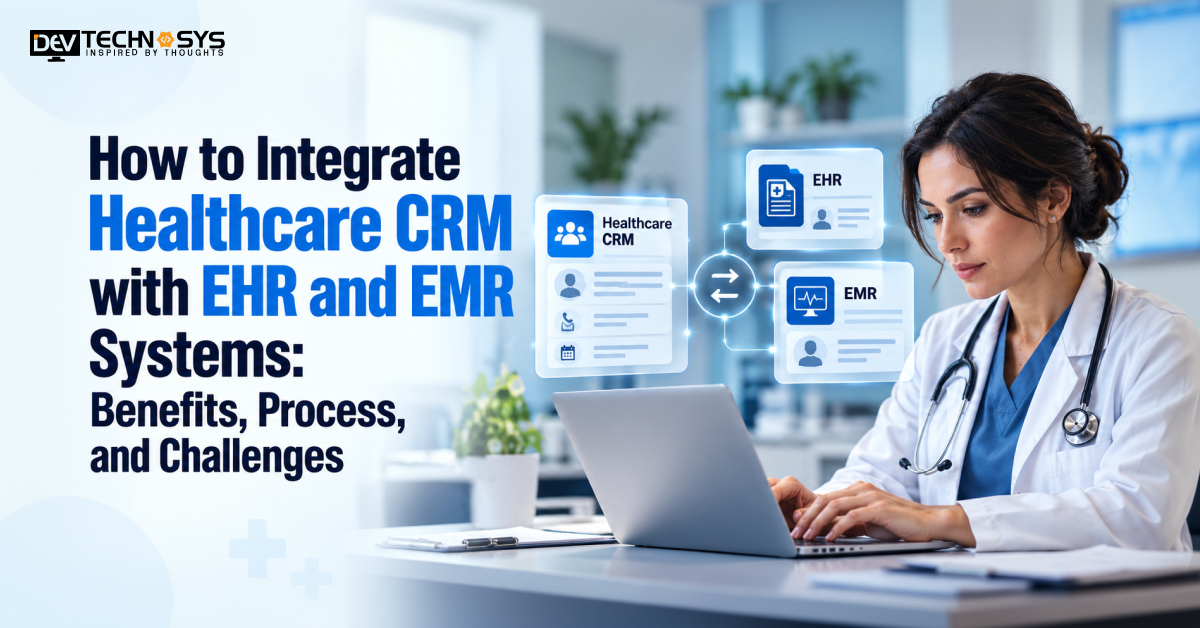
Integrating healthcare CRM with EHR and EMR systems connects patient engagement workflows to relevant clinical and administrative data. With the right integration architecture, healthcare organizations can streamline operations and improve visibility across patient interactions without unnecessarily duplicating sensitive medical records.
To successfully integrate healthcare CRM with EHR and EMR systems, businesses must evaluate interoperability standards, data mapping, patient identity matching, patient record matching, HIPAA obligations, and system compatibility. This guide provides insights on benefits, the step-by-step implementation process, common challenges, and cost factors healthcare organizations must understand before starting a project.
What Happens When Healthcare CRM and EHR/EMR Systems Operate Separately?
When healthcare CRM and EHR/EMR systems operate independently, patient information becomes fragmented across patient engagement platforms. Administrative teams may need to enter the same demographics, appointment details, and referral information multiple times, increasing workload and the risk of inconsistent records.
Problem |
What Happens When Systems Are Separate |
How Integration Helps |
| Duplicate data entry | Repeated entry increases workload and errors. | Healthcare crm ehr integration synchronizes approved patient data. |
| Missed follow-ups | Updates may not reach the responsible team. | Triggers timely follow-up tasks. |
| Inconsistent records | Patient details may differ across systems. | Improves data consistency. |
| Disconnected communication | Teams may use outdated information. | Supports timely, consistent outreach. |
| Limited visibility | Referral and appointment status is harder to track. | Improves workflow tracking. |
What Is Healthcare CRM Integration?
Healthcare CRM integration connects CRM platforms with EHRs, EMRs, scheduling tools, referral systems, and billing applications. It helps healthcare teams manage patient communications, appointment follow-ups, and referrals using relevant information from connected systems. Data can flow in one or both directions, depending on workflow requirements and system capabilities.
What Is the Difference Between Healthcare CRM, EHR, and EMR?
Healthcare CRM, EHR, and EMR systems serve different purposes within healthcare operations. Before you integrate healthcare CRM with EHR and EMR systems, you need to learn about the difference in EHR vs EMR and EHR vs CRM.
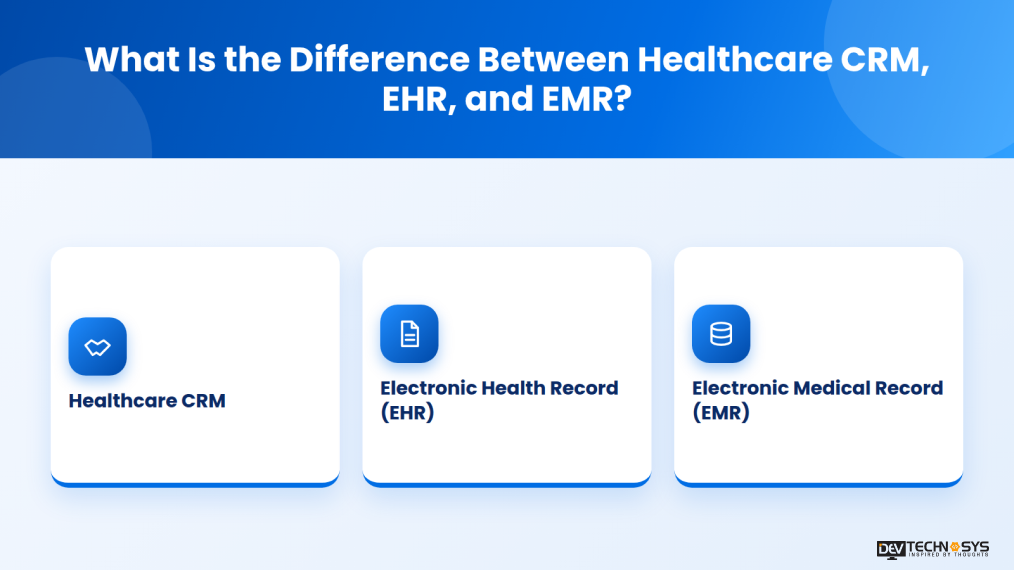
- Healthcare CRM: Manages patient engagement, appointment communications, referrals, outreach campaigns, and relationship workflows.
- Electronic Health Record (EHR): Maintains a broader electronic patient health record designed to support clinical care and information sharing across authorized providers and settings.
- Electronic Medical Record (EMR): Primarily maintains a patient’s digital medical record within a particular practice or healthcare organization.
Integrating these systems allows teams who create CRM development solutions to coordinate relevant patient engagement and administrative activities without treating the CRM as a replacement for the clinical record.
Why Do Healthcare Organizations Integrate CRM with EHR/EMR Systems?
Disconnected systems can lead to duplicate data entry, manual coordination, and missed follow-ups. Custom ehr crm integration helps healthcare organizations:
- Coordinate appointment reminders and scheduling updates.
- Track referrals and follow-up activities.
- Reduce repetitive administrative work.
- Maintain consistent patient communications.
- Improve visibility into engagement workflows.
The process to Integrate Healthcare CRM with EHR and EMR systems should exchange only the information required for defined workflows, with clear data ownership and appropriate safeguards for protected health information (PHI). we hope this helps understand why invest in healthcare CRM development.
What Are the Benefits of Integrating Healthcare CRM with EHR/EMR?
Integrating healthcare CRM with EHR/EMR systems connects patient engagement with relevant clinical and administrative data. It helps reduce fragmented workflows, improve coordination, and streamline daily operations. Here are some of the benefits of ehr crm integration services:
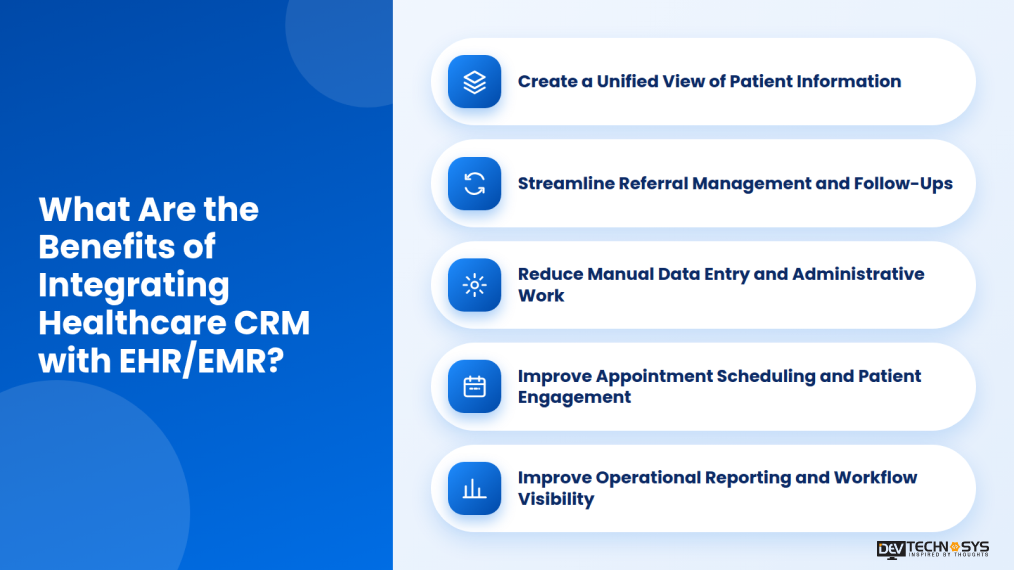
1. Create a Unified View of Patient Information
Integration connects relevant patient details, appointment history, referral status, and communication records. Authorized staff can access necessary information more easily without switching between systems. Role-based access helps protect sensitive clinical data.
2. Streamline Referral Management and Follow-Ups
Integration helps teams track referrals, monitor pending appointments, and identify overdue follow-ups. This improves coordination between healthcare providers and reduces dependence on manual status updates.
3. Reduce Manual Data Entry and Administrative Work
Automated data exchange reduces repetitive entry of patient details, appointment information, and referral records. Experts who provide patient portal development services ensure validation rules and duplicate checks to help maintain data consistency across connected systems.
4. Improve Appointment Scheduling and Patient Engagement
Connecting CRM with scheduling systems supports appointment reminders, confirmations, cancellations, and follow-ups. Timely updates help teams coordinate patient communication and reduce missed interactions while respecting communication preferences and privacy requirements.
5. Improve Operational Reporting and Workflow Visibility
Integrated data supports reporting on referral status, appointment attendance, follow-up completion, and patient engagement. Providers of healthcare IT solutions integrate dashboards that help identify delays and manage outstanding tasks more effectively.
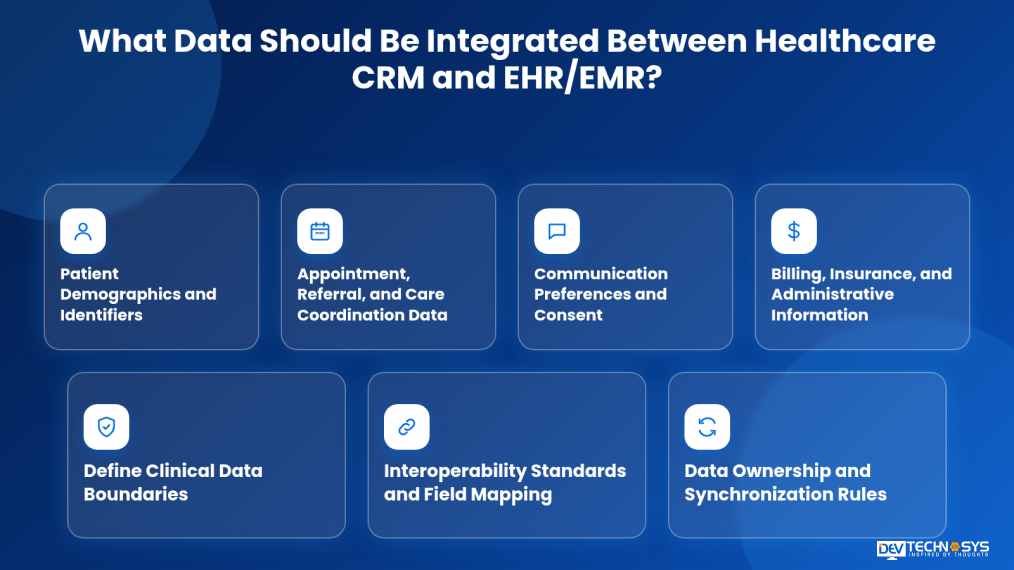
What Data Should Be Integrated Between Healthcare CRM and EHR/EMR?
Healthcare CRM and EHR/EMR integration should exchange only the data required for specific patient engagement and administrative workflows. Defining the right data fields helps maintain consistency while limiting unnecessary exposure of protected health information (PHI).
Example data flow: Website Booking → Healthcare CRM → Integration Layer/API → EHR/EMR → Appointment Status Returned to CRM → Patient Confirmation or Reminder
- Patient Demographics and Identifiers: Basic details such as patient name, contact details, date of birth, and patient ID help match records accurately.
- Appointment, Referral, and Care Coordination Data: Appointment status, referral details, and follow-up tasks help teams coordinate patient interactions.
- Communication Preferences and Consent: Preferred communication channels, language, and opt-out status help manage appropriate patient outreach.
Market Insight:
AHRQ highlights information sharing and follow-ups as key elements of care coordination. CRM–EHR integration can help teams track referrals, appointments, and patient follow-ups. Source: AHRQ
- Billing, Insurance, and Administrative Information: Insurance eligibility, billing status, and relevant administrative details support operational workflows.
- Define Clinical Data Boundaries: healthcare crm emr integration helps keep detailed clinical records, diagnoses, lab results, and treatment notes in the EHR/EMR unless a specific workflow requires approved data in the CRM.
- Interoperability Standards and Field Mapping: Depending on system capabilities, integration may use HL7 FHIR integration, HL7 v2, or APIs. Map fields carefully to account for differences in data formats and terminology. See the official HL7 FHIR documentation.
- Data Ownership and Synchronization Rules: Define which system is authoritative for each field, how frequently data syncs, and how conflicting updates and failed transfers are handled.
What Are the Healthcare CRM–EHR Integration Methods and Standards?
Healthcare CRM–EHR integration methods determine how patient and administrative data moves between systems. According to a top healthcare CRM software development company, the right approach depends on existing software, healthcare data interoperability support, data volume, security requirements, and synchronization needs.
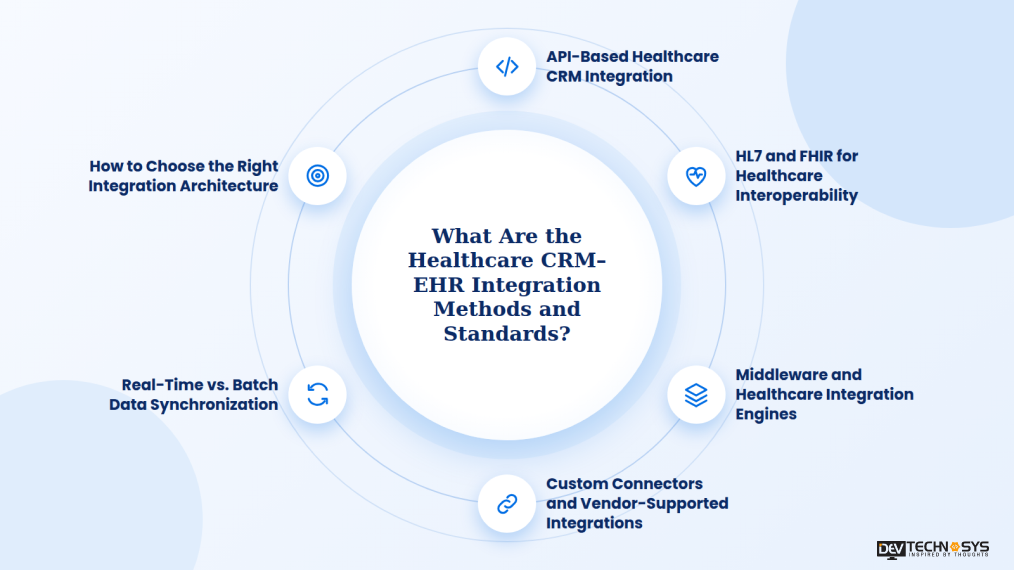
1. API-Based Healthcare CRM Integration
API development allows CRM and EHR/EMR systems to exchange specific data through defined endpoints. They help connect appointments, patient demographics, referral status, and communication workflows. It is best to hire EHR integration developers with experience in the field for seamless integration.
Simple diagram:
Healthcare CRM ↔ API ↔ EHR/EMR
2. HL7 and FHIR for Healthcare Interoperability
HL7 v2 supports healthcare messaging, while FHIR provides standardized healthcare data resources that can be exchanged through APIs. The appropriate standard depends on the systems’ capabilities and supported versions.
Simple diagram:
CRM → Integration Interface → HL7/FHIR → EHR/EMR
Reference: Official HL7 FHIR documentation.
3. Middleware and Healthcare Integration Engines
Middleware connects multiple applications through a central integration layer. It can transform data formats, route messages, validate records, and handle errors when connecting different CRM and EHR/EMR platforms.
Simple diagram:
CRM ↔ Integration Engine ↔ EHR/EMR
4. Custom Connectors and Vendor-Supported Integrations
Custom connectors address system-specific requirements when standard integrations are insufficient. Vendor-supported connectors can simplify setup when compatible options already exist, reducing the need for custom EMR software development.
Simple diagram:
CRM → Custom/Vendor Connector → EHR/EMR
5. Real-Time vs. Batch Data Synchronization
Real-time or event-driven synchronization transfers updates as events occur, where supported. Batch synchronization transfers data at scheduled intervals and can suit workflows that do not require immediate updates.
Simple diagram:
- Real-time: Update → Sync → Destination
- Batch: Collect Records → Scheduled Sync → Destination
6. How to Choose the Right Integration Architecture
Choose an architecture based on system compatibility, data sensitivity, workflow urgency, scalability, and maintenance requirements.
Requirement |
Suitable Approach |
| Connect two compatible systems | API-based integration |
| Standardized healthcare data exchange | HL7/FHIR |
| Connect multiple systems | Middleware or integration engine |
| Support legacy or specialized software | Custom or vendor connector |
| Immediate workflow updates | Real-time/event-driven sync |
| Periodic, non-urgent updates | Batch synchronization |
A healthcare integration may combine several approaches, for example: FHIR APIs with middleware and event-driven updates. Regardless of architecture, define data ownership, access controls, error handling, and audit logging before deployment.
Healthcare CRM–EHR/EMR Integration Architecture
Healthcare CRM–EHR integration architecture defines how patient and administrative data moves between systems through APIs, middleware, or healthcare interoperability standards.
How to Integrate Healthcare CRM with EHR and EMR Systems?
Integrating healthcare CRM with EHR/EMR systems requires a structured process to connect applications, maintain data accuracy, and protect sensitive patient information. The following ehr crm integration process helps align integration with business workflows and technical requirements.
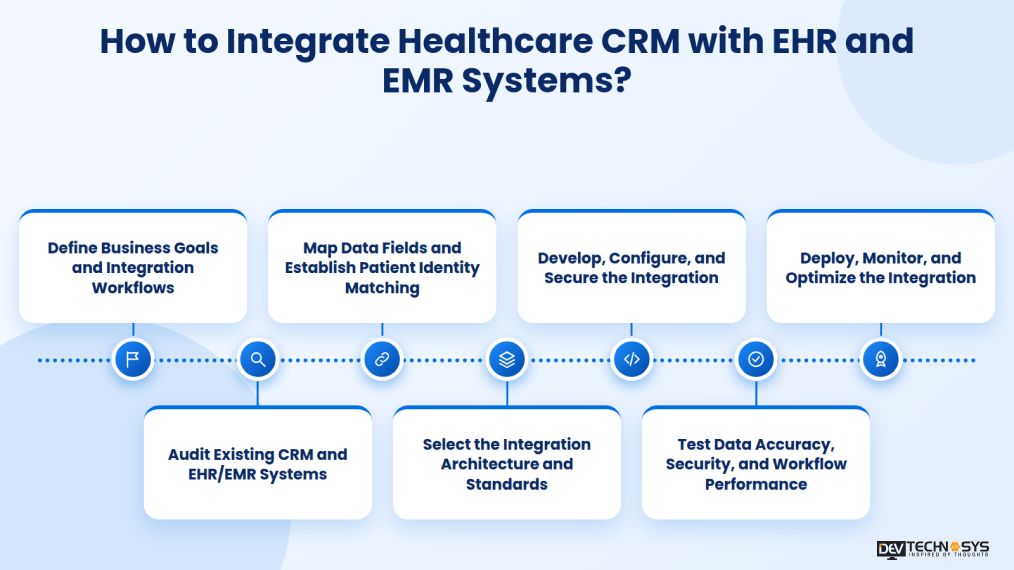
Step 1: Define Business Goals and Integration Workflows
To integrate healthcare CRM with EHR and EMR Systems, first you need to identify the workflows the integration should improve, such as appointment scheduling, referral management, patient follow-ups, and administrative coordination. Define measurable objectives, required data, and expected outcomes before selecting the integration approach.
Step 2: Audit Existing CRM and EHR/EMR Systems
Your healthcare app development company will review the current CRM and EHR/EMR platforms, available APIs, supported interoperability standards, vendor restrictions, and existing data structures. Assess system compatibility, data quality, access permissions, and integration limitations to identify potential risks early.
Step 3: Map Data Fields and Establish Patient Identity Matching
Map corresponding fields across systems, including patient identifiers, contact details, appointment status, and referral information. Establish patient identity-matching rules to reduce duplicate records and mismatches. Define which system owns each field and how conflicting updates will be resolved.
Industry Insights
Accurate patient matching helps prevent duplicate records and patient data mismatches. Validate identity-matching rules before deployment. Source: ONC
Step 4: Select the Integration Architecture and Standards
To integrate healthcare CRM with EHR and EMR Systems, choose an architecture based on system compatibility, data volume, workflow urgency, and scalability requirements. Depending on platform support, the integration may use APIs, HL7 v2, FHIR, middleware, or custom connectors. Define synchronization frequency and error-handling rules before development.
Step 5: Develop, Configure, and Secure the Integration
Configure APIs, connectors, or middleware to transfer the approved data between systems. Implement authentication, role-based access controls, encryption, and audit logging. Limit data exchange to what each workflow requires, and configure retries and alerts to handle failed transfers.
Industry Insights
HHS guidance generally requires limiting the use, disclosure, and request of protected health information to what is necessary for the intended purpose. Apply this principle when defining which patient data the CRM can access. Source: HHS
Step 6: Test Data Accuracy, Security, and Workflow Performance
After the process to integrate healthcare CRM with EHR and EMR Systems is complete, test field mapping, patient matching, data synchronization, duplicate handling, and error recovery in a controlled environment. Verify access permissions and security controls, then evaluate performance under expected workloads. Involve clinical and administrative users to confirm that integrated workflows function correctly.
Step 7: Deploy, Monitor, and Optimize the Integration
Deploy the integration in phases where practical, with rollback procedures and staff guidance in place. Monitor synchronization failures, data mismatches, API performance, and access logs. Review user feedback and system changes regularly to maintain reliable data exchange as workflows and requirements evolve.
HIPAA, Security, and Compliance Considerations for Healthcare CRM Integration
Healthcare CRM–EHR integration must protect sensitive patient information while supporting authorized data exchange. Security controls should align with applicable HIPAA requirements, organizational policies, and the responsibilities of each party handling protected health information (PHI).
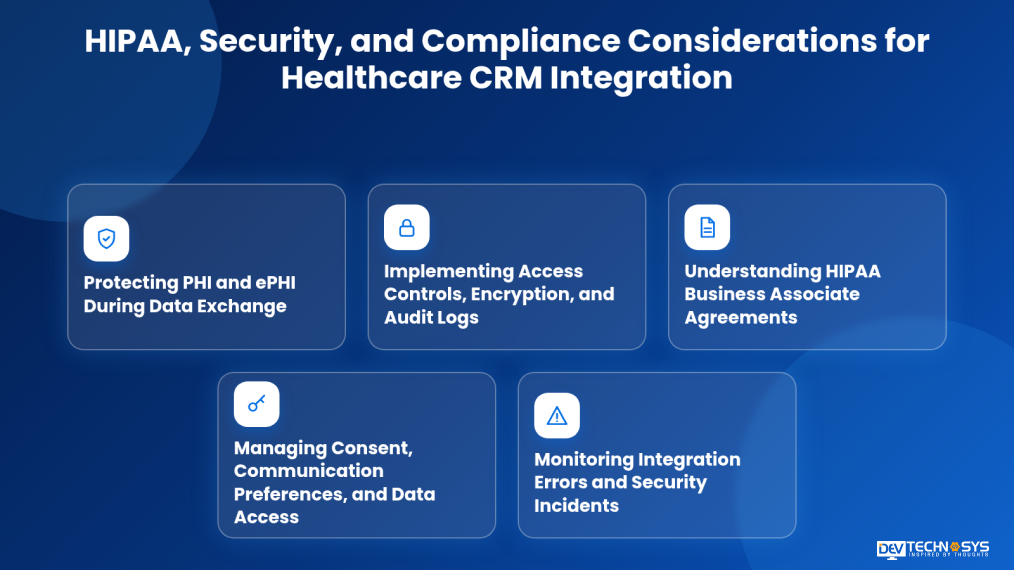
1. Protecting PHI and ePHI During Data Exchange
Use encryption in transit and at rest, secure APIs, and approved data-transfer methods to protect electronic protected health information (ePHI). Limit exchanged data to what each workflow requires and validate safeguards across connected systems.
2. Implementing Access Controls, Encryption, and Audit Logs
Apply role-based access controls, strong authentication, and least-privilege permissions. Maintain audit logs of relevant access and data changes to support monitoring, investigations, and accountability.
3. Understanding HIPAA Business Associate Agreements
When a healthcare organization engages a vendor that qualifies as a business associate under HIPAA, a Business Associate Agreement (BAA) may be required. Define responsibilities for safeguarding PHI, permitted uses, incident reporting, and subcontractor obligations. HIPAA-compliant software development helps implement appropriate safeguards and support applicable compliance requirements.
4. Managing Consent, Communication Preferences, and Data Access
Maintain accurate communication preferences and applicable consent or opt-out records. Configure CRM workflows to respect permitted communication channels and restrict patient data access according to user roles and applicable requirements.
5. Monitoring Integration Errors and Security Incidents
Monitor failed transfers, duplicate records, unusual access, and synchronization errors. Establish alerting, incident-response procedures, and recovery plans to address issues promptly and maintain data integrity.
Important Insight:
HIPAA obligations depend on the organization’s role and the specific data-handling arrangement. A CRM integration does not become hipaa compliant integration simply by implementing encryption or signing a BAA. See the official HHS HIPAA guidance.
| Security Consideration | Key Measures | Expected Outcome | Real-World Example |
| PHI/PHI access controls | Encryption and secure APIs | Reduced data exposure | A clinic encrypts CRM-to-EHR data transfers. |
| Access Controls | Role-based access and audit logs | Better accountability | Receptionists access appointments, not restricted clinical records. |
| HIPAA Agreements | Sign BAAs when required | Clear vendor responsibilities | A provider signs a BAA with its CRM vendor. |
| Consent Management | Track preferences and opt-outs | Appropriate communication | Opted-out patients are excluded from promotional messages. |
| Error Monitoring | Alerts and recovery procedures | Faster issue resolution | Staff receive alerts for failed appointment syncs. |
What are the Common Healthcare CRM–EHR Integration Challenges?
The most common challenges in healthcare CRM integration with EHR and EMR systems include: legacy software, data mismatches, security requirements, and workflow disruptions. Identifying the bottlenecks early can save healthcare organizations from expending on fixes and rework later and help them plan reliable integrations and reduce operational risks.
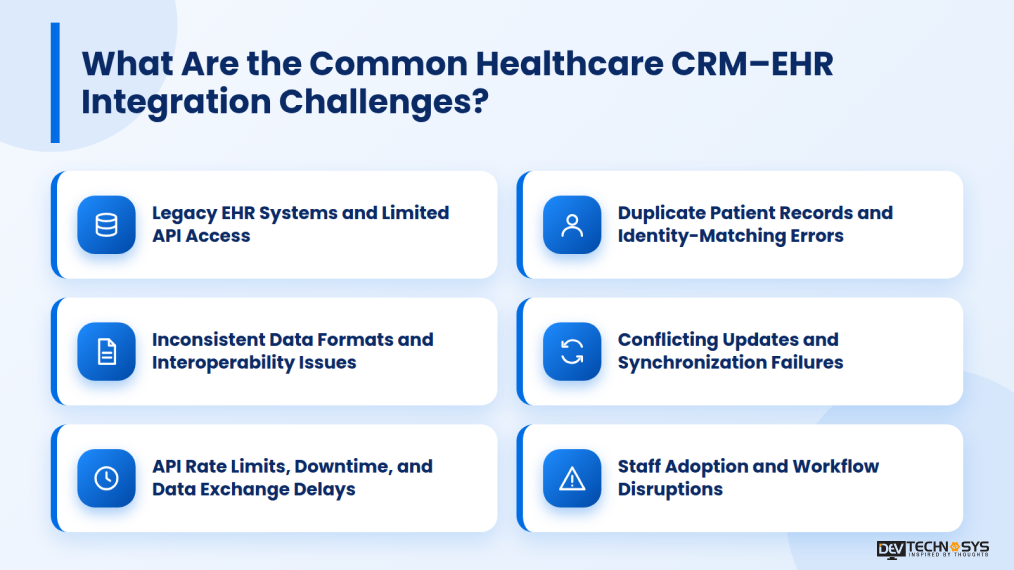
1. Legacy EHR Systems and Limited API Access
- Challenge: Older EHR systems may lack modern APIs, limiting direct data exchange with CRM platforms.
- Solution: Use middleware, HL7 integration engines, or vendor-supported connectors to bridge incompatible systems and transform messages into compatible formats.
2. Duplicate Patient Records and Identity-Matching Errors
- Challenge: Differences in patient names, contact details, or identifiers can create duplicate records and fragmented histories.
- Solution: Use an Enterprise Master Patient Index (EMPI) or identity-matching tools. Route uncertain matches for manual review instead of automatically merging records based on incomplete matches.
3. Inconsistent Data Formats and Interoperability Issues
- Challenge: CRM and EHR systems may use different data structures and healthcare standards, causing mapping errors or incomplete transfers.
- Solution: Use supported standards such as HL7 v2 or FHIR, with field mapping and validation rules tailored to each system’s capabilities.
4. Conflicting Updates and Synchronization Failures
- Challenge: Simultaneous updates across systems can overwrite information or create inconsistent records.
- Solution: Define a system of record for each data type. For example, the EHR may own clinical records, while the CRM manages communication preferences, subject to organizational policies.
5. API Rate Limits, Downtime, and Data Exchange Delays
- Challenge: API limits, system outages, or high request volumes can delay synchronization.
- Solution: Use asynchronous processing, message queues, retry mechanisms, and scheduled batch transfers for non-urgent updates.
6. Staff Adoption and Workflow Disruptions
- Challenge: Separate interfaces and repeated data entry can increase staff workload and reduce adoption.
- Solution: Simplify workflows through single sign-on, compatible embedded interfaces, staff training, and reduced duplicate entry.
Industry insights:
The Office of the National Coordinator for Health Information Technology (ONC) tracks interoperability and information exchange across U.S. hospitals and health systems. This highlights why healthcare CRM integrations should prioritize compatible data standards and reliable information sharing. Source: HealthIT.gov
How Much Does Healthcare CRM–EHR Integration Cost?
Healthcare CRM–EHR integration costs lie between $1,000 and $ 40,000, depending on system compatibility, data complexity, customization, and security requirements. Projects may take a few weeks to several months, depending on the number of systems and integration scope. EMR and EHR software development cost and timelines are estimates. Actual requirements depend on system compatibility, licensing, data migration, testing, and security needs
Integration Type |
Estimated Cost |
Estimated Timeline |
Best For |
| Basic CRM Integration | $1,000–$7,000 | Up to 1 month | Compatible systems with limited data exchange and standard workflows. |
| Custom CRM Integration | $4,999–$25,000 | 1–3 months | Custom APIs, data mapping, and workflow automation. |
| Enterprise CRM Integration | $25,000–$40,000+ | 3+ months | Multiple EHR systems and complex data exchange. |
Healthcare CRM–EHR integration costs vary based on technical complexity, data requirements, and existing infrastructure. Key factors affecting the cost to integrate healthcare CRM with EHR and EMR include:
- System Compatibility: Legacy EHRs or limited API access may require custom connectors or middleware.
- Integration Method: APIs, HL7/FHIR interfaces, and integration engines have different implementation requirements.
- Data Migration and Mapping: Cleaning, matching, and validating patient records adds time and cost.
- Number of Systems: Connecting multiple EHRs, CRMs, or third-party applications increases complexity.
- Security and Compliance: Role based access controls, encryption, audit logging, and required compliance measures affect development and testing costs.
- Customization and Automation: Custom workflows, real-time synchronization, and error-handling mechanisms require additional development.
Integration Timeline and Ongoing Maintenance Costs:
Wondering how long does EHR CRM integration take? The timeline for healthcare CRM integration is typically 1 to 3+ months.
- Basic Integration: About 1 month to connect compatible systems with limited data exchange.
- Moderate Integration: 1 to 3 months for custom workflows, data mapping, and multiple interfaces.
- Complex Integration: 3+ months for legacy EHRs, multiple systems, extensive migration, and advanced security testing.
How to Choose a Healthcare CRM Integration Partner?
Choosing the right integration partner helps ensure reliable data exchange, secure workflows, and compatibility with existing healthcare systems. Evaluate technical expertise, healthcare experience, and long-term support before making a decision.
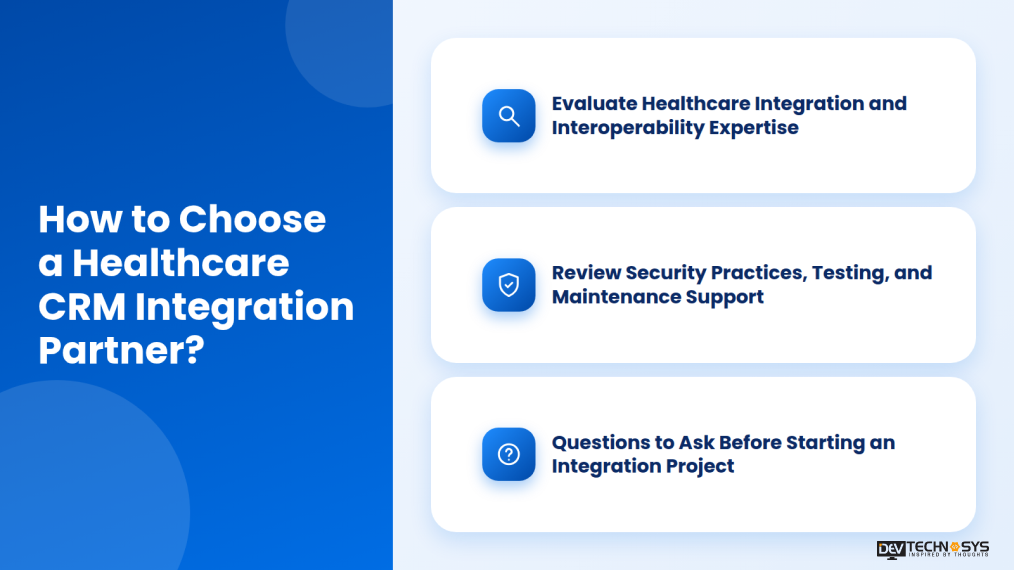
Evaluate Healthcare Integration and Interoperability Expertise
Look for experience integrating healthcare CRM platforms with EHR/EMR systems using APIs, HL7, and FHIR. Ask about similar projects, legacy-system compatibility, patient identity matching, and data migration capabilities.
Review Security Practices, Testing, and Maintenance Support
Assess the partner’s approach to access controls, encryption, audit logging, integration testing, and incident response. Confirm ongoing support, monitoring, updates, and responsibilities for meeting applicable HIPAA requirements.
Questions to Ask Before Starting an Integration Project
- Have you integrated CRM platforms with our EHR/EMR system before?
- Which APIs and interoperability standards do you support?
- How will you prevent duplicate records and data mismatches?
- How will you protect PHI and address applicable HIPAA obligations?
- What testing, documentation, maintenance, and post-launch support do you provide?
Conclusion
Integrating healthcare CRM with EHR/EMR systems helps healthcare organizations improve patient engagement, streamline administrative workflows, and maintain consistent information across connected platforms. Successful implementation depends on choosing compatible integration methods, mapping data accurately, and applying appropriate security controls. Working with an experienced healthcare software development partner can help address legacy-system challenges, support interoperability, and build an integration that scales with changing operational needs.
Frequently Asked Questions
Find answers to the most common questions related to this article.
Healthcare CRM integrates with EHR/EMR systems through APIs, HL7, FHIR, middleware, or custom connectors to exchange approved patient and administrative data.
CRM integration focuses on patient engagement, communication, and follow-ups, while EHR integration connects clinical records and care-related workflows with authorized systems.
Integration can support HIPAA compliance when applicable requirements are met through safeguards such as access controls, encryption, audit logs, and required business associate agreements.
A basic integration may take a few weeks, while complex projects involving multiple systems, legacy software, data migration, and extensive testing may take several months.
Yes. A healthcare CRM can connect with multiple EHR systems using APIs, FHIR, HL7, or middleware, depending on each platform’s compatibility and data-sharing capabilities.