


Key Takeaways:
-
- While offline order synchronization ensures the handling of orders, offline card payments do not require instant online approval.
- Offline order synchronization allows companies to record orders even when the internet fails, making sure that the daily workflow is not disrupted.
- Although offline card payments pose some financial danger, some transactions might still be denied in the future.
- With the help of special order numbers and synchronization mechanisms, duplicate orders can be avoided when taking records.
- The selection of offline POS functionalities is based on a company’s requirements and security needs, as well as restrictions imposed by payment providers.
When an internet disconnection occurs with a point-of-sale (POS) system, companies must have a backup plan for providing service to customers. POS offline order sync vs offline card payments are two ways of achieving this. Each one of these options solves a slightly different problem.
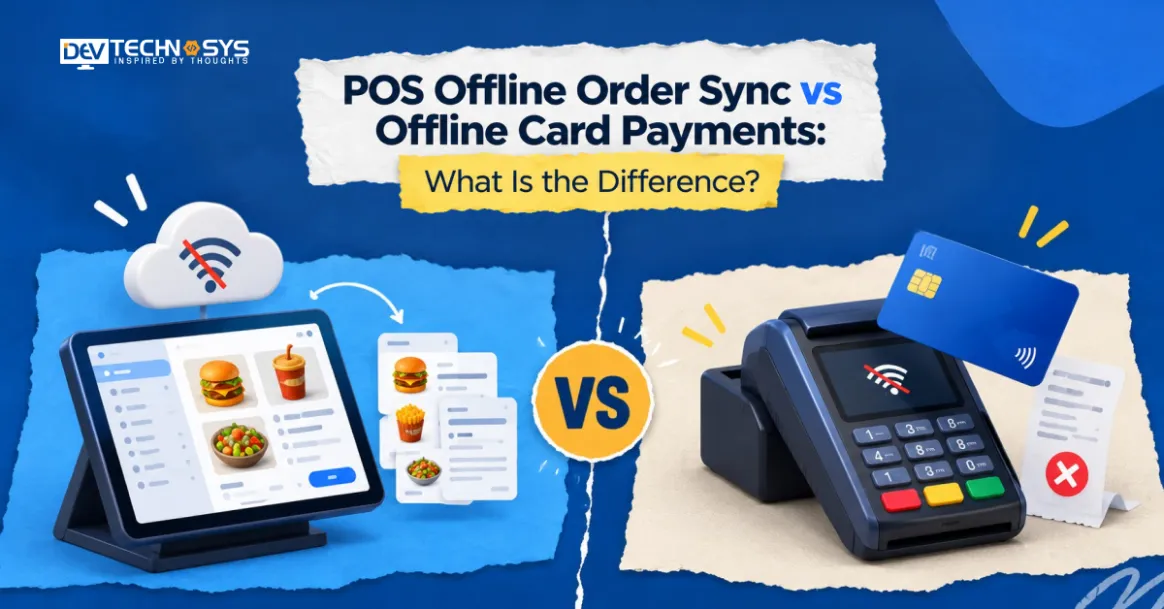
With the help of offline order sync, a POS system can take orders locally and synchronize them with the company database later when the internet connection is restored. Offline card payments may allow accepting or storing legitimate credit card transactions without prior approval from the payment provider.
Understanding pos offline order sync vs offline card payments helps retailers, restaurants, and other businesses make the right choice of POS functions.
What Is POS Offline Order Sync?
POS offline order synchronization allows for recording orders at a point-of-sale terminal in cases of an unreachable server. Rather than ceasing to make sales, the device keeps the orders stored in memory while waiting for the connection to be restored.
For instance, during a Wi-Fi disruption, a restaurant is still allowed to take food orders from customers. The workers keep registering the products sold in the system. After the connection to the cloud service is restored, the server is updated.
Common Use Cases
Offline order synchronization benefits retail outlets, dining establishments, cafes, event facilities, and food vendors operating in unreliable internet zones through supermarket billing software development.
That said, offline order placement will not ensure that all POS operations are accessible. The capability of updating stock live, sharing customer data from the cloud, and facilitating online authorizations may still entail an internet connection.
What Are Offline Card Payments?
Offline card payments POS functionality allows eligible payments to be processed or stored without immediate online approval. Depending on the type of financial service, the device may save credit card transactions for submission later or use a specific offline reporting mechanism.
For instance, a merchant that has the store-and-forward feature can accept card payments in case of a technical crash. After the connection is restored, the transaction is sent for approval.
However, storing the information about the transaction does not guarantee that the payment has been approved. There is always a risk that a credit institution will refuse to approve the transaction later, meaning that the business remains without revenue.
Not every card terminal, payment processor, type of credit card, and account of the enterprise provides an opportunity to make offline card payments. Some terminals may prevent card payments from happening once the online verification system stops working.
Common Use Cases
The offline card payments feature provides a way for eligible retail outlets, event counters, food stalls, and mobile vendors to continue accepting cards during such network interruptions.
Businesses can reap the benefits of this feature only when they fully understand transaction limits, submission deadlines, and the financial implications attached to declined payments before turning it on.
Planning a Pos Project?
Get a tailored development cost estimate in a few simple steps.
- 3 quick steps
- 100% free
- Reply in 1 business day
2 Minutes Read
POS Offline Order Sync vs Offline Card Payments: Key Differences
The difference between POS offline order sync vs offline card payments is that offline order sync takes care of order details, while offline card payments take care of card processing. The two systems can work together, but one does not imply that the other will also operate.
Comparison Factor | Offline Order Sync | Offline Card Payments |
| Purpose | Save and synchronize order records | Accept or store eligible card transactions |
| Data handled | Items, quantities, prices, and order statuses | Card transaction and payment details |
| Authorization | Does not authorize card payments | May defer authorization or use a supported offline method |
| Main risk | Missing or duplicated records | Declined transactions and financial losses |
| Recovery | Uploads records to the central database | Submits queued transactions for processing |
| Outcome | Updated order records | Payment may be approved, declined, or remain unresolved |
1. Data Synchronization vs Payment Authorization
Synchronizing orders updates sales data across devices and central units. Payment authorization checks if a card operation is accepted.
Depending on the situation, a mobile POS app development may successfully record an order while the payment is under consideration. In the same way, a terminal may register a card operation even though the order is not synced with the cloud.
Organizations have to set separate statuses like: saved order, pending payment, approved payment, and declined payment. This allows staff to avoid confusing recorded orders with the successful payment confirmation.
So, what is the difference between POS offline mode vs offline payments? POS offline mode works in offline mode to allow entering orders and executing various other actions without being connected to the Internet. Offline payments apply to card payments performed without the prompt online payment authorization and apply to only certain types of risks. A system may allow the recording of sales without enabling offline payments.
2. Internet Dependency and Security
In offline order synchronization, it can work via local storage, as few solutions operate in a networked configuration. The acceptance of card payments has additional factors, as the authorization and transaction acceptance have to go through a processor and terminal.
Both the features require a secure storage solution, access control, and recovery options. Payment processing may also comprise PCI DSS compliance and security rules required by a regulator.
How POS Offline Order Sync Works in Practice
A reliable synchronization process should preserve orders during an outage and restore consistent records when connectivity returns.

1. Storing Orders Locally
The point-of-sale system stores orders in a local database or compliant storage system when there is no internet connection. Each order should be assigned a distinct ID, timed, and provided with item details and order status.
It is essential for businesses to be aware of the features that can still work offline. The catalog of items that has been downloaded previously can still be useful, but ongoing promotions and updates to stock from the head office are not possible.
2. Synchronizing Orders After Reconnection
When connectivity is back again, the POS will upload the orders that are not yet fulfilled and the updates to the central database. The system must make sure that the upload has been successful and retry the temporarily failed uploads.
In case of disconnection, the POS must ensure seamless continuation of the process instead of dropping data or creating duplicate orders.
3. Preventing Duplicate Orders
Duplicate records may happen when the device sends the request again after receiving an interrupted response. POS systems can eliminate this issue by using unique order numbers, idempotent requests, and communication logs.
If one record is modified by several devices offline, conflict resolution procedures ensure that accurate information is saved rather than letting one modification erase another modification.
How Offline Card Payments Work in Practice
Offline card payment processing requires a supported payment method, secure transaction storage, and clear rules for handling unsuccessful payments.

1. Store-and-Forward Processing
Store-and-forward capabilities imply that the terminal captures a suitable transaction and puts it in a queue for submission at a later point in time. The transaction is relayed to the processor once connectivity is available. Although merchants are able to carry out the transaction in certain conditions, they may hand over goods before obtaining payment confirmation.
2. Transaction Limits and Authorization
Providers may enforce certain limitations on offline transactions. Some payment providers may prohibit the use of offline payments altogether. As a result, it is important for merchants to check and confirm this feature with their service providers before proceeding with offline payments, especially to avoid any problems during large purchases. Having to wait for online confirmation of payment or providing any backup payment method may be safer in this light.
3. Payment Reconciliation
Once the connectivity has been restored, the transactions that were put on hold will be processed according to the order of the provider. POS systems are expected to show the status of transactions, that is, whether they were accepted or denied. It is important that the payment is linked to the original order.
Benefits of POS Offline Order Sync
Offline order sync allows businesses to continue supported operations during temporary internet outages. Here are some of the benefits of POS offline order sync:

-
Business Continuity
Whenever the cloud connection is lost, employees can carry on entering orders instead of halting sales. This measure significantly lowers queues and the downtime of service in busy times.
-
Accurate Order Records
Orders made offline may be synchronized later, which eliminates the risk of losing the history of sales and changing the stock records.
-
Improved Staff Productivity
Ultimately, offline gatekeeping of orders eliminates the need for making written notes as well as doing manual input of data after the connection is restored.
Benefits and Risks of Offline Card Payments
Offline card tokenization can maintain checkout flexibility, but they introduce risks that businesses must evaluate carefully. Here are some of the advantages of offline card payments and some of the risks associated with them:

1. Faster Checkout
In cases where offline acceptance is available, qualified card transactions can be processed even in the absence of an online authorization. This is beneficial during rush hours in shops and venues with a lot of people.
2. Payment Security
Businesses must utilize proper terminals, comply with provider demands, and keep the information on already performed transactions confidential, as it may improve payment gateway software development.
3. Declines and Financial Losses
Although the principal risk is refusal of a transaction once submitted, fraud and payment disputes can cause negative impacts on businesses. Companies need to monitor high-risk transactions to make sure that they do not lose money in payments.
Which Businesses Need These Offline POS Capabilities?
The right combination depends on transaction volume, connectivity, and how essential uninterrupted checkout is.

Retail Stores and Supermarkets
Retailers take advantage of offline order syncing in order to manage sales data as well as support inventory processes. In addition, Businesses planning to build POS software for retail should evaluate offline order recording and payment recovery requirements.
Restaurants and Cafés
Restaurants usually focus on continuous order entry and communication with their back-office systems. Offline card payments come as a separate requirement and may not even be supported when order management works.
Events and Mobile Vendors
Pop-up locations and mobile enterprises can face issues with their connection. Offline synchronization allows for tracking of transactions, and accepting cards without an internet connection is another possible method of payment.
It’s suggested to test such services before the event and arrange a backup payment method.
How to Choose the Right Offline POS Capabilities
Here are some of the ways by which you can choose the right offline POS capabilities:

1. Evaluate Business Requirements
Determine what functions must still be performed even during downtime. Restaurants may need to ensure that orders can still be entered, and retailers may need inventory tracking and flexible payment options.
2. Check POS and Processor Compatibility
Make sure that the POS has offline capability and synchronization features. In addition, consult the payment service provider about whether card transactions can be processed offline, which transactions are allowed, and the limits involved.
3. Review Recovery and Reconciliation
Be on the lookout for secure local storage, retrying failed synchronization procedures, preventing duplicates, reliable payment status updates, and reporting of the transactions. By testing these processes before an outage, weaknesses can be detected while regular operation is still available.
Conclusion
The function of POS offline order synchronization and making offline card payments helps businesses continue to operate successfully. Order synchronization ensures data consistency, while offline card payments help to manage eligible transactions partially without authorization.
Companies should consider these two aspects separately, check limitations associated with their providers, and test their restoration process in advance. A good choice helps businesses keep proper records, reduce payment risks, and ensure a seamless checkout process.
Working with a reliable POS software development company, such as Dev Technosys, can help integrate suitable offline capabilities, streamline operations, and build a secure POS platform.
Frequently Asked Questions
Find answers to the most common questions related to this article.
Yes, a point-of-sale (POS) system that can accept orders offline can save orders until connectivity is restored. Available features depend on the software and hardware used, as well as local network specifications.
In most cases, merchants are responsible for rejected store-and-forward transactions after the goods or services are delivered. The liability will depend on the payment method, type of processor, network rules, and transaction specifics.
The period of time cannot be specified. The effectiveness of offline acceptance will depend on the type of terminal, processing provider, payment method, and applicable limits. Some systems establish a submission period; others prevent offline payments.
Such methods can be employed with relevant payment systems, but they usually involve more risks because an operation can be rejected in due course. Companies need to observe vendor rules, establish transaction limits, and reconcile transactions in a timely manner


