




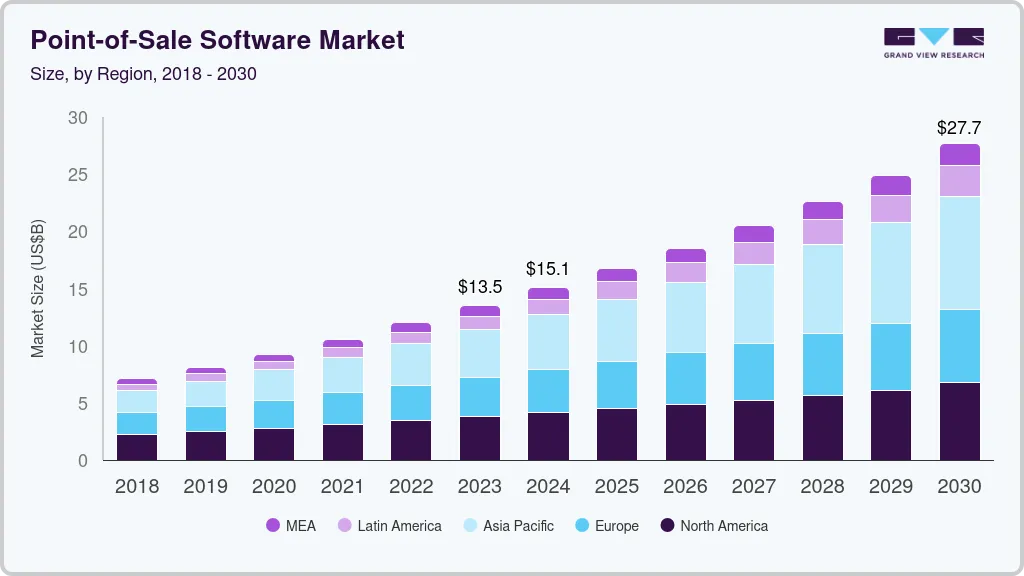
POS (Point of Sale) software benefits businesses in many ways, especially startups and small businesses. A custom Point of Sale software for small business with advanced functionalities can help streamline operations, enhance customer sales, and drive growth. The global point-of-sale software market size is expected to grow at a CAGR of 10.8% from 2023 to 2030.
Witnessing the constant rise in demand for POS software, the business started investing in POS software development. However, the road to building POS software for small businesses is not that simple. Point of sale software development for startups involves extensive research and knowledge of POS software to create an all-in-one SaaS POS solution that can transform the way small businesses operate.
This POS software development guide will take you on an informative, step-by-step journey through how to build POS software for a small business in United States. From concept to launch, you will learn everything you need to build POS software for small businesses. So, let’s start now!
Point-of-Sale Software Market Analysis
- The global point-of-sale software market size is projected to reach USD 27.71 billion by 2030, growing at a CAGR of 10.8% from 2025 to 2030.
- Asia Pacific is expected to progress at the fastest CAGR of 14.1% over the forecast period.
- In developing countries such as China, India, Indonesia, and Vietnam, there is a growing demand for cashless payments.
- By application, based on applications, the industry has been segmented into fixed and mobile POS segments.
- By deployment mode, on the basis of deployment, the industry has been further categorized into on-premise and cloud.
What is POS Software?
Point of sale (POS) software is a digital SaaS POS solution designed to manage business transactions. POS acts as an advanced cash register. It works with hardware such as barcode scanners and card readers to process sales and also handles other tasks, including inventory management, customer data management, and generating sales reports. This software is used by retail stores, salons, and restaurants to make daily tasks easier for them.
Types of POS Softwares Suitable For Small Businesses
Before discussing the POS software development solutions and steps, let’s talk about the types of POS softwares. This section highlights the types of POS software. There are various types of POS softwares that are ideal for small-scale businesses.
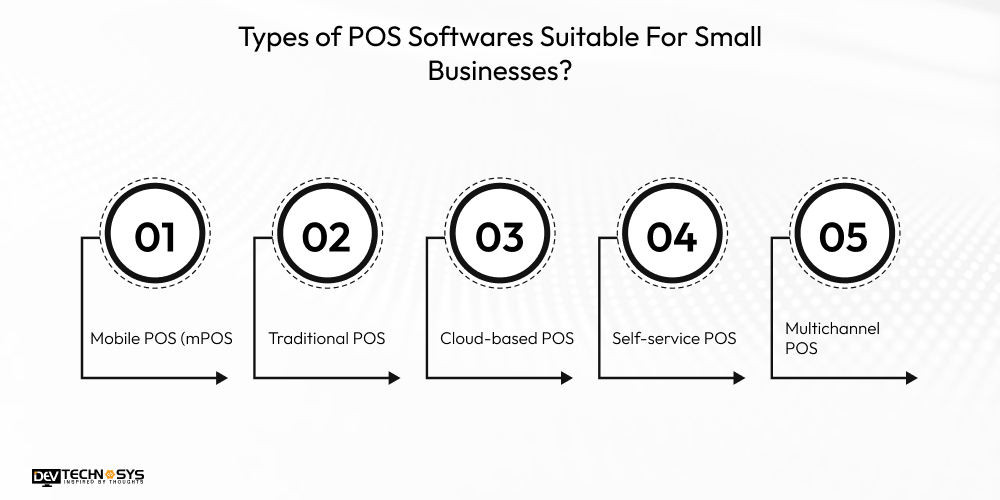
1. Mobile POS (mPOS)
Mobile POS software uses portable devices like smartphones and tablets to process payments. Mobile POS app development is beneficial for businesses that need flexibility, such as market stalls or mobile vendors.
2. Traditional POS
Traditional POS software development is for the typical brick-and-mortar stores. The brick-and-mortar stores. You require a cash drawer and a desktop computer, a receipt scanner, and a barcode scanner for traditional POS to work.
3. Cloud-Based POS Solutions
Cloud-based POS systems, also known as SaaS (software-as-a-service) POS, operate online, storing data in the cloud. SaaS POS system development idea for businesses that want real-time access from any device, automatic updates, and more scalability with lower upfront costs.
4. Self-service POS
Self-service POS softwares enables customers to handle their own payment transactions, from browsing and ordering to payment. It is an ideal POS solution for restaurants and cafés as well as grocery stores to enable real-time inventory sync, reduce labor costs, and speed up checkout.
5. Multichannel POS
A Multi-store POS solution is for businesses that deal with both physical and online stores. Multichannel Inventory management POS integrates sales, inventory, and customer data across all sales channels, creating a unified view of the business.
Why is POS Software Development Beneficial for Small Businesses?
POS (point-of-sale) software is a digital solution that manages business transactions. Investing in a POS System is a beneficial venture for small businesses because it streamlines operations, improves efficiency, and provides valuable data for decision-making.
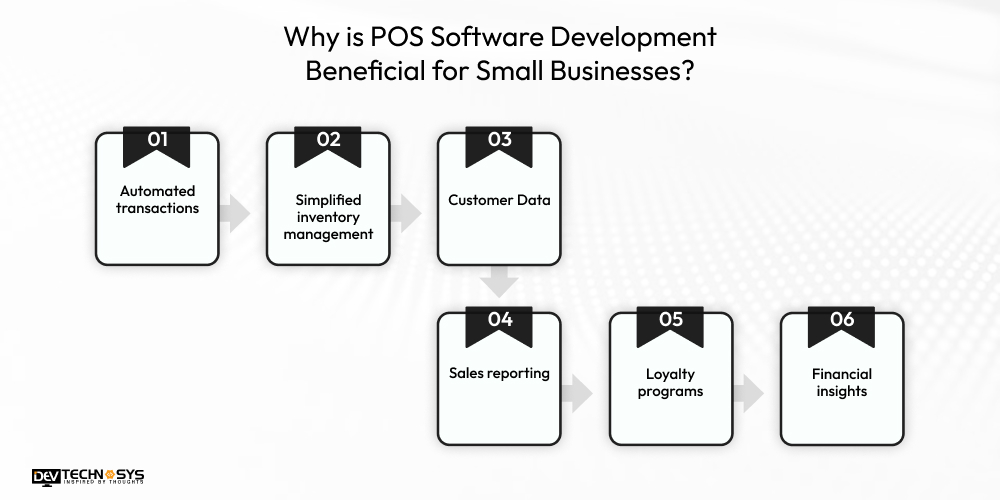
i. Automated transactions
POS Billing and invoicing software speed up sales and payment processing, reducing errors and transaction times. Also, the offline mode POS development enables users to make payments in the absence of an internet connection.
ii. Simplified inventory management
Businesses should invest in POS software development solutions because they allow them to track stock levels in real-time and send low-stock alerts. It can even integrate with online databases for easier retrieval of product information.
iii. Customer Data
Basic customer relationship management (CRM) tools allow businesses to track customer profiles and purchase history to personalize service. It is one of the main reasons why businesses should invest in custom POS software development.
iv. Sales reporting
Supermarket billing software development can benefit businesses by providing reports that help supermarket owners identify top-selling products. It also helps them in identifying sales trends and overall business performance.
v. Loyalty programs
Many POS APIs and integrations include built-in loyalty programs that automatically reward repeat customers. Adding loyalty programs in retail POS system development is a great tactic to improve customer engagement and increase retention.
vi. Financial insights
POS softwares developed by a top custom software development company in California can help businesses calculate gross revenue, help with price tracking, and provide solutions for cash flow issues or pricing discrepancies.
Best POS Systems for Small Businesses in 2026:Comparison
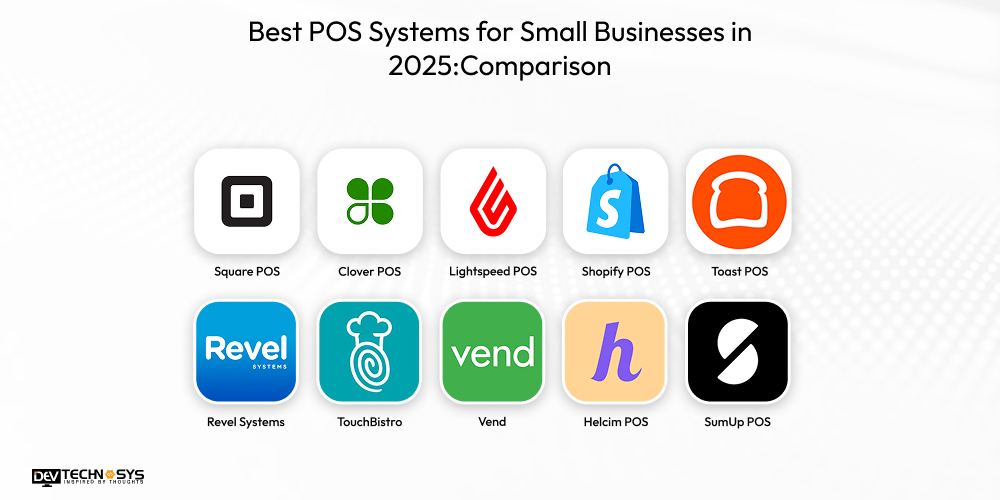
Before learning how to build a POS system from scratch, let’s see which mobile POS softwares is ideal for small-scale businesses and startups. All the 10 softwares mentioned below serves different purposes and cater to different business needs.
POS System |
Best For |
Monthly Cost |
Considerations |
| Square POS | Small shops, cafés | $0–$29 | Higher transaction fees |
| Clover POS | Retail + F&B | $15–$50 | Hardware cost |
| Lightspeed POS | Retail & multi-store | $89+ | Higher pricing |
| Shopify POS | Online + offline | $39–$89 | Needs a Shopify plan |
| Toast POS | Restaurants | $0–$69 | Not for retail |
| Revel Systems | Large/fast-paced outlets | $99+ | Setup complexity |
| TouchBistro | Restaurants & cafés | $69+ | Limited retail features |
| Vend | Retail stores | $69+ | Less ideal for F&B |
| Helcim POS | Low-volume sellers | Free | Limited advanced tools |
| SumUp POS | Small mobile sellers | $0–$19 | Basic POS features |
You can reach out anytime; we are available 24/7. Our team provides a quick response.

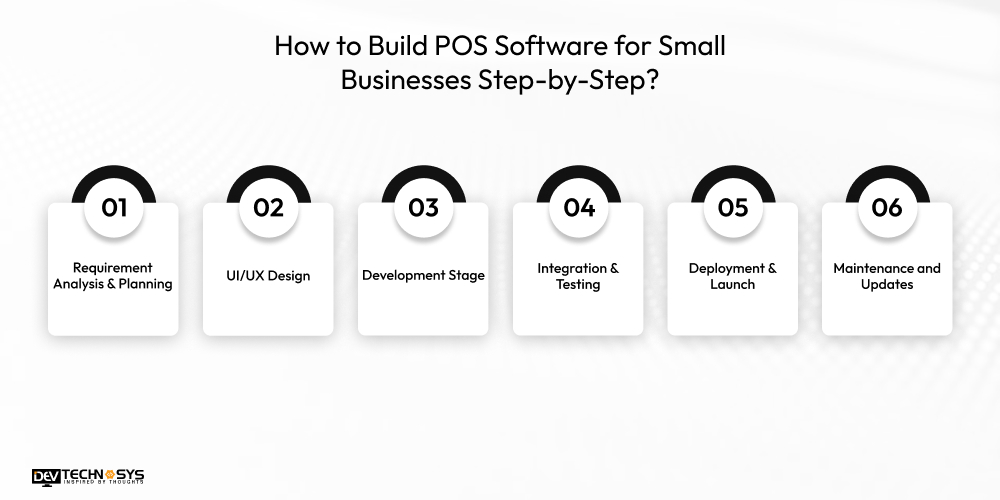
How to Build POS Software for Small Businesses Step-by-Step?
Here are the steps to build POS software for small business. From ideation to deployment, we will discuss every crucial aspect of developing a feature-rich, technologically advanced Integrate a POS System.
1. Requirement Analysis & Planning
The process to build pos software for small business starters involves research and requirement analysis. POS system architecture is complex, so pay attention to the level of security.
Also, POS needs hardware devices to ensure POS hardware integration with smartphones, cash registers, and tablets that scan and analyze prices and process them. Accordingly, you can also add barcode scanners, receipt printers, and card readers.
2. UI/UX Design
Steps to create POS software for retail stores involve creating an intuitive POS UI/UX design. In this step, you need to hire skilled designers from a top mobile app development company in NYC. Create a well-defined POS system architecture that matches your business goals, operational complexity, and long-term scalability.
If you want to build POS software for small businesses specifically, then choose a simple POS database design and a monolithic architecture. This architecture is ideal to develop POS software for small businesses because it’s easier to make, maintain, and deploy, ensuring a straightforward workflow and moderate transaction volumes.
3. Development Stage
During the development phase, developers will build the core POS functionalities, including billing, payments, inventory records, and user management. It is a crucial step in the POS mobile app development process that involves frontend teams creating a fast, intuitive interface for smooth transactions.
To build POS software for small businesses, your experts who provide payment software development services in USA, need to include essential hardware like barcode scanners and receipt printers. Flutter POS app developers will implement strong security protocols, connect third-party APIs, and optimize system performance.
4. Integration & Testing
After the process to build POS software for small businesses is complete, it’s time for testing. POS systems need to integrate with various other systems, including e-commerce platforms and accounting systems. Make sure to integrate payment gateway with POS and inventory management systems.
This step to develop POS software for small businesses can be challenging, so it’s wise to partner with a top provider of POS software. The team can carefully evaluate and manage the hardware and software needed to integrate with network-connected devices.
4. Deployment & Launch
After the testing process is complete, the experts who create POS software for small businesses send it for deployment. It will send to the database that stores all relevant product, customer, inventory, and sales information.
Your enterprise product development providers in USA will start writing the code logic to launch the POS system efficiently and allow it to perform tasks, including product scanning, payment processing, and inventory management.
5. Maintenance and Updates
Choose a POS mobile app development company in USA that provides maintenance and updates to POS softwares to adjust according to the evolving landscape.
Update the POS system to adjust to multiple format setups and locations. Regular system updates are essential for addressing configuration issues, implementing feature requests, and monitoring infrastructure.
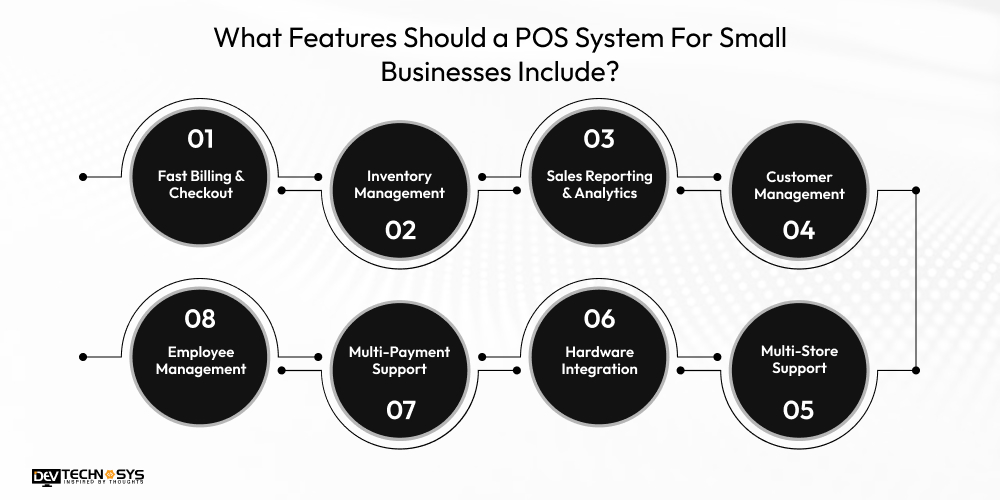
What Features Should a POS System For Small Businesses Include?
Now that we know how to build POS software for small businesses, let’s discuss the key features. Here we present some of the must-have POS features and functionalities to consider:
1. Fast Billing & Checkout
A small business POS system includes quick item search, barcode scanning, real-time inventory sync, and multiple payment modes. It helps with faster transactions, reduces manual errors, and enhances overall efficiency.
2. Inventory Management
Inventory management is an important aspect to add if you want to make POS software for small businesses. through Inventory management software, small businesses can get automated quantity updates after each sale, track stock in real-time, and receive low-stock alerts.
3. Sales Reporting & Analytics
A POS should generate detailed daily and weekly sales summaries, profit insights, tax reports, and product performance analysis. These analytics allow owners to identify trends, optimize pricing, and enhance task efficiency.
4. Customer Management
The customer management feature allows access to users’ profiles and lets them track their purchase history and manage loyalty programs. Personalized offers, coupons, and rewards increase customer retention rate and enhance shopping experience.
5. Employee Management
Accountability is maintained with the role-based access, shift tracking, staff permissions, and performance monitoring. These employee management tools reduce misuse and simplify workforce management.
6. Multi-Payment Support
A good POS accepts cash, cards, UPI, wallets, and gift cards, and allows split payments and easy refunds. This flexibility improves customer convenience, speeds checkout, and ensures businesses do not miss a sale because of limited payment options.
7. Hardware Integration
Hardware integration in POS helps with smooth store operations, offering compatibility with hardware devices. It may include barcode scanners, receipt printers, card readers, cash drawers, and label printers.
8. Multi-Store Support
For aspiring startups with a promising future, centralized inventory control, unified reporting, and consistent pricing across branches are essential. Multi-platform POS with multi-store support enables real-time synchronization and efficient management of multiple locations from one dashboard.
How Much Does a POS System Cost For a Small Business?
The cost to build cloud based POS software in America can range between $8,000 and $25,000. However, this cost range can differ depending on the type, complexity, and features of the POS you want to develop.
The cost to create POS software for small businesses may be lower than for enterprise-level POS. Small businesses generally choose cloud-based POS software with one register, so it’s more affordable to develop.
Besides that, the hardware requirements, AI-based sales prediction, POS software features, updates and maintenance of the system can impact the POS system cost to a great extent. Here’s the table showcasing the cost to develop POS software for small businesses.
POS Setup Level |
Estimated Cost (USD) |
Development Timeline |
| Basic POS | $8,000 | 6–8 weeks |
| Standard POS | $12,000 | 8–10 weeks |
| Advanced POS | $15,000 | 10–12 weeks |
| Scalable POS | $20,000 | 12–14 weeks |
| Custom Full POS | $25,000 | 14–16 weeks |
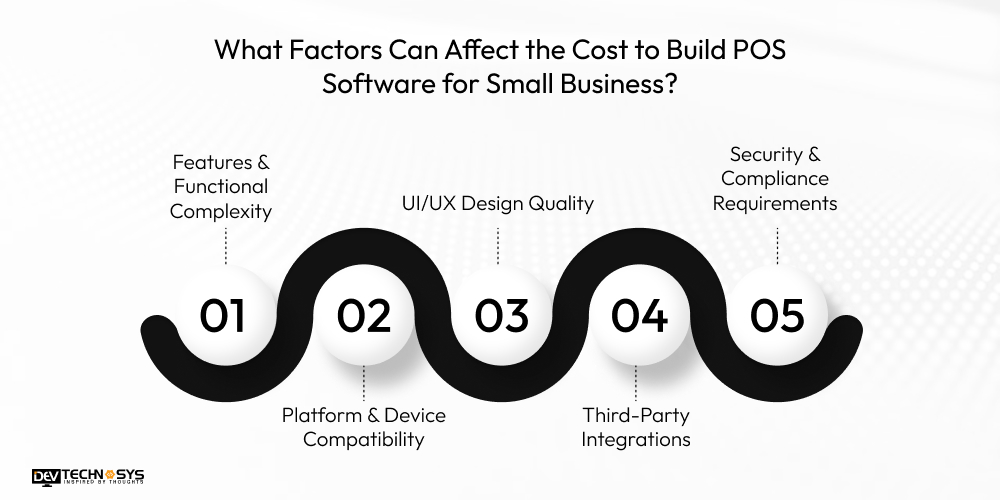
What Factors Can Affect the Cost to Build POS Software for Small Business?
Here are some factors that affect the cost to build POS software for small businesses. All the factors mentioned below play a crucial role in deciding the final budget for the project. Take a look:
1. Features & Functional Complexity
The cost to develop POS software for small businesses can vary based on the total number of features. It includes billing, inventory, analytics, payments, loyalty, or multi-store support.
The POS software development cost with advanced or custom functionality like remote administration is generally higher because it requires more resources, skills, and development hours.
Complexity Level |
Added Cost Impact |
Added Timeline |
| Basic Features | $2,000–$4,000 | 1–2 weeks |
| Standard Features | $4,000–$7,000 | 2–4 weeks |
| Advanced Features | $7,000–$12,000 | 4–6 weeks |
2. Platform & Device Compatibility
The cost to develop POS software for small businesses with multiple platforms, Android, iOS, and web, increases due to additional coding and testing. Compatibility with hardware like card readers, printers, and scanners also adds extra integration work, contributing to overall POS app development cost.
Supported Platforms |
Added Cost Impact |
Added Timeline |
| Single Platform (Web or Android) | $1,500–$3,000 | 1–2 weeks |
| Dual Platform (Web + Mobile) | $3,000–$6,000 | 2–4 weeks |
| Multi-Device (Tablets, terminals, scanners) | $5,000–$8,000 | 3–5 weeks |
3. UI/UX Design Quality
UI/UX design also impacts the cost to create POS Software for small businesses. A high-quality interface optimized for quick billing, ease of use, and minimal errors requires an intricate UI/UX design.
Mobile POS application with custom layouts, touchscreen optimization, and smooth user flows increase design time and elevate the overall cost of the project. fHere’s the table showcasing the cost to create POS software for small businesses based on UI/UX design.
Design Level |
Added Cost Impact |
Added Timeline |
| Basic UI/UX | $800–$1,500 | 1 week |
| Standard UI/UX | $1,500–$3,000 | 1–2 weeks |
| Premium UI/UX | $3,000–$6,000 | 2–3 weeks |
4. Third-Party Integrations
Integrations with payment gateways, accounting tools, loyalty systems, CRM platforms, or cloud services often require additional development, testing, and, in some cases, paid APIs. Each integration adds layers of complexity, increasing the total cost of creating POS software for small businesses and the development timeline.
Integration Type |
Added Cost Impact |
Added Timeline |
| Basic Integrations | $1,000–$2,500 | 1–2 weeks |
| Moderate Integrations | $2,500–$5,000 | 2–4 weeks |
| Advanced Integrations | $5,000–$10,000 | 4–6 weeks |
5. Security & Compliance Requirements
Implementing robust security measures such as encryption, fraud prevention, PCI DSS compliance, and data protection increases the cost to make POS software for small businesses. Ensuring financial-grade security increases overall pos software development cost due to specialized expertise and extensive testing requirements.
Security Level |
Added Cost Impact |
Added Timeline |
| Essential Security | $1,000–$2,000 | 1 week |
| Advanced Security | $2,000–$4,000 | 1–2 weeks |
| Compliance Ready (PCI, GDPR, AML) | $4,000–$8,000 | 2–4 weeks |
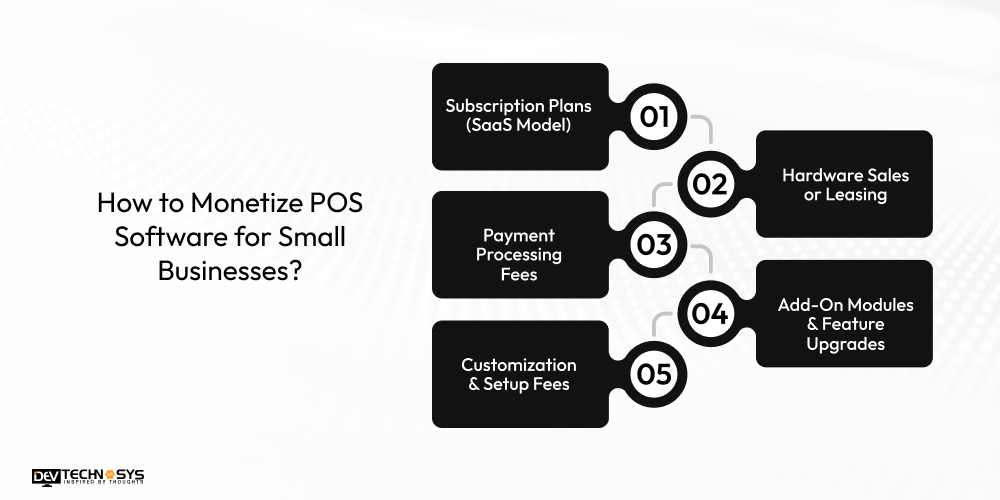
How to Monetize POS Software for Small Businesses?
Monetizing POS software for small businesses requires a strategic mix of recurring revenue, value-added services, and scalable pricing models. By offering flexibility and premium features, you can build a profitable and sustainable POS ecosystem.
1. Subscription Plans (SaaS Model)
A widely adopted monetization method where businesses pay monthly or yearly fees based on features, user count, or store locations. Offering tiered plans like Basic, Standard, and Premium helps maximize recurring revenue while giving businesses flexibility to choose the functionalities they need.
2. Hardware Sales or Leasing
Generate revenue by selling or leasing essential POS hardware such as barcode scanners, tablets, receipt printers, cash drawers, and card readers. Providing bundled hardware packages encourages long-term retention and creates consistent income, especially for businesses looking for complete, ready-to-use POS solutions.
3. Payment Processing Fees
Earn revenue by integrating secure payment gateways and charging a small transaction fee or receiving a portion of the provider’s commission. As businesses process more customer transactions, this becomes a scalable and reliable monetization channel with predictable earnings.
4. Add-On Modules & Feature Upgrades
According to a top AI development company in USA, POS platforms can offer optional paid modules like CRM, loyalty programs, advanced analytics, or multi-store management.
Businesses pay additional fees for these premium add-ons, enabling greater personalization and unlocking extra revenue beyond the core POS subscription model.
5. Customization & Setup Fees
This model involves charging businesses for custom features, UI modifications, integrations, or initial onboarding and setup services. It is particularly beneficial for multi-store or enterprise clients requiring tailored workflows, ensuring additional revenue while enhancing customer satisfaction and system usability.

How Dev Technosys Can Help You Build POS Software For Small Business?
Building POS software for small businesses in USA requires a strategic blend of planning, the right tech stack, intuitive design, and rigorous testing. By focusing on core features, seamless integrations, and robust security, you can deliver a reliable POS system.
Whether developing from scratch or partnering with an expert POS software development company in USA such as Dev Technosys, prioritizing scalability and user experience ensures your POS solution supports long-term business growth.
Frequently Asked Questions
Find answers to the most common questions related to this article.
A point-of-sale (POS) system includes payments hardware and POS software that enables businesses to accept payments from customers. Some additional functions that POS systems perform for small businesses include: Updating inventory. Tracking sales.
Begin with requirement analysis, choose the right architecture, design user-friendly interfaces, develop core modules, integrate POS hardware, and conduct extensive testing to ensure smooth performance and secure transactions.
Development time depends on complexity. A basic POS may take 8 to 12 weeks, while advanced, multi-store, cloud-enabled systems typically require 4 to 6 months due to additional features and integrations.
The cost to build POS Software for small businesses generally ranges from $8,000 to $25,000+, depending on features, platforms, hardware compatibility, security needs, and the expertise or location of the development team you choose.
Yes. POS software must work smoothly with hardware like barcode scanners, receipt printers, card readers, cash drawers, and tablets or terminals to ensure accurate billing and dependable checkout operations.