
























An online tip calculator is a boon for restaurants and cafes, especially in the Western side of the globe. A tip calculator is a digital tool that calculates a tip (an extra sum of money paid to certain service workers) based on various percentages of the service cost and displays the total amount, including the tip. This tool is a boon for restaurants and cafes where tips are given on a common basis in an unfixed amount.
Especially in western regions like the U.S., where generally 15% of the before-tax meal price is expected. Tips are sometimes included in the service worker’s compensation to meet the minimum wage requirement. This blog explores various factors and provides an in-depth Tip calculator explanation, its benefits, usage guide, types, and more. So buckle up for an informative ride. Keep scrolling!
What is a Tip Calculator?
A tip calculator tool is an easy tool that helps you decide how much to tip for good service. To calculate tip amount, enter the total bill amount and select the tip amount, such as 10%, 15%, or 20%.
The calculator then shows the exact tip amount and the final total you need to pay. It is useful because it saves time, avoids mistakes, and makes tipping less confusing. People often use it in restaurants, cafés, salons, taxis, and food-delivery services to tip fairly without having to do calculations in their heads.
Brief History and Background Analysis of Tipping Culture
- Tipping spread to the United States in the early 1800s. In the late 1800s, there was an anti-tipping movement, with claims that it was “un-American”.
- While tipping originated in Europe, its evolution has taken different paths worldwide. In many European countries, gratuity is often built into wages or included in service charges, ensuring workers earn a fair, livable income.
- The US Prohibition in 1919 forced restaurants and hotels to accept tips to supplement employee wages after losing alcohol revenue, solidifying its place in American culture.
- Tipping is now widespread in service-oriented industries in the US, with many servers depending on tips to make a living.
How Accurate is Tip Calculator?
Tip calculators are generally very accurate at performing the math (percentages, splitting bills), but their real-world accuracy depends on user settings (pre-tax vs. post-tax, rounding) and the standard of service, which can vary.
Apps provide precise results based on your input. They excel at eliminating manual errors, especially in complex calculations such as bill splitting, ensuring fair compensation, and providing a better dining experience. You can check the accuracy of a tip calculator by following a few simple and practical steps. These methods help ensure the calculator is giving correct and reliable results.
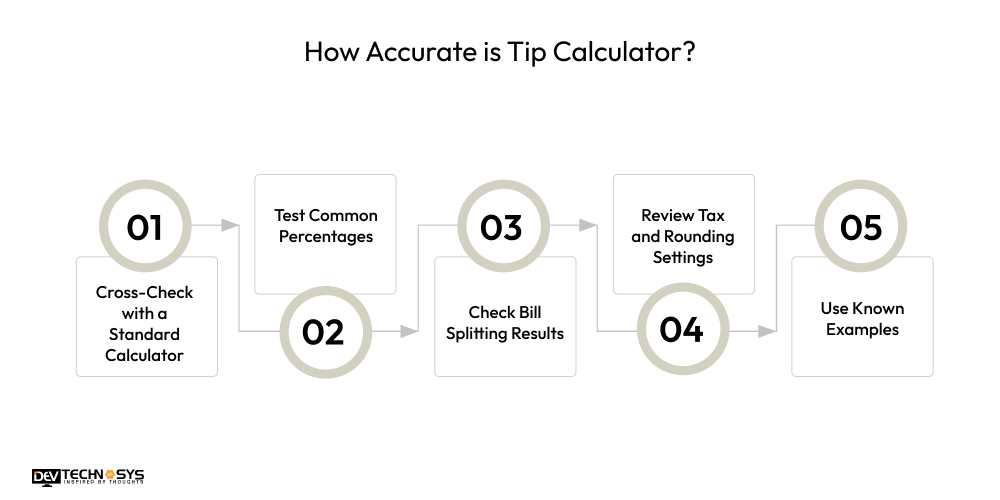
1. Cross-Check with a Standard Calculator: Enter the same bill amount and tip percentage into a regular calculator. If both totals match, the tip calculator is working correctly.
2. Test Common Percentages: The Tip calculator for accurate tipping ry easy percentages like 10%, 20%, or 25%. These are quick to estimate mentally, making it easier to spot any incorrect calculations.
3. Check Bill Splitting Results: If the calculator includes bill-splitting features, manually divide the total bill by the number of people. This ensures each person’s share is calculated evenly and correctly.
4. Review Tax and Rounding Settings: Make sure options like tax inclusion, rounding up or down, and custom preferences are set correctly. Incorrect settings can make results seem inaccurate even when the calculator is working properly.
5. Use Known Examples: Use sample bill amounts where you already know the expected tip and total. The consistent, correct outputs across multiple tests indicate a reliable and accurate tip calculator.
How Does a Tip Calculator Work: Tip Usage Guide
Have you ever wondered how does a tip calculator works? Well, a tip calculator is designed to make tipping simple and accurate for everyone. The tip calculator usage guide generally begins when a user enters the total bill amount. Here’s the simple tip calculation guide
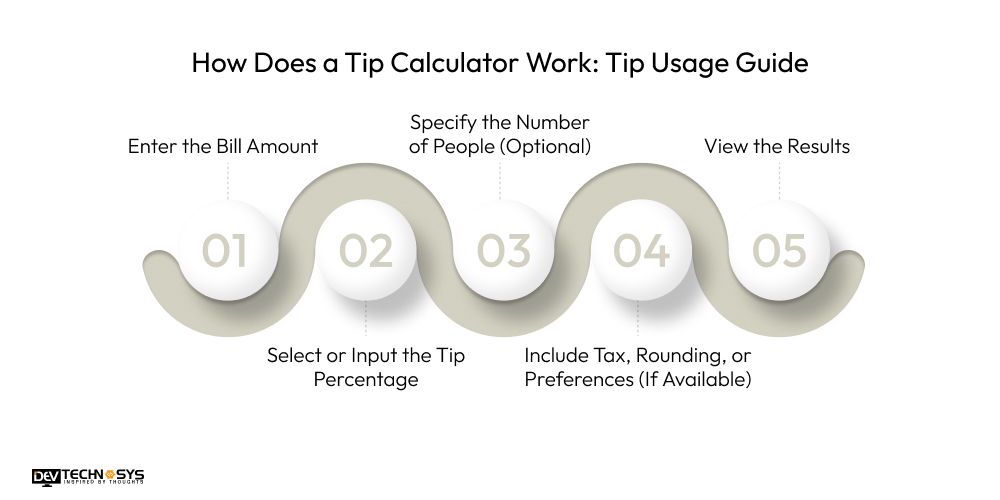
Step 1: Enter the Bill Amount:
Start by entering the subtotal of your bill, usually the amount before tax. In many places, including the U.S., tipping on the pre-tax amount is considered standard practice, as it keeps tipping fair and avoids overpaying.
Step 2: Select or Input the Tip Percentage:
Next, choose a tip percentage based on the quality of service you received and local tipping customs. Most tip calculators provide common preset options such as 15%, 18%, or 20%, along with a custom input option if you prefer to enter a different percentage.
Step 3: Specify the Number of People (Optional):
If you are dining in a group or sharing expenses, enter the total number of people splitting the bill. The calculator will automatically divide both the tip and the final amount evenly, preventing confusion and awkward discussions.
Step 4: Include Tax, Rounding, or Preferences (If Available):
Some advanced tip calculators allow you to include tax in the calculation, round the total to a convenient number, or save your preferred tip percentage for future use, making payments even easier.
Step 5: View the Results:
Once all details are entered, the calculator instantly displays the tip amount, the final bill total, and the exact amount each person owes, ensuring clarity, accuracy, and a stress-free checkout experience.
Tip Calculator Example With Formula
The basic working of a restaurant tip calculator is based on simple arithmetic, making it easy to understand and use. It helps calculate the tip accurately and shows the final amount to be paid without manual effort.
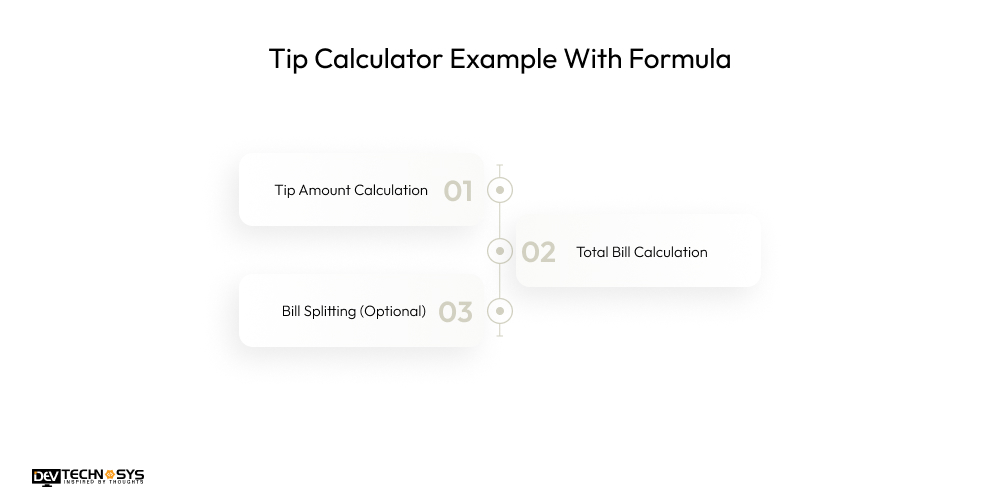
1. Tip Amount Calculation:
The first step in using a tip percentage calculator is to determine the tip itself. The calculator takes the total bill amount and multiplies it by the selected tip percentage, which is converted into a decimal format. This step quickly provides the exact tip amount, helping users avoid mental math errors and ensuring the service provider is compensated fairly.
Tip calculator formula: Tip Amount = Bill Amount × (Tip Percentage / 100)
2. Total Bill Calculation:
Once the tip amount is determined, it is added to the original bill to calculate the total amount that needs to be paid. This step helps users know exactly how much they owe, including both the service cost and the tip, preventing confusion at checkout.
Tip calculator formula: Total Bill = Bill Amount + Tip Amount
3. Bill Splitting (Optional):
If the bill is being shared among a group of diners, the tip calculator for group dining can divide the total bill, including the tip, evenly among the number of people. This feature is especially useful for group dining, making payments fair, transparent, and easy to manage for everyone.
Tip calculator formula: Per Person Amount = Total Bill ÷ Number of People
Example: If the bill amount is $100 and the selected tip percentage is 20%, the tip would be $20. The total bill becomes $120. If this amount is split among 4 people, each person pays $30.
What are the Types of Tip Calculators?
A tip calculator is indeed a helpful tool, but do you know that there are different types of tip calculators used by different industries for different purposes? Here are some types of tip calculators for different types of calculations.
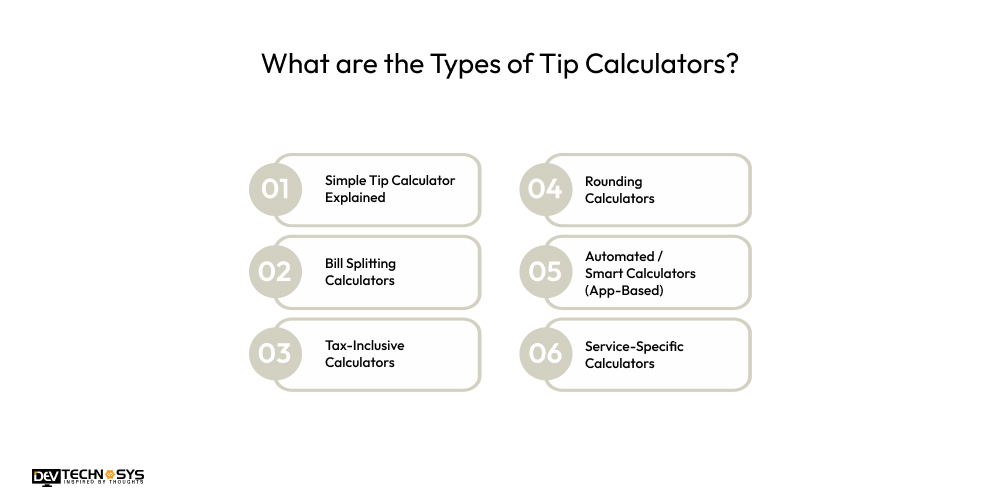
1. Simple Tip Calculator Explained
This basic tip calculator is a tool that allows users to manually enter the bill amount and choose a tip percentage. It quickly displays the tip and total payable amount. Best suited for individuals, small purchases, and quick calculations without additional features or customization.
2. Bill Splitting Calculators
Tax calculator app development experts designed bill splitting calculators for group dining, this calculator splits the bill and tip evenly among multiple people. Key features include adjustable group size and tip percentage. Best for friends, families, or colleagues dining together and wanting a fair, hassle-free payment split.
3. Tax-Inclusive Calculators
This calculator includes tax in the bill before calculating the tip, ensuring more accurate and transparent totals. It clearly separates tax, tip, and final amount. Best for regions where tipping is calculated on post-tax bills or where tax rates vary.
4. Rounding Calculators
Rounding calculators help users by adjusting the total bill to the nearest whole number for easy payments. This Tip calculator for restaurants and cafes includes features like automatic rounding up or down while maintaining fair tip amounts. Best for cash payments or users who prefer clean, simple totals without loose change.
5. Automated / Smart Calculators (App-Based)
These app-based calculators use automation to suggest tips, remember preferences, and integrate with billing systems. This tip calculator for mobile includes features such as AI-based recommendations, bill scanning, and payment integration. It is best for frequent diners, businesses, and digital-first users seeking convenience.
6. Service-Specific Calculators
Service-specific calculators provide tailored tip suggestions based on industry standards for restaurants, salons, delivery, and hospitality services. Features include preset tip ranges and role-based tipping. The service tip calculator is best for users who want context-aware, appropriate tipping guidance for different services.
What are the Key Benefits of Tip Calculators?
A tip calculator is a simple yet powerful tool that makes tipping easier, fairer, and more transparent. From automating complex tip pooling to ensuring accuracy and fairness and boosting transparency with employees, they offer various benefits to restaurants, staff, and businesses. Let’s tak a look at the interesting tip calculator benefits it provides:
1. Business Perspective
- A bill tip calculator enhances brand professionalism by offering a modern, digital-first service experience. It reflects efficiency, transparency, and customer-centric operations across restaurants, cafes, and service-based businesses.
- The best tip calculator tool significantly reduces billing disputes and calculation errors by ensuring tips are computed accurately, creating a smoother checkout experience, and minimizing negative customer interactions at the point of payment.
- By encouraging fair and consistent tipping practices, businesses can foster goodwill, strengthen customer relationships, and maintain a positive service culture aligned with ethical and transparent pricing standards.
- Clear visibility of tips and total bills improves customer trust and satisfaction, making patrons more likely to return and recommend the business to others.
- Faster, automated tip calculations speed up the payment process, enabling quicker table turnover and improved service efficiency during peak business hours.
2. User Perspective
- Users save significant time and effort by avoiding manual tip calculations, making the payment process faster and more convenient. This is especially helpful during busy meals, peak hours, or time-sensitive situations where quick checkouts matter.
- Accurate tip suggestions help users tip fairly based on service quality and bill value. This removes guesswork, reduces uncertainty, and ensures service staff are compensated appropriately and consistently.
- For group dining, a tip calculator simplifies bill splitting by clearly dividing both the tip and total amount among diners. This prevents confusion, calculation errors, and uncomfortable discussions about who owes what.
- The free online tip calculator includes pre-calculated tip options, helping reduce the awkwardness of deciding the right tip amount. Users feel more confident and comfortable during payments, especially when unfamiliar with local tipping norms.
- A transparent display of the total payable amount, including tips, helps users better manage their spending. It also prevents surprise charges at checkout and improves overall trust in the billing process.
3. Management & Operations Perspective
- Tip calculators streamline billing and payment workflows by automating tip calculations. This reduces staff manual intervention and improves operational efficiency across restaurants, cafés, and service teams.
- Automated calculations minimize human errors in tip handling, ensuring accuracy and consistency. This also helps businesses comply with internal policies and regional service charge or tipping regulations.
- Fair and transparent tip distribution builds employee trust and boosts morale. When staff clearly understand how tips are calculated and shared, it leads to higher motivation, better service quality, and improved staff retention.
- Integrated tip data supports improved financial tracking, reporting, and auditing. Management gains better visibility into service-related earnings, payouts, and performance metrics.
- Faster checkouts and reduced staff workload allow management to optimize resources effectively. This improves service speed, enhances customer experience, and enables businesses to handle higher customer volumes smoothly.

What are the Key Features of Tip Calculators?
The tip calculator is an advanced calculating tool with a myriad of interesting features. Here we present some of the top features that a tip calculator for waiters and service staff must possess. These features enhance the performance and accuracy of the tip calculating and offer an enhanced user experience
Core Calculation Features
1. Instant Results: Instant results allow the tip calculator to automatically update the tip and total amount as users type the bill value or change the tip percentage. This real-time feedback improves speed, accuracy, and overall convenience during payments.
2. Customizable Tip %: Customizable tip percentage options let users choose preset values like 10%, 15%, or 20%, or enter a custom rate. This flexibility helps users tip fairly based on service quality and personal preference.
3. Bill Splitting: Bill splitting divides the total amount, including the tip, evenly among multiple people. Users simply enter the number of diners, and the calculator ensures each person’s share is accurate and transparent.
4. Tax Handling: Tax handling features allow users to include or exclude sales tax when calculating tips. This is helpful in regions with diverse tipping customs, ensuring more accurate, culturally appropriate tip calculations.
5. Rounding Options: Rounding options let users round up or down the final tip or per-person amount. This feature simplifies cash payments, avoids dealing with small change, and still maintains fair tipping.
Usability & Convenience Features
1. User-Friendly Interface: A user-friendly interface offers a clean, intuitive design with clearly labeled fields, sliders, or buttons. This ensures that users of all ages can calculate tips quickly without confusion or learning curves.
2. Offline Functionality: The tip calculator for dining can operate without an internet connection. This ensures reliable usage in restaurants, cafés, or travel locations with limited or no network access.
3. Currency Support: Enables the calculator to display different currency symbols and follow local number formats. This makes the tool useful for travelers and international users across multiple countries.
4. Dark Mode: Provides a high-contrast, low-light interface that reduces eye strain. It is especially useful in dim restaurant settings or for users who prefer a darker screen theme.
5. Sharing & Saving: Sharing and saving features allow users to send calculation results via text or messaging apps or save past bills. This is helpful for record-keeping, expense tracking, or confirming group payments.
6. User-Friendly Interface: A user-friendly interface offers a clean, intuitive design with clearly labeled fields, sliders, or buttons. This ensures that users of all ages can calculate tips quickly without confusion or learning curves.
7. Offline Functionality: The tip calculator can operate without an internet connection. This ensures reliable usage in restaurants, cafés, or travel locations with limited or no network access.
8. Currency Support: Enables the calculator to display different currency symbols and follow local number formats. This makes the tool useful for travelers and international users across multiple countries.
Advanced / Optional Features
1. Light Control: The device’s LED flash improves visibility in low-light environments. This optional feature helps users read values clearly in dimly lit restaurants or at night.
2. Preferences & Settings: Preferences and settings let users save default tip percentages, split counts, or preferred currencies. This personalization reduces repetitive input and speeds up future calculations.
3. Country Guides: Provide information on common tipping customs around the world. This feature is especially helpful for travelers who want to tip appropriately in line with local cultural norms.
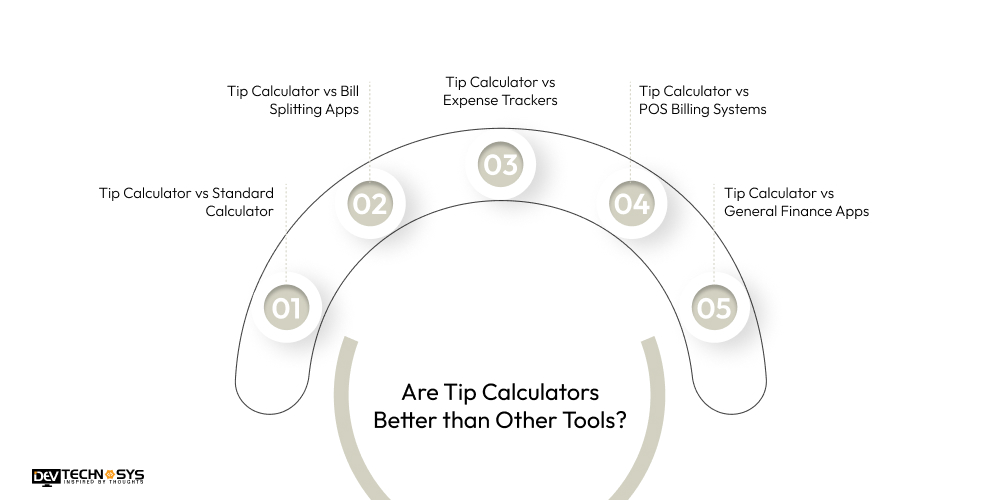
Are Tip Calculators Better than Other Tools?
By now, you must have an idea of what tip calculators are and how they function. So now let’s move on and draw some valid comparisons between tip calculators and other calculator tools. Let’s see how effective tip calculators are compared to these tools.
1. Tip Calculator vs Standard Calculator
While a standard calculator can perform basic arithmetic operations like addition, subtraction, multiplication, and division, it does not automatically calculate tip percentages or divide bills among a group. A tip calculator simplifies this process by providing preset tip percentages, custom inputs, and automatic bill splitting, which reduces errors and saves valuable time during payment.
| Aspect | Tip Calculator | Standard Calculator |
| Purpose | Calculates tips and totals | Performs basic math only |
| Tip Handling | Automatic percentage-based tips | Manual calculation required |
| Bill Splitting | Built-in option | Manual division |
| Ease of Use | Simple and tipping-focused | Not optimized for tipping |
2. Tip Calculator vs Bill Splitting Apps
Bill-splitting apps are designed to divide shared expenses among friends or colleagues, but many do not account for tips or taxes, which can lead to incorrect contributions. A tip calculator combines tip calculation with accurate bill splitting, ensuring each person pays a fair share while also considering local tipping customs or service quality.
| Aspect | Tip Calculator | Bill Splitting Apps |
| Main Function | Tip and total calculation | Splitting shared expenses |
| Tip Feature | Included by default | Often missing |
| Tax Handling | Optional include/exclude | Rarely supported |
| Best Use | Restaurants and services | Trips and group expenses |
3. Tip Calculator vs Expense Trackers
Expense tracker apps help users monitor spending over time, categorize bills, or maintain budgets, but they do not provide instant tip calculations during payment. Tip calculators, on the other hand, focus on immediate calculations, showing the exact tip and total amount instantly, making them more practical for dining and service transactions.
| Aspect | Tip Calculator | Expense Trackers |
| Focus | Instant tip calculation | Long-term expense tracking |
| Usage Time | At the time of payment | After spending |
| Tip Support | Yes | No |
| Complexity | Simple | More detailed |
4. Tip Calculator vs POS Billing Systems
Point-of-Sale (POS) systems handle complete billing, inventory, and payment processes, but they are often complex and expensive for small businesses. Tip calculators provide a simple, user-friendly solution for quickly calculating tips without full-scale POS integration, making them ideal for both customers and service staff. They are often complex and expensive for small businesses.
Tip calculators provide a simple, user-friendly solution for quickly calculating tips without full-scale POS integration, making them ideal for both customers and service staff.
| Aspect | Tip Calculator | POS Billing Systems |
| Scope | Tip calculation only | Full billing and inventory |
| Cost | Free or low-cost | High setup cost |
| Ease of Use | Very easy | Requires training |
| Best For | Individuals and small setups | Medium to large businesses |
5. Tip Calculator vs General Finance Apps
General finance apps focus on banking, budgeting, or investments, but they usually lack specialized tipping features. Tip calculators are specifically designed to calculate tips accurately, handle tax inclusion or exclusion, provide rounding options, and split bills among multiple people, making them highly practical for day-to-day service payments.
| Aspect | Tip Calculator | General Finance Apps |
| Primary Purpose | Calculates tips and final totals instantly | Manages budgets, accounts, and financial planning |
| Tip Support | Built-in tip options | Usually no tipping feature |
| Real-Time Use | Used during checkout or payment | Used for tracking overall finances |
| Complexity | Simple and quick | More complex with multiple features |
| Best For | Dining, services, quick payments | Budgeting, investments, expense monitoring |
Conclusion
A tip calculator is a simple yet highly effective tool that removes confusion and guesswork from tipping. Through this blog, we highlighted how in today’s fast-paced, digital-first environment, tip calculators have become an essential convenience, especially in restaurants, cafés, and service-based industries. If you are a business looking to develop an edge-cutting calculator tool for tips and tax calculation, then contact a top tax calculator app development company. If you are curious to know more, stay tuned for more updates!
Frequently Asked Questions
Find answers to the most common questions related to this article.
To calculate a tip using a tip calculator, enter the total bill amount first. Then select a tip percentage such as 15%, 18%, or 20%, or enter a custom value. The calculator instantly shows the tip amount, total bill, and per-person share if the bill is split.
A tip calculator helps save time, avoids calculation errors, and ensures fair tipping. It simplifies bill splitting, improves transparency, and reduces awkwardness during payments, making the checkout process quick, accurate, and stress-free for both users and service staff.
Yes, most tip calculators include a convenient bill-splitting feature. Users simply enter the number of people sharing the bill, and the calculator automatically divides both the total bill and the tip evenly. This ensures fairness, accuracy, and avoids confusion during group payments.
Many tip calculators provide the option to include or exclude tax when calculating the tip amount. This flexibility helps users follow local or regional tipping customs and ensures more accurate tip calculations based on personal or cultural preferences.
Yes, tip calculators are highly accurate and reliable because they are based on simple, standard mathematical formulas. Users can easily cross-check the results with manual calculations or a standard calculator to confirm correctness.














