




Did you know that the average rate of phone unlocks is 110 times a day? Yes, around 79% of smartphone owners check their phones within the first 15 minutes of waking up. This means businesses have a dozen chances to stay visible and connect with their target audience every day or disappear completely.
Mobile usage in the United States has already overtaken desktop usage across most industries. Over 58% of global website traffic comes from mobile devices; businesses that rely on desktop or browser experiences are missing out on daily interactions that shape buying decisions.
While responsive websites support discovery and basic interactions, they often struggle to handle growing user demands efficiently. Complex workflows usually require the speed, convenience, and performance that only a Native Android app for business can deliver.
Native Android App vs. Website: Understanding the Fundamental Difference
A mobile site is based on a browser, which is subject to the network connection, browser interpretation, and restricted access to hardware. Unlike a native Android application, which runs directly on a device, this is developed in Kotlin or Java and runs as machine code.
It communicates with the operating system via Android SDK APIs. This distinction touches nearly everything, such as:
- Performance
- Access to hardware services and features
- Offline capability
- User interaction patterns
Both of these can exist together, but in practice, many businesses use websites for acquisition and apps for retention.
Top 7 Reason That Your Business Needs a Native Android Apps
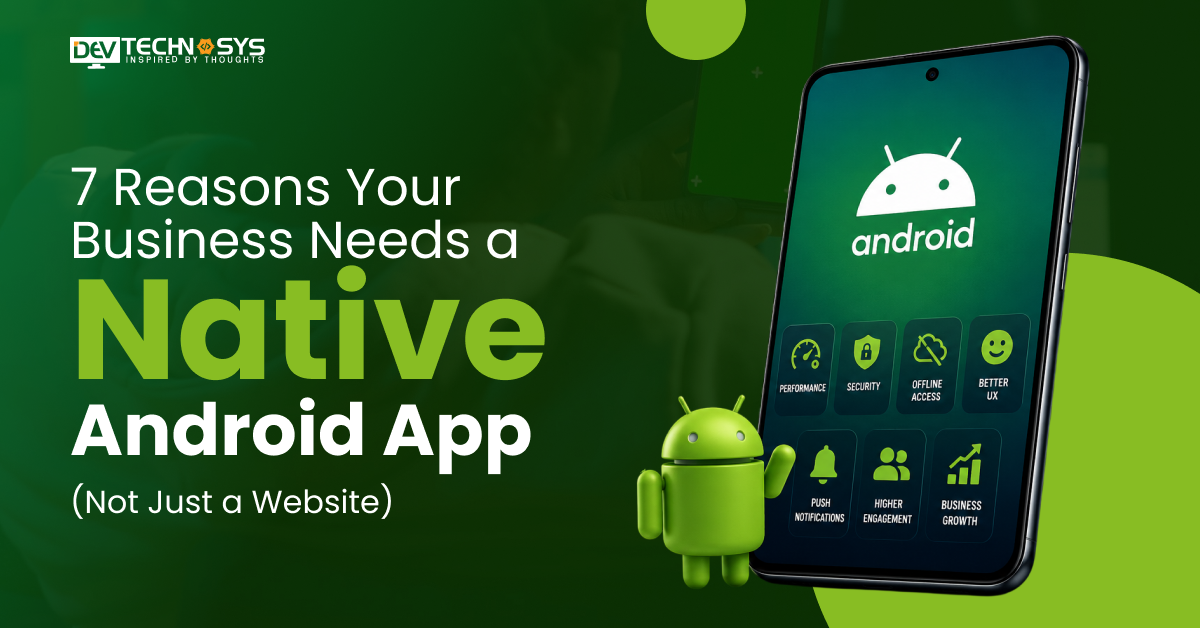
Reason 1: Superior Performance and Faster User Experience
The difference between a website and a native app becomes evident when comparing performance. A native app loads resources from the device and not the remote server each time.
UI components render through the system, not through the browser engine. This reduces latency and improves responsiveness. Research shows that even a second’s delay in the load time can reduce conversions by over 20%. In Android app development, performance is built at the architecture level.
Developers work with tools such as:
- Kotlin with coroutines for asynchronous tasks
- Jetpack libraries for lifecycle management
- Retrofit or OkHttp for network handling
- Glide or Coil for image loading
Why Performance Directly Impacts Revenue and Retention
Users notice friction quickly. Slow screens increase drop-offs, lag in checkout flows affect conversions, and delays in search or filtering reduce customer engagement. A fast app:
- Increases session duration
- Reduces abandonment
- Improves repeat usage
Understanding how to develop an app in Android helps the team focus on performance from the start, not just after launch.
Reason 2: Full Access to Native Device Features
Websites often have limited access to device hardware, whereas native apps do not have that restriction. An Android app can interact with:
- Camera and media storage
- GPS and location services
- NFC and Bluetooth
- Biometric authentication
- Background services and push notifications
Real-World Use Cases: What Businesses Build With Native Android Features
Let us look at a few real-life examples:
- Retail apps use camera APIs for barcode scanning and product search
- Healthcare apps connect with wearable devices through Bluetooth
- Logistics apps track movement through GPS, even in low network zones
- Fintech apps use biometric login and NFC for secure transactions
If you decide to create an application for Android, these are the factors that will drive the real value
Reason 3: Offline Functionality That Keeps Users Engaged Anywhere
A site must have a good and consistent internet connection, whereas a native app works with local storage. Android applications store their structures in Room databases, key-values in SharedPreferences or DataStore, and background synchronization in the WorkManager.
This configuration enables apps to save data without being interrupted, buffer operations offline, and reconcile them when you are online again.
How Android Apps Handle Offline Mode: A Technical Overview
Here is an example: inspection data can be stored on the device in a field service app. When the user comes back online, WorkManager schedules a sync job. Due to this, the data is not lost, and the workflow is not interrupted.
This type of arrangement is typical of Android native mobile app development at the enterprise level.
Reason 4: Push Notifications That Drive Re-Engagement
The mobile ecosystems have push notifications. Websites rely on browser notifications and have low reach and visibility. Most Android apps use Firebase Cloud Messaging to send real-time notifications and topic-based messages to users and also allow device-level targeting.
The notifications are displayed on the lock screen as well as the notification window to bring the users back without the need for an active session.
Push Notifications vs. Email vs. SMS: Engagement Rate Comparison
Many people ignore promotional or update emails. It is reported that email open rates are just 20%. However, SMS open rates are higher than email but are limited by cost and user preference. Push notifications are found to have higher open rates than email when targeted properly, making them a great tool for customer retention.
Reason 5: Enhanced Security and Data Protection
Security requirements have been on the rise in all industries because of data breaches occurring everywhere. Native Android app for business includes Biometric authentication using fingerprint, face, or password unlock, encrypted storage using Android Keystore, and certificate pinning to ensure safe communication of APIs.
Cross-site scripting and session hijacking are some of the common attacks exposed to web applications.
Security Compliance Standards US Businesses Must Meet in Android Apps
Depending on the industry, applications may need to align with:
- HIPAA for healthcare
- PCI DSS for payment systems
- CCPA for user privacy in California
Security should be a big part of the design in well-planned Android mobile app development to prevent data breaches and cyber attacks.
Reason 6: Better User Experience Through Personalization and AI
Native apps can access user behavior and device-level context, including usage patterns, location signals, and history of interactions. Machine learning support in Android applications through tools like TensorFlow Lite and ML Kit helps businesses build smarter user experiences.
These technologies can power personalized recommendations, intelligent search suggestions, and contextual notifications within the app.
How AI-Powered Android Apps Increase Customer Lifetime Value
A customized experience is associated with users’ emotional level and retains them. It minimizes the burden on navigation and enhances relevance. For example, an eCommerce app can recommend items in accordance with your browsing history, whereas a travel app can recommend destinations in accordance with your previous searches.
Even streaming services such as Netflix can make suggestions about films or web series based on your previous search history and watchlist.
Reason 7: Competitive Advantage and Brand Credibility in the US Market
An appearance on the Google Play Store is the icing on the cake. It gives a new dimension of visibility. The users tend to think of the app in terms of reliability, dedication by the company, and durability. The presence of an app on the home screen serves as a constant reminder and saves the hassle of having to search time and again in search engines.
Google Play Store Optimization (ASO): Turning Your App Into a Discovery Engine
Keyword optimization helps improve visibility on the Google Play Store through app listings, screenshot design, and app descriptions. User ratings and reviews also play an important role in aligning the app with search intent and improving discoverability. These factors not only affect the visibility but also the installation rates.
Should You Go Native Android or Flutter? Choosing the Right Approach
Many people get stuck here. The native Android is written in Kotlin or Java, which allows access to device APIs and offers enhanced performance control. In contrast to Flutter, which shares a common codebase between iOS and Android, resulting in shorter development time but potentially reduced access to some native capabilities.
The choice between native Android development and Flutter depends entirely on the project’s hardware requirements, budget, and expected time to market. Each approach offers different advantages based on the business and technical goals of the application.
When you require deep integration, it is better to use a native app. When the time to market across the organizations is important, then Flutter is a viable option.
Native Android vs. Flutter: Feature-by-Feature Comparison
Here are the differences between Native Android and Flutter features to help you make an informed decision:
Aspect |
Native Android |
Flutter |
| Performance | High | Good |
| UI Control | Full | Limited in some cases |
| Development Speed | Moderate | Faster |
| Cost | Higher for a single platform | Lower for multi-platform |
| Device API Access | Full | Through plugins |
Why Dev Technosys Is the Android App Development Company US Businesses Trust?
From a technical standpoint, the focus lies on aligning product requirements with platform capabilities. Work typically covers:
- Architecture planning based on use case
- Native Android development using Kotlin
- Integration with backend systems through APIs
- Testing across devices and OS versions
This approach supports both standalone apps and systems that connect with web platforms built through iOS and Android app development strategies.
Our Android App Development Process: End-to-End Delivery
A typical development process looks like:
- Requirement analysis with business context
- UI and UX planning
- Core development using Android SDK and Jetpack libraries
- Testing across performance and device compatibility
- Deployment to Play Store
- Ongoing updates and support
Tools used across projects may include:
- Kotlin, Java
- Jetpack Compose, ViewModel, LiveData
- Firebase, REST APIs, GraphQL
- CI/CD pipelines for builds and deployment

Conclusion
A website helps users discover your business, but long-term engagement often depends on how seamless and convenient the experience feels. As customer expectations grow, businesses need faster, more intuitive digital experiences that support regular usage and stronger customer relationships.
A well-designed Native Android app for businesses can help them simplify workflows, improve accessibility, and drive more direct user engagement. If you are planning to scale your digital presence, now is the right time to evaluate how a native app can support your business goals. Connect with an experienced Android app development team to explore the right solution for your brand.
Frequently Asked Questions
Find answers to the most common questions related to this article.
Most beneficiaries are industries such as retail, healthcare, fintech, logistics, and travel. These industries are very dependent on real-time information, the functionality of the devices, and the ability to interact with the users on a regular basis, and Native Android app for business are more effective and reliable.
Native Android app for business high integration and performance with the device. Flutter is more useful for quicker cross-platform development. The decision to make the right choice is based on the features' complexity, cost, and scalability needs in the long-term.
A mobile application offers direct access to the users, facilitates repeat access, and streamlines the work processes. It assists businesses in remaining accessible, enhancing customer experience, and establishing better long-term relationships outside a website.
Native apps are more secure, faster, and are supported offline, as well as accessing all features of the device. They offer an easier user experience and can be dependable in performing complex tasks, unlike web-based applications.