






















Key Takeaways:
- To develop an app like Edits involves several steps, such as gathering project requirements, tech stacks, designing UI/UX, development, testing, QA, deployment, and maintenance services.
- The global video editing applications were valued at around $1.59 billion in 2026; it is projected to grow to around $2.15 billion by the end of 2035.
- Video editing apps like Edits can generate profits from monetization techniques, such as subscription plans, advertisements, in-app purchases, freemium models, and more.
- Features that must be integrated in video editing apps, like AI-powered editing, text & animated captions, template-based editing, and more.
Short-form video content is booming, with more people creating and editing videos. There are several video editing apps on the market. But only a few are making headlines. And one of them is the Edits app by Meta Platforms.
The growth of apps like Edits is fueled by advanced AI-powered editing capabilities and social media-first content strategies. The Edits video editor app offers everything with its user-friendly interface and has become the go-to platform. Being a Meta product, it has caught the eyes of entrepreneurs in 2026.
So if you’re one of those entrepreneurs looking for a guide on Edits clone app development. Then you have come just to the right place. In this blog, we’ll cover stages to build an app like Edits, features, cost, revenue models, and more. Let’s dive straight into it.
What is Edits App?
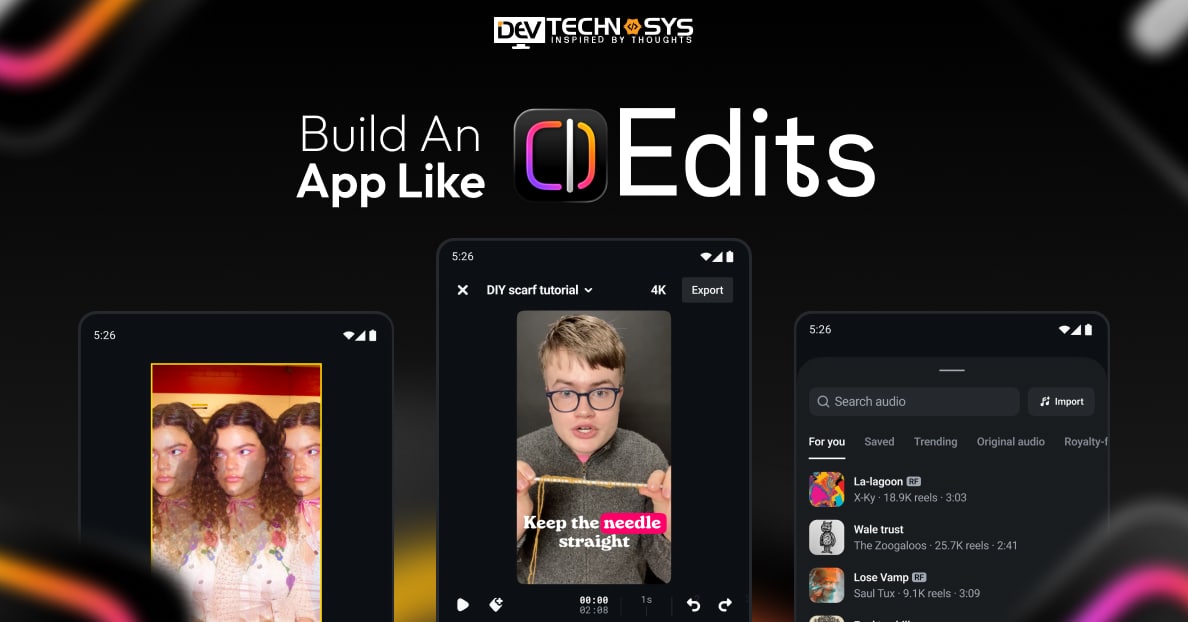
The Edits app is a standalone video-editing application developed and released by Meta on April 21, 2025. Made alongside creators, the app is mobile-exclusive. It is designed to record and edit videos and is specially optimized for Instagram and Facebook content. The app’s standout functions are timeline editing, trimming, transitions, green screen, and AI animation.
The head of Instagram, Adam Mosseri, describes the Edits app as:
“More for creators than casual video makers. Not just video editing, but an inspiration tab, idea tracking, and insights built in”.
In its first week of release, it was downloaded more than 7 million times. The app is free to download and use and is available on iOS and Android devices. In CapCut vs Edits, Edits offers watermark-free exports for free. Edits app features currently include:
- Video length is capped at ten minutes
- Frame-accurate timeline
- Clip-level editing
- Cloud storage
- Built-in tools for adding text, captions, stickers, etc.
How Does The Edits App Work?
Now that you know what the Edits app is, let’s explore how it works. It is intuitive to use for people familiar with the Instagram platform. It handles everything in one streamlined workspace.
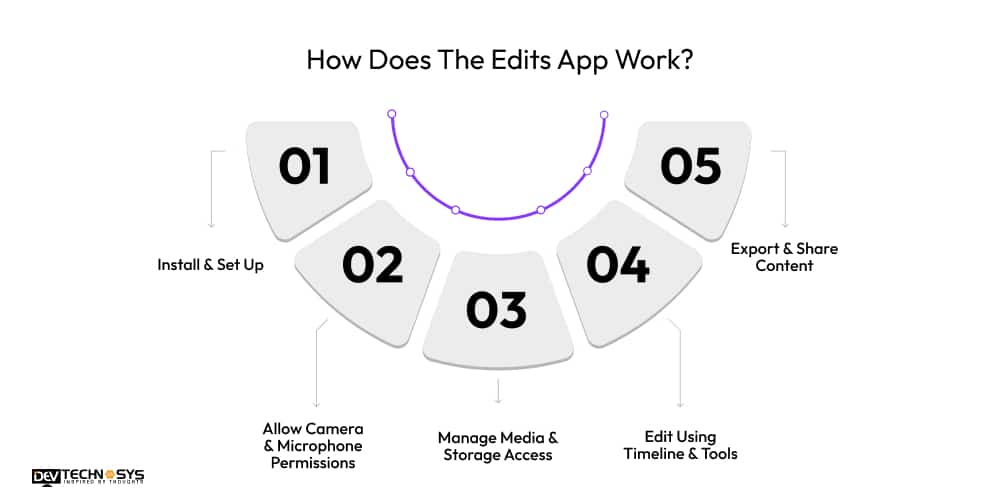
1. Install & Set Up
Users can easily download the Edits app from the App Store or Google Play. After downloading the app, sign in with your Instagram account. Then, on the dashboard, you can start your project.
2. Allow Camera & Microphone Permissions
To record videos directly in the app, the user must allow camera and microphone access. Without these permissions enabled, users cannot use in-app shooting, voice recording, or audio syncing.
3. Manage Media & Storage Access
To import clips from the gallery and save finished videos, users must grant photo and storage access. This allows seamless editing of existing content and exporting created videos.
4. Edit Using Timeline & Tools
Users can trim clips, rearrange scenes, add text, apply effects, insert music, and adjust timing. Its interface keeps everything organized. This allows precise control over pacing and video presentation.
5. Export & Share Content
After editing, users can export videos without a watermark. You can also share the edited video directly to Instagram or other platforms. The app processes the video in high resolution.
Video Editing App Global Market Insights
The demand for video editing apps continues to rise as cloud deployment, AI-assisted workflows, and mobile-first creation reshape competitive priorities. The rapid adoption of smartphones is driving a regional leapfrog in mobile editing applications like Edits. Here are some of the latest insights from the Mordor Intelligence report for 2026-2031.
- The video editing market is estimated to grow from USD 3.75 billion in 2026 to USD 4.99 billion by 2031.
- The market was valued at USD 3.54 billion in 2025.
- By region, North America held 37.60% of the video editing market in 2025.
- Asia-Pacific is expected to record a 7.22% CAGR through 2031.
- Cloud workflows are expected to post an 8.23% CAGR between 2026 and 2031.
- By platform, desktop environments led with 54.40% revenue share in 2025.
- Smartphone workflows are projected to grow at an 8.62% CAGR through 2031.
What’s the Process to Create a Video Editing App Like Edits?
Edits app development is a multi-phased process. A strategy, intensive development, and relentless testing are required to build an app like Edits. This section will guide you through the short video app development process and set you up for success.
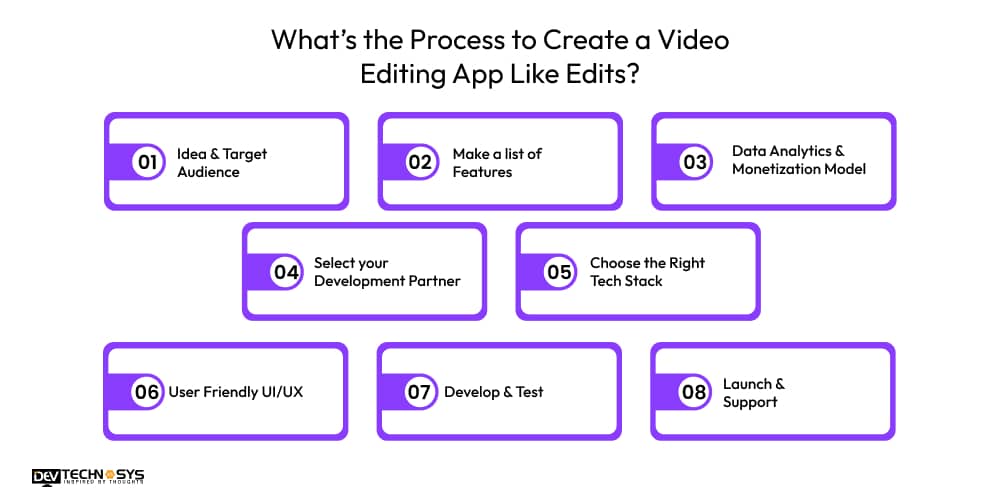
1. Idea & Target Audience
Your app idea must bring unique solutions to users’ problems. Begin social media video editor app development flow by thoroughly researching competitors. Understand who will be using your application. For the Edits app clone, the audience will likely be into travel, active hobbies, sports, video blogging, or content creation. Divide your target audience by age, location, and interests to gain a clearer view.
2. Make a list of Features
Defining features are crucial to build an app like Edits in the US. You can categorize them into core, advanced, and creator monetization features. An Edits app development company can assist you in selecting the right set of features for your app. By thoughtfully choosing the features, you can make an app like Edits that stands out.
3. Data Analytics & Monetization Model
In the reels editing app development phase, add data analytics tools. These tools help you gather data on how users interact with your application. This approach allows monitoring user behaviour. It is important to choose the revenue model in the early development stage. An Edits app alternative development firm can help you decide the best one.
4. Select your Development Partner
Partner with a top video editing app development agency to develop an app like Edits. Review their portfolio, consider their technical experience, and evaluate their reputation. Look, if they provide services and an OTT content editing solution in a similar domain. Ensure they have a robust pool of talent capable of providing a dedicated team of experts.
5. Choose the Right Tech Stack
The function of generative AI video-creation apps is determined by their technical solutions. Swift is used for iOS development, and Kotlin for Android development. Flutter and React Native frameworks are ideal for cross-platform development. FFmpeg video processing is used to handle editing and trimming. Integrate SDKs for social network sharing. Cloud rendering services such as AWS MediaConvert are used for video processing and media workflows.
6. User Friendly UI/UX
To create an app like Edits that is successful in the market, an aesthetically appealing design is a must. Design a clean interface suitable for both beginners and experienced editors. Incorporate drag-and-drop functionality and a quick-access menu. Simplify the navigation and streamline transitions between editing tasks. For a better user experience, customize the layout.
7. Develop & Test
This phase includes coding of the app’s core features and integrating databases and APIs. Setting up backend services, such as cloud-based video rendering, is an important part of the process. Perform multiple tests to ensure that your Edits clone app functions seamlessly. Security, usability, functionality, and performance are the critical tests that you should conduct. It ensures that the app meets quality standards.
8. Launch & Support
In this stage, we’ll finalize all preparations to release the app to the market. Go through the guidelines for the Google Play Store and the App Store and ensure your app meets them all. After the launch, you can begin enhancing the app to deliver a smooth, responsive user experience. Based on user feedback, release regular updates and new features aligned with trends.
Industry Insight: According to Research Reports World, 64% of creators edit their content using mobile apps instead of desktop tools.
Which Are The Core Features of Apps Like Edits?
A short video editing app with too many features and too few features always fails. Creator monetization features are the only thing that will make your app stand out in 2026. A short-video app development company helps you strike the right balance between essential and advanced features.
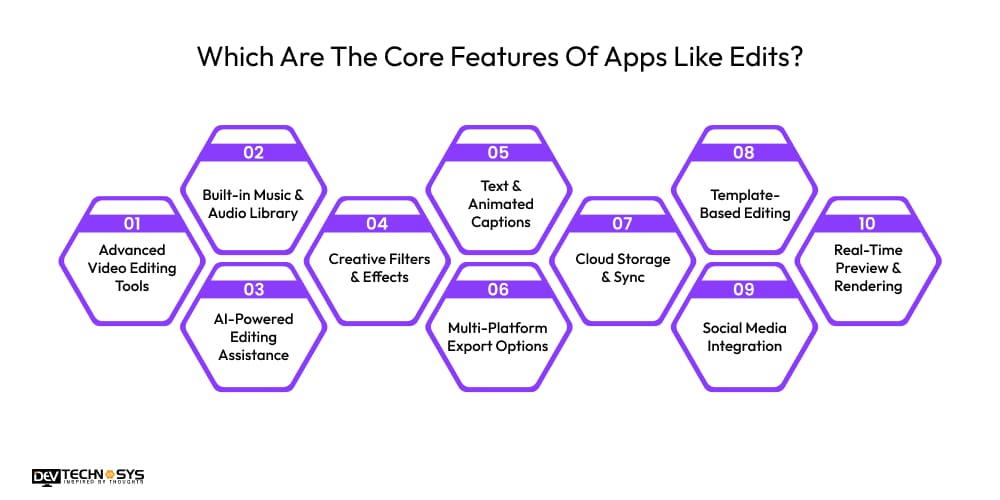
1. Advanced Video Editing Tools
Multi-layer video editing tools include trimming, merging, splitting, and timeline cropping. These tools allow users to easily adjust speed, transitions, and aspect ratios.
2. Built-in Music & Audio Library
Apps like Edits have in-app licensed music tracks, sound effects, and background audio. Music and sound effects integration allows to trim and syncing audio with the video.
3. AI-Powered Editing Assistance
AI enables the background removal tool and noise reduction. AI auto-caption generator reduces manual efforts for creators, influencers, and marketers.
4. Creative Filters & Effects
Edits alternative must have vast filters and a visual effects library. This helps users enhance the aesthetics of their videos. Real-time preview editing allows experimentation with new things.
5. Text & Animated Captions
With text overlay and animation tools, users can add customized text styles and overlays. Text timing, placement, and transitions are adjustable, improving user engagement.

6. Multi-Platform Export Options
A unique feature of apps like Edits is that it supports exporting videos in multiple resolutions. With 4K video export support user can select frame rates, compression quality, and file formats.
7. Cloud Storage & Sync
Cloud storage is essential for accessing projects across different devices. Edits clone app allows automatic backup. Sync feature supports collaborative workflows.
8. Template-Based Editing
Template-based video editing apps like Edits have thousands of pre-designed templates. This simplifies video creation for reels, ads, vlogs, and promotions, reducing editing time.
9. Social Media Integration
An Instagram video editing app clone allows direct sharing to social platforms. This includes hashtag suggestions, thumbnail customization, and caption editing to help creators.
10. Real-Time Preview & Rendering
This feature allows users to see final edits before exporting. Background rendering ensures smooth performance even with high-resolution files by speeding up the editing process.
What Makes a Video Editing App Like Edits Worth the Investment?
Building an app like Edits offers high-potential business opportunities. As short-form content is dominating social media, the marketing, education, and entertainment industries. Let’s discuss why you should create an app like Edits and why it is worth the investment.
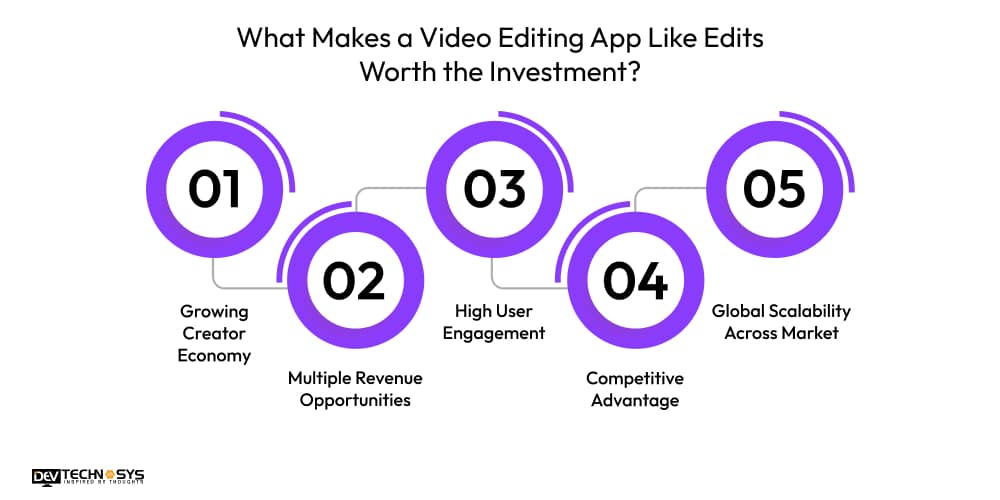
1. Growing Creator Economy
The ongoing rapid expansion of the creator economy fuels demand for reel-editing apps. Influencers, bloggers, educators, and marketers require high-quality video content daily. Investment in a video editing app ensures your entry into this scalable economy.
2. Multiple Revenue Opportunities
Social media video editor apps create diverse revenue opportunities for businesses and startups. Monetization models for short-video editing apps enable sustainable revenue streams. Businesses can maximize their profitability while maintaining strong user retention and engagement.
3. High User Engagement
Content creators and influencers return to apps like Edits to create daily/weekly content. By developing an app like Edits, organizations can increase their engagement rates and lifetime value per user. This makes the application a profitable digital investment opportunity.
4. Competitive Advantage
AI-powered video editor app reduces editing time and enhances user experience. Advanced AI features like auto captions, smart trimming, and background removal differentiate your platform in the market. It attracts both beginner creators and professional content producers.
5. Global Scalability Across Market
Another reason you should build an app like Edits is that it can scale internationally. With minimal infrastructure changes, you can expand your user base globally. So an investment in the Edits clone app allows for capturing diverse audiences.
Industry Insight: A latest report by Industry Research shows that 62% of demand for video editing apps comes directly from social media creators.
Case Study: Video Editing App
We developed a video editing app for a US client with an initial budget of $18K, focusing on basic editing, export, and social sharing features. However, the budget increased due to the integration of advanced AI tools, cloud storage, and real-time rendering. Challenges included performance optimization, API limits, and cross-platform consistency. Despite this, the project achieved successful delivery, improved user engagement, and scalable architecture for future feature expansion.
Navneet Rajpoot– Delivery Head
How Much Does It Cost To Build An App Like Edits?
The estimated cost to develop an app like Edits ranges from $8,000 to $30,000. However, the final price is influenced by several factors, such as platform, feature complexity, design customization, and development region. To get the right price quotation, you can contact a trusted video streaming app development company in US. Below is a table showing the Edits app development cost based on current market rates and real-world project experiences.
| App Type | Key Features | Estimated Cost (USD) |
| Basic Video Editing App | Trim, filters, music, export | $8,000 – $12,000 |
| Standard Video Editing App | Transitions, text, HD export, sharing | $12,000 – $18,000 |
| AI-Enabled Editing App | Auto captions, background removal, AI tools | $18,000 – $24,000 |
| Professional Creator App | Multi-layer editing, premium effects, color grading | $22,000 – $27,000 |
| Enterprise-Grade Platform | AI automation, cloud sync, collaboration, analytics | $25,000 – $30,000 |
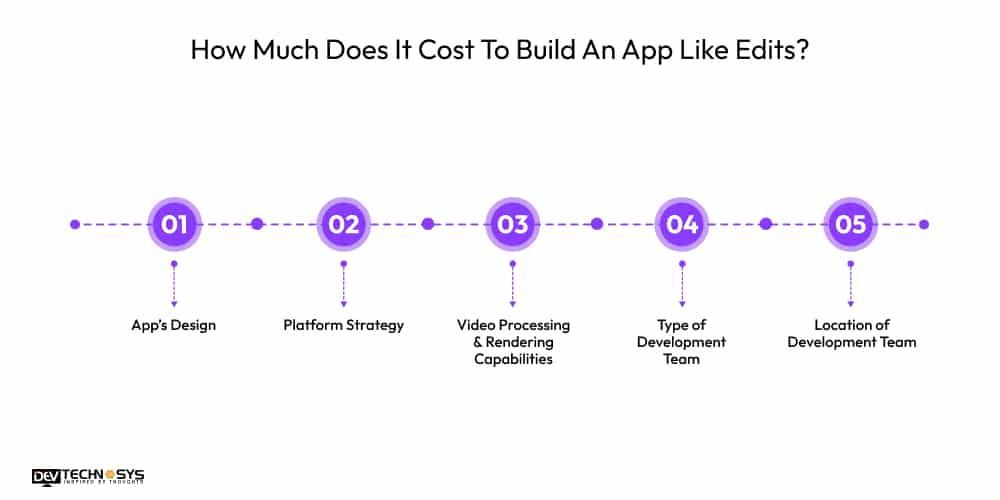
We have evaluated the cost to develop an app like Edits, but some cost-driving factors are inevitable. It is necessary to carefully consider these factors in order to make a cost-saving decision. Let’s break down the factors impacting the cost.
1. App’s Design
The UI/UX design of Edits clone app is crucial for attracting users. But it is also the major factor affecting development costs. A simple, minimalist app design goes easy on your wallet. A custom design requires additional effort and resources, increasing the overall price.
| Design Level | Estimated Cost (USD) |
| Basic UI Design | $2,000 – $4,000 |
| Custom Interactive Design | $4,000 – $7,000 |
| Premium Motion UI/UX | $7,000 – $10,000 |
2. Platform Strategy
The platform decision is another major factor influencing the cost to build an app like Edits. Developing an application for separate platforms requires separate coding and testing, which increases costs. With a cross-platform framework, you reduce the development cost and time.
| Platform Type | Estimated Cost (USD) |
| Single Platform (iOS or Android) | $8,000 – $15,000 |
| Cross-Platform (Flutter/React Native) | $12,000 – $20,000 |
| Multi-Platform + Web | $20,000 – $30,000 |
3. Video Processing & Rendering Capabilities
In Edits app alternative development, video processing and rendering impact the development cost. High-quality rendering and real-time preview editing capabilities are necessary to enhance the user experience. But it directly contributes to the complexity, increasing cost, time, and effort.
| Feature Level | Estimated Cost (USD) |
| Basic Editing Engine | $2,000 – $3,000 |
| Advanced Rendering | $3,000 – $4,000 |
| High-Performance Processing | $4,000 – $5,000 |
Want a chatbot demo or pricing? Fill the form and talk to our experts today.
Pick what you need below — you can select more than one — then tap Get detail to continue.
-
Chatbot demo dashboard
-
Cost to develop an app
-
Industry report
-
Case study
4. Type of Development Team
The development team you hire directly influences the cost and project timeline. The different team structures vary in pricing, expertise, scalability, and long-term support. According to the requirement, you can hire freelancers, in-house, offshore, or outsource.
| Team Type | Estimated Cost (USD) |
| Freelancers | $3,000 – $6,000 |
| Offshore Team | $5,000 – $9,000 |
| Outsourced Agency | $8,000 – $12,000 |
| In-House Team | $10,000 – $15,000 |
5. Location of Development Team
The geographic location of your hired development agency is another major cost-affecting factor. Based on the region you hire in, the hourly rates, talent availability, and operational expenses vary. Consider communication efficiency and time-zone alignment when choosing the location.
| Region | Estimated Cost (USD) |
| Asia / Eastern Europe | $1,000 – $3,000 |
| Middle East / Africa | $2,000 – $4,000 |
| North America / Western Europe | $4,000 – $6,000 |
Key Risks in Building Apps Like Edits
There are a higher number of risks raised during the development of apps like Edits. It mainly includes copyright issues, cloud storage cost, app store restrictions, data privacy compliance(GDPR/CCPA), and more. Let’s explore why these issues are raised and how to avoid these key risks.
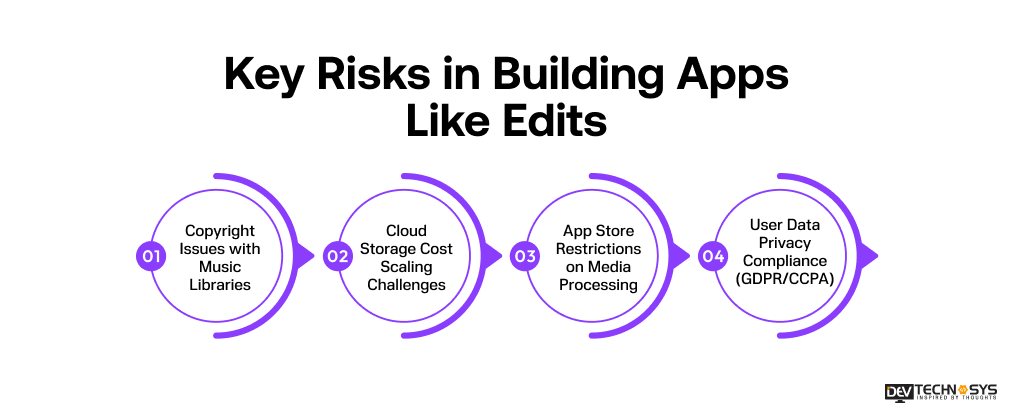
1. Copyright Issues with Music Libraries
Music licensing ensures creators can safely use audio tracks without legal violations. It is required whenever your app offers background music, sound effects, or templates. Without proper licensing, you risk takedowns, lawsuits, and blocked distribution on app stores or platforms.
2. Cloud Storage Cost Scaling Challenges
Cloud storage is used to save user projects, raw videos, and exports across devices. It becomes critical when user uploads increase at scale. Without optimization, costs rise rapidly with active users, especially in AI editing apps handling large video files.
3. App Store Restrictions on Media Processing
App stores enforce strict rules for video processing, compression, and content moderation. These apply when your app offers editing, exporting, or AI-generated content features. Non-compliance can lead to rejection, delays, or removal from Google Play and Apple App Store.
4. User Data Privacy Compliance (GDPR/CCPA)
Privacy regulations govern how user data, videos, and metadata are collected, stored, and processed. This is required when your app handles personal content or account data. Non-compliance can result in heavy fines, legal action, and loss of user trust globally.
What Are the Top Video Editing Apps Like Edits?
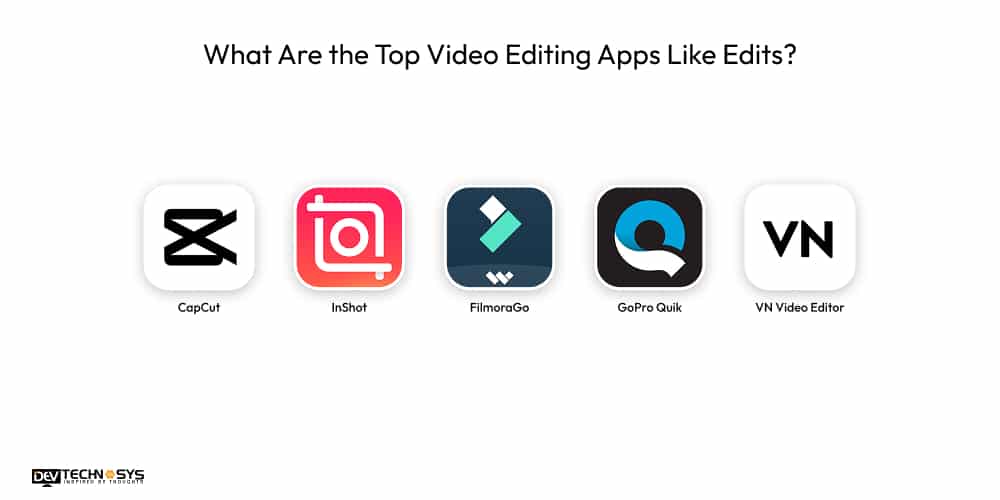
There are many powerful and mobile-friendly video editing apps similar to Edits. Here we have compiled the 10 best short-video editing applications. While Edits is a streamlined editing platform, let’s take a look at the top alternatives.
App Name |
Platform |
Key Features |
Best For |
| CapCut | iOS, Android | AI effects, templates, auto captions, transitions | Short-form content creators |
| InShot | iOS, Android | Trim, filters, music, social media ratios | Social media influencers |
| FilmoraGo | iOS, Android | Effects library, overlays, transitions | Beginner to intermediate editors |
| GoPro Quik | iOS, Android | Auto-editing, music sync, highlight detection | Action and travel creators |
| VN Video Editor | iOS, Android | Multi-layer timeline, keyframe animation | Advanced mobile editors |
| PowerDirector | iOS, Android | 4K editing, green screen, motion tracking | Professional creators |
| Splice | iOS, Android | Beat matching, cinematic effects, easy UI | Story-driven video creators |
| VITA | iOS, Android | Trendy effects, text animations, filters | Reels and TikTok creators |
| VivaCut | iOS, Android | Multi-layer editing, chroma key, blending | Creative video editing |
| LumaFusion | iOS | Professional timeline, color correction, multi-track editing | Advanced and pro filmmakers |
If you’re looking for some great similar apps to Edits, here are the 5 most popular video editing apps. Below, we’ll understand what makes these apps so popular and appealing to creators and editors.
1. CapCut
From the perspective of a video editing app development company, CapCut is the most famous app. It is preferred by short video creators. The app has AI-powered tools such as smart background removal, auto-captioning, and a wide range of templates. With a user-friendly layout, it offers advanced transitions, effects, and music integration for professional editing.
2. InShot
Known for its simplicity, InShot is a great inspiration for developing an Edits clone app. The social media optimized features allow trimming videos, applying filters, adding music, and adjusting aspect ratios. This app is most suitable for editing videos and reels for Instagram, YouTube Shorts, and TikTok. Its intuitive design ensures quick editing.
3. FilmoraGo
FilmoraGo is an ideal editing application suitable for vloggers, marketers, and casual video editors. It perfectly balances advanced creative features and beginner-friendly tools. FilmoraGo supports easy sharing and high-resolution export. Its standout features include overlays, animated text, transitions, and a large effects library.
4. GoPro Quik
GoPro Quik is a popular app like Edits that delivers faster video content production. It allows automatic video creation with intelligent highlight detection and music synchronization. The GoPro Quik application is a fantastic choice for travel content and action footage. It also offers a cloud backup option and a variety of editing styles.
5. VN Video Editor
VN Video Editor appeals to users looking for desktop-style comfort in a mobile editing environment. The app offers advanced timeline-based editing with multi-layer support and keyframe animation. Just like the Edits app, it provides professional-grade tools without mandatory watermarks. Editors can precisely manage speed curves, transitions, and audio tracks.
Industry Insight: Market Analysis by Research Reports World highlights that 44% of video editing tools now include AI-powered editing features.
How Can a Video Editing App Like Edits Generate Revenue?
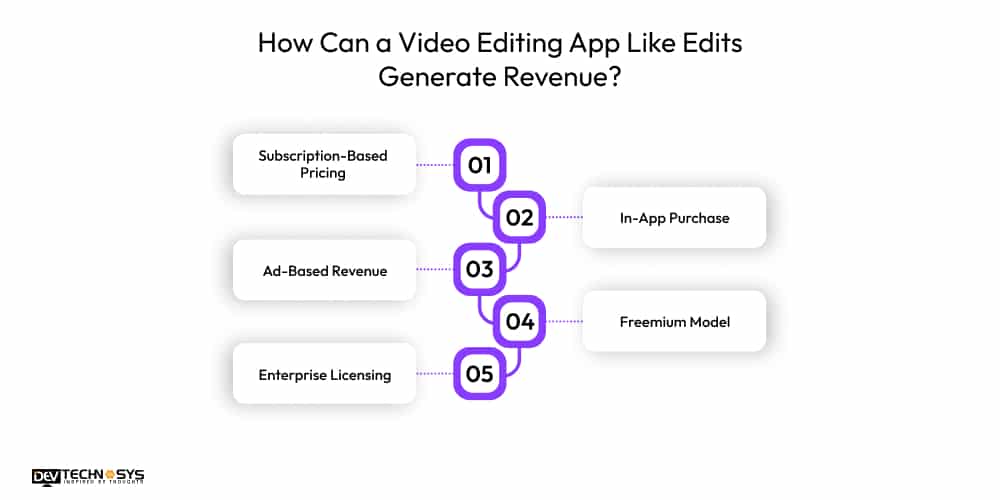
For long-term sustainability, monetization is crucial in a video editing app like Edits. The intent of every business that builds an app like Edits is to make money and achieve ROI. Here we have listed some monetization strategies to generate revenue from app like Edits.
1. Subscription-Based Pricing
The most effective revenue model is a subscription-based model. Under this model, the user pays a monthly or annual fee to access premium features. The premium features set includes watermark removal, advanced AI tools, exclusive templates, and high-resolution exports. This model creates predictable recurring revenue and encourages ongoing improvements.
2. In-App Purchase
In-app purchases offer a flexible monetization method for apps like Edits. Users can buy specific assets, such as effects, transitions, AI credits, filters, and music packs. This revenue model is better suited to creators and editors who prefer a one-time purchase. Unlike recurring subscriptions, it enables upselling without restricting basic functionality.
3. Ad-Based Revenue
This revenue model is commonly used in free video editing apps like Edits. You can earn money by displaying relevant ads from third parties. It is important that you implement this strategy carefully, such as by displaying ads outside the editing workflow. So that you can generate income without affecting user experience. Ads should be well-targeted and non-intrusive.
4. Freemium Model
The most popular monetization approach adopted by businesses is the Freemium model. You offer a basic version to users with limited access. And if users want to use premium features, they need to pay a specific fee. Through this model, you can attract a large potential user base. It lets users explore your app’s features and functions.
5. Enterprise Licensing
Enterprise or white-label licensing is ideal for professional users, media agencies, marketing firms, brands, and organizations. Businesses pay for branded templates, workflow automations, analytics dashboards, priority support, and team collaboration features. It creates high-value contracts and long-term partnerships, increasing overall revenue potential.
How To Make Your Video Editing App Like Edits The Next Big Thing?
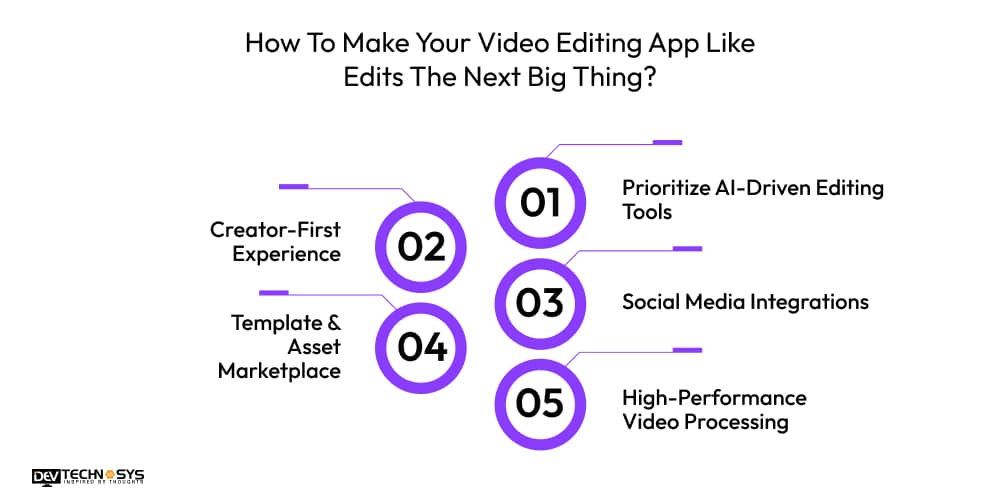
You need more than basic editing tools to create a successful app like Edits. To compete with popular video editing apps, you must emphasize innovation and user experience. Here are some strategic approaches to help your video editing application stand out in the market.
1. Prioritize AI-Driven Editing Tools
AI-powered editing tools are the best way to improve user experience. Integration of the AI tools automates the complex editing process, making your app more accessible to users. Some of the AI tools and functions you can add are smart scene detection, beat synchronization, and background removal.
2. Creator-First Experience
To attract creators and influencers in huge numbers, an intuitive interface and navigation are essential. When you build an app like Edits, focus on speed, responsiveness, and minimal learning curves. This will ensure that the creators will spend less time struggling with editing tools and can produce high-quality content.
3. Social Media Integrations
Today’s creators create content for social media platforms like Instagram, YouTube, and Facebook. So, providing an in-built export, automatic ratio adjustments, and direct publishing streamlines the workflow. Integrate your video editing app like Edits, with social analytics and content scheduling tools to enhance the editing environment.
4. Template & Asset Marketplace
A strong template and asset marketplace are important for continued use of the application. A hub of templates, transitions, music tracks, and visual assets will keep creators engaged. Through the marketplace, creators can contribute to the community and sell their assets. This approach expands the creative resources and allows your app to evolve with trends.
5. High-Performance Video Processing
Fast video rendering and processing are what spike the user satisfaction. Optimize your Edits clone app with cloud processing, hardware accelerations, and efficient compression. This allows users to edit large video files without lag and supports high-resolution formats. A high-performing video editing app enhances professional credibility.
What Tech Stacks are Used to Build an App Like Edits?
For a successful video editing app development, tech stacks are more important for every type of technical section. It involves various areas, such as frontend, backend, cloud storage, database, authentication, and more.
Layer |
Technologies |
Purpose |
| Mobile App | Swift, Kotlin, Flutter | Build an iOS & Android video editing app |
| Video Processing | FFmpeg, OpenCV | Trim, merge, filters, rendering |
| Backend | Node.js, Python (FastAPI) | APIs, user management, app logic |
| AI Features | TensorFlow, PyTorch, Core ML | Auto-captions, smart editing, background removal |
| Cloud | AWS, Google Cloud | Storage, rendering, scalability |
| Database | PostgreSQL, MongoDB | Store user data and projects |
| Authentication | Firebase Auth, OAuth | Secure login and user access |
| Storage | AWS S3, Google Cloud Storage | Save videos and media files |
Wrapping Up!
With that, you can build an app like Edits with standout features and functions. If you’re on a tight budget, you can opt for an MVP to validate the app concept. The steps, features, market price, and cost factors lay a solid foundation for a successful Edits app development. Remember to prioritize user experience for a seamless video editing experience.
This guide provides a clear roadmap for building an Edits-style video editing application. Hire dedicated developers to help you with the development process and position your app in the rapidly growing market.
Frequently Asked Questions
Find answers to the most common questions related to this article.
Edits app development cost usually ranges between $8,000 and $30,000. However, the final estimate depends on factors such as design complexity, functionality, platform choice, and the development team. AI-driven editing tools, cloud storage, and advanced rendering features require a higher budget.
Edits clone apps are developed using technologies such as Flutter, React Native, Swift, or Kotlin. Backend tech stack includes Node.js, Python, or Firebase. For video processing, developers use frameworks such as FFmpeg or media processing SDKs to handle editing and rendering.
Yes, AI features and tools are becoming essential in video editing apps like Edits. Tools such as auto-caption generation, smart scene detection, and background removal simplify complex editing tasks. AI capabilities save creators time, improve productivity, and make the app more competitive.
Developing an app like Edits poses challenges, including handling large video files, fast rendering, device compatibility, and managing storage. Maintaining smooth playback while applying multiple effects can be technically demanding. Security, scalability, and compatibility with different operating systems also require careful planning during the development phase.
In apps like Edits, the high-quality exports are handled through optimized video encoding and compression technologies. It renders videos efficiently by using hardware acceleration and media processing libraries. By supporting multiple formats like 4K and HD, Edits alternatives allow creators to maintain visual quality.
Video editors are not being replaced by AI, but they are experiencing an evolution in how they work. Video editing processes can benefit from the automation of repetitive tasks, such as video cutting, adding captions, and removing backgrounds. Video editors will continue to be essential for creative storytelling, branding, and emotional impacts, and video editing processes with AI tools can now be completed more quickly and with greater efficiency than before.
The best technology stack for video editors would be Swift and Kotlin for mobile application development, FFmpeg for video editing processes, and either TensorFlow or Core ML for AI-based video editing features (AI). Both AWS and Google Cloud can help support scalable storage and rendering. API backend services would be provided by Node.js or Python, and Firebase would provide an efficient authentication and real-time data synchronization service for all video editing applications.
CapCut and similar apps use freemium models, subscription services, in-app purchases, and the purchase of premium templates and effects. CapCut also offers cloud storage plans, upgrades to AI-based tools, and business partnerships as ways to monetize its use. Some of these platforms include some conventional advertising as part of their overall business strategy without negatively impacting user satisfaction or potential future revenue generation.














