



















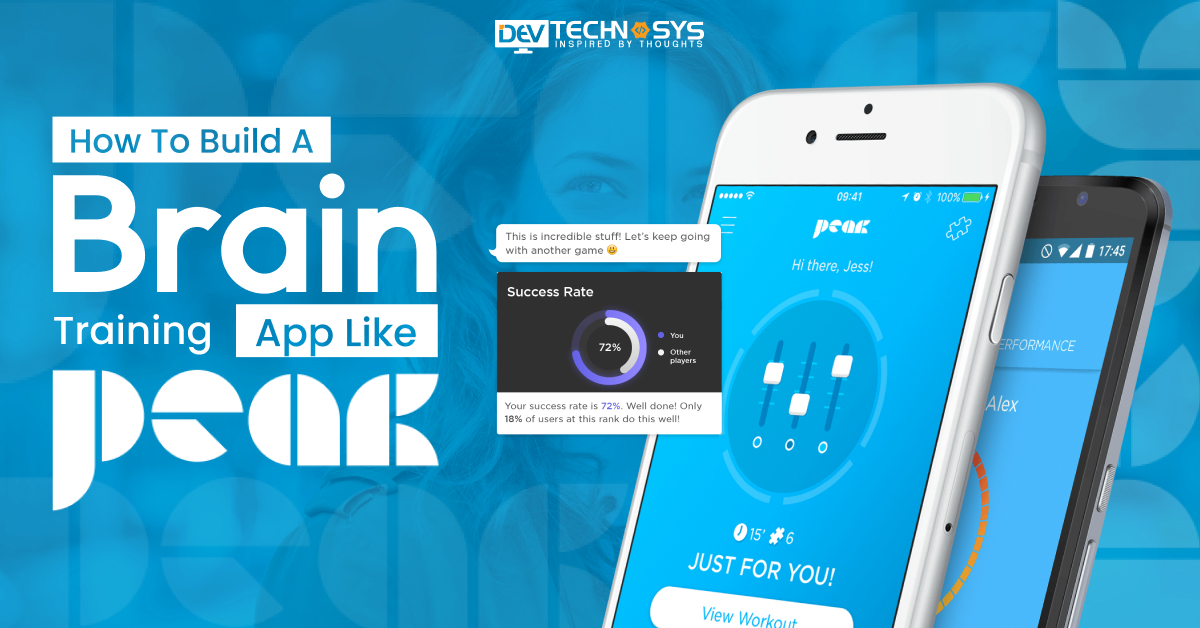
Holding your phone and scrolling through social media takes hours of your day and doesn’t make you productive at all. How about learning something new and challenging your intelligence while playing a game on your mobile? This is not expected, but a brain-training app like Peak makes it possible.
A brain training app like Peak has enticed millions of people to improve their cognitive skills while enjoying amazing games. You can also build a brain training app like Peak to enter this competitive market, as the demand for game-based learning is increasing.
If you create a similar app like Peak, it helps users boost their memory, sharpen their problem-solving, and improve focus. So, are you ready to create a brain training app like Peak? Here is the guide where you will learn market analysis, feature set, monetization models, and more, to develop peak alternatives.
Market Predictions About Brain Training Apps
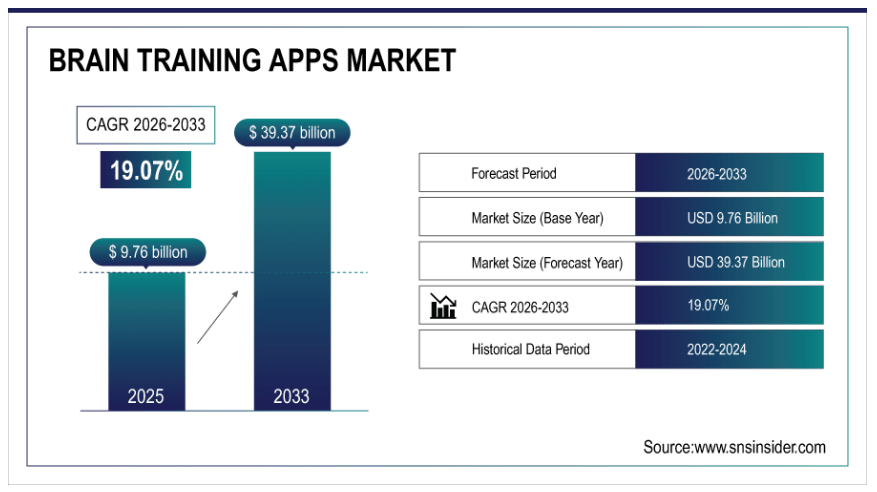
Before moving ahead to build an app like Peak, understanding the market statistics about brain training apps is necessary. Let’s study what statistical data from SNS Insider explains:
- The market size of brain training apps in 2025 was priced at USD 9.76 billion.
- By 2033, these numbers are estimated to reach USD 37 billion, growing at a CAGR of 19.07% over the forecast period 2026–2033.
- North America dominated the largest share of the brain training apps market by 02% of the total share in 2025.
- In 2025, this market was led by the adults with12% of the overall market share.
What Is The Peak?
Peak is a free brain training app that was launched in 2014 by a London-based company called Brainbow. It is now owned by a Canadian company, PopReach (now part of PopReach Corporation). This app is studded with a number of science-based games and daily workouts. These games and workouts will help improve memory, focus, problem-solving, and other cognitive skills.
This app is not primarily for kids; people of all age groups can use it and set the difficulty level according to their age. It even monitors your progress and provides you with personalized tips. If you want to make a brain training app like Peak, you can contact a mental health app development company.
Why Are Entrepreneurs Investing To Build A Brain Training App Like Peak?
Entrepreneurs always search for a business idea to invest in that is trending, can be successful, and highly profitable. Therefore, we have the reasons why entrepreneurs prefer Peak clone apps to invest in.
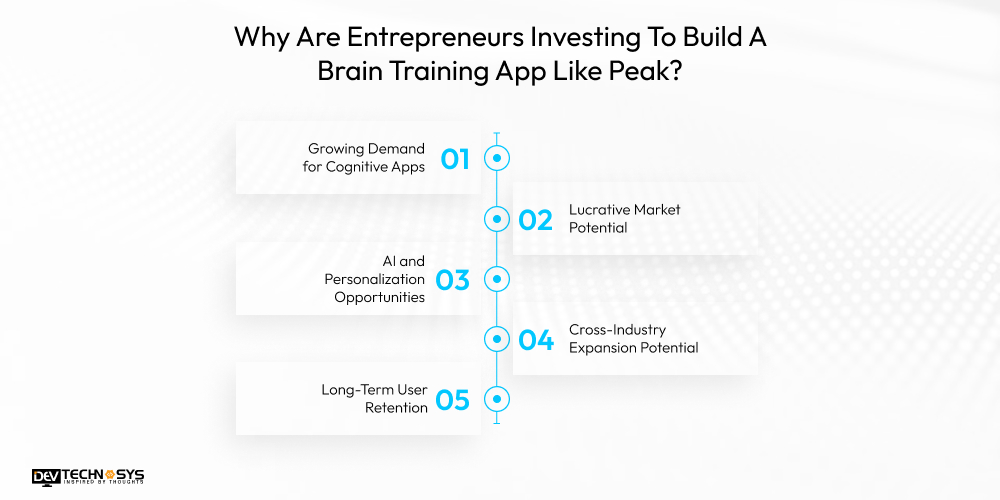
1. Growing Demand for Cognitive Apps
Nowadays, everyone is addicted to mobile phones, whether a kid or an elderly person. So, the demand for brain training apps is rising to transform screen time into learning and development time. An app like Findmykids or Peak focuses on mental fitness and makes mobile usage a productive learning experience.
2. Lucrative Market Potential
Investing in the best brain training apps offers entrepreneurs a significant profit-earning potential. The success of brain training apps like Peak shows that the popularity of cognitive wellness tools is rising. Due to this reason, entrepreneurs can tap into this business, ensuring long-term user retention.
3. AI and Personalization Opportunities
Integrating AI and offering personalized options, entrepreneurs can revolutionize the peak app development. When the app leverages users’ data, it offers them customized cognitive challenges while enhancing user engagement. It can develop a parental control app with AI features so that parents can track their child’s performance.
4. Cross-Industry Expansion Potential
A brain training application has a large potential to perform in multiple industries, from education to health. Entrepreneurs have the chance to stretch their app to different sectors, increasing user engagement. This helps them generate a comprehensive platform where users can work on their mental and physical well-being.
5. Long-Term User Retention
The most essential thing that enhances and maintains long-term user retention is engaging content that works on users’ mental skills. An app like Brightwheel continuously upgrades its features and offers customized challenges to keep users coming back. If entrepreneurs work on bringing innovation to the app, they can achieve sustained growth.
List Some Of The Best Brain Training Apps
Already, there are multiple Peak alternatives available in the market. Have a look at the list of the 10 top brain training apps that are widely trusted by users.
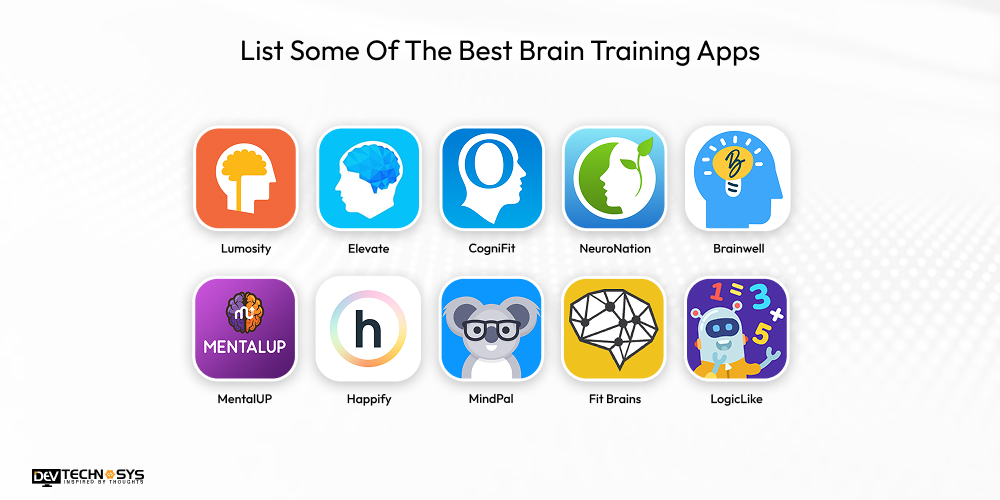
| App Name | Ranking | Downloads | Available Platforms |
| Lumosity | 4.7/5 | 100M+ | Android, iOS |
| Elevate | 4.6/5 | 50M+ | Android, iOS |
| CogniFit | 4.5/5 | 10M+ | Android, iOS, Web |
| NeuroNation | 4.6/5 | 20M+ | Android, iOS |
| Brainwell | 4.5/5 | 5M+ | Android, iOS |
| MentalUP | 4.7/5 | 15M+ | Android, iOS, Web |
| Happify | 4.4/5 | 10M+ | Android, iOS |
| MindPal | 4.5/5 | 5M+ | Android, iOS |
| Fit Brains | 4.3/5 | 5M+ | iOS |
| LogicLike | 4.6/5 | 10M+ | Android, iOS, Web |
How To Build A Brain Training App Like Peak?
To develop a brain training app like Peak, it primarily involves a multi-stage process, from market analysis to after-launch services. So, have a look at the steps.
1. Study The Market Needs
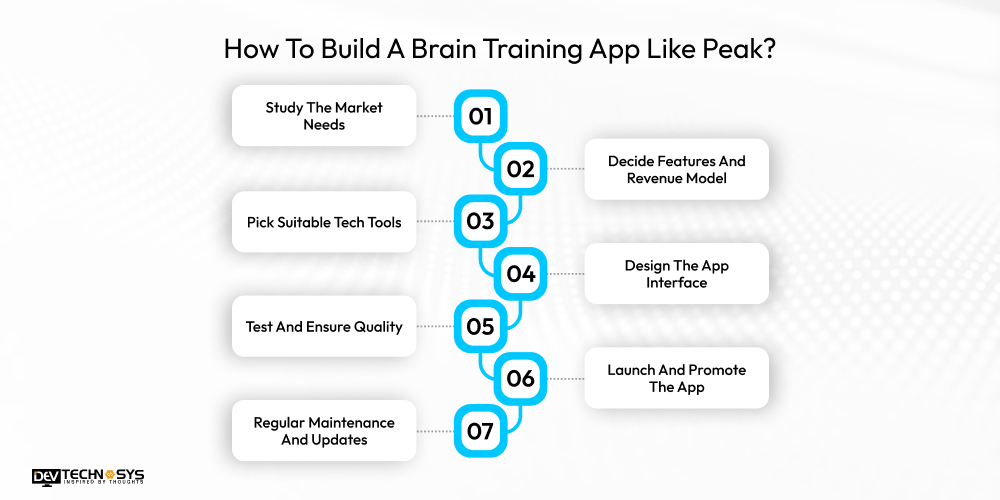
The first step to create an app like Peak is to understand what people need and what competitors offer. It will help you analyse your target audience, whether students, professionals, elderly users, or children. Also, here you can identify the pain points and work on them.
2. Decide Features And Revenue Model
In this step, you have to decide what features your app will include and how it will make money in the long run. Pick features like exercises, personalized recommendations, and progress tracking, along with revenue models like subscription or freemium, based on your market research.
3. Pick Suitable Tech Tools
Select the softwares and tools that are mainly needed to build apps like Peak or the best coloring apps for kids. This also includes programming languages, such as Swift, Kotlin, and frameworks like React Native and Flutter. An advanced app must have AI, machine learning, and analytics tools.
4. Design The App Interface
Here, you must design how your app will look and present it to users to have a unique gamified experience. Your app must be intuitive, motivating, engaging, and have a user-friendly UI/UX. This makes your app not only visually appealing but also easy to navigate for users.
5. Test And Ensure Quality
As your app is ready to launch, but before presenting it to users, it is necessary to test and get quality assurance. Therefore, do a thorough testing of the app’s functions, performance, and security. It helps detect and fix issues in the app before it is released.
6. Launch And Promote The App
It is time to launch your app for public use, so deploy it on app stores, like Google Play and App Store. For this, you can even hire mobile app developers for better App Store Optimization (ASO). To increase your app’s market reach, implement marketing strategies like social media, influencers, and ads.
7. Regular Maintenance And Updates
Even after launch, your app requires proper maintenance and updates regularly. So, you have to monitor your app’s performance, fix bugs, and update features. When you work on feedback from people, it improves user experience. New features, content, and challenges keep users engaged with your app.
You can reach out anytime; we are available 24/7. Our team provides a quick response.
What Features Should A Training App Like Peak Incorporate?
Features are the most essential thing that defines how engaging, useful, and effective the app will be. So here is the list of some features that an Android app development company must incorporate in a brain training app.
1. Personalized Training Programs
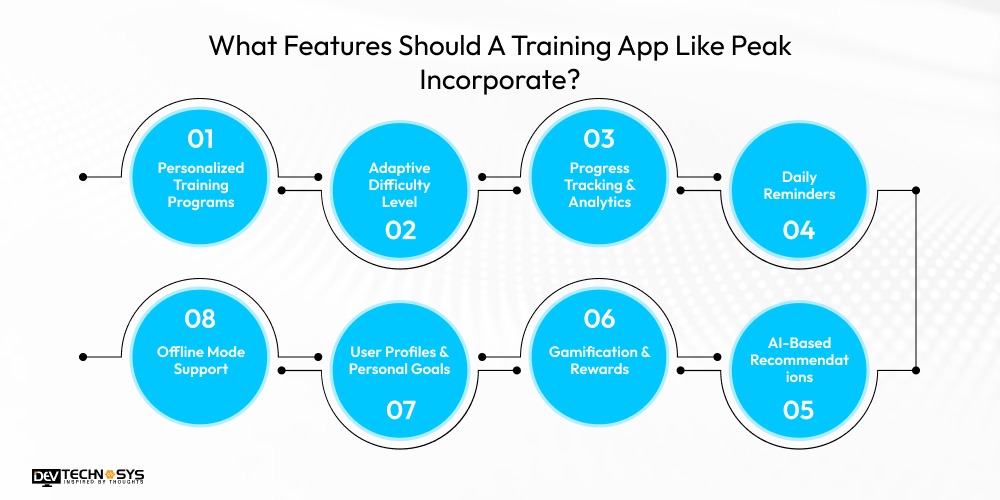
When you make a brain training app like Peak, make sure it consists of personalized training programs. These plans should be based on goals, performance, and cognitive strengths of a particular user.
2. Adaptive Difficulty Level
Every kids learning app development company must incorporate a feature to adjust exercise difficulty according to the user’s performance. As the performance improves, the challenges become complex without overwhelming the user.
3. Progress Tracking & Analytics
The app must have a dashboard where users can track their improvements, strengths, and weaknesses. This analytics should contain visual charts and performance summaries to motivate users and understand their cognitive growth.
4. Daily Reminders
When users get push notifications for daily challenges, new updates, and the latest challenges, this makes them consistent on the app. These notifications in the best brain training apps iPhone will help users make a habit of using the app.
5. AI-Based Recommendations
Ask an iPhone app development company to integrate AI recommendations into the app to provide intelligent and tailored suggestions to users. These suggestions are based on users’ performance and behaviour.
6. Gamification & Rewards
Develop an app like Peak where users can get points, badges, etc., when they achieve a goal. Rewards make brain training sessions enjoyable and competitive. It also encourages users to actively achieve their cognitive goals.
7. User Profiles & Personal Goals
Create a dashboard where users can set objectives, track milestones, and adjust preferences on a personal level. This will give users a structured experience on the app while personalizing cognitive learning.
8. Offline Mode Support
An offline mode feature allows users to access the training programs and games even when there is no internet. It not only improves user convenience but also gives accessibility to practice anytime, anywhere, even when you are low on internet.
How Much Does It Cost To Build A Brain Training App Like Peak?
We must know that the price of any app is determined according to its number of features and complexity. Generally, the cost to develop educational apps like Peak will range from $8,000 to $30,000. A simple app with basic MVP features keeps the app’s complexity to a minimum, which leads to lower brain training app development cost.
However, an app with high-tech, modern features increases the app’s complexity as well as the cost to build app like Peak. Several other influences, such as platform choice, third-party integration, developer’s location, etc., will also affect the final peak app development cost. Understand this cost breakdown through a table:
| App Type | Key Cost Drivers | Estimated Cost |
| MVP / Very Basic App | Basic UX, minimal features, cross-platform or single platform | $8,000 – $15,000 |
| Low-Complexity App | UI/UX design, simple game logic, basic backend, QA testing, maybe a single platform | $15,000 – $20,000 |
| Moderate Brain-Training App | Game design, adaptive difficulty, data storage, and simple reporting | $20,000 – $25,000 |
| Cross-Platform Lite Brain App | Two-platform development, backend, basic security, moderate design polish | $25,000 – $30,000 |
Which Factors Affect The Cost To Develop A Brain Training App Like Peak?
The final mobile app development cost is decided on the basis of multiple factors. Here, we will discuss some of the most essential factors that affect the cost to build a brain training app like Peak.
1. Choice Of Platform
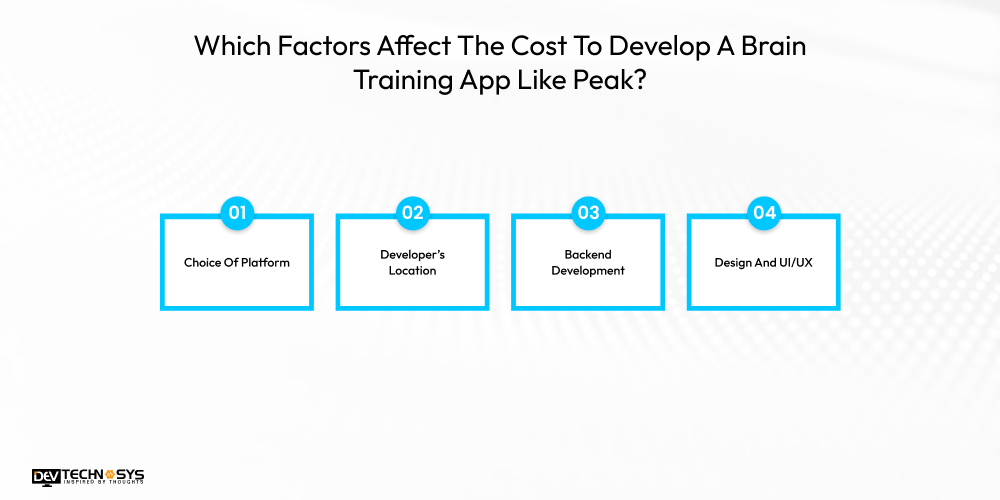
The platform you select to launch your app like Elevate essentially impacts the development cost. Launching an app for iOS and Android app development services individually requires different code, separate developers for each, more time, and cost. Whereas choosing a cross-platform development of your app will increase the customer reach while reducing the development cost.
| Tier | Description | Estimated Cost |
| Basic (Single Platform) | Build for either Android or iOS with minimal features. | $8,000 – $12,000 |
| Standard (Cross-Platform – Lite) | Use cross-platform tech (Flutter/React Native) with core features. | $12,000 – $18,000 |
| Advanced (Native Dual) | Separate native apps for iOS and Android with richer features. | $18,000 – $24,000 |
| Premium (Native + Web Companion) | Native iOS & Android + basic web portal/dashboard. | $24,000 – $30,000 |

2. Developer’s Location
The geographical location of the developer from where they are getting outsourced also matters and affects the development cost. Developers from North America and Western Europe charge higher hourly prices, leading to a higher development cost. You can hire dedicated developers from Eastern Europe and Asia to make your app development less expensive with great work quality.
| Location Of Developer | Description | Estimated Cost |
| Budget Region | Team from a lower-cost region (e.g., offshore freelancers/agencies). | $8,000 – $12,000 |
| Mid-Range Region | Mixed team (regional agency or experienced freelancers). | $12,000 – $18,000 |
| Higher-Cost Region | Established agency in mid/high-cost country. | $18,000 – $24,000 |
| Top Agency / Expert Team | Premium agency or specialists with domain experience. | $24,000 – $30,000 |
3. Backend Development
A strong backend infrastructure of the app requires data synchronization, personalized algorithms, and security, which increases the brain training app development cost. On the other hand, one can implement measures that enhance scalability, using affordable tech, and keeping the app’s maintenance easy. This helps them reduce the cost of the mobile app development process.
| Backend Structure | Description | Estimated Cost |
| Basic Backend | Simple auth, user profiles, basic progress storage. | $8,000 – $12,000 |
| Standard Backend | Cloud DB, progress analytics, leaderboards, sync. | $12,000 – $18,000 |
| Advanced Backend | Personalization, recommendations, analytics dashboard. | $18,000 – $24,000 |
| Robust / Scalable Backend | Multi-region, heavy analytics, ML-ready, strong security. | $24,000 – $30,000 |
4. Design And UI/UX
A customized and polished design is vital for the best kindergarten apps to engage users, but it increases the development cost. You can save costs by opting for pre-designed UI kits or templates that reduce the requirement for comprehensive designing. This option will not compromise the quality of the app but will enhance the user experience.
| Designing Type | Description | Estimated Cost |
| Minimal Design | Simple screens, default components, basic branding. | $8,000 – $11,000 |
| Polished UI | Custom visuals, iconography, micro-interactions. | $11,000 – $16,000 |
| Gamified UX | Game mechanics, animations, adaptive flows, and onboarding. | $16,000 – $22,000 |
| Premium Experience | Full design system, usability testing, accessibility. | $22,000 – $30,000 |
What Are The Monetization Models Used In A Brain Training App Like Peak?
The first thing that comes to an entrepreneur’s mind while they create a mobile app is how to make continuous revenue from it. Here are some of the most used monetization models that can be integrated when you create a brain training app like Peak.
1. Freemium Model
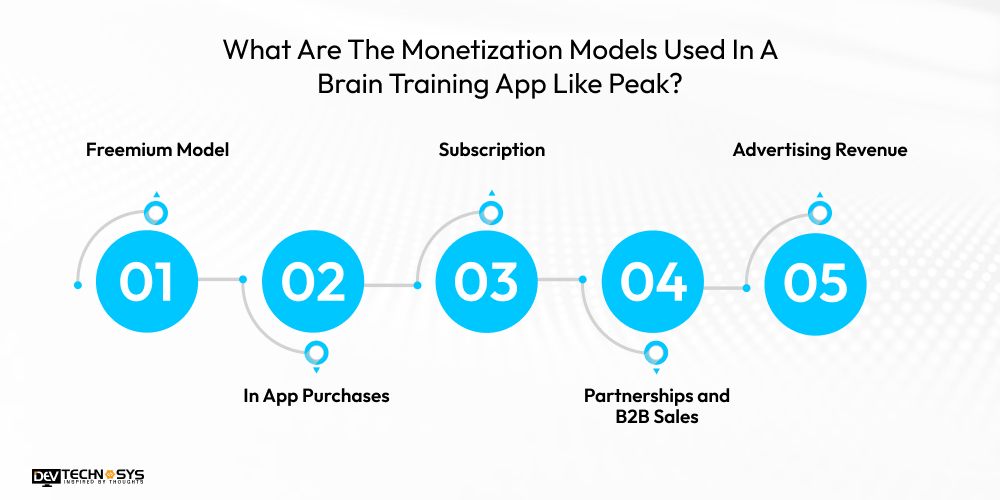
A highly popular strategy used in the best brain training app to make continuous revenue is the freemium model. In this model, users can only get access to the basic features for free, and additional upgraded options for a cost. Users pay for the further options, making a stable income for app owners.
2. In App Purchases
In-app purchasing model not only generates income but also improves user experience. Users can pay to buy more engaging content, like new brain training exercises or skill development tools. This drives the user engagement and retention while making a money stream for the app developers.
3. Subscription
The subscription is another popular money-generating model used in skill development apps. In this model, regular users are required to pay a quarterly, monthly, or yearly fee. With this fees, users will get ad-free, buffer-free, and other amazing services. This offers excellent services to users and recurring revenue to app owners.
4. Partnerships and B2B Sales
You can build a brain training app like Peak and get into a partnership with schools and universities to offer educational content. It is like B2B sales that provide bulk licensing deals while increasing user retention and reach. This model has a great revenue potential, making it highly productive for app owners.
5. Advertising Revenue
One more widely used monetization model is to display ads of relevant brands in education, wellness, or healthcare within peak clone apps. This model is common in the best preschool apps and displays discreet ads without disturbing users. However, this can generate significant revenue just from ad impressions.
Conclusion
With a clear vision and the right guidance, you can make a progressive, user-oriented, and intelligent brain training app. This blog is all about creating an app that not only entertains but also improves the mental skills of people. While considering this guide, you can develop a stunning app that perfectly balances fun, science, and mental growth.
For a more accurate creation of your app, you can partner with Dev Technosys, a reliable web and mobile app development company. It will let your app stand out in the competitive market with all the current requirements. This brain-boosting app captures users’ attention and keeps them coming back for more.
Frequently Asked Questions
Find answers to the most common questions related to this article.
The overall cost to develop a brain training app like Peak will be somewhere between $8,000-$30,000. The development cost also depends on the app’s complexity; a simple app will be less costly than an advanced app.
The key features a successful brain training app must include:
● Personalized AI-driven games
● Performance tracking
● Varied difficulty levels
● Engaging UI, daily challenges
● Cognitive skill targeting (memory, attention, problem-solving)
React Native or Flutter, Node.js, and MongoDB or Firebase are some of the most popular tech stacks used to make a cross-platform development brain training app.
The accessibility features a brain training app must consider for all age users are:
● Text-to-speech
● Adjustable font sizes
● Color contrast options
● Easy navigation
● Voice commands
● Customizable difficulty level
To monetize their platform, the brain training apps like Peak will implement some money-making techniques, such as:
● Freemium Model
● In App Purchases
● Subscription Plans
● Partnerships and B2B Sales
● Advertising Revenue














