























Key takeaways:
-
-
- Building classroom management software like Canvas costs $8,000–$27,000.
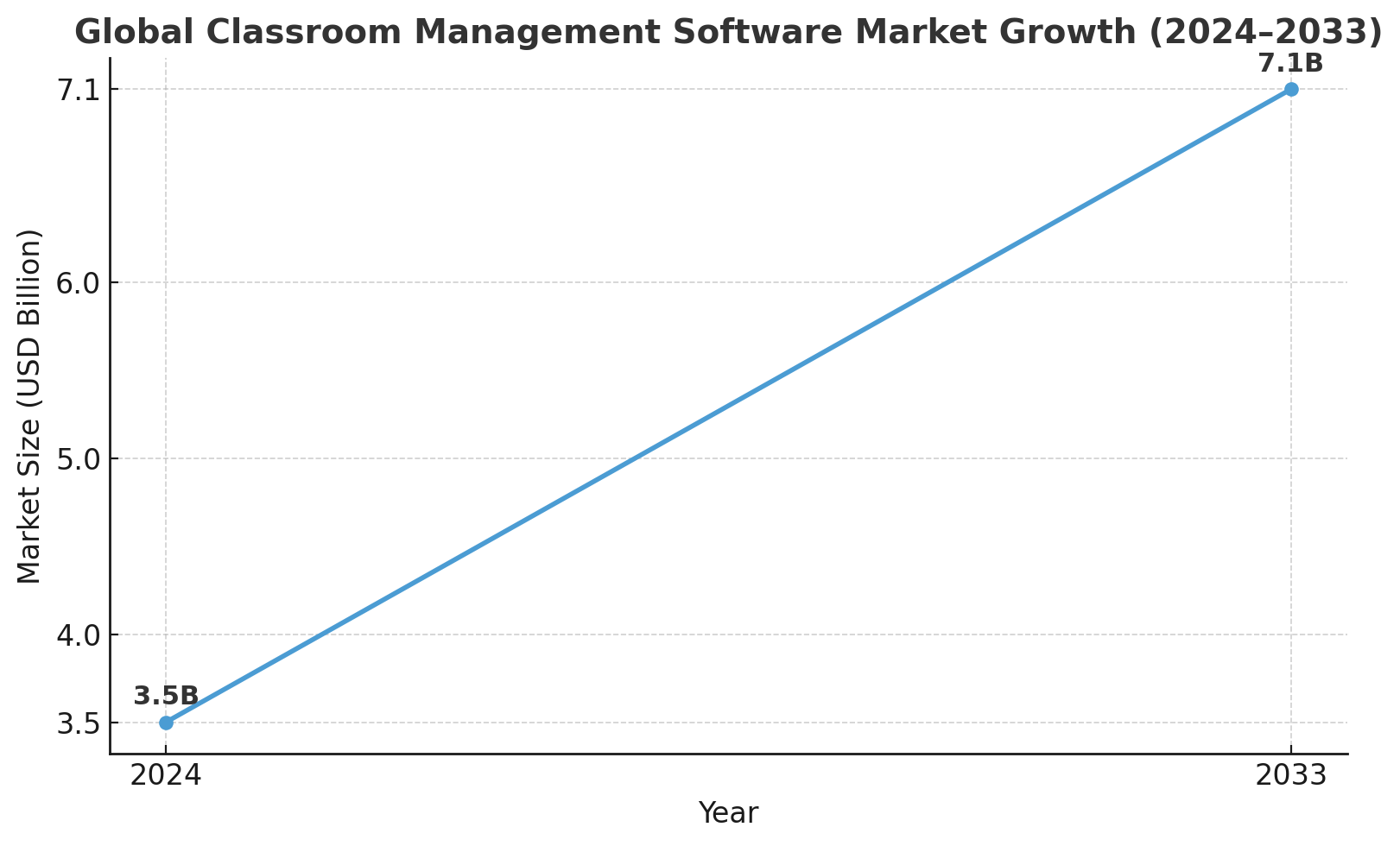
- The Classroom Management Software market will reach $7.1B by 2033.
- CMS like Canvas improves learning flexibility, collaboration, engagement, and personalized education delivery.
- Classroom management software with AI automates tasks, analyzes data, and personalizes student learning.
-
The global EdTech market is expected to reach $404 billion by 2025, primarily driven by the growth of online learning and hybrid learning environments. Canvas and other platforms are transforming the way educators educate and students learn, making education more flexible, data-driven, and collaborative.
For entrepreneurs, this is more than just a technology trend; this is an opportunity to influence the future of education. Visualize being the company that connects online assignments, live discussions, live analytics, and overall progress in one ecosystem that is used by teachers and students. Educators from school to university to corporate trainers are asking for a smarter solution as they gravitate toward online learning.
Now is the time to innovate.
If you want to build classroom management software like Canvas, which could make you a frontrunner in education technology, you need to know how to take the leap from your vision to reality. So let’s get this blog started.
What is Canvas?
Canvas is a web-based learning management system (LMS) founded by Instructure in 2011 to provide educators and students the ability to manage and access course material, submit assignments, and communicate with one another online.
The Canvas Student app currently has over 2.8 million ratings in the Apple App Store, but does not make its overall download numbers publicly available.
What is Classroom Management Software?
Classroom management software is an online application that enables teachers to oversee student devices and activities in the classroom in real time.
Not only can educators supervise student screens, they can also restrict access to distractions such as unintended websites and apps, disseminate content from their screens, and facilitate communication.
This technology provides educators with a way to minimize distractions and improve students’ focus, effectively create a positive learning environment, and manage and administer attendance and grading tasks.
Classroom Management Software Market Stats
- The Classroom Management Software Market was valued at around USD 3.5 billion in 2024, with forecasts that it will reach about USD 1 billion by 2033, with a CAGR of 8.5% between 2026 and 2033
- An alternate forecast by an alternate research source finds the CMS market was USD 3.5 billion in 2023, and will reach USD 8.2 billion by 2032 with a CAGR of 9.8%
- According to The Business Research Company, the market size for classroom management systems has grown from USD 6.89 billion in 2023 to USD 8.55 billion in 2024, with forecasts of the market to reach USD 20.39 billion by 2028, which suggests a CAGR of ~24%
- Cloud-based deployment appears to be the strongest product type, holding the largest market share in 2023-2024, which had a value of USD 1.14 billion, followed by on-premises or hybrid solutions.
Source- Market Research Intellect.
Why Should Entrepreneurs Build Classroom Management Software Like Canvas?
Before we take you through the process to develop a student information system, you need to know why this has become viral. Let’s hop on these reasons that are useful for startups and investors, and why they need to invest in building a classroom management software like Canvas.
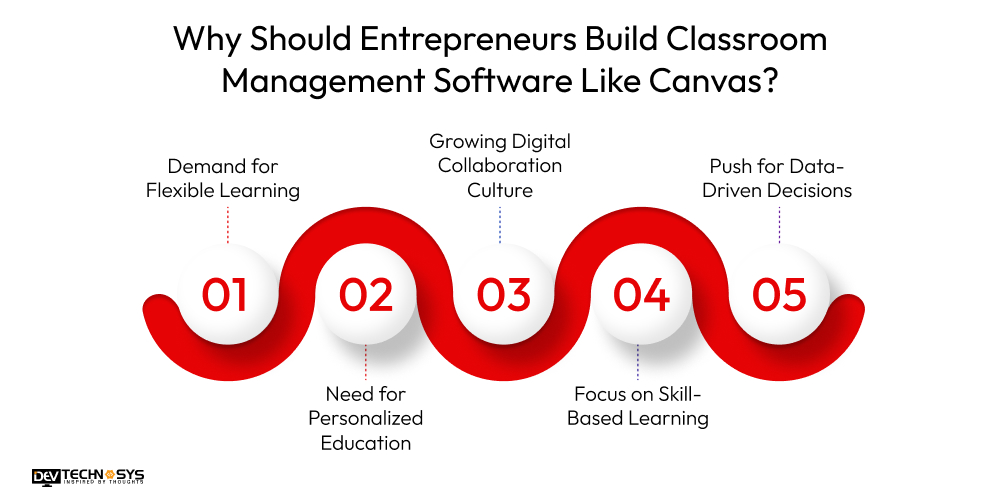
1. Demand for Flexible Learning
Today’s students and teachers are interested in learning beyond the confines of a classroom. With platforms such as Canvas, lessons, assignments, and discussions can be done anywhere, at any time.
Entrepreneurs must develop a school management app like Schoology that supports flexible blended learning models, online courses, or distance learning, and it is a top priority in a highly technical world.
2. Need for Personalized Education
The new generation demands that education be adjusted to the individual learning style and pace. Entrepreneurs can couple rapidly evolving technology, such as AI-powered technology that analyzes work, tracks progress, and adaptive learning modules, with classroom management software to tailor educational experiences that boost student engagement and achievement.
3. Growing Digital Collaboration Culture
Students and teachers are collaborating more today than ever before through shared documents, video conferencing, and discussion boards, even in real-time while creating content.
Software like Canvas centralizes the organizational tools used for collaboration, making teamwork more seamless and more productive. Entrepreneurs can harness this ongoing cultural change and create platforms that provide better peer-to-peer communications and teacher-to-student communications.
4. Focus on Skill-Based Learning
Modern-day learning prioritizes a shift from rote memorization to skill development, such as critical thinking, creativity, and problem-solving.
If you build software like PowerSchool that can facilitate teachers to design more interactive projects that demonstrate student understanding of skill mastery, even allowing them to give students instant feedback.
Entrepreneurs who design and leverage technology to accommodate the increased desire for practical education that prepares students for the future can directly address a current educational need.
5. Push for Data-Driven Decisions
The new generation values measurable results. With built-in analytics, canvas alternatives provide actionable insights on student performance, attendance, and engagement.
Entrepreneurs who build such platforms empower educators to make informed decisions, improving learning outcomes and institutional efficiency.
10 Popular Classroom Management Like Canvas
Let’s build classroom management software like Canvas, but only after having a few alternatives in hand. So we have created a list for you that covers all the amazing canvas alternatives that you must know.
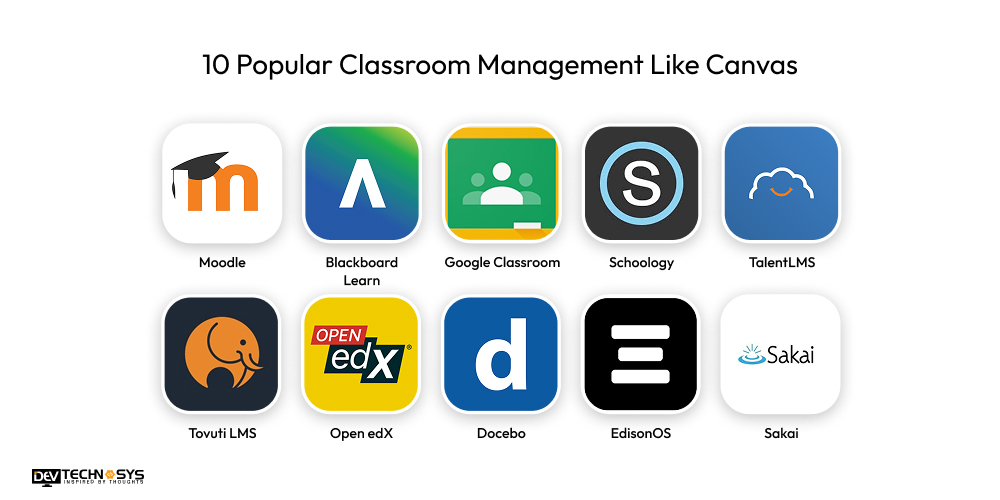
| Software / Platform | Launch Date | USP (Unique Selling Proposition) |
| Moodle | 2001 | Open-source, highly customizable with thousands of plugins |
| Blackboard Learn | 1997 | Enterprise-level course management with deep SIS integration |
| Google Classroom | 2014 | Free, simple, and seamlessly integrated with Google Workspace |
| Schoology | ~2009 | Strong K-12 focus with personalized learning and communication tools |
| TalentLMS | 2012 | Fast setup with gamification and multilingual support |
| Tovuti LMS | 2017 | Interactive learning plus built-in social community features |
| Open edX | 2012 | Scalable MOOC platform built by Harvard & MIT |
| Docebo | 2005 | AI-powered personalized learning paths for enterprises |
| EdisonOS | 2020 | Advanced analytics with scalability for large institutions |
| Sakai | 2004 | Collaboration-driven open-source LMS with grading and wiki tools |
5 Stages to Build Classroom Management Software Like Canvas
Hooray, this is it! The time for an amazing section of our blog has come. This is the 5-step-by-step guide to develop software like Canvas, which is solely created by experts. So let’s dive straight to it.
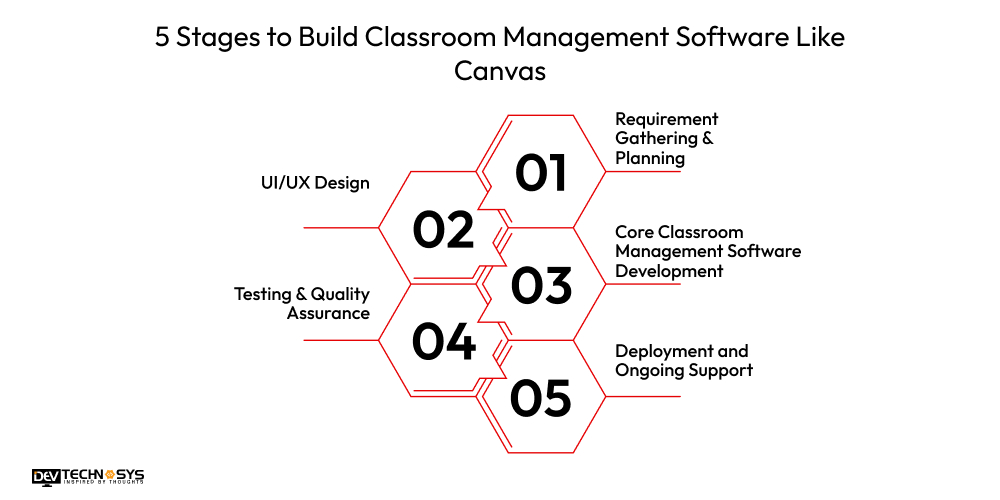
1. Requirement Gathering & Planning
The first step to build software like canvas involves establishing the project scope, features, and goals. Hire software developers who work with stakeholders—schools, teachers, and administrators—to recognize pain points and required features such as attendance tracking, gradebooks, sharing content, communication tools, and others.
The canvas alternatives roadmap is created to define the details of an outlined project that includes timelines, budget, and project goals.
2. UI/UX Design
Next, designers create a visually appealing and intuitive interface based on what students and their teachers will need. Designers develop wireframes and prototypes to illustrate the navigation flow, suggested dashboards, and considerations for mobile responsiveness.
Designers have to be mindful of the principles of UI/UX when defining simple, user-friendly layouts that are fully accessible and engaging. The goal is to create a canvas clone software that can be used easily by all users, regardless of their technological skills.
3. Core Classroom Management Software Development
In this stage, developers start building the plans for the backend and frontend phases of every classroom management software. This makes sense for the user, so why wouldn’t it make sense for the mobile app development company?
Functions like creating a course, uploading an assignment, creating a live class, grading, and discussion forums are built into the software. APIs and third-party tools for video conferencing, cloud storage, and analytics tools will also be integrated within the application.
The canvas clone software development process is not linear, it is iterative, and inspired by agile methodology, so we can pivot and redirect as needed.

4. Testing & Quality Assurance
Before releasing the software to users, the education platform goes through a thorough testing process and is subject to various testing measures to ensure there are no bugs, loopholes, security breaches, or other performance issues.
The testing standard will include, but not be restricted to, functional testing, usability testing, load and performance testing, browser testing, and finally compatibility implications tested with various devices.
App developers make sure to also validate compliance with regulations like FERPA or GDPR for safe handling of student data.
5. Deployment and Ongoing Support
Last but not least, the stage to build software like Canvas, in which, after the platform is approved and goes live, it is deployed on a company’s own server or cloud infrastructure.
The software development company will provide training, documentation, and ongoing technical support. Software is updated regularly, and the developer must include new features, optimization, and endless support to remain relevant and valuable to learners over time.
Must-Have Features of Classroom Management Software like Canvas
Having a list of essential features of software, like Canvas. A classroom management software has three different panels, which every software must have. Let’s get you to that part. Scroll easily.
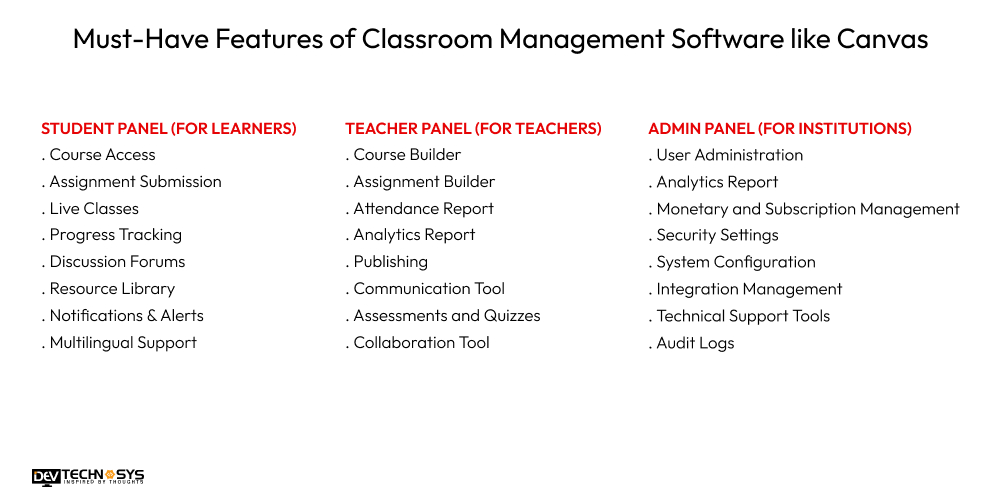
1. Student Panel (For Learners)
Course Access
Students can view courses with enrollment, materials can be accessed at any time, study schedule flexibility, and self-paced study opportunities.
Assignment Submission
Assignments can be uploaded in several different formats, confirmation of submission is instant, and submission deadlines can be tracked directly from the platform dashboard.
Live Classes
Students can participate in live, interactive sessions with the teachers in class, students use chat, question, and answer sessions, rescues are shared in real time, promoting better understanding of the concept in the same time continuum.
Progress Tracking
Students track how they are performing academically using progress reports, grades, reports, and skills achievements, which can all improve the likelihood of positive learning.
Discussion Forums
Students can actively participate in discussions about the topics they are studying and share ideas with their peers, which helps with understanding more about the topic.
Resource Library
Students no longer have to search through up to several textbooks; they can refer to a library of study material, eBooks, and educational and multimedia content digitally for research purposes.
Notifications & Alerts
Get notifications in real time for class schedules, deadlines, and announcements to help with staying informed and organized.
Multilingual Support
Receive instruction in the language of your choice with localization tools to improve understanding and accessibility for different learner groups.
2. Teacher Panel (For Teachers)
Course Builder
Build a course that includes video and audio, quizzes and polls, and interactive activities to meet the needs of students and course goals.
Assignment Builder
Create, assign, and evaluate homework or project work, with options for feedback to the student to inform and direct individualized learning improvement.
Attendance Report
Manually or automatically track attendance in live classes for effective tracking of attendance in the program.
Analytics Report
Access detailed reporting for students to gain insights into performance, identify learning gaps, and tailor your practice.
Publishing
Plan and publish coursework in a phased way to deliver a consistent learning experience for students.
Communication Tool
Deliver direct messaging, announcements, and reminders to students or parents for improved engagement.
Assessments and Quizzes
Build, schedule, and provide assessment work, and have it graded automatically and reports generated quickly.
Collaboration Tool
Facilitate and organize group work, discussions, and projects to promote individual student interaction.
Want a chatbot demo or pricing? Fill the form and talk to our experts today.
Pick what you need below — you can select more than one — then tap Get detail to continue.
-
Chatbot demo dashboard
-
Cost to develop an app
-
Industry report
-
Case study
3. Admin Panel (For Institutions)
User Administration
Create, modify, or remove student and teacher accounts and grant any number of roles.
Analytics Report
Summarize total use of the school management software development, total reports on usage, and trends over time to make data-informed decisions.
Monetary and Subscription Management
Access and set the payment gateway and subscription billing options for your educational offering.
Security Settings
Implement Role-Based Access Control, Encryption, and Compliance with Data Protection Regulations and Policies such as GDPR/FERPA.
System Configuration
Customize the branding, themes, and setting options of the platform to represent the institutional identity.
Integration Management
Integrate third-party solutions such as Zoom, Google Drive, or LMS plugins for enhanced functionality.
Technical Support Tools
Manage system issues, resolve tickets created by the user, and provide all required support to ensure the system is functioning as required.
Audit Logs
Audit all activities on the system to protect the institution’s accountability, to troubleshoot issues, and to comply with external regulations.
Advanced Features of Classroom Management Software like Canvas
Let’s get you to make classroom management software like Canvas with advanced functions. Here is the list of some amazing advanced features of classroom management software.
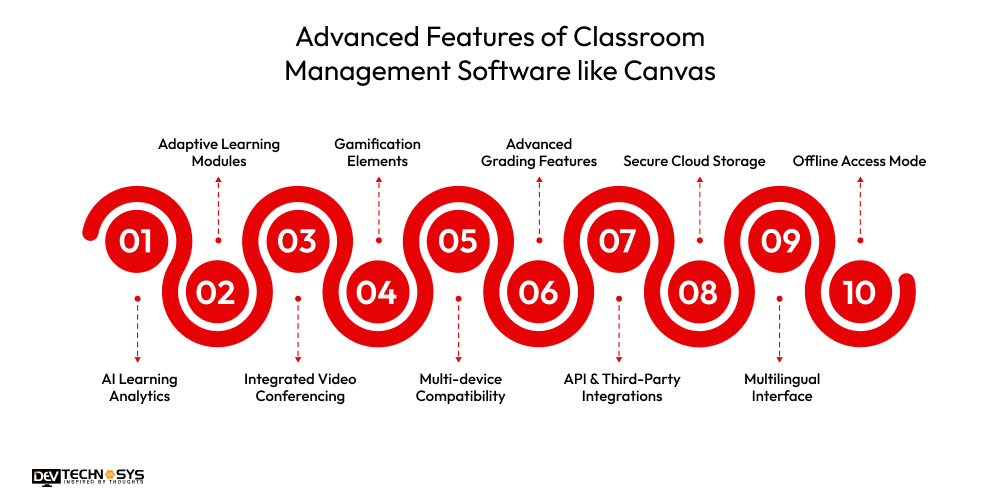
1. AI Learning Analytics
Observe patterns of student engagement to track performance, predict outcomes, and suggest personalized learning paths to give students the best chance of academic success.
2. Adaptive Learning Modules
The system adjusts the difficulty level and content of the course based on the progress and performance of each learner.
3. Integrated Video Conferencing
In-app live classes, featuring integrated screen sharing, whiteboards, and breakout rooms, enable more interactive and experiential learning for students.
4. Gamification Elements
Enhance student engagement by utilizing leaderboards, badges, and achievement points to motivate students.
5. Multi-device Compatibility
Achieve seamless access to the application from web, mobile, and tablet with integrated and synchronized progress.
6. Advanced Grading Features
Customizable rubrics, automated grading for quizzes, and detailed feedback options on assignments can enhance the instructor’s grading experience.
7. API & Third-Party Integrations
The system integrates with third-party tools, including Zoom, Google Workspace, Microsoft Teams, Turnitin, and more.
8. Secure Cloud Storage
Unlimited file storage for access to your learning materials anytime with encrypted backups.
9. Multilingual Interface
Supports different languages as an LMS, you will reach a global audience, opening opportunities and making your resources more inclusive.
10. Offline Access Mode
Allows students to have access to their lessons and assignments when they do not have the internet for learning.
How AI Can Be Used in Classroom Management Software?
Many entrepreneurs want to build software like Classter, but do you know what new features you can add to it? AI. Artificial intelligence in classroom management software is something that will enhance the project and spark success globally.
There aren’t many AI-integrated classroom management software in 2025. So if you want to make an impact, this is your chance.
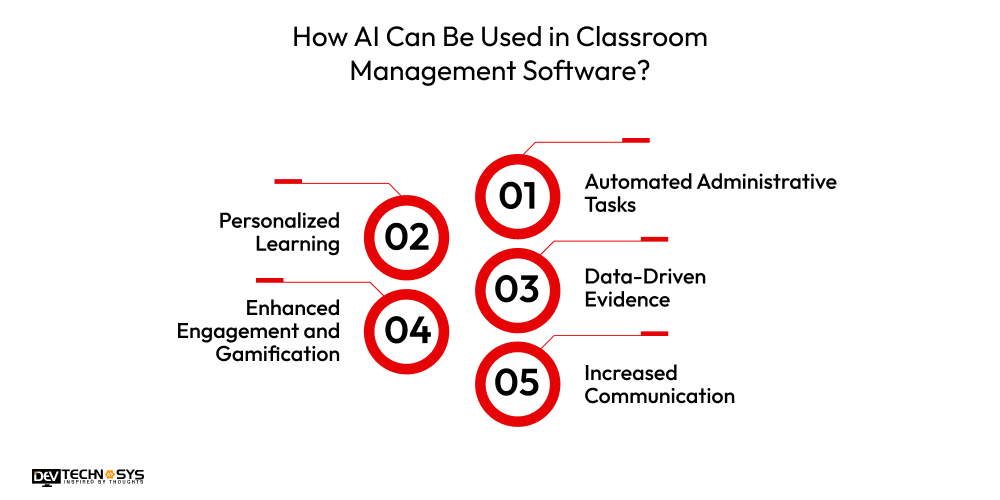
1. Automated Administrative Tasks:
It can automate administrative tasks that require lengthy periods, such as grading, tracking attendance (including facial recognition), and scheduling. This allows teachers to devote more of their time to teaching.
2. Personalized Learning:
AI can analyze student data to identify strengths and weaknesses, as well as preferred learning styles. AI can generate a personalized learning pathway and recommend specific, customized content and resources tailored to each student.
3. Data-Driven Evidence:
AI software collects and analyzes student performance and engagement data, utilizing the information to provide actionable insights. AI analytics help teachers make informed decisions about personalized interventions for all students, including at-risk students, at the right times.
4. Enhanced Engagement and Gamification:
Some software includes elements that use AI to gamify a classroom management solution, rewarding positive behavior to encourage students and make learning a more dynamic and engaging experience through games and simulations.
5. Increased Communication:
AI software, such as a virtual assistant or chatbot, can manage queries from students and parents, enabling the implementation of improved communication strategies.

Success Story of Canvas
Canvas has experienced substantial success since its launch in 2011. Once a disruptor to the established LMS platforms, it quickly gained ground once users experienced the simplified, cloud-native designs. In 2018, Canvas eclipsed Blackboard to become the number one LMS in U.S. higher education.
Currently, Canvas has over 7,000 customers globally, serving the K-12 and corporate training market segments, with more than 30 million users. While we do not have public download metrics about its apps, the company that owns it, Instructure, has a valuation of about $4.8 billion.
How Much Does It Cost to Build Classroom Management Software Like Canvas?
The cost to build classroom management software like Canvas varies, but typically ranges from $8,000 up to $27,000 or more, depending on complexity, features included, technology stack, and the experience level of the chosen education app development company.
A classroom management software with a basic version that provides for basic core features (assignments, grading, communication) will be toward the lower end of this range.
A more featured software as a service (SaaS) product with AI-based analytics, mobile apps, and cloud integration will be more expensive.
Here are six significant factors that impact Canvas software development cost:
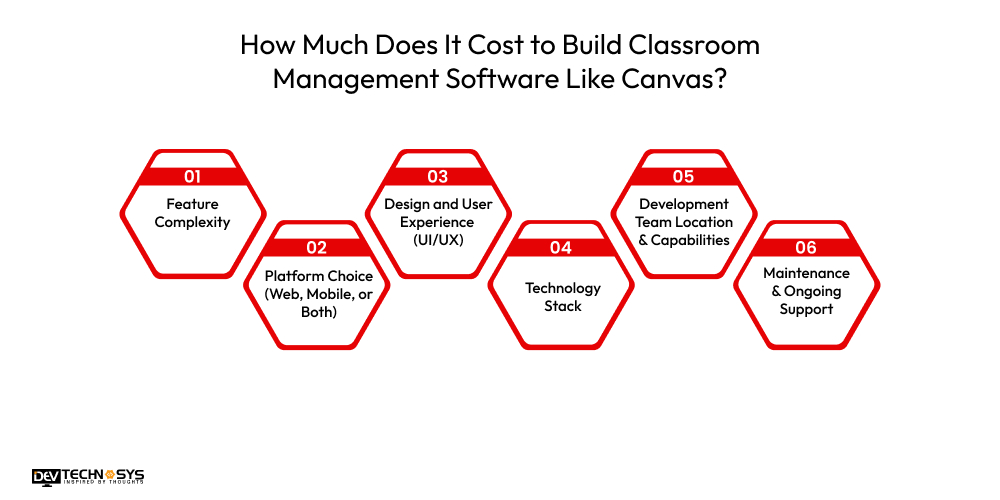
1. Feature Complexity:
The more advanced features included (e.g., AI-powered recommendations, gamification, real-time analytics), the higher the cost to build classroom management software like Canvas will be. Basic features cost less than advanced, while an enterprise-grade version has a higher cost.
| Feature Type | Description | Estimated Cost Range |
| Basic Features | Assignments, grading, communication tools | $8,000 – $12,000 |
| Advanced Features | AI-powered recommendations, gamification, real-time analytics | $13,000 – $20,000 |
| Enterprise-Grade | Full SaaS product with AI, mobile apps, cloud integration | $21,000 – $27,000+ |
2. Platform Choice (Web, Mobile, or Both)
Developing software for a single platform (for example, web only) is more economical than cross-platform development on iOS, Android, tablets, and desktops. If you are an entrepreneur looking to expand your reach, you will need cross-platform development, which will increase the overall school management software development cost.
| Platform Option | Description | Estimated Cost Range |
| Single Platform | Web-only or mobile-only | $8,000 – $15,000 |
| Cross-Platform | Web, iOS, Android, tablets | $16,000 – $27,000+ |
3. Design and User Experience (UI/UX)
The Canvas software development cost is influenced by these factors too. A modern user-friendly design is more costly to develop to be accessible. Additionally, when you incorporate features like customizable dashboards, responsive layouts, design interaction, and other features, you add more cost but also more usability.
| Design Level | Description | Estimated Cost Range |
| Basic UI | Standard layouts, minimal customization | $2,000 – $4,000 |
| Custom UI/UX | Modern, responsive layouts, interactive dashboards | $5,000 – $8,000 |
| Premium Design | Highly interactive, fully personalized experiences | $9,000 – $12,000 |
4. Technology Stack
The technology you select in terms of programming languages, frameworks, and cloud services contributes to the school management software development cost, too.
For example, hosting your software on AWS or similar cloud services, which will incur its own costs, further increases your costs if the software integrates APIs for video conferencing services like Zoom or uses high-performance data storage or databases.
| Technology Choice | Description | Estimated Cost Range |
| Basic Stack | Standard programming languages & basic hosting | $1,500 – $3,000 |
| Cloud Hosting | AWS, Azure, Google Cloud with APIs | $3,500 – $6,000 |
| High-Performance Stack | Advanced integrations (Zoom APIs, high-speed databases) | $6,500 – $10,000 |
5. Development Team Location & Capabilities
Hiring a previously stated school management software development company in developing countries such as North America or Europe will typically increase the cost to create classroom management software like Canvas, you more ($50–$150 hour) than that of programmers in Asia or Eastern Europe ($10–20/hour), although typically justifiably.
| Location | Hourly Rate | Estimated Total Cost (Average Project) |
| Asia/Eastern Europe | $20 – $60/hour | $8,000 – $15,000 |
| North America/Europe | $50 – $150/hour | $18,000 – $27,000+ |
6. Maintenance & Ongoing Support
All costs associated with software development do not end after launch. There are software development costs associated with fixes to bugs, updating versions, security patches, etc., along with the potential to build out and add new features, which can typically be 15-25% of the initial cost to create classroom management software like Canvas at a minimum on an annual basis.
| Service Type | Description | Estimated Annual Cost |
| Basic Maintenance | Bug fixes, security patches | 15% of initial development cost |
| Full Support | Updates, new features, scalability upgrades | 20% – 25% of initial development cost |
Building classroom management software, such as Canvas, is an investment in the future of education. By strategically utilizing features, selecting an appropriate technology option, and working with a qualified tutor app development company, you can build an efficient platform with a big potential impact.
5 Ways to Monetize Classroom Management Software:
You can develop classroom management software like Canvas, but you can’t make it successful without knowing about monetization strategies. Here we have compiled a few monetization strategies of classroom management software.
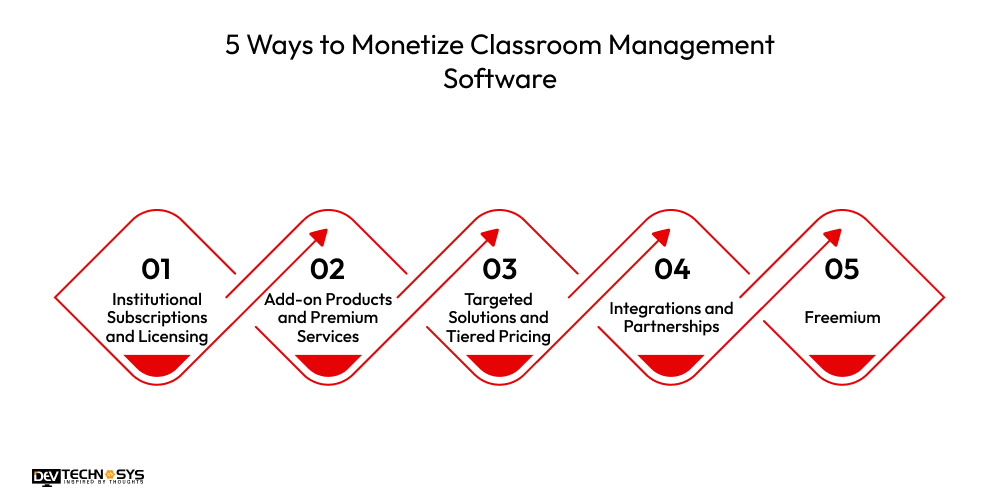
1. Institutional Subscriptions and Licensing
Casual model selling annual or multi-year licenses to institutions directly (schools, districts, universities), this is the primary model. Fees are typically based on enrollment statistics.
2. Add-on Products and Premium Services:
Companies make additional revenue by offering additional tools, like Canvas Studio for media creation, as well as Professional Services, like implementation, teacher training, etc.
3. Targeted Solutions and Tiered Pricing:
Software is versioned (different levels) with different features and pricing, allowing for targeting of unique markets (K-12, Higher Ed, and Corporate Training).
4. Integrations and Partnerships:
Monetization can also be based on a network of third-party educational tools. Companies may charge partners for API or revenue share products sold on our platform.
5. Freemium:
This is to generate new users with a no-cost, barebones version of the software. The idea is that these accounts will convert to paying, institutional licenses down the road.
In A Nutshell!
Hopefully, you liked this blog, and now you know how to develop classroom management software like Canvas. Building classroom management software like Canvas isn’t just about coding; it’s about creating a digital playground where learning, teaching, and collaboration feel effortless.
With the right mix of user-friendly design, powerful integrations, and engaging features, you’re not just developing a tool; you’re shaping the future of education.
Think of it as crafting a virtual campus where every click inspires curiosity and every feature fuels growth. Whether for schools, universities, or corporate training, the possibilities are limitless.
So, roll up your sleeves, bring your boldest ideas, and let’s turn “just another LMS” into a platform educators and learners can’t imagine life without!
Most Asked Questions!
1. What Is The Best Classroom Management Software In 2025?
Top options include Canvas, Google Classroom, Blackboard, and Schoology, offering robust tools for assignments, communication, grading, analytics, and seamless integration for effective online and hybrid learning.
2. How Much Does It Cost To Build Classroom Management Software Like Canvas?
The cost to build classroom management software like Canvas ranges from $8,000 to $27,000, depending on features, design complexity, technology stack, integrations, school management software development company hourly rate, and whether it’s built from scratch or using customizable platforms.
3. Which Tech Stack Is Best For Building Classroom Management Software?
Use frameworks like React or Angular for frontend, Node.js or Django for backend, PostgreSQL or MySQL for databases, plus APIs for video conferencing, payment, and LMS integration.
4. How Long Does It Take To Develop Classroom Management Software Like Canvas?
Typically, time to develop classroom management software like canvas takes 4–9 months, depending on team size, scope of features, design customization, integrations, and testing before launching a fully functional and stable platform.
5. Can Classroom Management Software Like Canvas Be Customized For Schools?
Yes, it can be tailored with institution-specific branding, workflows, grading formats, communication tools, and integrations to match the unique teaching methods and administrative needs of each school.














