


















Key Takeaways:
-
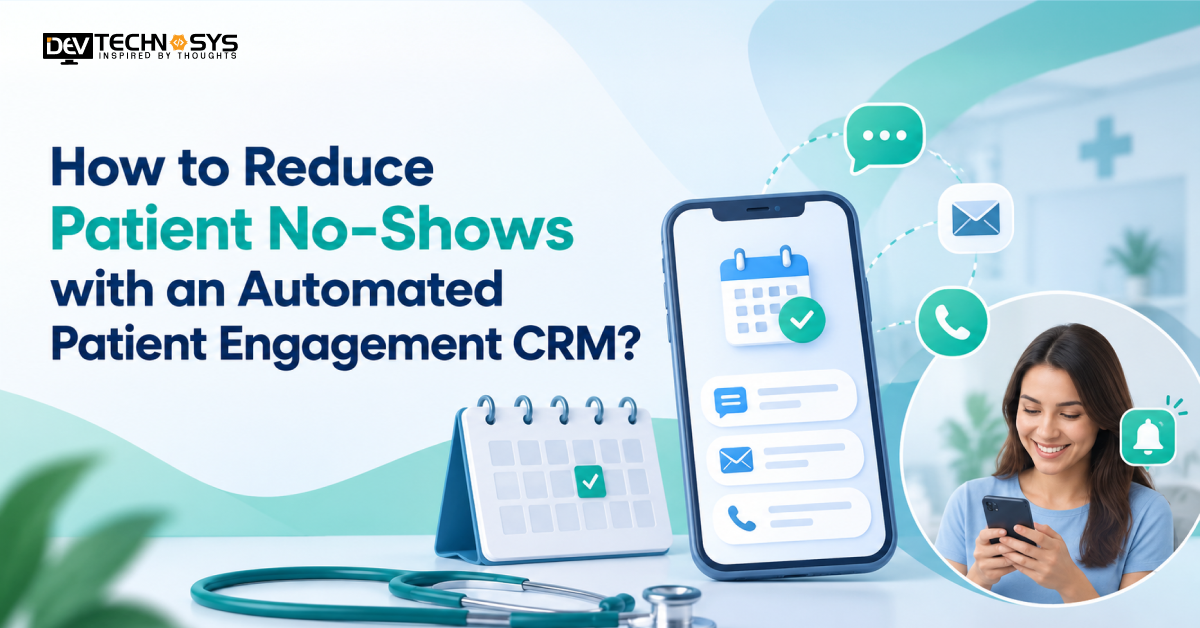
- Automate appointment reminders to reduce patient No-Shows: Send timely SMS, email, or voice reminders to help patients remember upcoming appointments.
- Use multi-channel communication to improve patient engagement: Reach patients through their preferred channels and provide easy options to confirm, cancel, or reschedule appointments.
- Personalize patient engagement: custom patient engagement platforms can tailor reminders and follow-ups based on appointment type, patient preferences, and communication history.
A no-show means lost revenue for a practice and two missed opportunities for care: the scheduled patient misses treatment, and the unused slot often goes to waste. According to the U.S. Office of the National Coordinator for Health Information Technology, 95% of office-based physicians used electronic health records (EHRs), creating a strong digital foundation for connected patient engagement.
This guide explores 10 practical patient no show reduction strategies for clinics, hospitals, and healthcare administrators using patient engagement CRM. See how automated reminders, easy confirmations, and CRM–EHR integration streamline patient communication, improve appointment attendance, and track results with measurable performance indicators.
Why Do Patients Miss Medical Appointments?
In many cases, missed appointments in healthcare are not intentional. Rigid scheduling and limited communication options can make attendance harder. An automated patient engagement CRM helps address these barriers through timely reminders, flexible automated appointment rescheduling, and personalized follow-ups. Approach a top CRM development company to help with integration services. The most common reasons for patient no-shows and how a CRM addresses them are as follows:
Patient barrier |
Automated patient engagement CRM response |
| Forgetfulness | Send automated sms email voice reminders, or patient portal reminders before the appointment. |
| Long waiting periods | Schedule periodic reminders and reconfirm appointments closer to the visit date. |
| Poor communication | Share clear appointment details, preparation instructions, location information, and contact options. |
| Work, childcare, or transportation issues | Offer convenient rescheduling options, audit logs, and notify patients about available appointment slots. |
| Difficult cancellation or rescheduling | Provide self-service booking links and automatically update appointment statuses in connected scheduling systems. |
| Low perceived urgency | Send relevant follow-up messages explaining the purpose of the visit, where appropriate, without making unsupported medical claims. |
How Much Do Patient No-Shows Cost Your Clinic?
Missed appointments lead to loss of revenue, wastage of employee time, and loss of business opportunities for other patients. According to a study published in BMC Health Services Research in 2008, no-shows caused a large U.S. medical center to incur approximately $196 for every missed appointment. The mentioned figure is a historical figure, which does not reflect the current cost levels.
Clinics can easily calculate their financial expenses by using the following simple formula:
Estimated monthly cost = Monthly patient no show × Average unrecovered cost of missed appointments.
For Example:
If a clinic has no-shows of 100 per month and incurs $150 losses per missed appointment, the possible expenses would total $15,000. The shown example serves the purpose of demonstrating the calculation and does not serve the purpose of identifying industry averages.
An AI patient engagement system can serve as a powerful appointment slot optimization solution for clinics because it can help the clinics track their no-shows, promote early cancellations, and help the clinics fill canceled appointment slots again. The effect of the implementation will be determined by the attendance rates and other variables.
Old vs New Approach to No-Show Reduction
The difference is clear and simple. The traditional approach is reactive and often inconsistent. Modern systems are proactive and data-driven. Let’s take a look at both approaches and learn the difference:
Aspect |
Traditional Approach |
Modern Approach (2026): Automated CRM |
| Reminder System | Manual phone calls by staff | Automated SMS (two way patient texting), email, and patient portal reminders |
| Communication Frequency | One-time or inconsistent notifications | Scheduled reminders and follow-ups through online self scheduling based on appointment status |
| Scheduling Method | Fixed, manual scheduling | Online booking with automated appointment updates |
| Patient Interaction | Limited, clinic-driven | Two-way messaging and self-service confirmations |
| Flexibility | Difficult to reschedule or cancel | Role based access, Convenient cancellation, and rescheduling links |
| Data & Tracking | Limited tracking and performance insights | Dashboards for no-show rates, confirmations, and cancellations |
| Handling Cancellations | Empty slots often remain unfilled | Automated waitlist notifications and slot recovery workflows |
| Workflow | Disconnected systems | CRM integration with EHR practice management sync and scheduling platforms |
| Approach Style | Reactive and inconsistent | Proactive, personalized, and data-driven |
Important distinction: According to an experienced patient portal development services provider, if you use lost appointment revenue rather than unrecovered costs in the calculation, label the result as potential lost revenue. The two figures are not necessarily the same.
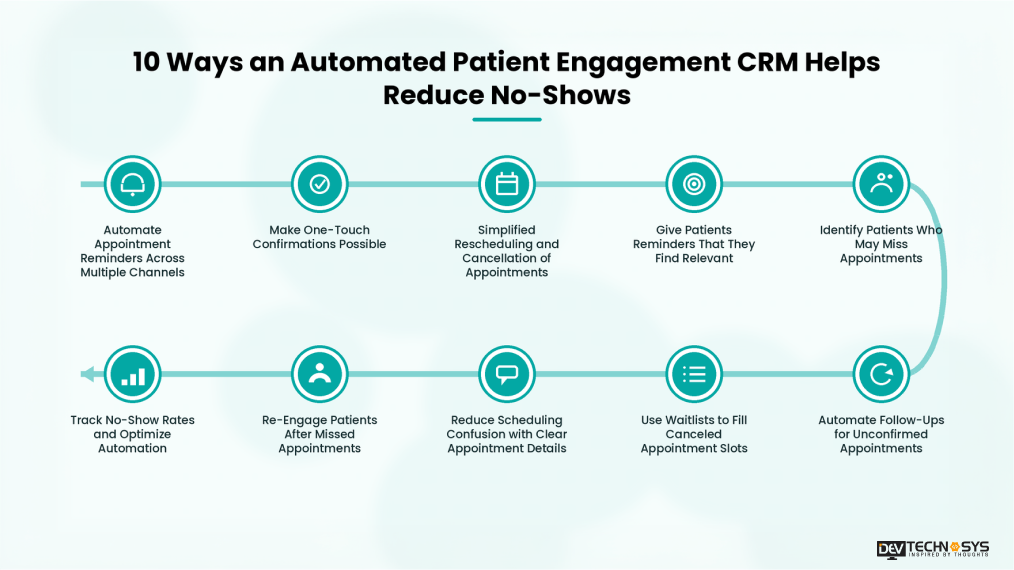
10 Ways an Automated Patient Engagement CRM Helps Reduce No-Shows
Patients who do not show up for their appointments can disrupt the operations of an outpatient health care facility. So, how do you reduce no shows in a medical practice? A CRM with patient engagement technology can address many issues by sending notifications before appointments. It also sends healthcare appointment reminders via SMS, email, voice calls, and WhatsApp, creating a seamless process that doesn’t require constant intervention from clinic staff.
1. Automate Appointment Reminders Across Multiple Channels
An appointment reminder software automates appointment reminders through these channels; SMS, email, voice calls, and WhatsApp can be synchronized, so staff don’t need to make personal calls. Information that needs to be sent includes the date the appointment is scheduled for, how to confirm the appointment, and where to show up.
2. Make One-Touch Confirmations Possible
Patients can confirm their appointments via reminder links or interactive messages. Appointment statuses will be changed in the CRM and synced with the schedule whenever applicable. Appointments that haven’t been confirmed will also be flagged for staff follow-up.
3. Simplified Rescheduling and Cancellation of Appointments
A patient scheduling software must include self-service options should be offered for patients who want to change or cancel their appointment. Steps should be taken to integrate these actions with scheduling flows so that the status of appointments can be updated in the CRM and the downtime rescheduled with other patients.
4. Give Patients Reminders That They Find Relevant
The patient relationship management system must adapt the timing and the mode of reminders according to the patient’s preference and consent. Use the right information about the patient so that the reminders contain useful but not unnecessary health information. Provide messages that are easy to understand and clearly convey the message to the recipient.
5. Identify Patients Who May Miss Appointments
By reviewing appointment history and past no-show occurrences, and analyzing appointment confirmation behaviors, one can pinpoint those who require extra outreach to help them maintain their appointments. CRM data analysis can also help you make informed decisions about prioritizing follow-up calls or messages.
6. Automate Follow-Ups for Unconfirmed Appointments
Plan the AI workflow so that follow-up messages are sent when patients do not react to a reminder. For example, after sending the first reminder through the CRM, a secondary message can be sent along with the task of calling the patient by a receptionist if the confirmation has not been received.
Industry Insight
Research published in BMJ Open found that multiple notifications were significantly more effective at improving appointment attendance than a single notification. The optimal schedule can vary by patient population and healthcare setting
7. Use Waitlists to Fill Canceled Appointment Slots
Integrate the waitlist management software with the scheduling system to identify patients waiting for earlier appointments. When a slot becomes available, notify eligible patients through their preferred channels. Update the schedule after a booking is confirmed to reduce scheduling conflicts and improve appointment-slot utilization.
8. Reduce Scheduling Confusion with Clear Appointment Details
Patient engagement software development ensures accurate appointment times, provider details, location information, preparation instructions, and rescheduling options. For virtual consultations, provide approved access instructions and joining links. When appointment details change, trigger timely notifications and ensure the CRM and scheduling system reflect the same information.
9. Re-Engage Patients After Missed Appointments
Trigger a follow-up workflow when the scheduling system records a missed appointment. Create a CRM with HIPAA compliance to ensure safe messaging and an option to reschedule and route patients needing assistance to staff. Avoid assuming why a patient missed the visit; offer practical next steps without repetitive or inappropriate communication.
10. Track No-Show Rates and Optimize Automation
Monitor no-show rates, confirmation rates, cancellations, successful rescheduling, and recovered appointment slots. Compare outcomes by appointment type, reminder timing, and communication channel. Use the findings to refine workflows and measure whether CRM automation improves attendance compared with the clinic’s baseline.
How to Measure the Impact of Patient Engagement Automation?
Healthcare providers should track these key performance indicators (KPIs) to determine whether patient engagement CRM automation improves appointment attendance and operational efficiency.
Metric |
What to Measure |
Why It Matters |
| Patient No-Show Rate | Percentage of scheduled appointments missed without prior cancellation | Measures whether missed appointments are decreasing |
| Appointment Confirmation Rate | Percentage of appointments confirmed before the scheduled visit | Shows how effectively reminders engage patients |
| Rescheduling Rate | Percentage of canceled appointments successfully rebooked | Indicates whether patients can easily schedule another visit |
| Recovered Appointment Slots | Number of canceled slots filled by other patients | Measures improvements in appointment utilization |
| Reminder Response Rate | Percentage of patients who respond to reminders | Helps evaluate communication effectiveness |
| Patient Re-engagement Rate | Percentage of patients who rebook after missing an appointment | Tracks the success of automated follow-ups |
| Administrative Workload | Staff time spent on reminder calls and appointment follow-ups | Shows whether automation reduces manual work |
How to evaluate results: Establish a baseline before implementing automation, then compare results over consistent periods. Segment the data by appointment type, reminder channel, and patient group to identify which workflows perform best.
For a more accurate assessment, account for seasonality, appointment mix, and other operational changes. This helps clinics determine whether improvements are associated with CRM automation rather than unrelated factors. If you need healthcare app development services like the ones mentioned above, contact a top CRm development provider.
Challenges and Best Practices to Reduce Patient No-Shows with an Automated Patient Engagement CRM
An automated patient engagement CRM works best when reliable technology is combined with flexible scheduling, patient consent management, patient-centered communication, and human support.
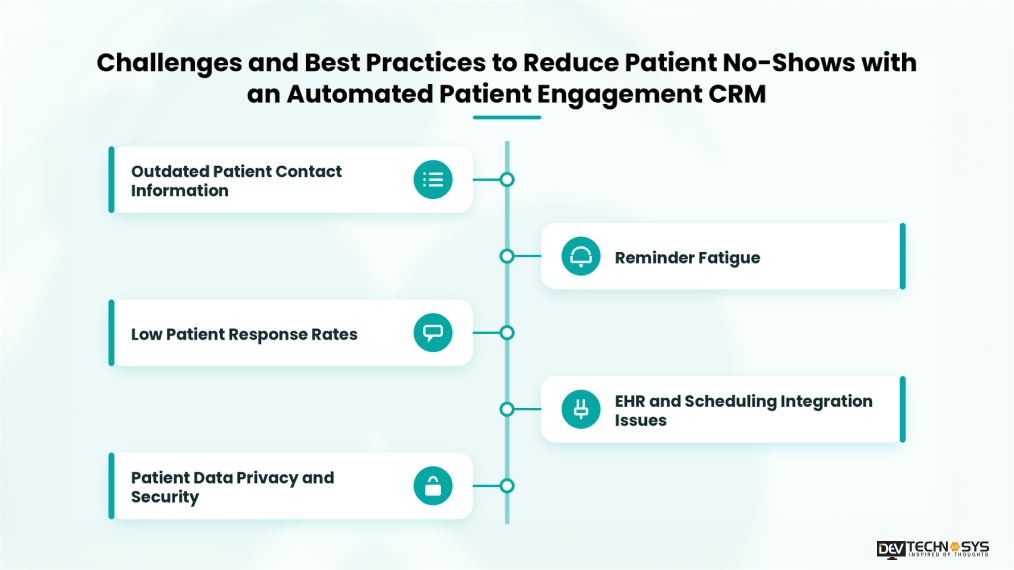
- Outdated Patient Contact Information: Incorrect phone numbers or email addresses can prevent appointment reminders from reaching patients.
Solution: Regularly verify contact details and update communication preferences during registration and follow-up visits.
- Reminder Fatigue: Sending too many notifications can overwhelm patients and cause them to ignore messages.
Solution: Ask your telehealth software development company to integrate a CRM that configures appropriate reminder intervals and frequency limits based on appointment timing and patient preferences.
- Low Patient Response Rates: Patients may overlook reminders or find it difficult to confirm their appointments.
Solution: Use concise messages with clear confirmation links and convenient cancellation or rescheduling options.
- EHR and Scheduling Integration Issues: Disconnected systems can cause outdated appointment statuses, duplicate reminders, and scheduling errors.
Solution: Integrate the HIPAA compliant CRM with EHR and scheduling platforms, and validate two way synchronization to keep appointment records consistent.
- Patient Data Privacy and Security: Automated communication can expose sensitive information if messages or connected systems are not properly secured.
Solution: Integrate a HIPAA-compliant CRM with appropriate access controls, encryption, consent management, and safeguards for protected health information (PHI).
How Much Does It Cost to Implement an Automated Patient Engagement CRM?
Implementing an automated patient engagement CRM typically costs between $1,000 and $40,000, depending on clinic size, automation requirements, and integration complexity. A basic healthcare CRM software development cost is around $1,000-$5,000 and includes appointment reminders, confirmations, and simple follow-ups. Advanced appointment scheduling software costs $15,000–$40,000 and may include EHR integration, predictive analytics, and customized workflows.
Implementation level |
Estimated cost (USD) |
Typical scope |
Timeline |
| Basic | 1,000–5,000 | Appointment reminders, confirmations, and basic automation | Up to 1 Month |
| Mid-level | 5,000–15,000 | Multichannel messaging, rescheduling, and scheduling integration | 1- 2 Months |
| Advanced | 15,000–40,000 | EHR integration, custom workflows, analytics, and multi-location support | 2-3+ Months |
Conclusion
An automated patient engagement CRM helps healthcare providers reduce no-shows through timely reminders, easy rescheduling, and personalized follow-ups. Integrated with scheduling or EHR systems, it streamlines workflows and improves appointment visibility. If you are a business wanting automated patient engagement CRM integration, then contact dev Technosys. We are a leading healthcare CRM software development company with 10+ years of expertise in building tailored healthcare solutions that automate patient communication and support better patient engagement.
Frequently Asked Questions
Find answers to the most common questions related to this article.
The most effective approach combines automated appointment reminders, easy rescheduling, visit confirmations, and personalized patient communication. Patient communication software tracks no-show patterns and helps healthcare providers identify barriers and adjust their engagement strategies
Use a patient relationship management CRM to schedule SMS, email, or portal reminders before appointments. Include the appointment date, time, location, and a simple confirmation or rescheduling option. Set reminder timing based on patient preferences and appointment type
Yes. A patient engagement CRM can integrate with an Electronic Health Record (EHR) system through APIs, HL7, or FHIR interfaces, depending on platform support. Integration can synchronize appointment details, confirmations, and status updates while limiting access to sensitive patient information.
A clinic can start with two or three reminders: one when the appointment is booked, another 24–48 hours before the visit, and an optional final reminder on the appointment day. The ideal schedule depends on patient preferences, appointment type, and response patterns
Yes. AI no show prediction models can analyze historical appointment data, previous no-shows, lead time, and cancellation patterns to estimate no-show risk. Clinics can use these patient cancellation predictions to prioritize outreach, offer earlier confirmations, or contact high-risk patients while protecting patient privacy.