























Key takeaways:
-
-
- POS API integration connects your point of sale to payments, inventory, CRM, and online channels, so one sale updates every system automatically.
- REST APIs for requests and POS webhooks for real-time events are the safest pairing for most new projects.
- Security needs to be planned early, with OAuth 2.0, encryption, tokenization, and PCI DSS and GDPR compliance.
- The cost depends on the number of systems, platform API limits, custom logic, and locations, and the integration phase usually takes 2 to 6 weeks.
-
Most retail and restaurant businesses run on more than a POS. Inventory sits in one tool, accounting in another, and customer data in a third, so someone ends up copying numbers between them every evening. That gap costs time, creates errors, and slows every decision. POS API integration closes it by letting your point of sale exchange data with other systems automatically and in real time.
In 2026, with customers moving between stores, apps, and marketplaces, connected systems are no longer a luxury. This guide explains what POS API integration is, which systems you can connect, how the process works, what it costs, and how to keep it secure. Whether you run one outlet or many, POS system integration starts from the same foundations.
What is POS API integration?
POS API integration connects your point of sale to other business software through an application programming interface, so the systems share data without manual work. The API acts as a messenger. When a sale happens at the counter, it passes the order, payment, and stock details to every system that needs them.
Point of Sale API integration works in two directions:
- Push: your POS sends completed transactions, refunds, and stock changes to other tools
- Pull: your POS receives product listings, price updates, and customer records from back-office systems
Here is what that changes in practice:
- POS system API integration replaces spreadsheets and nightly exports with a continuous flow of accurate data
- POS software API integration lets you add new tools later without rebuilding your setup
- One sale updates inventory, accounting, and reporting at the same time
The result is fewer errors and faster decisions.
Why Businesses Need POS API Integration in 2026?
Customers no longer buy in one place. They browse on an app, pick up in store, return through a marketplace, and expect every system to know what they did. A POS that works alone cannot keep up with that.
Here is what pushes businesses toward integration this year:
- Omnichannel selling: omnichannel POS integration keeps stock, prices, and orders consistent across stores, web shops, and delivery apps
- Real-time inventory: live stock counts prevent overselling and cut emergency reorders
- Fewer manual errors: automated syncing removes double entry between sales and accounting
- Better analytics: connected data feeds dashboards and AI forecasting tools that need clean, current inputs
- Faster checkout: payments, loyalty points, and receipts run in a single flow
The business case is practical. POS software integration saves staff hours every week and gives owners numbers they can trust the same day, not at month-end.
When off-the-shelf connectors stop being enough, such as with custom loyalty rules or many locations, POS integration services from an experienced pos software development company can build connections around your workflow.
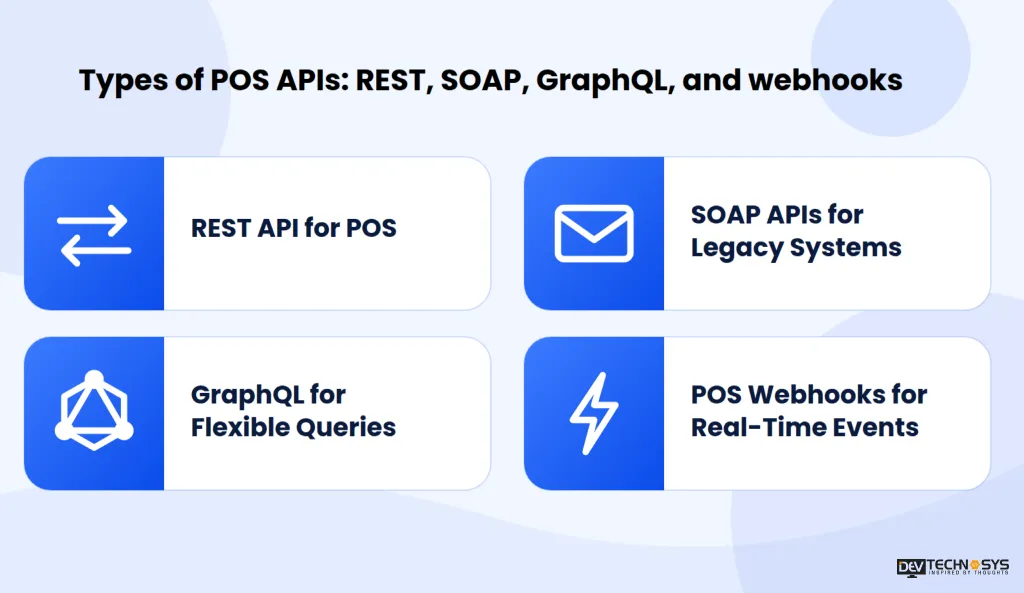
Types of POS APIs: REST, SOAP, GraphQL, and webhooks
Not every POS API works the same way. The type you choose affects speed, effort, and how well it fits your other systems. Most modern platforms offer a mix of the following.
1. REST API for POS
The most common choice. A REST API for POS uses standard web requests and JSON, which makes it easy to build and test. POS REST API calls cover tasks like creating orders, fetching menus, and updating stock.
2. SOAP APIs for Legacy Systems
An older, XML-based format that still appears in legacy retail and enterprise systems with strict message rules.
3. GraphQL for Flexible Queries
Lets you request only the fields you need, which suits mobile apps and dashboards pulling data from several sources.
4. POS Webhooks for Real-Time Events
Instead of asking again and again for updates, your system is notified the moment something happens. POS webhooks work well for new orders, payment confirmations, and low stock alerts.
Every API exposes POS API endpoints, which are specific addresses for specific actions, such as orders, products, or customers. Clear documentation for these endpoints often decides how quickly an integration can be built.
API type |
Data format |
Best for |
Complexity |
| REST | JSON | Most integrations | Low |
| SOAP | XML | Legacy and enterprise systems | High |
| GraphQL | JSON | Flexible data queries | Medium |
| Webhooks | JSON (event push) | Real-time alerts | Low to medium |
For most new projects, REST for requests plus webhooks for real-time events is the safest pairing.
Planning a Pos Project?
Get a tailored development cost estimate in a few simple steps.
- 3 quick steps
- 100% free
- Reply in 1 business day
2 Minutes Read
Systems You Can Connect Through POS System Integration in 2026
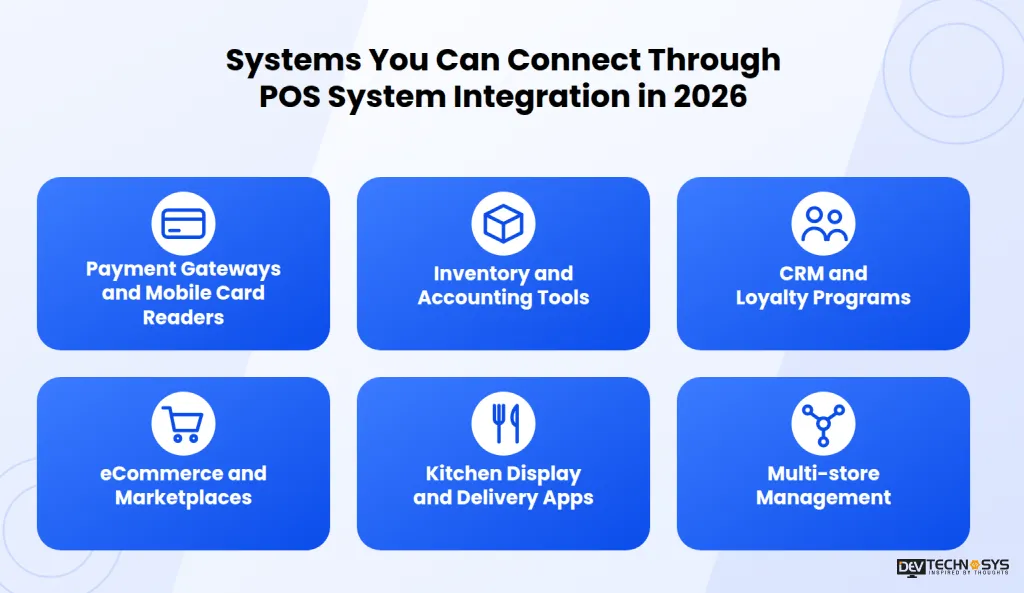
A POS becomes far more useful once it talks to the rest of your stack. These are the systems most businesses connect first.
1. Payment Gateways and Mobile Card Readers
Payment gateway integration with POS sends card, wallet, and contactless payments straight into the sale record. It also supports tap-to-pay on handheld devices, which is a common goal of mobile pos app development projects.
2. Inventory and Accounting Tools
These tools receive data automatically:
- Stock levels after every sale
- Purchase orders when items run low
- Daily sales entries in your ledger
Staff stop re-keying figures, and finance teams close the month faster.
3. CRM and Loyalty Programs
Customer profiles, purchase history, and points balances appear at checkout. Cashiers can apply offers on the spot, and marketing teams see which promotions actually bring people back.
4. eCommerce and Marketplaces
A POS integration platform can hold a single product catalog and stock count for your web shop, social selling, and marketplaces. A sale on any channel reduces the same shared inventory.
5. Kitchen Display and Delivery Apps
Orders reach kitchen screens and delivery partners automatically, and status updates return to the POS. This is central if you plan to build a cafe pos system that stays smooth at peak hours.
6. Multi-store Management
Multi-store POS integration gives head office central reporting, shared menus and pricing, and per-location permissions. Managers compare outlets side by side, while each store keeps only the access it needs.
How Does POS API Integration Work?
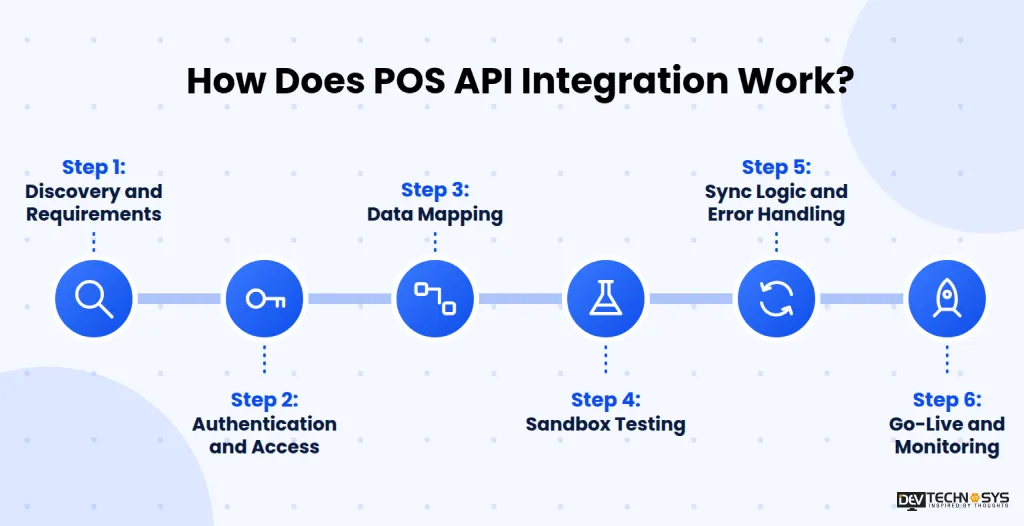
A typical integration follows six stages. Skipping any of them is where most projects run into delays, extra cost, and rework.
Step 1: Discovery and Requirements
List the systems you want to connect, the data each one needs, and the business rules that apply, such as tax handling or refund limits.
Step 2: Authentication and Access
Set up API keys, OAuth tokens, and permission scopes first, so every connection has only the access it needs before any data moves.
Step 3: Data Mapping
POS API development starts with matching fields between systems:
- Product IDs and SKUs
- Tax codes and discounts
- Customer records and payment methods
Mismatches here cause most sync errors later.
Step 4: Sandbox Testing
Test orders, refunds, and failed payments in a safe environment before touching live data, so mistakes never reach real customers.
Step 5: Sync Logic and Error Handling
Decide what runs in real time and what runs on a schedule. Good POS API services also include retries and alerts, so a failed call is caught and fixed instead of silently lost.
Step 6: Go-Live and Monitoring
Custom POS integration works best with a phased rollout, starting with one store or one system. Logging and regular checks after launch keep the connection healthy.
Projects that span many systems or locations often benefit from pos software development services that cover everything from planning to ongoing support.
Popular POS Platforms and Their APIs
Most businesses connect to a platform they already use, so it helps to see how the main options handle APIs. Here is a general overview of five widely used systems.
1. Square
Square offers an open developer platform with a sandbox. Its POS API endpoints cover orders, payments, catalog items, and customers, which makes it a common starting point for new integrations.
2. Toast
Toast focuses on restaurants, with APIs for menus, orders, and labor data. Access usually runs through a partner program, so plan for an approval step before development begins.
3. Clover
Clover provides a REST API and an app marketplace. It suits businesses that want custom apps running directly on Clover devices, alongside back-office integrations.
4. Lightspeed
Lightspeed offers separate APIs for its retail and restaurant products. They cover inventory, sales, and multi-location setups, so check which product line your business actually uses.
5. Shopify POS
Shopify POS builds on Shopify’s own APIs, which suits businesses selling in-store and online from one catalog. It pairs well with POS integration solutions that connect shipping, accounting, and loyalty tools.
Platform |
Best fit |
API access |
Watch for |
| Square | Small and mid-size retail and food | Open, self-serve with sandbox | Rate limits at high volume |
| Toast | Restaurants | Partner approval | Approval time |
| Clover | Businesses wanting device apps | REST API and app marketplace | App review and device dependence |
| Lightspeed | Retail and hospitality, multi-location | Product-specific APIs | Different APIs per product line |
| Shopify POS | Omnichannel retail | Shopify APIs | Tied to the Shopify ecosystem |
Check API limits and approval steps before committing, since the right POS integration solutions depend on how open your platform is.

Security and Compliance in POS API Integration
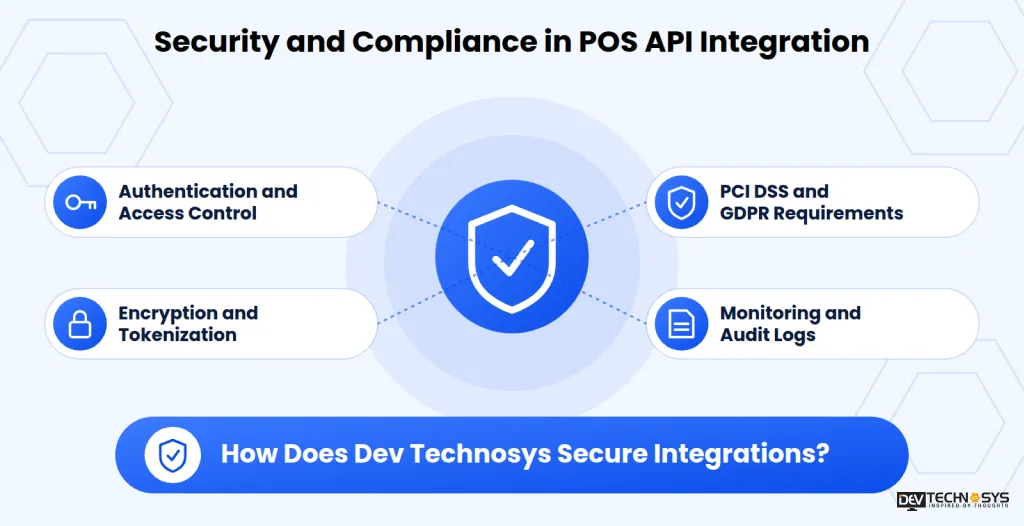
A POS handles payments and customer data, so every connection is a possible entry point. Security should be designed in from the start, not added at the end.
1. Authentication and Access Control
Use OAuth 2.0 for authorization, keep API keys out of source code, and give each integration only the permissions it needs. Rotate credentials on a regular schedule.
2. Encryption and Tokenization
Protect data in transit with TLS and data at rest with encryption. Tokenization replaces card numbers with safe tokens, so connected systems never store raw card data.
3. PCI DSS and GDPR Requirements
Payment flows must follow PCI DSS, while customer records fall under privacy rules such as GDPR. In practice, that means:
- Clear consent for collecting customer data
- Defined retention limits
- Deletion on request
4. Monitoring and Audit Logs
Verify webhook signatures, apply rate limits, and keep audit logs of every call. Alerts on unusual activity help teams act before a small issue becomes a breach.
5. How Does Dev Technosys Secure Integrations?
Dev Technosys builds security reviews into every stage of delivery. Our practices align with ISO 27001, SOC 2, SOC 1, PCI DSS, and GDPR, so our POS API services handle payment and customer data with the same care as the systems they connect.
Common POS API Integration Challenges and How to Solve Them
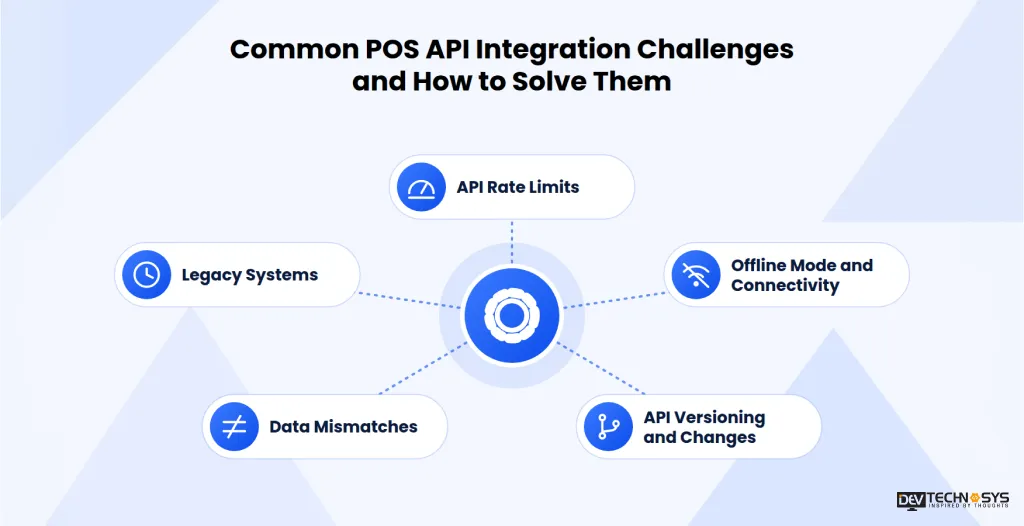
Most integration problems are predictable. Knowing them early makes them much easier to avoid.POS API Integration
1. API Rate Limits
Platforms cap how many calls you can make, so busy periods can slow or block syncing. Batch requests, cache data that rarely changes, and use webhooks instead of constant polling.
2. Legacy Systems
Older on-premise setups often lack modern APIs. Custom POS integration with middleware can bridge the gap, and many businesses use the moment to review cloud pos vs legacy pos before deciding how far to modernize.
3. Offline Mode and Connectivity
Stores lose internet, but sales must continue. Use a local queue that stores transactions safely and syncs them once the connection returns.
4. Data Mismatches
Different systems use different product IDs, tax rules, and formats. POS system integration runs more smoothly with:
- A clear data map agreed before development
- Validation rules that reject bad records
- One source of truth for products and prices
5. API Versioning and Changes
Providers retire old versions and change fields. Pin the version you use, track changelogs, and test updates in a sandbox before they reach live stores.
POS API Integration Cost and Timeline
POS API development cost depends on scope, not on the API alone. Two projects that both connect a POS to accounting software can differ widely once the details are on the table.
1. Factors That Affect POS API Integration Cost
- Number of systems being connected
- Platform API limits, approval steps, and paid access tiers
- Custom logic, such as loyalty rules, pricing engines, or special tax handling
- Number of store locations and user roles
- Security and compliance needs, including PCI DSS and GDPR
- Depth of testing across devices and edge cases
2. Typical Integration Timeline
The integration phase itself usually takes 2 to 6 weeks, depending on how many systems are involved and how ready their APIs are. To see how pricing works in detail, study the guide to pos software development cost before you request a quote.
POS API Integration Best Practices
A reliable integration comes from good habits as much as good code. Keep this checklist close:
- List the data each system needs before development starts
- Choose a POS integration platform or connector with clear documentation and versioned APIs
- Test every release in a sandbox before it reaches live stores
- Build retries, logging, and alerts from day one
- Keep keys and tokens out of code, and rotate them regularly
- Review API changes and performance every quarter
When standard connectors fall short, a pos software development solution built around your workflow removes the guesswork.
Conclusion: Getting POS API Integration Right in 2026
POS API integration connects your point of sale to payments, inventory, CRM, and online channels, so one sale updates every system without manual work. The businesses that get it right choose the right API approach, plan security early, and test thoroughly before go-live.
With 16+ years of experience and 2,000+ projects delivered, Dev Technosys has seen what makes integrations hold up under real trading pressure. If you want a team that has done this before, you can hire dedicated developers to plan, build, and support your POS connections.
Frequently Asked Questions
Find answers to the most common questions related to this article.
POS API integration is the process of connecting your point of sale to other business software through an application programming interface. It lets sales, stock, and customer data move between systems automatically and in real time, replacing manual entry, spreadsheets, and nightly exports.
A REST API for POS works on request: your system asks for data or sends an update when it needs to. Webhooks work on events: the POS pushes an alert when something happens, such as a new order. Most integrations use REST for actions and POS webhooks for real-time updates.
You can connect payment gateways, inventory and accounting tools, CRM and loyalty programs, eCommerce platforms, delivery apps, and kitchen displays. POS system API integration also supports multi-store POS integration, giving head office shared menus, pricing, and reporting across every location.
Yes, when it is built correctly. A secure POS API integration uses OAuth 2.0 for access control, TLS encryption for data in transit, tokenization for card data, and compliance with PCI DSS and GDPR. Experienced POS API services teams also add monitoring and audit logs after launch.
The integration phase usually takes 2 to 6 weeks. The exact time depends on how many systems you connect, the platform's API limits and approval steps, and how much custom logic is needed. POS software API integration with one or two systems sits at the shorter end.














