






















Key takeaways:
-
- Cloud POS vs Legacy POS is no longer a debate. Cloud POS for businesses provides better functionalities for your restaurant than traditional POS systems.
- Cloud POS for restaurants is cheaper than a legacy POS system for restaurants in the long run.
- Integration with third-party vendors is almost impossible and costly with legacy systems, whereas cloud-based POS software handles it very easily.
- Switching to cloud-based POS systems is the way to go in 2026, with better features and a strong plan to grow in the future.
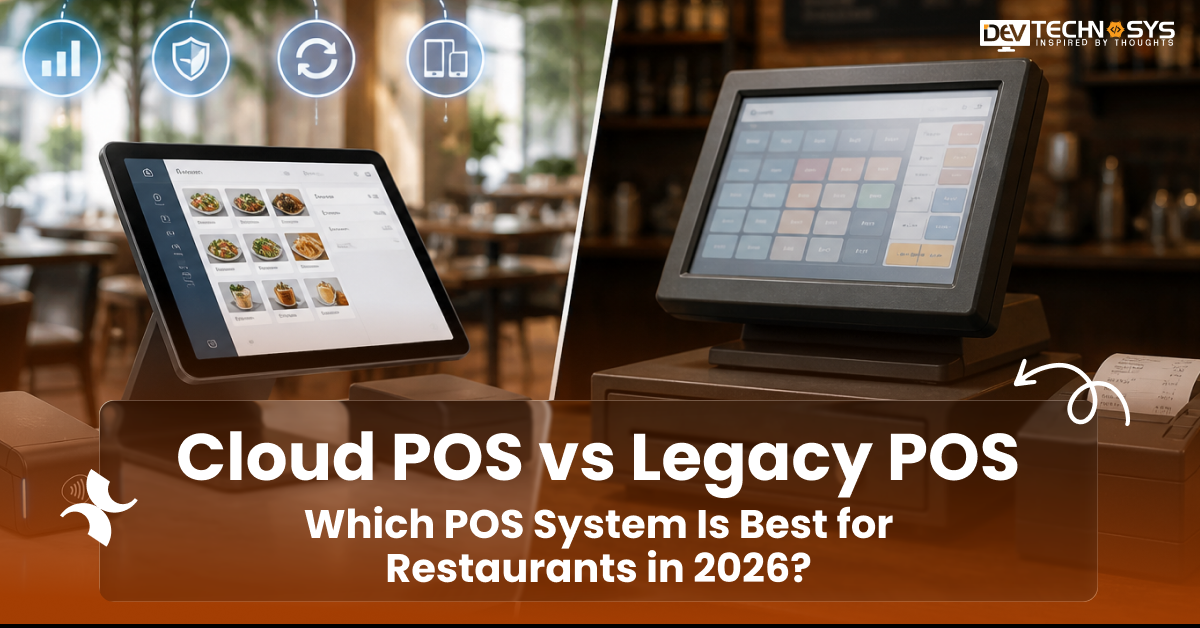
Every transaction in a restaurant, such as payments, orders, menus, and every shift’s information, passes through a critical point: the point of sale system. There are two main types of POS systems in 2026: cloud POS systems and Legacy POS systems.
The debate of cloud POS vs legacy POS is ever going on. Started as just an IT discussion, it has shifted to a business decision that directly affects your revenue, efficiency, and growth potential.
According to the Mordor Intelligence report, the cloud POS market was valued at $6.26 billion, and it is growing at a CAGR of 16.91%. There are still numerous restaurants working on a legacy system with traditional methods. Whereas restaurants are choosing to switch to cloud POS to reduce labor costs, increase service efficiency, and scalability.
So who wins in 2026? In this comparison, we will break it down into its cells, definitions, features, and costs, and provide a clear understanding of how to choose the best system for you in 2026.
What is a Cloud POS System?
A cloud POS for restaurants is a type of point of sale that stores all the data related to restaurants via the internet. Be it transactions, menu configurations, and inventory records, everything can be accessed from one place on remote servers.
Unlike traditional systems, a cloud POS, also known as SaaS POS for restaurants, runs through a web browser or a dedicated app. The best thing is that it can be accessed from smartphones and tablets, as well as PCs, aside from PC helping in more efficiency and quicker service. A third-party vendor takes care of everything: servers, security, and updates automatically. The only thing that restaurant operators have to do is log in and run their business.
How Does a Cloud POS Work for Restaurants?
In 2026, cloud based restaurant POS software are becoming the status quo for restaurants. Here is how a cloud-based restaurant software works in processes:
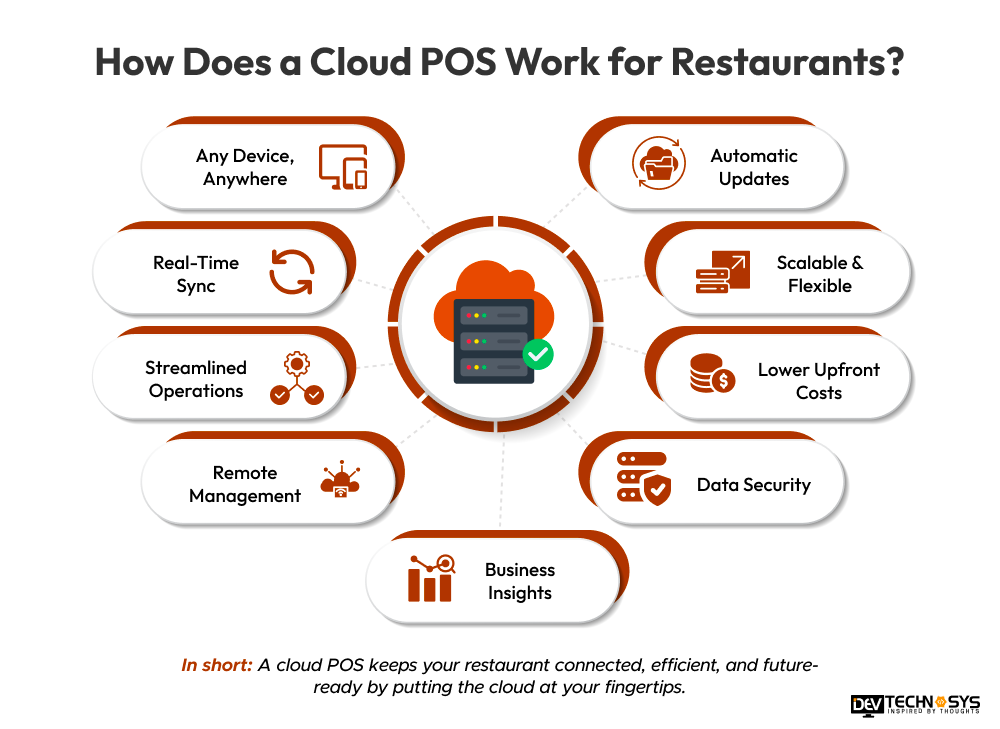
- Starting off with a server taking orders on a tablet or a cloud POS terminal directly connected with the restaurant’s wifi network
- Once the order is taken, it is directly sent to a secure server hosted on either AWS, Google Cloud, or Microsoft Azure.
- The order is updated to the kitchen on the kitchen display screens in Swifty without requiring any paper trail.
- Bill is generated within the cloud POS software for restaurants, and can be paid directly through an integrated payment system.
- Every process and transaction is automatically updated onto live reporting dashboards, accessible to admins from anywhere and anytime.
What Is a Legacy POS System?
A legacy POS system for restaurants, also known as on-premises POS, is a point of sale system where all software, data, and processing are physically installed inside your restaurant system. This system is entirely separated from the internet, making the data impossible to leave the restaurants.
The legacy system has been in ther market since the 1990s and 2000s, where most of the restaurants handle their transactions through dedicated terminals, receipt printers, and cash drawers. They are a simple software that is purchased under a single-time fee, added with annual maintenance costs, and on-site visits.
There are still restaurants today that use on-premises POS systems, such as older versions of Oracle MICROS, NCR Aloha, Positouch, and Squirrel Systems.

How Does a Legacy POS Work for Restaurants?
Legacy POS works on a straightforward but rigid architecture. You can not change the process at will; you will have to update the whole software with the help of an on-site technician. Here is how processing works on a typical traditional POS:
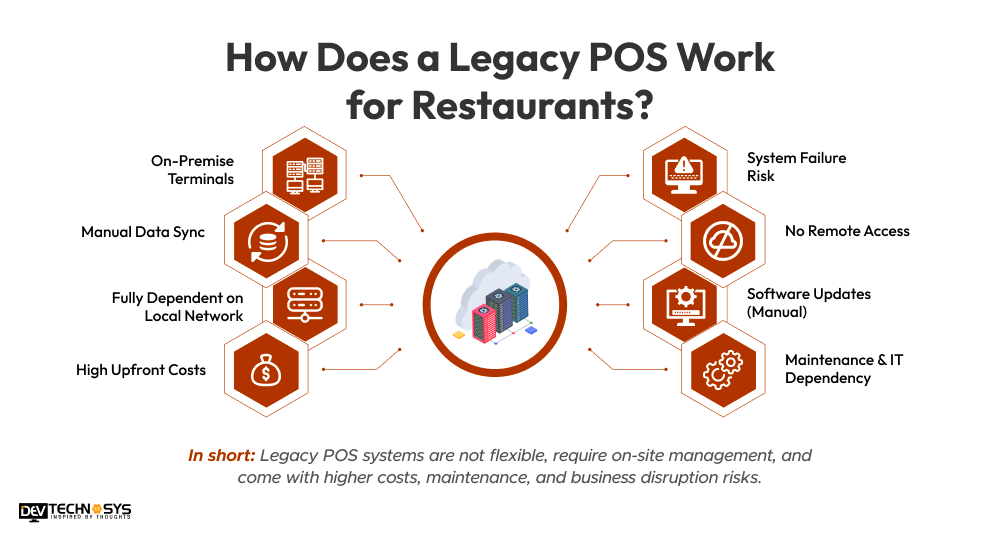
- The server takes orders on a fixed terminal at the counter or travels to the table with a diary to take the order.
- The order is processed by the local network through the terminal and sent to the kitchen without using the internet.
- Printers near the kitchen print the order ticket via the local network.
- The payment of the order is done with an integrated terminal at the counter or a card reader, as it cannot be sent remotely.
- All the reports are generated locally for all the order transactions. If you want to have the data backup, then it can be taken through a USB drive or by sharing the data over the local network.
Cloud POS vs Legacy POS: Key Differences Compared Side by Side
Here is the comprehensive comparison of cloud POS vs legacy POS for restaurants on various aspects. This table lets you understand the core difference between cloud POS and legacy POS at a glance:
| Feature | Cloud POS | Legacy POS |
| Upfront Cost | Low – tablets + SaaS subscription | High – servers + proprietary terminals |
| Ongoing Cost | Predictable monthly SaaS fee | Maintenance contracts + IT call-outs |
| Internet Requirement | Required (robust offline mode included) | Fully offline – no internet needed |
| Remote Access | Yes – any device, any location | Impossible without VPN setup |
| Software Updates | Automatic – included in subscription | Manual – requires on-site technician |
| Multi-Location Management | Centralized dashboard, all sites unified | Separate server and set up per location |
| Delivery App Integration | Native – DoorDash, Uber Eats, Grubhub | Limited – costly custom middleware required |
| Scalability | Add locations in hours, not weeks | New hardware investment per location |
| Data Security | Encrypted cloud storage + automatic backups | Local backup – high risk of data loss |
| Support Model | 24/7 remote support included in plan | On-site technician visit – per call cost |
Cloud POS Benefits for Restaurants: Reasons Businesses Are Switching in 2026
Cloud POS benefits for restaurants have become the core reasons for migration from legacy POS systems. Here are the 6 reasons why a cloud POS system improves restaurant operations.
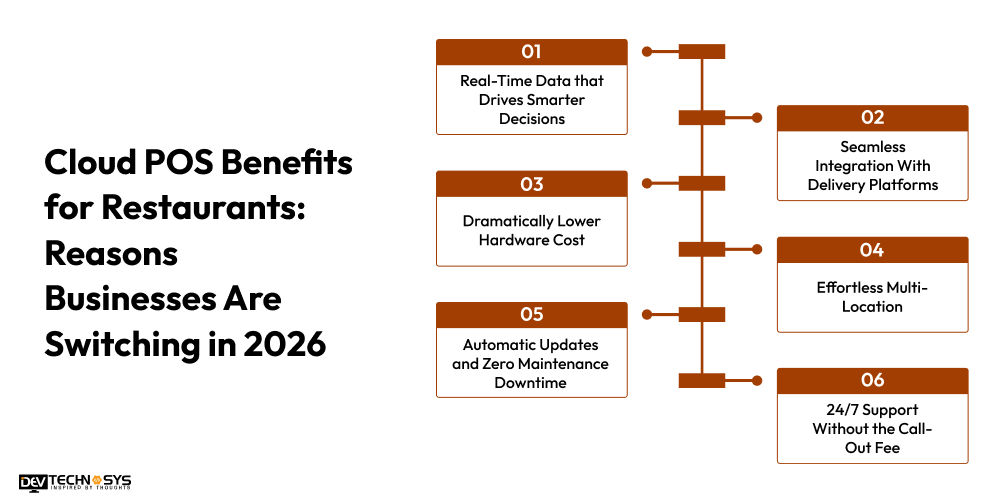
1. Real-Time Data that Drives Smarter Decisions
The immediate advantage of a cloud-based software restaurant is the access to live business data. You can make prompt decisions by reviewing sales by hour, labor percentage, table turn times, and best-selling menu items directly through your phone.
2. Seamless Integration With Delivery Platforms
In 2026, third-party delivery accounts are responsible for around 30-40% of the total restaurant’s revenue. Cloud POS allows easy integration of third-party vendors like oorDash, Uber Eats, and Grubhub, which helps in increasing the customer base of the restaurant.
3. Dramatically Lower Hardware Cost
Cloud POS software development cost is significantly lower than traditional POS, which requires separate terminals and specialized printers. A SaaS POS system can run on any type of device easily, with an additional cost of $100 – $200, such as smartphones and tablets. This capital is redirected to improving guest experience or marketing to grow further into the market.
4. Effortless Multi-Location
For restaurant chains, the best POS solution is cloud-based. Cloud POS does not require multi-location setups, which eliminates the extra costs. You can easily update menu prices, push a new promotion, or adjust operating hours across every location at once from a single dashboard.
5. Automatic Updates and Zero Maintenance Downtime
Third-party vendors take care of every software update, security patches, and features as required without having downtime. Mostly, these updates are done automatically and overnight to remove any chance of mishaps.
6. 24/7 Support Without the Call-Out Fee
Cloud POS vendors provide 24/7 support and remote support with their subscription. A technician can diagnose and resolve issues remotely without the need to come on-site. Where legacy POS requires a visit from a local vendor, this restricts many processes and restaurant operations.
Planning a Pos Project?
Get a tailored development cost estimate in a few simple steps.
- 3 quick steps
- 100% free
- Reply in 1 business day
2 Minutes Read
Legacy POS Disadvantages For Restaurants: They Can No Longer Ignore in 2026
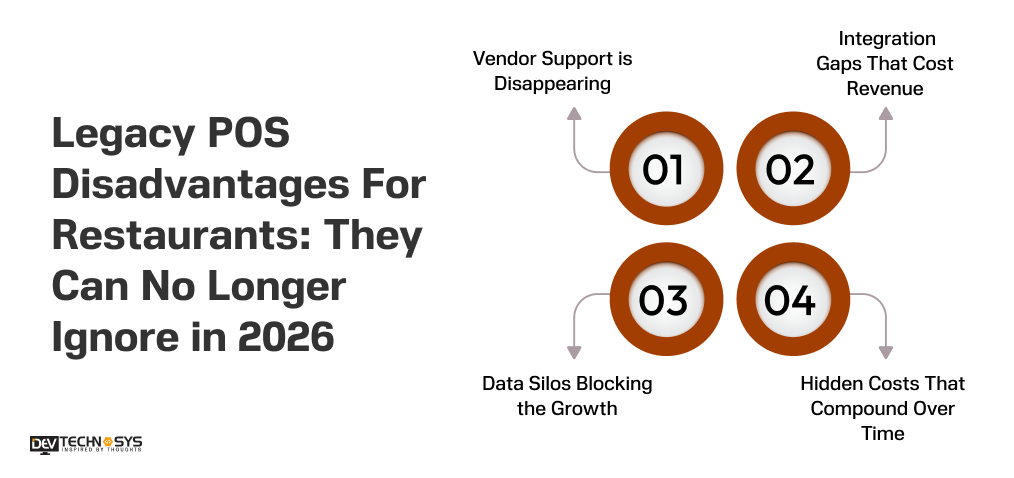
For years, legacy POS systems were the go-to POS systems for restaurants, with reliability and stability in the processes. But with increasing modernization, a new restaurant landscape has exposed the structural weakness of traditional POS systems.
1. Vendor Support is Disappearing
All the major traditional POS vendors are shifting towards cloud based pos system restaurants. Vendors such as Oracle MICROS, NCR, and PAR Technology are focusing on the future, keeping cloud and automation in mind to provide businesses with better solutions. Now it’s very hard to find certified technicians and a software development company to update the aging hardware, and it’s more expensive.
2. Integration Gaps That Cost Revenue
Legacy POS systems were never designed for a modern tech stack such as delivery platforms, loyalty apps, reservation systems, etc. If you want to bridge this gap, you have to create a separate middleware system, which would be astronomical. With these things, legacy POS will always pull your restaurants down.
3. Data Silos Blocking the Growth
If you want to make decisions, you can’t make it from one place, as all the data using legacy POS is spread across multiple locations on local servers. You have to collect all the data from multi-unit operators; this is not feasible and very costly to work with.
4. Hidden Costs That Compound Over Time
The hypothetical advantage of legacy POS over cloud POS is that it requires a one-time fee. But it’s collapsing with maintenance contracts, hardware repairs, technician call-outs, software upgrade fees, and new integration systems. This makes them costly as compared to a cloud based POS system for restaurants.
Cloud POS vs Legacy POS for Different Restaurant Types
When deciding between Cloud POS or Legacy POS in 2026, restaurants must take into account the way they will be serving customers, how big their restaurant is, and how reliable their Internet service will be. Because each type of service model has different needs in terms of speed, control, and scalability, this decision is very dependent on the specific situation and business requirements of the restaurant.
1. Best for Quick-Service Restaurants (QSRs)
Recommended Choice: Cloud POS
Fast food chains, coffee shops, food trucks, and delivery kitchens operate in quick-paced, accelerated environments where every moment counts. Cloud POS is a great choice here. This helps with live order processing, communicating to the kitchen quickly, and also working with third-party delivery companies such as Swiggy and Zomato in an integrated manner.
With Cloud POS, QSR can also effectively manage ever-changing menu items, flash discounts, and peak congestion loading. And because of instant updates on all devices, there are fewer employee errors & slowdowns, which results in more accurate orders and happier customers.
Also, Cloud POS’s real-time centralized reporting helps owners to track performance across all their locations with a heavy emphasis on data-driven operations.
2. Best for Fine Dining Restaurants
Recommended Choice: Depends on Operational Complexity (Cloud POS or Hybrid POS)
Fine dining is focused on providing personalized service to guests, creating a great guest experience, and maximizing operational accuracy through efficiency. In many of today’s fine dining restaurant situations, cloud-based providers offer many customer-centric benefits such as advanced reservation systems, detailed customer profiles, and integration of loyalty programs.
On the other hand, some fine dining restaurants with complex bill requirements, being subject to certain situations when there is a need to go offline, and having established operational procedures, will likely still use legacy or hybrid POS systems.
3. Best for Multi-Location Restaurant Chains
Recommended Choice: Cloud POS
Cloud POS systems are the most efficient and scalable solution available for restaurant groups and franchise chains. The use of Legacy POS systems for managing multiple locations can result in data silo creation, inconsistent reporting, and operational inefficiencies.
Cloud POS provides a centralized platform for managing menus, pricing, inventory, and sales data across all locations. Owners and managers can access all locations via a single dashboard, in real time. This enhances decision-making, guaranteeing consistency across the brand and making it simpler to expand into new markets. In 2026, the scalability and centralized analytics of Cloud POS will be the clear industry standard for expanding restaurant chains.
4. Best for Restaurants with Limited Internet Access
Recommended Choice: Legacy POS or Hybrid POS
Restaurants that are located in areas with unreliable or limited internet service, such as those in rural locations, remote resorts, or outdoor venues, need systems that do not rely solely on the cloud. Legacy POS systems continue to be very reliable because they operate completely offline.
Hybrid POS systems, on the other hand, provide a more updated solution as they offer the ability to make offline transactions, while also periodically synchronizing with the cloud. These systems allow restaurants to continue billing during outages, and will still allow them to access reporting and analytics once the internet connection is restored. In establishments where internet connections are unreliable, the most important factor is reliability.

How to Choose Between Cloud-Based vs Traditional POS Systems?
It is crucial to understand how to choose between cloud-based and traditional POS terminals in 2026. This choice depends on your restaurant’s connectivity, growth plans, integration needs, and budget. The reasoning below will help you choose the best POS system for restaurants in 2026:
Cloud POS If You…
- If you plan to operate in more than one location, then there is no competition between cloud vs on premise POS systems in this case.
- If you want to add an option to process orders through delivery partners, such as DoorDash.
- If you want to access real-time data for sales, labor, and inventory from any place or time.
- Opening a new restaurant, and you want to minimize the upfront capital expenditure, with the ability to scale in the future.
- If you run breweries or multi-concept venues where complex menu management and taproom integrations are critical
- If you want to scale the business to a new location without creating a new server at each site. Most multi-location businesses run on cloud POS restaurant systems.
- 24/7 support from vendors without any additional fees
Legacy POS If You…
- If you operate in unreliable or no internet connectivity
- If you have already invested in legacy hardware
- You are running a single unit with heavy capital and zero expansion plans in the future.
- If you are able to hire software developers to manage on-premises server infrastructure
Honest Assessment
In 2026, the majority of new restaurants as well as new restaurants choose-based POS over legacy POS systems. The only time you should choose legacy POS vs cloud POS is if there is a genuine issue with internet connectivity. Otherwise, SaaS POS systems are way better than traditional POS in each and every aspect.
Future Trends Shaping Restaurant POS Systems in 2026
By 2026, AI and cloud-based restaurant pos systems will have become more driven toward using automation, real-time analytics, contactless payments, mobile ordering, and a customized customer experience. These systems will allow for the integration of delivery platforms, IoT devices, and predictive inventory management to improve efficiency and reduce costs.
1. AI-Powered Decision Making
New Restaurant POS systems in 2026 will increasingly utilize AI to forecast demand, optimize inventory, and minimize food waste; by analyzing sales trends, weather & customers to give the restaurant real-time data to make more efficient & profitable decisions for staffing & purchasing.
2. Unified Omnichannel Ordering
POS systems are evolving into an all-in-one solution with capabilities for dine-in, delivery, takeout & mobile orders as they enable seamless order processing between all of these channels while synchronizing menus/prices/inventory in real time to offer diners a consistent experience across all points of service purchase channels.
3. Contactless & Embedded Payments
New POS systems will have advanced forms of no-contact payment processing through mobile wallet and QR code-based ordering/e-commerce functionality. Embedded payment processing will offer faster transactions with fewer wait times and improved cleanliness, and offer faster and safer ways for both employees & customers to complete payment transactions.
Final Verdict
There is a clear winner in the cloud POS vs legacy POS debate for restaurants in 2026. Cloud-based restaurant POS systems come with lower hardware costs, real-time data, seamless third-party integrations, and automatic upgradation for multi-location management.
Legacy POS systems worked very well for decades, but with the coming of new technologies and their structural limits, they are falling behind the times to compete. The best POS system for restaurants in 2026 is the one that aligns with your ideas today and is scalable in the future. The best cloud-based POS systems are making them happen.
There are many vendors and companies that can help you build your customized cloud-based POS systems. One of them is Dev Technosys, a leading POS software development company in USA. They have over 15+ years of experience and can help you build an efficient and scalable cloud POS system in 2026.
Frequently Asked Questions
Find answers to the most common questions related to this article.
A cloud POS stores all the restaurant data on secure servers that are accessible over the internet in real-time from anywhere. They can be automatically updated and can be integrated with third-party vendors easily. Whereas legacy POS vs cloud POS works on local networks, which can only be accessed on-site. They need to be updated manually and come with costly custom integrations.
Yes, all the leading cloud-based POS systems for restaurants have reported higher uptimes during busy hours. Even if there is a network issue, all the transactions are synced with the cloud, and they are online, which helps restaurants work efficiently without any worries.
The average cost to build a custom cloud POS for restaurants starts from $8,000 to $30,000. A basic cloud POS costs around $8,000 to $12,000 with essential features, whereas advanced POS systems cost $25,000 to $30,000+.
Not all legacy POS systems allow interaction with third-party delivery platforms. Even if some allow the integration, a separate system has to be built that adds cost, complexity, and a new point of failure. It is not recommended to go to leacy pos with your plan to integrate with third-party vendors.
The direct answer to this question is that legacy POS systems are no longer able to keep up with new industry standards. News industry operations such as delivery platform integrations, real-time analytics, and multi-location management require cloud infrastructure. Moreover, the legacy vendor support is minimal, and hardware is getting old, hence the maintenance cost is too high.














