


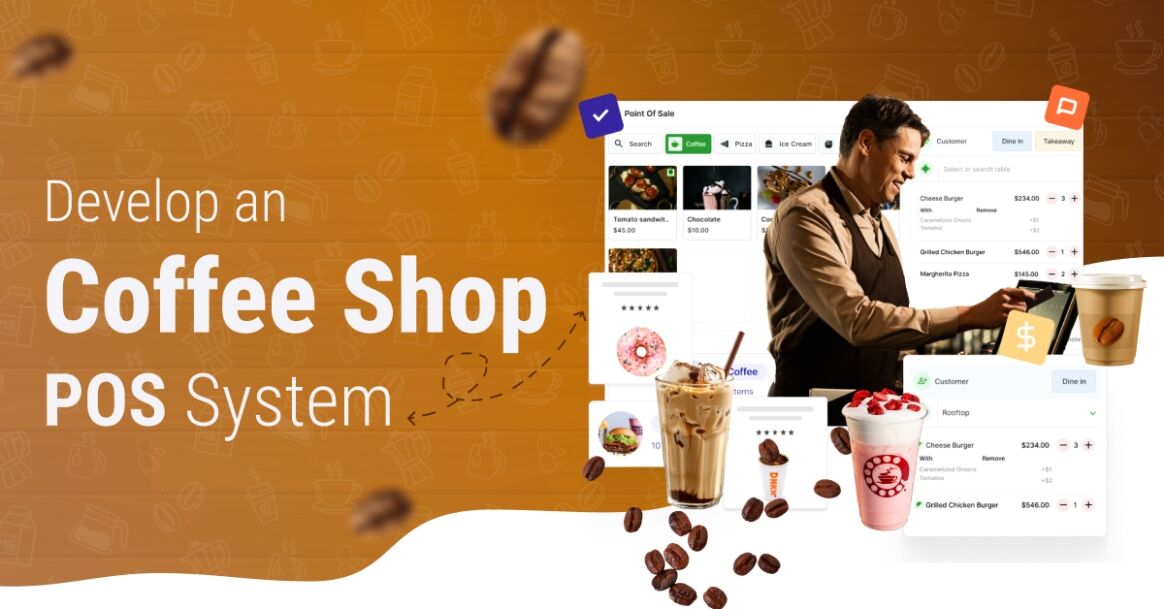
In a fast-paced, high-volume environment where every second counts, the technology behind the counter matters just as much as the drinks being served. In the bustling world of coffee shops, where speed and precision are paramount, adopting the right coffee shop point-of-sale system can make a significant difference. There are various pos systems for coffee shops that are making waves in the market.
In recent years, technological advancements have transformed the way coffee shops operate, emphasizing the need for efficient and customer-centric coffee shop POS software
This blog examines the coffee shop POS software development process, the top features required in the best POS system for coffee shops, and their impact on streamlining operations and enhancing the overall customer experience. So, let’s dive in!
What is a POS system?
A Point of Sale (POS) system is the combination of hardware and software used by businesses to process sales transactions, primarily accepting payments from customers. It’s essentially a digital or computer-based cash register that also handles other functionalities, such as inventory tracking, sales reporting, and customer relationship management.
Beyond processing payments, a POS system can manage inventory, track sales, generate reports, manage customer accounts and rewards programs, and even integrate with other business tools like accounting software.
Why Do Coffee Shops Need a POS System?
According to the top providers of POS software development services, a POS (Point of Sale) system is essential for modern coffee shops because it streamlines operations, improves customer service, and boosts overall profitability.
If you have ever wondered how POS software can improve business operations, then here’s the answer, a POS system can help with:

i. Faster Transactions:
Speed is crucial during peak hours. Pos software for coffee shops
ii. Inventory Management:
It helps track ingredient usage in real-time, minimizing waste and ensuring popular items are always in stock.
iii. Sales Reporting & Insights:
With the help of restaurant pos software for coffee shops
iv. Employee Management:
A Integrate a POS System helps track employee hours performance and manage shift schedules efficiently.
v. Customer Loyalty & Promotions:
Many POS systems come with built-in loyalty programs and promotional tools that help retain regular customers.
vi. Multi-channel Integration:
Whether you offer dine-in, takeaway, or delivery, a POS system can integrate all sales channels into a single platform.
vii. Reduced Errors:
Automated order entry reduces the chance of human error, ensuring the right orders are served to the right customers.
Types of POS Systems for Coffee Shops
Here are some of the major types of POS systems in coffee shops:
1. On-Site POS Systems:
These are traditional setups where software runs directly on your local hardware and servers. They offer high reliability and control, which is especially crucial if your internet isn’t always stable. However, they come with higher upfront costs and require your own IT maintenance.
2. Mobile POS Systems (mPOS):
Utilizing tablets or smartphones, mPOS offers incredible portability and flexibility. They’re perfect for line-busting during peak hours or serving customers in outdoor seating, with minimal hardware investment. Their main limitation is reliance on device battery life and screen size.
3. Cloud-Based POS Systems:
With software and data hosted remotely online, these systems are accessed via subscription. They boast lower upfront costs, easy scalability, and allow owners to manage operations remotely. A consistent internet connection is generally required for optimal performance.
4. All-in-One POS Systems:
These are integrated units where dedicated hardware and software are combined into a single, sleek device. They provide guaranteed compatibility, a professional look, and enhanced durability for busy counters. While their initial hardware cost is higher, they offer a streamlined, reliable solution.
Influence of AI on Coffee Shop POS System Development
Artificial Intelligence is profoundly enhancing coffee shop payment software solutions, transforming them into intelligent operational hubs. By leveraging AI, these systems can offer personalized customer experiences through smart recommendations based on past purchases, significantly boosting Loyalty and sales.
AI also drives operational efficiency by predicting demand for precise inventory management and automating tasks, drastically reducing waste and speeding up service.
Furthermore, AI empowers data-driven decision-making, providing valuable insights into sales trends and pricing while also bolstering fraud detection and integrating voice-enabled ordering for faster checkouts.
Ultimately, AI enables coffee shops to operate smarter, optimize resources, and deliver a superior, more personalized experience to every customer.
Top 10 POS Systems For Coffee Shops and Restaurants
Here are the top 10 POS systems for coffee shops and restaurants. If you are a business that wants to build a restaurant POS system then you can take inspiration from these top 10 competitors.
POS System | Best For | Key Features | Platform | Starting Price (Approx.) |
| Square POS | Small coffee shops & startups | Simple setup, offline mode, inventory, loyalty programs | iOS, Android, Web | Free (with processing fees) |
| Toast POS | Full-service restaurants & cafés | Kitchen display system, menu management, CRM, reporting | Android-based hardware | ~$69/month |
| Lightspeed | Multi-location coffee chains | Advanced inventory, analytics, eCommerce integration | iOS, Web | ~$69/month |
| Clover POS | Coffee shops with retail component | Customizable hardware, contactless payments, employee tracking | Android-based hardware | From $14.95/month |
| Revel Systems | High-volume cafés & restaurants | Cloud-based, real-time reporting, CRM, loyalty features | iOS | ~$99/month |
| TouchBistro | Fast-paced restaurants & cafés | Built for foodservice, split bills, staff management | iPad | ~$69/month |
| Upserve POS | Growing cafés & casual restaurants | Tip management, guest history, performance metrics | iOS, Web | ~$59/month |
| ShopKeep (by Lightspeed) | Budget-conscious cafés | Easy to use, low startup costs, mobile-friendly | iPad, Android | From ~$49/month |
| Lavu POS | iPad-focused coffee spots | Menu customization, inventory, detailed reporting | iOS | ~$59/month |
| Square for Restaurants | Coffee + full restaurant service | Custom menus, order tracking, kitchen coordination | iOS, Web | From ~$60/month |
Want a chatbot demo or pricing? Fill the form and talk to our experts today.
Pick what you need below — you can select more than one — then tap Get detail to continue.
-
Chatbot demo dashboard
-
Cost to develop an app
-
Industry report
-
Case study
Benefits of a Cafe POS System
Here are some of the significant benefits of coffee shop and supermarket billing software development that you should know:
1. Increased Efficiency
A POS system boosts efficiency by automating routine tasks and streamlining operations. Staff can focus on customer service and other high-value activities, reducing errors and speeding up the checkout process.
2. Enhanced Inventory Control
Another benefit to developing a coffee shop POS system is the convenience of real-time inventory tracking and automated reordering to prevent stockouts and overstocking. This ensures you always have the right products, reducing losses and maximizing sales opportunities.
3. Data-Driven Decisions
Access to detailed analytics and reports empowers you to make informed decisions. Understanding sales trends, customer preferences, and employee performance helps optimize operations and strategies.
4. Streamlined Operations
Integrating all aspects of café management into a single system simplifies operations. From handling transactions to managing employees and inventory, a comprehensive POS system improves restaurant operations in many ways and ensures all your business functions run smoothly.
5. Improved Customer Experience
Businesses hire experts to develop a coffee shop POS system to improve customer experience. A seamless and quick checkout experience enhances customer satisfaction. Supporting various payment methods and integrating loyalty programs provide a superior shopping experience, encouraging repeat business.
Key Features to Develop a Coffee Shop POS System
Here are the key features that experts from any software development company would include when developing a Coffee Shop POS System, each designed to streamline operations and enhance customer experience:
1. Inventory Management
To build a coffee shop POS system, you need to track stock levels in real-time, set low-stock alerts, and automate restocking to minimize waste and ensure ingredient availability.
2. Customer Management
Store customer profiles, purchase history, and preferences to enable loyalty programs, targeted promotions, and better service. This Feature will help you build a coffee shop POS system that ensures the long-term success of your business.
3. Sales Reporting and Analytics
To build POS software, you need to generate detailed reports on daily sales, best-selling items, and peak business hours to inform smarter business decisions.
4. Employee Management
Monitor staff shifts, performance, and access levels. Helps with scheduling, payroll, and preventing unauthorized access.
5. Payment Processing
Making a Coffee Shop POS System requires a strong payment processing feature. It should accept multiple payment types, including cards, mobile wallets, QR payments, and even split bills—all securely and quickly.
6. Security Features
Ensure data protection through role-based access, encryption, cloud backups, and fraud detection mechanisms.
7. Customizable Interface
If you want to build POS software like Clover, then make sure to create a customizable interface for it. Tailor the interface to match the coffee shop’s workflow—quick order entry, visual menus, or touchscreen support.
8. Multi-Store Management
Manage multiple branches from one dashboard. Sync menus, pricing, and reports across all locations for consistency.
Steps To Develop a Coffee Shop POS System
Top firms providing software product development services follow the steps mentioned below to create a high-performing and top-quality POS system for coffee shops. Let’s see what they entail:
1. Discovery & Requirements Gathering:
To create a coffee shop POS system, you first need to deeply understand the coffee shop’s unique operational needs and pain points. You’ll conduct interviews with baristas and managers and even observe customer interactions.
The goal is to define every functional and non-functional requirement, from the process of taking orders to the tracking of inventory (e.g., whole beans vs. espresso shots) and the operation of a loyalty program. This also includes defining user roles (cashier, manager, owner) and their specific permissions.
2. Feature Definition & Prioritization:
Based on the requirements, a comprehensive list of features is created. This includes core POS functions like order entry, payment processing (cash, card, mobile wallets), split payments, refunds, and receipt options (print/email).
Crucially, coffee shop-specific features detailed modifiers, combo deals, ingredient-level inventory tracking, loyalty point accumulation/redemption, and potentially online ordering integration. Features are then prioritized into phases (e.g., MVP, Phase 2, Phase 3) to manage development scope and budget.
3. UI/UX Design:
According to a top software development company, this step focuses on creating an intuitive, efficient, and visually appealing user experience (UX) and user interface (UI). For a coffee shop, speed is paramount, so the interface must allow for rapid order entry and quick transitions, even during peak rush hours.
i. Speed & Simplicity:
Design a fast, lag-free interface for quick transactions is vital during rush hours.
ii. Touchscreen Optimization:
Use large buttons, intuitive navigation, and minimal steps per action.
iii. Visual Appeal:
Incorporate brand colors, clean layouts, and smooth transitions to make the interface inviting for staff.
iv. User-Centered Workflow:
Streamline processes like order taking, customizations, and payments to reduce staff errors and training time.

4. Choose the Right Technologies
i. Frontend:
Use React, Flutter, or Vue.js for responsive and interactive UI across devices.
ii. Backend:
Opt for Node.js, Python (Django/Flask), or .NET Core for scalability and speed.
iii. Database:
Use PostgreSQL, MongoDB, or Firebase for real-time syncing and storage.
iv. Cloud Services:
Choose AWS, Google Cloud, or Azure for secure hosting and auto-scaling.
v. Hardware Integration:
Ensure seamless connectivity with receipt printers, barcode scanners, cash drawers, and card readers (via APIs like Square or Stripe Terminal).
5. Development & Coding
The Software development services and coding phase is where the core of the coffee shop POS system comes to life. Developers begin by building individual modules such as sales, inventory, reporting, and customer management, ensuring each component functions independently yet integrates smoothly with the overall system.
The backend logic handles transactions, data management, and system operations, while the front end delivers an intuitive, touchscreen-optimized interface.
APIs are developed to enable seamless communication between modules and hardware devices like receipt printers and card readers. Security is prioritized from the start, with strong encryption, secure authentication, and full PCI DSS compliance to protect customer data and transactions.
6. Testing & Quality Assurance (QA):
This crucial phase ensures the POS system is reliable, bug-free, and performs flawlessly under various conditions. Rigorous testing includes:
i. Functional Testing:
Verifying all features work as designed.
ii. Usability Testing:
Ensuring the system is easy and efficient for staff to use.
iii. Performance Testing:
Checking how the system handles high transaction volumes (simulating rush hour).
iv. Security Testing:
Identifying vulnerabilities.
v. Integration Testing:
Confirming seamless communication with hardware peripherals and third-party services.
vi. User Acceptance Testing (UAT):
With actual baristas and managers, it provides invaluable real-world feedback before launch.
7. Deployment & Launch:
After the compilation of POS software development and getting a green flag from the testing team, the system is ready to be deployed. This involves setting up the cloud infrastructure or local servers, installing the POS software on all terminals, and configuring specific details like the menu, pricing, tax rates, and employee accounts.
Comprehensive Staff Training is essential; all coffee shop personnel must be thoroughly trained on every aspect of the new system. After a successful soft launch or pilot, the system goes fully live, with continuous monitoring of its performance and immediate resolution of any post-launch issues.
Cost To Develop a Coffee Shop POS System
In 2025, the Cost to Develop a Coffee Shop POS System is often between $ 8k and $ 30k, depending on complexity, deployment model, and features. A simple POS app might be best for a small business that requires only basic transaction processing, but larger grocers or restaurants will need more of an overall solution, which will increase Coffee Shop POS System Development Cost.
Other influencing factors include the quality of UI/UX design, platform choice (Web, Android, iOS), third-party integrations, and the development team’s location. POS software development costs in regions like India are generally less than compared to North America or Europe.
POS System Complexity | Estimated Cost (USD) | Development Timeline |
| Basic | $8,000 – $12,000 | 4 – 6 weeks |
| Moderate | $13,000 – $20,000 | 7 – 10 weeks |
| Advanced | $21,000 – $30,000 | 10 – 14 weeks |
Factors Affecting The Cost Of Coffee Shop POS System Development
Here are some of the top factors that can majorly impact the coffee shop POS software development cost. let’s take a closer look:
1. App Complexity & Features
The cost of developing coffee shop POS software can depend heavily on the complexity of its features and functionalities. The more advanced features you integrate, like inventory management, customer analytics, loyalty programs, and multi-store support, the higher the development cost.
Complexity Level | Estimated Cost (USD) | Development Time |
| Basic (Billing + Sales) | $5,000 – $7,000 | 3 – 4 weeks |
| Medium (Inventory + CRM) | $7,000 – $10,000 | 4 – 5 weeks |
| Advanced (Analytics + Custom Reports + Loyalty) | $10,000 – $12,000 | 5 – 6 weeks |
2. Platform Choice
Whether you build for iOS, Android, Web, or all three affects both coffee shop POS system development cost and timeline. Cross-platform support generally increases cost. The table below highlights the variation in cost to develop a coffee shop POS system depending on platform choice:
Platform | Estimated Cost (USD) | Development Time |
| Web Only | $2,000 – $3,000 | 2 – 3 weeks |
| Web + Android | $3,000 – $4,000 | 3 – 4 weeks |
| Web + Android + iOS | $4,000 – $5,000 | 4 – 5 weeks |
3. Design Requirements
Custom UI/UX design that’s fast, intuitive, and optimized for touchscreens will require more effort and skilled designers, increasing the cost of developing a coffee shop POS system. The table below shows the cost difference for building a coffee shop POS system based on design level.
Design Level | Estimated Cost (USD) | Development Time |
| Basic UI/UX | $1,500 – $2,000 | 1 – 2 weeks |
| Custom UX + Branding | $2,000 – $3,000 | 2 – 3 weeks |
| Premium UI/UX (Animations, Interactivity) | $3,000 – $4,000 | 3 – 4 weeks |
4. Third-Party Integrations
Integrating payment gateway with POS, accounting tools, cloud sync, or hardware devices like receipt printers and barcode scanners adds to the complexity level and cost to develop a coffee shop POS system.
Integration Type | Estimated Cost (USD) | Development Time |
| Payment Gateway | $1,000 – $2,000 | 1 – 2 weeks |
| Hardware (Printers, Scanners) | $1,500 – $2,500 | 2 – 3 weeks |
| Inventory APIs, Loyalty Programs | $2,000 – $6,000 | 2 – 5 weeks |
5. Maintenance & Updates
According to various experts, the cost of cloud-based POS software development can also influence maintenance service cost and updates. Post-launch maintenance, bug fixing, and future feature updates are ongoing costs that should be factored into the total budget. The table below highlights the cost to build a coffee shop POS system depending on the maintenance plan:
Maintenance Plan | Estimated Cost (USD/year) | Time Involvement |
| Basic Bug Fixes & Updates | $1,000 – $1,500 | Monthly/Quarterly |
| Regular Upgrades + Feature Enhancements | $1,500 – $2,500 | Monthly |
| Priority Support + Custom Requests | $2,500 – $3,000 | Ongoing |

Monetization Strategies For Coffee Shop POS System
A top Mobile app development firm should utilize various monetization strategies to create a high-performing, ad-revenue-generating POS system.
1. Subscription Model:
This is the most prevalent and often the most profitable model for point-of-sale (POS) software. Coffee shops pay a recurring fee (monthly or annually) to use the software.
2. Payment Processing Fees:
Earn a percentage or flat fee on every credit/debit card transaction processed through the POS system.
3. Hardware Sales/Leasing:
Sell or lease necessary POS hardware like terminals, printers, and card readers to coffee shop clients.
4. Add-on Features/Modules:
Offer advanced functionalities, such as detailed inventory management or online ordering integration, as optional purchases or premium subscriptions.
5. Professional Services/Support:
Generate revenue by charging for setup, advanced training, custom configurations, or priority technical support.
Conclusion
The above-provided details and information discuss how to develop a coffee shop POS system. To develop a coffee shop POS system, you must consider various steps and factors, incorporating crucial features and functionalities such as app complexity, platform choice, design requirements, third-party integrations, and ongoing maintenance. These crucial components significantly impact the overall project’s development.
By understanding these elements, enterprises can make data-driven decisions and build a POS system that enhances customer service, streamlines tasks and operations, and supports long-term success and growth.
If you are a business searching for a top POS software development company, then don’t hesitate to consult Dev Technosuys. We have a team of skilled experts who work diligently to create a high-performing and cutting-edge POS system for your business.
FAQs
Q1: What Is A Coffee Shop POS System?
A coffee shop POS (Point of Sale) system is a software solution that manages sales, inventory, billing, and customer interactions within a coffee shop.
Q2: How Much Does It Cost To Develop A Coffee Shop POS System?
The development cost typically ranges from $8,000 to $30,000 depending on features, platform, and design complexity.
Q3: How Long Does It Take To Build A POS System For A Coffee Shop?
The development timeline can range from 2 to 6 months, based on the project’s scope and custom requirements.
Q4: What Are The Key Features Of A Coffee Shop POS System?
Key features include order management, inventory tracking, employee management, payment processing, and sales reporting.
Q5: Can I Integrate Third-Party Services Into My POS System?
Yes, most POS systems allow integration with payment gateways, accounting software, loyalty programs, and delivery platforms.
Q6: Is A Custom POS System Better Than A Ready-Made One?
Custom systems offer more flexibility and scalability, while ready-made solutions are quicker to deploy and cost-effective for small businesses.


