


















Key takeaways:
-
- A strong restaurant POS system adoption curve can be seen in the rise from USD 28.7 billion in 2027 to USD 35.0 billion in 2030
- The cost to create a drive-thru restaurant POS system will fall between $8,000 to $30,000+, depending on features, integrations, tech-stack, design, developer location, and more.
- Developing a drive-thru order management software for restaurants requires a structured approach that includes scalable design, processing orders in real time, and integrating secure payments.
- Smart POS solutions for restaurants involves features like AI-powered order processing, API integration, mobile payment integration, real-time inventory tracking, and more.
As the behavior of consumers keeps changing and sales channels become more diverse, a drive-thru restaurant POS system becomes the key element for success. From quick-service restaurants to global fast-food chains, Drive-thru services have become a big way for restaurants to make money, prompting restaurants to adopt smarter, faster POS technologies. According to Grand View Research, the global drive-thru POS Software market is projected to reach billions in value over the next decade.
For startups, restaurant POS system development presents a massive business opportunity. As competition in the food service industry grows, companies that use smart, cloud-based, and AI-powered drive-thru point-of-sale (POS) systems have a big edge when it comes to speed, efficiency, and customer happiness. This helpful guide talks about all the important aspects and factors that are needed for successful drive-thru restaurant POS system development.
What is a Drive-Thru Restaurant POS System?
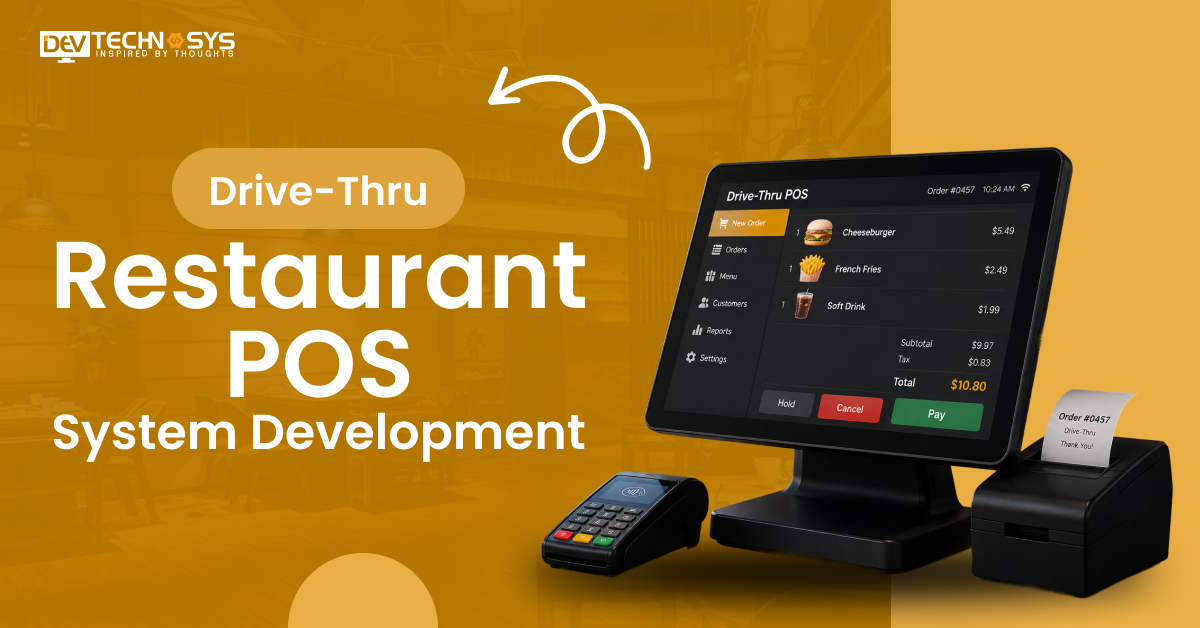
A drive-through Point of Sale (POS) system is a specialized software and hardware solution that is designed to manage high-speed and high-volume transactions for quick service restaurants (QSRs). This QSR POS system can be integrated with specialized equipment like headset intercoms, vehicle tracking technology, and outdoor menu boards to optimize service, speed, and accuracy.

Market Overview and Industry Statistics
- The market for restaurant point-of-sale (POS) terminals is expected to grow at a rate of 7.0% per year until 2035, when it will hit USD 49.3 billion.
- With an increase of about USD 9.9 billion, the block’s CAGR is now about 6.9%, which shows that the progress will last.
- A strong adoption curve can be seen in the rise from USD 28.7 billion in 2027 to USD 35.0 billion in 2030.
- It is China (9.5% growth rate) that comes in first, then India (8.8% growth rate) and France (7.4% growth rate).
- A growth rate of fast food POS software is 6.7% is seen in the UK, while a growth rate of 6% is seen in the US.
How Does a Drive-Thru POS System Work?
A drive-thru POS (Point of Sale) device helps with drive-thru workflow automation. They connect the kitchen, the ordering, and the payment steps into a single flow.
Drive-thru restaurant management software helps the staff take or receive the customer’s order, send it to the cooks, process the payment, and keep track of time metrics so that cars move through the line quickly. According to a top mobile app development firm, here’s the drive-thru POS system workflow explained in simple steps:
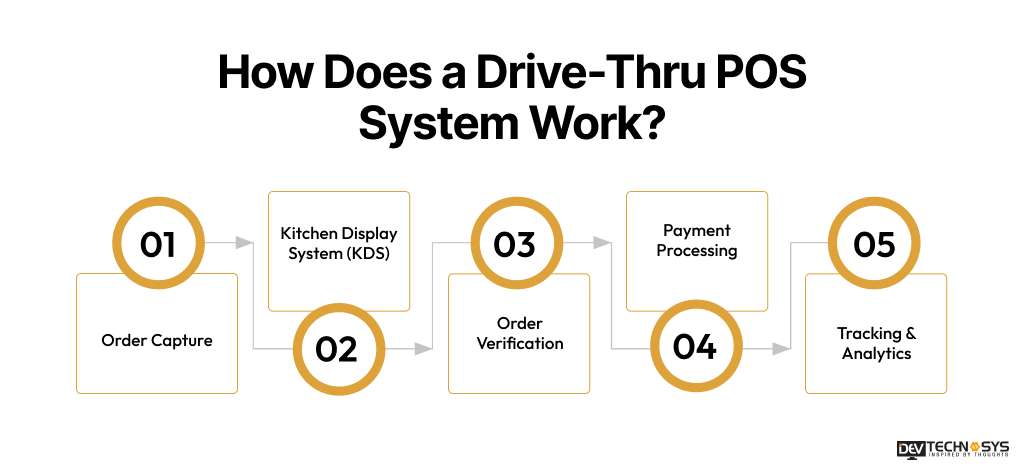
1. Order Capture
- Headsets & Tablets: Staff take and enter orders in real time.
- Mobile and Self-service Kiosk Integration: Restaurant automation software uses this functionality to enable direct order sync from apps and kiosks.
2. Kitchen Display System (KDS)
- Smart Routing: Orders are sent to the right kitchen stations instantly.
- Prioritization: Orders are put in order based on when they need to be done and how important they are.
3. Order Verification
- Confirmation Boards: Restaurant CRM software allows customers to verify orders on digital screens.
4. Payment Processing
- Window Transactions: Cashiers access orders instantly at the window.
- Tap & Go Payments: Allows NFC contactless payments through a smartphone, smartwatch, or tap-to-pay-enabled card.
5. Tracking & Analytics
- Drive-Thru Timers: Restaurant drive-thru software involves timers to track service and preparation times.
- Inventory Updates: Quick Service Restaurant POS automatically updates inventory after each order.
What Makes a Drive-Thru POS System Truly Scalable?
Modern point-of-sale (POS) systems help restaurants grow by handling more orders, busiest times, and new sites without having to replace all the hardware or completely rebuild the system. High-speed transactions, IoT-enabled restaurant operations, and ordering through multiple channels all work together smoothly. The key components to create a scalable drive-thru point-of-sale system are:
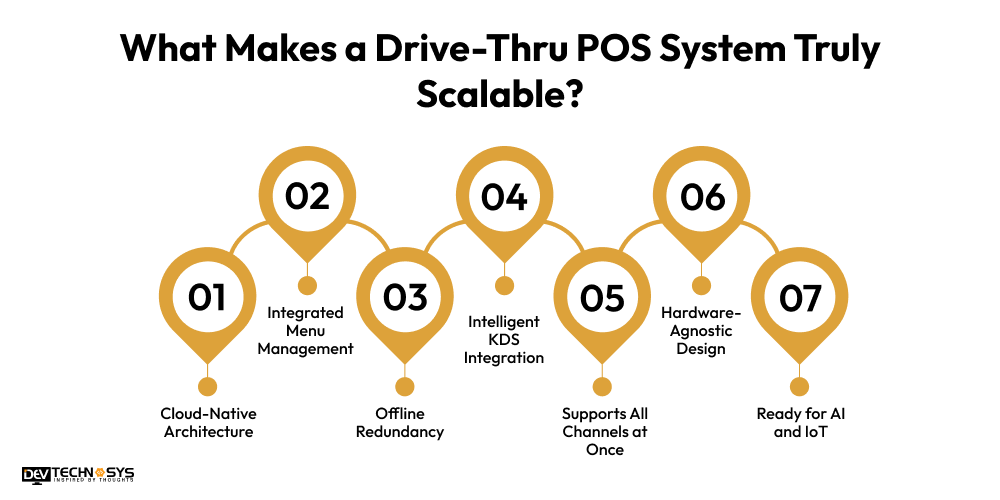
- Cloud-Native Architecture: Drive-thru restaurant POS system development enables centralized control for menu updates, pricing, and promotions across all locations in real time.
- Integrated Menu Management: Takes care of a single menu that can be used for buying at the store, on the go, or through a drive-thru.
- Offline Redundancy: When the internet goes down, orders and funds will still be processed, and data will be synced automatically later.
- Intelligent KDS Integration: This helps the kitchen run more smoothly and makes smart order pacing possible, which speeds up service.
- Supports All Channels at Once: Online orders, delivery apps, and drive-thru orders are all managed from the same place.
- Hardware-Agnostic Design: You can do your work on tablets, point-of-sale systems, or cell phones with this design, which doesn’t depend on the hardware.
- Ready for AI and IoT: The voice recognition ordering feature, forecast tracking tools, and smart automation technologies all work well with it.
What are the Types of Drive-Thru Restaurant POS Systems?
Each type of point-of-sale (POS) system has its own features and functions that can be used in different types of restaurants with different sizes, needs, and business goals. Here are some of the most common types of point-of-sale methods used in drive-thru restaurants:
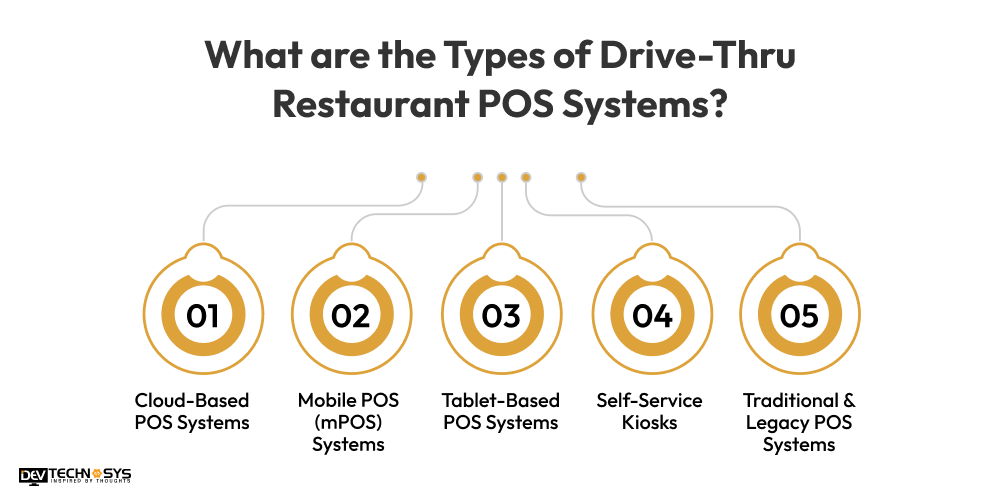
1. Cloud-Based POS Systems
Cloud-native POS architecture enables POS systems to host all transaction data and menu updates on secure remote servers. Cloud-based restaurant POS enables seamless multi-terminal POS synchronization with online ordering platforms and delivery apps in real-time. Hire experts from top POS software development companies if you want to develop a cloud-based POS system.
2. Mobile POS (mPOS) Systems
Handheld devices, like smartphones or sturdy tablets, are used by mobile point-of-sale systems to take orders directly from customers in their cars. They let workers walk the line during busy times, which cuts down on wait times and jams by a large amount. They speed up the order-taking process and let credit cards be processed contactlessly right there at the window, before the car gets there.
3. Tablet-Based POS Systems
It replaces bulky, traditional registers with intuitive tablets (such as iPads) that run specialized QSR software. They are often mounted at the payment window or used by headset-wearing staff at stationary ordering stations.
These drive-thru ordering systems are highly user-friendly, require minimal employee training, and are generally more affordable. If you want a similar POS developed, reach out to professional POS software development services.
4. Self-Service Kiosks
Self-service point-of-sale software has touch screens that stand alone and face the customer. Drivers can pull them up, look at the menu, and pay on their own. In the drive-thru lane, they are put right before the main buying post. This helps with drive-thru customer management, keeps orders accurate, and speeds up the line.
A self-service POS system improves restaurant operations by lowering labor costs and order mismanagement while giving customers full control over customization.
5. Traditional & Legacy POS Systems
These platforms depend on fixed point-of-sale (POS) terminals, cash drawers, and printers for real receipts that are wired to a local computer on-site. The traditional drive-thru form has a cashier type in the order that was spoken over an intercom headset. They are reliable and fully functional even when the internet is down, as they don’t depend on cloud connectivity.
Want a chatbot demo or pricing? Fill the form and talk to our experts today.
Pick what you need below — you can select more than one — then tap Get detail to continue.
-
Chatbot demo dashboard
-
Cost to develop an app
-
Industry report
-
Case study
5 Best Drive-Thru Restaurant POS Systems in 2026
It is very important for restaurants that want to improve service speed, order accuracy, and overall operating efficiency to pick the right drive-thru POS system. Today’s point-of-sale (POS) systems come with advanced features like kitchen automation and real-time data that make running a busy drive-thru easier.
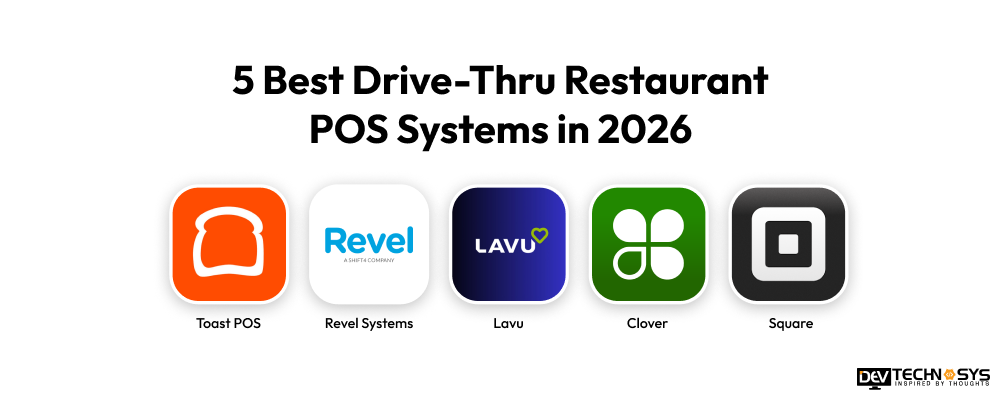
POS System |
Best For |
Why It Stands Out |
Pricing Model |
Toast POS |
Medium to large restaurants | Highly scalable restaurant-focused platform | Custom pricing (subscription-based) |
| Revel Systems | Enterprise restaurants | Cloud + offline hybrid reliability | High-end subscription model |
| Lavu | Small to mid-size restaurants | Simple and cost-effective deployment | Monthly subscription |
| Clover | Small businesses | Strong ecosystem with integrated payments | Hardware + subscription fees |
| Square | Small restaurants & startups | Easy setup with low entry cost | Free + transaction-based fees |
1. Toast POS
Best for: Multi-lane drive-thru operations and growing restaurant franchises
Key Drive-Thru Features:
- Seamless integration with drive-thru hardware and digital menu boards
- Real-time kitchen display system (KDS) routing for faster food preparation
- Speed-of-service reporting and bottleneck tracking
- Mobile order and payment support for quicker customer handling
- Cloud-based management with multi-location support
Pricing: Software plans start from $5 to $49/month, with enterprise pricing available for larger restaurant chains.
If you want a drive-thru restaurant POS system development similar to this, contact a custom software development company.
2. Revel Systems
Best for: Enterprise-level restaurants with advanced drive-thru requirements
Key Drive-Thru Features:
- Integrated drive-thru timers for measuring service speed
- Outdoor-compatible hardware designed for high-volume environments
- Dedicated expo screens to streamline window order fulfillment
- Advanced inventory and kitchen workflow management
- Supports multiple drive-thru lanes and centralized restaurant operations
Pricing: Custom quote-based pricing depending on restaurant size, hardware, and feature requirements.
3. Lavu
Best for: Quick-service restaurants seeking flexible drive-thru operations. For development, approach a skilled restaurant POS app development company.
Key Drive-Thru Features:
- Dual-lane order routing for faster service management
- Real-time inventory tracking and waste monitoring tools
- Highly customizable interface for unique restaurant workflows
- Integrated online ordering and restaurant loyalty management
- Data analytics & reporting dashboard
Pricing: Plans typically range from $39/month to $58/month based on selected features.
4. Clover
Best for: Clover drive-thru restaurant POS system development is best for restaurants prioritizing ease of use and sleek POS hardware.
Key Drive-Thru Features:
- Intuitive touchscreen interface for faster employee onboarding
- Offline payment processing during internet outages
- Built-in customer engagement and loyalty tools
- Contactless and mobile payment support
- Compact hardware suitable for small and medium-sized restaurants
Pricing: Starts around $74.95/month plus payment processing fees.
5. Square
Best for: Independent restaurants, cafes, and food trucks needing affordable POS solutions
Key Drive-Thru Features:
- Quick setup with an easy-to-use cloud-based dashboard
- Open API for custom drive-thru integrations and third-party tools
- Supports digital payments, online ordering, and curbside pickup
- Flexible inventory and employee management tools
- Scalable solution for small businesses expanding operations
Pricing: Standard restaurant POS plans start at approximately $40/month plus transaction processing charges.
What are the Business Benefits of a Drive-Thru POS System?
Businesses are constantly in search of new profitable ventures, and drive-thru restaurant POS system development is one of those ventures. This section discusses the reasons why investing in a drive-thru restaurant POS system is beneficial for businesses.
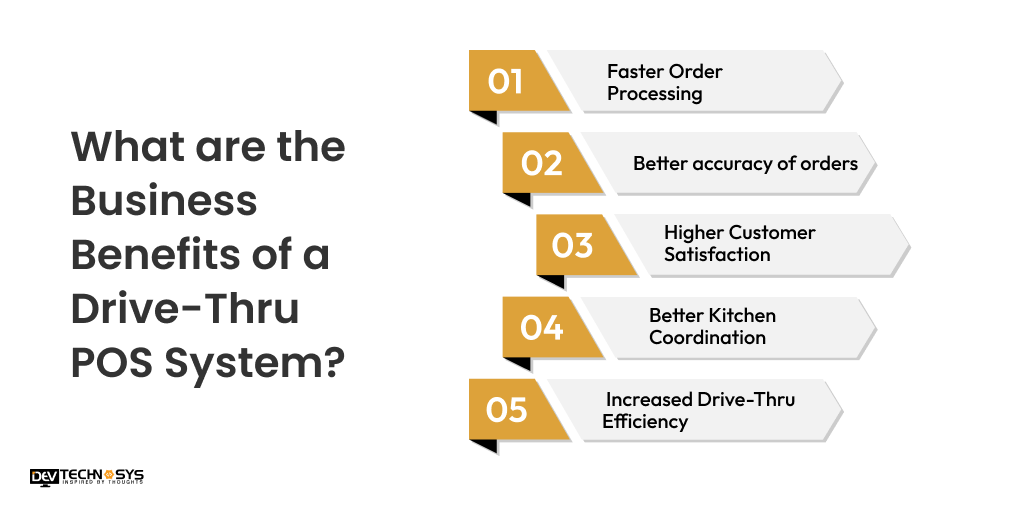
1. Faster Order Processing
To increase the order-taking speed, billing, and payment management, the restaurant uses a drive-thru point-of-sale (POS) system. It helps restaurants cut down on wait times for customers, speed up service, and handle high vehicle traffic during busy times with no operational delays.
2. Better accuracy of orders
Drive-thru restaurant POS system development brings benefits like digital order management and real-time kitchen synchronization. This makes sure that customers get correct meals, personalized requests, and the same high level of service at all drive-thru locations and buying channels.
3. Higher Customer Satisfaction
One of the major benefits of drive-thru POS systems includes higher customer satisfaction. Faster service, correct orders, and easy payment make things easier for customers, improve dining experiences, get people to come back, and build long-term customer trust for businesses with drive-thru windows.

4. Better Kitchen Coordination
Integrated kitchen display systems send orders directly to the designated preparation station. The best POS system for drive-thru restaurants helps the kitchen staff in restaurant inventory management, handling operations more effectively, communicating more clearly, and making meals faster when they are busy.
5. Increased Drive-Thru Efficiency
The multi-location restaurant POS makes it easier to handle orders, process payments, and manage vehicle movement. This way, restaurants will get to serve customers faster, keep lines from getting too long, and improve total drive-thru operational performance.
Industry Insights:
According to QSR Magazine, Businesses investing in intelligent POS technology are gaining advantages in speed, operational efficiency, customer retention, and revenue growth.
Smart Steps to Develop a Drive-Thru Restaurant POS System
Finally! Time to address the elephant in the room: “How to develop a drive-thru POS system.” Well, making a point-of-sale system for a drive-thru restaurant needs a structured approach that includes scalable design, processing orders in real time, and integrating secure payments. Let’s take a look at the crucial steps involved in custom drive-thru restaurant POS software development.
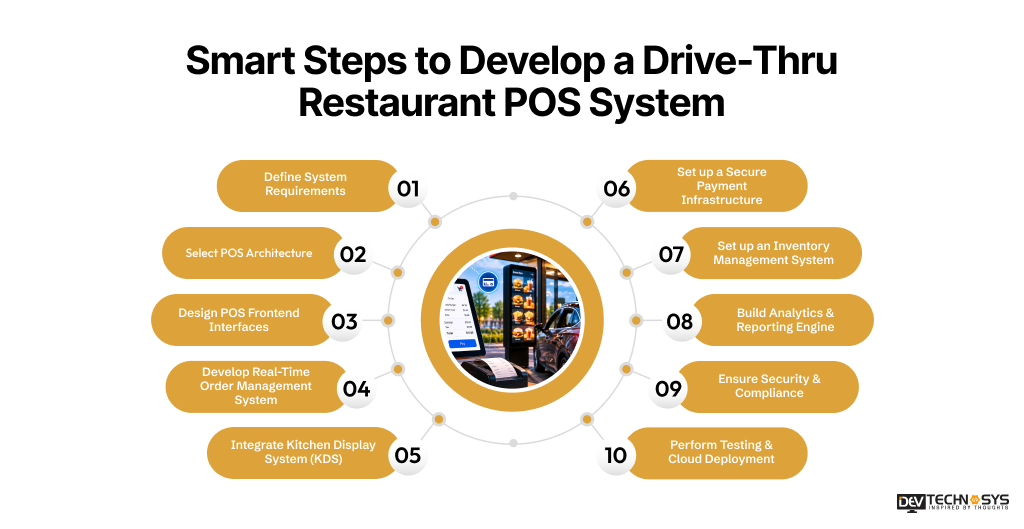
1. Define System Requirements
Document operational workflows, multi-lane handling, kitchen routing logic, payment methods, inventory synchronization, and concurrent user capacity before POS software development begins. According to experts who provide POS software development services, proper requirement analysis reduces architectural conflicts, improves scalability planning, and minimizes redevelopment during later development stages.
2. Select POS Architecture
Whether you want to build POS software for small businesses or for big restaurant chains, you need to choose the right architecture for your POS. Choose between the cloud-native, on-premise, or hybrid architecture based on transaction volume and scalability requirements.
Cloud-native systems commonly use microservices architecture, REST APIs, Docker containers, and Kubernetes orchestration for modular deployment, load balancing, and easier infrastructure scaling.
3. Design POS Frontend Interfaces
Using current frontend frameworks, you can make responsive interfaces that work best on POS terminals, tablets, kiosks, and handheld devices. Efficient UI design speeds up the processing of orders, cuts down on the time it takes for cashiers to interact with customers, and makes sure that the system works the same way in all of the restaurant’s hardware environments.
Industry Insights:
According to McDonald’s, reducing service friction through digital ordering interfaces and self-service technologies has become a major operational priority across drive-thru environments.
4. Develop Real-Time Order Management System
Use WebSocket communication or event-driven design for software product development to process orders in real time so that cashier terminals, kitchen displays, and drive-thru stations are all in sync right away. A restaurant order management system helps in cutting down on latency, ensures orders are correct, and makes it possible for a lot of deals to happen at the same time.
5. Integrate Kitchen Display System (KDS)
You can easily send orders to the right kitchen stations by using event streaming or API-driven integration. Intelligent KDS routing makes it easier for kitchen staff to work together, gets rid of the need to handle tickets by hand, and finds the best time to make meals during busy times.
6. Set up a Secure Payment Infrastructure
Top hotel POS software development companies include payment platforms that are PCI-DSS compliant and work with EMV cards, NFC payments, QR codes, Apple Pay, and Google Pay. Tokenization, encrypted transaction processing, and safe API contact all lower the risk of payment fraud and make transactions more reliable.
7. Set up an Inventory Management System
Use SKU mapping, ingredient deduction logic, and centralized database synchronization to keep track of your supplies in real time. People often use relational databases like PostgreSQL or MySQL to keep track of organized inventory and make sure that transactions are always consistent.
8. Build Analytics & Reporting Engine
To build your own POS system, add analytics tools for keeping track of transactions, analyzing throughput, making sales predictions, keeping an eye on employee performance, and reporting on operations. Data pipelines and cloud analytics tools help make operational decisions in real time and improve business information.
9. Ensure Security & Compliance
Set up safe API gateways, tokenized payment systems, AES-256 encryption, RBAC (Role-Based Access Control), and MFA (Multi-Factor Authentication). These security measures keep customer info safe, stop people from getting in without permission, and make sure that PCI-DSS standards are met.
Industry Insights:
The National Institute of Standards and Technology (NIST) MFA Guidelines state that multi-factor authentication significantly strengthens system security by adding additional identity verification layers beyond passwords.
10. Perform Testing & Cloud Deployment
According to our expert QA analysis, thorough testing and cloud deployment are essential before launch. Businesses must ensure unit testing, load testing, API validation, stress testing, and delay analysis before deploying the drive-thru POS software. CI/CD automation in cloud deployment pipelines improves release management, system stability, scalability, and performance optimization over time across all restaurant sites.
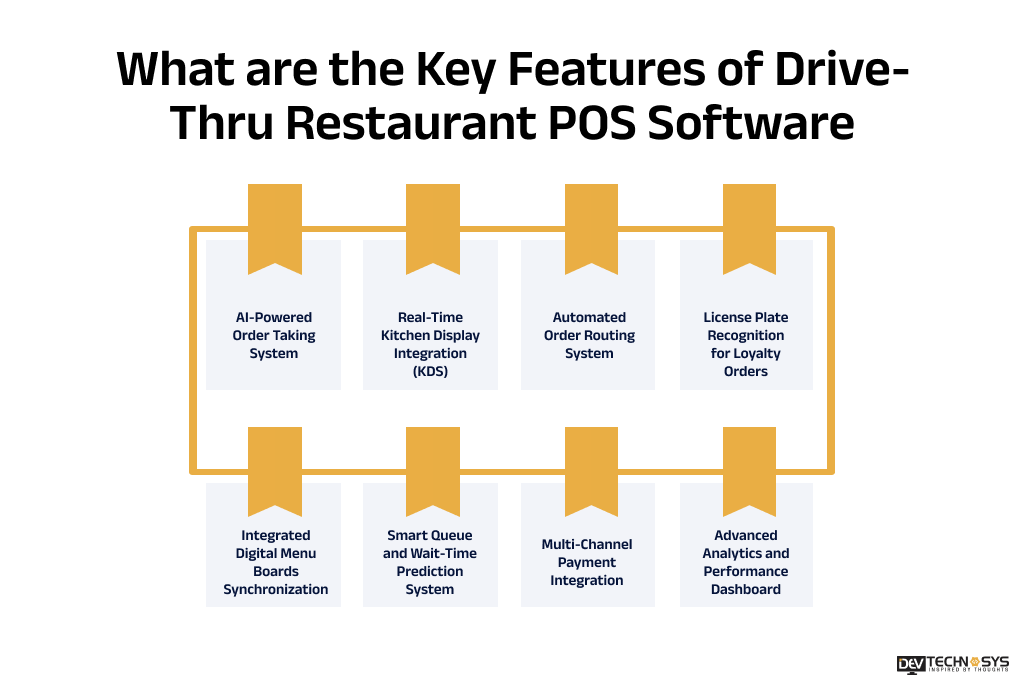
What are the Key Features of Drive-Thru Restaurant POS Software?
To build a secure and highly functional drive-thru restaurant POS system, your hospitality POS software development experts need to add essential features to incorporate both core and advanced features that streamline ordering, payment processing, and kitchen coordination. Here are some key features of drive-thru restaurant POS software that ensure faster service, improved accuracy, and scalable restaurant operations across multiple locations.
Feature Area |
Customer Panel |
Staff Panel |
Admin Panel |
Ordering |
QR ordering, digital menu | Order routing, KDS sync | Menu & pricing control |
| Payments | NFC/contactless payments | Payment terminal integration | Transaction monitoring |
| Kitchen Ops | Order tracking, ETA | KDS, queue management | Workflow configuration |
| Communication | Multilingual UI | Real-time POS–kitchen sync | Alerts & notifications |
| Access | Loyalty login | Role-based access | RBAC management |
| Analytics | Order history | Shift reports | Sales dashboard |
| Integrations | Mobile/kiosk sync | Hardware integration | API management |
| Security | Encrypted login | Secure transactions | PCI-DSS compliance |
| Deployment | App access | Offline mode | CI/CD updates |
1. AI-Powered Order Taking System
Uses artificial intelligence to capture and process customer orders via voice or touchscreen. It reduces human errors, speeds up order entry, and ensures accurate customization during high-traffic drive-thru operations.
2. Real-Time Kitchen Display Integration (KDS)
Orders placed at the drive-thru are instantly sent to the kitchen display screens. This eliminates paper tickets, improves order visibility, and ensures faster preparation with better coordination between front and back staff.
3. Automated Order Routing System
Smart routing directs orders to the correct kitchen stations based on item type. It reduces confusion, prevents bottlenecks, and ensures efficient preparation of complex multi-item drive-thru orders.
4. License Plate Recognition for Loyalty Orders
Advanced POS can recognize returning customers through license plates. It auto-fetches previous orders or loyalty profiles, enabling faster repeat ordering and highly personalized drive-thru experiences.
5. Integrated Digital Menu Boards Synchronization
Menus update in real-time across POS and drive-thru display boards. This ensures pricing accuracy, promotes limited-time offers instantly, and eliminates manual menu update delays during peak hours.
6. Smart Queue and Wait-Time Prediction System
AI-driven analytics estimate preparation and queue time based on order volume. It helps manage customer expectations, optimize staffing, and improve overall drive-thru flow efficiency during rush hours.
7. Multi-Channel Payment Integration
A drive-thru POS software development company in USA ensures multi-channel payment methods in the POS system. It supports contactless cards, mobile wallets, QR codes, and in-car payments. This speeds up checkout, reduces cash handling, and enhances customer convenience at the drive-thru window.
8. Advanced Analytics and Performance Dashboard
Provides real-time insights into sales, order speed, peak hours, and employee efficiency. Managers can use this data to optimize operations, reduce wait times, and increase overall profitability.
What are the Challenges in Drive-Thru POS Software Development?
Developing drive-thru POS software comes with several technical and operational challenges due to the need for speed, accuracy, and real-time coordination. Here are the key challenges in drive-thru POS software development:
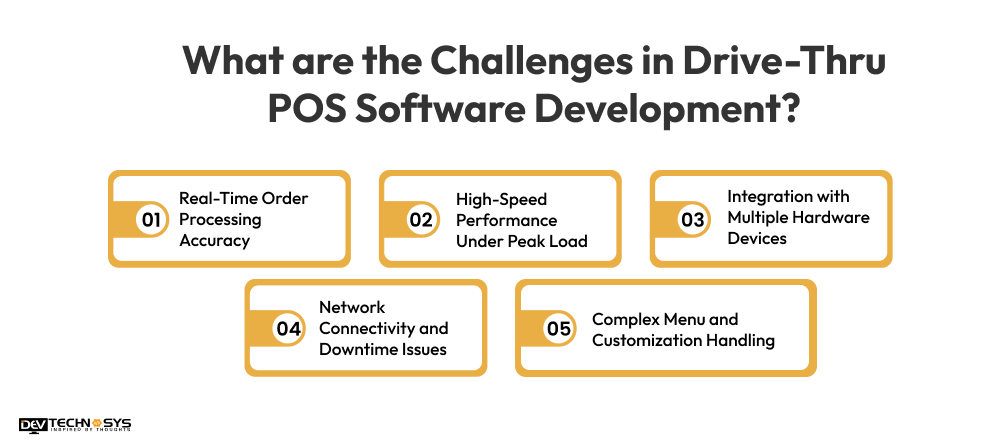
1. Real-Time Order Processing Accuracy
Drive-thru systems must process orders instantly without delays or errors. Even a small lag or mismatch between customer input and kitchen display can lead to incorrect orders and poor customer experience during peak hours.
2. High-Speed Performance Under Peak Load
Drive-thru restaurants face extreme rush-hour traffic. Ensuring the POS system remains fast, responsive, and crash-free under thousands of simultaneous transactions is a major technical challenge.
3. Integration with Multiple Hardware Devices
POS software must work seamlessly with KDS screens, payment terminals, printers, menu boards, and sensors. Managing compatibility across different hardware vendors increases complexity in development and testing.
4. Network Connectivity and Downtime Issues
Drive-thru operations rely heavily on stable internet connectivity. Any network failure can disrupt order processing, payments, and kitchen communication, making offline functionality essential but difficult to implement.
5. Complex Menu and Customization Handling
Drive-thru menus often include modifiers, combo meals, and location-based pricing. Designing a system that handles complex customization without slowing down the ordering process is challenging.
How to Calculate Cost For Custom Restaurant Software Development?
To calculate the custom drive-thru restaurant POS software development cost, you have to multiply the estimated hours spent on development for all project roles by the hourly rates of engineers in your area, then add in backup plans and fees for third-party integration. The step-by-step method for figuring out costs is:
1. Calculate Labor Costs
\(\text{Labor Cost} = \sum (\text{Task Hours} \times \text{Resource Rate})\)
2. Add Infrastructure & Tools
\(\text{Infra} = \text{Hosting} + \text{Third-Party APIs} + \text{Software Licenses}\)
3. Apply Risk Contingency
\(\text{Risk} = \text{Labor Cost} \times \text{Risk Multiplier}\)
4. Determine Profit Margin
\(\text{Margin} = (\text{Labor Cost} + \text{Infra} + \text{Risk}) \times \text{Margin Percentage}\)
According to a top restaurant POS development company in NYC, the most important things are the number of features, the design of the user interface (UI/UX), the integrations, the technology stack, and the testing needs. The total drive-thru restaurant POS system development cost usually goes up by 15% to 25% because of extra costs like cloud storage, maintenance, and third-party APIs.
How Much Does it Cost to Develop Drive-Thru Restaurant POS Software?
The cost to develop drive-thru restaurant POS software is between $8,000 to $30,000+, depending on features, integrations, and scalability. The basic cost to develop a restaurant POS system with order management, menu handling, and billing usually costs around $8,000 to $15,000.
The cost of custom software development with AI ordering, real-time queue management, and multi-location support can cost $22,000 to $30,000+. Ongoing expenses like cloud hosting, maintenance, and third-party integrations may add 15% to 25% annually.
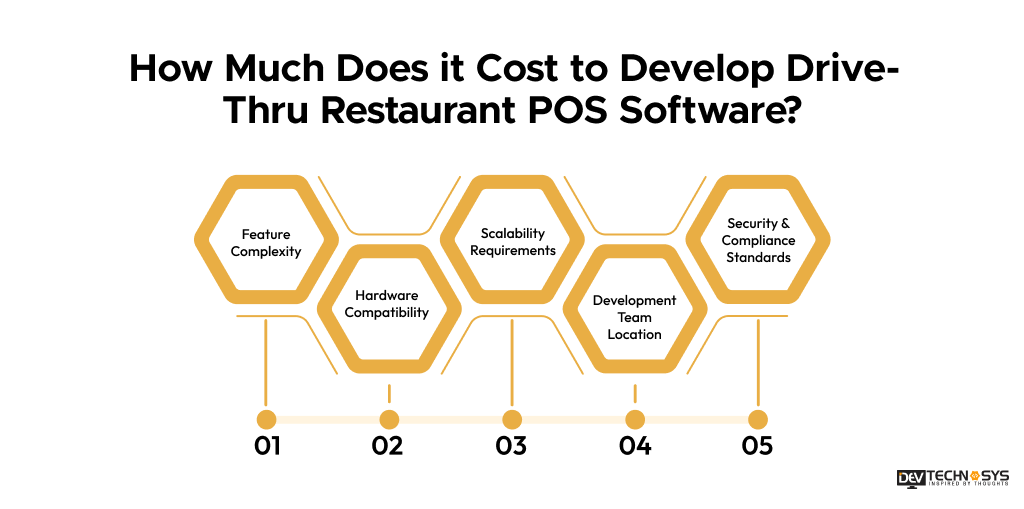
1. Feature Complexity
Advanced features like AI ordering, real-time queue management, license plate recognition, and smart routing significantly increase development effort. More complex functionalities require additional backend logic, testing, and optimization, directly raising the overall cost to build drive-thru software development
2. Hardware Compatibility
The cost to develop a restaurant POS system is affected by the hardware compatibility. Drive-thru POS must integrate with kiosks, printers, kitchen display systems, scanners, and payment terminals.
Ensuring smooth communication between multiple hardware devices requires extensive testing, customization, and troubleshooting, increasing the cost to build Drive-Thru restaurant POS software.
3. Scalability Requirements
Building a restaurant POS software for fast food chains that supports multiple outlets, high transaction volumes, and peak-hour traffic requires a scalable architecture. This includes load balancing, cloud infrastructure, and database optimization, which significantly increases the cost to build drive-thru restaurant POS software.
4. Development Team Location
The cost to develop drive-thru restaurant POS software varies based on geography. If you hire POS software developers from US and European teams, the hourly charges will be higher, while offshore teams in Asia offer lower costs. However, experience level, expertise, and communication efficiency also impact the final project budget.
5. Security & Compliance Standards
Ensuring secure payment processing, PCI-DSS compliance, encryption, and fraud prevention requires additional development effort. Strong security architecture and regular audits are necessary, increasing both implementation complexity and overall cost to build drive-thru restaurant POS software.
Factor |
Cost Impact (%) |
Timeline |
Estimated Cost |
| Feature Complexity | 35% | 2–10 months | $3,000 to $8,000 |
| Hardware Compatibility | 10% | 1–3 months | $6,000 to $11,000 |
| Scalability Requirements | 20% | 3–6 months | $5,000 to $12,000 |
| Development Team Location | 25% | Entire project duration | $8,000 to $15,000 |
| Security & Compliance Standards | 10% | Ongoing throughout development | $4,000 to $10,000 |
Development Timeline for Drive-Thru POS Systems
It usually takes 2 to 10 months or more to build a drive-thru POS system, based on how complicated the process is. It takes one to two weeks to plan, two to four weeks for UI/UX design, seven to fourteen weeks for backend and frontend programming, three to five weeks for integrations, two to four weeks for testing, and one to two weeks for deployment. The timeline is much longer now that it has advanced AI and growth features. After launch, maintenance keeps going.
Phase |
Timeline |
Description |
Requirement Analysis & Planning |
1–2 weeks | Define features and system scope. |
| UI/UX Design | 2–4 weeks | Design a fast, simple drive-thru interface. |
| Backend Development | 4–8 weeks | Build core system logic and database. |
| Frontend Development | 3–6 weeks | Develop POS screens and dashboards. |
| Hardware & API Integration | 3–5 weeks | Connect devices and third-party APIs. |
| Testing & QA | 2–4 weeks | Test performance, security, and accuracy. |
| Deployment & Launch | 1–2 weeks | Go-live setup and cloud deployment. |
| Maintenance & Updates | Ongoing | Fixes, updates, and improvements. |
The Technology Stack Behind Modern Drive-Thru Giants
Modern drive-thru POS systems use technologies like React, Node.js, and Python with cloud platforms such as AWS or Azure. To build restaurant POS software, you need to integrate databases, payment APIs, AI tools, and DevOps frameworks for scalability, speed, and secure real-time operations. These technologies ensure seamless order processing, faster service, and improved customer experience during peak restaurant hours.
Layer |
Technologies Used |
Frontend |
React.js, Angular, Flutter, React Native |
| Backend | Node.js, Java, .NET, Python, Microservices |
| Database | PostgreSQL, MySQL, MongoDB, Redis |
| Cloud Infrastructure | AWS, Azure, Google Cloud, Docker, Kubernetes |
| Payment & Integration | Stripe, Square, PayPal APIs, POS SDKs |
| AI & Automation | Machine Learning, NLP, Computer Vision |
| DevOps & Security | CI/CD tools, OAuth 2.0, JWT, PCI-DSS compliance |
You can reach out anytime; we are available 24/7. Our team provides a quick response.

Cloud POS vs Legacy POS: Which One is Better?
The major differences between Cloud POS and Legacy POS are how they are deployed, how they can grow, and how they can be used. Since cloud POS is built on servers connected to the internet, it allows for real-time data access, management from afar, and automatic updates. This makes it perfect for modern restaurants with multiple locations.
Legacy POS is installed on local servers and can do simple things offline, but it can’t be scaled up, used with other systems, or give real-time information. On the whole, Cloud POS works better in today’s busy drive-thru and restaurant settings. Here’s the table highlighting the difference between Cloud POS vs Legacy POS systems.
Feature |
Cloud POS |
Legacy POS |
Deployment |
Cloud-based | On-premise |
| Access | Anywhere, real-time | Limited to the local system |
| Updates | Automatic | Manual |
| Scalability | High | Low |
| Cost Model | Subscription-based | High upfront cost |
| Integrations | Easy API integrations | Limited integrations |
| Performance | Real-time processing | Slower under heavy load |
| Maintenance | Low effort | High effort |
Conclusion
Drive-thru restaurant POS system development plays a crucial role in getting modern quick-service restaurants to work faster, more accurately, and make customers happier. Businesses can cut wait times and improve working efficiency by combining advanced features, streamlined workflows, and real-time data processing. Investing in a strong drive-thru point-of-sale (POS) system improves performance, brings in more money, and makes the customer experience smoother.
If you are a business wanting to enter this lucrative industry with your own drive-thru restaurant POS software, then contact Dev Technosys, a leading restaurant POS software development company in USA. With 15+ years of experience and support of 250+ skilled developers and designers, we provide custom-built POS systems tailored to your restaurant business needs.
Frequently Asked Questions
Find answers to the most common questions related to this article.
Smart restaurants use AI, CRM data, and license plate recognition to identify repeat customers. This enables personalized menus, faster ordering, targeted offers, and loyalty-based recommendations, improving customer satisfaction and repeat sales.
High-volume drive-thrus face issues like peak-hour congestion, order miscommunication, staff coordination gaps, and system overloads. Without real-time POS optimization, these challenges lead to longer wait times and reduced service accuracy.
Drive-thru POS systems use AI-based upselling, combo suggestions, and real-time prompts to encourage add-on purchases. Smart menu sequencing and personalized recommendations also help increase order size and revenue per customer.
Digital menu boards sync directly with POS databases in real time. Any changes in pricing, availability, or promotions are instantly updated across displays, ensuring consistency and improving order accuracy.
Computer vision is used for license plate recognition, vehicle detection, and queue monitoring. It helps identify returning customers, manage traffic flow, and enhance personalized service in drive-thru operations.
Professional companies provide expertise in scalable architecture, secure payment integration, compliance standards, and custom features. They ensure faster deployment, reduced risks, and long-term technical support for restaurant businesses.
Cloud-based POS systems offer real-time access, automatic updates, lower maintenance, and better scalability. Unlike legacy systems, they support multi-location operations, advanced integrations, and faster decision-making.