


















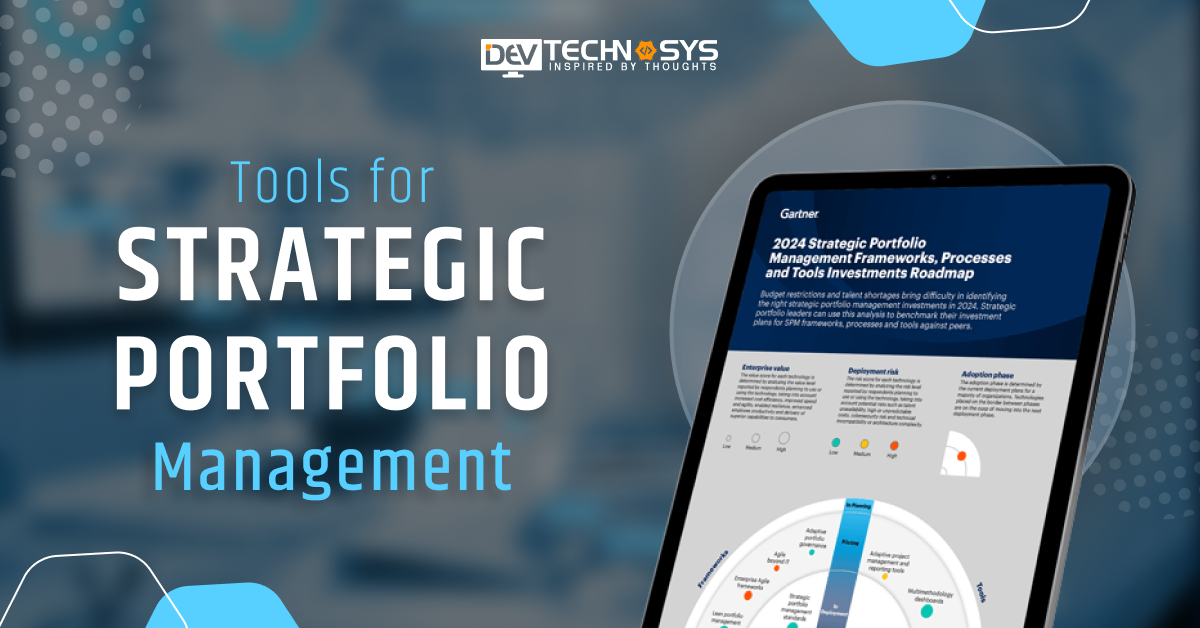
If you focus wisely on the current businesses and industries, majorly they are focusing on the management of different elements like tasks and assets. This process is known as Portfolio management that allows business professionals to maintain multiple things at a single platform. To fulfill this particular process, there are various tools for Strategic Portfolio Management in 2025 available.
Different types of management processes like risk, asset, operations, and services can be easily performed with the help of these tools. Their discussion is very important for businesses to streamline work efficiency and enhance productivity.
In this blog, we are discussing the top 10 tools for Strategic Portfolio Management in 2025. But, first it is important to understand the role of SPM. So, let us get started.
What is Strategic Portfolio Management?
Overseeing and maximizing a group of investments or initiatives in order to match them with an organization’s long-term goals and objectives is known as strategic portfolio management. It guarantees that IT service management funds are distributed efficiently across different projects, striking a balance between risk and profit.
The procedure aids in determining the ideal combination of resources or initiatives to optimize value and accomplish strategic success. Organizations can react to shifting market conditions and opportunities by regularly assessing and modifying the portfolio.
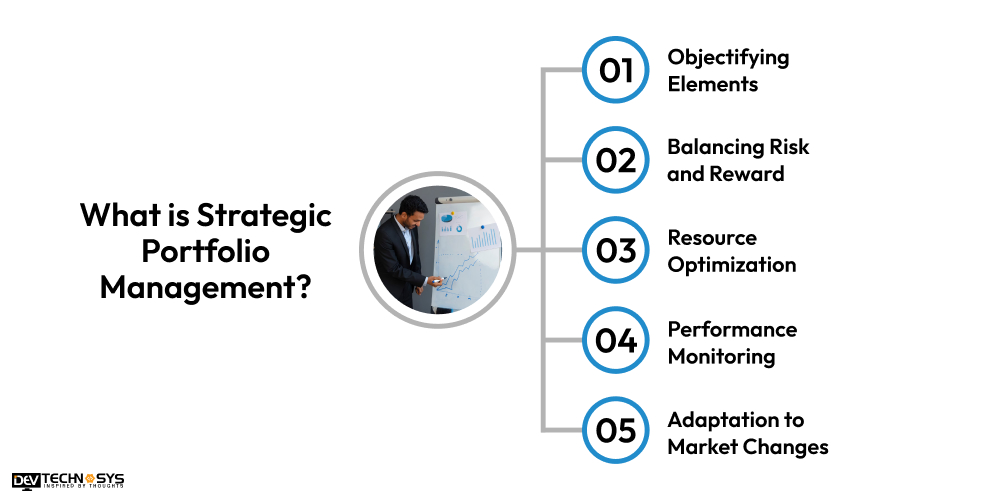
1. Objectifying Elements
Strategic portfolio management guarantees that every project or investment is in line with the organization’s overarching goals. This alignment contributes to overall profitability and success.
2. Balancing Risk and Reward
To make sure that the possible benefits surpass the hazards, it entails balancing the risk exposure of different assets. Using ServiceNow consulting services can maximize profits while reducing possible losses.
3. Resource Optimization
The procedure aids in directing financial, temporal, and human resources toward the most promising endeavors or investments. Overall operational efficiency is increased as a result.
4. Performance Monitoring
Regular evaluations of each project’s success in relation to predetermined metrics are part of portfolio management. Businesses can ensure ongoing connection with ServiceNow migration services, corporate objectives and grants modifications.
5. Adaptation to Market Changes
By modifying the portfolio in response to shifting market conditions or corporate goals, strategic portfolio management helps firms maintain their flexibility. Retaining competitiveness requires this response.
Leading Tools for Strategic Portfolio Management in 2025
By 2025, strategic portfolio management technologies will be essential for maximizing resources and reducing risks while coordinating investments and projects with organizational objectives. To improve decision-making, these solutions combine real-time reporting, sophisticated data analytics, and AI-driven insights. Businesses may make sure that their portfolios stay flexible, effective, and in line with long-term performance by utilizing these tools.
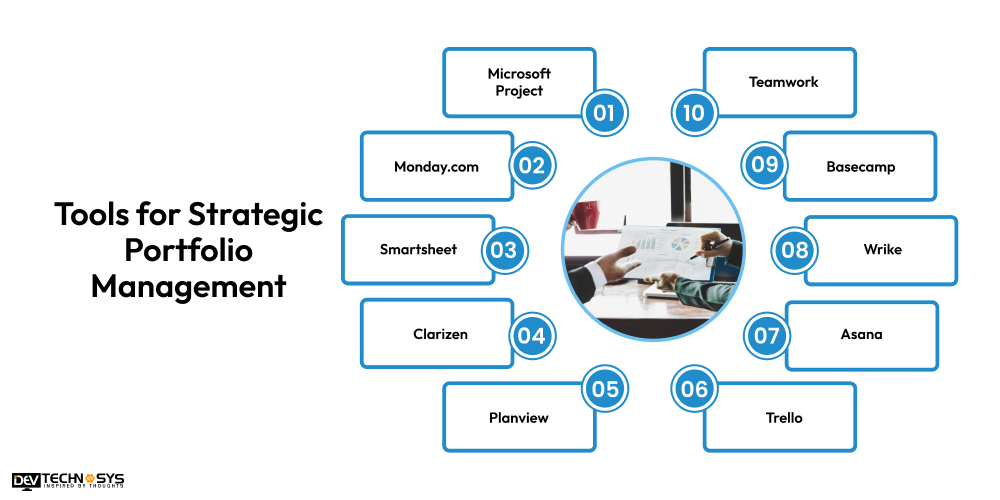
1. Microsoft Project
Microsoft Project is a comprehensive tool for portfolio management, offering features for project planning, scheduling, and resource management. It enables real-time collaboration, allowing teams to work together on project timelines and budgets. The tool’s integration with ServiceNow support services and other Microsoft 365 apps provides seamless data sharing and analysis.
Features
Gantt Charts: Visualize project timelines, tasks, and dependencies.
Task Management: Assign tasks, set deadlines, and track progress.
Resource Management: Allocate and track resources across multiple projects.
Customizable Reporting: Generate reports tailored to your project’s needs.
Advantages
Comprehensive Toolset: Offers a complete set of project management tools for various needs.
Integration with Microsoft Tools: Seamlessly integrates with Microsoft Office and Teams.
Advanced Scheduling: Provides detailed scheduling options, ensuring precise project planning.
Scalability: Suitable for both small teams and large, complex enterprise projects.
2. Monday.com
Monday.com is one of the best resource allocation tools that offers a flexible and visual platform to manage portfolios with ease. It provides intuitive dashboards that give a clear overview of all ongoing projects, tasks. Before using this tool you need to know what is ServiceNow. So, that you can allow teams to track project progress and make real-time adjustments, improving efficiency. It integrates with various applications like Slack, Google Drive, and Zoom to enhance collaboration.
Features
Customizable Workflows: Create and adjust workflows based on team needs.
Task Automation: Automate repetitive tasks like notifications and reminders.
Time Tracking: Track how much time is spent on tasks or projects.
Collaboration Tools: Share files, comment on tasks, and keep everyone updated in real time.
Advantages
User-Friendly Interface: Easy-to-use with a drag-and-drop interface.
Highly Customizable: Adaptable to any workflow or industry-specific needs.
Collaboration-Focused: Great for team communication and project updates.
Multiple Views: Visualize tasks through boards, timelines, Gantt charts, and calendar views.
3. Smartsheet
Smartsheet is a versatile tool that combines project management with portfolio tracking and reporting features. It offers cross-functional collaboration with customizable templates to manage project timelines, budgets, and dependencies, making it easier to track complex portfolios. Smartsheet integrates well with other business tools, enabling smooth data exchange and workflow automation.
Features
Gantt Charts: Plan projects with Gantt charts and dependencies.
Collaboration Tools: Share files, leave comments, and collaborate in real time.
Automation: Automate workflows and task assignments to increase efficiency.
Reporting and Dashboards: Create custom reports and dashboards to monitor performance.
Advantages
Flexible Interface: Works like a spreadsheet, making it easy for those familiar with Excel.
Real-Time Collaboration: Teams can work on projects and share updates instantly.
Powerful Integrations: Integrates with third-party apps like Google Workspace, Microsoft Teams, and Slack.
Advanced Data Handling: Manages complex data, making it suitable for large-scale projects.
4. Clarizen
Clarizen is an enterprise-grade cloud-based portfolio management tool that provides an intuitive platform for managing both strategic and operational projects. You can hire ServiceNow developers to offer advanced reporting tools to analyze project outcomes and portfolio performance against key metrics. Clarizen’s workflow automation capabilities help reduce manual intervention, freeing up resources for more strategic tasks.
Features
Custom Workflows: Tailor workflows for different project needs.
Resource Management: Assign and track resources effectively.
Advanced Reporting: Provides detailed reports and performance metrics.
Collaboration Tools: Real-time updates, task assignments, and team communication.
Advantages
Enterprise-Level Features: Ideal for large businesses and complex projects.
Integration with Other Tools: Connects with other enterprise software like Salesforce and Jira.
Comprehensive Resource Management: Helps balance workload and allocate resources efficiently.
Scalable: Grows with your business and can handle large project portfolios.
5. Planview
Planview offers a comprehensive portfolio optimization suite designed for both project and resource management. It helps organizations to understand what is ServiceNow implementation, so that they can prioritize investments and optimize resource allocation to maximize portfolio value. The platform supports strategic planning by aligning projects with organizational goals and provides detailed financial tracking.
Features
Portfolio Management: Track and manage a portfolio of projects in one place.
Resource Planning: Allocate resources effectively across multiple projects.
Financial Management: Keep track of project budgets and financials.
Risk Management: Identify and manage risks across projects.
Advantages
Comprehensive Reporting: Offers advanced reporting and data visualization tools.
Strategic Alignment: Helps align projects with business objectives and priorities.
Global Resource Management: Manage and optimize resources across global teams.
Scalable for Enterprises: Suitable for large organizations with complex project portfolios.
6. Trello
Trello is a user-friendly project management software that uses boards, lists, and cards to organize tasks and workflows. It’s ideal for small to medium-sized teams looking for a simple and visual way to manage projects. Trello offers flexibility with customizable templates, integrations, and automation features. Its drag-and-drop interface enhances collaboration and task tracking.
Features
Boards and Cards: Organize tasks using customizable boards and cards.
Task Labels: Assign labels to tasks for easy categorization.
Checklists: Break tasks into smaller steps using checklists.
Power-Ups: Integrate with third-party tools like Slack and Google Drive.
Advantages
Simple Interface: Very easy to use, making it ideal for small teams and individual projects.
Visual Task Management: The visual board layout makes task management intuitive.
Collaboration Features: Share boards and collaborate with team members easily.
Free Version: Trello offers a free version with enough features for basic project management.
7. Asana
Asana is a powerful project management platform that helps teams organize tasks, track progress, and collaborate in real-time. It offers features like task assignment, timelines, and reporting, enabling teams to manage both short-term tasks and long-term goals. It is beneficial to hire a ServiceNow development company to integrate Asana with third-party apps and make it adaptable for a variety of workflows and industries.
Features
Task Assignment: Assign tasks with deadlines, priorities, and dependencies.
Timelines: Visualize project progress with Gantt-style timelines.
Milestone Tracking: Track and manage milestones to monitor key project phases.
Integrations: Sync with various apps like Google Drive, Slack, and Microsoft Teams.
Advantages
Easy-to-Use Interface: Simple interface that facilitates quick adoption by teams.
Task Prioritization: Easily prioritize and track high-priority tasks.
Advanced Reporting: Provides robust reporting features to monitor progress.
Collaboration-Centric: Allows teams to communicate and track project status in real time.
8. Wrike
Wrike is a comprehensive software that offers project and work management solutions with task tracking, collaboration, and resource allocation. Addition of ServiceNow managed services can provide Gantt charts, time tracking, and custom workflows to keep teams aligned and efficient. Wrike is suitable for teams of all sizes and industries, providing a centralized platform to manage projects from start to finish.
Features
Task and Subtask Management: Create and manage tasks with dependencies and subtasks.
Gantt Charts: Visualize project schedules and timelines.
Time Tracking: Track the time spent on tasks and projects for better resource allocation.
Custom Workflows: Create custom workflows and processes for your team’s needs.
Advantages
Real-Time Collaboration: Collaborate and get updates in real-time.
Resource Management: Optimize team resources with detailed task assignment and tracking.
Reporting and Dashboards: Visualize project performance with customizable reports and dashboards.
Enterprise-Level Features: Ideal for medium to large teams with complex needs.
9. Basecamp
Basecamp is an intuitive enterprise project management tool that simplifies collaboration with features like to-do lists, file sharing, and message boards. It’s known for its simplicity and ease of use, making it ideal for smaller teams or those who prefer a straightforward approach to managing projects. Basecamp centralizes communication and task management in one platform.
Features
Task Lists: Create to-do lists for team members with deadlines and priorities.
File Sharing: Share documents and files within the platform for easy access.
Real-Time Messaging: Use team chat and message boards for communication.
Calendar View: Visualize project timelines and deadlines with the calendar tool.
Advantages
Simplicity: Easy to use, with a straightforward interface ideal for small teams.
Centralized Communication: Keeps all project communications in one place.
Affordable Pricing: Offers a simple pricing structure with all features included.
Collaboration Tools: Allows team members to communicate and collaborate in real-time.
10. Teamwork
Teamwork is a project management tool designed to help teams plan, track, and deliver projects with ease. It offers task management, time tracking, document sharing, and reporting features, helping teams stay on track and meet deadlines. It is suitable to use HR service delivery with Teamwork for businesses of all sizes and integrates with various third-party applications for added functionality.
Features
Task Management: Organize tasks, set priorities, and assign due dates.
Time Tracking: Track time spent on tasks to manage workloads effectively.
Project Templates: Use pre-built templates for faster project initiation.
Collaboration Tools: Share files, message teams, and give feedback in real time.
Advantages
Comprehensive Project Management: Ideal for teams managing multiple projects at once.
Customizable: Offers various templates and customizable workflows.
Built-in Time Tracking: Helps teams log hours directly within the platform.
Third-Party Integrations: Easily integrates with tools like Slack, Google Drive, and Zapier.
How to Choose Right Strategic Portfolio Management Tools in 2025?
Choosing the right strategic portfolio management tools in 2025 is essential to optimize resources and achieve long-term goals. By considering various factors such as integration, scalability, and user experience, businesses can select the most suitable solution for their needs.
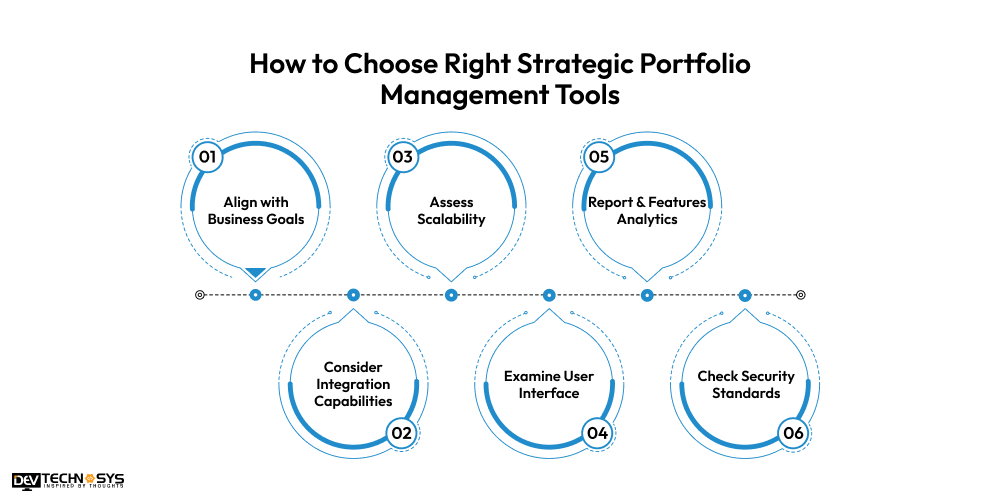
1. Align with Business Goals
The tool should align with your organization’s strategic objectives, helping you manage projects and investments that contribute to your long-term vision. It must provide features that support your specific portfolio needs, such as tracking performance or resource allocation. Ensure that the tool enables decision-making based on the business priorities.
2. Consider Integration Capabilities
Choose a tool that integrates seamlessly with other business systems, such as CRM, ERP, and financial management platforms. First refine your knowledge on how to use ServiceNow for IT service management. This reduces data silos and ensures smooth information sharing across departments. Easy integration helps improve workflow efficiency and consistency across your business operations.
3. Assess Scalability
As your business grows, your portfolio management needs will evolve, so the tool must be scalable. Look for tools that can handle increasing data volume, more complex projects, and greater resource requirements. A scalable tool allows you to expand capabilities and manage growth without significant disruptions or additional costs.
4. Examine User Interface
A user-friendly interface ensures smooth adoption by team members and reduces the learning curve. The tool assists businesses to create a dashboard in ServiceNow through intuitive navigation and easy-to-understand reports. A simplified user experience will lead to increased productivity and reduce the chances of errors or confusion.
5. Report & Features Analytics
Comprehensive reporting and data analysis capabilities are essential for monitoring portfolio performance and making data-driven decisions. Choose tools that offer customizable reports, visual analytics, and real-time performance tracking. This feature helps in identifying trends, optimizing resource allocation, and tracking strategic goals effectively.
6. Check Security Standards
Ensure that the tool meets industry-standard security protocols, such as encryption and multi-factor authentication, to protect sensitive financial data. Compliance with ServiceNow implementation services, such as GDPR or SOX, is crucial to avoid legal and financial risks. Security and compliance features ensure that the portfolio data remains secure and accessible only to authorized users.
Blog Summary!!
We have examined different tools for Strategic Portfolio Management in 2025 followed by suitable methods to choose the best tools. Now, it is your responsibility to again go through these tools and make use of them in your business. Additionally, it is necessary to conduct task prioritization to select suitable tools based on working capability.
It is necessary to identify benefits of ServiceNow managed services that are capable of transforming ordinary business processes. So, to keep your motive alive, investment in these tools is a beneficial move. Through which you can streamline business entities and make your processes more efficient.
Read Also!
What Is ServiceNow Implementation?
Benefits of ServiceNow Managed Services
Build a Custom Service Catalog in ServiceNow
Create a Dashboard in ServiceNow
ServiceNow for IT Service Management (ITSM)
FAQs
1. What are the top tools for strategic portfolio management in 2025?
In 2025, the leading tools for strategic portfolio management will focus on data analytics, real-time reporting, and AI-driven insights. Tools like Microsoft Project, Monday.com, and Smartsheet will enhance decision-making and resource allocation. These platforms provide integrated solutions for portfolio tracking and management.
2. How do these tools improve portfolio decision-making?
These tools use AI and machine learning to analyze vast amounts of data, providing actionable insights for strategic decisions. They also offer real-time reporting to track portfolio performance and identify areas for improvement. This results in more informed, data-driven decisions.
3. Are these tools customizable for different industries?
Yes, most strategic portfolio management tools are customizable to suit the unique needs of various industries. Features like project tracking, financial analysis, and resource management can be tailored to fit specific business objectives. This makes these tools versatile for both small and large-scale organizations.
4. What is the benefit of using AI in portfolio management?
- AI helps predict potential market trends and performance based on historical data and current market conditions.
- It automates repetitive tasks like data analysis and reporting, improving efficiency.
- AI-driven tools can offer personalized recommendations and alerts to optimize portfolio strategy.
5. How do these tools integrate with other business systems?
- Most portfolio management tools integrate seamlessly with CRM, ERP, and financial management systems.
- They allow for data sharing across platforms, reducing manual work and improving overall productivity.
- Integration ensures that all departments have access to real-time portfolio information, fostering collaboration.
6. What are the key features to look for in strategic portfolio management tools?
- Look for tools with robust reporting and analytics to monitor performance and inform decisions.
- Ensure the tool offers collaboration features to streamline team communication and workflow.
- Choose tools with resource management capabilities to optimize allocation and usage across projects.