


















Key Takeways:
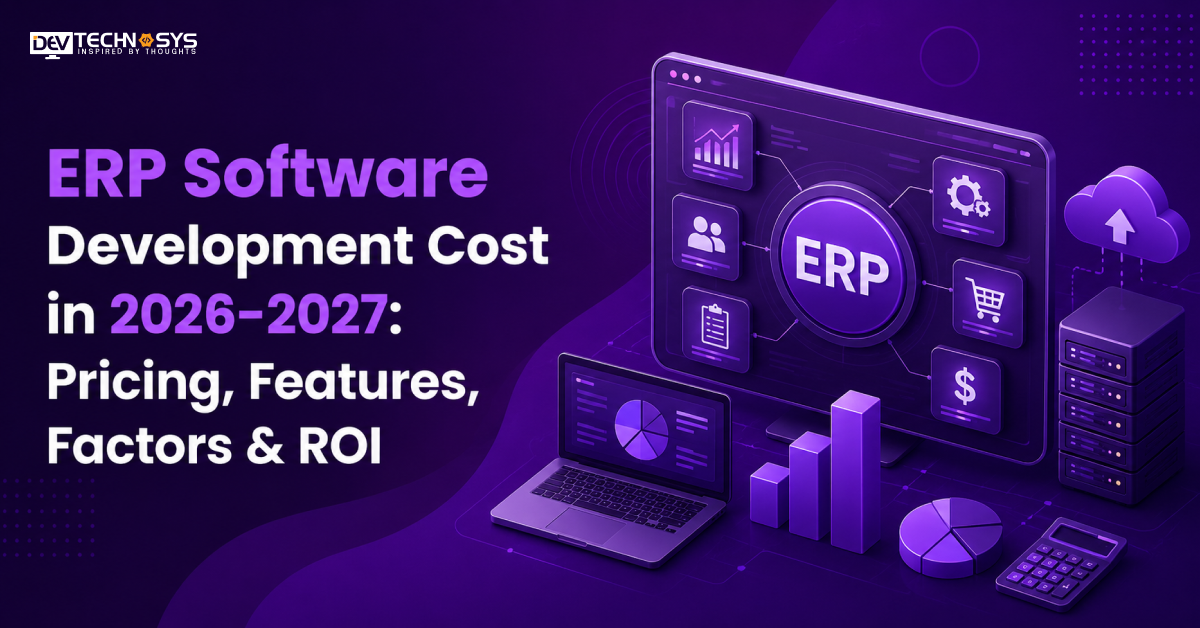
ERP software development costs in 2026 typically range from $30,000 to $1,50,000+, depending on complexity, modules, customization, integrations, security, and the development team. Basic ERP system architecture costs around $30,000–$60,000, mid-level solutions range from $60,000–$1,00,000, while advanced ERP platforms can reach $1,00,000–$1,50,000+. Costs also vary based on deployment, data migration, AI capabilities, and ongoing maintenance.
Cost Breakdown by Development Complexity
-
- Basic/MVP ($30,000 – $75,000+): Covers accounting, inventory, HR, user roles, basic dashboards, and reporting.
- Medium ($75,000 – $1,15,000+): Adds CRM, payroll, procurement, integrations, automation, and advanced dashboards.
- Complex ($1,15,000 – $1,50,000+): Includes AI analytics, supply chain, manufacturing, real-time reporting, advanced integrations, and enterprise security.
Key Cost Drivers
-
- ERP Type: Industry-specific ERP systems require different modules and customization.
- Features & Modules: More modules, automation, AI, and analytics increase development effort.
- ERP Integration Cost: APIs, CRM, payment systems, legacy software, and third-party tools affect costs
- Security: Encryption, access controls, audits, and compliance add development requirements.
- Deployment: Cloud, on-premises, or hybrid deployment impacts infrastructure and maintenance costs.
- ERP Maintenance Cost: Updates, security, bug fixes, and technical support add ongoing expenses.
Cost Variation by Country
-
-
- North America: $80 – $150/hr
- Western Europe: $60 – $120/hr
- Eastern Europe: $40 – $80/hr
- India/Southeast Asia: $20 – $40/hr
-
Every business has to manage finance, sales, marketing, HR, inventory, and other operations. Earlier, these were handled through separate systems, and these systems rarely communicate with each other. This leads to data duplication, long hours spent preparing reports, vast manual work, and small process gaps. It can be an expensive but common problem for businesses.
This is where ERP software takes charge, becoming a lifesaver for enterprises worldwide across industries. It has transformed how a business operates by bringing critical processes into one connected platform. But developing ERP software architecture is usually a very big investment in 2026-2027.
The standard ERP software development cost can be estimated from $30,000 to $150,000. The final development cost depends on ERP modules, complexity, integrations, customization, security, and deployment requirements.
In this blog, we will completely break down and elaborate on the ERP software development cost in 2026-2027. It covers key pricing factors, implementation expenses, timelines, an ROI calculator, and much more. This guide will help businesses plan investment decisions confidently.
How Much Does It Cost to Build ERP Software in 2026-2027: Cost by Complexity
The average ERP system development cost ranges between $30,000 and $1,50,000. Most ERP software development projects fall somewhere in this range depending on scope. The final development cost is determined by the platform’s complexity. A basic app, built with an MVP structure, has limited integrations, making it less complex to build.
A mid-level app combines simple and advanced integrations, making it moderately complex to develop. A fully-featured, advanced app with the latest integrations and modern technologies is a different story altogether, which is why so many businesses now partner with established ERP software development companies instead of building the whole system in-house.
We will understand this breakdown through a table:
ERP Complexity |
Estimated Cost |
Typical Timeline |
Core Scope |
Best For |
| Basic ERP / MVP Software | $30,000–$75,000+ | 3–5 months | Essential modules, dashboards & limited integrations | Startups & small businesses |
| Mid-Level ERP Software | $75,000–$1,10,000+ | 5–7 months | Multiple modules, automation & API integrations | Growing & mid-sized businesses |
| Advanced ERP Software | $1,10,000–$1,50,000+ | 7+ months | AI, real-time analytics & complex integrations | Large businesses & enterprises |
ERP Software Cost Breakdown by Development Stage
It is important to know that ERP development is not a one-time expense. The budget is distributed across different development stages: planning, design, ERP backend development, integrations, testing, deployment, and ongoing maintenance. That’s why it is important to understand the development process to estimate the budget. Businesses can also identify the increasing ERP customization cost this way.
Development Stage |
Estimated Cost |
Major Deliverables |
| Discovery & Planning | $3,000–$10,000 | Requirements, roadmap & architecture |
| UI/UX Design | $4,000–$15,000 | User flows, wireframes & interface |
| ERP Development | $15,000–$70,000+ | Modules, backend & business logic |
| Integrations | $3,000–$20,000+ | APIs, third-party & legacy systems |
| Testing & QA | $3,000–$12,000+ | Functional, security & performance testing |
| Deployment & Migration | $2,000–$10,000+ | Data migration, cloud setup & launch |
| Total ERP Development Cost | $30,000–$1,50,000+ | Complete ERP development lifecycle |
Expert Advice
Cost by development stage is something that most businesses skip. But it’s a necessary step, because this is where the team decides how modules talk to each other and where data actually lives, a decision that comes down to the ERP database architecture underneath everything else. If anything is missed here, the enterprise ERP system needs costly re-architecture within a few years of launch.
Narayan Das (Project Manager at Dev Technosys)
Planning a Mobile App?
Get a tailored development cost estimate in 3 simple steps — app basics, features, timeline, and your contact details.
- 3 quick steps
- 100% free
- Reply in 1 business day
2 Minutes Read
How ERP Software Development Cost Changes by Business Size?
ERP software development requirements change as the business grows. A small company needs finance, HR, and inventory. A mid-sized business usually requires advanced reporting tools, integrated workflows, automation, and CRM. An enterprise demands multiple departments, complex workflows, integrations, analytics, and advanced security, and it’s usually running on a heavier ERP technology stack than a small business would ever need. In short, with expanding scope, the development investment increases.
Business Size |
Cost Range |
Users |
Timeline |
| Small Business | $30,000 – $70,000 | Under 20 | 4–5 months |
| Mid-Sized Business | $70,000 – $110,000 | 20–100 | 5–6 months |
| Larger / Multi-Department | $110,000 – $150,000 | 100–250 | 6–7+ months |
Why Do These Ranges Overlap In Real Projects?
The small but highly customized 25-user license package can be more expensive than the simple 90-user package. User licenses are not the determining factor. The number of modules and customization will dictate your final user count.
ERP Software Development Cost by Type: Top 5 Industry-Specific Solutions
Every business requires different workflows, modules, integrations, and compliance controls. This is why ERP system development costs vary from industry to industry. A manufacturing ERP software development project needs production capabilities, a retail system prioritizes inventory, and a sales system requires customer management. Here, we have explained each industry and ERP type for better understanding.
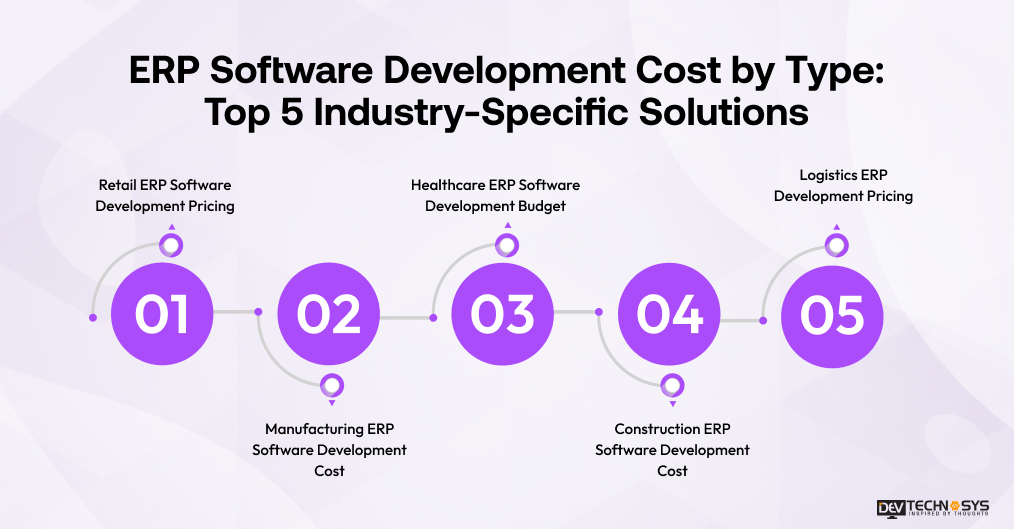
1. Retail ERP Software Development Pricing
Developing a retail ERP is usually estimated at $ 50,000–$100,000+. It demands planning, inventory management, integration with point-of-sale systems, purchasing and sales management, customer management, and reporting. Integration with multiple stores, eCommerce solutions, real-time stock management, and advanced analytics can make development more expensive.
2. Manufacturing ERP Software Development Cost
Development of a manufacturing ERP generally costs $80,000-$150,000+. It requires planning for production, inventory, procurement, quality assurance, warehousing, logistics processes, and real-time operational reporting. Businesses without in-house engineering talent usually bring in a manufacturing ERP software development company to handle this scope.
3. Healthcare ERP Software Development Budget
The development of a healthcare ERP typically costs $70,000-$150,000+. It involves many workflow processes, patient administration, billing, inventory management, staff management, and reporting. The integrations with EHRs, healthcare APIs, compliance, and advanced access controls rely on careful ERP API integration. This is what makes healthcare development more costly than most other verticals.
4. Construction ERP Software Development Cost
The construction ERP development primarily costs $60,000-$1,20,000+. It includes project management, budgeting, procurement, workforce management, inventory management, accounting, and coordination with contractors. Several projects, field operations, document management, mobility, and special reports can complicate the development process and increase costs.
5. Logistics ERP Development Pricing
Logistics ERP implementation is estimated at $70,000-$1,40,000+. This is due to features such as fleet management, delivery tracking, warehouse management, routing, procurement, and more. Multi-warehouse operations especially need dedicated ERP solutions for logistics and supply chain management to keep routing and stock data in sync across every location.
ERP Software Cost by Module: Finance, HR, AI & More
The cost to develop an ERP goes up with the number of modules, workflows, integrations, and automation. Basic modules are easy enough to develop, while supply chain management, manufacturing, analytics, and AI modules require more customization. They are developed with complex data processing and integrations. We will now learn about some major models and how they influence the custom ERP software development cost.
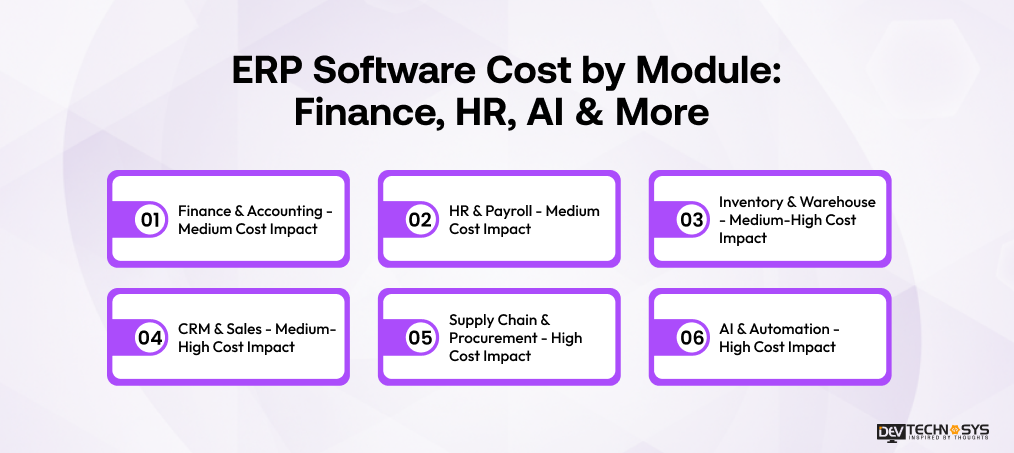
1. Finance & Accounting – Medium Cost Impact
Financial and accounting modules include features such as invoices, expenses, payments, budgets, tax compliance, and financial reporting. The development cost is higher when your ERP requires multi-currency capability, complex business processes, bank integration, or a financial dashboard in real-time.
2. HR & Payroll – Medium Cost Impact
HR and payroll modules include managing employees’ data, attendance, leave, salaries, benefits, and performance. The development expenses increase with automatic payroll calculation, country-specific taxation, biometric integration, employee self-service, complex workflows, or external HR systems.
3. Inventory & Warehouse – Medium-High Cost Impact
The inventory module includes features for inventory control, purchasing, warehousing, orders, and transactions. When businesses require barcode scanning, multi-warehousing, synchronization, auto-replenishment, batch tracking, or integration with point-of-sale and eCommerce platforms, the cost of development will be high.
4. CRM & Sales – Medium-High Cost Impact
The CRM and Sales module includes leads, customers, opportunities, quotations, orders, and sales pipeline. Additional cost will be required for automation, communication, sales forecasting, and AI-based recommendations. The platform also provides integration with any existing CRM.
5. Supply Chain & Procurement – High Cost Impact
Supply chain and procurement modules link suppliers, procurement, inventory, logistics, and fulfillment processes. Developing such modules is more costly than basic ERP modules. They require complex workflows, vendor management, demand forecasting, and shipping.
6. AI & Automation – High Cost Impact
AI can bring forecasting, workflow automation, predictive analytics, anomaly detection, recommendations, and conversational agents to the ERP system. The cost of development is dependent on AI model integration, data preparation, training, APIs, and optimization.
7 Key Factors That Influence ERP Software Development Cost
Customization, modules, third-party APIs, security & compliance, and migration are among the important factors influencing ERP software architecture development cost. Understanding these factors helps businesses estimate costs accurately and avoid unexpected expenses. We have explained each factor and how they are responsible for increased ERP software development expenses.
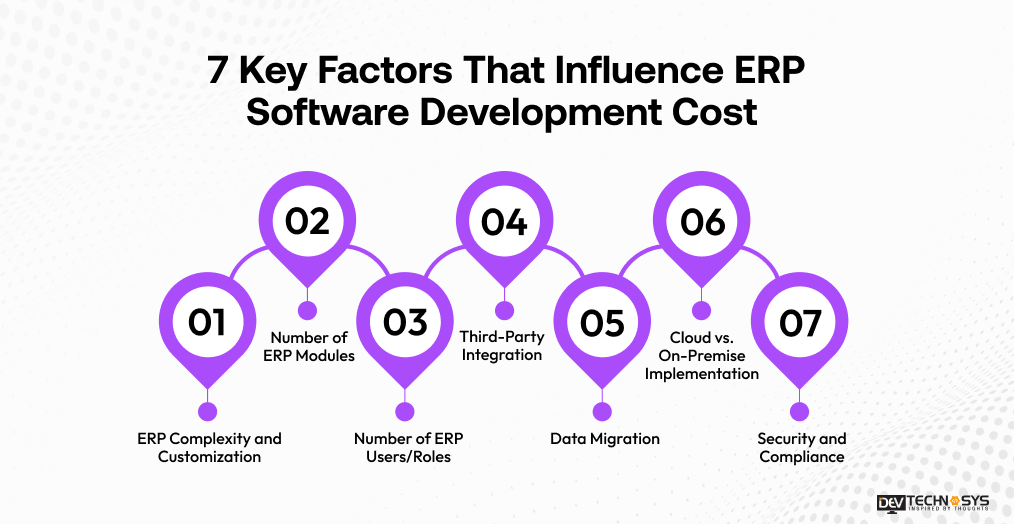
1. ERP Complexity and Customization
A basic ERP with standardized processes will be cheaper than a customized system. Specific industry processes, custom dashboards, workflow automation, special business rules, and complex user permissions will increase development hours. This can consequently make an ERP system more expensive.
2. Number of ERP Modules
Every extra module adds to development, testing, database, and integration requirements. Core modules like finance and HR tend to be simpler, and other modules like manufacturing, logistics, AI, and analytics require more effort. This increases development effort and adds to the project budget.
3. Number of ERP Users/Roles
ERP systems for hundreds and thousands of users require enhanced infrastructure, role-based permissions, optimization, and scalability. Various departments and permission layers contribute to complexity. Consequently, this can be the reason for raising the custom ERP development cost with growing users.
4. Third-Party Integration
Integrating an ERP system architecture with third-party APIs can have the greatest impact on development expenses. It integrates CRM solutions, payment systems, accounting systems, eCommerce platforms, APIs, or legacy systems. Getting this right takes real ERP API development work, not a generic plug-in connector, and that’s where the cost usually shows up.
5. Data Migration
Data migration from spreadsheets, existing software, or even old ERP systems involves extraction, cleansing, mapping, validation, and secure migration. Larger or poorly organized datasets will require more work. This can significantly result in longer implementation time and higher development costs.
6. Cloud vs. On-Premise Implementation
Cloud ERP may help reduce infrastructure costs initially. However, it will require additional considerations such as ERP cloud architecture, hosting, security, and scalability. On-premises ERP goes the other direction, involving additional hardware like servers and network infrastructure that raise costs upfront.
7. Security and Compliance
ERP applications process highly sensitive data on finances, employees, customers, and business operations. This will require additional development work, including considerations such as encryption, multi-factor authentication, access control, auditing, secure APIs, and security testing.
Cost Factor |
What It Includes |
Typical Cost Impact |
Budget Effect |
| Complexity & Customization | Workflows, business rules & custom dashboards | 15–25% | +$5,000–$30,000 |
| Number of Modules | Finance, HR, CRM, inventory & more | 10–20% | +$3,000–$22,000 |
| Users & Roles | User volume, permissions & access levels | 5–12% | +$1,500–$12,000 |
| Third-Party Integrations | APIs, CRM, payments & legacy systems | 8–15% | +$2,500–$18,000 |
| Data Migration | Extraction, cleansing, mapping & transfer | 5–10% | +$1,500–$10,000 |
| Deployment Model | Cloud, on-premises, or hybrid | 5–12% | +$1,500–$12,000 |
| Security & Compliance | Encryption, MFA, access controls & audits | 8–15% | +$2,500–$18,000 |
Custom ERP vs. Off-the-Shelf vs. Cloud ERP vs. On-Premise ERP: Which Is More Cost-Effective?
Selecting the proper ERP strategy goes beyond just considering the development costs. Development costs, customization level, integrations, ERP licensing costs, maintenance charges, and long-term ownership differ across custom, off-the-shelf, cloud, and on-premises ERPs. Businesses weighing a modular build against a single unified one should look closely at ERP microservices architecture before locking in scope.
Cost & Development Factor |
Custom ERP |
Off-the-Shelf ERP |
Cloud ERP |
On-Premise ERP |
| Initial Development Cost | $30K–$150K+ | Low | $30K–$150K+ | $40K–$150K+ |
| Customization | Very High | Limited | High | Very High |
| Integrations | Built to requirements | Vendor-dependent | API-friendly | Custom integration possible |
| Infrastructure Cost | Depends on deployment | Included/varies | Lower upfront | Higher upfront |
| Licensing | Usually none for proprietary software | Recurring/perpetual | Subscription/API costs | Software/server licenses |
| Deployment | Flexible | Vendor-defined | Faster | More complex |
| Security | Fully configurable | Vendor-dependent | Cloud + application security | Business-managed infrastructure |
| Scalability | Built around business needs | Vendor-dependent | Highly scalable | Hardware-dependent |
| Maintenance | Development partner/business | Vendor-managed | Shared responsibility | Business-managed |
| Long-Term TCO | Potentially lower at scale | Can increase with licenses | Predictable recurring costs | Higher infrastructure responsibility |
| Best For | Unique workflows & complex businesses | Standard processes | Scalable, connected businesses | Strict infrastructure/data control |
How Do Core & Advanced Features Affect ERP Software Development Cost?
The cost to develop ERP software is also influenced by the feature set. Core features usually cost less, and much of that budget sits in straightforward ERP frontend development. Forms, dashboards, navigation, the everyday screens people actually work in. Advanced features with modern technologies require more development effort and are costlier.
Core ERP Features & Development Cost:
Core Feature |
Development Scope |
Estimated Cost |
Finance & Accounting |
Invoicing, expenses, budgets & reports | $5,000–$7,000 |
| HR & Payroll | Employee records, attendance & payroll | $4,000–$6,000 |
| Inventory Management | Stock, warehouse & product tracking | $5,000–$8,000 |
| CRM & Sales | Leads, customers & sales workflows | $5,000–$7,500 |
| Procurement | Vendors, purchase orders & approvals | $4,000–$6,500 |
| Order Management | Orders, fulfillment & tracking | $4,000–$6,000 |
| User Management | Roles, permissions & access control | $4,000–$5,500 |
| Reporting | Standard reports & business insights | $4,500–$7,000 |
| Document Management | File storage & document organization | $4,000–$5,500 |
| Notifications | Email, SMS & in-app alerts | $4,000–$5,000 |
Advanced ERP Features & Development Cost
Advanced Feature |
Development Scope |
Estimated Cost |
| Cloud ERP | Cloud architecture, hosting & scalability | $10,000–$12,000 |
| Mobile ERP | Mobile access, field operations & alerts | $10,000–$13,000 |
| AI-Powered ERP | AI assistants, recommendations & automation | $12,000–$14,000 |
| Predictive Analytics | Forecasting, trends & predictive insights | $11,000–$14,000 |
| Workflow Automation | Automated approvals & business processes | $10,000–$12,500 |
| IoT Integration | Sensors, devices & real-time data | $12,000–$14,000 |
| Advanced Dashboards | Real-time KPIs & visual analytics | $10,000–$12,000 |
| API Ecosystem | Multiple APIs & system synchronization | $11,000–$13,500 |
| Real-Time Analytics | Live operational & financial insights | $11,000–$13,000 |
| Intelligent Forecasting | Demand, inventory & sales predictions | $12,000–$14,000 |
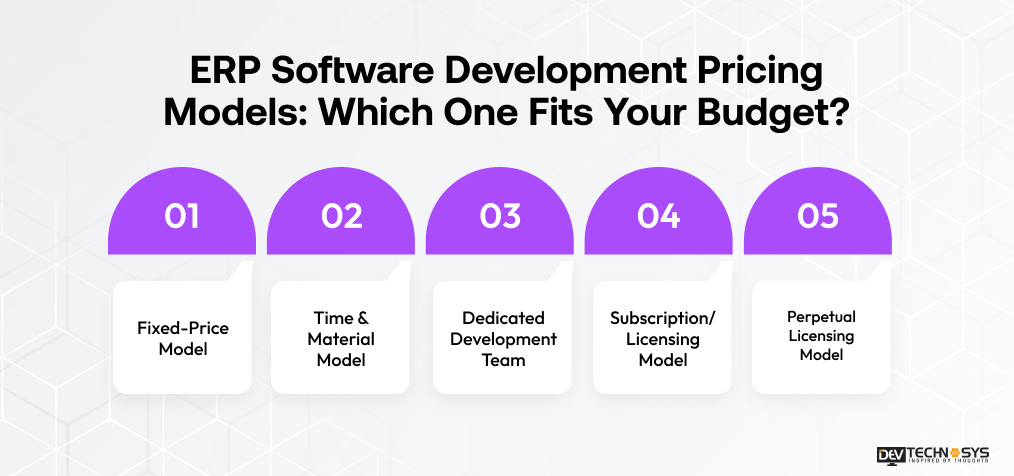
ERP Software Development Pricing Models: Which One Fits Your Budget?
When you choose a pricing or business model, it will truly impact:
- How predictable your ERP budget is
- How much control you have over scope
- What you ultimately spend on development.
That choice often comes down to whether the system runs on a modular foundation or an ERP monolithic architecture. It is far easier to price one than the other. Have a look at the pricing models below
Pricing Model |
How It Works |
Best For |
Cost Predictability |
| Fixed Price | Development is completed for a pre-agreed price based on a defined scope. | Clearly defined ERP projects | High |
| Time & Material | You pay based on actual development hours, resources, and work completed. | Complex or evolving ERP projects | Medium |
| Dedicated Team | A dedicated team works on your ERP for an agreed period and budget. | Long-term ERP development and continuous improvements | Medium |
| Subscription / Licensing | Businesses pay recurring fees to access and use an existing ERP platform. | Standard business requirements | High Initially |
| Perpetual Licensing | A one-time license provides long-term software access, with separate support and upgrade costs. | Businesses seeking greater software ownership | Medium |
1. Fixed-Price Model
A fixed-price model is preferable when ERP needs, modules, integration, and deliverables have been fully elaborated before development starts. It allows for predictable budgeting, but it may be limiting if businesses want to change scope frequently.
2. Time & Material Model
Time-and-materials pricing implies that businesses will have to pay for the development hours and resources actually used. The approach offers flexibility to work with ERP systems with evolving requirements but does not guarantee a stable final price.
3. Dedicated Development Team
A dedicated development team means businesses will have specialists in development, design, QA, and other areas assigned exclusively to their ERP project. Many businesses choose to hire dedicated developers instead of staffing an entire in-house team, which keeps cost tied directly to project scope.
4. Subscription/Licensing Model
In subscription-based ERP systems, businesses will incur ongoing fees, typically billed monthly or annually. It covers users, modules, or specific function usage. This billing rhythm is standard across most cloud ERP development projects today. It reduces development costs but may lead to substantial costs over time.
5. Perpetual Licensing Model
The perpetual licensing model is characterized by higher initial software license fees, followed by implementation, infrastructure, upgrade, and maintenance costs. It is a sharp contrast to the recurring-revenue model behind most ERP SaaS development platforms.
ERP Implementation Cost: What Businesses Need to Budget For
ERP implementation is something more than just installing software. A strong implementation includes:
- Configuring the system
- Transferring business data
- Connecting existing tools
- Training employees
- Testing workflows
- Preparing teams for operational change
These activities can significantly influence the total ERP investment. In this section, we have explained the overall ERP system implementation cost.
Implementation Stage |
What It Covers |
Cost Impact |
| Planning | Requirements, roadmap & implementation strategy | Medium |
| Customization | Business workflows, configurations & modifications | High |
| Integration | APIs, legacy systems & third-party tools | High |
| Data Migration | Extraction, cleansing, mapping & validation | Medium–High |
| Testing | Functional, security & performance validation | Medium |
| Deployment | Infrastructure, configuration & go-live | Medium |
| Training | Employee training, documentation & onboarding | Medium |
| Change Management | Adoption, process transition & support | Medium–High |
Hidden ERP Costs That Can Increase Your Development Budget
Developing ERP software can range from $20,000 to $1,50,000. This quote can’t really tell the complete story of the finances. Some additional or hidden expenses, like data preparation, infrastructure, licenses, security, upgrades, and scope changes, are also present. These hidden expenses should be identified during project planning; otherwise, they can lead to financial consequences. We will now learn about a few of these hidden expenses.
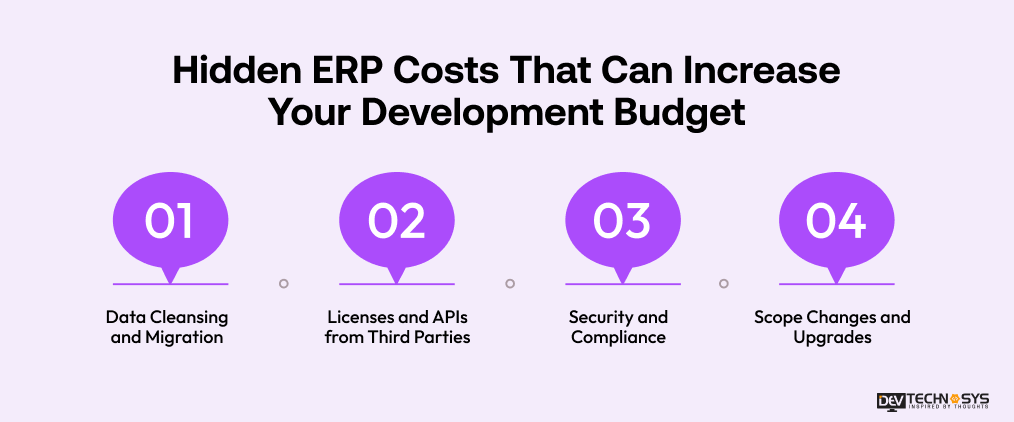
1. Data Cleansing and Migration
Data from legacy sources may require cleansing, normalization, validation, de-duplication, etc., before being imported into the ERP. The volume and diversity of data increase the effort required for migration and testing. It raises the risk of unforeseen implementation costs.
2. Licenses and APIs from Third Parties
Integration with external services such as payment gateways, CRMs, communications, accounting software, maps, analytics, etc., is common in many ERP systems. Some of them come with subscription and per-use licenses and cost beyond development itself and after deployment.
3. Security and Compliance
Security needs to be addressed not just once but throughout the ERP system’s lifetime. It must involve penetration testing, vulnerability scanning, encryption, access management, compliance checks, and security updates. It can add to the cost list but keep your software secure.
4. Scope Changes and Upgrades
ERP software development companies often discover additional requirements once they see how their ERP works. More features addition can change business process workflows, integrations, redesigns, and upgrades. This also increases development time and project costs.
How to Calculate ERP Software Development Cost?
A reliable ERP estimate starts with development effort but should not stop there. Businesses should calculate both the core development expense and the wider investment to launch, operate, and maintain the system.
Basic ERP Development Cost Formula
ERP Development Cost = Development Hours × Hourly Development Rate
Let’s understand this with an example: If a project requires 2,000 development hours at $30 per hour:
2,000 × $30 = $60,000
However, this represents development effort rather than the complete ERP investment.
Total ERP Investment Formula
Total ERP Investment = Development + Integration + Migration + Implementation + Infrastructure + Training + Maintenance
This approach provides a more realistic budget because an ERP’s financial commitment continues beyond writing and testing the software.
What Should Be Included in an ERP Estimate?
- Number and complexity of modules
- UI/UX requirements
- Development hours
- Third-party integrations
- Data migration
- Security and compliance
- Cloud or on-premises infrastructure
- Testing and deployment
- Employee training
- Post-launch maintenance
To get a true and reliable cost estimate, enterprises must define required modules, integrations, users, deployment model, and future scalability. Many businesses bring in ERP consulting services at this stage just to sanity-check scope before requesting a full development quote.
ERP Software Development Total Cost of Ownership: What Will You Really Spend?
The initial development quote is only one part of ERP economics. Total Cost of Ownership (TCO) measures what a business spends throughout the ERP lifecycle. It helps decision-makers compare solutions according to long-term value rather than upfront price alone.
ERP TCO Includes:
-
Original Development
This is the cost that is involved in the entire development process from concept to launch.
-
Implementation
It involves configuration, customization, integration, deployment, migration, and employee training.
-
Infrastructure
The common infrastructure includes cloud server hosting, servers, database costs, and other related costs.
-
Licensing
The licensing expenses include software applications, APIs, operating systems, analytics software, and subscriptions.
-
Maintenance and Support
Bug fixing, security patches, performance tuning, monitoring, and support are highly recommended for after-launch support.
-
Upgrade and Enhancement
Upgrading to new modules or meeting new technological demands is also added to the TCO.
A Better Way to Compare ERP Costs
Rather than asking:
“How much does this ERP cost to build?”
Businesses should ask:
“How much will this ERP cost to operate, maintain, scale, and improve over the next 3–5 years?”
That question provides a much clearer picture of the actual investment.
How to Reduce ERP Software Development Costs: 4 Proven Strategies
Do you still believe reducing ERP development pricing means choosing the cheapest development team? The cost cannot be reduced by removing essential functionalities, but you need a smarter approach. Businesses must control scope, prioritize high-value capabilities, reduce rework, and build a scalable foundation. When all this is done from the beginning, the development cost can be reduced.
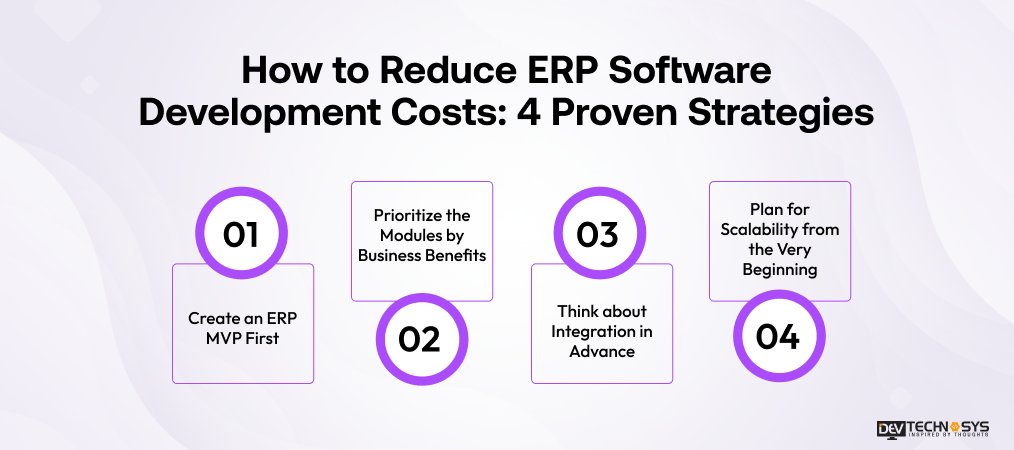
1. Create an ERP MVP First
Use the modules that address the highest-cost and time-consuming drains. The MVP approach will reduce development effort at the outset. This makes it possible to scale up the ERP as it evolves in response to feedback.
2. Prioritize the Modules by Business Benefits
Not all features may be important on the first day for every department. Prioritize modules by operational impact, potential income generation, automation potential, and demand. Then you can seamlessly create the high-priority modules first.
3. Think about Integration in Advance
Last-minute integration decision-making can lead to redesign, changing the data model, and testing. Businesses must plan ahead which APIs, legacy systems, payment processors, CRM platforms, and other external services should be integrated. It helps to use ERP integration services experienced enough to avoid these late-stage redesigns.
4. Plan for Scalability from the Very Beginning
Planning for scalability up front will require extra effort; however, it will prevent costly rebuilding. This can be possible because the number of users, modules, transactions, and integrations increases. This protects the ERP investment as the business grows.
ERP ROI and Payback Period: How to Measure ERP Value
ERP ROI tells you whether the money your business gains is worth what you spent on it. To calculate it properly, consider reduced manual work, fewer errors, improved productivity, faster processes, and increased revenue. Now we will be explaining the way to measure ROI from ERP software development.
ERP ROI Formula
ERP ROI = (Total Benefits − Total Investment) ÷ Total Investment × 100
We will understand ROI calculation with an example:
If an ERP costs $100,000 and generates $150,000 in measurable benefits:
ROI = ($150,000 − $100,000) ÷ $100,000 × 100 = 50%
What Benefits Should You Measure?
- Labor Savings
- Process Automation
- Error Reduction
- Productivity Gains
- Revenue Impact
- Payback Period
How to Calculate Payback Before You Build?
A business can estimate its payback period by comparing the total ERP investment with expected monthly or annual savings and financial gains.
Payback Period = Total ERP Investment ÷ Expected Monthly Financial Benefit
The shorter the payback period, the faster the ERP begins generating measurable financial value. Much of that speed traces back to early decisions like ERP database design. A poorly structured database shows up as real cost later, after anyone remembers where it came from.
Final Words
A scalable, reliable, secure, and high-performing ERP software acts as the backbone of your entire business. It delivers the right capabilities, strengthens control over long-term ownership costs, and enhances overall operational efficiency. Businesses weighing vendors for a project like this often compare general software development pricing against ERP-specialist pricing before deciding who should actually own it.
If an ERP is well-planned, it leads to measurable returns in the long run. ERP software can streamline workflows, reduce errors, and improve decision-making across departments. When done right, it becomes a strategic investment rather than just a software expense.
Are you also planning to invest in custom ERP mobile app development? A successful and trusted ERP software development company is the right decision. It can define the right modules, architecture, integrations, and development roadmap, ensuring successful implementation.
Frequently Asked Questions
Find answers to the most common questions related to this article.
The average time taken to build ERP software can be 4 to 7+ months. The final development timeline is estimated by the platform’s complexity, integrations, features, and security requirements. A simple app built using an MVP structure usually takes 5 to 6 months to develop. Whereas a fully-featured advanced app will take 7+ months for the development.
As ERP software development cost is influenced by the ERP modules, the commonly required ERP modules include:
Finance and accounting
HR and payroll
Inventory
CRM and sales
Procurement
Supply chain
Reporting
Analytics.
The selection of the right ERP module primarily depends on your industry, business processes, team size, and operational priorities.
The standard cost to create ERP software can range from $30,000 to $1,50,000. The overall development cost is determined by the platform’s complexity and several factors. These factors include platform choice, third-party APIs, security & compliance, developer’s location, after-launch maintenance, and others. A basic MVP ERP software can be built at a lower cost than an enterprise-level one.
Yes. AI can improve ERP solutions with demand forecasting, intelligent suggestions, data processing, anomaly detection, chatbots, and workflow automation. AI should be implemented wherever it can solve a problem, rather than just added as a technological addition. This approach helps businesses gain measurable value from AI while keeping the ERP practical, scalable, and cost-effective.
Implementation should begin with setting the requirements and objectives. The organization should focus on the critical modules, prepare the data before migration, and consider integration from the outset. They can also thoroughly test the workflows, train employees, and provide post-implementation support. A structured implementation process reduces disruption, improves user adoption, and helps the ERP deliver value faster.