






















Key takeaways:
-
- The cost to build an app like Woolworths ranges from $8,000 to $25,000, depending on the specific project requirements.
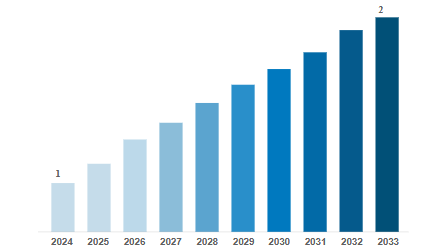
- The global supermarkets and grocery stores market was worth USD 1902.406 billion in 2025 and is expected to increase to around USD 2616.54 billion by 2033.
- Apps like Woolworths make grocery shopping modern, convenient, and effortlessly integrated into everyday life.
In today’s digital world, many people like to shop online using apps. Woolworths is one of the biggest supermarket chains in Australia, and its app helps people buy groceries easily from their phones.
If you want to build an app like Woolworths in Australia, you need to understand its features, benefits, and the cost to make it.
The app should be simple to use, fast, and secure. It should allow users to search for products, add them to a cart, and pay online.
In this guide, we will explain the main things needed to build a shopping app like Woolworths in Australia. We will also talk about why such an app is useful and how much money you might need to create one.
Let’s begin!
Market Analysis of Global Supermarket Applications
- The Supermarkets and Grocery Stores Market was worth USD 1769.68 billion in 2024 and is projected to reach USD 1902.406 billion in 2025 and USD 2616.54 billion by 2033.
- A compound annual growth rate (CAGR) of 7.5% is anticipated for the supermarket and grocery store business by 2033.
- The market for supermarkets and grocery stores is dominated by North America, primarily the USA, due to a combination of excellent retail infrastructure.
- The primary market segmentation comprises the Supermarkets and Grocery Stores market, which is categorized by type.
- The market for supermarkets and grocery stores is driven by the ease of shopping and the expansion of online food purchasing.
What is Woolworths?
Woolworths is one of the largest supermarket chains in Australia, and it offers an online platform where users can buy grocery items and more. It enables users to order the items and have them delivered to their doorsteps within just a few clicks, and increases the users’ flexibility and convenience.
The online marketplace platform provides advanced features, including access to special deals, stock availability checks, delivery options, loyalty and reward programs, and a personalized experience.
Woolworths Success Story
- Woolworths launched its iPhone and Android app in August 2011, enabling barcode scanning and a shopping list.
- Digital sales skyrocketed by 39%, reaching AUD 6.263 billion; weekly active app users grew 63%.
- In 2024, launched the watchlist feature, and more than 100,000 users are engaging in just two weeks.
- After this, they launched a feature called “Product Finder”, which helps users locate 20,000+ products in stores.
- “Direct‑to‑Boot” pickup service started in 2021; by mid‑2025, it handles 250,000 orders weekly nationwide.
- App downloads surged past 4 million; weekly online traffic rose from 12.4 million to 20.2 million.
Types of Supermarket Applications
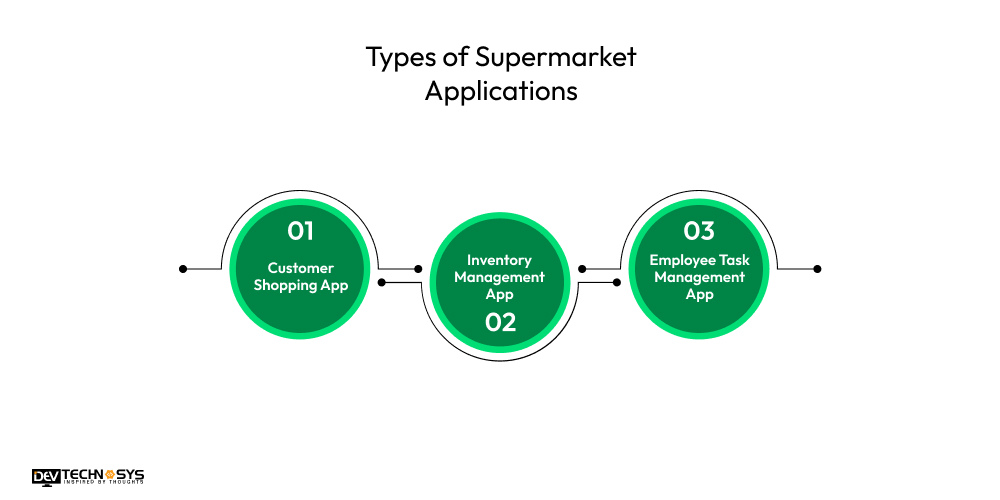
Supermarket apps make shopping easier, help manage stock, and support staff with daily tasks. These apps save time, improve service, and help the store run better. They’re useful for both customers and employees.
1. Customer Shopping App
Enables users to browse products, create shopping lists, check prices, and make purchases online. Offers personalized deals, loyalty rewards, and real-time inventory updates. Supports in-store navigation and digital receipts, enhancing the shopping experience while promoting customer convenience and satisfaction through mobile or web platforms.
2. Inventory Management App
Helps supermarket staff monitor stock levels, manage suppliers, track product expiry dates, and forecast demand. Includes barcode scanning, automatic restocking alerts, and real-time inventory syncing across branches. Improves operational efficiency, reduces waste, and ensures product availability to meet customer demand effectively.
3. Employee Task Management App
Designed for store staff to assign, track, and complete daily tasks like shelf restocking, cleaning, and customer assistance. Includes scheduling, time tracking, and internal communication features. Enhances productivity, accountability, and team coordination by streamlining operations through a centralized and user-friendly interface.
10 Best Apps Like Woolworths
A wide range of supermarket applications exists in Australia; you need to observe their features and services when developing your own supermarket application. So, let’s explore Woolworths alternatives:
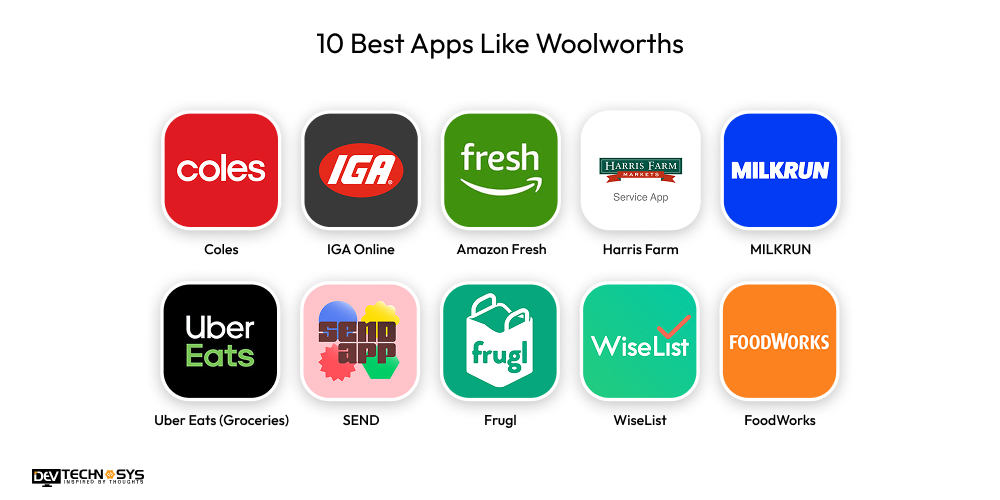
App Name |
Launched Year |
Estimated Downloads (AUS) |
Average Rating |
Platforms Available |
| Coles | 2013 | 3M+ | 4.4 | iOS, Android, Web |
| IGA Online | 2020 | 500K+ | 4.2 | iOS, Android, Web |
| Amazon Fresh | 2017 (AU) | 2M+ (via Amazon) | 4.3 | iOS, Android, Web |
| Harris Farm | 2015 | 1M+ | 4.5 | iOS, Android, Web |
| MILKRUN | 2021 | 1M+ | 4.2 | iOS, Android |
| Uber Eats (Groceries) | 2019 | 10M+ (AU groceries est.) | 4.5 | iOS, Android |
| SEND | 2021 | 200K+ | 4.1 | iOS, Android |
| Frugl | 2019 | 250K+ | 4.6 | iOS, Android |
| WiseList | 2020 | 300K+ | 4.4 | iOS, Android |
| FoodWorks | 2010 (chain) | 200K+ | 4.1 | iOS, Android, Web |
Why Businesses Want to Invest in Woolworths Clone App Development?
Everyone wants convenience and flexibility in their work. Nowadays, users purchase grocery items through online platforms, which can save them time and extra effort. Investing in the super app development is one of the profitable opportunities for businesses or entrepreneurs to expand their business globally.
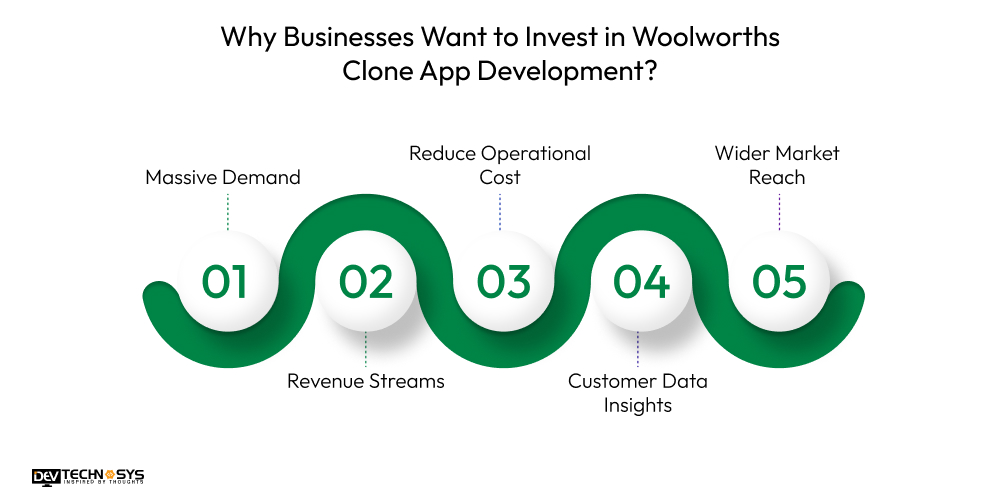
- Massive Demand
- Revenue Streams
- Reduce Operational Cost
- Customer Data Insights
- Wider Market Reach
1. Massive Demand
In this modern era, customers prefer buying groceries and other items through an online platform and also delivered to their doorsteps within just a few minutes. These advanced features can save them time and enhance the convenience. The supermarket app like Woolworths, offers 24/7 accessibility, and users can purchase items anytime.
2. Revenue Streams
Investing in a grocery delivery app development can easily offer many revenue streams that can increase the business’s valuations and overall sales. There are various types of monetization models, such as subscription plans, delivery fees, transaction fees, advertising, in-app purchases, and many more.
3. Reduce Operational Cost
Let’s move to the third benefit: once the app is built, it can reduce the operational cost, such as staffing, in-store maintenance, paper billing, and manual operations. With the help of automated operations, businesses can streamline their daily operations and tasks and reduce manual or human errors.
4. Customer Data Insights
If entrepreneurs develop an app like Coles or Woolworths, it provides customers with important information that helps businesses to make decisions and improve sales.
It includes users’ daily activities, habits, behaviors, purchasing patterns, preferences, demographics, recently searched products, and more. It helps businesses identify new areas for improvement and more.
5. Wider Market Reach
The Woolworths clone apps allow businesses to reach a broader audience, including customers in remote or regional areas where physical stores may not exist. With mobile and web access, users can shop anytime, anywhere, helping businesses expand their customer base beyond local boundaries and grow their market presence.
Want a chatbot demo or pricing? Fill the form and talk to our experts today.
Pick what you need below — you can select more than one — then tap Get detail to continue.
-
Chatbot demo dashboard
-
Cost to develop an app
-
Industry report
-
Case study
How AI Can Help Supermarket Applications?
- AI analyzes customer behavior to suggest relevant products, increasing sales and improving the shopping experience.
- AI forecasts demand accurately, helping manage stock levels, reduce waste, and avoid product shortages.
- AI detects unusual activity in user accounts or payments, improving security and reducing fraud-related losses.
- AI-powered assistants help users search products, answer queries, and offer support through natural language conversations.
- AI predicts delivery times and optimizes routes, improving logistics efficiency and reducing operational costs.
- AI enables smarter self-checkout by recognizing products and preventing errors during scanning and payment.
7 Simple Steps to Build an App Like Woolworths
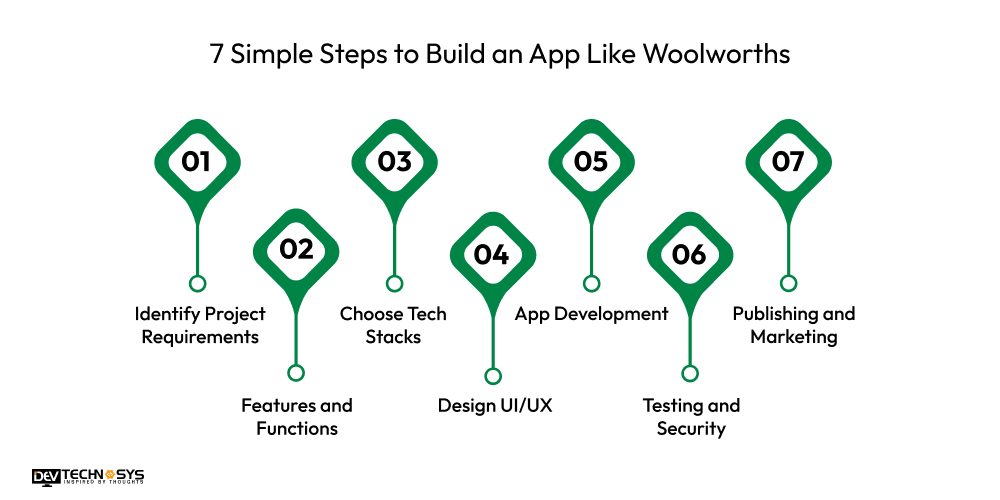
To create an app like Woolworths, you just need to follow the simple development steps to understand every tiny process of development. It includes market analysis and requirement gathering to post-launch maintenance services. So, let’s take a look at the marketplace app development process:
- Identify Project Requirements
- Features and Functions
- Choose Tech Stacks
- Design UI/UX
- App Development
- Testing and Security
- Publishing and Marketing
1. Identify Project Requirements
In the first stage, to develop an app like Woolworths. Hire consultants from an e-commerce app development company to identify the basic and premium project requirements that must be added.
Research in this competitive market about which mobile applications are more trending and popular, and what the success rates of Woolworths alternatives are. Make a future-proof plan for competitors and how your app can compete with them.
2. Features and Functions
Moving to the second stage to make an app like Woolworths, identify the simple and advanced features for your supermarket application. It contains various types of features such as shopping list, personalized recommendations, delivery type, in-store navigation, weekly specials, barcode scanning, and track order in real-time. After that, also identify the primary and secondary users of the app to increase user engagement.
3. Choose Tech Stacks
Let’s come to the third stage to build an app like Woolworths. Consult with an experienced mobile application development company to select the best tech stacks for successful app development.
It encompasses various types of technologies, including frontend frameworks, backend frameworks, databases, cloud storage, APIs, testing tools, security tools, and design tools, among others.
4. Design UI/UX
In the fourth step of Woolworths clone app development, design a simple user interface that allows users to easily navigate all the features and services of the project.
It includes advanced design tools such as Figma, InVision, Sketch, Adobe XD, and many more. There are various types of design elements, such as layouts, fonts, colors, templates, themes, and built-in plugins.
5. App Development
Coming to the fifth stage to create an app like Woolworths. Hire professional or expert developers from a mobile app development firm in Australia to begin the coding and implement functionalities.
Integrate third-party APIs such as payment gateways, social media platforms, maps and navigation, and more. After that, connect front-end activities and services to backend services.
6. Testing and Security
Let’s move forward to the sixth stage to develop an app like Woolworths. Before publishing the app, test the application under various conditions.
It includes security testing, unit testing, functional testing, integration testing, and, subsequently, fixing bugs or errors if found. Implement robust security measurements such as encryption techniques, two-factor authentication, biometrics, and more.
7. Publishing and Marketing
Now, it’s time to release the app on the selected platforms such as Android, iOS, and cross-platforms. After that, hire developers from a progressive web app development company to promote the app with marketing techniques. It includes affiliate marketing, digital marketing, content marketing, blogs, product marketing, and more.
What Are the Benfits for Users of Supermarket Apps Like Woolworths?
Supermarket apps like Woolworths make shopping easier by saving time, offering deals, tracking orders, and helping users stay organized. They improve the shopping experience for both online and in-store customers.
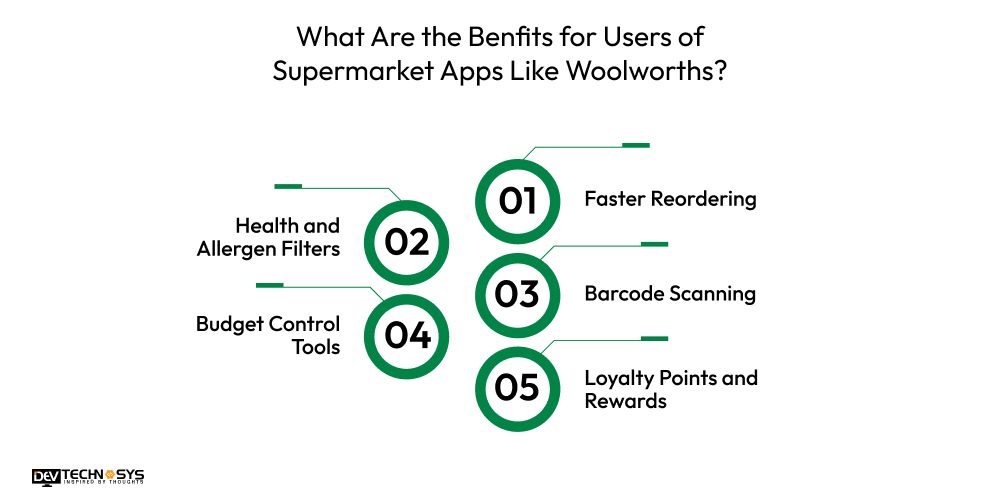
1. Faster Reordering
Users can quickly reorder favorite or previous items without starting from scratch. This feature is perfect for regular grocery needs, saving time and making repeat shopping much easier and more efficient every week.
2. Health and Allergen Filters
Apps allow users to filter products based on dietary needs, like gluten-free or vegan. This helps shoppers make healthier choices and avoid allergens, making grocery shopping safer and more personalized.
3. Barcode Scanning
With barcode scanning, users can instantly check prices or add items to their cart. It’s especially helpful when at home, scanning empty packages to quickly refill essentials in the next grocery order.
4. Budget Control Tools
Users can set budgets, view running totals, and monitor spending while shopping. This helps avoid overspending and makes it easier to plan weekly grocery expenses more effectively, especially for families.
5. Loyalty Points and Rewards
Users earn points for every purchase and can redeem them for discounts or freebies. The app tracks rewards automatically, so customers get more value from every shop without needing physical cards.

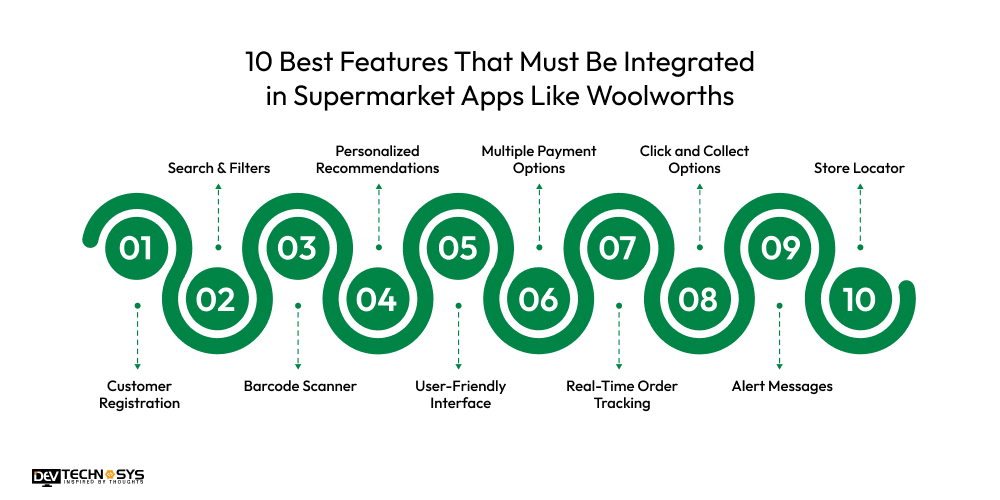
10 Best Features That Must Be Integrated in Supermarket Apps Like Woolworths
There is a vast range of features of Woolworths grocery app that must be integrated, and also add some unique features to gain a competitive advantage. So, here is the list of must-have features:
-
Customer Registration
Users can register their own accounts through mobile numbers, social media platforms, and email addresses, and manage their profiles easily.
-
Search & Filters
An app similar to Woolworths allows users to set filters according to their needs, such as product name, brand, price, and dietary requirements. Users can easily find their products.
-
Barcode Scanner
Woolworths alternatives enable customers to scan the barcode for instant information about the product, including price, ingredients, and more.
-
Personalized Recommendations
The Woolworths clone apps offer AI-powered suggestions tailored to individual preferences, habits, purchasing patterns, and shopping history.
-
User-Friendly Interface
The Peer-to-Peer marketplace website has a user-friendly interface that enables customers to easily interact with all functionalities with just one tap.
-
Multiple Payment Options
The Woolworths grocery delivery app offers multiple payment options, including net banking, digital wallets, debit or credit cards, and bank transfers.
-
Real-Time Order Tracking
The on-demand delivery app like Woolworths, allows users to track the order in real-time and get updates about delivery, such as shipped, on the way, order placed, and order delivered.
-
Click and Collect Options
With the advanced features, users can order online and collect their order in-store, and other delivery options like home delivery and scheduled pickup.
-
Alert Messages
This application offers alert messages such as order updates, restock alerts, personalized suggestions, and flash deals notifications.
-
Store Locator
The grocery app like Woolworths in Australia, enables users to find nearby stores using GPS and check their services and opening and closing hours.
The Cost to Build an App Like Woolworths in Australia
The cost to develop an app like Woolworths is around $8,000 to $25,000, depending on the extra features and services. The cost to build an online marketplace website can fluctuate due to various factors such as project size, complexity, infrastructure, development team, deployment platforms, security, and more.
There are additional factors that can also impact the cost, such as testing, designing, quality assurance, marketing, and maintenance. So, let’s take a look at the cost table:
Component |
Estimated Hours |
Hourly Rate ($25–$50) |
Estimated Cost (USD) |
| 1. UI/UX Design | 40–60 hrs | $25–$40 | $1,000 – $2,400 |
| 2. User Registration & Profiles | 30–50 hrs | $25–$40 | $750 – $2,000 |
| 3. Product Catalog & Search | 40–60 hrs | $25–$50 | $1,000 – $3,000 |
| 4. Shopping Cart & Checkout | 40–60 hrs | $25–$50 | $1,000 – $3,000 |
| 5. Payment Gateway Integration | 30–40 hrs | $25–$50 | $750 – $2,000 |
| 6. Delivery & Order Tracking | 40–60 hrs | $25–$50 | $1,000 – $3,000 |
| 7. Admin Panel (Basic CMS) | 40–50 hrs | $25–$40 | $1,000 – $2,000 |
| 8. QA Testing & Deployment | 30–40 hrs | $25–$40 | $750 – $1,600 |
Total Estimated Cost: $8,000 – $25,000+
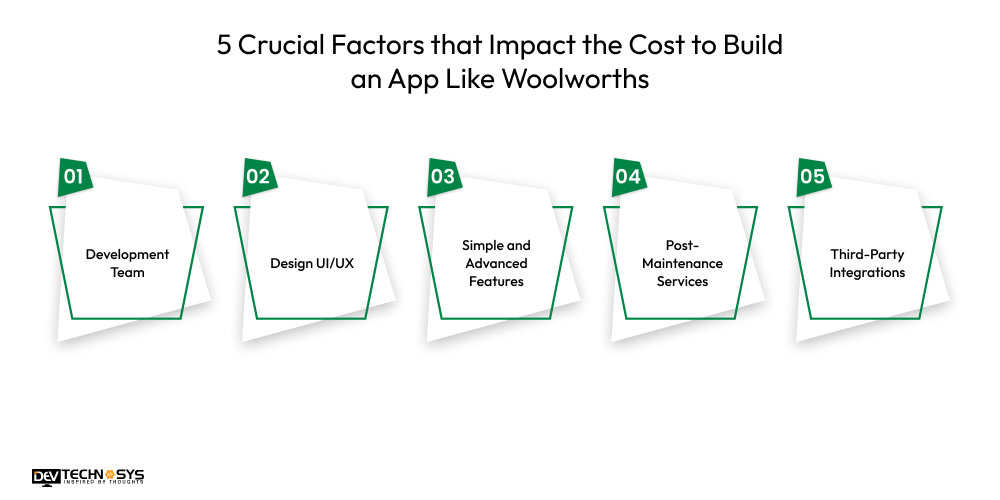
5 Crucial Factors that Impact the Cost to Build an App Like Woolworths
There is a wide range of factors, such as development team, application complexity, deployment platforms, and many more. These crucial factors can easily affect the overall cost to develop an app like Woolworths. Let’s explore in detail:
1. Development Team
In the first cost-affecting factor, the development team is one of the most common and essential factors. It’s simple that experienced developers charge for salary packages as compared to average experienced developers.
If project complexity or size is high, then they definitely need to hire a more experienced developer. So, the development team can increase the overall Woolworths app development cost.
Team Type |
Description |
Estimated Cost (USD) |
| Freelancers (Remote) | Lower cost, limited scalability | $5,000 – $10,000 |
| Small Local Agency | Balanced expertise and coordination | $10,000 – $20,000 |
| Offshore Development Team | Cost-effective, but may need strong project management | $8,000 – $15,000 |
| Mid-to-Large Agency | High-quality, full-service | $20,000 – $25,000+ |
2. Design UI/UX
Moving to the second cost-affecting factor, there are various types of designing tools such as InVision, Figma, Adobe XD, Marvel, and Sketch. These tools are highly paid and offer a wide range of design elements like layouts, themes, plugins, styles, fonts, templates, and more. So, all these design services can raise the cost to develop a shopping app like Target and Woolworths.
Design Level |
What’s Included |
Estimated Cost (USD) |
| Basic Design | Simple layout, stock icons | $1,000 – $2,500 |
| Custom UI/UX | Branded design, tailored flows | $2,500 – $6,000 |
| Advanced UX (Animations) | Micro-interactions, animations, transitions | $5,000 – $10,000+ |
3. Simple and Advanced Features
Let’s talk about the third factor, integrating features, which can be another factor that can affect the Woolworths app development cost. It includes many advanced features such as smart search & filters, AI-based recommendations, loyalty & rewards program, live order tracking, and an advanced analytics dashboard. These features have the ability to fluctuate the cost to build an app like Woolworths.
Feature Set |
Included Features |
Estimated Cost (USD) |
| Simple (MVP) | Registration, cart, payment, basic admin | $6,000 – $8,000 |
| Mid-Level | Loyalty, delivery tracking, push notifications | $8,000 – $10,000 |
| Advanced | AI, real-time GPS, subscriptions, custom dashboard | $10,000 – $15,000 |
4. Post-Maintenance Services
In the fourth cost-affecting factor, post-launch maintenance services are a basic factor to highly impact on the overall cost to create a mobile app like Woolworths.
It involves various services such as fixing bugs or glitches, adding new enhancements, regular updates, server monitoring, data privacy compliance, and upgrading new OS versions. Some of these post-maintenance services are highly paid, which can influence the cost to make an app like Woolworths.
Service Type |
What’s Included |
Estimated Monthly Cost (USD) |
| Basic Support | Bug fixes, small updates | $300 – $700/month |
| Standard Maintenance | Regular updates, monitoring, minor feature changes | $700 – $1,500/month |
| Full-Service SLA | 24/7 support, performance tuning, major updates | $1,500 – $3,000+/month |
5. Third-Party Integrations
Coming to the last cost-affecting factor, when developing a supermarket application, businesses need to implement several third-party tools and applications.
There is a wide range of third-party tools such as payment gateways, social media logins, logistics platforms, analytics tools, SMS gateways, geolocation and maps, and voice assistants. These tools can increase the cost due to their high licensing fees and take time to implement.
Integration Type |
Examples |
Estimated Cost (USD) |
| Payment Gateways | Stripe, PayPal, Square | $500 – $1,500 |
| Push/SMS Notifications | Firebase, OneSignal, Twilio | $200 – $1,000 |
| Maps & Geolocation | Google Maps API, Mapbox | $300 – $1,000 |
| CRM/Marketing Tools | Mailchimp, HubSpot | $500 – $2,000 |
| Loyalty/Rewards Systems | Smile.io, LoyaltyLion | $500 – $1,500 |
Tech Stack for Woolworths App Development
Component |
Technology/Tools |
Purpose |
| Mobile App Framework | Flutter / React Native | Cross-platform iOS & Android apps |
| Backend Framework | Node.js / Django | Server-side API and business logic |
| Database | PostgreSQL / MongoDB | Data storage for users & products |
| Authentication | Firebase Auth / Auth0 | User login and security |
| Payment Gateway | Stripe / PayPal | Secure online payments |
| Push Notifications | Firebase Cloud Messaging | Real-time alerts and updates |
| Cloud Hosting | AWS / Google Cloud | Hosting backend and storage |
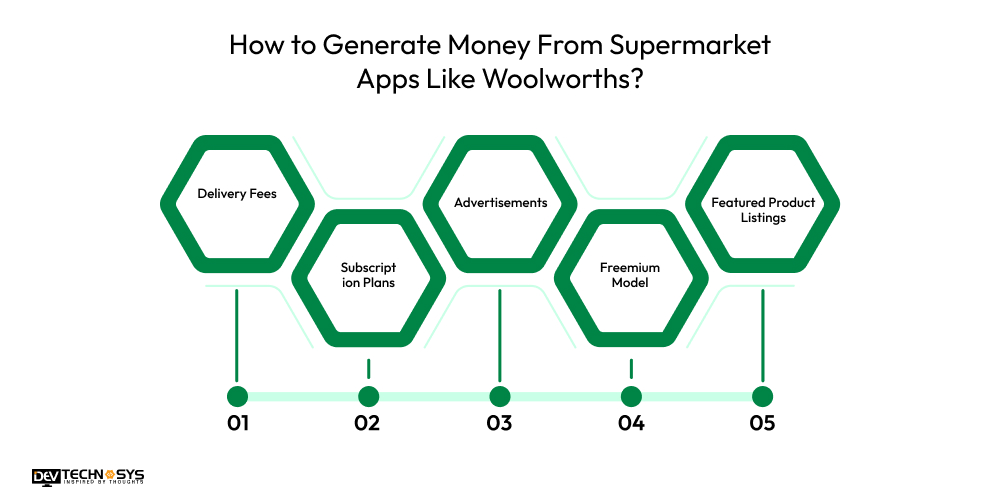
How to Generate Money From Supermarket Apps Like Woolworths?
It’s excellent to create an app like Woolworths, but now, businesses need to find robust monetization models to generate new revenue streams. So, let’s figure out which money-making strategy is profitable for your business:
- Delivery Fees
- Subscription Plans
- Advertisements
- Freemium Model
- Featured Product Listings
1. Delivery Fees
In the first money-making technique, businesses can charge delivery fees on each order placed by users. The delivery fees can be changed as per the order size, delivery location, delivery type, and many other factors. So, delivery fees can be another income source and easily increase the overall valuation.
2. Subscription Plans
The marketplace apps like ETSY and Woolworths offer paid subscription plans such as basic, premium, and enterprise. With the help of these subscription plans, users can access the premium functionalities and services of the app. So, users need to purchase these plans annually and monthly, this can generate new revenue streams.
3. Advertisements
Moving to the third monetization model, businesses can sell ad space to third-party businesses or organizations to market their products in search results.
There is a wide range of advertisement formats available, such as banner, native, pop-up window, display, video, and photo ads. So, businesses can charge a fee to show their products in their application.
4. Freemium Model
In the fourth money-earning strategy, online marketplace like Amazon and Woolworths offers basic features with their freemium version. If customers want to unlock the rich features and services, then they need to buy the additional features or premium subscription plans. So, it can generate a new revenue stream and expand the business to the next level.
5. Featured Product Listings
Let’s talk about the last profit-generating technique. Businesses can charge brands and organizations to show their products in top listings and the deals of the week section within the app. Charge a fee of around 5% to 8% on each featured product listing. So, this can increase the overall sales and valuation of the application.
Final Words!
In this blog, we talked in detail about how to build an app like Woolworths in Australia and how it can be a turning point for stuck businesses. We hope you have cleared all your doubts and confusion regarding building a successful application. Also discussed in detail were the overall development cost and the factors that can influence it.
At last, building an app like Woolworths is a profitable opportunity for startups and large organizations that want to invest in the supermarket industry.
Do you want to create an app like Woolworths within a fixed budget? Just consult with an experienced marketplace app development company to receive budget-friendly solutions.
Frequently Asked Questions
Q1. How Much Does it Cost to Build an App Like Woolworths?
A. The cost to develop an app like Woolworths ranges from $8,000 to $25,000. The supermarket app development cost can fluctuate due to features, functions, size, complexity, and development team.
Q2. How Long Does it Take to Create an App Like Woolworths?
A. To create an app like Woolworths, it mainly takes around 4 to 10 weeks. The development time can be changed due to higher project complexity, number of features, project size, and the developer’s working hours.
Q3. How to Reduce the Supermarket App Development Cost?
A. There are various factors that help businesses to reduce the cost to develop an app like Woolworths:
- Develop an MVP
- Use open-source frameworks
- Plan for iterative improvements
- Define clear requirements
- Utilize pre-built modules
Q4. What Technologies Are Used to Make an App Like Woolworths?
A. Various types of technologies are used, here is the list:
- Java
- Python
- PHP
- C++
- C#
- Ruby
Q5. What Challenges Faced During Supermarket App Development?
A. Here we provide the list of challenges:
- Scalability and Performance
- Payment Gateway Integration
- Location-Based Services
- Data Security
- Delivery and Order Management














