

















Key takeaways:
-
- According to fortunebusinessinsights.com, the video streaming market is projected to grow from USD 969.56 billion in 2026 to USD 3,394.56 billion by 2034.
- The cost to create a video streaming app typically ranges from $30,000 to $1,50,000, depending on features and functionalities
- Video streaming services deliver content directly from servers to PCs, laptops, smart TVs, and smartphones.
- Key technologies include adaptive bitrate streaming to auto-adjust the video quality based on internet speed, CDNs for fast delivery, Real-time video streaming, and codecs for video compression.
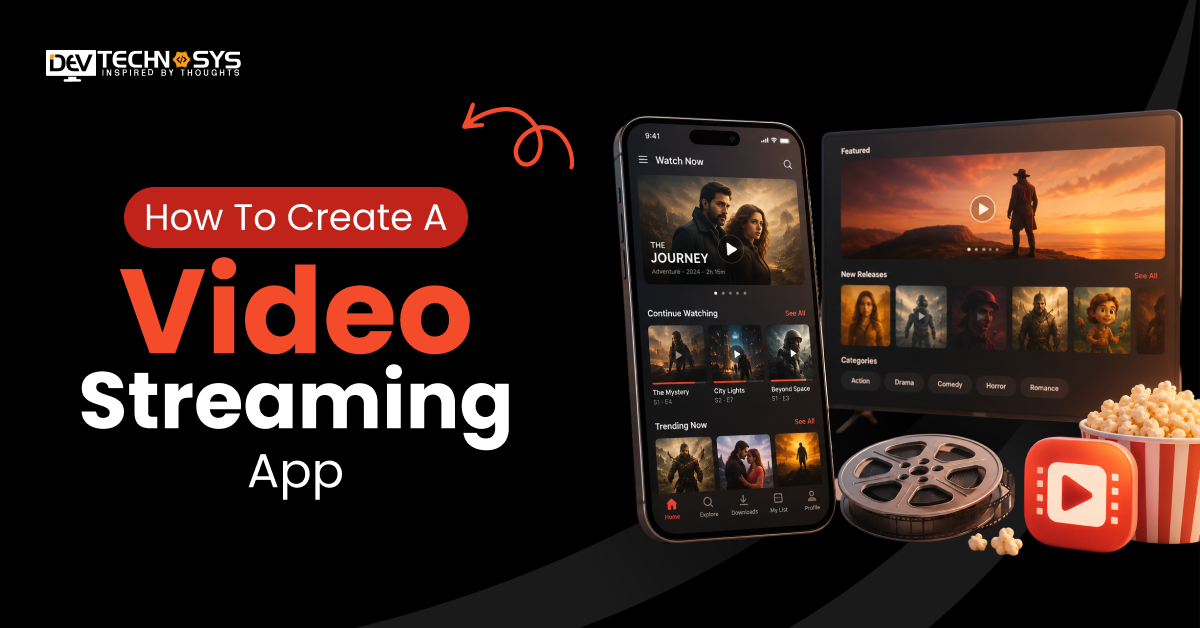
Popcorn, drink, couch! And you set out to tune in to your favorite movie or series on TV. Sounds perfect, right? That’s the specialty of video streaming platforms: keeping viewers hooked. But honestly, the success of video streaming apps like Netflix and Amazon Prime Video does not entirely rest on their binge-worthy shows or entertaining movies.
Instead, it largely comes from the ability to create a comfortable and smooth streaming experience, personalized recommendations, and limitless video content options.
Video streaming apps are the result of technology, design, and content blended perfectly to entertain users and pique investors’ interest. Businesses keep looking for ways to gain more users and scale faster; one effective approach is to build a custom video and live-streaming app.
But how do you actually get started? Don’t worry, we are here to guide you! This blog contains all the information you might need to create a video streaming app.
From development steps and features to costs and key considerations, we’ve got it all covered. If you are a business looking to learn how to create a video streaming app from scratch, tune in to this informative guide.
What is a Video Streaming App?
A video streaming app is a digital platform that streams videos and movies online in real time. It provides users with instant access to movies, videos, and live events, eliminating the need for downloads.
Some of the most popular video streaming apps are Netflix, YouTube, and Disney+. These streaming services deliver content directly from servers to PCs, laptops, smart TVs, and smartphones. Digital video apps often operate on subscription, as-supported, and free models.
Video Streaming App Market Stats
- The global video streaming market size is projected to grow from USD 969.56 billion in 2026 to USD 3,394.56 billion by 2034, exhibiting a CAGR of 17.00% during the forecast period.
- The U.S. video streaming market is predicted to grow significantly, reaching an estimated value of USD 610.59 billion by 2032.
- The report includes various software and content delivery platforms offered by players, such as Netflix Inc., Hulu LLC, IBM Corporation, Amazon.com Inc., and others.
- The content delivery services segment is expected to hold the largest part in the video streaming market with a share of 66.04% in 2026.
Complete Video Streaming Workflow: Upload, Encoding, CDN & Playback
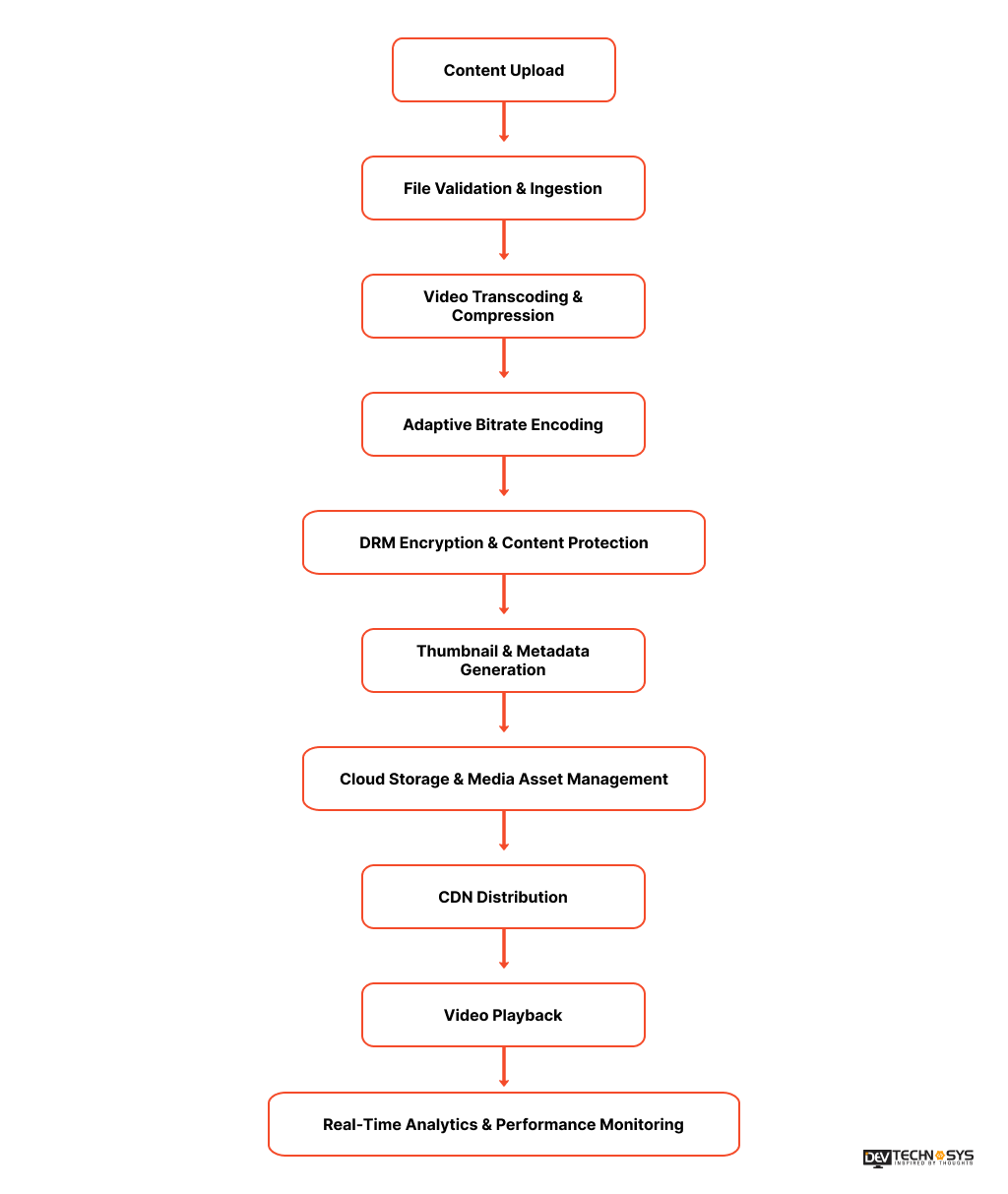
Before we explain how to create a video streaming website or application, let’s first learn the workflow of the entertainment streaming app. The video streaming apps work by dividing video content or files into small data packets and transmitting them to a user’s device.
Instead of downloading the entire file, the player buffers (pre-loads) the data, allowing playback to start almost instantly. Key technologies include adaptive bitrate streaming to auto-adjust the video quality based on internet speed, CDNs for fast delivery, and codes for compressing data. The following workflow illustrates how modern OTT platforms process and deliver video content from upload to playback.
Step |
Process |
What Happens |
Common Technologies |
| Step 1 | Content Ingestion & Upload | Creators submit their videos through either the application or the content management system (CMS). After submitting a video, there is a system that will check the video’s file format, size, and quality before processing begins. | REST APIs, S3, Google Cloud Storage, Azure Blob Storage |
| Step 2 | Video Transcoding & Compression | Once a video has been uploaded, the system converts it into various resolutions and compresses it in order to lower the file size, while still keeping the visual quality intact. | FFmpeg, AWS Elemental MediaConvert, Bitmovin |
| Step 3 | Adaptive Bitrate (ABR) Encoding | The system then generates several different bitrate versions of the video. Video encoding allows the player to switch between different qualities of video depending on how fast or slow the user’s Internet connection is. | HLS, MPEG-DASH, CMAF |
| Step 4 | DRM Encryption & Content Protection | Each video that is uploaded to the system will be encrypted to protect against piracy and unauthorized access. The system will also verify both access tokens and licenses prior to allowing the video to be played. | Widevine, FairPlay, PlayReady, AES-128 |
| Step 5 | Thumbnail & Metadata Generation | Preview thumbnails for the video are created, metadata is extracted, subtitles are generated, along with all tags or searchable content that will allow for better discoverability. | FFmpeg, Video streaming API, AI Vision APIs, Speech-to-Text APIs |
| Step 6 | Cloud Storage & Media Asset Management | All processed videos, thumbnails, subtitles, and metadata are securely stored in an organized manner for efficient retrieval and scalability. | Amazon S3, Google Cloud Storage, Azure Blob Storage |
| Step 7 | CDN Distribution | All video content is cached on edge servers around the globe to decrease latency, eliminate buffering, and provide faster delivery of content to users worldwide. | CloudFront, Cloudflare, Akamai, Fastly |
| Step 8 | Video Playback & Analytics | Users will be able to stream videos while the platform is continuously monitoring playback quality, buffering, time watched, and engagement of the user, as well as the user’s viewing habits for optimization. | Video.js, ExoPlayer, AVPlayer, Google Analytics, Mixpanel |
Types of Video Streaming Apps Businesses Can Build?
When a business considers developing a video streaming platform, the first thing they need to decide on is the type. There are different types of video streaming apps that cater to different audiences and purposes. It requires a unique feature set and follows its own monetization strategy. Let’s see what these categories are:
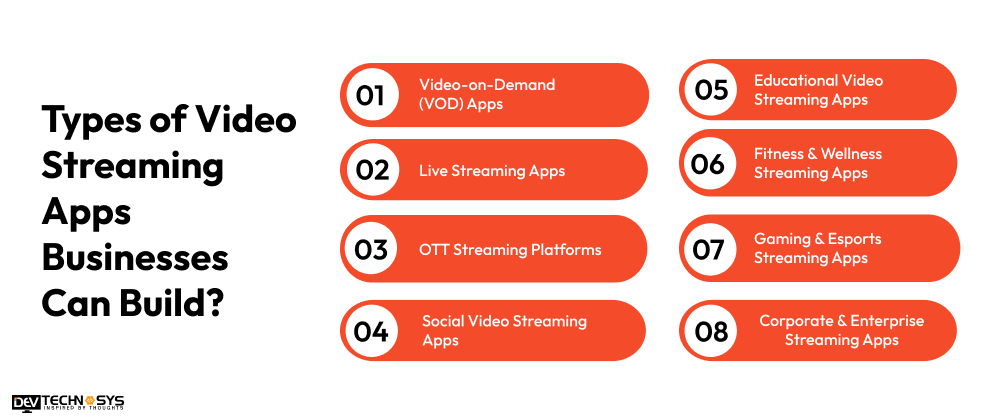
1. Video-on-Demand (VOD) Apps
VOD stands for “Video On Demand,” which allows anyone to see previously created videos whenever they want and doesn’t require that they watch them when a network airs them. Some of these apps have features that let users create personalized recommendations for other people, create “watchlists,” download videos to their mobile device for later viewing, and access a subscription-based service to stream content.
Best For: Entertainment companies, media companies, online educators, and content creators.
Popular Examples: Amazon Video, Netflix, Hulu, YouTube.
Development Complexity: Medium to High
2. Live Streaming Apps
Live streaming apps allow a business or an individual to create a live broadcast of an event or program and have the audience participate via a live chat, emojis or stickers, voting/ polling, and virtual gifts. To develop a live streaming app, approach a reputable video streaming app development services provider.
Best For: Sportscasters, gaming companies, event organizers, faith-based organizations, and companies that provide webinars.
Popular Examples: Facebook Live, YouTube Live, Twitch.
Development Complexity: High
3. OTT Streaming Platforms
OTT (Over-The-Top) platforms provide access to create premium content (such as movies, series, documentaries, etc.) that can be delivered directly over the internet and allow the viewer to watch them on multiple devices. Building OTT apps demands the expertise that can only be provided by top entertainment app development companies.
Best For: Media Companies, independent broadcasters, independent creators of original content, and subscription streaming businesses.
Popular Examples: Disney+, HBO Max, Apple TV+.
Development Complexity: Very High
Industry Insights
The global video streaming market is forecast to reach USD 416.8 billion by 2030, fueled by OTT subscriptions and connected TV adoption.
4. Social Video Streaming Apps
Platforms for social video streaming include social networking and sharing video content, which allows users to create, upload, livestream, and interact with other users/content, whether through commenting/sharing, etc.
Best For: Startups, creator platforms, influencer networks, and companies that utilize social networks.
Popular Examples: YouTube, TikTok, Instagram Live.
Development Complexity: Extremely Difficult
5. Educational Video Streaming Apps
Platforms for educational video streaming deliver live teaching sessions, recorded classes, certification programs/courses, virtual classrooms, quizzes, and other ways for learners to track their progress
Best For: EdTech startups, universities, coaching organizations, corporations providing training, and professional learning programs
Popular Examples: Coursera, Udemy, Khan Academy
Development Complexity: Moderately Difficult to Extremely Difficult
6. Fitness & Wellness Streaming Apps
Platforms for fitness and wellness video streaming provide users access to live or pre-recorded workouts, yoga, meditation, nutritional coaching, and personalized workout plans.
Best For: Fitness brands, gyms, wellness coaches, yoga instructors, and healthcare providers
Popular Examples: Peloton, FitOn, Nike Training Club
Development Complexity: Moderately Difficult
7. Gaming & Esports Streaming Apps
Platforms for gaming or eSports streaming provide users with the ability to broadcast their gameplay live or compete in eSports tournaments, generate views from their broadcast, interact with viewers through chat or social media, and monetize their content via advertisements.
Best For: Gaming startups, esports organizations, gaming communities, and professional streamers.
Popular Examples: Twitch, Kick, Steam Broadcast
Development Complexity: Very High
Industry Insights
The global games market continues to generate more than $180 billion annually, creating strong demand for game streaming and esports platforms.
8. Corporate & Enterprise Streaming Apps
Enterprise streaming platforms enable organizations to securely host virtual meetings, employee training sessions, webinars, town halls, and internal communications.
Best For: Large enterprises, multinational companies, healthcare organizations, government agencies, and educational institutions.
Popular Examples: Microsoft Teams, Zoom, Cisco Webex
Development Complexity: Medium to High
Video Streaming App Architecture Explained
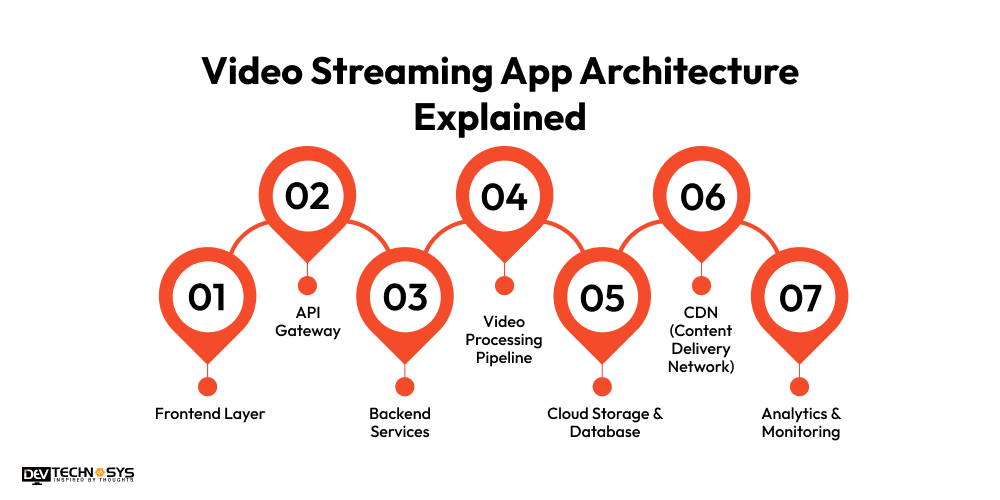
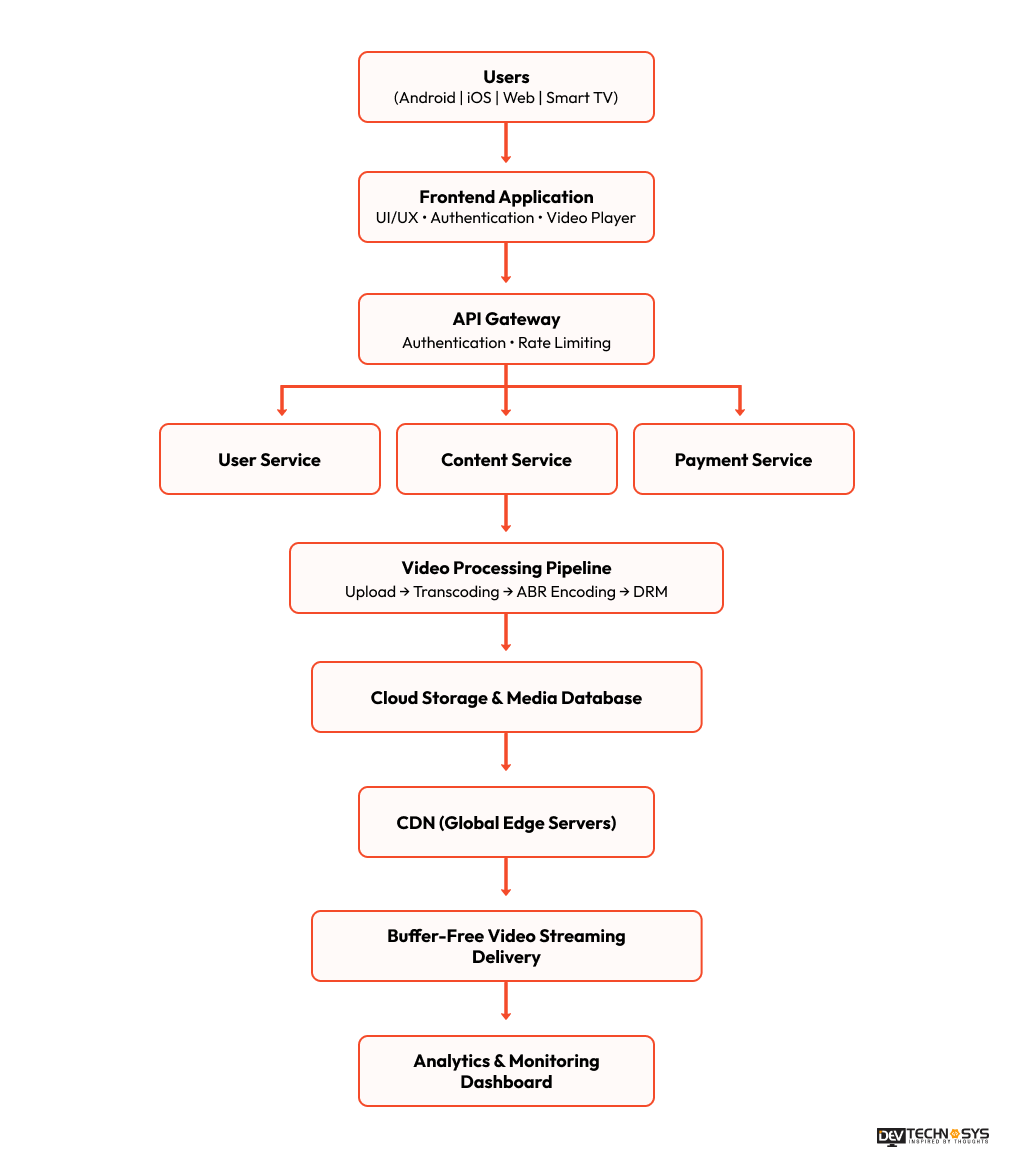
Building an effective video streaming application architecture is important for delivering quality videos at low buffer rates with thousands of users viewing simultaneously. A modern-day on-demand video streaming app uses a cloud-based, Multi-CDN Architecture where each part of the system (i.e., front-end, back-end, video processing, Cloud video storage, and video content delivery) is separated from one another. This type of architecture allows for better scalability, security, and performance; in addition, it creates a seamless viewing experience for users on mobile phones, web browsers, and Smart TVs.
Architecture Components
- Frontend Layer: The frontend provides a user interface on Android, iOS, web / smart TV applications, and includes capabilities such as authentication, content discovery, video playback, user profiles, as well as providing personalized recommendations.
- API Gateway: The API Gateway serves as the secure access point between users and backend services, responsible for providing user authentication, request routing, traffic management, API security, and load balancing.
- Backend Services: The backend is made up of scalable microservices that manage user accounts and subscriptions, maintain content catalogs, process payment transactions, send notifications, provide searching capability, as well as implement business logic.
- Video Processing Pipeline: Uploaded videos are transcoded into multiple resolution formats (using a range of video formats), compressed into a manageable size, encrypted for security, and prepared for adaptive bitrate streaming. It ensures that the end-user experience is optimal and that playback can occur regardless of available internet speeds.
- Cloud Storage & Database: Videos, thumbnails, subtitles, and metadata are stored securely in the cloud, while databases manage information associated with users, including the following: User accounts, browsing history, subscriptions, and application data.
- CDN (Content Delivery Network): By caching video content on geographically diverse edge servers as part of its Global reach, CDNs lower latency, reduce buffering, and provide users with high-speed streaming from any location worldwide.
- Analytics & Monitoring: Providers of entertainment app development services use video streaming analytics tools to monitor streaming quality, viewer engagement, watch time, buffering rates, concurrent users, and platform performance, helping businesses optimize both user experience and operational efficiency.
Key Benefits of This Architecture
- Scalable to support millions of users and concurrent streams.
- High Performance with adaptive bitrate streaming and CDN acceleration.
- Secure through DRM, encryption, and role-based access control.
- Highly available using live streaming infrastructure, cloud infrastructure, and load balancing.
- Future-Ready with microservices, APIs, and AI-powered video recommendations.
What are the Essential Steps to Create a Video Streaming App from Scratch?
The video streaming app development steps include defining a niche, content licensing, UI/UX design, MVP, tech stack, security assurance, testing, launch, and post-maintenance.
If you wish to create a video streaming app from scratch, then read this section carefully. Here, we have explained the entire video streaming app development process in simple steps.
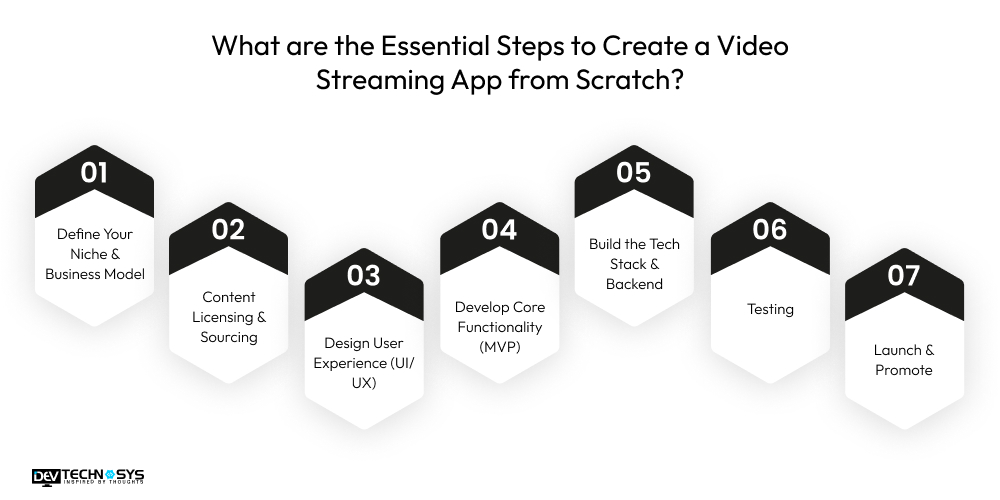
1. Define Your Niche & Business Model
Start the live streaming app development process by identifying your target audience and the type of content your app will provide, such as live sports, educational videos, or movies.
To build a video streaming app, decide on the revenue model that fits your business goals: SVOD (subscription-based), AVOD (ad-supported), or TVOD (pay-per-view).
A well-defined niche and clear business model ensure that your app can attract the right users and generate sustainable revenue. After that, hire a reputable app development company to build a video sharing app from scratch.
2. Content Licensing & Sourcing
Content licensing, specifically the use of Automated Content Recognition (ACR) and audio monitoring technologies, is crucial for understanding what users want and it is crucial for successful custom video streaming app development.
You can either license popular movies, shows, or videos from content providers or create original content tailored to your audience. Original content can help differentiate your platform and attract loyal viewers.
Additionally, negotiating licensing deals and ensuring legal compliance protects your business from copyright issues and establishes your app as a reliable content provider.
3. Design User Experience (UI/UX)
A seamless, intuitive user experience keeps viewers engaged. To build a video streaming app in California, you need to create wireframes and prototypes to plan the interface, focusing on easy navigation, advanced search, filters, and user-friendly video player controls.
Short video app development involves features like personalized recommendations, watchlists, and smooth playback options. A clean, engaging design ensures users can find and watch content effortlessly, improving retention and encouraging repeat use.
4. Develop Core Functionality (MVP)
Develop a video streaming app by choosing the essential features for your minimum viable product. Include user registration and profile management, payment gateway integration, content categorization, and secure, high-quality video playback.
This ensures your app provides a complete yet manageable experience for initial users. Building an MVP first allows video streaming app development companies in USA and businesses to test the market, gather feedback, and improve functionality before adding advanced features, reducing development risks and costs.
5. Build the Tech Stack & Backend
Netflix clone app development requires choosing the right technology to ensure smooth streaming and scalability. Use cloud hosting like AWS, Google Cloud, or Azure to store videos. Implement CDNs like Cloudflare or Akamai to deliver content quickly.
To develop a video streaming app like Netflix or Amazon Prime, use video transcoding across multiple formats and resolutions, and streaming protocols such as HLS or DASH for adaptive playback. Secure content with DRM to prevent piracy and ensure the backend can handle high traffic.
6. Testing
After completing the video streaming app development process, your app requires thorough testing. Complete testing ensures your app performs smoothly across devices and networks. Conduct functional, performance, and security testing, including stress tests for high traffic and buffering scenarios.
Check for app crashes, latency, and playback quality. User experience testing helps identify interface issues and improves usability. Rigorous testing reduces post-launch issues, ensures reliability, and builds user trust, which is critical for long-term retention.
7. Launch & Promote
Deploy your app across multiple platforms, including iOS, Android, the Web, and Smart TVs. Promote it strategically through social media campaigns, influencer partnerships, email marketing, and niche-targeted ads. Strategic promotion is one of the most crucial OTT app development steps.
Promote by highlighting your unique content, personalization features, and user-friendly interface. Continuous marketing post-launch, combined with analytics monitoring, helps you attract users, track engagement, and make informed updates to grow your platform successfully.

What Features Are Required To Build a Video Streaming App?
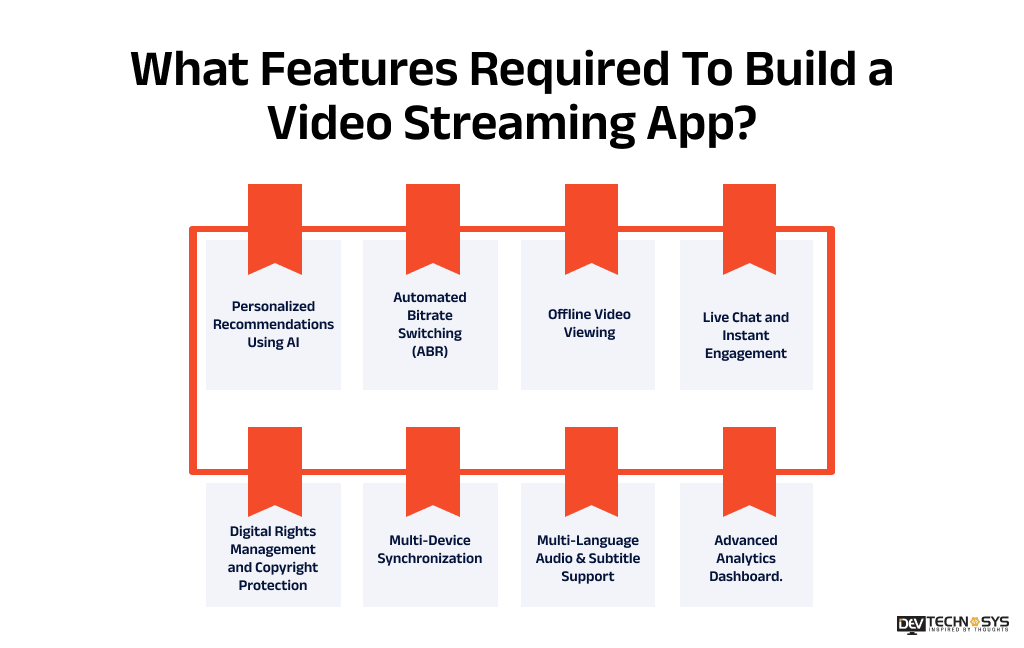
A good live video streaming platform should give users a great viewing experience and give content creators and managers the tools they need to run the platform. To do this, the website should have features just for users, creators, and administrators. The most important streaming app features that each panel needs to have are shown in the table below.
User Panel Features |
Creator Panel Features |
Admin Panel Features |
| User Registration & Secure Login | Video Upload & Bulk Import | Admin Dashboard |
| User Profiles | Video Content Management System (CMS) | User & Role Management |
| Advanced Search & Filters | Live Streaming Dashboard | Content Moderation |
| AI-Powered Content Recommendations | Thumbnail & Metadata Management | Subscription & Payment Management |
| HD Video Player with Adaptive Bitrate Streaming | Subtitle & Caption Management | Advertisement Management |
| Watchlist & Favorites | Playlist & Content Organization | Analytics & Business Reports |
| Offline Video Downloads | Monetization Management | Revenue & Financial Dashboard |
| Continue Watching | Audience Analytics | Content Recommendation Management |
| Multi-Device Synchronization | Comment Moderation | Notification Management |
| Push Notifications | Copyright & DRM Management | Security & Role-Based Access Control |
| Ratings & Reviews | Revenue Dashboard | Platform Settings & Configuration |
| Social Media Sharing | Live Stream Scheduling | Multi-Language Management |
| Subscription & Payment Management | Video Performance Analytics | API & Third-Party Integration Management |
| Viewing History | Content Scheduling | System Monitoring & Performance Tracking |
| Multi-Language Support | AI-Based Content Recommendations | Backup, Logs & Audit Management |
1. Personalized Recommendations Using AI
Use of machine learning and artificial intelligence in the analysis of user activity, viewing habits, and preferences enables your service or platform to provide users with personalized recommendation(s) for users and increase engagement, watch-time, and retention.
2. Automated Bitrate Switching (ABR)
Automatic switch of video quality depending on the user’s internet connection and device features allows for smoother playback, eliminates buffering, and creates a better overall viewing experience regardless of the user’s network constraints.
3. Offline Video Viewing
This feature allows viewers to download videos securely and watch them whenever they want, even without an Internet connection. It provides added convenience to travelers, commuters, and users with limited Internet access.
4. Live Chat and Instant Engagement
To build a live streaming app, you need to add a live chat feature. It improves audience interaction through live chats, emojis, reactions, polls, and user comments during a live broadcast, event, or interactive streaming experience.
5. Digital Rights Management and Copyright Protection
To protect the premium content from unauthorized access and piracy, experts use digital rights management (DRM), encryption, secure playback, and/or watermarking technologies. It ensures that your intellectual property remains secure.
6. Multi-Device Synchronization
Synchronize user preferences, watch history, and playback progress across smartphones, tablets, web browsers, and smart TVs, allowing users to continue watching seamlessly on any device.
7. Multi-Language Audio & Subtitle Support
You can expand your reach by offering audio tracks and subtitles in multiple languages. This will provide your audience with access to the content they want in their own language, thus expanding your audience base across the world.
8. Advanced Analytics Dashboard.
By looking at key performance metrics, such as watching time, retention, engagement, popular content, and revenue, you can use this information to analyze whether you are making decisions based on actual data. It will help you to improve the performance of your platform and increase the growth of your business.
Planning a Video Streaming Project?
Get a tailored development cost estimate in a few simple steps.
- 3 quick steps
- 100% free
- Reply in 1 business day
2 Minutes Read
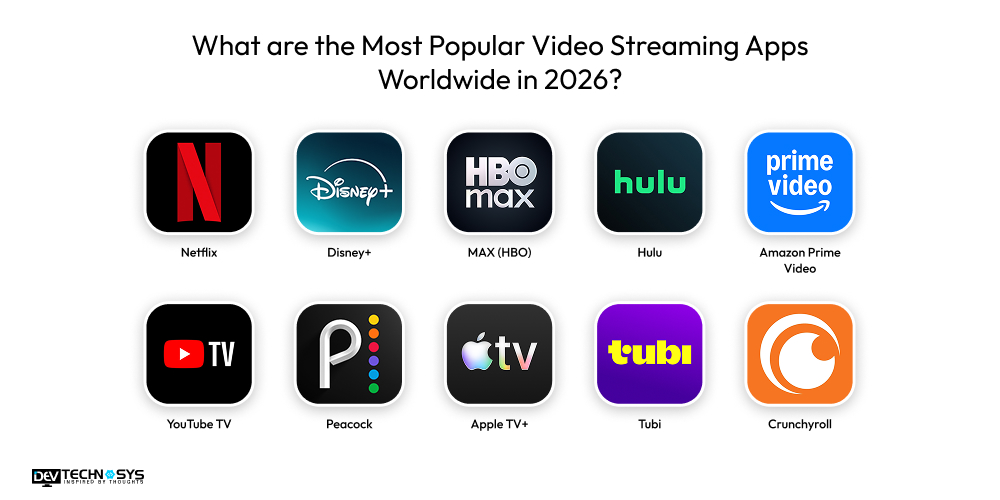
What are the Most Popular Video Streaming Apps Worldwide in 2026?
In the digital era, the most popular video streaming apps to explore include Netflix and Amazon for originals, Disney+ for family entertainment, and diverse platforms like Hulu and Tubi. The video content on these platforms updates frequently with features, new recommendations, and varied options for viewers.
App |
Launch Year |
Rating |
Downloads / Users |
Platform Availability |
| Netflix | 2007 | 4.4 | 1B+ downloads | iOS, Android, Web, Smart TV |
| Disney+ | 2019 | 4.5 | 500M+ downloads | iOS, Android, Web, Smart TV |
| MAX (HBO) | 2020 | 4.3 | 100M+ users | iOS, Android, Web, Smart TV |
| Hulu | 2007 | 4.0 | 50M+ users | iOS, Android, Web, Smart TV |
| Amazon Prime Video | 2011 | 4.3 | 1B+ downloads | iOS, Android, Web, Smart TV |
| YouTube TV | 2017 | 4.2 | 10M+ users | iOS, Android, Web, Smart TV |
| Peacock | 2020 | 4.1 | 50M+ downloads | iOS, Android, Web, Smart TV |
| Apple TV+ | 2019 | 4.6 | 40M+ users | iOS, Android, Web, Smart TV |
| Tubi | 2014 | 4.6 | 100M+ downloads | iOS, Android, Smart TV |
| Crunchyroll | 2006 | 4.7 | 100M+ downloads | iOS, Android, Web, Smart TV |
From all the platforms listed above, these are the top 5 video streaming apps:
1. Netflix
The Netflix app is a top-tier subscription-based, on-demand video streaming platform. It contains a vast library of the latest and award-winning series, movies, documentaries, and, in some regions, mobile games. It uses cloud technology, CDN, and AWS CloudFront to deliver and manage content.
Key features include 4K UHD/HDR streaming, personalized recommendations, multi-device support, spatial audio, and “Skip Intro/Next Episode” capability.
Depending on the plan, up to 4 devices can stream simultaneously. With over 3.9-star rating and over 1 billion downloads on Google Play, it is one of the most popular video streaming apps. If you want to build an app like Netflix, we suggest hiring professional and experienced developers.
Interesting Fact:
According to the Business of Apps market reports, Netflix conquers the global streaming market with over 327 million paid subscribers as of late 2025. It is responsible for 18.3% of all streaming minutes in the US.
2. Disney+
Disney+ acts as an exclusive hub for original and entertaining video content from top brands, including Disney, National Geographic, Pixar, Marvel, and Star Wars. It features a vast collection of films, series, and documentaries.
Disney+ is the third-largest streaming service, often seen as the 3rd pillar for consumers after Netflix and Amazon Prime. The platform has shifted its focus from rapid expansion to centralizing it on quality, resulting in fewer but high-performing original releases.
Industry Insights
According to Statista, the Disney+ platform holds roughly a 12% share of the US SVOD market and generated $10.4 billion in revenue in 2024, reflecting a 21.6% year-over-year increase.
3. MAX (HBO)
HBO Max is an American subscription video-on-demand streaming service owned by Warner Bros. The Max platform provides access to HBO original programming, including live channels, on-demand, and streaming content. This subscription video platform features content from the libraries of Warner Bros, Discovery Channel, HBO, CNN, Cartoon Network, Adult Swim, Animal Planet, TBS, TNT, and Eurosport, as well as their related brands.
Max’s user demographics are younger, with 53% being Millennials or Gen Z. The largest user segment (32.15%) is aged 25 to 34. If you are a business wanting to build a video streaming app like HBO Max, look for a top app development company.
Industry Insights
As of Q3 2025, the platform reached 128 million global streaming subscribers, with projections to reach 150 million by the end of 2026. Stated by StreamTV Insider.
4. Amazon Prime Video
Amazon Prime Video (or Prime Video) is a leading over-the-top streaming service owned by Amazon. It supports 4K Ultra HD, HDR, and High Dynamic Range (HDR10+) formats. It contains a vast library of movies, TV shows, and exclusive “Amazon Originals”.
It functions as both an on-demand streaming service (included with an Amazon Prime membership) and a transactional service, allowing users to rent or purchase content, including live sports and premium channel add-ons. To build an app like Amazon Prime Video, you need the help of an experienced development provider.
Industry Insights:
Episiodemeg.com states that the Prime Video is a significant competitor in the streaming industry, ranking as the second-most-subscribed service in the US after Netflix.
5. YouTube TV
YouTube TV is a subscription-based live TV streaming service operated by Google that offers 100+ channels, including local, news, and sports, for $72.99/month. The service includes over 100 channels, unlimited DVR, and support for multiple household members.
It provides a customizable guide, and a “multiview” feature allows viewing up to four sports channels at once. YouTube clone app development demands compatibility with smart TVs, phones, and streaming devices (Roku, Apple TV, etc.) without contracts.
Industry Insights:
According to NewsCastStudio, YouTube TV is the fastest-growing virtual pay-TV provider in the US, with over 10 million subscribers by early 2025.
Why Businesses Must Invest In Video Streaming App Development?
Now we can’t move ahead without discussing the business benefits of investing in a video streaming app. Investing in developing a video streaming app offers businesses various benefits, including expanded audience reach and additional revenue-generating opportunities. Let’s discuss these benefits in detail:
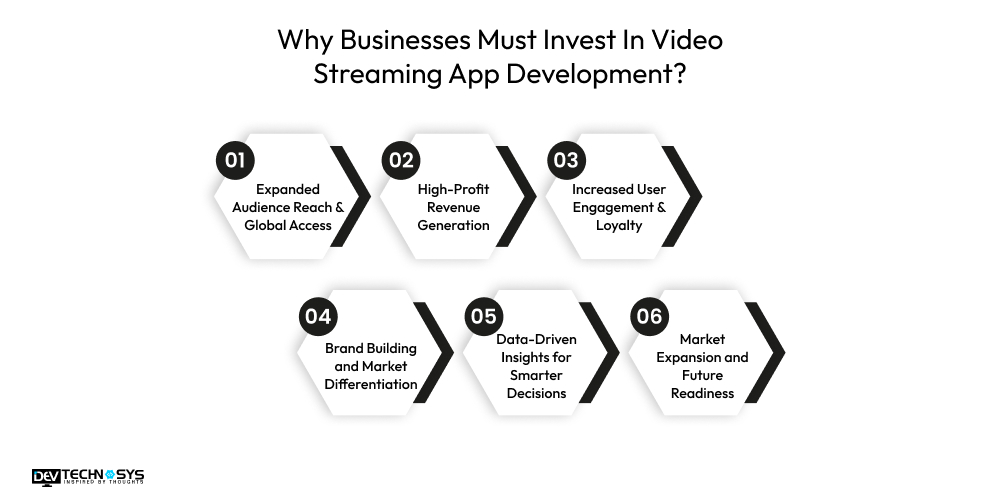
1. Expanded Audience Reach & Global Access
Video streaming apps remove geographical barriers, enabling businesses to reach audiences worldwide through live and on-demand content. With 24/7 accessibility across devices, brands can serve users in different time zones, scale faster, and tap into international markets without relying on physical distribution channels.
2. High-Profit Revenue Generation
OTT platforms unlock diverse monetization opportunities such as subscription-based (SVOD), ad-supported (AVOD), and pay-per-view (TVOD) models.
Businesses can combine these strategies to maximize revenue, attract different audience segments, and create predictable recurring income streams with higher profit margins.
3. Increased User Engagement & Loyalty
On-demand access, personalized recommendations, and binge-worthy content significantly improve user engagement. Interactive features like live chats, polls, reactions, and real-time comments during live streams build a sense of community, encouraging repeat usage and long-term customer loyalty.
4. Brand Building and Market Differentiation
A dedicated video streaming app strengthens brand identity and credibility. Unlike third-party platforms, a proprietary app offers complete control over content, design, and user experience. Brand building helps businesses stand out in competitive markets and build direct relationships with their audience.
5. Data-Driven Insights for Smarter Decisions
Integrated analytics track viewer behavior, watch time, content preferences, and drop-off points. These insights help businesses refine content strategies, personalize user experiences, optimize marketing campaigns, and improve overall platform performance based on real user data.
6. Market Expansion and Future Readiness
With nearly 88% of American households using streaming services, video apps are no longer optional; they’re essential. Investing early in streaming technology helps businesses stay relevant, meet evolving consumer expectations, and position themselves for future digital growth.
You can reach out anytime; we are available 24/7. Our team provides a quick response.

Case Study: Video Streaming Platform
Dev Technosys Delivered a Scalable OTT Streaming Solution in 28 Weeks with 35% Lower Development Cost
Built a feature-rich video streaming platform for a European media startup, enabling secure Cloud video hosting, live streaming, on-demand content delivery, and seamless multi-device viewing with cloud-native scalability.
- Client: MediaTech Solutions (Spain)
- Project: Video Streaming Platform
- Timeline: 28 Weeks
- Budget: $50,000 to $150,000+
Challenge
Build a scalable OTT platform with live streaming, video-on-demand, secure content delivery, multi-device support, and seamless playback for thousands of concurrent users.
Solution
Developed a cloud-based streaming platform with adaptive bitrate streaming, CDN integration, DRM protection, AI recommendations, subscription management, and cross-platform support.
- 35% lower development cost
- Successfully launched in 28 weeks
- 99.9% streaming uptime
- 4.6-star average user rating
- Supports 100,000+ concurrent viewers
HLS vs DASH: Which Streaming Protocol Should You Choose?
A lot of people use HTTP Live Streaming (HLS) and Dynamic Adaptive Streaming over HTTP (MPEG-DASH), which are both adaptive streaming protocols that deliver high-quality video across varying network conditions. While HLS works best with Apple products and most other devices, DASH is more flexible and supports more codecs for Android, the web, and smart TVs. The right protocol for you relies on your streaming goals, the devices that will work with it, and the amount of latency you need.
Feature |
HLS (HTTP Live Streaming) |
MPEG-DASH |
| Developed By | Apple | MPEG (ISO) |
| Device Compatibility | Excellent for iOS, macOS, Safari | Best for Android, Web, Smart TVs |
| Browser Support | Native in Safari | Supported by most modern browsers via players |
| Adaptive Bitrate Streaming | Yes | Yes |
| Latency | Low-Latency Streaming
(supports Low-Latency HLS) |
Very Low (supports Low-Latency DASH) |
| Codec Support | H.264, H.265 (HEVC) | H.264, H.265, AV1, VP9, and more |
| DRM Support | FairPlay DRM | Widevine, PlayReady, ClearKey |
| Implementation Complexity | Easier | More flexible but slightly more complex |
| Best For | OTT apps targeting Apple users and broad compatibility | Enterprise OTT platforms, Android apps, and multi-device streaming |
According to our video streaming platform development expert Narayan Das, businesses should:
- Choose HLS for maximum compatibility, especially on iPhone, iPad, Apple TV, and Safari devices.
- Choose MPEG-DASH for Android, web, Smart TVs, and advanced OTT platforms requiring flexible codec and DRM support.
- Best Practice: Support both HLS and DASH to ensure seamless streaming across all devices and platforms.
What is The Estimated Cost to Build a Video Streaming Application?
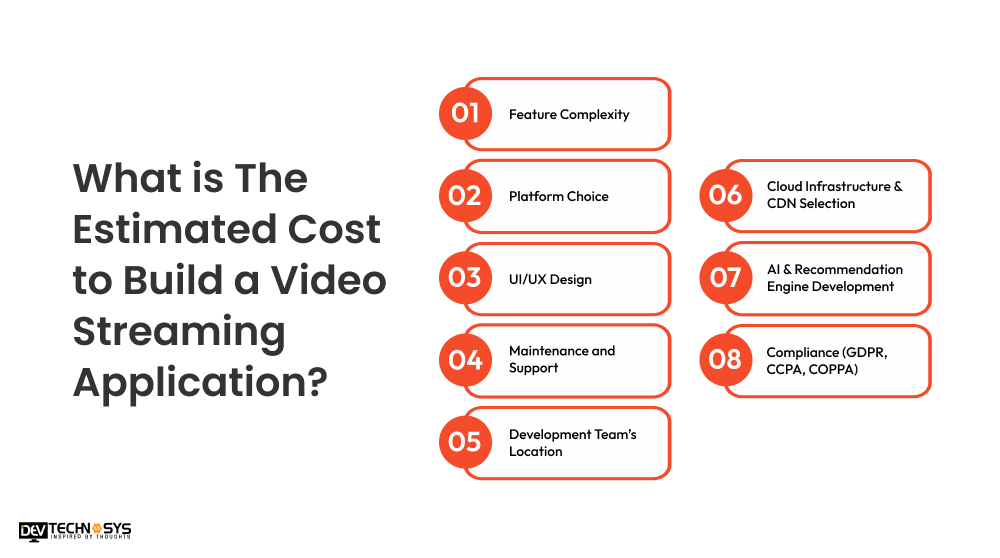
The cost to build a video streaming app in NYC is estimated at $30,000 to $1,50,000. The factors affecting the cost include features, platform choice, tech stack, development team’s location.
The basic OTT app development cost will be around $30,000 to $60,000. The mid-level video streaming platforms may cost up to $60,000. To $100,000. However, the cost to create a video streaming app with advanced features like AI personalization and multi-device support may exceed $1,50,000.
Complexity |
Estimated Cost |
Development Timeline |
| Basic | $30,000 – $60,000 | 3 to 5 Months |
| Medium | $60,000 – $100,000 | 5 to 8 Months |
| Advanced | $100,000 – $150,000+ | 8 to 12+ Months |
Now you might be wondering why there’s such a difference between the basic and advanced video streaming app development costs. It’s because of factors like features and platform choice. Moving further into the video streaming app development guide, let’s discuss the major cost-affecting factors that you need to know to understand the difference in the cost of building OTT platform from scratch
1. Feature Complexity
The video streaming app development cost in North America largely depends on the features you include. A basic video streaming platform includes features such as user login, content browsing, and standard playback, which costs less.
Adding advanced features such as AI recommendations, offline downloads, live streaming, and multi-device syncing increases development effort and costs due to higher infrastructure requirements.
2. Platform Choice
Another crucial factor that affects the cost to build a streaming service app is the choice of platform on which the streaming app will run. Choosing between Android, iOS, web, or all platforms impacts cost.
A single-platform app is more affordable, while cross-platform or multi-device support (Smart TVs, tablets) requires additional development, testing, and optimization.
3. UI/UX Design
A simple UI with standard layouts requires less development budget, while custom animations, intuitive navigation, dark mode, and personalized dashboards increase design time.
A polished UI/UX is essential for user retention and engagement in streaming apps. Hire skilled designers from a top Mobile app development company to design a custom and appealing UI/UX for your app.
4. Maintenance and Support
Post-launch costs for a digital streaming platform include server monitoring, bug fixes, performance optimization, feature updates, and security patches.
The maintenance cost will be around 12% to 20% of the total app development cost. Regular maintenance ensures smooth streaming, minimal downtime, and long-term user satisfaction.
5. Development Team’s Location
Developer rates vary by region. If you hire dedicated developers from Asia, the development will be more cost-effective. Whereas development teams in North America and Europe will charge higher hourly rates. Offshore or hybrid teams help businesses reduce overall development costs without compromising quality.
6. Cloud Infrastructure & CDN Selection
To deliver high-quality streaming experiences, cloud infrastructure services such as video storage, video transcoding service options, and CDNs are essential components of a video streaming system. Choosing scalable cloud solutions offers fast video delivery and low latency and a reliable multi-region customer experience, while also having a major impact on the total cost of both development and ongoing maintenance of cloud infrastructure.
7. AI & Recommendation Engine Development
Developing AI-powered recommendation engines can provide customers with personalized content recommendations, intelligent content searching, and custom watchlists based on user characterizations. Implementing machine learning technology and the development of algorithms, data processing, and ongoing optimization of models used within the recommendations development will be some of the most complex and cost-prohibitive elements of building a streaming application.
8. Compliance (GDPR, CCPA, COPPA)
When developing a streaming application, it is important to comply with all relevant data privacy regulations, such as GDPR, CCPA, and COPPA. Compliance involves implementing security measures to manage user authentication, user consent, user data encryption, privacy controls, and audit systems. Compliance with these regulations creates a level of user privacy that reduces the potential for legal risks and can add significant amounts of development effort and total project cost.
Cost Factor |
Estimated Timeline |
Impact on Overall Cost |
Estimated Cost Range |
| Feature Complexity | 6 to 14 Weeks | 30 to 35% | $30,000 – $110,000+ |
| Platform Choice | 2 to 8 Weeks | 15 to 20% | $15,000 – $45,000 |
| UI/UX Design | 2 to 5 Weeks | 10 to 15% | $8,000 – $20,000 |
| Cloud Infrastructure & CDN Setup | 2 to 4 Weeks | 10–15% | $10,000 – $25,000 |
| AI Recommendation Engine | 3 to 6 Weeks | 10 to 15% | $12,000 – $30,000 |
| Compliance & Security (GDPR, CCPA, DRM, Encryption) | 2 to 4 Weeks | 5 to 10% | $5,000 – $15,000 |
| Development Team Location | Throughout Project | 15 to 25% | Varies by hourly rates |
| Testing & Quality Assurance | 2 to 4 Weeks | 8 to 10% | $8,000 – $15,000 |
| Maintenance & Support (Annual) | Ongoing | 15 to 20% of Annual Cost | $5,000 – $30,000/year |
How Long Does it Take to Create A Video Streaming App?
According to top video streaming app development solutions providers, the time required to build a video streaming app depends on its complexity, features, supported platforms, and third-party integrations. A basic app typically takes 3 to 5 months, a mid-level platform requires 5 to 8 months, while an enterprise OTT solution with AI, DRM, live streaming, and multi-device support can take 8 to 12+ months to develop and launch.
Development Stage |
Estimated Timeline |
Key Deliverables |
| Discovery & Requirement Analysis | 1 to 2 Weeks | Market research, business goals, feature planning, project roadmap |
| UI/UX Design | 2 to 4 Weeks | Wireframes, prototypes, user flows, interface design |
| Backend Development | 6 to 10 Weeks | APIs, database, authentication, CMS, payment integration |
| Frontend Development | 6 to 10 Weeks | Android, iOS, web, Smart TV applications, video player integration |
| Video Streaming Infrastructure | 3 to 5 Weeks | Video transcoding, cloud storage, CDN, DRM, adaptive bitrate streaming |
| Third-Party Integrations | 2 to 4 Weeks | Payment gateways, analytics, push notifications, social login |
| Testing & Quality Assurance | 3 to 5 Weeks | Functional, security, performance, and cross-platform testing |
| Deployment & Launch | 1 to 2 Weeks | App Store & Play Store deployment, cloud setup, production release |
What are the Key Streaming Performance KPIs to Measure the Success of Your Video Streaming App?
In order to understand if a video streaming application is effective, you need to assess the Technical Quality of Experience (QoE) and Viewer Engagement. These two factors directly impact subscriber retention, growth of a platform, and sustainable revenue.
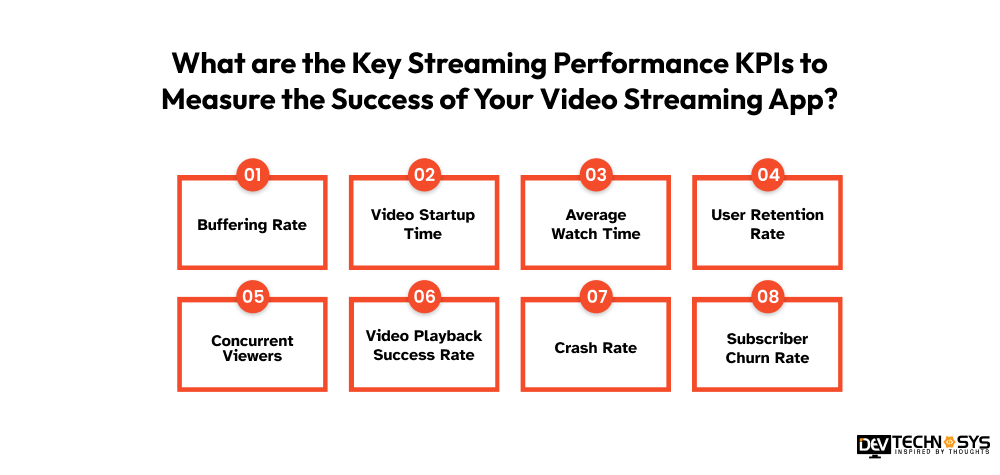
1. Buffering Rate
The buffering rate measures the amount of interruptions to video playback caused by slow network speeds or infrastructure failure. A cross-platform streaming app with low buffering rates will provide users with a better viewing experience and reduce user abandonment.
2. Video Startup Time
The video startup time KPI tracks the length of time it takes for a video to begin playing after a user clicks on the play button. Providing users with quick video startup times will improve their satisfaction while viewing content, therefore helping improve their chances of watching longer periods of time before stopping.
3. Average Watch Time
The average watch time metric refers to the amount of time users are watching video content on your platform. Users who have an average watch time that exceeds the competition typically demonstrate great content, provide better recommendations, and retain more of their audience than those whose average watch time is lower.
4. User Retention Rate
User retention measures the percentage of viewers returning to your platform within a certain length of time. High retention rate indicates consumer satisfaction and long-term platform commitment.
5. Concurrent Viewers
Concurrent viewers: The number of users streaming video at the same time. This is a measure that lets you evaluate how well your platform scales, and its server capacity and ability to manage peak demand.
6. Video Playback Success Rate
Playback success rate is the percentage of videos that begin and end without problems or interruptions. A greater success rate means a reliable streaming infrastructure and a great user experience.
7. Crash Rate
Crash rate is a measure of how often the app crashes while you are using it. Fewer crashes lead to more stable platforms, more user trust, and better app ratings.
8. Subscriber Churn Rate
The subscriber churn rate is the rate of users who cancel their subscription over a period of time. Churn monitoring helps to discover retention problems and adjust price, content and user engagement tactics.
What are the Top Revenue Models Powering Successful Video Streaming Platforms?
Digital streaming platforms earn revenue through subscriptions (SVOD), ads (AVOD), and pay-per-view (TVOD). Many platforms also use freemium access, in-app purchases, sponsored content, and live event payments. Let’s study these monetization strategies in more depth:
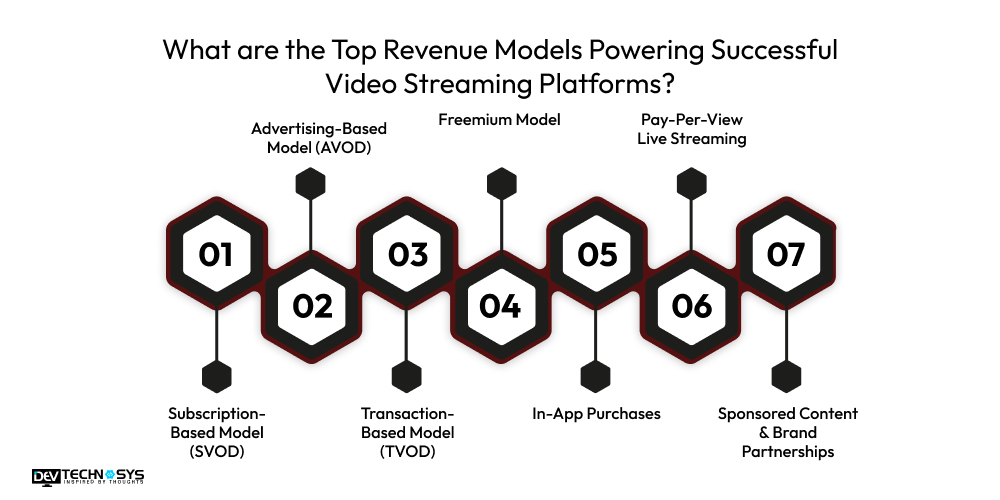
1. Subscription-Based Model (SVOD)
Users pay a fixed monthly or annual fee to access all available content. This model provides businesses with predictable, recurring revenue. It works best for platforms that offer premium, exclusive, or original content, and it is commonly used by Netflix, Amazon Prime Video, and Disney+.
Note:
According to a report by Motor Intelligence, Global SVOD revenue is expected to grow at a 5.89% CAGR between 2026 and 2030, with the U.S. leading at \(\$35.21\) billion in 2026.
2. Advertising-Based Model (AVOD)
The platform offers free content while generating revenue through video, display, and sponsored placements. This model helps attract a large user base quickly and is suitable for platforms targeting mass audiences. YouTube and Tubi are strong examples of AVOD-based streaming services.
3. Transaction-Based Model (TVOD)
In the TVOD model, users pay individually for specific content, such as renting or purchasing movies, shows, or live events. This is the most effective strategy for new releases, exclusive content, or live sports.
It allows users to pay only for what they want to watch. It targets casual viewers who do not want a subscription, tapping into a broader audience that pays only for specific content.
4. Freemium Model
The live streaming app offers basic access for free with ads or limited features, while premium users pay for enhanced benefits. And what are these benefits? The benefits of freemium models include ad-free viewing or access to exclusive content. This model helps convert free users into paying customers gradually and is widely used by growing streaming platforms.
5. In-App Purchases
The in-app purchases strategy involves offering users the option to purchase additional features, such as offline downloads, premium content packs, or ad-free viewing. This money-generating strategy increases revenue without requiring full subscriptions and works well alongside other video monetization models.
6. Pay-Per-View Live Streaming
In the pay-per-view live streaming monetization model, users pay a one-time fee to watch live events such as sports matches, concerts, or webinars. This model generates high short-term revenue and is ideal for exclusive or time-sensitive content where viewers are willing to pay for immediate access.
7. Sponsored Content & Brand Partnerships
Brands sponsor specific shows, categories, or content placements within the platform. This creates additional revenue without charging users directly. Sponsored content works best when integrated naturally, maintaining user experience while allowing businesses to monetize through partnerships.
Expert Insight
According to our streaming platform development expert Mohit Nag, the Most successful media streaming apps use a hybrid monetization strategy. It means combining subscriptions, ads, and transactions toincrease revenue and reduce business risk.
Video Streaming App Security Checklist: 15 Best Practices for Protecting Content and User Data
With cyber threats and digital piracy on the rise, implementing robust security measures is essential for any video streaming platform. From safeguarding premium content to protecting sensitive user information, the following best practices help ensure secure streaming, regulatory compliance, and uninterrupted platform performance.
Security Practice |
Purpose |
| DRM Protection | Prevent content piracy and unauthorized access. |
| Video Encryption | Secure videos during storage and transmission. |
| Multi-Factor Authentication (MFA) | Add an extra layer of account security. |
| Secure User Authentication | Protect user login and account access. |
| Role-Based Access Control (RBAC) | Restrict access based on user roles. |
| API Security | Secure APIs using authentication and rate limiting. |
| HTTPS/TLS Encryption | Encrypt all data exchanged between users and servers. |
| Secure Payment Gateway | Protect payment transactions and customer data. |
| Screen Recording Prevention | Reduce illegal recording and content sharing. |
| Data Privacy Compliance | Meet GDPR, CCPA, and COPPA requirements. |
| Cloud Security | Safeguard cloud infrastructure with firewalls and backups. |
| DDoS Protection | Prevent service disruptions from cyberattacks. |
| Regular Security Audits | Identify and fix vulnerabilities proactively. |
| Real-Time Monitoring | Detect suspicious activities and security threats instantly. |
| Backup & Disaster Recovery | Ensure quick recovery from data loss or system failures. |
Netflix vs YouTube vs Disney+: Which Streaming Platform Should You Build and Why?
The right streaming app model depends on your business goals, target audience, and monetization strategy. While Netflix excels in subscription-based video-on-demand, YouTube focuses on user-generated content and advertising, and Disney+ delivers premium branded entertainment. Understanding their differences helps you choose the best model for your streaming business.
Platform |
Business Model |
Revenue Model |
Best For |
Development Complexity |
| Netflix | Subscription-based Video-on-Demand (SVOD) | Monthly/Annual Subscriptions | OTT platforms, premium entertainment, movies & TV shows | High |
| YouTube | User-Generated Content (UGC) | Ads, Premium, Creator Monetization | Creator economy, social video platforms, community streaming | Very High |
| Disney+ | Premium OTT Streaming | Subscription + Bundled Services | Media companies, exclusive content providers, family entertainment | High |
Which Model Should You Choose?
- Build a Netflix-like app if you want to launch a subscription-based OTT platform with premium on-demand content.
- Build a YouTube-like app if your platform focuses on user-generated videos, creator monetization, and community engagement.
- Build a Disney+-like app if you own exclusive content and want to deliver premium entertainment through a subscription model.
- Create a hybrid streaming platform by combining features from all three with subscriptions, live streaming, creator tools, and advertising for maximum revenue potential.
Build vs Buy vs Hire a Development Partner: Which Option Is Best for Creating a Video Streaming App?
Businesses looking to launch a video streaming platform generally have three options: build the app in-house, purchase a ready-made solution, or partner with a professional development company. Each approach differs in terms of cost, development time, customization, scalability, and long-term maintenance.
Factor |
Build In-House |
Buy a Ready-Made Solution |
Hire a Development Partner |
| Upfront Cost | High | Low | Medium |
| Time to Launch | 8 to 12+ Months | 2 to 6 Weeks | 3 to 8 Months |
| Customization | Full | Limited | High |
| Scalability | High | Moderate | High |
| Technology Expertise | In-House Team Required | Minimal | Provided by Partner |
| Maintenance | Self-Managed | Vendor-Managed | Ongoing Support Available |
| Best For | Large Enterprises | Startups & MVPs | Businesses Seeking Custom OTT Solutions |
Which Option Should You Choose?
- Build In-House if you have a skilled engineering team, a large budget, and need complete control over the platform.
- Buy a Ready-Made Solution if you want to launch quickly with basic features and minimal upfront investment.
- Hire a Development Partner if you need a scalable, fully customized video streaming app with faster development, expert guidance, and long-term technical support.
How AI Personalization Improves Watch Time and Retention?
AI personalization is changing how users engage with media streaming apps. By making an analysis of user behavior, such as watch history and viewing time, AI can predict what content a user is most likely to enjoy.
AI is one of the OTT app development trends in 2026 that allows platforms to deliver personalized recommendations, create customized home screens, and suggest videos that match individual preferences.
Such personalization reduces the time and effort users spend searching for content, encouraging longer viewing sessions. AI systems also adapt in real time, updating suggestions as user interests change.
This approach not only boosts watch time but also increases repeat visits, enhances user satisfaction, and reduces churn, ultimately improving long-term retention for streaming platforms.
Key Points to Remember:
- Analyzes user behavior: watch history, searches, likes, viewing time
- Provides personalized content recommendations
- Creates customized home screens for each user
- Reduces effort in discovering content
- Encourages longer viewing sessions
- Updates suggestions in real time based on changing interests
- Increases repeat visits and engagement
- Reduces churn and improves long-term retention
Conclusion
Building a video streaming app is a strategic move for businesses aiming to scale digitally and engage users globally. Success depends on the right mix of content, user-friendly design, strong technology, and a clear monetization plan.
If you are a business looking for a video streaming app development company to turn your unique on-demand video app idea into reality, then contact Dev Technosys. Our 150+ dedicated developers will help you create an engaging, scalable, and market-leading digital streaming application from scratch.
Frequently Asked Questions
Find answers to the most common questions related to this article.
A basic on-demand video app usually takes around 3 to 5 months to develop. More advanced apps with live streaming, AI recommendations, and multi-device support may require 6 to 9 months, depending on features and complexity.
The development cost generally ranges between $8,000 and $25,000 for an MVP. Costs increase with advanced features, custom UI/UX design, third-party integrations, and scalability requirements.
The amount of bandwidth required by a video streaming application is based on the quality of the content being streamed and the number of users who will view it. Generally, you can expect streaming video in HD to require between 3 Mbps and 5 Mbps per user, whereas streaming Full HD would typically be between 5 Mbps and 8 Mbps, and streaming 4K would range from 15 Mbps to 25 Mbps. Utilizing CDNs and adaptive bitrate streaming will help to optimize the consumption of bandwidth.
The most widely used cloud platforms for building OTT applications are AWS, Google Cloud Platform (GCP), Google Cloud Media CDN, and Microsoft Azure. Among these cloud service providers, AWS has become the most widely adopted and preferred by OTT service providers, due in large part to AWS's proven scalable infrastructure, media services, and CDN integrations, as well as the robust support that AWS provides for high-traffic streaming applications.
H.265 (or HEVC) and AV1, which have been created as modern codecs, provide much better compression than H.264 video codecs, which will lower both the bandwidth required for streaming video and the cost of storing video files, while still providing much higher quality of video. When choosing a codec, consideration should also be given to the device being used to playback the video, as well as licensing requirements.
Most Netflix-like OTT applications use a combination of different databases. Typically, PostgreSQL or MySQL would be the primary databases used to handle transactions; whereas, a database such as MongoDB, Cassandra, or Redis would be used to manage user profiles, recommendations, caching, and for the high-performance storage of metadata associated with large amounts of video content.
Adaptive Bitrate Streaming (ABR) automatically modifies video quality according on a user's internet speed and device capabilities. What this means is less buffering, uninterrupted watching, and the greatest possible viewing experience regardless of your network conditions.