


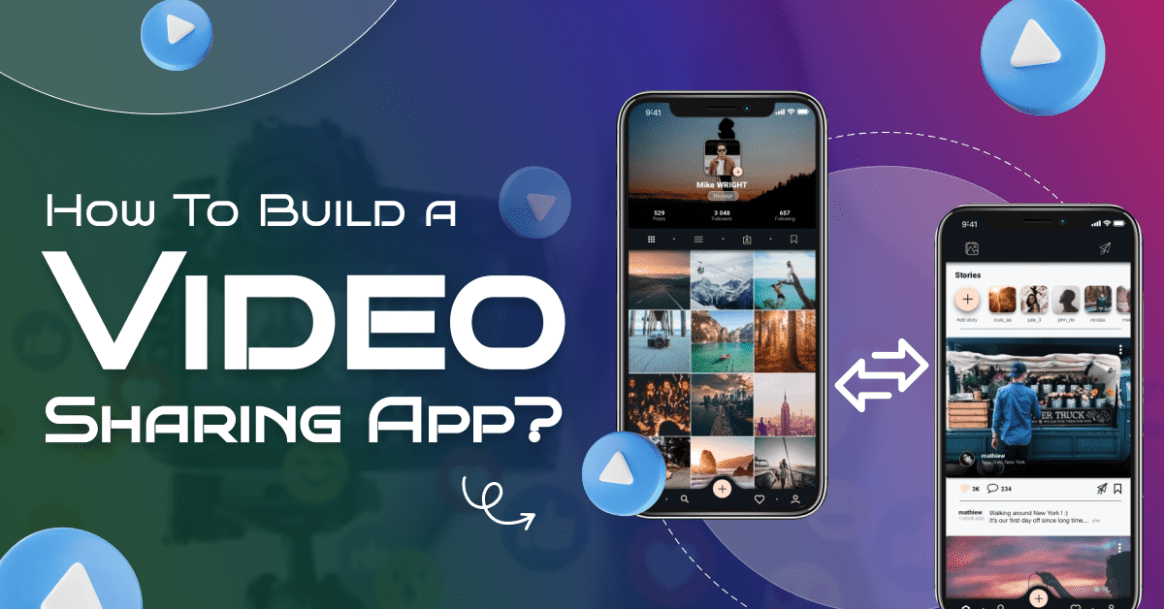
Video sharing has become one of the most popular activities on the internet. With over 2 billion logged-in YouTube users watching over a billion hours of video each day, it’s clear that people love sharing and consuming content in video format.
Whether it’s for education, entertainment, or business, videos have an unparalleled ability to engage audiences. So, if you are planning to build a video sharing app where users can upload, share, and enjoy videos, now might be the perfect time.
The global video streaming market is expected to reach over $184 billion by 2027, showcasing the immense potential in this space. With the right strategy and tools, you can tap into this ever-growing trend and create a space that fosters creativity, connection, and entertainment for users.
So, let’s begin!
What is a Video Sharing App?
A video sharing app is a mobile or web application that lets users upload, watch, and share videos. People can create and post their own videos for others to see, or they can watch videos made by others.
These apps for video sharing often allow users to like, comment on, and share videos with friends. Some popular apps like YouTube, TikTok, and Instagram Reels help you give an idea on your app.
Users can follow others, get recommendations, and sometimes even earn money from their videos. Video sharing apps are a fun and easy way to connect with others, learn new things, and enjoy entertainment from around the world.
Future Predictions & Projections of Video Sharing App
- With over 875.6 million downloads from Google Play and the Apple App Store, TikTok was the most popular video app in the world.
- SVOD shows bring in the most money from OTT services.
- The market for short video platforms is expected to rise from $59.92 billion in 2025 to $641.20 billion in 2034.
- By 2029, the market is predicted to be worth $155.51bn, with a growth rate of 6.90% per year in revenue.

Source: Statista
- Compared to the rest of the world, the United States will bring in the most money, with $47.89bn expected in 2025.
- Around the world, the Video Streaming (SVoD) market is expected to bring in an average of $78.97 per user in 2025.
How Does a Video Sharing App Work?
A video-sharing app allows users to upload, share, watch, and interact with videos. The key components of how a video-sharing app works can be broken down into several stages and technologies. Let’s look at the working mechanism explained by an entertainment app development company.

- Sign Up or Log In: First, users create an account using their email or social media. This helps them keep track of their videos and favorites.
- Upload Videos: Users can record videos directly in the app or upload from their device. They can add titles, descriptions, and choose who can watch them.
- Watch Videos: The app shows videos on the homepage or in categories. Users can scroll, search, and tap to watch what interests them.
- Like, Comment, and Share: Viewers can react to videos with likes, comments, and share them with friends through links or social media.
- Follow and Get Notified: Users can follow creators they like and get notifications when new videos are posted.
Steps To Build A Video Sharing App
Building a video-sharing app involves several steps, ranging from planning and designing the app to developing its features and deploying it for users. Here’s a step-by-step section on how to build a video-sharing app:
1. Plan Your Target Users
Before you start to build a video sharing app, you need to know exactly what kind of video sharing app you want to create. Ask yourself: Who will use this app? What kind of videos will they upload—funny clips, educational content, tutorials, or something else?
Decide what features are most important. For example, users might want to upload videos, watch others’ videos, like or comment, follow creators, or save videos for later. Planning helps you build something useful and avoid wasting time or money on features people don’t need.
|
2. Design the User Interface
Once you know what features your app will have, it’s time to design how it will look and feel. A clean, simple design is best. You want users to easily find videos, upload their own, and interact with others.
As per the AI development company, you should start with sketches or use free tools like Figma or Adobe XD to make mockups. Think about the home screen, video player screen, upload process, and profile page. Good design makes your app more enjoyable and easier to use, even for beginners.
.
|
3. Choose the Right Technology Stack
Now, pick the tools and platforms you’ll use to build a video sharing app. For on demand app development solutions, you can use technologies like React Native or Flutter to create apps for video sharing for both Android and iOS.
On the backend, you’ll need something to handle user accounts, video uploads, storage, and streaming. Common choices include Node.js or Python for the backend, and cloud platforms like AWS, Firebase, or Google Cloud to store and stream videos. Choosing the right stack makes your app faster, more secure, and easier to scale later.
|
Want a chatbot demo or pricing? Fill the form and talk to our experts today.
Pick what you need below — you can select more than one — then tap Get detail to continue.
-
Chatbot demo dashboard
-
Cost to develop an app
-
Industry report
-
Case study
4. Develop and Test the App
With a design and tech stack in place, you can begin to create a video sharing app. Start with the core features for video streaming app development features like sign-up/log-in, video upload, video feed, and player.
Write clean code and keep testing as you go to catch bugs early. Use real phones or emulators to test how your app works on different devices. Also, ask a few friends or testers to use the app and give feedback. This helps you find problems you might have missed and make sure everything works smoothly.
|
5. Launch and Maintenance
Once your app works well and is bug-free, you can launch it to the public through app stores. But your job doesn’t stop there. Pay attention to what users say—read reviews, check ratings, and ask for feedback.
You might find new features to add, bugs to fix, or better ways to keep users engaged. Keep updating your app to improve performance, add features, and grow your user base. Regular updates show users you care and help your app succeed over time.
|
Key Features of Video Sharing App Development
Developing popular video sharing apps involves combining creativity, technology, and user-friendly features. Whether it’s for entertainment, education, or social networking, a successful iphone video sharing app must have certain key features to attract and engage users. Below are the essential features for building a powerful and effective video sharing platform.
-
User Registration & Login
Allow users to sign up and log in using email, phone number, or social media accounts like Google or Facebook. This helps keep their content and preferences saved.
-
User Profiles
Each user should have a personal profile with a photo, bio, number of followers, and uploaded videos. This social media app development helps users create an identity within the high quality video sharing app.
-
Video Uploading
Users must be able to upload videos from their phone gallery or record directly within apps for video sharing. They should also be able to add titles, tags, and descriptions.
-
Video Editing Tools
When you build a video sharing app, you can include basic video editing features like trimming, filters, music, speed adjustment, and adding text or stickers. This makes content more engaging and creative in video editing app development.
-
Live Streaming
Live video broadcasting is a powerful feature that lets users connect with their followers in real time. It’s great for events, Q&A sessions, or personal sharing.
-
Feed/Timeline
A personalized feed shows videos from followed users or trending content. The algorithm should recommend videos based on user interests and viewing history.
-
Likes, Comments, and Shares
These interactive features let users express their opinions and engage with content. Sharing to other platforms (like WhatsApp or Instagram) helps grow the online video sharing app’s reach.
-
Follow & Subscription System
Users can follow their favorite creators and get updates when they post new videos. For premium features, subscription models can also be added in short video app development.
-
Search & Discovery
When you make a video sharing app, you can add search functionality with filters (by tags, users, categories, or trending topics). Discovery sections help users find new and popular content.
-
Push Notifications
The best photo and video sharing app will send notifications about new followers, likes, comments, or when a favorite creator goes live. It helps increase user engagement and keeps them coming back.
-
Privacy Settings
An app like Instagram allow users to control over who can see their videos, public, friends only, or private. They should also be able to block or report inappropriate users.
-
Admin Panel
For mobile video sharing apps owners, an admin dashboard is necessary to manage users, content, reports, and settings. It helps keep the platform safe and running smoothly.
Top 5 Video Sharing Apps in 2025
If you are planning to create a video sharing app, then you should check out the below apps. Let’s have a look at the list of video sharing apps.
Best Video Sharing Apps | Available Platform | Downloads | Ratings |
| Tiktok | Android | iOS | 100M+ | 4.3 |
| YouTube | Android | iOS | 1B+ | 4.0 |
| Vimeo | Android | iOS | 10M+ | 3.7 |
| Android | iOS | 5B+ | 4.3 | |
| Likee | Android | iOS | 10M+ | 4.5 |
How Much Does It Cost To Develop A Video Sharing App?
The cost to build a video sharing app can range between $10,000 – $25,000. However, the actual cost varies depending on the project requirements. A simple video sharing app development can cost less while a complex photo and video sharing apps can go beyond $25000.
So, it is vital to first set your budget and then plan further. Taking assistance from an Android app development company can be fruitful. Let’s now look at the key factors that affect the cost to develop a video sharing app.
1. App Features
The more features you want, the higher the cost to build a video sharing app. Basic features like video uploading, playback, and user profiles can cost less, while advanced features such as live streaming, video editing, and AI recommendations can significantly increase the price.
Similar to an app like Tiktok, features like social media integration, chat options, and user-generated content management also add to the video sharing platform development cost.
Specific Features | Estimated Cost |
| User Registration & Login | $1,000 – $3,000 |
| User Profiles & Editing | $1,500 – $3,000 |
| Video Upload & Recording | $2,000 – $3,000 |
| Video Playback | $1,000 – $3,000 |
| Basic Video Editing Tools | $2,000 – $3,000 |
| Liking & Commenting | $1,500 – $3,000 |
| Following/Followers | $1,500 – $3,000 |
| Feed/Discovery Page | $2,500 – $3,000 |
| Search Functionality | $1,000 – $3,000 |
| Hashtags & Tagging | $1,000 – $3,000 |
2. Platform Choice
The platform you choose affects the cost. Developing for iOS or Android individually is cheaper than building for both at the same time. You can also go for a cross-platform app like Vimeo, which may lower the cost but still requires careful development.
The video sharing app development cost can rise if the best app for sharing photos and videos needs to be developed for multiple platforms (iOS, Android, Web).
Platform Choice | Estimated Development Cost (MVP) |
| Native iOS App | $13,000 – $20,000+ |
| Cross-Platform Apps | $15,000 – $18,000+ |
| Web App (Responsive) | $8,000 – $12,000+ |
| Hybrid App | $10,000 – $25,000+ |
3. App Design
A simple, user-friendly design will cost less to create a video streaming app, but if you want a more unique, high-end design with animations, custom UI, or advanced graphics, it will increase the cost.
Video sharing mobile application development designing for both mobile and web platforms separately also adds more expenses.
Design Phase | Estimated Cost Range |
| Discovery & Research | $1,000 – $2,000 |
| User Experience Design | $1,000 – $2,000 |
| User Interface Design | $2,500 – $4,000 |
| Prototyping | $1,500 – $2,000 |
| Custom Illustrations/Animations | $1,000 – $3,000+ |
| Branding & Style Guide | $500 – $1,500 |
4. Backend Development
The backend infrastructure, such as servers, databases, and cloud storage, is crucial for a video-sharing app. If you need advanced storage for video files, high performance, or scalability, it will increase photo and video sharing apps development cost. Hosting on platforms like AWS or Google Cloud will be more expensive than using smaller servers.
Feature/Aspect | Estimated Cost |
| Server Infrastructure | $1,000 – $5,000+ |
| Video Processing & Encoding | $1,000 – $3,000+ |
| User Authentication & Security | $1,000 – $3,000+ |
| Search Functionality | $1,000 – $1500+ |
| Recommendation Engine | $2,000 – $6,000+ |
5. Development Team’s Location
Where your iOS app development team is located plays a big role in the video sharing app development cost. Teams in the U.S. or Europe typically charge higher rates compared to developers in India, Eastern Europe, or other regions with lower labor costs.
However, quality and communication might vary depending on the location.
Region | Hourly Rate |
| North America | $100 – $200+/hour |
| Western Europe | $80 – $180/hour |
| Australia | $80 – $150/hour |
| Eastern Europe | $30 – $80/hour |
| South America | $40 – $60/hour |
| Asia (India) | $15 – $25/hour |
How To Monetize Your Video Sharing App?
Monetizing a photo video sharing app like Likee can be a highly lucrative endeavor, given the popularity of video content. Here are several ways you can generate revenue from your video-sharing platform:
1. Ad Revenue Model
One of the most popular ways to monetize a video-sharing app is through ads. This model allows you to place video or display ads within the private video sharing app.
There are different types of ads you can offer, such as banner ads, interstitial ads (full-screen ads that appear at certain intervals), or video ads that play before, during, or after a video. You can partner with advertising networks like Google AdMob or Facebook Audience Network to get started.
The key here is that ads generate passive income. As your user base grows, so does your potential revenue. However, it’s important to balance ad frequency to avoid frustrating your users with too many interruptions.
2. Subscription-Based Model
A subscription-based model offers users premium content or additional features for a fee. You can have different tiers, such as a basic free tier with limited features and a paid tier that provides exclusive content, no ads, or advanced functionalities.
This video sharing platform development model works well for apps for sharing large video files with a dedicated user base that is willing to pay for a better experience.
Platforms like YouTube app offer a subscription option called YouTube Premium, which removes ads and grants access to exclusive content. Offering such perks can motivate users to sign up for a paid plan and create a steady income stream.
3. In-App Purchases
In-app purchases are another way to generate revenue. This model allows users to pay for additional features or content within video sharing apps free. For example, you can offer users the chance to buy special effects, filters, or other customization options for their videos.
You can create a mobile app that also sells access to specific video content, like movies, educational courses, or exclusive videos. In-app purchases work best when your app provides value that encourages users to spend money for a better experience or unique features.
4. Sponsorships and Brand Partnerships
Partnering with brands and businesses for sponsorships can also be a great way to make money. If your video-sharing app focuses on a niche (like fitness, travel, or beauty), you can collaborate with brands in that space.
They may want to sponsor certain content or events in your app. Sponsored content could include branded videos or advertisements integrated naturally into the android video sharing app.
Such partnerships can be lucrative, as brands are often willing to pay to reach specific audiences in your adult video sharing app. However, transparency with your users is important to maintain trust.

Final Thoughts
Creating a video-sharing app can open up exciting opportunities to connect people through content. With the right features, seamless user experience, and strong backend support, your app can become the next big platform.
Thus, if you’re unsure about the technicalities and want to build a video sharing app, it’s wise to hire a custom mobile app development company. They can guide you through the process and ensure your vision comes to life efficiently and effectively, making the app both innovative and user-friendly.
Frequently Asked Questions
Find answers to the most common questions related to this article.
Developing a video sharing app typically takes 2 to 7 months, depending on complexity, features, platform, and team size. Basic versions may take less time, while advanced apps with AI or streaming need longer.
Building a video sharing app can cost between $10,000 to $25,000, depending on features, platform (iOS, Android, web), design complexity, backend infrastructure, and development team location or rates.
Define app features
Choose tech stack
Design UI/UX
Set up backend & database
Implement video processing
Test & deploy
Enhances brand visibility and engagement
Generates revenue through ads and subscriptions
Supports influencer marketing and user-generated content
Boosts social interaction and community building
Enables real-time content sharing and feedback
Advertisements: Integrate video ads (pre-roll, mid-roll, post-roll).
Subscription Model: Offer premium content with paid plans.
In-app Purchases: Allow users to buy virtual goods or features.
Affiliate Marketing: Promote products/services within videos.
Sponsorships: Partner with brands for content creation.


