






















Have you ever dreamed of making your own app where people can watch and share cool videos, just like YouTube?
Imagine building a place where millions can upload their talents, tutorials, or funny moments, and YOU are the creator behind it! Sounds awesome, right?
We decided to explore how to develop an app like YouTube from scratch. It’s not just for adults or coding experts; you can do it too!
Key Takeaways:
-
- By 2030, the global video streaming market is expected to surpass USD 164.41 billion, driven by growing smartphone usage, faster internet access, and demand for personalized content experiences.
- Market leaders like YouTube, TikTok, and Vimeo thrive by offering intuitive interfaces, powerful content recommendation algorithms, and strong community features.
- The cost to build an app like YouTube typically ranges from $8,000 to $25,000, depending on features like live streaming and cloud storage.
In this blog, we will walk you through the exciting steps: planning features, designing the look, adding video players, and more.
Whether you’re into gaming, art, or vlogs, your app could be the next big thing.
So get ready to dive into the world of app creation, where imagination meets technology, and your dream project becomes reality!
Market Statistics of Global Video Streaming Applications
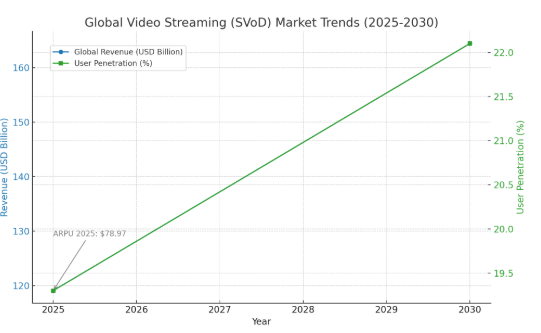
- In 2025, the global video streaming (SVoD) industry is expected to generate US$119.09 billion in revenue.
- With a compound annual growth rate (CAGR) of66% from 2025 to 2030, the market is estimated to be worth US$164.41bn by 2030.
- As per the recent study, the average revenue per user in the video streaming market is around $78.97 in 2025.
- According to the global market, the number of users of video streaming apps is expected to grow around 8 billion by the end of 2030.
- In the video streaming platforms, the user penetration is expected to be 3% in 2025, and it will increase to around 22.1% in 2030.
- As per the global comparison, the United States will generate the highest revenue of around $47.89 billion in 2025.
What is YouTube?
YouTube is the most popular video streaming and social media platform where users can share their video content, and it is a global video-sharing platform with billions of users. YouTube was founded in 2005 by Chad Hurley, Steve Chen, and Jawed Karim.
It allows users to upload various types of content genres such as education, music, vlogs, entertainment, and more. YouTube offers various types of advanced features such as downloading video content, ad-free viewing, live streaming, and many more.
Success Story: YouTube
- YouTube was launched in February 2005 by Steve Chen, Chad Hurley, and Jawed Karim, three former PayPal employees.
- The first video, “Me at the zoo,” was uploaded by co-founder Jawed Karim on April 23, 2005.
- YouTube quickly gained popularity, reaching 100 million daily video views and 65,000 new uploads per day by mid-2006.
- In November 2006, Google acquired YouTube for $1.65 billion in stock, recognizing its explosive user growth and market potential.
- Initial funding included $11.5 million from Sequoia Capital and $3.5 million from Artis Capital Management during its early development phase.
- YouTube reached 1 billion monthly users in 2013, solidifying its position as the world’s largest video-sharing platform.
Types of Video Streaming Applications
Explore the different types of video streaming applications that can fulfill every user’s requirements and needs. These applications, features, and services are also different from each other. So, let’s take a look at the various types of video streaming applications:
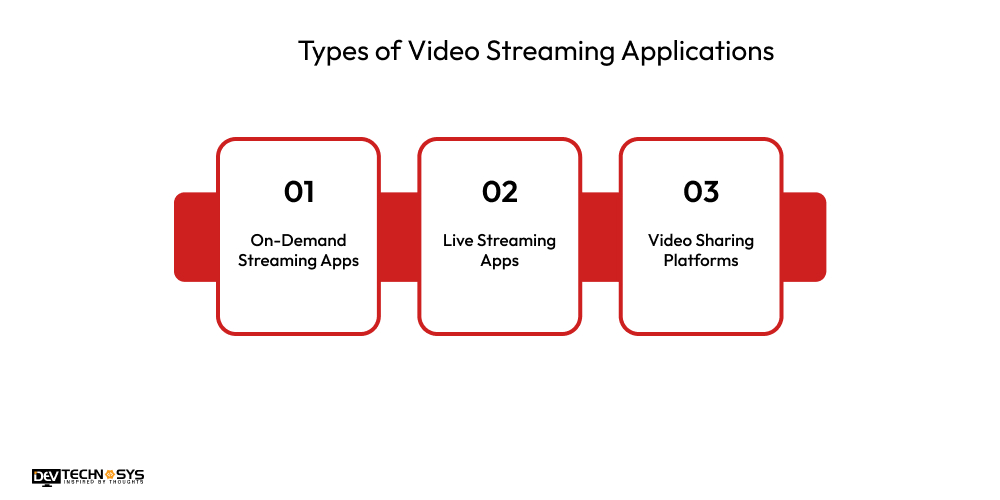
1. On-Demand Streaming Apps
These platforms allow users to watch movies, TV shows, or videos anytime. Content is pre-recorded and stored on servers. Examples include Netflix, Amazon Prime Video, and Disney+. Users can pause, rewind, or fast-forward, offering flexibility and convenience in how and when they consume content.
2. Live Streaming Apps
Live streaming apps like Amazon Prime Video broadcast video content in real-time, ideal for events, gaming, sports, and webinars. Examples include Twitch, YouTube Live, and Facebook Live. These platforms enable real-time interaction through chats or comments, creating engaging experiences between streamers and their audiences.
3. Video Sharing Platforms
These apps let users upload, share, and view videos. Content includes tutorials, vlogs, music videos, and more. YouTube, Vimeo, and Dailymotion are popular examples. They support user-generated content and often include monetization features for creators through ads, subscriptions, or fan contributions.
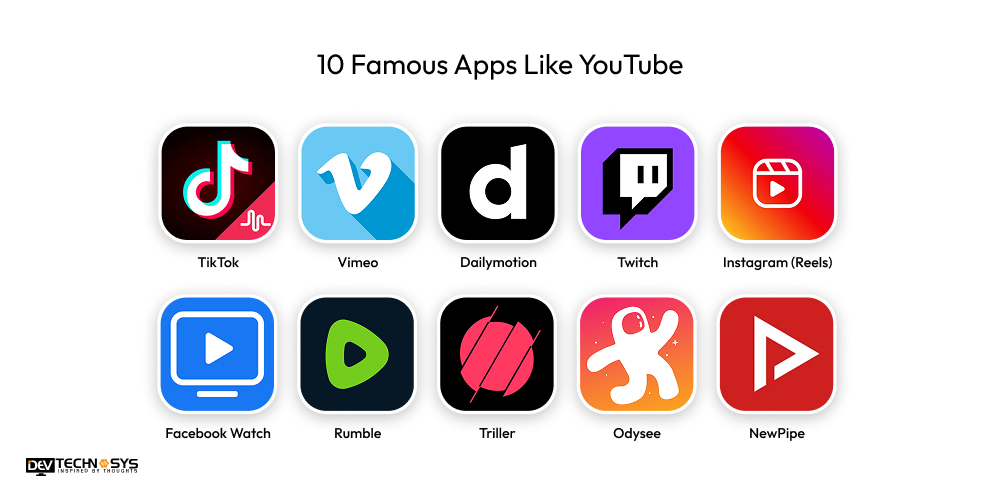
10 Famous Apps Like YouTube
Do you want to develop an app like YouTube? Then you need to analyze the top video streaming apps that have already gained huge popularity and success to get an idea of a successful video streaming app.
App Name |
Launched |
Platforms |
Downloads |
Ratings (Est.) |
| TikTok | 2016 | Android, iOS, Web | 3B+ | 4.5 |
| Vimeo | 2004 | Android, iOS, Web, Smart TVs | 100M+ | 4.5 |
| Dailymotion | 2005 | Android, iOS, Web, Smart TVs | 100M+ | 4.3 |
| Twitch | 2011 | Android, iOS, Web, Consoles | 140M+ | 4.4 |
| Instagram (Reels) | 2020 | Android, iOS, Web | 2B+ | 4.6 |
| Facebook Watch | 2017 | Android, iOS, Web | 2B+ | 4.1 |
| Rumble | 2013 | Android, iOS, Web | 10M+ | 4.5 |
| Triller | 2015 | Android, iOS | 250M+ | 4.2 |
| Odysee | 2020 | Android, iOS, Web | 1M+ | 4.2 |
| NewPipe | 2015 | Android (F-Droid, APK) | 5M+ | 4.6 |
Why Entrepreneurs Want to Build an App Like YouTube?
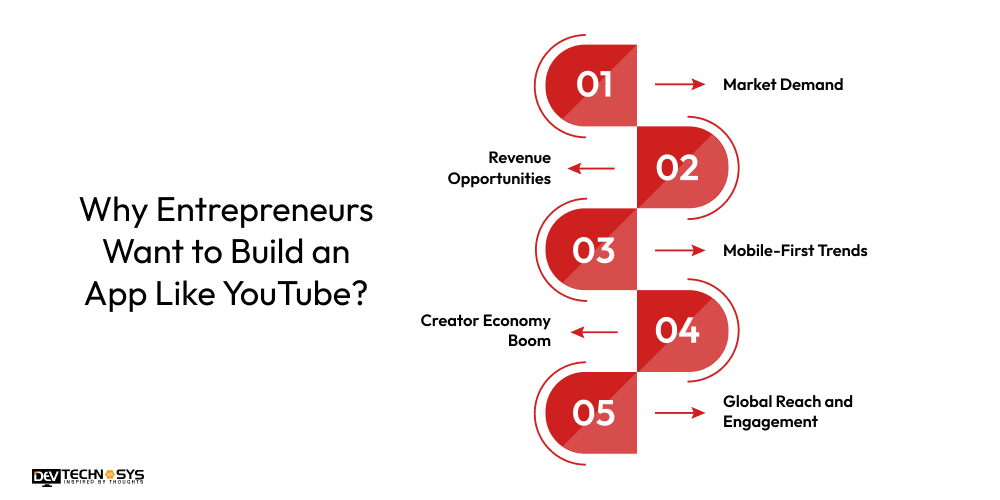
In this digital era, the demand for video streaming applications is increasing day by day, and that’s why businesses are investing in entertainment app development. We offer some points to clear why entrepreneurs want to build a video streaming app like YouTube:
1. Market Demand
As we all know, YouTube has gained huge popularity worldwide, with over 10 billion global users, which demonstrates the demand for video streaming applications. With the help of video-sharing apps, international users can share their video content worldwide and have the opportunity to become famous. It is one of the most scalable business ideas for those who want to pursue a creative endeavor.
2. Revenue Opportunities
The live streaming apps like Streamlabs provide a wide range of revenue opportunities, such as subscription plans, advertisements, a freemium model, and many more. These revenue models can easily generate new revenue streams that can increase the overall valuation of the app.
3. Mobile-First Trends
As the trend of mobile phones emerged, where everything is done on mobile devices, such as watching videos, playing games, and performing other tasks, the usage of video streaming services increased. So, entrepreneurs build a lightweight video-sharing mobile app that can easily reach a broader audience and gain higher success rates.
4. Creator Economy Boom
The rise of independent creators, vloggers, educators, and entertainers has created an entire ecosystem of digital entrepreneurs. Best social media apps, such as YouTube, enable users to publish, grow, and earn. By building a similar platform, founders can tap into this growing demand by offering better revenue shares, niche targeting, or improved tools.
5. Global Reach and Engagement
Video transcends language barriers. A well-built video-sharing app has the potential to go viral and reach a global audience quickly. Entrepreneurs are drawn to the fact that a single viral video can bring millions of new users. Strong engagement also leads to higher retention, loyalty, and lifetime value.
What is the Role of AI in Video Streaming Applications?
- AI recommends personalized video content to users based on their watch history, preferences, and behavioral patterns in real-time.
- It enhances search functionality by understanding natural language queries and delivering accurate, context-aware video results efficiently.
- AI automates video tagging and categorization by analyzing content, scenes, faces, and objects to improve organization and discovery.
- It improves user engagement by predicting and displaying thumbnails or previews most likely to attract viewer attention and clicks.
- AI helps detect and filter inappropriate or copyrighted content using machine learning algorithms and pattern recognition techniques.
- It supports adaptive bitrate streaming by predicting network conditions and optimizing video quality for smooth playback.
7 Robust Steps to Develop an App Like YouTube
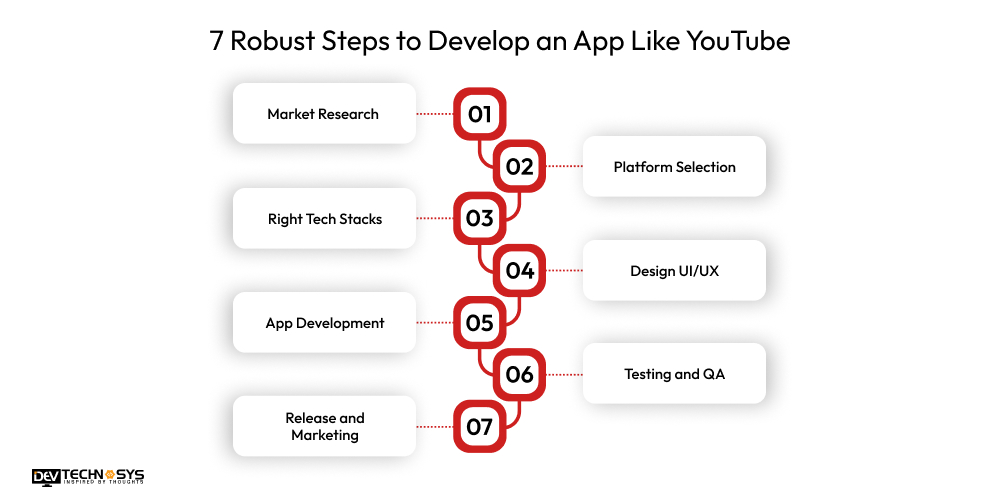
To create an app like YouTube with customized features, you need to consider each development step in detail. Businesses can easily build a successful live video streaming app that they actually want. Let’s explore the step-by-step guide to the YouTube clone app development process:
1. Market Research
Let’s start the first step to create a video streaming app like YouTube, hire mobile app developers to identify your project requirements, and make a structured list of the project. Research in this competitive market about existing video streaming applications to understand their success rates and working processes.
2. Features and Functions
Moving to the second stage of YouTube clone app development, choose the basic and advanced features that must be integrated into your app. Prepare a list of features to reduce the data redundancy, such as live video streaming, offline access, video quality, and more. You also need to develop a plan for competing with your competitors.
3. Right Tech Stacks
Connect to the third step to develop a video streaming app like YouTube, hire dedicated developers to choose the best tech stacks for a successful video-sharing app development. For backend, use Python, Java, PHP, C++, and many other backend frameworks. For frontend, use JavaScript, HTML, CSS, React Native, and more. So, choose the right tech stacks as per the project requirements.
4. Design UI/UX
Let’s enter the fourth stage of YouTube clone app development, design a user-friendly interface that enables users to easily access all features and functions of the app. It includes various design tools and technologies such as Figma, Sketch, InVision, Adobe XD, and more. The designing phase involves premium themes, layouts, elements UI, templates, plugins, and more.
5. App Development
In this stage, you need to assemble a highly talented development team from a mobile app development company to begin the real coding and implement APIs. Integrate the third-party tools such as payment gateways, social media platforms, and more. Connect the backend infrastructure with the front-end for working together and managing backend operations.
6. Testing and QA
Before launching the app on the live phase, you need to test the app through various techniques such as unit, integration, security, functional, and more. Address the issues that were identified during testing, verify the app’s quality, and ensure that all features and functions are functioning correctly.
7. Release and Marketing
After successfully testing, consult with a short video app development company to publish the app on selected platforms such as Android, iOS, and cross-platforms. After launch, initiate marketing campaigns through various channels, including email, blogs, advertisements, news, affiliate marketing, product marketing, and other techniques.
How Can Video Streaming Apps Benefit Users?
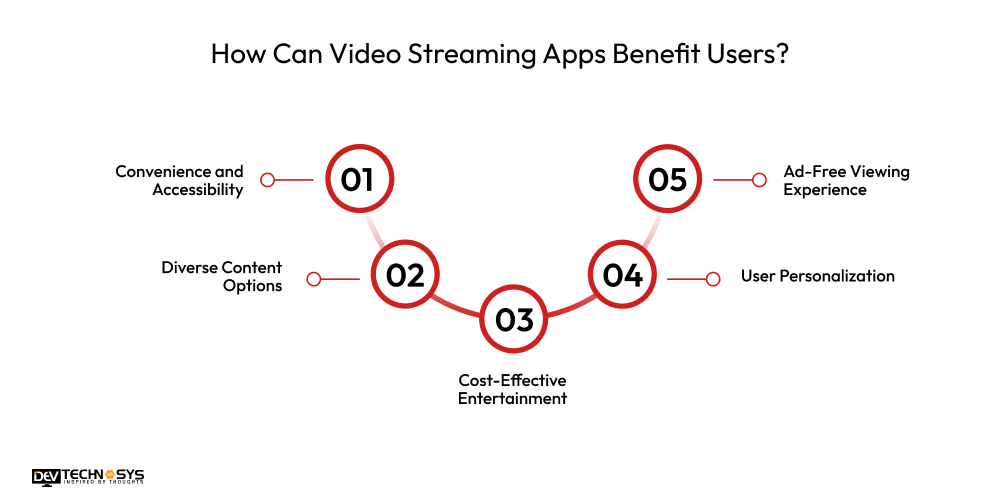
Video streaming apps offer users unmatched convenience, diverse content, personalized recommendations, and cost-effective, ad-free entertainment, making them the go-to choice for modern, on-demand viewing anytime, anywhere, on any device.
1. Convenience and Accessibility
Video streaming apps let users watch content anytime, anywhere, on various devices. Whether commuting, traveling, or relaxing at home, users enjoy seamless access without needing physical media or scheduled TV broadcasts.
2. Diverse Content Options
Users can explore vast libraries of movies, series, documentaries, and live shows across genres and languages. Streaming platforms often offer exclusive content, catering to different tastes and making personalized entertainment easier than ever.
3. Cost-Effective Entertainment
Compared to traditional cable or buying DVDs, streaming services offer affordable subscription plans. Users can access thousands of titles for a fixed monthly fee, avoiding individual purchases or rental costs while enjoying high-quality content.
Also read: Top Video Streaming Apps in Sweden
4. User Personalization
Streaming apps use algorithms to recommend content based on user preferences and viewing history. This personalization helps users discover new shows and movies that match their interests, enhancing their overall entertainment experience.
5. Ad-Free Viewing Experience
Many video streaming apps offer ad-free plans, allowing uninterrupted viewing. Users can enjoy content without commercial breaks, which enhances immersion and provides a smoother, more enjoyable watching experience compared to traditional TV.
10 Features That Must Be Integrated in Video Streaming Apps
Video streaming apps are rapidly transforming how users consume entertainment. To stay competitive, developers must integrate essential features that enhance user experience, performance, and engagement. Here are ten must-have features:
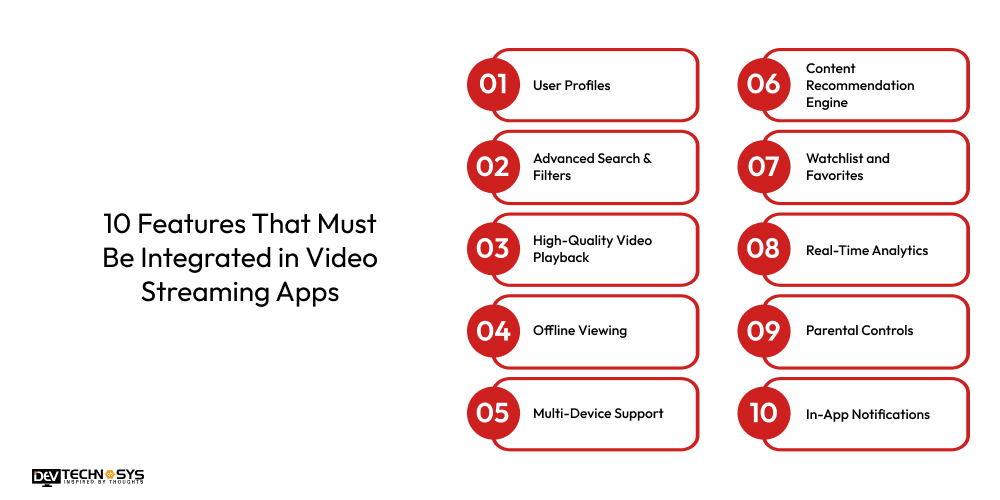
1. User Profiles
YouTube alternatives allow personalized recommendations, watchlists, and viewing history, catering to families or shared accounts.
2. Advanced Search & Filters
Free streaming video apps provide smart search functionality with genre, language, rating, and release year filters help users quickly find content they love.
3. High-Quality Video Playback
Video-sharing apps like YouTube support adaptive streaming (e.g., 480p to 4K), ensuring smooth playback across different devices and internet speeds.

4. Offline Viewing
An app like HBO Max, which provides the ability to download content for offline viewing, is essential for users on the go or in areas with limited connectivity.
5. Multi-Device Support
YouTube alternatives allow users to expect seamless access across smartphones, tablets, smart TVs, and desktops, with the ability to resume watching from any device.
6. Content Recommendation Engine
AI-driven recommendation systems boost engagement by suggesting shows and movies based on viewing habits.
7. Watchlist and Favorites
An app similar to YouTube should enable users to bookmark or save titles for future viewing, improving retention and satisfaction.
8. Real-Time Analytics
Admins benefit from real-time data on viewer behavior, helping refine content strategies and app performance.
9. Parental Controls
Age restrictions and content filters are vital for family-friendly platforms, ensuring appropriate viewing for children.
10. In-App Notifications
An app similar to YouTube provides users with timely alerts about new episodes, releases, or live streams, helping to keep them engaged and returning to the app.
What is the Cost to Develop an App Like YouTube?
The cost to build an app like YouTube lies between $8,000 and $25,000, depending on custom functionalities. The video streaming app development cost depends on various factors such as premium features, functions, project complexity, infrastructure, deployment platforms, app size, and development team.
If you want to know the exact cost of app development, then you need to consult with an experienced social media app development company to receive a detailed cost estimation. So, let’s explore the cost table below:
Feature / Component |
Estimated Cost (USD) |
| UI/UX Design | $4,000 – $6,000 |
| Frontend Development | $5,000 – $10,000 |
| Backend Development | $7,000 – $13,000 |
| Video Streaming Infrastructure | $10,000 – $12,000 |
| Database & Cloud Integration | $3,000 – $8,000 |
| User Authentication | $6,000 – $8,000 |
| Search & Recommendations | $7,000 – $10,000 |
| Admin Panel | $4,000 – $9,000 |
Total Approximated Cost: $8,000 – $25,000
5 Major Factors That Can Affect the Video Streaming App Development Cost
Many crucial factors that easily impact the cost to create a video streaming website and business need to be avoided to build an app within a fixed budget. So, let’s explore the various cost-affecting factors:
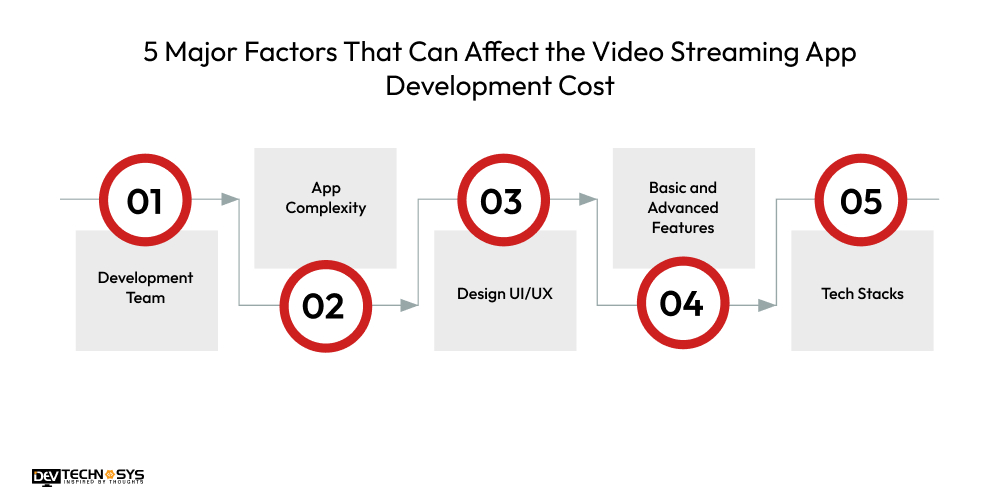
1. Development Team
In the second cost-affected factor, the development team plays a crucial role in the overall social media app development cost. If businesses hire highly experienced developers with a rich skill set, then it can increase the YouTube app development cost; if they hire an average experienced developer, then the cost is stable.
Role |
Hourly Rate (USD) |
Estimated Hours |
Estimated Cost |
| Project Manager | $25 – $40 | 150 – 200 hrs | $7,000 – $14,000 |
| Frontend Developer | $15 – $20 | 300 – 500 hrs | $4,000 – $8,000 |
| Backend Developer | $17 – $22 | 300 – 500 hrs | $6,000 – $10,000 |
| Mobile App Developer | $16 – $23 | 400 – 600 hrs | $5,000 – $9,000 |
| QA Engineer | $12 – $18 | 150 – 250 hrs | $3,000 – $5,000 |
| UI/UX Designer | $15 – $21 | 100 – 150 hrs | $3,000 – $6,000 |
2. App Complexity
The project complexity is one of the most common cost-effective factors. There are various complexities, such as basic, medium, and premium. If businesses build a basic app, then the cost can be minimal, and if they go for a premium app, then the cost increases. So, choose the app types as per the project requirements and overall budget.
Complexity Level |
Features Included |
Estimated Cost |
| Basic | Video playback, upload, likes/comments | $8,000 – $12,000 |
| Medium | User profiles, playlists, subscriptions | $12,000 – $18,000 |
| Advanced | Live streaming, analytics, monetization | $20,000 – $25,000 |
3. Design UI/UX
In the fourth factor, designing a user interface can also be another cost-affecting factor. There are various paid themes, templates, plugins, and templates, it can influence the overall cost to build a video streaming app. If businesses use the free version of designing tools such as Figma, InVision, Sketch, and Adobe XD, then they can create their own video streaming app within budget.
Design Level |
Description |
Estimated Cost |
| Basic | Simple UI, templates | $3,000 – $6,000 |
| Custom Design | Tailored user flows and branding | $6,000 – $10,000 |
| Premium/Advanced | Micro-interactions, animations, full branding | $10,000 – $15,000 |
4. Basic and Advanced Features
The features and functions can also affect the cost to develop an app like YouTube. Basic functionalities are video playback, video uploading, search functionality, and autoplay. The advanced features include live streaming, super chat, memberships, and YouTube shorts. If businesses integrate premium features, then it can raise the overall YouTube app development cost.
Feature Set |
Features Included |
Estimated Cost |
| Basic Features | Upload, view, search, like, comment, subscribe | $5000 – $7,000 |
| Advanced Features | Live streaming, premium accounts, analytics, monetization, CDN | $8,000 – $10,000 |
5. Tech Stacks
Moving to the last cost-affecting factors, there are many tools and technologies that have paid versions, and businesses need to pay for using their advanced functionalities. It includes various types of tech stacks such as cloud storage, database, programming languages, testing, security, and more. So, the advanced tech stacks can lead the way to increase the overall video streaming mobile app development cost.
Component |
Suggested Technologies |
Estimated Cost |
| Frontend | React, Swift, Kotlin | $10,000 – $15,000 |
| Backend | Node.js, Django, Ruby on Rails | $15,000 – $20,000 |
| Database | PostgreSQL, MongoDB, Firebase | $5,000 – $7,000 |
| Cloud & Storage | AWS, Google Cloud, Azure | $4,000 – $8,000 (initial setup) |
| Streaming Protocol | HLS, RTMP, WebRTC | $5,000 – $8,000 |
| Third-party APIs | Stripe (payments), Agora (live video), etc. | $3,000 – $6,000 |
Tech Stacks to Develop an App Like YouTube
Component |
Technology/Tool |
Purpose |
| Frontend (Web) | React.js, Angular, Vue.js | Building responsive user interfaces |
| Frontend (Mobile) | Swift (iOS), Kotlin (Android), Flutter, React Native | Native or cross-platform mobile development |
| Backend | Node.js, Django, Ruby on Rails, Express.js | Server-side logic and API handling |
| Database | PostgreSQL, MongoDB, MySQL | Storing user data, videos, metadata |
| Cloud Storage | AWS S3, Google Cloud Storage, Azure Blob | Storing and managing video files |
| Streaming Protocols | HLS (HTTP Live Streaming), RTMP, MPEG-DASH | Delivering video content efficiently |
| CDN (Content Delivery) | Cloudflare, AWS CloudFront, Akamai | Faster video delivery across global servers |
| Authentication | Firebase Auth, Auth0, OAuth 2.0 | Secure user login and registration |
| Payment Gateway | Stripe, PayPal, Razorpay | Handling subscriptions, memberships, pay-per-view |
How to Make Money From Video Streaming Apps Like YouTube?
Monetize your platform through ads, subscriptions, memberships, pay-per-view content, and brand deals. Each revenue stream enhances profitability while attracting both creators and viewers for long-term growth and engagement.
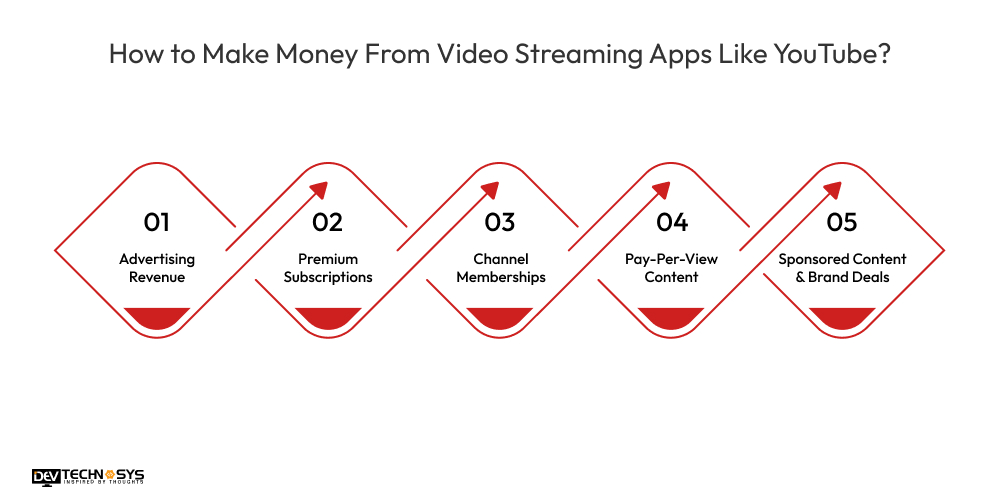
1. Advertising Revenue
Generate income by showing video ads through platforms like Google AdSense. Pre-roll, mid-roll, and banner ads can be integrated. The more users and watch time you have, the higher your ad revenue, especially with good engagement and viewer retention.
2. Premium Subscriptions
Offer users an ad-free experience, offline viewing, or exclusive content through monthly or yearly subscription plans. This model provides consistent, recurring revenue and improves user retention by offering value-added features unavailable to free users, helping to build platform loyalty.
3. Channel Memberships
Enable individual creators to monetize by offering perks like badges, emojis, exclusive streams, or early access for a monthly fee. Platforms take a percentage while creators build their brand and earn directly from loyal fans who support their favorite content.
4. Pay-Per-View Content
Allow creators or the platform itself to charge viewers a one-time fee for special content like events, concerts, or premium series. This works well for exclusive or high-demand content and creates an additional revenue stream beyond general video views.
5. Sponsored Content & Brand Deals
Facilitate collaborations between creators and brands. Creators produce sponsored videos, shoutouts, or product placements in exchange for payment. Platforms can take a cut or simply enable partnerships, driving monetization while maintaining audience trust through transparency and clear labeling.
How Dev Technosys Will Help You to Develop an App Like YouTube?
As a leading video streaming app development company, Dev Technosys offers end-to-end solutions tailored to your business needs, from UI/UX design to backend architecture and cloud integration. Our team of experienced developers builds scalable, high-performance video platforms with advanced features like live streaming, user subscriptions, and monetization.
With agile methodology and transparent communication, we ensure timely delivery, robust security, and post-launch support to turn your vision into a successful, YouTube-like streaming application.
Read also: What is SiMontok App? A Complete Beginner’s Guide
Frequently Asked Questions
1. How Much Does It Cost To Develop an App Like YouTube?
The cost to build an app like YouTube is around $8,000 to $25,000, depending on features, complexity, development team, security, and more.
2. How Long Does it Take to Create an App Like YouTube?
To create an app like YouTube, it typically takes 3 to 6 months, depending on features, team size, and development complexity.
3. Which Technologies Are Used to Make an App Like YouTube?
There is a wide range of technologies that are used to make an app like YouTube:
- Java
- Python
- C++
- C#
- PHP
4. What Are the Core Features of Video Streaming Apps Like YouTube?
Here is the list of core features of video streaming apps like YouTube:
- Video Uploading
- Video Playback
- User Registration
- Channel Creation
- Like/Dislike Buttons
- Comment Section
- Subscriptions














