




“Every business processes are unique.” Poor sales and customer service will reduce the business’s productivity and result in missed revenue opportunities. CRM is the central nervous system of every business and startup.
And firms with strong, long-lasting customer relationship management achieve sustainable growth through improved customer insights. So, if you’re thinking what exactly the CRM development process involves, and how I can choose the right CRM?
In this modern world, managing customer relationships is the growth engine, not just a task. This comprehensive guide will answer all questions by breaking down the steps to develop CRM software in detail, covering core features, benefits, challenges, and cost considerations, so that you can make the best decision. Customer Relationship Management software is a must-have for every business to nurture valuable customer relationships, meet unique needs, and streamline operations.
What Is CRM System?
Customer Relationship Management (CRM) is both a strategy and a technology designed to help startups and businesses manage their interactions with current and potential customers. From sales calls and customer service to marketing emails, it helps to keep track of each customer interaction.
The process of building a CRM system involves creating customer relationship management software tailored to your business’s sales and workflows. CRM software development gives you a tool to meet your team’s exact operational requirements. When you build custom CRM software for your business, it transforms how you interact with customers and deliver a personalized customer experience.
Customer Relationship Management Market Analysis
- By 2030, the global CRM market is estimated to reach USD 16 billion.
- In 2025, the market size was valued at USD 40 billion.
- From 2026 to 2030, the global CRM market is expected to grow at a CAGR of 6%.
- The cloud segment dominated the CRM industry, accounting for2% of revenue in 2025.
- The North America CRM market held a global share of 8% in 2025.
What Are The Types Of CRM?
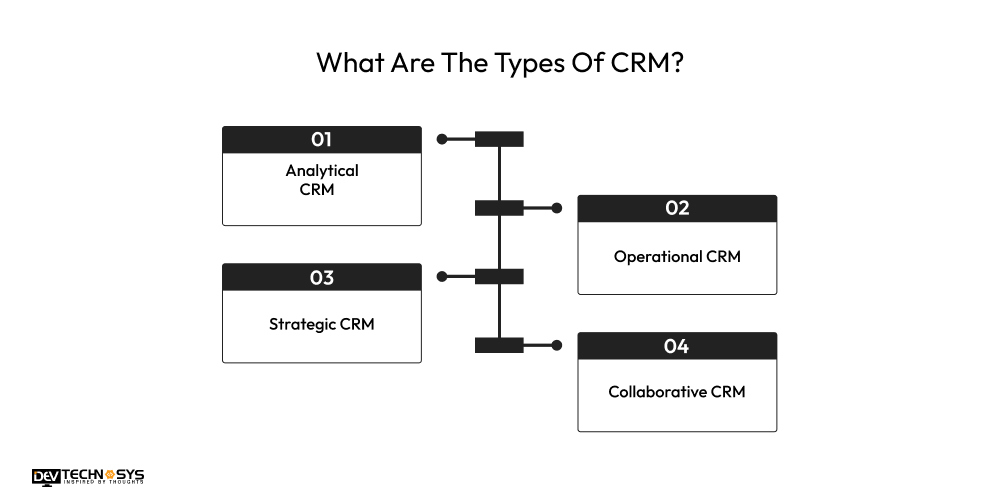
When you choose the right CRM implementation strategy, it will give an edge in delivering an excellent customer experience. Namely, there are four types of CRM that offer you tools to enhance customer interaction and boost productivity. So let’s discover more about them.
1. Analytical CRM
An analytical CRM collects and analyzes customer data to understand their preferences, behaviors, and purchasing patterns. Customer data management, predictive analytics, and segmentation are the key features of analytical CRMs. The sales team uses these types of CRMs to identify sales trends and forecast future sales. It is best for businesses that make data-driven decisions.
2. Operational CRM
The main focus of operational CRMs is streamlining the company’s day-to-day customer interactions. This CRM development process is ideal for businesses with high customer interactions. Sales automation, customer service automation, and marketing automation are the key features to consider when you create a custom CRM software-development process. It reduces manual tasks and improves efficiency.
3. Strategic CRM
Strategic CRM application development helps to create personalized CRM strategies for long-term customer relationships. It provides advanced CRM reporting and analytical tools to maximize engagement and identify high-value customers. Customer retention tools, brand engagement, and a customer-centric approach are the highlight features of strategic CRM. It is best for businesses looking to improve customer lifetime value.
4. Collaborative CRM
A collaborative CRM development methodology improves international communication and coordination among teams. It allows data to be shared across departments in real time. The primary features are multi-channel communication, interaction tracking, and shared customer information. They are suitable for large organizations with many departments, regular cross-department communication, or multiple locations.
How To Develop A CRM System: Step-By-Step Guide
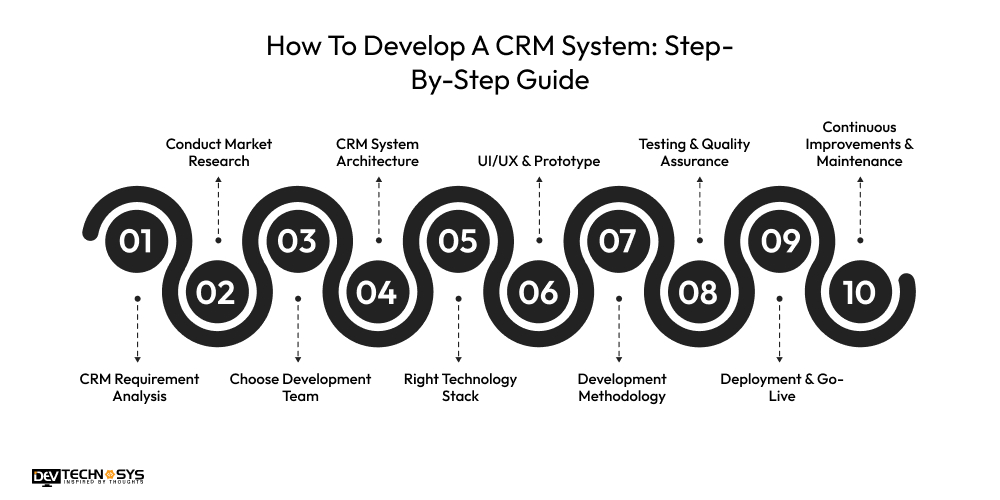
The CRM development process from planning to deployment, requires a structured approach and strategic planning. This can transform the custom CRM development process into manageable phases. The CRM software development lifecycle unfolds through 10 key steps. A CRM software development company follows these steps to create a custom CRM solutions that meets the specific business needs.
1. CRM Requirement Analysis
The first step in your CRM project planning is to define what you want to achieve with it. Gather your teams and identify what problem the CRM resolves. This step aims to create a blueprint for custom CRM developers. Document and identify areas for improvement, define measurable goals, and involve stakeholders and gather their input.
2. Conduct Market Research
After analyzing the requirements and defining the objectives, it’s time to explore the market. This step in steps to develop CRM software is about learning and studying the market and how can your CRM stand out. Analyze popular CRM solutions, identify the latest market trends, conduct surveys, and review case studies of successful CRM implementation process.
3. Choose Development Team
Hiring a dedicated CRM development team is very crucial for building a custom CRM system. An in-house team will allow closer collaboration and more control over the project. And if you decide to outsource the CRM software development services, you will have access to skilled developers, and it will save both your time and expenses.
4. CRM System Architecture
The architecture of your CRM should be inviting, easy to navigate, and functional, just like the front door. The CRM development company will design a flexible and scalable architecture. Modern CRMs use a modular architecture design. Outline the core modules: task automation, deal tracking, contact management, integration capabilities, and reporting.
5. Right Technology Stack
In the process of creating a CRM, choosing the right tech stack aligned with the technical specification is a pivotal step. It is the backbone of CRM system development. Evaluate front-end options and choose a back-end framework. Select the database type based on scalability and support. The CRM backend and frontend development builds a CRM that adapts to future demands.

6. UI/UX & Prototype
CRM system design process creates a visual interface and user experience. In this custom CRM development process, developers create a prototype to visualize the CRM software’s look and feel. Your primary focus should be on simple dashboards, customization options, easy navigation, and responsive design. Test prototype with real users to identify any missing functionality.
7. Development Methodology
When choosing a real estate CRM software development methodology, most businesses opt for agile. The agile methodology allows for frequent adjustments and feedback. While the Waterfall approach is linear, it moves to the next stage after completing the previous one. A hybrid method combines the features of these two methodologies.
8. Testing & Quality Assurance
At this stage of the end-to-end CRM development process, you will be conducting CRM testing and quality assurance. The engineers test the CRM software to find and fix the defects. This step ensures that the system is secure, stable, and ready to use. The QA process includes performance testing, security testing, functionality testing, and user acceptance testing.
9. Deployment & Go-Live
After completing all tests, the process moves to implementation. A smooth CRM deployment checklist involves historical data migration, final user training session and onboarding, a rollout strategy, and technical support during the initial go-live phase. After the deployment, closely monitor the CRM’s performance to identify any issues.
10. Continuous Improvements & Maintenance
“A real CRM is never truly done.” Post-release support ensures that the CRM remains relevant, reliable, and optimal. Collect feature requests, schedule regular updates and releases, and continuously improve performance and security. Evaluate CRM’s performance against the pre-determined objectives. This step ensures that the CRM grows with the business.
What Are The Benefits Of CRM Software Development?
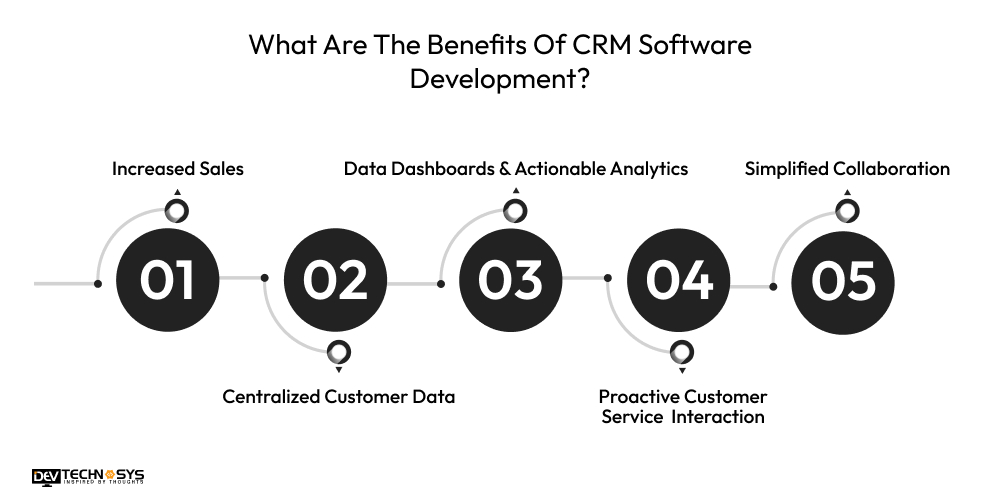
With CRM automation tools, you can shift your business beyond the generic limitations. It is an essential tool to enhance customer interaction and operational efficiency. CRM system development offers numerous benefits that empower businesses to make informed decisions in the competitive marketplace. The benefits of customer relationship management for your business are measurable.
1. Increased Sales
One of the major advantages of of the CRM implementation process is that it increases and enhances the sales team’s productivity. Sales and marketing CRM automates routine tasks, keeping the sales team organized and enabling them to get insights and close deals.
2. Centralized Customer Data
CRM development for businesses allows them to centralize all customer information in one place. It transforms data from different touchpoints into a unified perspective, enabling the sales team to tailor their strategy and customer communications.
3. Data Dashboards & Actionable Analytics
From analyzing to organizing customer data, a CRM system provides businesses with insights and recommendations to make informed decisions. It allows teams to identify the latest trends, track KPIs, and measure other performance metrics.
4. Proactive Customer Service Interaction
Automation in CRM software development eliminates the need for time-consuming manual processes. It frees sales teams from repetitive tasks, allowing them to focus on more important activities. Seeing the sales team more proactive and knowledgeable makes the customers feel more valued.
5. Simplified Collaboration
Another benefit of Cloud-based CRM development is that it has built-in tools for communication and collaboration. It allows different teams to work on the same project simultaneously and follow the progress. This allows them to respond faster to customer requests.
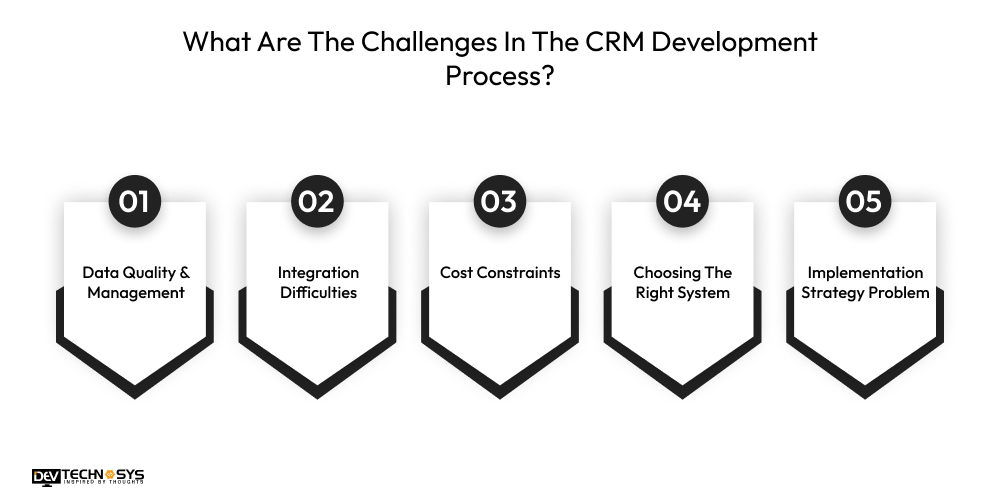
What Are The Challenges In The CRM Development Process?
CRM software development services are constantly evolving. But many startups and businesses still struggle with CRM system design and development, and at times it can be a real puzzle. Even with the best-laid strategies, several issues might arise. Therefore, tackling these challenges and avoiding the pitfalls is necessary for businesses to utilize the potential of the CRM system fully.
1. Data Quality & Management
The collection of reliable and accurate customer data supports businesses. But that data often is duplicate, outdated, and incomplete. It is a significant challenge that leads to poor decision-making, loss of trust, errors in reports, wasted resources, targeting the wrong audience, and misinterpreting customer preferences. Set clear data governance policies and regularly validate CRM records.
2. Integration Difficulties
When you opt for custom CRM system development, integrating it with existing software and database can prove to be a real challenge. Overcoming CRM integration with ERP involves using iPaaS tools, conducting a thorough assessment of existing software, identifying integration points, and prioritizing real-time, two-way sync.
3. Cost Constraints
Another substantial challenge in the CRM development process is the CRM development cost and resource constraints. These limitations restrict businesses from investing in extensive CRM customization and solutions. It also constrains the project’s scope, affecting quality standards. Explore a cost-effective CRM system design and development solution and prioritize essential features.
4. Choosing The Right System
There are hundreds of tools with thousands of features and it is easy to drown in them. It takes more effort and knowledge to beat the odds of choosing the wrong CRM system. To address this challenge, develop a solid plan that covers scalability, performance, cost, integration, and related factors.
5. Implementation Strategy Problem
“If you fail to plan, then you plan to fail.” Without careful planning, the CRM development process can quickly spiral out of control, draining resources and costing more. Without leaving any corner unturned, you need to make a well-crafted implementation plan. Common mistakes to avoid are underestimating the testing time, having no clear objectives, and overloading with too many features.
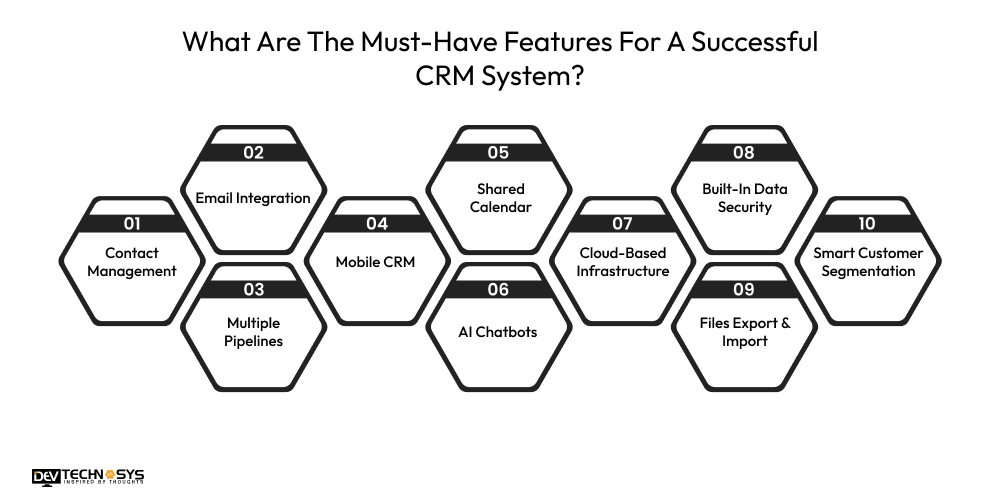
What Are The Must-Have Features For A Successful CRM System?
The cost and features to CRM development software connect and lead back to the central processing centre. The essential features support the automation of sales, workflows, reporting, and analytics. Whether you’re planning to create a new CRM software or want to upgrade the existing one, you must take a look at these top features.
1. Contact Management
It is one of the core features of any CRM software development. It allows gathering and organizing the current and potential customer data.
2. Email Integration
With this feature, you can connect CRM to your email account. It is essential for tracking customer interactions and generating reports.
3. Multiple Pipelines
Having a pipeline feature in enterprise CRM development will give you quick access to the entire sales funnel. It makes lead management easier.
4. Mobile CRM
By having a mobile CRM, your sales teams can manage the pipelines, update their sales target, quota reports, and key information on the go all in real-time.
5. Shared Calendar
A CRM with a shared calendar feature makes sales teams’ work easier and more efficient by integrating upcoming events, meetings, and their scheduled calls.
Want a chatbot demo or pricing? Fill the form and talk to our experts today.
Pick what you need below — you can select more than one — then tap Get detail to continue.
-
Chatbot demo dashboard
-
Cost to develop an app
-
Industry report
-
Case study
6. AI Chatbots
CRM development for businesses with AI chatbots can easily handle multiple customer requests at once. It automates the process and provides a quick solution.
7. Cloud-Based Infrastructure
Cloud-based CRM development allows the sales teams to work efficiently from remote locations. It reduces the maintenance costs and offers real-time access.
8. Built-In Data Security
It is essential to implement CRM data security best practices, such as encryption, role-based access controls, and compliance with regulatory standards, to protect sensitive data.
9. Files Export & Import
Adding this feature to your CRM software development will reduce dependency on third-party tools. Documents such as contracts, client notes, and proposals can be uploaded directly to CRM streamline.
10. Smart Customer Segmentation
Every customer is different, and your CRM should reflect that. This features allow you to group customers based on behavior, demographics, interests, and purchase history.
What Is The CRM Development Cost?
The typical CRM development costs falls between $8000 and $25000. Most businesses underestimate the cost of CRM development and how to choose the best CRM accordingly. Eventually, they end up investing more than expected in the CRM software development company. With the constant shift in the massive development market, the demand for CRM solution for enterprises is driving the prices up.
| Complexity Level | Timeline | Best For | Features | Average Cost (USD) |
| Basic/MVP CRM | 4–6 weeks | Startups, small teams | Contact management, lead tracking, basic dashboards, user roles | $8,000 – $12,000 |
| Intermediate CRM | 8–10 weeks | Growing businesses, SMEs | Sales pipeline, automation, reporting, email integration, customer support module | $12,000 – $18,000 |
| Advanced CRM | 12–16 weeks | Enterprise, large sales teams | Custom workflows, advanced analytics, multi-system integrations, AI insights, scalability | $18,000 – $25,000 |
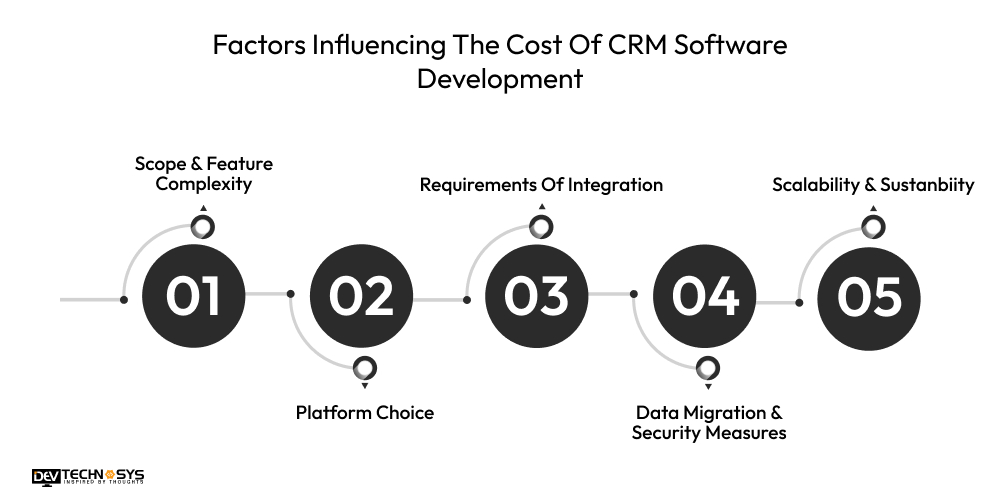
Factors Influencing The Cost Of CRM Software Development
When you hire custom CRM developers in USA, they don’t charge a flat rate. CRM development lifecycle consists of several steps and factors. The unique requirements of each business are the key cost-driving factors. Below are the key factors that determine how much you will spend on CRM system development.
1. Scope & Feature Complexity
It is one of the biggest sections that impacts the total budget. Advanced features like AI and predictive analytics cost significantly more than basic and intermediate CRM systems. It also increases the development time.
| Complexity Level | Timeline | Estimated Cost (USD) |
| Basic | 4–6 weeks | $8,000 – $10,500 |
| Moderate | 7–9 weeks | $11,000 – $16,000 |
| High | 10–15 weeks | $16,500 – $23,500 |
2. Platform Choice
Compared to a web solution, developing a mobile CMR system will require a considerable budget. CRM mobile app development is gaining more popularity, as it increases operational efficiency. A hybrid choice wil be the most expensive one.
| Platform Type | Timeline | Estimated Cost (USD) |
| Web CRM | 5–7 weeks | $8,500 – $11,500 |
| Mobile CRM | 7–10 weeks | $12,000 – $17,500 |
| Web + Mobile | 10–14 weeks | $18,000 – $25,000 |
3. Requirements Of Integration
The complexity and number of integrations hugely impact the cost of custom CRM software development. Simple integration will cost you less than complex integration, like an ERP system and BI tools.
| Integration Level | Timeline | Estimated Cost (USD) |
| Basic | 4–6 weeks | $9,000 – $12,000 |
| Intermediate | 7–10 weeks | $13,000 – $18,000 |
| Advanced | 10–14 weeks | $18,500 – $22,000 |
4. Data Migration & Security Measures
The migration of existing customer data affects the CRM development budget. It depends on the size and complexity of the data. Security measures like GDPR and CCPA also equally impact the overall cost.
| Security Level | Timeline | Estimated Cost (USD) |
| Standard | 4–6 weeks | $9,500 – $11,000 |
| Enhanced | 7–9 weeks | $12,500 – $17,000 |
| Enterprise-Grade | 10–14 weeks | $17,500 – $21,500 |
5. Scalability & Sustanbiity
A scalable CRM system architecture allows your CRM to grow and expand as your business does. Implementing an API-first design and microservices will require a large investment. But it will yield significant savings in the long run without redesigning the system.
| Scalability Level | Timeline | Estimated Cost (USD) |
| Low | 4–6 weeks | $8,000 – $10,000 |
| Medium | 7–10 weeks | $11,500 – $16,500 |
| High | 10–16 weeks | $17,000 – $24,500 |
Final Words!
Following the above-mentioned steps of the CRM development process, from planning to deployment, will strategically align the software with your business needs and goals.
A well-designed CRM mobile application development will help you manage customer relationships more effectively by making smart decisions.
Choosing a CMR software that accommodates the unique requirements and necessities of your business is the best choice for you. We hope this blog has cleared up any doubts or confusion you had about the end-to-end CRM development process.
Frequently Asked Questions
Find answers to the most common questions related to this article.
CRM implementation is a business process of installing, configuring, and integrating. In comparison, CRM development is a technical process of coding, designing, and testing.
Essential features include contact management, reporting, and an analytics dashboard, API-based integration, sales pipelines, cloud-based infrastructure, file upload and sharing, and lead tracking.
The CRM development cost depends on complexity, feature customization, and integration. The average cost to develop CRM software ranges from $8,000 to $25,000. Create a more accurate budget and try to avoid unexpected expenses.
Challenges faced during CRM implementation are:
● Lack of Tech Integration
● Absence of Clearly Defined Goals
● Low Adoption Rate
● Regular Maintenance
You can choose the right CRM software by evaluating core business requirements, analyzing integration capabilities, considering the cost of ownership, and finally assessing the vendor expertise and support services.