

















Key Takeaways:
-
- Choose the right interoperability standard: HL7 v2 supports established clinical messaging workflows, while FHIR enables API-based data exchange
- Plan vendor-specific integration carefully: Connecting Epic, Oracle Health (Cerner), or athenahealth requires appropriate API access, application registration, data mapping, and testing in an approved non-production environment before deployment.
- Prioritize patient data security: Implement role-based access, encryption, audit logging, patient identity reconciliation, and appropriate HIPAA safeguards
- Build for reliable data exchange: Define read and write permissions, validate patient matching, test error handling, and monitor synchronization.
EHR-CRM integration connects clinical records with patient engagement workflows, helping healthcare organizations coordinate communication, appointments, follow-ups, and administrative tasks. Interfaces that are compatible with platforms like Epic, Oracle Health (formerly Cerner), or athenahealth, and authorized access to API usage and reliable data mapping are required when connecting these systems to a custom CRM. Through data exchange and structured data protocols, HL7 and FHIR help enable healthcare interoperability with external applications and clinical systems.
The integration approach will vary based on the capabilities and access requirements of each EHR, as well as organizational workflows. Here you will learn about the architecture, vendor-specific integration options, implementation process, and the security measures required to create a reliable healthcare CRM integration.
What is EHR-CRM Integration?
EHR-CRM integration facilitates the seamless transfer of information between an Electronic Health Record (EHR) system and a Customer Relationship Management (CRM) application for healthcare purposes. By integrating with an EHR, this CRM tool can streamline appointment scheduling, patient communication, follow-ups, and administrative tasks, minimizing the reliance on fragmented systems or paper records and manual data entry.
EHR vs. CRM: What Each System Manages
An EHR stores clinical information, including diagnoses, medications, lab results, treatment plans, and encounter histories. A healthcare CRM manages patient inquiries, communication preferences, appointment reminders, outreach campaigns, and relationship management activities. Understanding healthcare CRM vs EHR vs PRM helps healthcare organizations distinguish these systems and determine how they can work together.
Through clinical workflow integration, these systems can share relevant information while maintaining their distinct responsibilities. For example, a custom CRM developed for hospitals can use authorized appointment data to trigger reminders or help staff coordinate follow-ups.
Access controls, data ownership, and approved update workflows remain essential, particularly when information must be written back to the EHR.
HL7 vs. FHIR: Choosing the Right Integration Method
Successful EHR-CRM Integration depends on the EHR’s supported interfaces, the data being exchanged, and the required clinical workflows. HL7 and FHIR integration enables healthcare organizations to exchange data between clinical systems and custom applications. HL7 v2 supports established messaging workflows, while FHIR provides resource-based access through APIs.
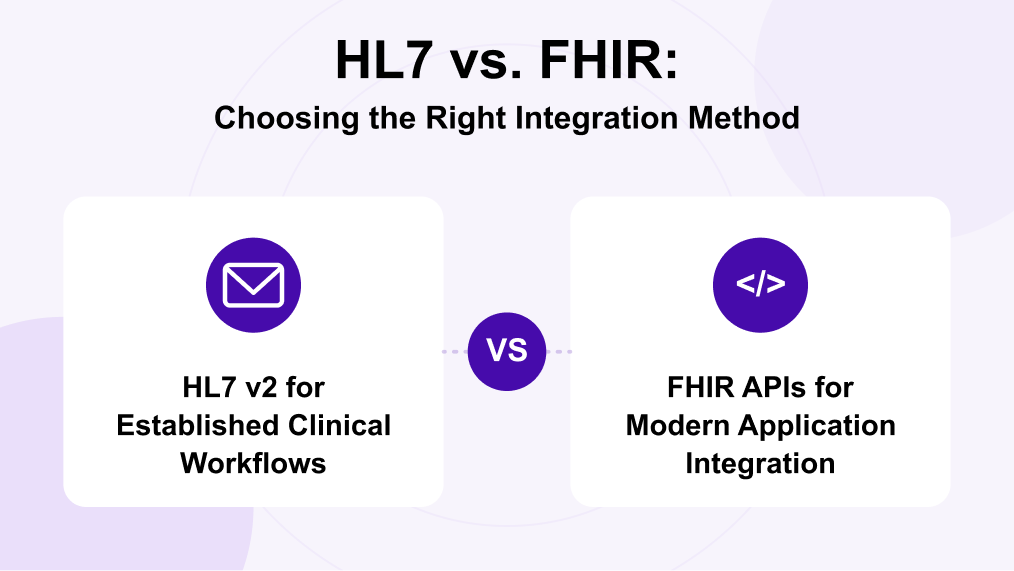
HL7 v2 for Established Clinical Workflows
HL7 v2 messages commonly support patient registration, admissions, discharges, transfers, and demographic updates. For example, HL7 v2 ADT messages can notify an integration engine when patient information changes. The engine can validate, transform, and route relevant data to the CRM.
FHIR APIs for Modern Application Integration
FHIR enables applications to exchange structured resources such as Patient, Appointment, Encounter, and Practitioner through supported APIs. FHIR R4 and US Core profiles may guide resource formats and interoperability requirements in applicable US healthcare settings. OAuth 2.0 authorization and SMART on FHIR can support secure, authorized application access.
Consideration |
HL7 v2 |
FHIR |
| Exchange method | Structured messages | Resources through APIs |
| Common use | ADT notifications | Patient and appointment data |
| Integration need | Interface engine | API access and authorization |
The appropriate approach depends on vendor capabilities, permissions, and workflow requirements. C-CDA document exchange may complement either approach when clinical documents must be shared.
EHR-CRM Integration Architecture and Data Flow
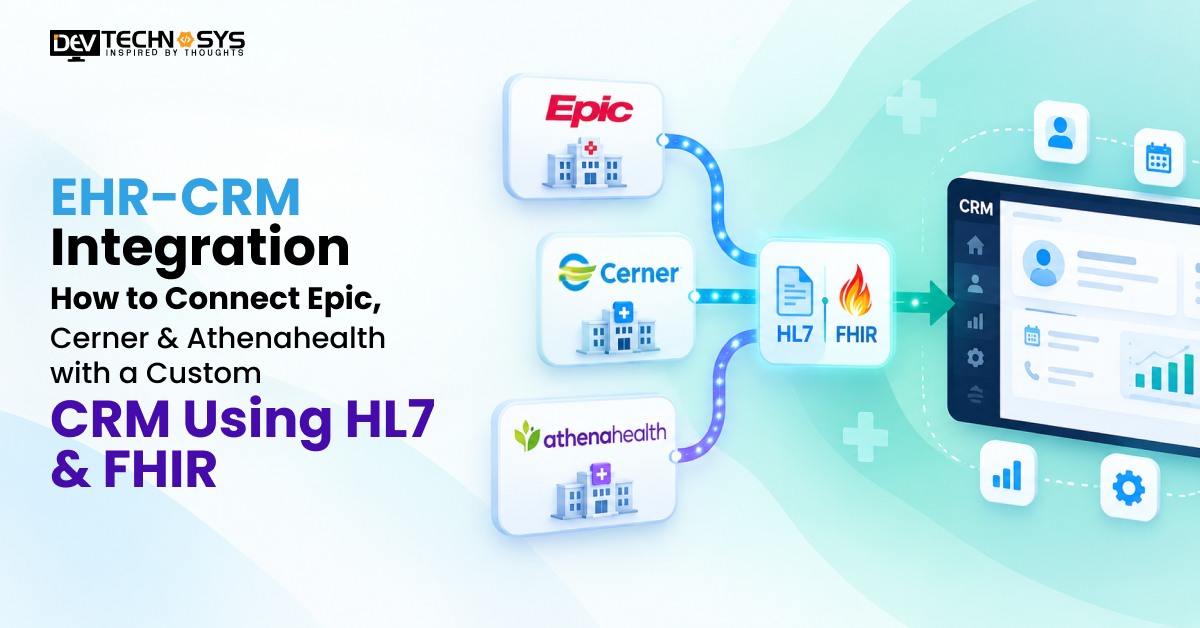
A reliable EHR integration architecture separates vendor-specific connections from CRM workflows. Whether connecting Epic, Oracle Health, or athenahealth, the system needs a secure way to exchange data, validate incoming records, and coordinate updates without disrupting clinical operations. Applying enterprise application integration principles helps connect these systems through structured data flows, validation rules, and controlled access.
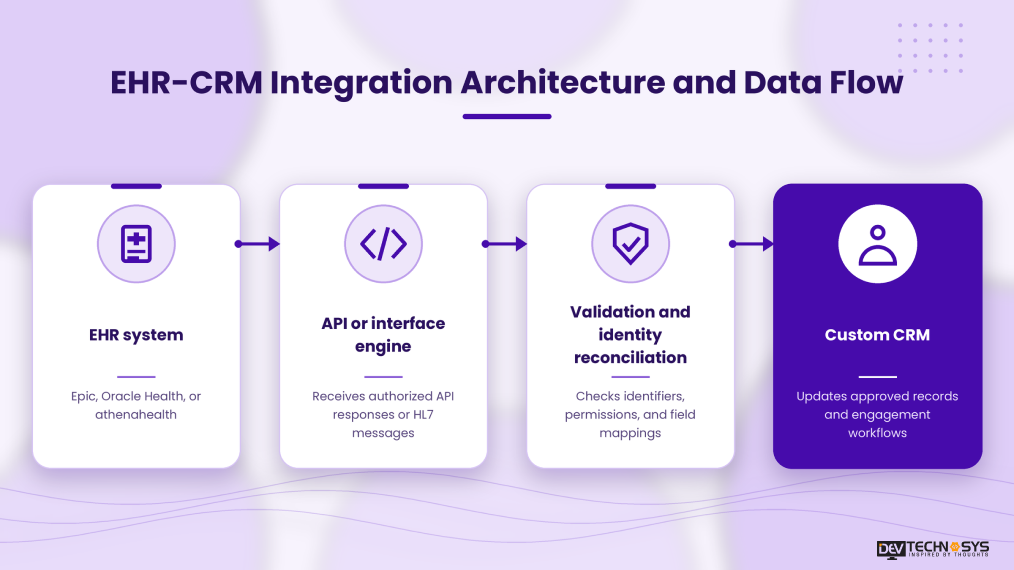
Core Components of the Integration Architecture
The architecture typically includes EHR endpoints, an API gateway or healthcare interface engine, an authentication layer, data transformation services, and the custom CRM. REST APIs handle supported API requests, while an interface engine can route HL7 messages. FHIR terminology mapping helps align codes and data fields across systems. Monitoring services track failed requests, synchronization delays, and processing errors.
How Patient Data Moves Between Systems
Patient identity reconciliation helps prevent duplicate patient records by using approved identifiers and matching rules rather than names alone. When EHR write-back is supported, each update should undergo authorization, validation, and audit logging. EHR integration benefits teams to detect failed transactions and synchronization issues before they affect downstream workflows.
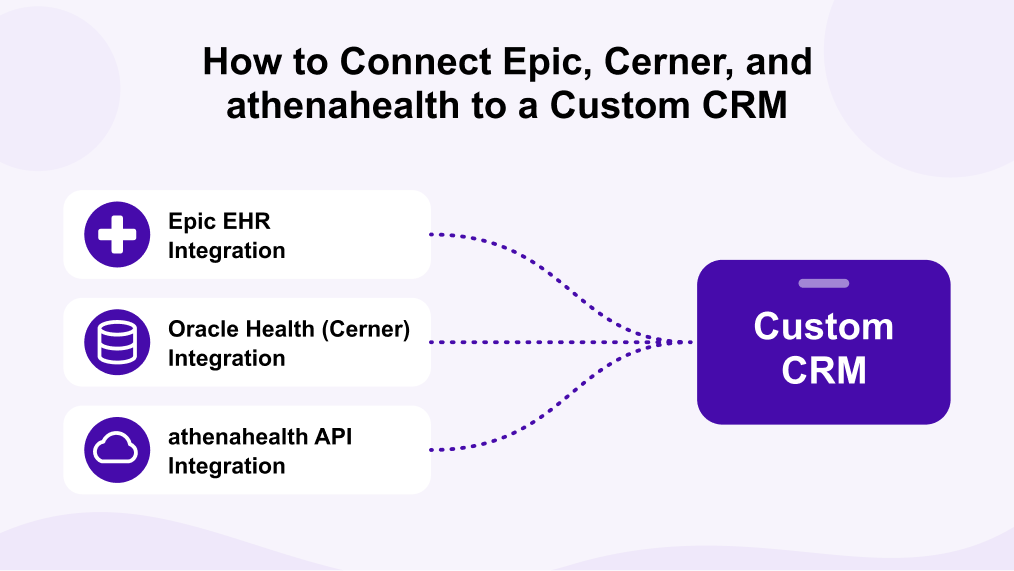
How to Connect Epic, Cerner, and athenahealth to a Custom CRM
Connecting Epic, Oracle Health (formerly Cerner), or athenahealth to a custom CRM requires more than configuring an API endpoint. Developers must confirm available resources, obtain the required access, map EHR data to CRM workflows, and test the integration with the relevant healthcare organization.
1. Epic EHR Integration
Start with Epic on FHIR, which provides API documentation, application registration, and a developer sandbox.
For a custom CRM Epic integration, identify the required FHIR resources, register the application, configure OAuth 2.0, and test patient or appointment data exchange.
To connect a CRM to Epic EHR in a live environment, coordinate with the healthcare organization to confirm its instance-specific endpoints, permissions, and implementation requirements. Epic Showroom’s Connection Hub can help eligible applications become discoverable, but listing is not required for every integration
2. Oracle Health (Cerner) Integration
Oracle Health provides FHIR APIs through its Millennium Platform, with documentation and sandbox resources for developers.
Begin by selecting the required resources, registering the application, and validating authorization and data mapping against the relevant API specifications.
For Oracle Health Cerner integration, confirm the target organization’s environment and tenant details. Test supported read or write operations individually rather than assuming every FHIR resource or operation is available.
3. athenahealth API Integration
Use the athenahealth Developer Portal to review available APIs, interface options, and application access requirements. athenahealth supports API-based integration alongside interfaces such as HL7 and C-CDA.
For athenahealth API integration, register the application, confirm access to the required patient or appointment data, and validate field mapping and permissions. The athenahealth Marketplace is relevant when exploring partner distribution or existing integrated solutions, but marketplace participation is not automatically required for every integration.
Epic vs. Cerner vs. athenahealth: Integration Considerations
Platform |
Starting point |
Key consideration |
| Epic | Epic on FHIR | Customer-specific configuration and production access |
| Oracle Health | Millennium Platform APIs | Tenant details and supported resources |
| athenahealth | Developer Portal | API permissions and interface availability |
Choosing a reliable CRM development company can help healthcare organizations evaluate vendor-specific requirements, build custom integration workflows, and validate data exchange before production deployment.
Step-by-Step EHR-CRM Integration Process
A structured EHR integration process helps healthcare organizations connect clinical systems with custom CRM workflows while controlling data access and validating information at every stage.
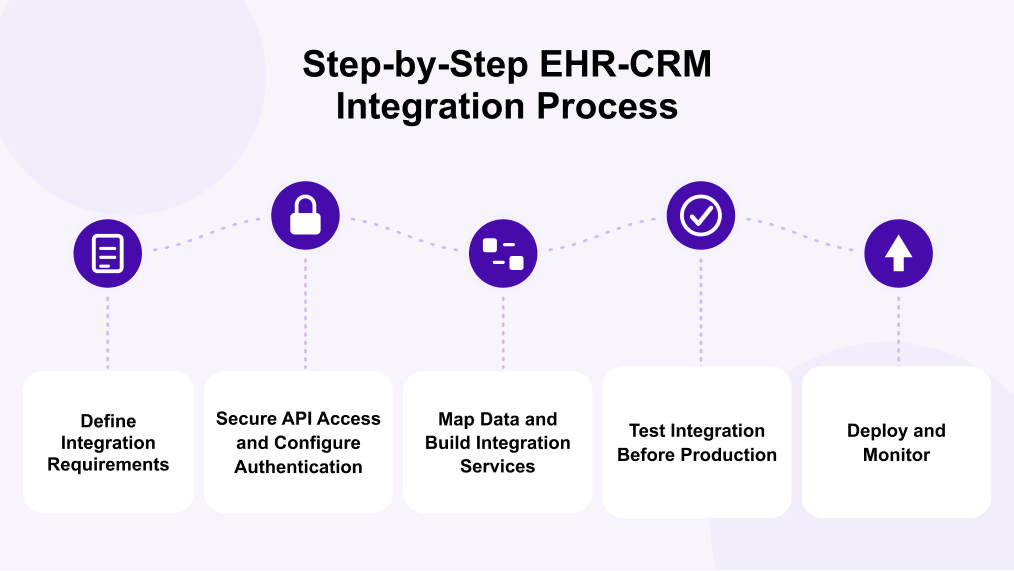
1. Define Integration Requirements
Identify the required workflows, patient data fields, user roles, and read/write permissions. Confirm which interfaces the EHR supports and whether the CRM needs patient demographics, appointment details, encounter information, or other authorized resources.
2. Secure API Access and Configure Authentication
Register the application through the appropriate vendor process, configure OAuth 2.0 or the supported authentication method, and obtain access to an approved sandbox. SMART on FHIR can support authorization for applications connecting to compatible FHIR systems.
3. Map Data and Build Integration Services
Map EHR resources to the CRM data model, establish patient identity matching rules, and define terminology conversions. Build validation, error handling, and synchronization logic to manage inconsistent or incomplete records.
4. Test Integration Before Production
Perform EHR integration testing with representative test data. Verify field mapping, permissions, duplicate detection, failed requests, synchronization behavior, and authorized write-back operations. Resolve defects before requesting production deployment approval.
5. Deploy and Monitor
Roll out the integration in stages, monitor API failures and synchronization delays, and maintain audit logs. Establish alerting, retry policies, and incident-response procedures so the team can investigate errors without silently losing updates.
The overall EHR integration timeline depends on vendor approvals, interface availability, workflow complexity, and testing requirements. Experienced FHIR developers can help reduce implementation risks, while professional CRM integration services can support system connectivity, data mapping, and workflow validation.
HIPAA Compliance and EHR Integration Security
A HIPAA-compliant integration requires safeguards that protect electronic protected health information (ePHI) during transmission, storage, and access. Healthcare organizations must assess risks and implement appropriate administrative, physical, and technical safeguards to support HIPAA compliance under the HIPAA Security Rule. Understanding HIPAA compliance for healthcare CRM helps teams evaluate the safeguards, access policies, and operational procedures needed to protect patient information across connected systems.
Essential Security Controls
- Role-based access: Implement PHI access controls that restrict patient information according to job responsibilities, approved permissions, and minimum-necessary access requirements where applicable.
- Encryption: Use TLS 1.3 where supported and AES-256 encryption where appropriate for protecting data in transit and at rest.
- Per-customer authorization: Isolate tenant data and enforce authorization checks across API requests.
- Audit logging: Record access attempts, data changes, authorization failures, and relevant integration events.
- Penetration testing: Assess vulnerabilities before production deployment and after significant changes.
HIPAA Responsibilities and Agreements
If a development or cloud provider qualifies as a business associate, a business associate agreement (BAA) is generally required when it handles PHI on behalf of a covered entity, subject to applicable HIPAA rules and exceptions.
Security checklist: Verify access controls, encryption, audit trails, incident-response procedures, risk assessments, and ongoing security reviews before connecting production EHR data. These controls support compliance but do not independently guarantee it.
Common EHR Integration Challenges and Solutions
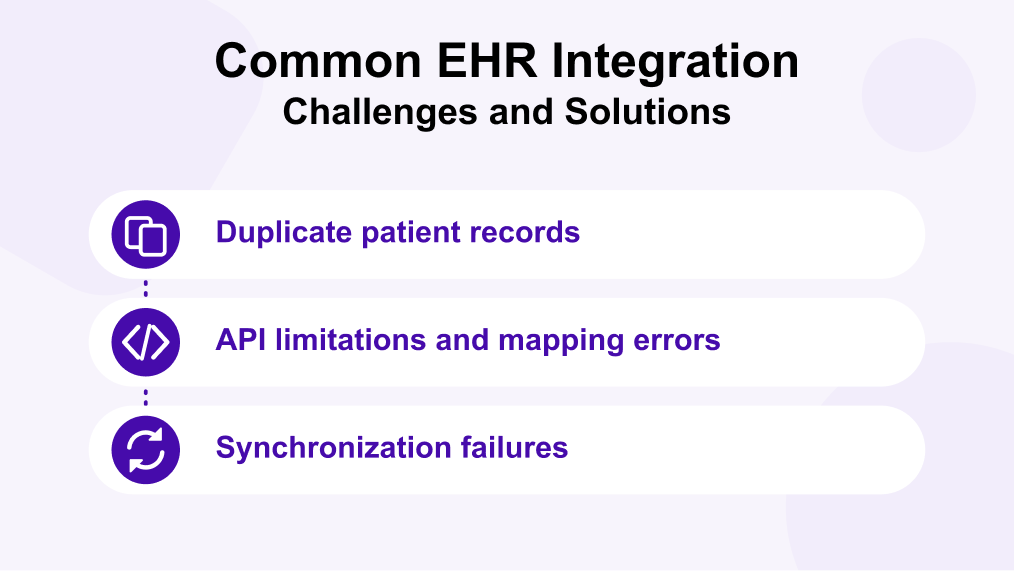
EHR integration challenges often arise from inconsistent patient identifiers, vendor-specific API restrictions, and differences in clinical data formats. Addressing these issues early helps maintain reliable synchronization between EHR systems and custom CRM platforms.
Challenge |
Practical solution |
| Duplicate patient records | Apply patient identity matching and route uncertain matches for manual review. |
| API limitations and mapping errors | Validate supported resources, permissions, and FHIR terminology mapping before deployment. |
| Synchronization failures | Use retry policies, error queues, alerts, and EHR integration monitoring. |
Expert Advice- Mohit Nag, CRM Expert, Dev Technosys
Direct integration vs. aggregator: Direct integration provides control over vendor-specific connections, while an aggregator can simplify connectivity across multiple systems. The right choice depends on supported interfaces, costs, data requirements, and operational needs.
EHR-CRM Integration Cost and Timeline
The EHR integration timeline and overall development cost depend on the number of EHR platforms, API access requirements, data mapping complexity, and the CRM workflows involved. Connecting a single EHR through supported APIs may require less effort than integrating multiple systems with bidirectional data exchange. Organizations estimating their broader EMR and EHR software development cost should also account for integration scope, security requirements, testing, and ongoing maintenance.
Key cost and timeline factors include:
- Vendor access: Application approvals, API permissions, and potential third-party fees.
- Integration complexity: HL7/FHIR mapping, patient identity reconciliation, and write-back requirements.
- Testing and security: Data validation, access controls, compliance reviews, and production readiness.
- Integration approach: Direct connections versus an aggregator, depending on the required platforms and available interfaces.
Epic’s documentation also recommends checking potential API licensing, interface, and third-party costs with the healthcare organization before implementation.
For example, athenahealth provides different API and interface options, so access and service requirements should be confirmed for the intended integration.
Conclusion
Successful EHR-CRM Integration requires the right combination of interoperability standards, vendor-supported APIs, reliable data mapping, and strong security controls. Whether connecting Epic, Oracle Health, or athenahealth, healthcare organizations must validate patient identity, test data exchange, and establish clear authorization rules before production deployment.
A well-planned integration can streamline patient engagement, reduce manual administrative work, and improve coordination across clinical and operational workflows. Dev Technosys helps healthcare organizations build tailored solutions through its healthcare CRM software development, aligned with their integration requirements.
Frequently Asked Questions
Find answers to the most common questions related to this article.
Yes, a custom CRM can connect to these EHR platforms through supported APIs and interfaces. Integration depends on vendor capabilities, application registration, authorized access, and the healthcare organization's configuration. Each platform requires compatibility checks and testing before production deployment
FHIR is useful for API-based access to structured healthcare resources, while HL7 v2 supports established clinical messaging workflows. The right choice depends on the EHR's available interfaces, required data, and business workflows. Some integrations use both standards.
The timeline depends on the number of EHR systems, API approvals, data mapping, security requirements, and testing scope. Integrating one supported API may be simpler than building multiple bidirectional connections. Vendor approvals and production validation can also affect delivery.
Integration can support HIPAA compliance when appropriate safeguards protect electronic protected health information. Healthcare organizations must assess risks, enforce access controls, maintain relevant audit logs, and meet applicable business associate obligations. Using encryption alone does not guarantee compliance.
Yes, when the EHR supports the required write operation and the application has appropriate permissions. Developers must validate submitted data, enforce authorization, prevent duplicate updates, and follow the healthcare organization's approved clinical workflows before enabling write-back.