





















Key Takeaways:
-
- Build security into the CRM architecture: Protect ePHI through role-based access, MFA, encryption, audit trails, and secure EHR and third-party integrations.
- Evaluate features beyond encryption: Secure patient communication, consent management, emergency access procedures, and backup recovery support safer healthcare workflows.
- Use a practical HIPAA compliance checklist: Review administrative, physical, and technical safeguards, vendor agreements, staff training, incident response, and disaster recovery procedures.
- Treat compliance as an ongoing responsibility: Conduct regular risk assessments, monitor system activity, test recovery processes, and reassess safeguards whenever systems, vendors, or workflows change.
A HIPAA-Compliant CRM has become a basic requirement for providers who manage appointments, follow-ups, and patient outreach across scattered systems. When records sit in separate tools, staff dashboards, and messaging channels, protected health information (PHI) becomes harder to track and easier to expose.
Weak access controls, unsecured communication, and poorly managed integrations are where exposure often begins. Healthcare CRM software supports patient data security only when its architecture, configuration, and daily operation match the organization’s own policies and safeguards. This guide covers the architecture, essential features, and compliance checklist providers need, starting with what a HIPAA-compliant CRM actually means.
What Is a HIPAA-Compliant CRM?
HIPAA-compliant CRM software manages patient relationships, appointments, follow-ups, and communications while keeping protected health information (PHI) secure under the HIPAA rules published by HHS. So, what makes a CRM HIPAA-compliant? Three essentials stand out:
- PHI and ePHI protection: Patient records and messages containing electronic protected health information (ePHI) stay secure in storage and in transit.
- Access and security safeguards: Role-based permissions and audit trails limit who can view or change patient data.
- Business associate agreements (BAAs): A signed BAA sets vendor and provider responsibilities when PHI is handled, as HHS explains in its business associate guidance.
A vendor’s “HIPAA-ready” label settles very little. The CRM supplies the security capabilities, while the healthcare organization remains responsible for configuring, using, and governing them correctly.
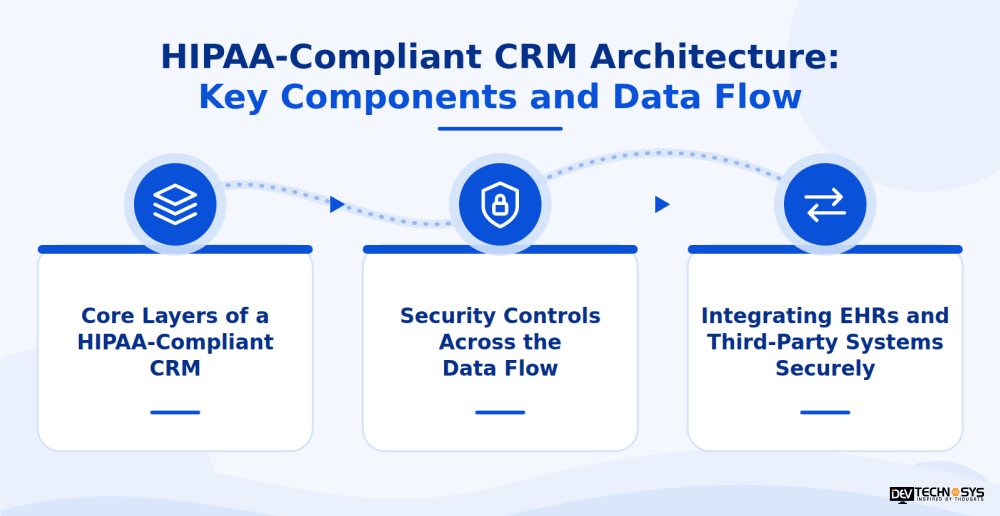
HIPAA-Compliant CRM Architecture: Key Components and Data Flow
A HIPAA-compliant CRM architecture must protect patient information at every stage, from data collection and access to storage, sharing, and deletion. Security cannot depend on database encryption alone. Identity management, application permissions, integrations, audit logging, and recovery processes must work together to reduce risks to electronic protected health information (ePHI).
Core Layers of a HIPAA-Compliant CRM
A secure healthcare CRM typically includes these interconnected layers:
- User interface: Patient portals, staff dashboards, and mobile applications with secure sessions.
- Identity and access management: Multi-factor authentication (MFA), role-based access control, and appropriate user permissions.
- API gateway: Request validation, authentication, authorization, and controlled communication between systems.
- CRM application services: Patient engagement, appointment coordination, follow-ups, and communication workflows.
- Data storage and monitoring: Protected databases, encrypted documents and backups, audit trails, and security alerts.
Security Controls Across the Data Flow
Each layer needs safeguards aligned with the HIPAA Security Rule and the organization’s risk analysis. Encrypt stored ePHI using appropriate encryption, such as AES-256, and protect data in transit with TLS 1.2 or stronger. These are technical measures, not proof of HIPAA compliance by themselves.
Apply the minimum necessary standard where applicable, restrict access by job role, and record access to sensitive records. Technical controls alone do not satisfy the HIPAA Security Rule. They need a documented HIPAA risk analysis, written policies, and regular reviews, and guidance such as NIST SP 800-66 Rev. 2 helps organizations structure that work.
Integrating EHRs and Third-Party Systems Securely
Healthcare CRMs often exchange data with electronic health record (EHR) platforms, EMR software development, billing systems, patient messaging tools, and analytics services. Use secure APIs and HL7 FHIR integration where supported, with authentication, permission checks, and validation of incoming data.
Before sharing ePHI, assess what information each integration actually needs and limit access accordingly. Upi should evaluate vendors’ EHR-CRM integration practices and security practices, and determine whether a business associate agreement (BAA) is required for the relationship.
Architecture data flow:
- Data sources
Patient portal · Staff dashboard · EHR · Mobile app
- Identity and access
Authentication · MFA · Role-based permissions
- API gateway
Request validation · Authorization · Secure integrations
- CRM application
Patient engagement · Scheduling · Follow-ups
- Protected data and monitoring
Encrypted records and backups · Audit logs · Alerts
Must-Have HIPAA-Compliant CRM Features
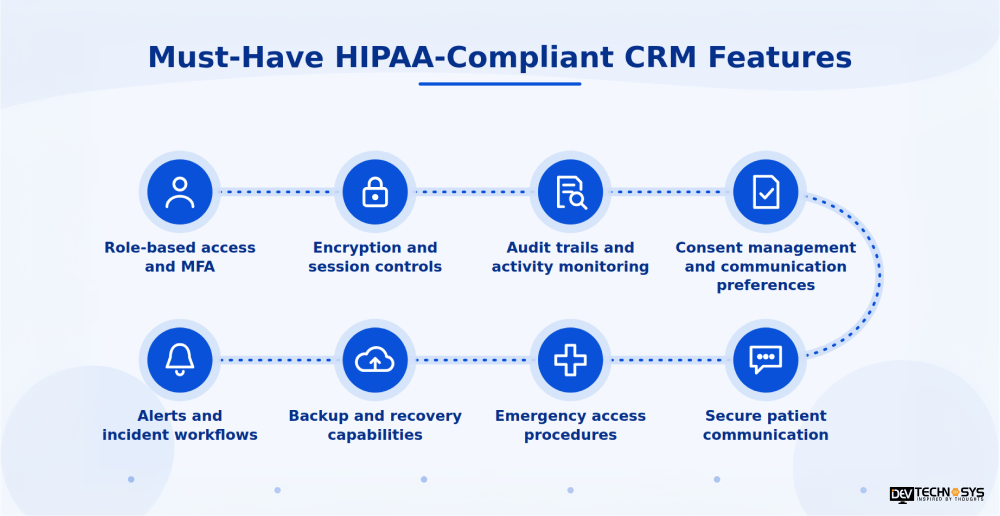
Strong HIPAA-compliant CRM features support secure patient interactions, controlled data access, and accountable healthcare workflows, so evaluation should start with what the platform actually does for staff and patients. Here are the features that healthcare IT solutions should include:
Feature |
What it supports |
| Role-based access and MFA | Limits each user through PHI access controls and role-based permissions, while MFA helps stop unauthorized logins even when passwords are compromised. |
| Encryption and session controls | Protects data in transit and at rest, while automatic session timeout reduces exposure from unattended screens and shared workstations. |
| Audit trails and activity monitoring | Records who accessed or changed patient information, giving compliance teams a reliable trail for reviews and investigations. |
| Consent management and communication preferences | Tracks patient permissions and preferred contact methods, which matters especially in a behavioral health CRM where outreach can be sensitive. |
| Secure patient communication | Keeps messages containing health details inside approved, protected channels instead of unsecured email or text. |
| Emergency access procedures | Lets authorized staff reach critical records during urgent situations, with every access logged and reviewed afterward. |
| Backup and recovery capabilities | Supports data restoration and operational continuity after outages, errors, or security incidents. |
| Alerts and incident workflows | Helps teams detect, report, and respond to potential security incidents before small issues escalate. |
HIPAA Compliance Checklist for Healthcare Providers
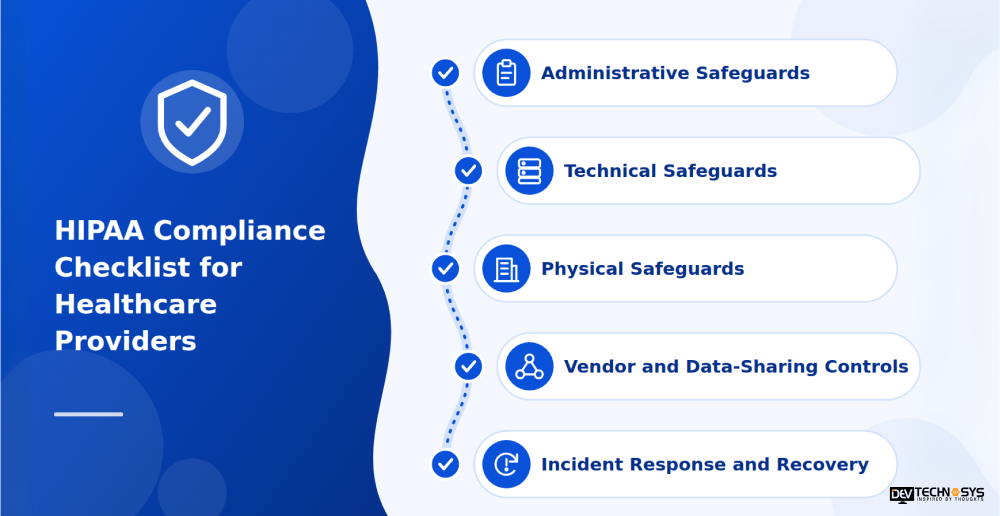
A practical HIPAA compliance checklist helps healthcare providers evaluate whether their CRM’s safeguards, internal policies, vendor relationships, and recovery procedures adequately protect patient information.
HIPAA-Compliant CRM Checklist
Use the following checklist to review your CRM implementation and identify areas that need attention beforehand to manage the HIPAA-compliant software development cost.
- Administrative Safeguards
- Conduct and document a HIPAA risk analysis.
- Assign security responsibilities to designated personnel.
- Provide regular security awareness training for staff.
- Maintain written policies and procedures for handling patient information.
- Technical Safeguards
- Enforce role-based access control and multi-factor authentication (MFA).
- Enable audit logging and monitor suspicious activity.
- Verify encryption at rest for stored and transmitted ePHI.
- Configure automatic session timeouts and appropriate access restrictions.
- Physical Safeguards
- Restrict unauthorized access to workstations and devices.
- Establish procedures for securing devices that access ePHI.
- Review device disposal and reuse practices.
- Vendor and Data-Sharing Controls
- Identify vendors that qualify as business associates.
- Execute a business associate agreement (BAA) where required.
- Review vendor security practices, integration permissions, and access to patient data.
- Incident Response and Recovery
- Maintain an incident response plan.
- Establish procedures to assess potential breaches and meet applicable notification obligations.
- Test data backup and restoration processes.
- Document disaster recovery procedures and responsibilities.
How to Use the Checklist
Treat this checklist as the starting point for a HIPAA compliance gap assessment, not a certification or guarantee of compliance. For each item, record the available evidence, assign an accountable owner, identify unresolved gaps, and set a remediation deadline.
Reassess controls after major system updates, new integrations, vendor changes, or changes in how staff handles patient data. Keep policies, training records, risk assessments, and remediation activities documented so your team can demonstrate how it manages security risks over time.
Expert Advice
A HIPAA-compliant CRM requires strong PHI access controls, encryption, audit trails, and regular risk assessments to protect patient data and maintain compliance.
Mohit Nag, CRM Expert, Dev Technosys
Common HIPAA Compliance Mistakes to Avoid
Even a well-designed healthcare CRM can expose patient information when security controls are poorly configured, or staff workflows are overlooked. These common mistakes can create compliance gaps and increase the risk of HIPAA violations during the CRM development process.
Common Mistakes That Put Patient Data at Risk
- Assuming encryption guarantees compliance: Encryption protects data, but organizations also need risk analysis, access controls, documented policies, and ongoing monitoring.
- Giving staff excessive access: Permissions should follow the minimum necessary standard where applicable, limiting access to information needed for assigned responsibilities.
- Overlooking vendor obligations: A vendor risk assessment helps identify security gaps. Establish a business associate agreement when the relationship requires one.
- Using unsecured communication channels: Sharing sensitive patient information through unapproved messaging tools can expose PHI. Apply appropriate communication controls and data loss prevention measures.
- Ignoring audit logs and recovery tests: Unreviewed alerts and untested backups can delay incident detection and data restoration.
- Treating compliance as a one-time task: New integrations, staff changes, and software updates can introduce risks that require reassessment.
How to Implement a HIPAA-Compliant CRM
Implementing a HIPAA-compliant CRM requires coordination between healthcare operations, security teams, developers, and compliance professionals. A CRM development services can help you build a structured process that helps protect patient information throughout development and daily use.
Steps to Implement a HIPAA-Compliant CRM
- Map patient data and workflows: Identify where PHI enters the CRM, which employees access it, how it moves between systems, and where it is stored.
- Conduct a security risk analysis: Evaluate potential threats, system vulnerabilities, existing safeguards, and risks that require remediation. Document findings and assign priorities.
- Define security and vendor requirements: Establish access permissions, encryption requirements, retention policies, consent management processes, and business associate agreements where applicable.
- Develop and integrate the CRM: Build secure patient workflows, configure role-based access, implement audit logging, and connect EHRs or third-party platforms through controlled integrations.
- Test security and train staff: Validate permissions, session controls, audit trails, backup restoration, and incident response procedures. Train employees before granting production access.
- Deploy, monitor, and reassess: Monitor system activity, investigate alerts, review vendor access, address vulnerabilities, and reassess risks when workflows or technology change.
CRM Implementation Workflow
- Map workflows
Identify PHI and data flows
- Assess risks
Document threats and vulnerabilities
- Define safeguards
Set policies and vendor requirements
- Build and integrate
Develop secure CRM workflows
- Test and train
Validate controls and prepare staff
- Deploy and monitor
Track issues and reassess risks
Note: A successful implementation combines secure engineering with documented procedures, staff accountability, and continuous risk management. No development milestone alone guarantees HIPAA compliance.
Conclusion
A HIPAA-compliant CRM requires more than encryption and access controls. Healthcare providers need secure architecture, appropriate vendor agreements, documented policies, staff training, and continuous risk assessment to protect patient information. At Dev Technosys, we develop custom healthcare CRM solutions with security-focused workflows, integrations, and patient management capabilities tailored to organizational needs.
Looking to build a secure healthcare CRM? Let’s discuss your requirements and plan a solution aligned with your operational and compliance needs.
Frequently Asked Questions
Find answers to the most common questions related to this article.
A CRM must support appropriate administrative, physical, and technical safeguards to protect PHI. Organizations also need documented risk analysis, access controls, audit logs, staff training, and business associate agreements where required. Compliance depends on implementation and ongoing oversight.
Salesforce may support certain HIPAA-regulated use cases under applicable product and contractual conditions. Healthcare providers should verify eligible services, business associate agreement availability, configuration requirements, and security responsibilities before storing or processing PHI.
Healthcare providers should verify HubSpot's current product capabilities and contractual terms before using it for workflows involving PHI. Confirm whether the required services and business associate agreement are available, and assess whether the configuration meets your organization's compliance obligations.
HHS does not provide a general HIPAA certification for CRM software. Instead, evaluate security safeguards, risk management practices, vendor agreements, and documentation. Third-party reports can support due diligence but do not independently establish HIPAA compliance.
Development costs depend on feature complexity, platforms, EHR integrations, security controls, data migration, and ongoing maintenance. A clear scope and risk assessment help determine the required investment. Request a tailored estimate based on your workflows and compliance needs.














