





















Key takeaways:
-
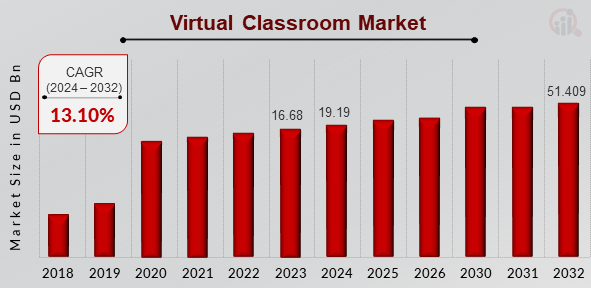
- The global virtual classroom applications market was valued at around $19.19 billion in 2024; it is expected to reach around $51.40 billion by the end of 2032.
- Virtual classroom apps like Zoom, Microsoft Teams, and ClassDojo offer many advanced features like live class, offline access, and more.
- Offer the best monetization techniques such as subscription plans, freemium model, advertisements, and more.
In today’s hyper-connected world, education is no longer confined to the four walls of a classroom.
Whether you’re an edtech entrepreneur, a developer with a passion for learning, or an educator with a vision, building a virtual classroom app opens the door to boundless possibilities.
Imagine students collaborating from across the globe, teachers engaging with interactive tools, and knowledge flowing seamlessly through screens.
But how do you bring that vision to life?
From real-time video to assignment tracking and live chat, creating a robust and intuitive virtual classroom requires more than just code; it needs thoughtful design, smart technology, and a learner-first mindset.
In this blog, we’ll break down everything you need to know to build a virtual classroom app that’s not just functional, but truly transformative.
Let’s turn screens into dynamic spaces of learning!
Market Analysis of Global Virtual Classroom Applications
- As per the global survey, the virtual classroom apps market is valued at around $19.19 billion in 2024.
- By the end of 2032, the online learning platform market is expected to grow to around $51.40
- As per the segment-wise, the teleconferencing segment holds the largest revenue share, around 60% in the virtual classroom market.
- According to a ground-level report, the e-learning apps market is projected to increase with a CAGR of 10% during the forecast period.
- The Asia-Pacific region is one of the highest revenue-generating regions in the e-learning application market and is rapidly increasing.
What is a Virtual Classroom App?
A Virtual Classroom App is an online platform that enables teachers and students to connect, interact, and learn remotely through live video classes, chat, and multimedia content.
It offers tools like virtual whiteboards, assignments, quizzes, and progress tracking, simulating a traditional classroom experience digitally. These apps support flexible learning anytime, anywhere, making education accessible and convenient for a global audience, especially in remote or hybrid learning environments.
10 Best Virtual Classroom Apps
Are you interested in building a remote classroom app? First, you need to observe existing virtual classroom apps to understand their functionality and services to implement in your app. So, let’s explore a wide variety of virtual classroom apps:
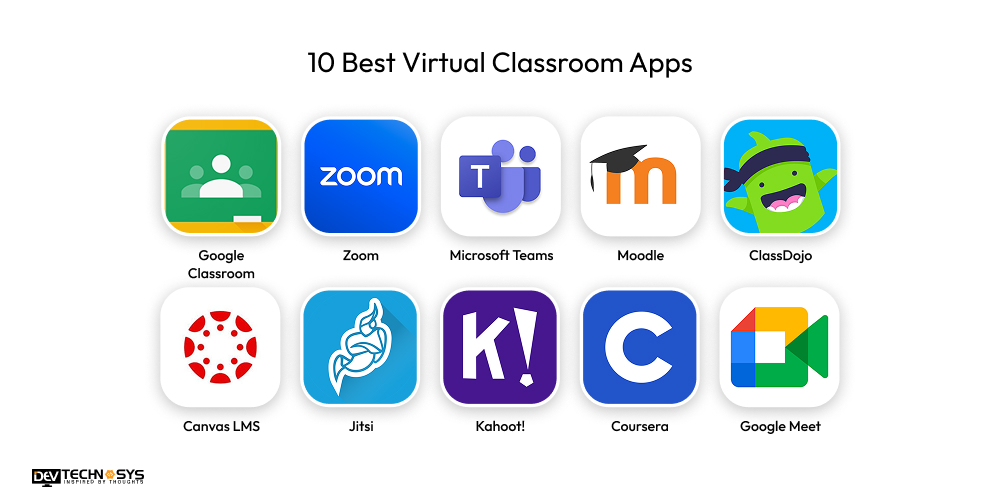
| App / Platform | Launch Year | Platform Availability | Approx. Downloads | Average Rating |
| Google Classroom | 2014 | Web, Android, iOS | 150M+ | 4.5 |
| Zoom | 2013 | Windows, macOS, iOS, Android, Web | 1B+ | 4.4 |
| Microsoft Teams | 2017 | Windows, macOS, iOS, Android, Web | 500M+ | 4.3 |
| Moodle | 2002 | Web, Android, iOS | 200M+ | 4.1 |
| ClassDojo | 2011 | Web, Android, iOS | 10M+ | 4.6 |
| Canvas LMS | 2011 | Web, Android, iOS | 10M+ | 4.3 |
| Jitsi | 2015 | Web, Android, iOS | 10M+ | 4.2 |
| Kahoot! | 2013 | Web, Android, iOS | 100M+ | 4.6 |
| Coursera | 2012 | Web, Android, iOS | 10M+ | 4.6 |
| Google Meet | 2017 | Web, Android, iOS | 500M+ | 4.2 |
Different Types of Virtual Classroom Applications
Learn anytime, anywhere with our easy virtual classroom app. Join live classes, chat with teachers, do assignments, and track your progress, all in one simple, smart learning platform. Let’s explore the different types of education apps you can build:
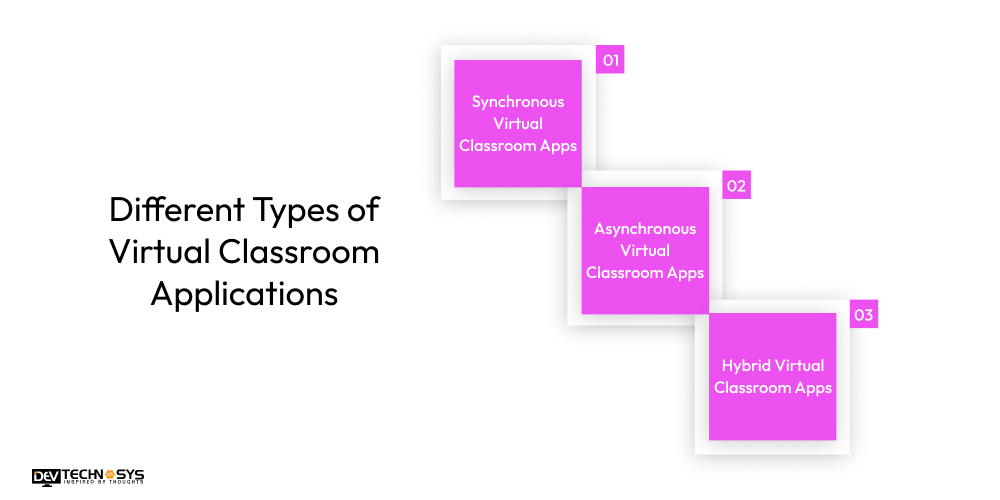
1. Synchronous Virtual Classroom Apps
These remote teaching tools enable real-time interaction between teachers and students through live video, audio, and chat. They replicate traditional classrooms by supporting live lectures, discussions, and Q&A sessions, fostering immediate feedback and engagement. Examples include Zoom and Microsoft Teams for education.
2. Asynchronous Virtual Classroom Apps
These online education platforms allow learners to access pre-recorded lessons, assignments, and quizzes anytime. They offer flexibility for students to learn at their own pace without live interaction. Communication is usually through forums or messaging. Examples include Moodle and Coursera.
3. Hybrid Virtual Classroom Apps
Hybrid apps combine both synchronous and asynchronous learning, offering live sessions alongside recorded content and interactive tools. They provide flexibility while maintaining real-time engagement and support. Examples include Google Classroom and Blackboard Learn.
Why Do Entrepreneurs Must Invest in Virtual Classroom App Development?
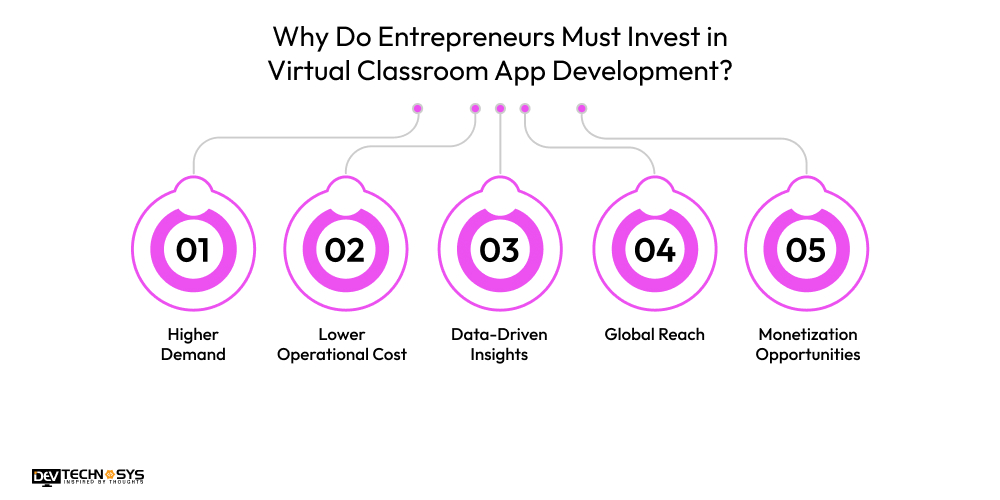
In this digital era, digital classroom software provide flexibility for both teachers and students because they can access classes from anywhere at any time. Entrepreneurs are ready to build an LMS app like Teachmint to expand businesses to the next level. So, here we provide the various benefits.
- Higher Demand
- Lower Operational Cost
- Data-Driven Insights
- Global Reach
- Monetization Opportunities
1. Higher Demand
As we all see, the demand for virtual classroom apps is increasing day by day and offers flexibility for students, professionals, and organizations.
It offers advanced features such as live video classes, interactive whiteboard, content management, student progress report, and discussion forums. With the help of higher demand, businesses can launch their own learning platform to touch new heights of success.
2. Lower Operational Cost
In the second benefit, as we compared offline institutions to virtual classrooms, it reduces the additional costs like utilities, rents, and other physical resources.
That’s why most institutions prefer virtual classrooms to increase convenience and flexibility. Teachers can work remotely, and students can learn from anywhere, eliminating travel and facility costs.
3. Data-Driven Insights
Let’s move to the third benefit, the distance learning apps can observe or analyze the users’ valuable information and insights. It includes users’ behavior, preferences, habits, demographics, and personalized learning paths.
So, these data-driven insights help businesses to identify new areas for improvement and suggest their personal preferences to enhance their experience.
4. Global Reach
A interactive learning platform offers global user reach, allowing students and educators to connect from anywhere in the world. With internet access and device compatibility, learning becomes location-independent.
This worldwide accessibility not only increases your app’s user base but also opens up opportunities to scale across different regions, languages, and time zones without major overhead.
5. Monetization Opportunities
In the last benefit, the smart classroom app offer various monetization techniques that help businesses to increase their sales and valuations.
It includes different types of money-making strategies such as freemium model, pay-per-use, subscription plans, advertisements, partnerships and collaborations, in-app purchase, and many more. So, these techniques can easily generate higher revenue streams.
What is the Role of AI in Virtual Classroom Applications?
- AI tailors course content and pace to individual student needs, enhancing engagement and improving learning outcomes effectively.
- AI-powered chatbots answer student queries, offer study tips, and support learning outside regular classroom hours.
- AI in interactive learning app analyzes student behavior and performance to predict dropouts, enabling early interventions by educators or administrators.
- AI suggests relevant courses, materials, or resources based on students’ learning history and interests for continuous improvement.
- AI detects student emotions through facial recognition or interaction patterns to identify disengagement or confusion during lessons.
- AI evaluates quizzes and assignments instantly, providing real-time feedback to students and saving time for instructors.
7 Simple Steps to Build a Virtual Classroom App
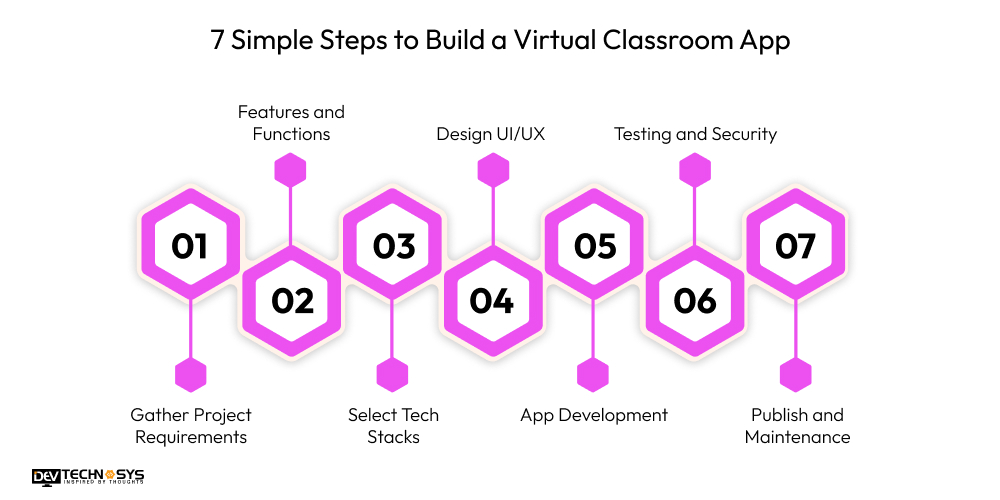
To create a virtual classroom app with customized features, you have to consider robust development steps that provide detailed information about each process. From the initial development stage to the final post-maintenance services, businesses or developers can easily build a successful or reliable application.
- Gather Project Requirements
- Features and Functions
- Select Tech Stacks
- Design UI/UX
- App Development
- Testing and Security
- Publish and Maintenance
1. Gather Project Requirements
Let’s start the first stage to create a virtual classroom app, hire dedicated developers to identify the basic and complex project requirements that must be implemented.
Make a structured and organized list of requirements and demands. Research in this competitive market about which virtual classroom apps are trending and gain higher success rates. Make a plan for competitors that how your application can compete with them.
2. Features and Functions
Moving to the second stage to develop a virtual classroom app, select the simple and advanced features for your virtual classroom application. You need to make a structured sheet of features to reduce data redundancy and misunderstandings.
It includes various types of features such as live video classes, chat functionality, class scheduling, AI-based performance analytics, course material schedules, and more.

3. Select Tech Stacks
Choose the right technology stack based on your app’s features, scalability, and budget. For mobile apps, consider Flutter or React Native; for the backend, Node.js or Django.
Use WebRTC for video, Firebase for real-time data, and PostgreSQL or Firestore for databases. Hire mobile app developers to pick reliable cloud services like AWS or GCP. Your tech stack must support high performance, real-time communication, and data security.
4. Design UI/UX
Create user-friendly and intuitive designs that enhance the learning experience. Focus on simple navigation, clear content presentation, and accessibility. Design student dashboards, teacher tools, and admin panels with consistency and clarity.
Use wireframes and prototypes to test flows before development. A clean, responsive, and engaging UI/UX can significantly improve user satisfaction, retention, and overall effectiveness of your virtual classroom app.
5. App Development
Start coding based on the finalized design and selected tech stack. Break custom software development into modules: authentication, video calling, messaging, content sharing, etc. Use agile methodologies to iterate and deliver features faster.
Ensure both frontend and backend components integrate smoothly. Constant communication between developers, designers, and testers is key. Maintain clean, scalable code to accommodate future updates, advanced features, and cross-platform performance.
6. Testing and Security
Conduct thorough testing to eliminate bugs and ensure smooth functionality across devices. Perform functional, usability, performance, and security testing. Protect user data with encryption, secure login, and role-based access control.
Simulate real classroom scenarios to validate features like video calling, screen sharing, and file uploads. A secure and stable app builds trust with users and prevents potential legal and technical issues.
7. Publish and Maintenance
Launch your app on app stores (Google Play, Apple App Store) and/or web platforms. Hire an experienced on-demand app development company to prepare launch materials like app descriptions, screenshots, and marketing campaigns.
Post-launch, collect user feedback and monitor performance using analytics tools. Regularly update the app to fix bugs, improve features, and stay compatible with new OS versions. Ongoing maintenance ensures long-term success, security, and user satisfaction.
Important FAQs
Q1. What are the Core Features of Virtual Classroom Applications?
- Content Library
- Screen Sharing
- User Registration
- Real-time Chat
- Push Notifications
Q2. How to Make Money From Virtual Classroom Apps?
- Subscription Plans
- Freemium Model
- Advertisements
- In-app Purchase
- Transaction Fees
Q3. What Are the Factors That Affect the Cost to Build a Virtual Classroom App?
- Project Complexity
- Features
- Development Team
- Tech Stacks
- Third-Party Integrations
10 Must-Have Features of Virtual Classroom Applications
There is a wide variety of features that have to be integrated in online teaching platforms. So, let’s explore the basic and advanced functionalities:
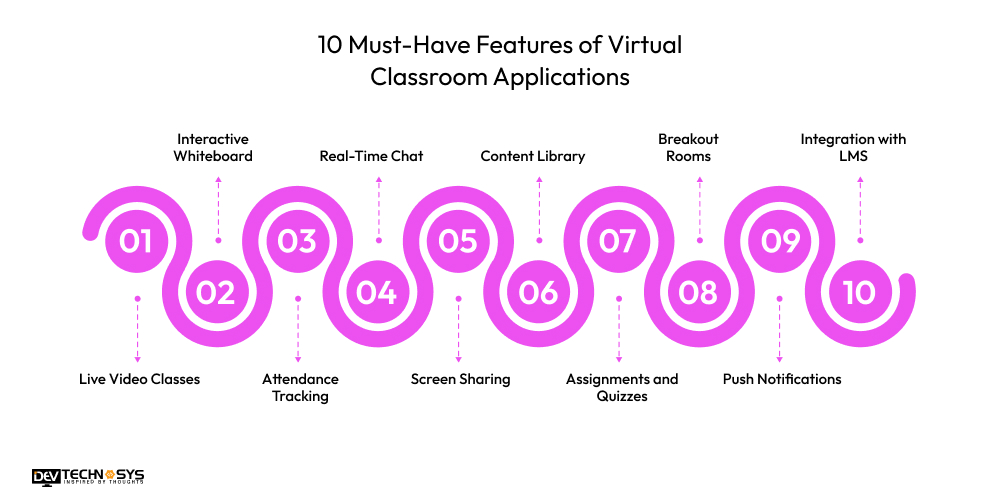
1. Live Video Classes
The virtual education system enable real-time, high-quality video conferencing for interactive teaching, allowing students and teachers to connect and communicate from anywhere.
2. Interactive Whiteboard
An online lecture platform allows teachers and students to draw, annotate, and visually explain concepts collaboratively during live sessions, enhancing engagement and comprehension.
3. Attendance Tracking
Automatically records student attendance during live classes, providing educators with reports and insights to monitor student participation and engagement levels.
4. Real-Time Chat
Facilitates instant messaging between students and teachers during lessons, enabling quick questions, feedback, and interactive learning without interrupting the session.
5. Screen Sharing
Teachers can share their screens to present slides, videos, or applications, creating an immersive and informative virtual classroom experience.
Want a chatbot demo or pricing? Fill the form and talk to our experts today.
Pick what you need below — you can select more than one — then tap Get detail to continue.
-
Chatbot demo dashboard
-
Cost to develop an app
-
Industry report
-
Case study
6. Content Library
Centralized storage of learning materials like PDFs, videos, and assignments that students can access anytime for self-paced review and learning.
7. Assignments and Quizzes
The e-classroom solution Allows teachers to create, assign, and grade homework or quizzes digitally, streamlining assessment and providing instant feedback to students.
8. Breakout Rooms
Small virtual groups for discussions or projects, encouraging student collaboration and active participation during or after the main session.
9. Push Notifications
The virtual training platform sends alerts for upcoming classes, assignments, announcements, or changes, ensuring students stay informed and never miss important updates.
10. Integration with LMS
Seamlessly connects with Learning Management Systems to sync grades, assignments, and progress, offering a unified learning and administration experience.
What is the Cost To Build a Virtual Classroom App?
The cost to build a virtual classroom app ranges from $8,000 to $25,000. The project budget can fluctuate due to various factors such as features, functions, size, project complexity, deployment platforms, development team, security measurements, infrastructure, and more.
There are some advanced features, like AI-based, that can influence the overall virtual classroom app development cost. It includes additional cost-affecting factors such as designing tools, testing, maintenance, and more.
So, let’s take a look at the detailed cost table:
| Component | Estimated Cost | Description |
| UI/UX Design | $5,000 – $10,000 | Custom design for user-friendly interfaces. |
| Video & Audio Integration | $5,000 – $8,000 | Basic live streaming capabilities for real-time classes. |
| User Authentication | $1,000 – $2,500 | Secure login and profile management. |
| Course Management System | $2,000 – $4,000 | Tools for uploading and managing course materials. |
| Live Chat Functionality | $1,500 – $3,000 | Real-time messaging between students and instructors. |
| Payment Gateway Integration | $1,500 – $3,000 | Enabling online payments for course subscriptions. |
Estimated Project Budget: $8,000 to $25,000+

What Are the Factors That Can Affect the Virtual Classroom App Development Cost?
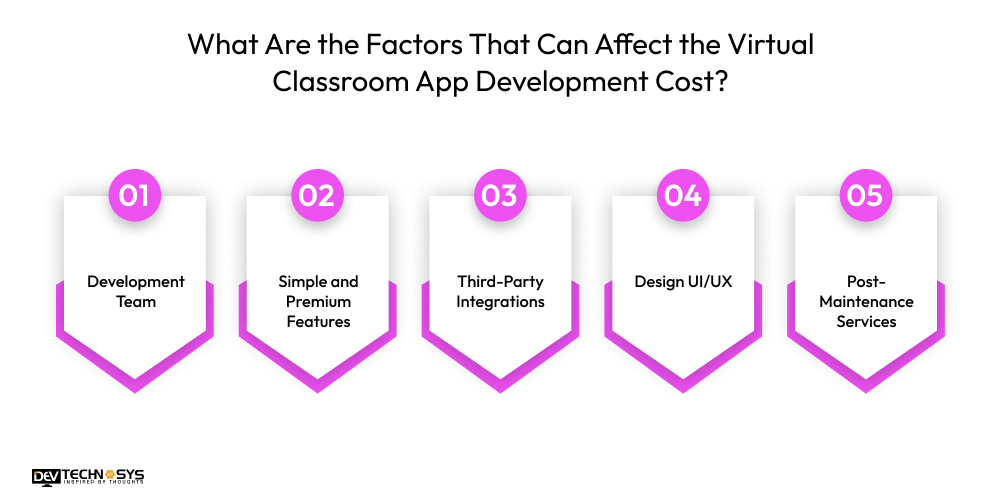
There are various types of factors that highly impact the final virtual classroom mobile app development cost. It involves features, functions, project complexity, backend infrastructure, tech stacks, and third-party integrations. Let’s take a look at the following cost-affecting factors:
- Development Team
- Simple and Premium Features
- Third-Party Integrations
- Design UI/UX
- Post-Maintenance Services
1. Development Team
Let’s begin with the first cost-affecting factor, the developer’s location and experience level. This is one of the basic factors that can easily affect the overall cost to build a virtual classroom app.
If developers are from the USA and Europe, then they demand higher salary packages because they have higher living costs compared to others. The higher experience level developers can also demand a higher cost to develop a virtual classroom app.
| Team Member | Role | Cost Range (USD) | Description |
| Junior Developer | Basic coding and bug fixes | $800 – $1,500 | Handles simple features and maintenance |
| Mid-Level Developer | Core development | $1,500 – $3,000 | Develops key app functionalities |
| Senior Developer | Complex logic and architecture | $3,000 – $5,000 | Leads development, optimizes performance |
| UI/UX Designer | User interface & experience | $1,000 – $3,000 | Designs an attractive and intuitive UI |
| QA Tester | Quality assurance | $800 – $1,500 | Test the app for bugs and usability issues |
2. Simple and Premium Features
In the second factor, the implementation costs of simple and premium features also differ, and some of them are highly expensive, which can raise the overall cost.
It includes many premium features such as AI-powered tutoring, offline mode, gamification tools, live class recording, cloud-storage integration, and certificate generation. These highly-paid features can influence the final cost to build a teacher-parent communication app.
| Feature Type | Feature Examples | Cost Range (USD) | Description |
| Simple Features | Basic chat, live video, quizzes | $1,500 – $3,500 | Essential for MVP launch |
| Medium Features | Assignments, notifications | $3,500 – $6,000 | Adds user engagement and interactivity |
| Premium Features | AI tutor, AR/VR, gamification | $6,000 – $10,000 | Advanced features for competitive edge |
| Monetization Tools | Payment gateways, subscriptions | $1,500 – $3,000 | Enables app revenue generation |
| Offline Access | Download course materials | $1,000 – $2,500 | Improves accessibility and user experience |
3. Third-Party Integrations
Moving to the third cost-impacting factor, there are various third-party tools or applications that are necessary to implement in a virtual classroom app. But some of the third-party integrations have higher licensing fees, and developers take too much time to implement.
It involves a wide variety of third-party tools such as communication tools, payment gateways, CRM, analytics, social media logins, scheduling & calendar, authentication, security, and more.
| Integration Type | Examples | Cost Range (USD) | Description |
| Video Conferencing | Zoom, Twilio | $1,000 – $2,000 | Enables live classes and meetings |
| Payment Gateways | Stripe, PayPal | $800 – $1,500 | Supports transactions and subscriptions |
| Cloud Storage | Google Drive, AWS S3 | $700 – $1,200 | For file upload and sharing |
| Analytics Tools | Google Analytics, Mixpanel | $500 – $1,000 | User behavior tracking and reporting |
| Authentication | Firebase Auth, Auth0 | $700 – $1,300 | Secure login and user management |
4. Design UI/UX
Let’s talk about another factor: designing a user interface with advanced customization can be higher cost as compared to basic customization. Developers use many advanced or premium designing tools such as Figma, Sketch, Farmer, Marvel, Adobe XD, Proto.io, and InVision.
These are highly paid; it can increase the cost to develop a virtual classroom app. There are various design elements such as layouts, themes, navigation bars, colors, templates, and many more.
| Design Aspect | Focus Area | Cost Range (USD) | Description |
| Basic UI Design | Simple layout, minimal branding | $800 – $1,500 | Clean, functional design for MVP |
| Interactive UI | Animations, transitions | $1,500 – $3,000 | Improves engagement and user delight |
| UX Research | User journey mapping | $1,000 – $2,000 | Understand user needs and pain points |
| Prototyping | Clickable app mockups | $1,000 – $2,500 | Validates design concepts early |
| Responsive Design | Mobile and tablet compatibility | $1,200 – $2,500 | Ensures seamless use across devices |
5. Post-Maintenance Services
In the last cost-affecting factor. To keep your application up-to-date and maintain the actual performance, you need to conduct a mobile app maintenance service.
It includes fixing bugs or glitches, solving security issues, regular updates, adding new enhancements, upgrading OS versions, design enhancements, and more. Some of the maintenance services are highly costly, and developers need to take extra time to complete the services.
| Service Type | Focus Area | Cost Range (USD) | Description |
| Bug Fixes | Resolving issues after launch | $800 – $1,500 | Keeps app stable and functional |
| Updates & Upgrades | Feature enhancements | $1,500 – $3,000 | Adds new features based on feedback |
| Server & Hosting | Cloud services & bandwidth | $500 – $1,200 | Maintains app uptime and performance |
| Customer Support | User assistance & troubleshooting | $700 – $1,500 | Improves user satisfaction |
| Security Patches | Protect from vulnerabilities | $700 – $1,300 | Ensures app data and user safety |
Modern Tech Stacks are Used to Build a Virtual Classroom App
| Component | Technology Stack | Purpose |
| Frontend | React.js / Vue.js | Build responsive and dynamic web user interfaces. |
| Mobile App | React Native / Flutter | Develop cross-platform mobile apps. |
| Backend | Node.js (Express) / Django | Handle APIs, business logic, and server-side operations. |
| Database | PostgreSQL / MongoDB | Store user data, content, and messages. |
| Video Streaming | WebRTC / Twilio / Jitsi Meet | Enable live virtual classes with video/audio. |
| Authentication | Firebase Auth / Auth0 | Secure login and role management. |
| Real-Time Chat | Socket.IO / Firebase Realtime Database | Enable messaging and real-time updates. |
| Cloud Hosting | AWS / Google Cloud | Host the app, manage storage, scaling, and deployment. |
How to Generate Revenue Streams From Online Tutoring Apps?
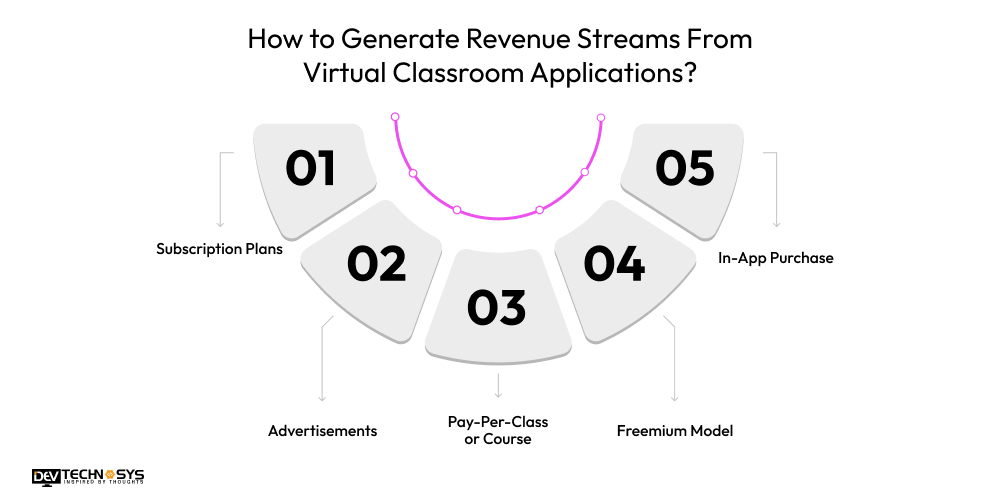
It’s great to develop a virtual classroom app, but the main task is to generate profit from these apps. Most businesses don’t know how to generate revenue. We provide the best money-making techniques to increase the overall valuation:
- Subscription Plans
- Advertisements
- Pay-Per-Class or Course
- Freemium Model
- In-App Purchase
1. Subscription Plans
In the first money-making technique, the digital classroom apps provide paid subscription plans for users to access the unlimited functionalities of the app.
It has various plans such as basic, premium, and enterprise plans. Users need to purchase the premium or enterprise plans annually or monthly. So, these plans can generate new revenue streams for businesses.
2. Advertisements
Let’s discuss the second profit-generating approach: virtual classroom apps can sell ad space to third-party businesses for displaying their products or services.
These applications can charge a fee of around 8% to 12% for showing each advertisement. There are various ad formats available, such as native, display, pop-up window, banner, image, and video advertisements.
3. Pay-Per-Class or Course
Charge users a fee to access individual classes or full-length courses. This model allows flexibility for learners while generating direct income. Instructors or institutions set prices, and the platform earns a commission on each sale, creating a scalable and transaction-based revenue stream.
4. Freemium Model
The web-based teaching platforms offer basic features for free to attract users, while monetizing advanced functionalities through premium upgrades. This model builds a large user base quickly, encouraging free users to convert over time. Premium features may include advanced tools, extended storage, or priority support, creating ongoing subscription revenue.
5. In-App Purchase
Monetize through optional add-ons such as interactive tools, digital content, custom themes, or practice tests. Users can enhance their learning experience by purchasing these extras. This microtransaction model is flexible and scalable, appealing to diverse user needs while steadily increasing average revenue per user (ARPU).
The Bottom Line!
In conclusion, building a distance education app involves careful planning, the right technology stack, and a clear understanding of user needs. From designing intuitive interfaces to integrating features like video calls, chat, and file sharing, every step plays a vital role.
Testing and feedback help refine the app for a better learning experience. Partnering with an experienced education app development company can make the process smoother and more efficient, ensuring your app meets modern educational demands and stands out in today’s digital learning landscape.
Frequently Asked Questions
1. How Much Does it Cost to Build a Virtual Classroom App?
The cost to develop a virtual classroom app is around $8,000 to $25,000. The cost can fluctuate due to key factors such as premium features, functions, project complexity, backend infrastructure, development team, deployment platforms, and more.
2. How Long Does it Take to Create a Virtual Classroom App?
To create a virtual classroom app, it basically takes around 4 to 10 weeks. The timeline is based on various factors such as project complexity, size, a higher number of features, developers’ working hours, and more.
3. What Kind of Technologies Are Used to Make a Virtual Classroom App?
There are various technologies that are used to make a virtual classroom app. Here is the list:
- Java
- Python
- C++
- C#
- PHP
- React Native
4. What’s the Best Way to Manage Real-Time Chat and Messaging?
The best way to manage real-time chat is by using WebSockets or services like Firebase, SendBird, or Stream. These ensure low-latency communication, scalability, message syncing, and user presence tracking across devices and sessions.
5. What Are the Benefits of Businesses When Investing in Virtual Classroom App Development?
Here are the benefits of businesses when investing in a virtual classroom app development:
- Global Reach
- Brand Reputation
- Competitive Advantage
- Higher Demand
- Monetization Opportunities














