























Key takeaways:
-
- The cost to create pharmacy POS software lies between $8,000 to $30,000, depending on various factors including features, platform choice, and developer location.
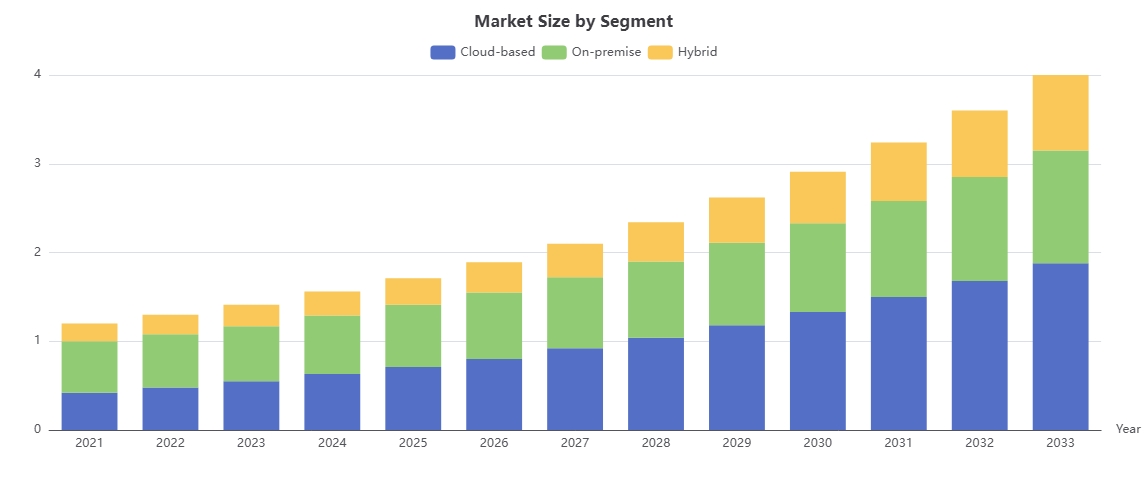
- The pharmacy POS software market size is projected to reach USD 2.4 billion in 2026.
- The process to build a POS software for pharmacy involves requirements gathering, tech-stack selection, core module development, hardware and API integration services, security testing, and deployment.
- Pharmacy POS software development can take anywhere from 2 to 6+ months or more, based on how complicated it is and how many features it needs.
The pharmacy sector has advanced rapidly over the years, providing limitless growth opportunities for businesses. And a huge credit for this transformation goes to pharmacy POS software. They have changed the game by replacing outdated billing systems and inventory tracking, making it digital, seamless, smarter, and more secure.
According to recent reports by Business Fortune Insights, the market for pharmacy Point of Sale (POS) software was worth $626 million the previous year. It’s projected to grow at a rate of 8.6% per year from 2026 to 2033.
Modern-day pharmacy point-of-sale (POS) systems help businesses operate faster and more efficiently by using AI powered inventory management, pharmacy order management, seamless billing, and real-time analytics. But how to build pharmacy POS software from scratch? This informative guide will take you on a journey to successful pharmacy POS software development. So without further ado, let’s begin!
What is Pharmacy POS Software?
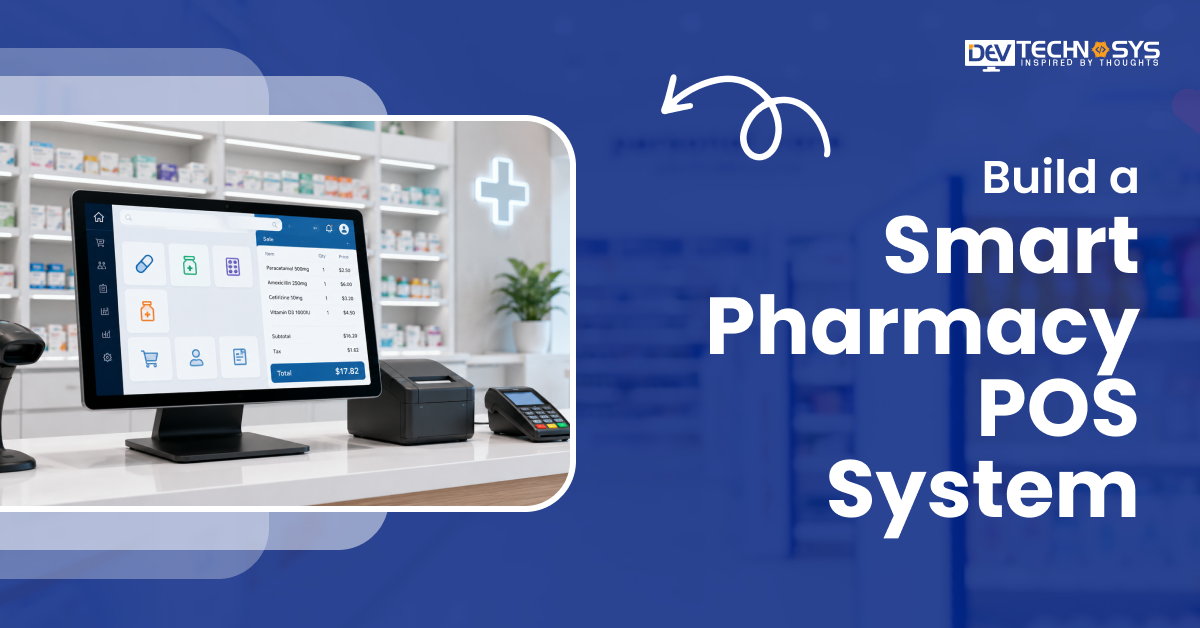
Pharmacy POS (Point of Sale) Software is a specialized platform that manages checkouts for pharmacies and drugstores. A standard retail register gets blended with critical healthcare features like insurance billing, prescription tracking, inventory control, and HIPAA compliance.
Pharmacy POS software is different from generic retail POS systems like those used in clothing shops because it is designed to handle the complicated and heavily regulated process of giving out medications.
Pharmacy POS Software Market Insights
- The pharmacy POS software market size is projected to reach USD 2.4 billion in 2026, reflecting a robust growth outlook driven by digital transformation..
- This market forecast underscores a compound annual growth rate (CAGR) of 13.8% from 2026 to 2033, signaling strong industry expansion across North America, Europe, and emerging Asian markets.
- In the Retail Pharmacy segment, which accounts for roughly 40 % of total revenue, POS solutions manage high transaction volumes, inventory turnover, and point‑of‑sale compliance, driving the largest share of the market.
- Hospital Pharmacy contributes about 25 % and is characterized by integration with clinical information systems, requiring robust medication‑tracking modules and real‑time dosing alerts.
- Online Pharmacy represents 15 % of the market; its POS layer is embedded within e‑commerce platforms, emphasizing secure payment gateways and remote fulfillment logistics
Why Do Pharmacies Need Specialized POS Software?
According to a top mobile app development firm, all kinds of pharmacies need a certain type of POS software. Why? To streamline billing, manage prescriptions, track inventory, ensure regulatory compliance, and more. Pharmacy POS systems generally improve:
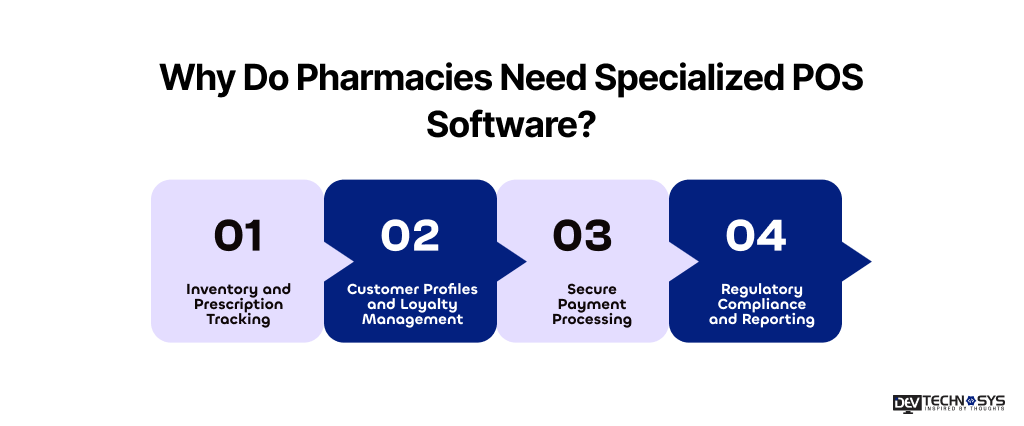
1. Inventory and Prescription Tracking
For any pharmacy, ensuring proper inventory management is really crucial. To build pharmacy POS software for inventory and prescription monitoring involves:
- AI-Powered Inventory Management
- Multi-store database management
- Track batch numbers and expiry dates
- Automate refill and provide reorder alerts
- Reduce stock shortages and medication errors
It improves operational accuracy and prevents losses caused by expired or unavailable medicines.
2. Customer Profiles and Loyalty Management
Pharmacy POS software stores customer information such as:
- Purchase history
- Prescription records
- ePrescription Processing
- Refill schedules
- Rewards and Loyalty points
It helps increase customer retention rate by offering specific services. It includes setting up automatic reminders to refill, and using reward programs and targeted ads to keep customers coming back.
3. Secure Payment Processing
Pharmacies have to follow healthcare rules and keep correct records on prescriptions. POS software with specific features helps make:
- PCI-compliant payment processing
- Barcode & QR Code Integration
- Contactless and digital payments
- Encrypted transactions
- Faster and secure checkout experiences
A software product development company creates pharmacy billing software to ensure both regulatory compliance and customer trust.
4. Regulatory Compliance and Reporting
Pharmacies have to follow healthcare rules and guidelines and keep correct records on prescriptions. POS software with specific features helps make:
- Tax and sales reports
- Prescription audit trails
- Inventory compliance reports
- Controlled substance tracking
Businesses ensure compliance when they create pharmacy POS software to cut down on writing that needs to be done by hand and help pharmacies stay in line with industry standards.
How Does Pharmacy POS Software Work?
A pharmacy POS (Point of Sale) software helps them handle billing, prescriptions, inventory, and customer data all in one place. It simplifies daily tasks and makes them more accurate. How it works:
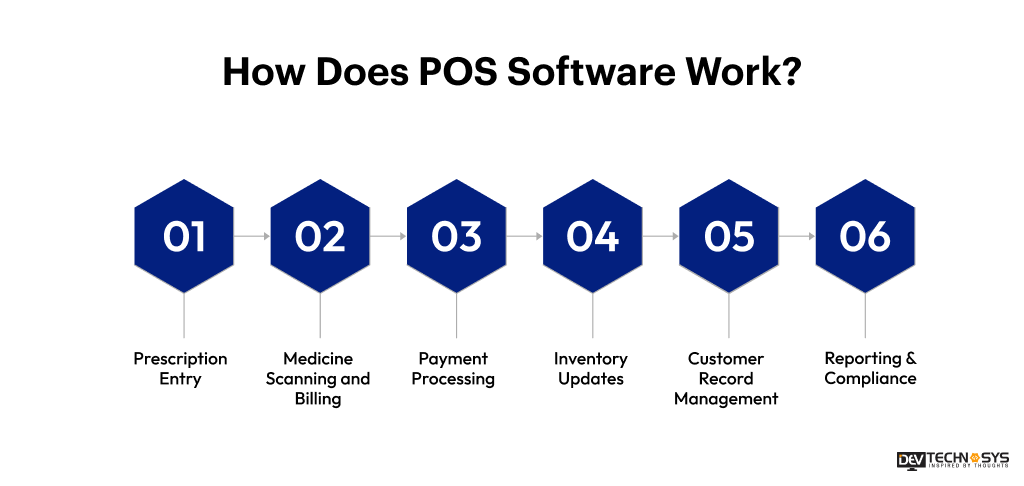
- Prescription Entry: Pharmacists can easily enter or scan prescriptions, and the pOS system checks the information, dosage, and availability of the medicines.
- Medicine Scanning and Billing: thanks to Barcode & QR code integration, the software instantly creates invoices with taxes and discounts.
- Payment Processing: It’s safe for customers to pay with cash, cards, UPI, or digital wallets with secure payment gateway integration.
- Inventory Updates: Retail Pharmacy POS System helps with stock level updates in real time after every sale. It helps with pharmacy inventory tracking and expired medicines.
- Customer Record Management: To provide better customer services, the pharmacy management system stores prescription history, purchase records, and refill reminders for better customer service.
- Reporting & Compliance: Pharmacy accounting software helps maintain pharmaceutical compliance records by generating sales, inventory, and tax reports.
Industry Insights:
According to Grand View Research, the pharmacy automation systems market is expected to grow to USD 14.81 billion by 2033 at a 9.7% CAGR.
What Can Pharmacy Management Software Do For Your Business?
Pharmacy management software helps simplify daily tasks for pharmacies. They also improve accuracy and provide better customer service. It is a centralized system that combines billing, inventory management, prescription handling, reporting, and customer management. Here’s the reasons why business should consider pharmacy POS software development:
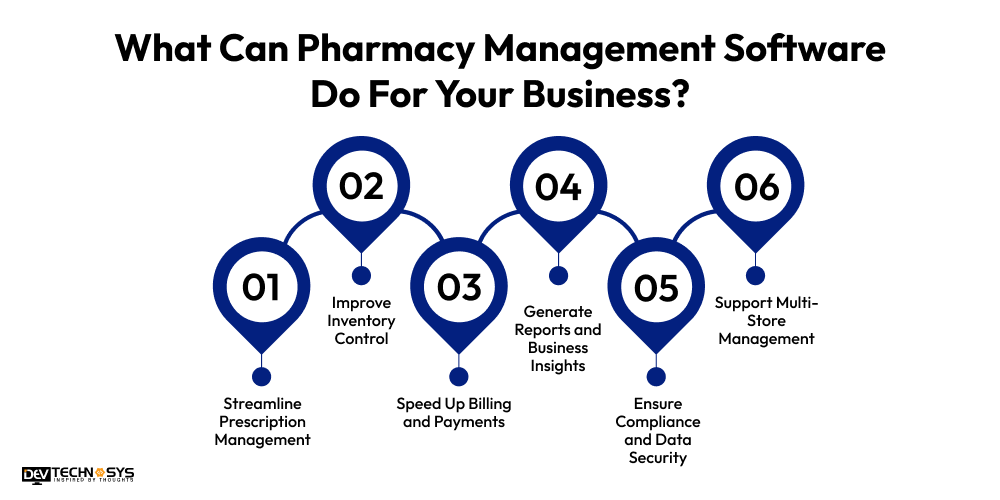
1. Streamline Prescription Management
The software with ePrescription integration helps pharmacists manage prescriptions digitally by tracking medication details, refill schedules, dosages, and patient history. It reduces prescription errors and improves workflow efficiency.
2. Improve Inventory Control
It monitors stock levels in real time, tracks batch numbers and expiry dates, and sends low-stock alerts. Automated inventory management helps prevent medicine shortages and reduces losses from expired products.
3. Speed Up Billing and Payments
Pharmacy software automates invoice generation, tax calculations, discounts, and payment processing. This enables faster checkouts and supports multiple payment methods like cards, UPI, cash, and digital wallets.
4. Generate Reports and Business Insights
According to experts who provide software development services, pharmacy management software provides detailed reports on:
- Sales performance
- Inventory movement
- Profit margins
- Tax calculations
- Employee performance
These insights help business owners make smarter operational decisions.

5. Ensure Compliance and Data Security
The medicine stock management system maintains secure prescription records and supports healthcare compliance requirements. It also protects sensitive customer and payment data through encrypted transactions and secure access controls.
6. . Support Multi-Store Management
Pharmacy management software allows businesses to manage multiple branches from one dashboard. It synchronizes inventory, sales, prescriptions, and customer data in real time, improving operational control, inventory visibility, and overall business efficiency across locations.
What are the Types of POS Pharmacy Software?
Pharmacy POS (Point of Sale) software includes retail sales with medical inventory and regulatory compliance. The category of the pharmacy POS is decided by the deployment method and operational scope to suit different pharmacy types:
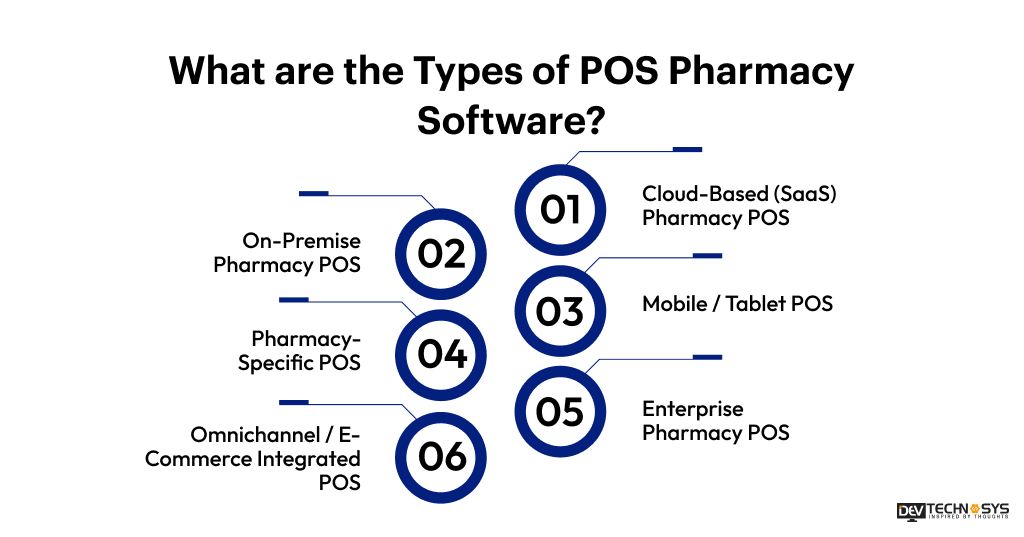
1. Cloud-Based (SaaS) Pharmacy POS
A cloud-based pharmacy POS system stores data on remote servers. Due to its cloud-native architecture, it allows pharmacists to manage prescriptions, billing, inventory, and sales from any device with an internet connection. At the same time, it supports real-time updates, scalability, and remote accessibility.
2. On-Premise Pharmacy POS
On-premise POS pharmacy software integration offers better control over patient and business data. These systems are installed on local servers and computers. On-premise software requires dedicated IT infrastructure, regular maintenance, software updates, and higher task management.
3. Mobile / Tablet POS
Mobile or Tablet POS is one of the best pharmacy POS software for small businesses. They allow chemists to process payments, manage inventory, verify prescriptions, and assist customers anywhere inside the pharmacy, during medicine delivery, and home healthcare service.
4. Pharmacy-Specific POS
Pharmacy-specific POS software integrates billing with prescription management, HIPAA compliance, drug interaction monitoring, signature capture, and healthcare payment processing, helping pharmacies improve operational accuracy, regulatory compliance, and patient service quality.
5. Enterprise Pharmacy POS
An enterprise pharmacy POS system is a type of POS software that is designed for large pharmacy chains and multi-location businesses. They offer centralized inventory management, advanced reporting, automating workflows, and real-time synchronization across all pharmacy branches and operations.
6. Omnichannel / E-Commerce Integrated POS
Omnichannel pharmacy POS software includes physical stores with online platforms. For a better customer experience, this software allows customers to order medicines online through apps or websites, refill prescriptions, and choose convenient delivery or in-store pickup options.
If you wish to build an omnichannel pharmacy POS software, you need to hire pharmacy POS developers from top development companies.
Industry Insights:
According to IMARC Group, the global pharmacy automation market size reached USD 7.2 billion in 2025 and is projected to reach USD 12.4 billion by 2034.
What are the Steps to Build Pharmacy POS Software?
Now let’s discuss the elephant in the room ‘ how to build pharmacy POS software from scratch.’ The process to build a POS software for pharmacy involves requirements gathering, tech-stack selection, core module development, hardware and API integrations, security testing, and deployment. Here’s the step-by-step process to build pharmacy POS software.
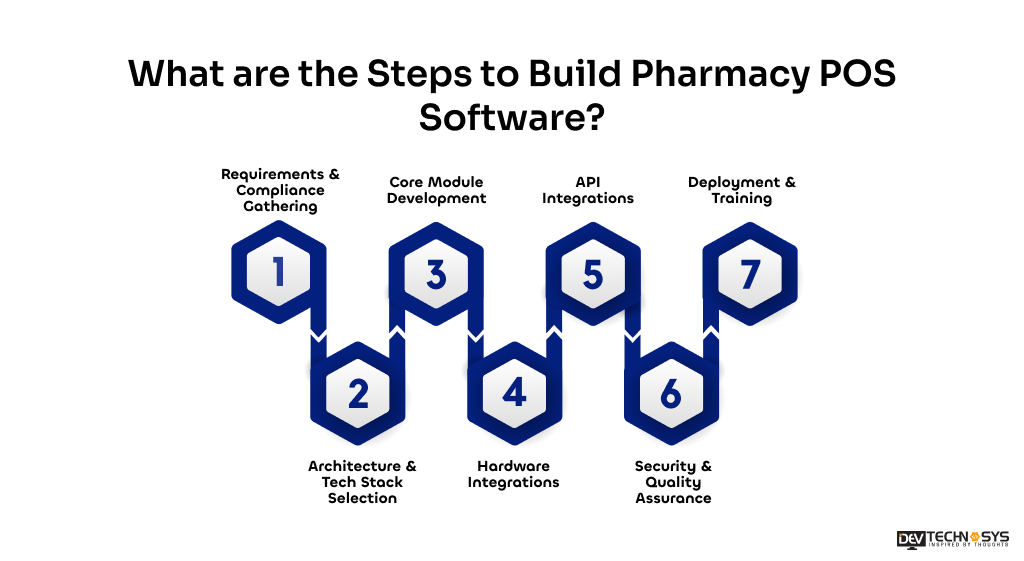
1. Requirements & Compliance Gathering
To build POS software for small businesses, you first need to define the scope of your software and see that it meets the compliance standards. This step is where you choose the type of store. You can make the software for a single local store, a big chain, or an online pharmacy fulfillment center.
Next, ensure regulatory compliance by adding features that make sure you strictly follow state and federal laws (for example, HIPAA-compliant data security and DEA standards).
Then, list the most important processes, such as processing prescriptions, billing insurance (with PBM integration), and figuring out the tax rules in each area you want to reach.
2. Architecture & Tech Stack Selection
Fintech software development involves choosing a technology stack that ensures fast, real-time synchronization between the checkout counter, the pharmacy backend, and the database.
- Database: Relational databases like PostgreSQL or MySQL are excellent for managing inventory, transactions, and electronic medical records reliably.
- Backend: Use frameworks like Node.js or Express.js for scalable backend services.
- Frontend: Build a responsive, fast-loading user interface using React or Angular.
Component |
Recommended Technologies |
| Frontend Development | React.js, Angular, Vue.js |
| Backend Development | Node.js, Django, Laravel, .NET |
| Mobile App Development | Flutter, React Native |
| Database | PostgreSQL, MySQL, MongoDB |
| Cloud & Hosting | AWS, Microsoft Azure, Google Cloud |
| Payment Integration | Stripe, Razorpay, PayPal |
| Authentication & Security | OAuth 2.0, JWT, SSL Encryption |
| Barcode & QR Integration | Zebra Scanner SDK, Dynamsoft |
| Reporting & Analytics | Power BI, Tableau |
| DevOps & Deployment | Docker, Kubernetes, Jenkins |
| API Integration | REST API, GraphQL |
| Compliance & Data Security | HIPAA, PCI-DSS |
3. Core Module Development
Hire experts from top POS software development companies to develop the key components of your POS pharmacy software. It should have both standard store point-of-sale (POS) features and management tools that are specifically designed for pharmacies.
- Prescription Workflow: Make sections for taking prescriptions, checking them, labeling them, and managing patient profiles.
- Inventory Management: Keep track of your inventory in real time, reorder items automatically, and keep track of batch and expiry dates.
- Billing and Insurance: Make tools to handle co-pays, accept payments from more than one source (cash, credit cards), and send computer claims to insurance companies.
4. Hardware Integrations
The better the hardware, the greater the POS will be. The apps you’re using must work well with physical devices.
- Scanners: Add support for QR code and barcode scanning for pharmacy so that UPCs can be looked up quickly and prescriptions can be checked.
- Receipt Printers: Adding basic thermal receipt printers is what you need to do.
- Card Readers & Cash Drawers: Use card scanners and cash drawers that are compliant with EMV to connect.
5. API Integrations
To build your own POS system, you need to create a system that easily communicates with external services. Your software will rarely work in isolation. It needs to communicate with external services.
- Payment Gateways: Connect to safe payment processors like Square or Stripe to accept chip cards and contactless payments.
- EHRs: To get medical information about patients and easily connect to e-prescribing networks like Surescripts, use standards such as HL7/FHIR.
6. Security & Quality Assurance
Because healthcare data is highly sensitive, security must be a critical part of custom pharmacy POS software development. It involves role-based access control (RBAC), which restricts system access so only authorized staff can see and edit the prescription details or access patient profiles.
Data encryption also ensures all protected health information (PHI) is encrypted at rest and in transit. To ensure the system is fast and error-free, you indeed to test the you need to test for platform unit, integration, and user acceptance testing (UAT)
7. Deployment & Training
When switching to new software, it can slow down operations.
- Data Migration: Move customer profiles, drug information, and inventory from old systems to the new platform safely.
- Staff Training: Give detailed instructions, step-by-step instructions, and a way for people to give comments so that the software can be improved all the time.
Want a chatbot demo or pricing? Fill the form and talk to our experts today.
Pick what you need below — you can select more than one — then tap Get detail to continue.
-
Chatbot demo dashboard
-
Cost to develop an app
-
Industry report
-
Case study
Advanced Features of Pharmacy POS Software That Streamline Daily Operations
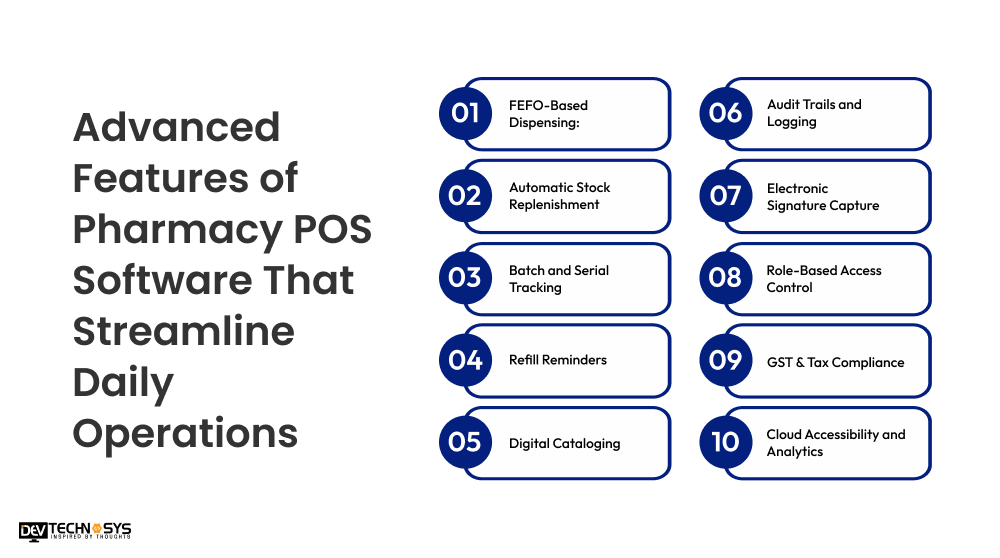
Here are some of the advanced features of a top Pharmacy POS software. These smart features help pharmacies in improving efficiency, reducing manual errors, maintaining compliance, and ensuring better patient experiences.
-
FEFO-Based Dispensing:
First Expiry, First Out (FEFO) logic makes sure that the system automatically tells the staff to hand out the batches that look like they are getting close to their expiration date. This cuts down on waste as much as possible.
-
Automatic Stock Replenishment:
When you’re getting low on stock, the software figures out the best time to reorder and lets you know. From past prices and margins, it might even suggest wholesalers in your area.
-
Batch and Serial Tracking:
Tracks batches and serial numbers of medicines and keeps exact records of their expiration dates and what they are made of. This helps pharmacies keep track of their stock and do checks more easily. It also lowers the chance that they’ll give out expired or wrong medicines.
-
Refill Reminders:
Keeps track of a patient’s prescription information automatically and lets them know via SMS, email, or WhatsApp when it’s time to refill their medicines. It’s easier for them to keep to their routine and not forget to take their medicine.
-
Digital Cataloging:
Drug databases on more advanced systems are very large and are run by AI. They store information like different brand names, compositions, and formulations. This lets you quickly offer generic alternatives to keep customers from going to your rivals.
-
Audit Trails and Logging:
According to a top POS software development company, every transaction, like price changes, medication changes, and returns, is time-stamped and logged to stop fraud within the company and pass audits by outside parties.
-
Electronic Signature Capture:
This feature combines digital signature pads with touchscreen verification systems so customers can safely sign for things like prescriptions, counseling confirmations, insurance approvals, and privacy policy acknowledgments while doing private drugstore business.
-
Role-Based Access Control:
This type of access control caps system use based on job titles, such as pharmacist, cashier, or supervisor. This protects patient data, stops people from getting in without permission, and makes sure that rules about healthcare data privacy are followed.
-
GST & Tax Compliance:
Making sure that the right GST and tax rates are applied immediately to medicines, healthcare goods, and wellness items while also making sure that correct invoices are created, billing mistakes are reduced, tax processes are streamlined, and financial reporting needs are met.
-
Cloud Accessibility and Analytics:
Pharmacy owners and managers can get to real-time data on sales, inventory, customers, and staff performance from anywhere with cloud-based POS software.
Industry Insights:
According to Precedence Research, the global cloud computing market in healthcare is projected to exceed USD 120 billion by 2030.
Advantages of Point of Sale (POS) Pharmacy Management System
Pharmacy POS systems simplify daily operations and improve service efficiency. They help pharmacies manage billing, inventory, prescriptions, and compliance seamlessly. Here are the major advantages of POS software.
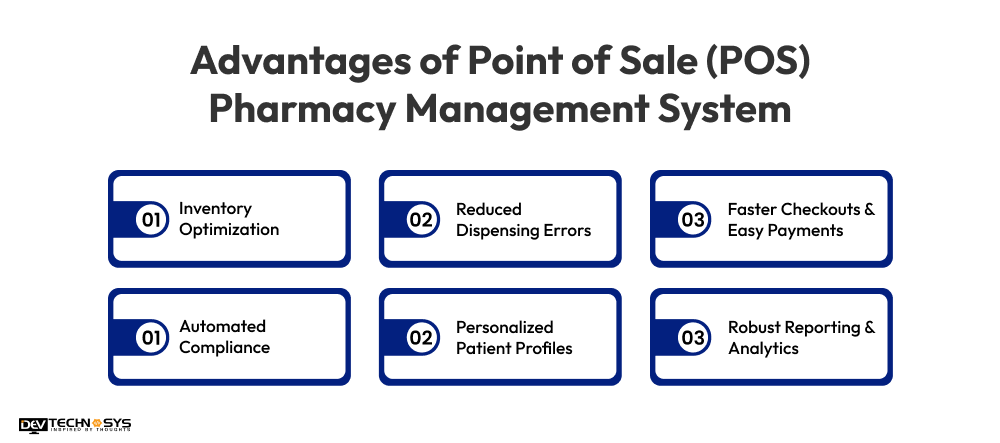
1. Inventory Optimization:
Real-time tracking keeps an eye on stock levels, lets staff know when medicines are running low, and marks drugs that are about to expire so that the store doesn’t lose money and run out of stock.
2. Reduced Dispensing Errors:
Automatic barcode reading makes sure that the right drug and dose are given to the right patient, which makes things much safer.
3. Faster Checkouts & Easy Payments:
Checkouts are faster, and payments are easier with the multiple payment gateway integration that lets you pay with cash, cards, and UPI, and it also cuts down on wait times at the counter.
4. Automated Compliance:
Many modern POS solutions feature electronic signature capture, making it easy to comply with regulations for counseling, HIPAA privacy, and controlled substance logging.
5. Personalized Patient Profiles:
Secure databases store vital health data like medication history and drug allergies to ensure safe dispensing and personalized care.
6. Robust Reporting & Analytics:
Generates real-time reports detailing sales trends, top-selling products, and seasonal demand, helping you make informed purchasing and marketing decisions
Top 5 Best Pharmacy POS Software to Explore in 2026
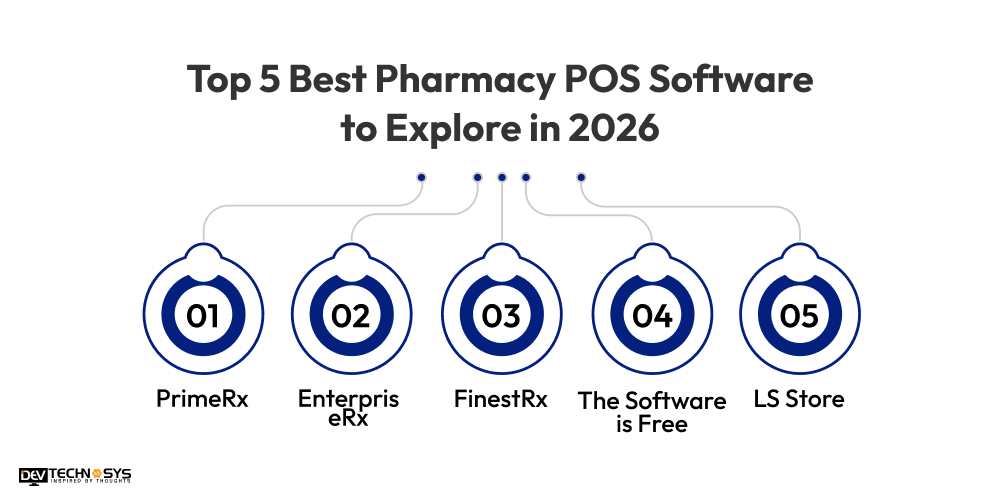
As pharmacies continue adopting digital technologies, advanced POS software is becoming an essential tool for them. Let’s take a look at 5 of the best pharmacy POS softwares to explore in 2026.
Pharmacy POS Software |
Best For |
Deployment Type |
| PrimeRx | Independent Pharmacies | Cloud & On-Premise |
| EnterpriseRx | Multi-Location Pharmacies | Cloud-Based |
| FinestRx | Retail Pharmacies | Cloud-Based |
| The Software is Free | Small Pharmacies | Web-Based |
| LS Retail | Enterprise Pharmacy Chains | Cloud & Enterprise |
1. PrimeRx
PrimeRx is a popular point-of-sale (POS) and control system for pharmacies that work on their own. It contains tools for managing e-prescriptions, tracking inventory, billing insurance, reminding users to get refills, and managing patients.
2. EnterpriseRx
EnterpriseRx is a cloud-based pharmacy management and point-of-sale (POS) system. It helps drugstores in effectively organizing prescriptions, keeping track of their stock, and ensuring all their locations are following the rules. If you want to build a similar software like EnterpriseRx
3. FinestRx
With BestRx, you can use a retail pharmacy POS system that has all the features you’d expect from a pharmacy POS system, like e-prescribing, barcode scanning, automatic refill alerts, reporting tools, and safe payment processing. This program works great for both chain and independent pharmacies.
4. The Software is Free
Liberty Software makes powerful point-of-sale (POS) systems for drugstores that let you keep track of patients’ records, inventory, workflow, and talk to them. The goal of these tools is to help pharmacies work better and give better customer service.
5. LS Store
Pharmacy chains and health care stores use LS Retail, an enterprise-level point-of-sale (POS) system. It lets you handle your inventory centrally, run your business across all channels, get analytics, and run more than one pharmacy.
How Much Does it Cost to Develop Pharmacy POS Software?
The cost to develop pharmacy POS software typically ranges between $8,000 to $30,000+. The final cost of custom software development depends on platform complexity, technology stack, features, compliance requirements, and development team location.
The basic cost to build pharmacy POS software is less, while an enterprise-grade solution with AI, multi-store management, and cloud integration needs a higher investment. Pharmacy POS software development cost also differs depending on the maintenance and support service cost.
1. Complexity of the Feature
E-prescriptions, barcode scanning, AI-based analytics, refill reminders, pharmacy workflow automation, inventory automation, and managing multiple stores are just a few of the advanced pharmacy POS features that need complex development, testing, and backend infrastructure. This increases the cost to build pharmacy POS software and takes longer to complete.
2. Platform Type
The kind of cloud-based, web-based, desktop, or mobile pharmacy POS software you choose has a direct effect on the infrastructure needs, scalability, maintenance, and development complexity. These factors affect the total cost to build pharmacy POS software and the long-term costs of running the business.
3. Security & Compliance
Due to the need for more development resources, security testing, and compliance management, implementing HIPAA compliance, encrypted payment processing, secure patient data storage, role-based access control, and hacking protection takes longer and costs more.
4. Third-Party Integrations
The POS software development cost will be higher because it’s more complicated when you add things like inventory APIs, payment gateways, accounting platforms, CRM software, insurance systems, e-prescription services, and payment gateways. You also need to manage the APIs, test them, and keep them up to date.
5. UI/UX Design
It takes professional UI/UX design skills and frontend development work to make responsive dashboards, intuitive interfaces, streamlined processes, and user-friendly pharmacy management systems. These things add a lot to the total cost to develop pharmacy POS software.
6. Development Team Location
Pharmacy POS development costs rely on where the developers are located. For example, developers in North America and Europe tend to charge more per hour than developers in Asia who work from home.
Pharmacy Point of Sale Software Development Timeline
Now that we know the pharmacy POS development cost, let’s discuss the timeline as well. Pharmacy POS software development can take anywhere from 2 to 6+ months or more, based on how complicated it is, how many features it needs, how it needs to work with other systems, and how it needs to be compliant. More time is needed to build and test complex systems that use AI, cloud infrastructure, and control of multiple stores.
Pharmacy POS Type |
Development Timeline |
| Basic Pharmacy POS Software | 2 to 3 Months |
| Mid-Level Pharmacy POS System | 4 to 6 Months |
| Advanced Enterprise Pharmacy POS | 6+ Months |
Overcoming the Challenges in Implementing Pharmacy POS Software
Implementing pharmacy POS software improves pharmacy operations, billing accuracy, and inventory management, but businesses may face technical and operational challenges during deployment.
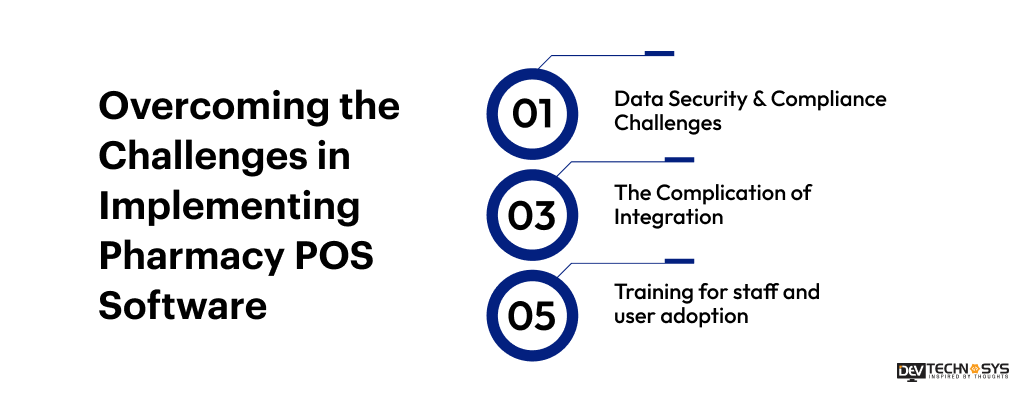
1. Data Security & Compliance Challenges
Cybersecurity and following the rules are very important for pharmacies because they handle private information like patient records and payment information.
Using encrypted storage, role-based access control, secure payment systems, and technology that is HIPAA-compliant can help keep private data safe and healthcare standards met.
2. The Complication of Integration
Integrating pharmacy POS software with e-prescriptions, payment methods, insurance platforms, inventory management tools, and third-party APIs can increase complexity. Integration is easy, and systems work better with each other when you use cloud technology, scalable APIs, and experienced development teams.
3. Training for staff and user adoption
It might be hard for pharmacy staff to get used to new tools and ways of doing things during the implementation phase. Giving new workers onboarding, hands-on training, easy-to-use dashboards, and ongoing technical support can help get more people to use the software and get more work done.
Generic Pharmacy POS Software vs. Custom Pharmacy POS Software:
Custom pharmacy POS software vs. generic pharmacy POS software will depend on your business’s size, how complicated its processes are, your need for growth, and your budget.
With generic choices, you can get standard features and faster deployment. With custom drugstore point-of-sale (POS) software, you can also grow your business more easily over time because
it lets you change features, make connections, and add more options. Know the differences between the two so that shops can choose the best one to get things done faster and give better customer service.
Factor |
Generic Pharmacy POS Software |
Custom Pharmacy POS Software |
| Customization | Limited customization options | Fully tailored to business needs |
| Features | Standard pharmacy features | Advanced and personalized functionalities |
| Scalability | Limited scalability for growth | Easily scalable for future expansion |
| Integration | Basic third-party integrations | Seamless API and system integrations |
| Cost | Lower initial investment | Higher development cost |
| Deployment Time | Faster implementation | Longer development timeline |
| Security & Compliance | Standard security measures | Advanced custom security and compliance |
| User Experience | Generic interface and workflows | Personalized UI/UX and workflows |
| Maintenance | Vendor-controlled updates | Flexible maintenance and upgrades |
| Best For | Small pharmacies and startups | Large pharmacies and enterprise chains |
Conclusion
Pharmacy POS software helps pharmacies streamline billing, inventory management, prescription tracking, and customer service while ensuring security and compliance.
With advanced features like AI analytics, cloud accessibility, and barcode scanning, modern pharmacy POS systems improve efficiency, reduce errors, and support long-term business growth.
If you are a business looking forward to develop a pharmacy POS software, then contact Dev Technosys, a top pharmacy POS software development company. With 15+ years of expertise in pharmaceutical software development, we provide secure, scalable, and custom pharmacy POS solutions tailored to your business requirements.
Frequently Asked Questions
Find answers to the most common questions related to this article.
Pick pharmacy point-of-sale (POS) software based on the size of your business, the tools you need, the ability to grow, compliance support, integrations, security standards, and how easy it is to use. A trustworthy system should make billing, managing supplies, taking care of prescriptions, and dealing with customers easier and faster.
A professional development company like Dev Technosys offers knowledge of the field, safe design, solutions that can be scaled up or down, management of compliance, and smooth integrations. Developers with a lot of experience will make sure that your pharmacy POS software is secure, reliable, and set up to help your business grow over the long run.
Pharmacy POS software can generate sales reports, inventory reports, prescription records, tax summaries, profit and loss statements, expiry reports, customer purchase history, employee performance analytics, and financial insights for better decision-making.
Barcode and QR code systems improve billing accuracy, speed up inventory tracking, verify medicines during dispensing, reduce manual errors, and simplify stock management, ultimately enhancing pharmacy efficiency, operational accuracy, and patient safety.
AI-powered pharmacy POS software analyzes customer behavior, seasonal demand, prescription trends, and inventory patterns to predict medicine demand accurately, helping pharmacies optimize stock management and avoid shortages or overstocking.
Yes, modern pharmacy POS software supports centralized multi-store management, allowing pharmacies to synchronize inventory, sales, customer records, prescriptions, and reporting across multiple branches through a single unified dashboard.
Pharmacy POS software should be updated regularly to improve security, maintain compliance, fix bugs, enhance performance, and add new features. Most businesses perform software updates quarterly or whenever major security patches are released.














