






















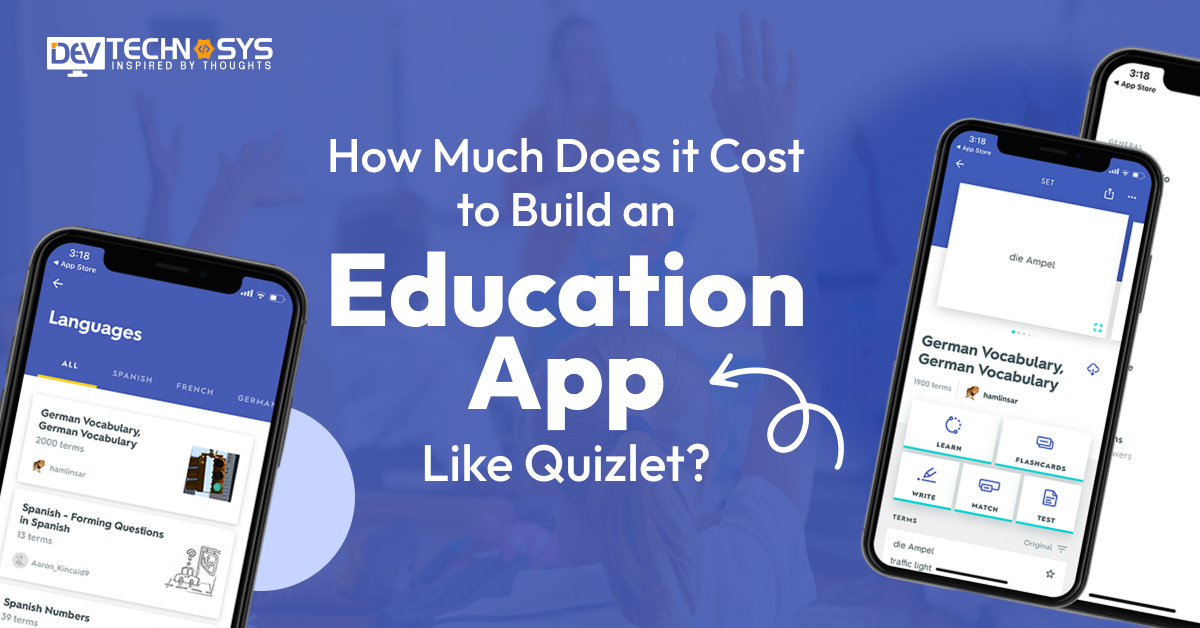
Today education or e-learning applications have revolutionized the way we learn and study, and one such app is Quizlet. It is one of the best education apps that offers a comprehensive platform for creating and studying digital flashcards. Here comes the major consideration, i.e., how much does it cost to build education apps like Quizlet? This question strikes every business owner’s mind when they think to develop a Quizlet website or an application.
Are you too sailing in the same boat? If yes, then this blog is right for you. The average cost to build an education app like Quizlet lies between $8,000 to $10,000 and more depending on the application. This blog will guide you to everything from the Quizlet app development cost to its features, development, and more. So, let’s reveal everything one by one.
An Overview of Quizlet – The Best Education App
Quizlet is an online e-learning platform that offers a great tool for creating and studying digital flashcards. The app allows users to create their own flashcards or choose from the existing flashcard sets created by other users. Education apps like Quizlet has wide range of study modes and interactive games that help users learn and review the content on flashcards.

Right after its launch, Quizlet experienced rapid user adoption and growth. By 2007, the platform had over 1 million registered users; by 2011, that number had turned 10 million. Today, Quizlet boasts millions of active users worldwide, which is why many businesses want to make a Quizlet live app.
As per the research, Quizlet has secured huge funding from investors to support its growth and development. In 2018, the company raised $20 million, bringing its total funding to over $60 million. As a result, Quizlet’s valuation reached $1 billion, making it a unicorn in today’s education technology industry.
Quizlet is a popular and widely used tool for studying and memorizing information. It makes it easier for students and learners of all ages to review and reinforce their knowledge.
How Does Education Apps Like Quizlet Works? Step-by-Step Process
The Quizlet education app offer users a strong platform to create, study, and review digital flashcards. Here’s how education apps like Quizlet work as defined by the education app development company experts –
-
Create Flashcards:
Users can create flashcards by entering text, images, or audio. They can also import the existing flashcard sets created by other users.
-
Organize Flashcards:
Flashcards are organized into different sets based on subjects, topics, or courses. You can add multiple flashcards in a single set.
-
Choose Study Mode:
While using the different study modes of the Quizlet app, users can learn and review the content based on their flashcards.
-
Track Progress:
Quizlet allows users to track their progress and monitor their learning. It records the flashcards studied, achievements, and performance statistics.
-
Collaboration & Sharing:
While using Quizlet, you can easily collaborate with others by sharing their flashcard sets. It enables group studying and knowledge sharing among classmates or study groups.
How to Develop Education Apps Like Quizlet?
Are you planning to build educational mobile apps for students? Wondering how to make a Quizlet live? You’re at the right place! Here is the step-by-step education app development process suggested by professionals that will help you develop a successful application. Here you go –

1. Define Quizlet App Objectives
Start making flashcards app by defining the goals and objectives of your education apps like Quizlet. Determine the target audience, topics or subjects to cover, and the major features to include. It is the foremost yet crucial step of e-learning app development, so focus more on it.
2. Conduct Research & Competitor Analysis
As ample education apps like Quizlet are available, conduct extensive market research to understand education app features, strengths, and weaknesses. Identify gaps in the market and opportunities for innovation. Also, keep an eye on the Quizlet app competitors to create a unique application that can withstand competition in no time.
3. Plan Quizlet App’s Architecture
When done with the research, create a detailed plan for the app’s structure and functionality. Determine the core features, such as creating and sharing study materials, quizzes, flashcards, and social features. Defining all these things prior will help you smoothly develop educational software that will generate more profit and sales.
4. Design the App’s User Interface
Always focus on developing a user-friendly and visually appealing interface for your app. Use wireframes and mockups to create a clear layout of the screens and navigation flow. Consider the app’s branding, color scheme, and typography.
5. Choose the Right Features & Tech Stacks
Select the appropriate tech stack to make your own Quizlet app. Consider major factors, including the application’s scalability, platform compatibility, and the major features to implement. It will help you develop a perfect education application that will benefit your business for years. This process will add on little mobile app development cost but will benefit you in the future.
6. Add Collaborative & Social Features
Enhance the Quizlet app’s functionality by adding collaborative features like study groups, shared decks, and connectivity with other students. Incorporate social features, including user profiles, followers, and comments. It will make your app unique that the existing e-learning applications in the market.
7. Develop & Test Your App
Finally, develop and test your app like Quizlet to ensure it is 100% error-free before the final launch. Gather all the possible feedback to remove the bugs and launch a perfect education app on the desired platform (Android, iOS, or both).
This a simple step-by-step process to develop education apps like Quizlet that will help you develop a perfect application competing with the popular education app Quizlet.

What is the Cost to Develop an Education App Like Quizlet?
The cost to build an education app like Quizlet ranges from $8,000 to $25,000. Is it right for your project? If you think that it is too much. No need to worry about. There are various types of applications built, such as simple apps, medium apps, and higher complexity. So, every app type costs are different, so every business can build its own digital platform for education. Let’s explore the cost in detailed information:
| Development Stage | Estimated Cost Range | Description |
| App Design (UI/UX) | $1,000 – $3,000 | Wireframes, user interface, user experience design |
| Frontend Development | $5,000 – $10,000 | Building the user-facing app screens and features |
| Backend Development | $7,000 – $14,000 | Server, database, APIs for user data and content management |
| Content Integration | $500 – $1,500 | Adding educational content, quizzes, and flashcards |
| Testing & QA | $1,000 – $3,000 | Bug fixes, usability testing, performance optimization |
| Deployment & Launch | $500 – $1,500 | App store submission, launch support, and initial marketing |
Major Factors Affecting the Cost to Build an Education App Like Quizlet
In every type of app development, budget is one of the major concerns. There are various types of factors that can exist to affect the overall development cost. So, let’s figure out the major cost-affecting factors:
1. Design UI/UX
Designing a user interface can be expensive due to high-quality UI elements and the use of paid design tools. It involves a wide variety of elements such as themes, sidebars, sliders, containers, buttons, fonts, colors, icons, and toggles. Businesses need to implement elements as per their project budget and requirements. Otherwise, it can influence the overall cost to develop an education app like Quizlet.
| Design Aspect | Estimated Cost Range | Description |
| Basic Wireframes & Layout | $800 – $1,500 | Simple screens and navigation flow |
| Interactive Prototypes | $1,500 – $2,500 | Clickable designs for testing user flow |
| High-Fidelity UI Design | $2,500 – $4,000 | Detailed visuals, animations, branding |
2. Simple and Advanced Features
In the second cost-affecting factor, selecting features for your education app can be very confusing. It includes various types of features such as user registration, live online classes, offline mode, multimedia support, progress tracking, AI-based quiz, and more. But some of these features are high-cost, which directly impacts the language translation app development cost.
| Feature Complexity | Estimated Cost Range | Description |
| Simple Features | $2,000 – $5,000 | Core flashcards, quizzes, login, basic tracking |
| Mid-Level Features | $5,000 – $8,000 | Collaborative study, multimedia support |
| Advanced Features | $8,000 – $12,000 | AI quiz generation, gamification, offline mode |
3. Development Team
Developers’ experience and location are one of the major cost-affecting factors, and they can highly affect the cost to build an education app like Quizlet. Developers have more experience in creating education and a rich skill set; they can easily demand a higher cost. Locations can also matter because many locations are so expensive that developers can raise the total education app development cost.
| Team Type | Estimated Cost Range | Description |
| Freelancers | $2,000 – $6,000 | Cost-effective, variable quality |
| Small In-house Team | $6,000 – $12,000 | Dedicated team, better coordination |
| Established Agency | $12,000 – $20,000 | Full-service, higher quality and support |

4. Third-Party Integrations
In the fourth cost-affecting factor, integrating third-party tools and applications is important for every type of mobile app development. These integrations can increase the flexibility and accessibility. It includes various types of tools such as authentication, cloud storage, payment gateways, social media logins, content management, analytics, and push notifications. Some of them have higher licensing costs, and this can impact the cost to develop education mobile apps for schools.
| Integration Type | Estimated Cost Range | Description |
| Basic APIs (Auth, Push) | $500 – $1,500 | Google/Facebook login, push notifications |
| Payment & Analytics | $1,500 – $3,000 | Stripe/PayPal, analytics tools |
| Multimedia & Advanced APIs | $3,000 – $5,000 | Video hosting, AI integrations |
5. Tech Stacks
Selecting the tech stacks is an important task, but some of the technologies are more expensive as compared to others. It includes a vast variety of tech stacks, such as cloud & hosting, frontend, backend, database, testing, security measurements, designing tools, APIs, and more. So, choose technologies as per the overall project budget; otherwise, it can lead to a higher cost.
| Tech Stack Choice | Estimated Cost Range | Description |
| Open-source & Low-cost | $1,000 – $3,000 | React Native, Firebase, Node.js |
| Mid-range Solutions | $3,000 – $6,000 | Flutter, AWS, Django |
| Enterprise-grade Stack | $6,000 – $10,000 | Native development, custom backend & cloud |
6. Post-Maintenance Services
The education app maintenance services are necessary to keep the application up-to-date and monitor the daily activities. This involves robust services such as fixing bugs or glitches, performance optimization, upgrading to the latest OS version, regular backups, adding new enhancements, and solving security issues. These can also affect the overall cost to develop an education app like Quizlet.
| Maintenance Type | Estimated Cost Range | Description |
| Basic Bug Fixes | $500 – $1,500 | Regular updates and minor issue resolution |
| Feature Updates | $1,500 – $3,000 | Adding small new features or improvements |
| Full Support & Scaling | $3,000 – $6,000 | Ongoing development, scaling infrastructure |
7. Platform Choice
This is one of the most common factors that can easily impact the education app development cost. Select the platform for mobile app development, which includes various types of platforms such as Android, iOS, and native platforms. Each platform has a different cost, so choose the platform based on your project budget and market demand. So, it can influence the mobile app development cost.
| Platform | Estimated Cost Range | Description |
| Single Platform (iOS or Android) | $3,000 – $7,000 | Focused on one OS to reduce initial cost |
| Cross-Platform (React Native, Flutter) | $5,000 – $12,000 | Build for iOS & Android simultaneously |
| Web + Mobile Platforms | $10,000 – $20,000 | Full ecosystem with web app plus mobile apps |
How to Reduce the Education App Development Cost?
To reduce the education app development cost, there are various approaches that help businesses maintain their project budget. Let’s explore cost-reducing ways:
1. Create an MVP
In the first cost-reducing approach, create a Minimum Viable Product(MVP) that mainly focuses on completing the project’s basic requirements and eliminating the advanced features. This can easily fulfill the demands and needs; businesses own an education platform at a lower cost.
2. Clear Project Requirements
Before starting to build app like Lingokids, businesses must clear the requirements of the project, this can clear all confusion and get an idea of the approximate cost and time. Make a clear sheet of features and functions; this can also reduce data redundancy and increase transparency.
3. Use Open-Source Frameworks
Move to the third reducing factor: use open source frameworks instead of paid frameworks. The open-source frameworks provide in-built tools and libraries that can speed up the development and also maintain the quality. These open-source frameworks do not incur expensive maintenance and licensing fees.
4. Hire Freelancer Developers
Businesses can hire a skilled or highly talented freelance developer as compared to a full-time developer or an agency. It can reduce the cost, and you choose the development team as per the project requirements and demands. Freelance developers are available at competitive prices and can easily find verified professionals.
5. Use Existing Templates
Let’s begin with the last cost-reducing factor, using the ready-made templates, layouts, fonts, styles, and themes to speed up development and reduce cost and time. These templates offer a base design that can be customized as per project demands and personal preferences. So, these existing templates can reduce the cost without compromising quality.
Monetization Tips for Education Apps Like Quizlet to Make Money
When it comes to monetizing your education app like Quizlet, there are a lot of potential strategies available, such as –
1. Freemium Model:
You can offer a basic version of an app like Quizlet while including all the essential features for free. It will enable the users to experience the app’s core functionality for free.
2. In-app Advertising:
Incorporate targeted advertising within your education app. But balance user experience and ad placements to avoid overwhelming or disrupting users.
3. Subscription Plans:
Implement subscription plans that give users access to premium features, advanced study materials, and analytics. Ensure that the subscription offers clear value to users and regularly updates the premium offerings to retain subscribers.
4. Affiliate Marketing:
Explore affiliate marketing opportunities by promoting the app’s relevant educational products or services. It includes book recommendations, online courses, tutoring services, etc. In this monetization model, you earn a commission for each referral or successful conversion generated via an app.
These are the four major monetization models that will save you from additional cost to develop education apps like Quizlet while increasing your app’s revenue.

Conclusion
Now that you have a basic idea of ‘How much does it cost to develop education apps like Quizlet?’ it is time to begin the mobile app development process. If you have your team, go ahead. If not, then look for a leading education app development company with a team of dedicated mobile app developers for hire. The experts will help you develop education apps like Quizlet without your desired budget.
So, partner with Dev Technosys and let our team work for you. Since 2010, we have been delivering mobile app development services worldwide.
Frequently Asked Questions on Apps Like Quizlet
Q1. What is Quizlet App?
Quizlet is a mobile application that helps users learn and study through interactive flashcards and other study tools. It is a popular e-learning tool for students of all ages. Besides learners, teachers and corporate trainers can access the Quizlet app and experience enormous benefits.
Q2. How Much Does it Cost to Develop An App Like Quizlet?
To create an educational app like Quizlet, you must spend around $8,000 to $10,000 on a mobile application. The cost keeps fluctuating depending on the project. So, connect with Dev Technosys, a leading mobile app development company and let’s begin the development process.
Q3. What Are the Essential Features of Education Apps Like Quizlet?
Education apps like Quizlet have ample unique features that keep the learners engaged and, in turn, increase the app’s engagement to a great extent. Here are some essential features to include when you develop education apps like Quizlet.
- Flashcards
- Collaboration & Sharing
- Study modes
- Progress tracking
- Multilingual support
Q4. What Are the Business Benefits to Develop Education Apps Like Quizlet?
Developing a user-friendly and unique education app like Quizlet has several advantages, including –
- Brand Recognition
- User Loyalty
- Market Opportunity
- Data & Analytics
- Collaboration & Partnership
- User Feedback & Engagement
Q5. What Are the Top Popular Education Apps Like Quizlet?
There are several popular education apps that are similar to Quizlet. Here are some of the top ones:
- Duoligo
- Cousera
- Udemy
- StudyBlue
- Memrise














