


















Key Takeaways:
-
- Build a custom CRM software around your business workflows, customer data, user roles, and integration requirements.
- A custom CRM typically costs $4,999 to $89,999, depending on complexity, features, integrations, security, and AI capabilities.
- CRM development can take 1 to 4+ months, from a basic MVP to an advanced enterprise solution.
- Prioritize scalability, CRM security, automation, user adoption, and continuous optimization for long-term CRM success.
Conventional CRM systems may not have enough workflows for businesses. If the sales processes, customer data, approvals, reporting, and integrations become more complicated, then setting up another off-the-shelf solution may end up being more work than it’s worth. Here’s where custom CRM software can help.
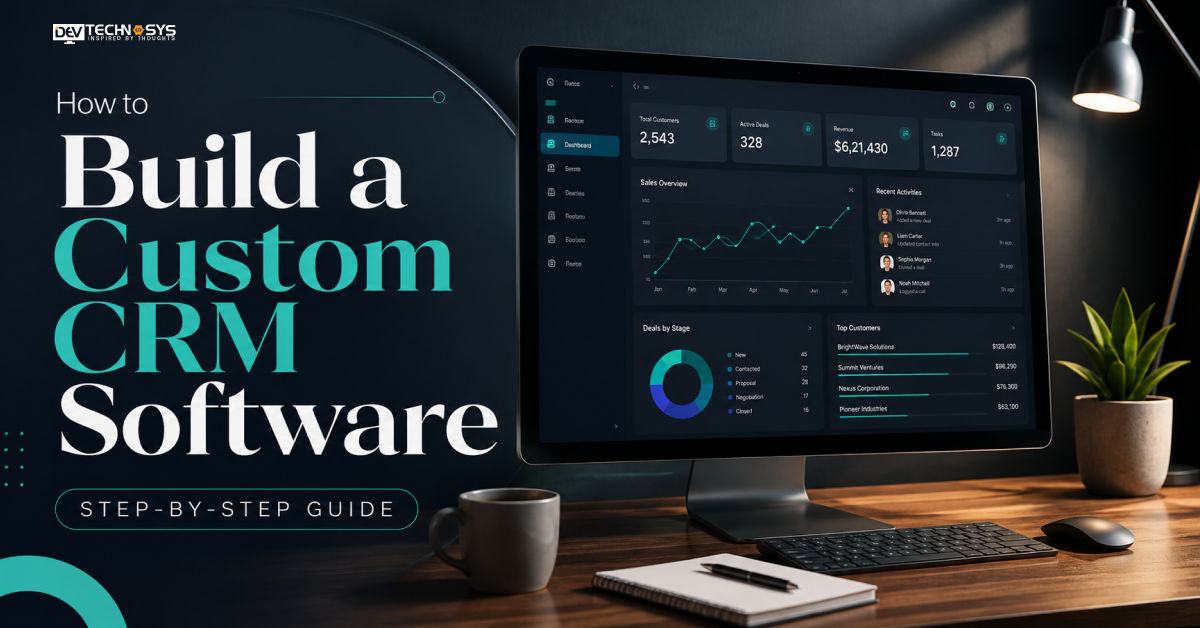
To build a custom CRM software, you need to identify business needs and processes, design CRM architecture and data schema, prioritize an MVP, build core features and integrations, incorporate security and AI functionalities, test and transfer current data, and deploy and fine-tune.
Creating common CRM features is no longer the only way to go about the right CRM software development approach. It’s about creating a system for how your teams handle leads, sales, customer interactions, tasks, and customer data.
This step-by-step guide covers the requirements planning, architecture, development, integration, security, AI implementation, testing, data migration, cost, timeline, and optimization of a custom CRM software.
What is Custom CRM Software?
Tailor-made CRM software is a customer relationship management solution built upon a company’s unique workflows, information needs, user roles, and integrations. While an off-the-shelf CRM can be configured to fit the needs of a business, a custom CRM can be built to reflect the way a business handles leads, sales, and customer interactions, as well as internal processes.
How Is Custom CRM Different From an Off-the-Shelf CRM?
| Standard CRM | Custom CRM |
| Predefined workflows | Business-specific workflows |
| Limited customization | Custom features and data structures |
| Standard integrations | Custom integrations |
| Vendor-controlled roadmap | Business-controlled roadmap |
Custom CRM system development also gives businesses greater control over customer data, permissions, automation, reporting, and future functionality.
When Should You Consider a Custom CRM?
A custom CRM may make sense when existing platforms require too many workarounds or cannot support important business processes. It is particularly useful for companies with complex sales workflows, industry-specific requirements, multiple third-party integrations, or strict customer data requirements.
With custom CRM application development, businesses can build the exact capabilities they need instead of changing established processes to fit a standard CRM.
Types of CRM Software: Which One Fits Your Business?
Different types of CRM are designed to support different business goals, workflows, and customer relationship strategies. Understanding these categories helps businesses choose the right approach before developing a custom CRM solution.
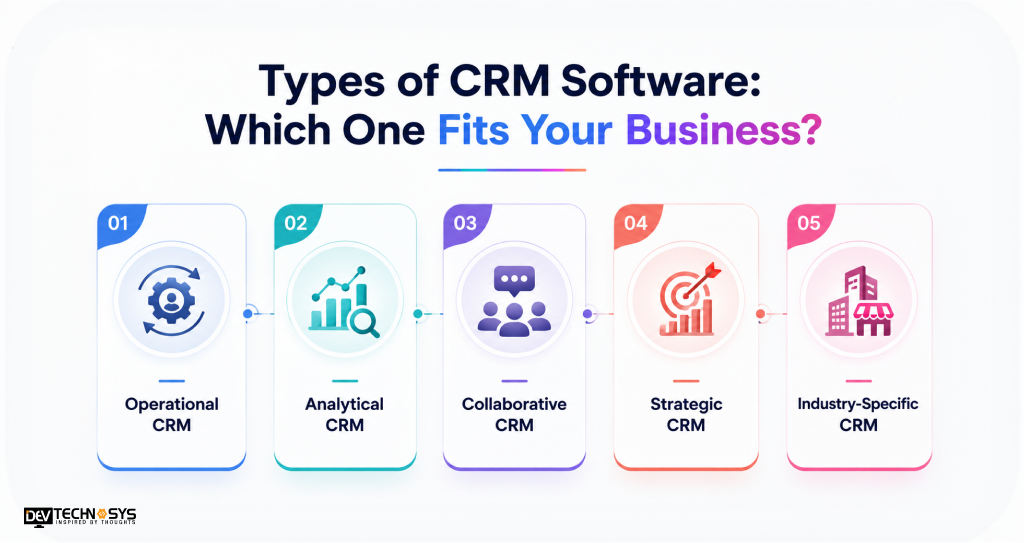
1. Operational CRM
An operational CRM manages daily sales, marketing, and customer service activities. It supports lead management, follow-ups, task management, and CRM workflow automation.
2. Analytical CRM
An analytical CRM focuses on customer data, reporting, and business insights. It helps teams analyze customer behavior, measure performance, identify trends, and improve sales forecasting.
3. Collaborative CRM
A collaborative CRM helps sales, marketing, and support teams share customer information. It creates a connected view of customer interactions across departments and improves coordination.
4. Strategic CRM
A strategic CRM focuses on long-term customer relationships, retention, customer value, and personalized engagement. It helps businesses build strategies around customer needs and behavior.
5. Industry-Specific CRM
Industry-specific CRM systems are built around specialized requirements. Examples include banking, real estate, healthcare, hospitality, and insurance CRM platforms, where workflows, compliance, and CRM customer data management may differ significantly.
Industry Insight
According to Gartner: By 2029, spending on CRM software with agentic AI capabilities is forecast to reach $216 billion, surpassing non-agentic CRM spending.
Should You Build a Custom CRM or Use an Existing Platform?
Not every business needs to build a CRM system from scratch. The right choice depends on workflow complexity, integration requirements, budget, timeline, and how much control you need over the platform.
Build a Custom CRM When…
Choose custom CRM software when your business has workflows that standard platforms cannot support without extensive workarounds.
- Unique sales or customer workflows
- Complex data structures and permissions
- Multiple custom integrations
- Advanced automation requirements
- Greater control over data and product roadmap
Use an Existing CRM When…
An established platform may be more practical when your requirements are relatively standard and faster deployment is the priority.
| Requirement | Better Choice |
| Standard sales workflow | Existing CRM |
| Unique business process | Custom CRM |
| Fast deployment | Existing CRM |
| Complex integrations | Custom CRM |
| Full product control | Custom CRM |
Businesses looking to build a CRM Like Hubspot may also need to decide whether they need similar functionality or a system tailored to their own processes. Likewise, understanding CRM Vs ERP helps prevent unnecessary scope expansion.
Before choosing, ask: Are your workflows unique? Do you need custom integrations? Is data control critical? Will platform limitations affect growth? Do you need your own product roadmap?
What Should You Plan Before Building a Custom CRM?
Before starting the CRM software development process, define what the system needs to achieve, who will use it, what data it will manage, and how it will fit into existing business operations. This planning reduces scope changes and gives developers clear technical direction.
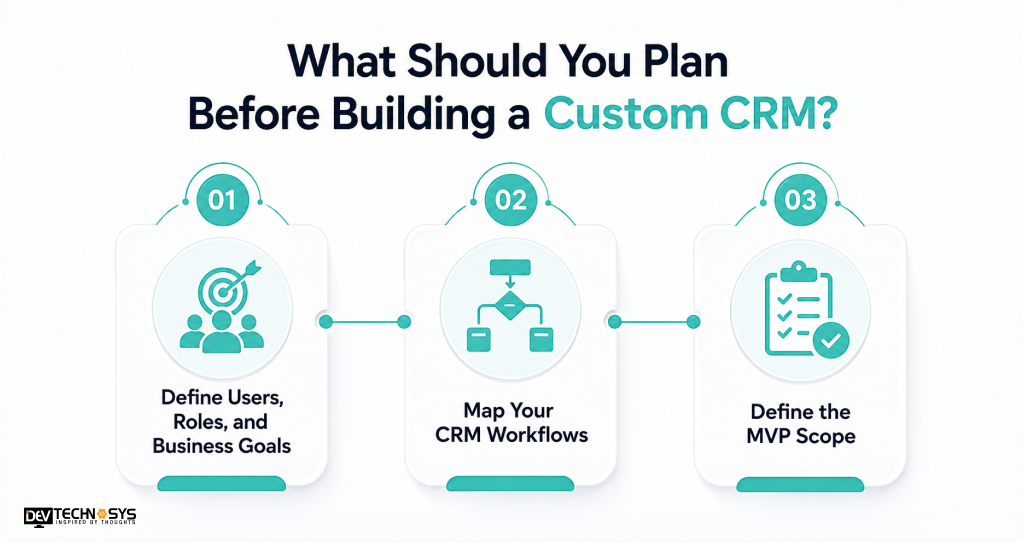
1. Define Users, Roles, and Business Goals
Identify everyone who will use the CRM, such as sales representatives, managers, marketing teams, customer support staff, and administrators. Then define measurable goals around sales management, response times, customer retention, or operational efficiency. This also determines permissions and access to customer data.
2. Map Your CRM Workflows
Document how leads and customer interactions move through the organization. A typical flow could be:
Lead → Qualification → Assignment → Opportunity → Proposal → Won/Lost → Customer
Map where lead tracking, approvals, notifications, and CRM workflow automation should occur.
For a structured approach, review the CRM development process before finalizing requirements.
3. Define the MVP Scope
Separate requirements into:
- Must Have: essential CRM functionality
- Phase 2: useful enhancements
- Advanced: AI, predictive analytics, and complex automation
This keeps the initial CRM software architecture focused and prevents unnecessary development.
Expert Insight
Mohit Nag, CTO, Dev Technosys – “A successful CRM starts with business workflows, not features. Define users, data, approvals, and measurable outcomes before development begins.”
Phase 1: Define Business Requirements & CRM Workflows
The first step in the steps to build a custom CRM software is turning business objectives into clear functional and workflow requirements. Instead of starting with a feature list, document how teams currently capture, manage, and convert customer information.
1. Identify Business Requirements
Define the users, responsibilities, process gaps, and measurable outcomes the CRM must support. For example, sales teams may need faster lead tracking, managers may need pipeline visibility, and support teams may need a complete history of customer interaction.
Specify requirements for sales management, customer data, permissions, reporting, integrations, and CRM workflow automation. These requirements become the foundation of the CRM software development process.
2. Map the Customer Journey
Document each stage from the first interaction to retention:
Lead → Qualification → Assignment → Opportunity → Proposal → Negotiation → Won/Lost → Customer
For every stage, identify the trigger, responsible user, CRM action, business rule, automation, and expected outcome.
This workflow map helps developers understand what the CRM should automate, what users should control, and where approvals or notifications are required before development begins.
Phase 2: Design the CRM Architecture & Data Model
The architecture should support current workflows while leaving room for new users, integrations, automation, and data as the business grows.
Define the CRM Data Model
Start with CRM database design by identifying the entities and relationships the system needs to manage:
User → Company → Contact → Lead → Opportunity → Activity → Customer
Define record ownership, relationships, permissions, required fields, and data validation rules. A well-structured model prevents duplicate or inconsistent customer data and makes reporting easier.
Choose the CRM Technology Stack
The CRM technology stack should match the required functionality, integrations, security, and expected scale. It typically includes:
- Frontend for CRM dashboards and user interfaces
- Backend for business logic and workflows
- Database for customer and transaction records
- APIs for CRM API integration
- Cloud infrastructure for hosting and scalability
- Authentication and access-control services
A typical architecture is:
Users → CRM Interface → API/Application Layer → Business Logic → CRM Database → External Systems
Phase 3: Plan the CRM MVP & User Experience
After defining the architecture, turn the requirements into a focused MVP. The goal is not to build every possible CRM capability at once, but to launch the functions users need most and create a foundation for future CRM application development.
Prioritize the CRM MVP
Separate the features of custom CRM software into clear development priorities:
| Must Have | Phase 2 | Advanced |
| Contacts | Advanced reports | AI agents |
| Leads | Marketing automation | Predictive analytics |
| Deals | More integrations | AI forecasting |
| Tasks | Advanced workflows | Natural-language search |
The MVP should address core sales and customer workflows before adding complex capabilities. This reduces scope creep and gives teams a usable product they can evaluate with real users.
A practical priority formula is:
Business Value + User Frequency + Development Complexity = Feature Priority
Design Around User Actions
The interface should help each role complete routine work with minimal friction. A sales representative may need a CRM dashboard, lead details, pipeline stages, tasks, and follow-ups, while managers may need performance summaries and team activity.
Keep navigation simple and make CRM customer data management intuitive through global search, clear record pages, filters, notifications, and responsive layouts for mobile users.
Phase 4: Develop Core CRM Features & Integrations
With the MVP defined, development can move into the core functionality that users will rely on every day. The priority should be building connected workflows rather than isolated features.
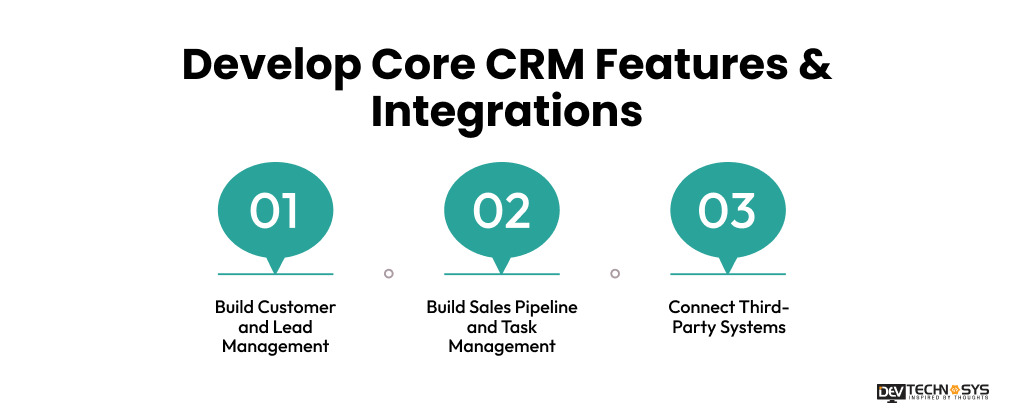
1. Build Customer and Lead Management
Start with CRM lead management and CRM contact management so teams can capture, qualify, assign, and track prospects. Each contact should have a centralized profile containing customer data, communication history, notes, activities, and relevant business records.
2. Build Sales Pipeline and Task Management
Develop the CRM sales pipeline around the actual sales process defined during requirements planning. Users should be able to move opportunities between stages, record activities, create follow-ups, and monitor deal progress.
CRM task management can handle assignments, deadlines, reminders, notifications, and recurring activities. These capabilities can later connect with CRM sales automation to trigger actions based on defined conditions.
3. Connect Third-Party Systems
Add CRM third-party integrations based on business requirements, such as email, calendars, ERP, payment systems, marketing platforms, and customer support tools. CRM email integration can synchronize conversations and activities, while CRM marketing automation can trigger campaigns from CRM events.
A typical CRM API integration flow is:
CRM → API → External System → Response → CRM Record
Phase 5: Add Security, AI & Advanced Capabilities
Once the core CRM functions are working, strengthen the platform with security controls and advanced capabilities that support business operations. Both should be designed around actual requirements rather than added as afterthoughts.
1. Build CRM Security Into the System
CRM security should be considered across the application, database, APIs, and infrastructure. Implement role-based access control so users can access only the customer data and functions relevant to their responsibilities.
2. Add AI Where It Improves a Workflow
An AI-powered CRM can automate repetitive tasks and help teams make faster decisions when AI is connected to useful business data.
| CRM Workflow | AI Capability |
| Lead qualification | Lead scoring |
| Sales calls | Call summaries |
| Emails | Draft generation |
| Customer records | Data extraction |
| Sales pipeline | Opportunity risk detection |
| Forecasting | Predictive analysis |
For example, CRM automation can use AI to score incoming leads, while sales forecasting can identify patterns in historical pipeline data.
A practical approach is:
CRM Problem → AI Capability → Business Outcome
For example, slow lead qualification can use AI lead scoring to help sales teams prioritize prospects faster.
Industry Insight
Microsoft says active agents across Microsoft 365 grew 15x year over year, showing rapidly accelerating adoption of agent-based workplace automation.
Phase 6: Test, Migrate Data & Validate
Before launching the CRM, verify that every workflow, integration, permission, and customer record works as expected. Testing should cover individual features as well as complete business processes.
1. Test the CRM Before Production
The CRM software development process should include functional, integration, security, performance, and user acceptance testing. Verify that users can access only authorized records, APIs exchange data correctly, dashboards display accurate information, and workflows trigger the intended actions.
2. Migrate Existing CRM Data
If the business is replacing an existing CRM, plan migration before launch. Start by auditing the customer data and identifying duplicates, incomplete records, outdated fields, and incompatible formats.
A practical migration workflow is:
Existing Data → Audit → Cleaning → Deduplication → Field Mapping → Transformation → Test Migration → Validation → Production Migration → Reconciliation
Run a test migration first and compare sample records against the source system. After production migration, reconcile record counts, relationships, and critical fields to confirm that CRM customer data management remains accurate.
CRM Data Migration Checklist: Audit → Clean → Deduplicate → Map → Test → Validate → Migrate → Reconcile
Phase 7: Deploy, Train & Optimize the CRM
Building the CRM does not end when development is complete. A controlled launch, proper training, and continuous optimization help turn the software into a reliable business system.
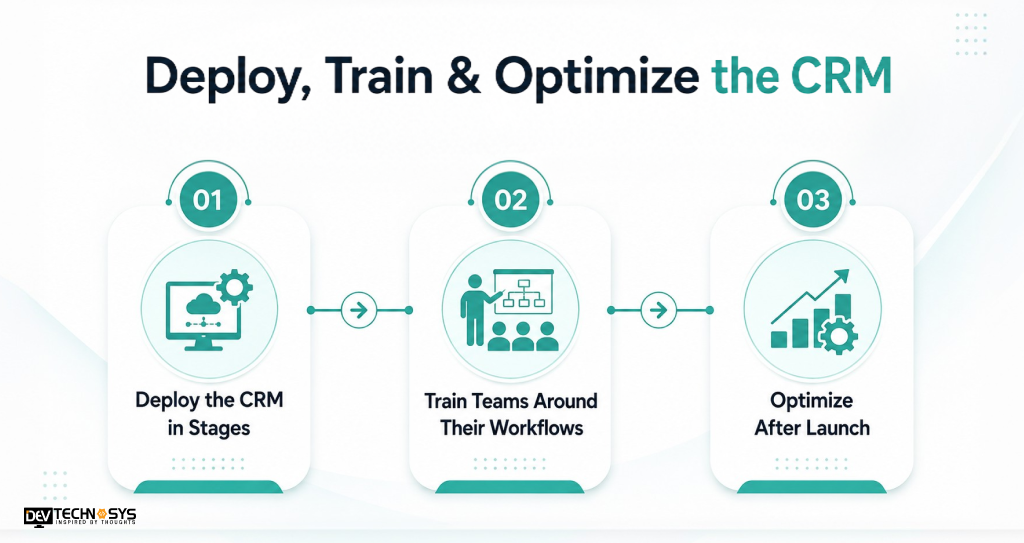
1. Deploy the CRM in Stages
Move the CRM from staging to a limited pilot before full production deployment. Monitor performance, integrations, permissions, and CRM automation during the rollout. Keep backups and rollback procedures ready if unexpected issues occur.
2. Train Teams Around Their Workflows
Provide role-based training for sales, marketing, support, and administrators. Show users how to manage customer data, update records, follow sales processes, and use CRM dashboards. Track adoption, data completeness, lead response times, and workflow usage to identify training gaps.
3. Optimize After Launch
Use a continuous improvement cycle:
Monitor → Collect Feedback → Prioritize → Improve → Measure
Review system performance, user feedback, workflow efficiency, security controls, and integration reliability. As requirements change, CRM application development can introduce new integrations, automation, or AI capabilities while keeping the CRM system development roadmap aligned with business goals. This approach helps maintain scalable CRM software as usage and data volumes grow.
What Features Should a Custom CRM Software Include?
The features of custom CRM software should reflect the company’s sales process, customer data requirements, team workflows, and reporting needs. Core functionality typically includes:
| CRM Feature | Business Purpose |
| CRM Lead Management | Capture, qualify, assign, and track leads |
| CRM Contact Management | Centralize customer profiles and interactions |
| CRM Sales Pipeline | Track opportunities across sales stages |
| CRM Task Management | Manage follow-ups, deadlines, and assignments |
| CRM Workflow Automation | Automate repetitive business actions |
| CRM Reporting and Analytics | Measure sales and operational performance |
| CRM Dashboard | Give teams real-time performance visibility |
| CRM Third-Party Integrations | Connect email, ERP, marketing, payment, and support systems |
Additional Capabilities
A custom CRM can also include CRM customer data management, advanced search, notifications, document management, mobile access, role-based permissions, and audit trails.
For growing organizations, features can be expanded through CRM automation, advanced analytics, marketing automation, and AI capabilities. The key is to prioritize functionality around actual business workflows instead of adding features simply because they are common in other CRM platforms.
How AI Can Improve a Custom CRM
AI can make a custom CRM more useful by reducing repetitive work, identifying patterns in customer data, and helping teams act on sales opportunities faster. The best approach is to connect AI capabilities to specific workflows rather than adding AI without a clear business purpose.
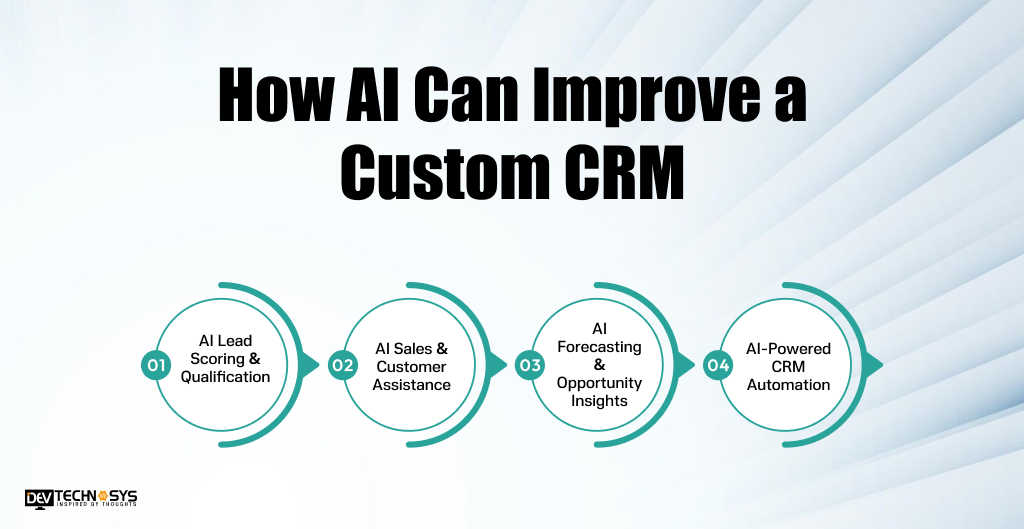
1. AI Lead Scoring & Qualification
AI CRM software can analyze customer behavior, engagement history, company attributes, and previous conversions to prioritize promising leads. Sales teams can focus their time on prospects with stronger conversion potential.
2. AI Sales & Customer Assistance
An AI-powered CRM can summarize sales calls, draft follow-up emails, extract information from customer conversations, and generate interaction summaries. This reduces manual data entry while keeping records updated.
3. AI Forecasting & Opportunity Insights
AI can analyze pipeline activity to support sales forecasting, identify opportunities at risk, and highlight unusual changes in customer or deal behavior.
4. AI-Powered CRM Automation
AI can enhance CRM automation by recommending next actions, triggering workflow steps, and assisting users with custo mer data management.
A practical AI maturity path is:
Automation → AI Assistance → Predictive Intelligence → AI Agents
How Much Does It Cost to Build a Custom CRM?
The cost to build a custom CRM software depends on its features, integrations, architecture, security requirements, automation, and AI capabilities. A practical estimate can be grouped by development complexity:
| CRM Complexity | Estimated Cost | What You Get | Best For |
| Basic / MVP CRM | $4,999 – $9,999 | Core customer management, lead tracking, dashboards, basic reports, and limited integrations | Startups & small businesses |
| Mid-Level CRM | $9,999 – $39,999 | Advanced sales workflows, automation, analytics, multiple integrations, and role-based access | Growing businesses |
| Advanced / Enterprise CRM | $39,999 – $89,999 | AI capabilities, custom workflows, advanced analytics, extensive integrations, stronger security, and scalable architecture | Large enterprises & complex operations |
What Influences Custom CRM Development Cost?
The final custom CRM development cost depends on several technical and business factors:
- Feature Scope: Number and complexity of CRM features, workflows, dashboards, and automation.
- UI/UX Design: Custom interfaces, user journeys, responsive layouts, and role-specific screens.
- CRM Software Architecture: Monolithic or modular architecture, scalability requirements, and infrastructure design.
- Integrations: APIs for email, ERP, accounting, payment, marketing, customer support, and other third-party systems.
- Data Migration: Volume, quality, cleaning, deduplication, transformation, and migration of existing customer data.
- Security Requirements: Authentication, role-based access, encryption, audit logs, backups, and compliance controls.
- AI Capabilities: AI lead scoring, forecasting, recommendations, generative AI, or AI agents.
- Platforms: Web, mobile, desktop, or multi-platform CRM development.
- User Roles: Number of users, permission levels, departments, and access-control requirements.
- Development Team: Developer expertise, team size, location, and engagement model.
- Maintenance & Scaling: Post-launch support, cloud infrastructure, performance optimization, and future feature development.
How Long Does It Take to Develop CRM Software?
The CRM software development timeline typically ranges from 1 to 4+ months, depending on the number of features, integrations, workflows, platforms, security requirements, and overall system complexity.
| CRM Complexity | Estimated Timeline | Typical Scope |
| Basic / MVP CRM | 1–2 months | Core customer management, lead tracking, dashboards, tasks, and basic integrations |
| Mid-Level CRM | 2–3 months | Advanced workflows, automation, analytics, multiple integrations, and role-based access |
| Advanced CRM | 3–4+ months | AI capabilities, complex workflows, advanced analytics, extensive integrations, and scalable architecture |
What Affects the Development Timeline?
Several factors can increase or reduce the time required to develop custom CRM software:
- Feature complexity and scope
- UI/UX design requirements
- CRM software architecture
- Third-party integrations and APIs
- Data migration and cleansing
- Security and compliance requirements
- AI and automation capabilities
- Number of platforms and user roles
- Testing and user acceptance
- Changes in requirements during development
A structured CRM software development process helps teams manage these dependencies and keep development aligned with the planned timeline.
Industry Insight
According to IDC, Salesforce held 20.0% of worldwide CRM market share in 2025, remaining the leading CRM provider for the thirteenth consecutive year.
How to Choose a Custom CRM Development Company?
Choosing the right CRM development company can directly affect the quality, scalability, security, and long-term success of your CRM. Evaluate potential partners across these areas:
- CRM Development Experience: Review relevant CRM projects, industry experience, and examples of custom workflows they have delivered.
- Technical Expertise: Check capabilities in CRM software development, database architecture, APIs, cloud infrastructure, AI, automation, and third-party integrations.
- Security Practices: Ask how the company handles authentication, access control, encryption, backups, testing, and sensitive customer data.
- Development Process: Look for a structured approach covering requirements, UI/UX, architecture, development, testing, deployment, and post-launch optimization.
- Communication: Confirm how milestones, progress updates, documentation, feedback, and scope changes will be managed throughout the project.
- Post-Launch Support: Check whether the team provides maintenance, performance monitoring, security updates, bug fixes, and future feature development.
Before selecting a partner to build a custom CRM software, compare their portfolio, technical approach, project methodology, communication process, support model, and pricing rather than choosing solely on development cost.
CRM development checklist: Portfolio → Expertise → Security → Process → Communication → Support → Pricing.

Final Thoughts
To build a custom CRM software successfully, businesses need more than standard features. The system should reflect actual workflows, customer data requirements, user roles, integrations, security needs, and future growth plans.
The process starts with business requirements and workflows, followed by architecture, MVP planning, development, security, AI capabilities, testing, data migration, deployment, and continuous optimization.
A well-designed custom CRM solution can improve customer data management, sales visibility, workflow automation, reporting, and team productivity while giving businesses greater control over future development.
Before starting development, review CRM development and how to choose the best CRM to understand the key decisions involved in selecting the right development approach and technology partner.
The right CRM should solve today’s business challenges while remaining flexible enough to support tomorrow’s growth.
Frequently Asked Questions
Find answers to the most common questions related to this article.
Custom CRM development typically costs $4,999 to $89,999, depending on features, integrations, platforms, security requirements, AI capabilities, data migration, and system complexity. An MVP costs less than an advanced or enterprise CRM solution.
Developing custom CRM software typically takes 1 to 4+ months. An MVP may take 1-2 months, while mid-level systems can require 2-3 months and advanced CRM platforms may take 3-4+ months.
Choose custom CRM software when your workflows, data structures, integrations, or scalability requirements exceed standard platform capabilities. An existing CRM is usually better when requirements are standard and faster deployment is the priority.
A custom CRM should include lead and contact management, sales pipelines, task management, workflow automation, dashboards, reporting, customer data management, integrations, notifications, and role-based access, with additional features based on business requirements.
Yes, Custom CRM software can integrate with ERP, email, accounting, marketing, payment, customer support, and other business systems through APIs. Integration planning should define data flows, authentication, synchronization, error handling, and access permissions.